

Auto Sales Order from Delivery
Creates a Sales Order automatically when a Delivery Order is validated.
$99USD
Details
Scan products into sales, purchases, invoices, pickings, inventory adjustments, manufacturing BOMs and scrap orders, and jump to any document by scanning its reference.

Keep a direct link between source and target documents, allowing users to navigate between companies and see the entire chain of related Sales and Purchase Orders.
Mirror lines with the same products, quantities and prices, using mapped inter company partners and taxes to ensure consistent data in all involved companies.
Avoid re typing internal orders for each company, speeding up inter company processing, minimizing discrepancies and simplifying audits and reconciliations.
Real screens from All in One Barcode Scanner — click any image to see it full size.
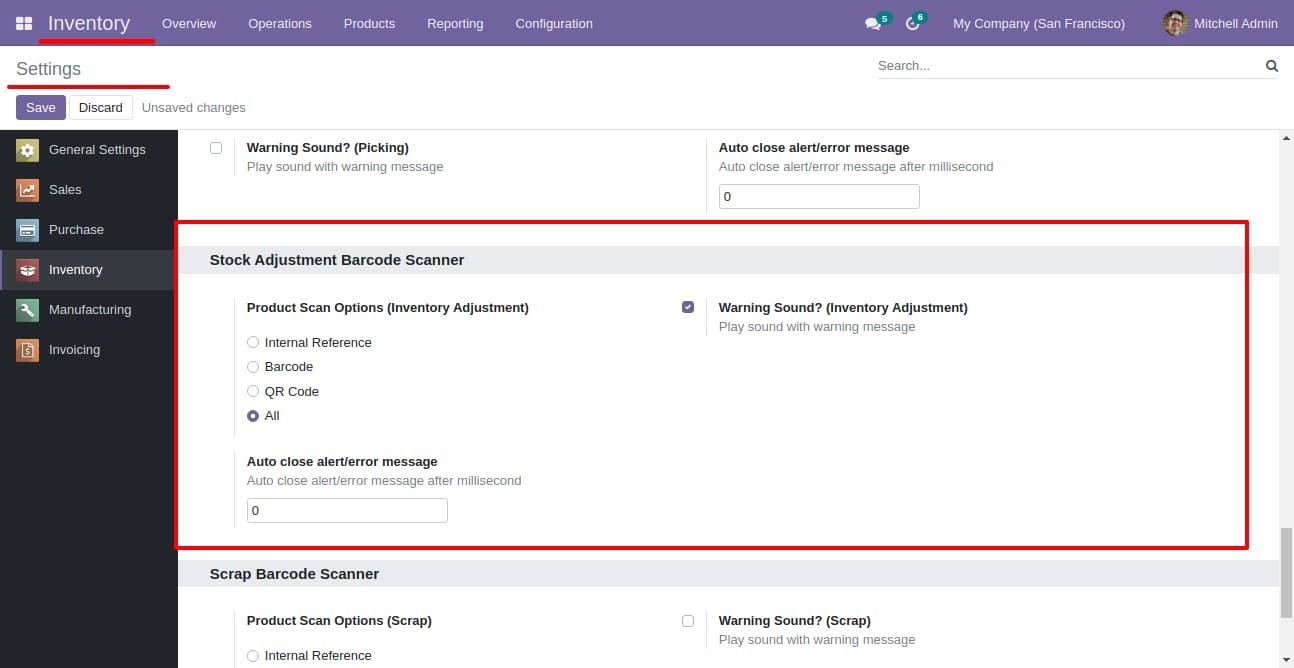
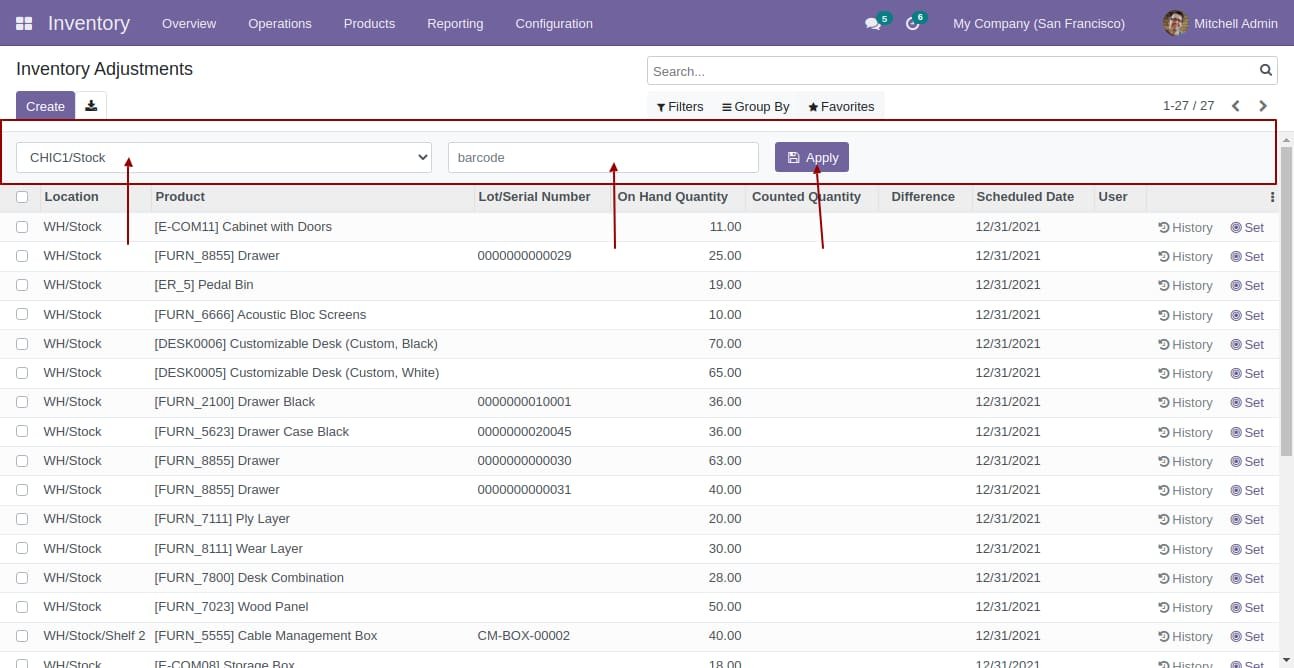
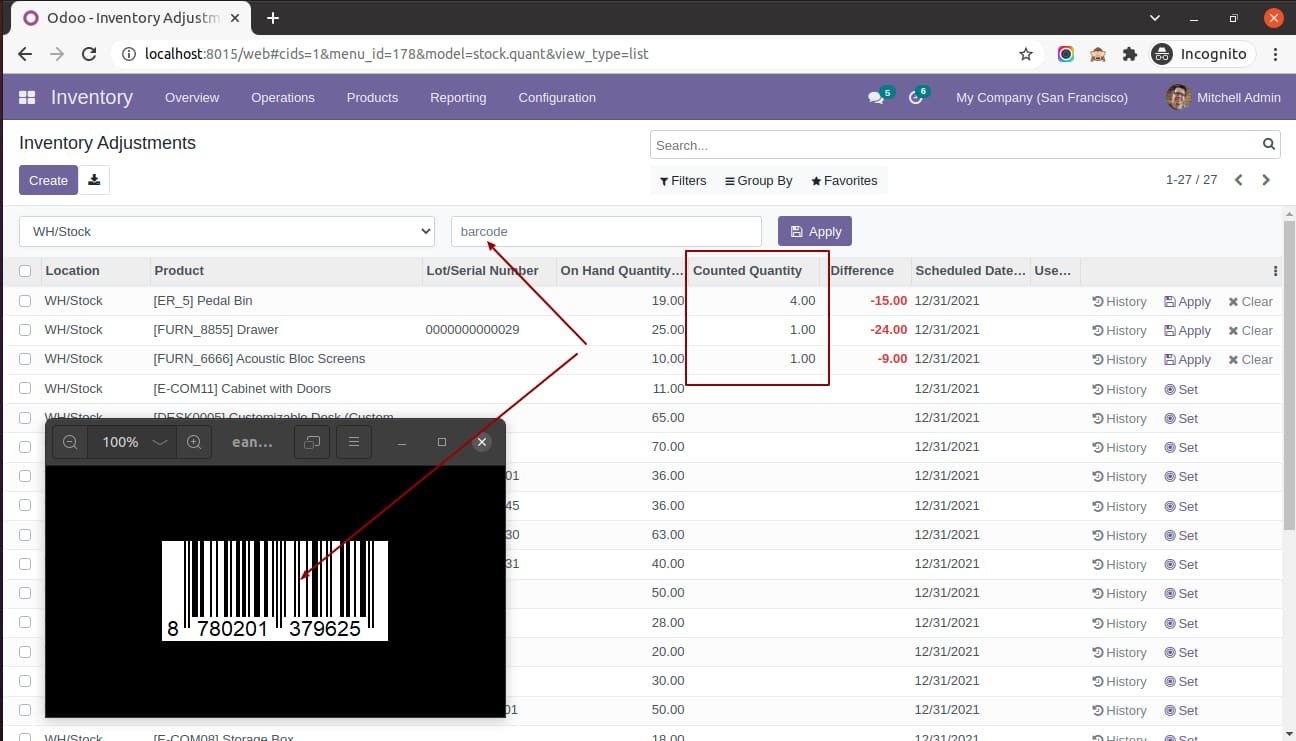
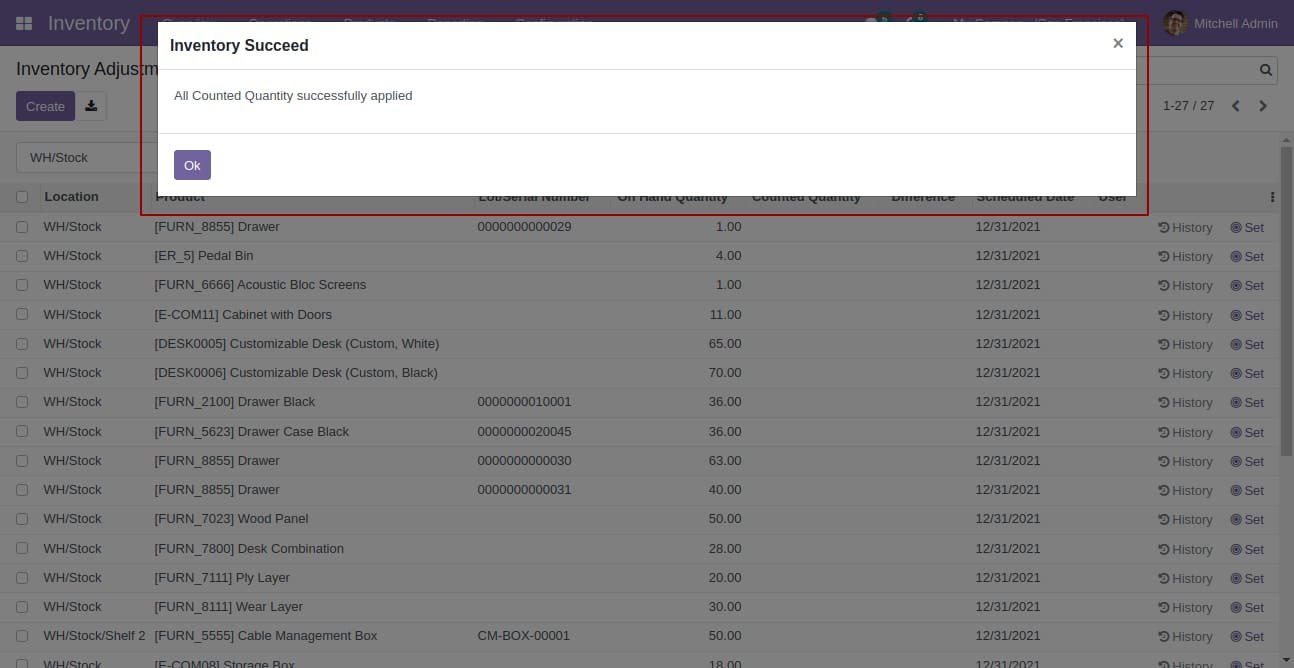
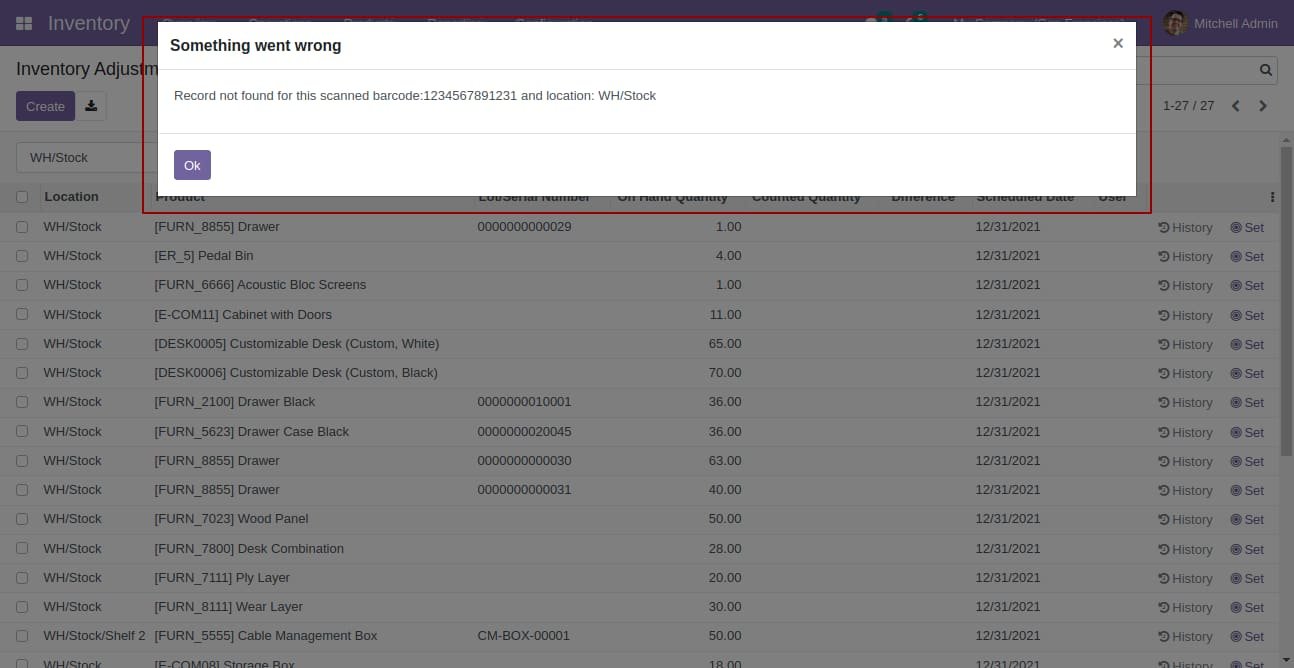
If a scanned barcode matches no product, a clear warning is shown instead of a silent failure.
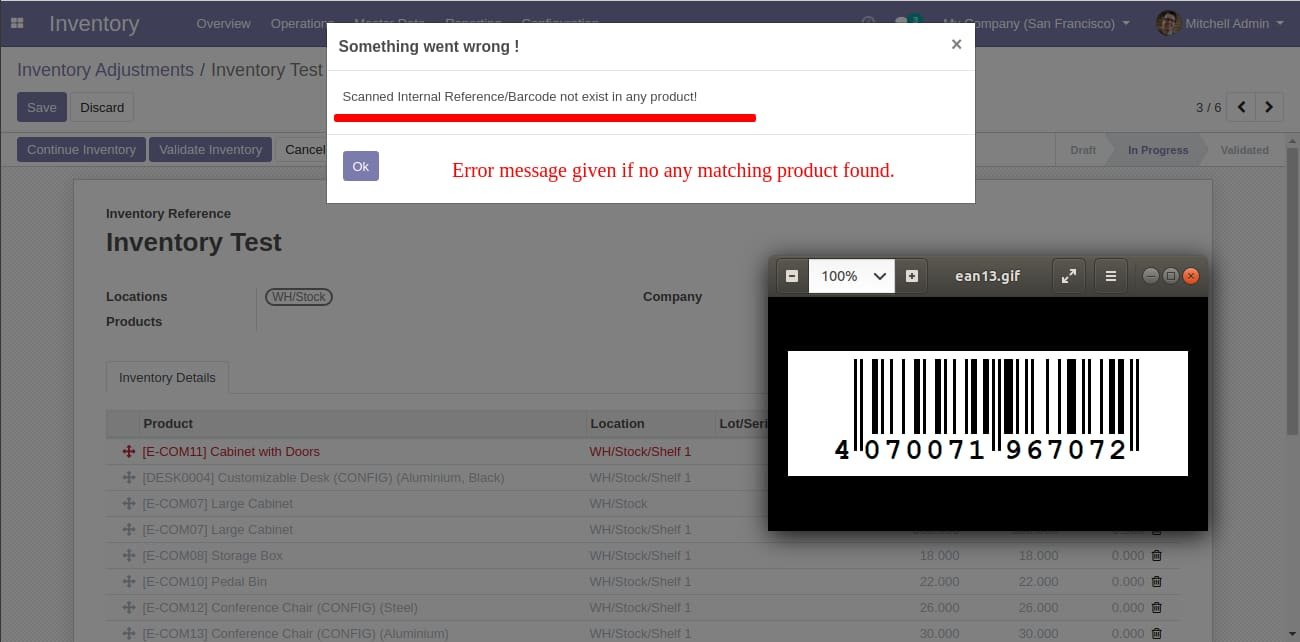
This build is for Odoo 18. Need it for another version? Contact us and we will let you know when it is available.
Yes. Every purchase includes free deployment — after payment our team installs and sets up the module on your Odoo.
It builds on these Odoo apps: barcodes, sale_management, purchase, account, stock, mrp.
Yes — it needs Product QR Code Generator. They are included in your download.
Creates a Sales Order automatically when a Delivery Order is validated.
Store BIM/PIM technical documentation on products for construction and architecture.
bpost Shipping Manager for Odoo (Belgium): bpack 24h, Europe and World labels, customs for non-EU, Saturday delivery, signature, returns, cancellation and live tracking.
Book a free consultation and we'll help you pick the right modules for your workflow.

