Healthcare Community

Inter Company Stock Transfer

Easily manage stock movements between multiple companies with full automation. When one company validates a Delivery Order or Receipt, the system automatically creates the corresponding Receipt or Delivery Order in the related company — ensuring perfect synchronization. This feature enables smooth Inter-Company Stock Transfers and eliminates manual entries, reducing errors and saving valuable time. Maintain accuracy, consistency, and complete visibility across all your company warehouses effortlessly.

$49.50 USD
Choose your Odoo version
Ask a question
Built by an Odoo partner Initial setup support Download link by email
Inter Company Stock Transfer
What's included

Key features

1

Automated PO & SO Creation

When a user creates a Sales Order for a partner company, the system instantly generates a corresponding Purchase Order in that company, completely eliminating manual entry.

2

Synchronized Stock Movements

Validating a Delivery Order in the source company can automatically trigger the validation of the corresponding Receipt in the destination company, ensuring your stock levels are always in sync.

3

Seamless Two-Way Document Linking

Easily navigate between the source Sales Order and the generated Purchase Order with a single click. The same applies to Delivery Orders and Receipts, giving you a complete audit trail.

4

Guaranteed Data Consistency

The module ensures that products, quantities, unit prices, and taxes are perfectly mirrored from the Sales Order to the Purchase Order, preventing any financial or inventory discrepancies.

5

Easy Centralized Configuration

Simply define the intercompany relationship on the partner form. A one-time setup is all you need to enable the automation for all future transactions between those companies.

Inside the module

Screenshots

Real screens from Inter Company Stock Transfer — click any image to see it full size.

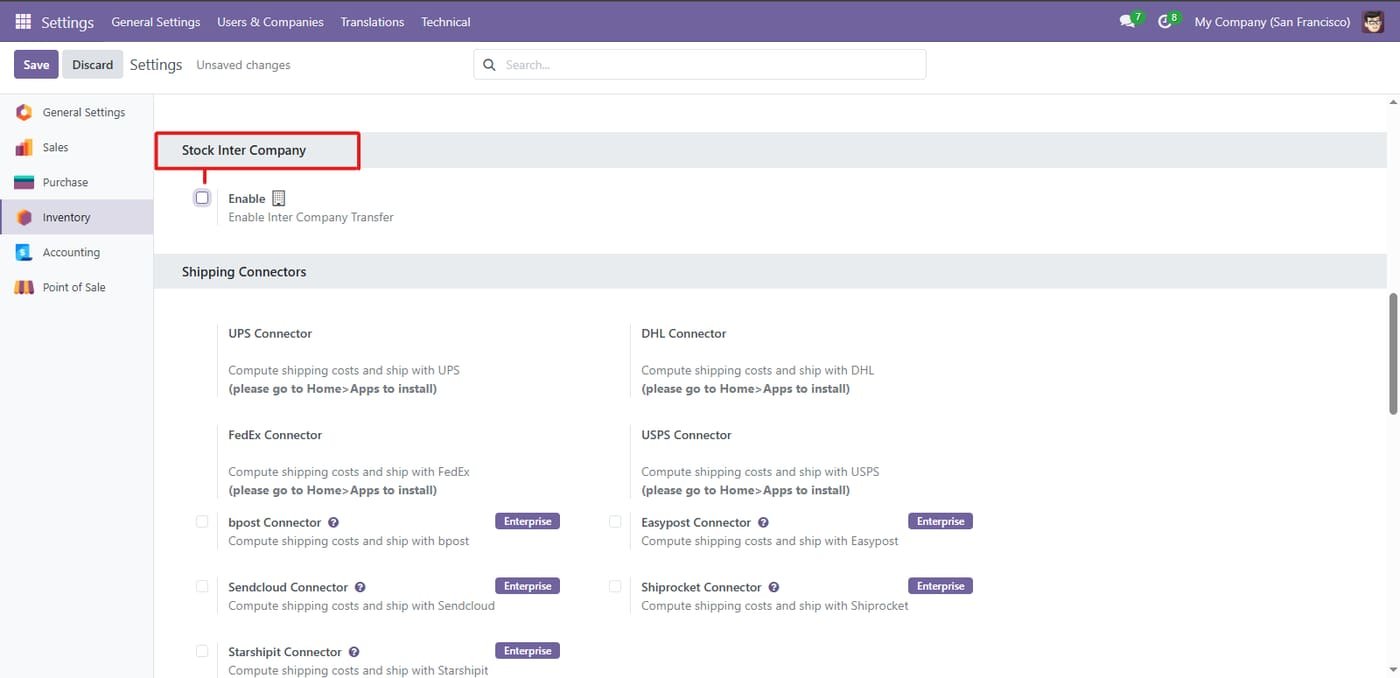
Step 1

Enable automatic intercompany Delivery/Receipt creation.

Enable automatic intercompany Delivery/Receipt creation.
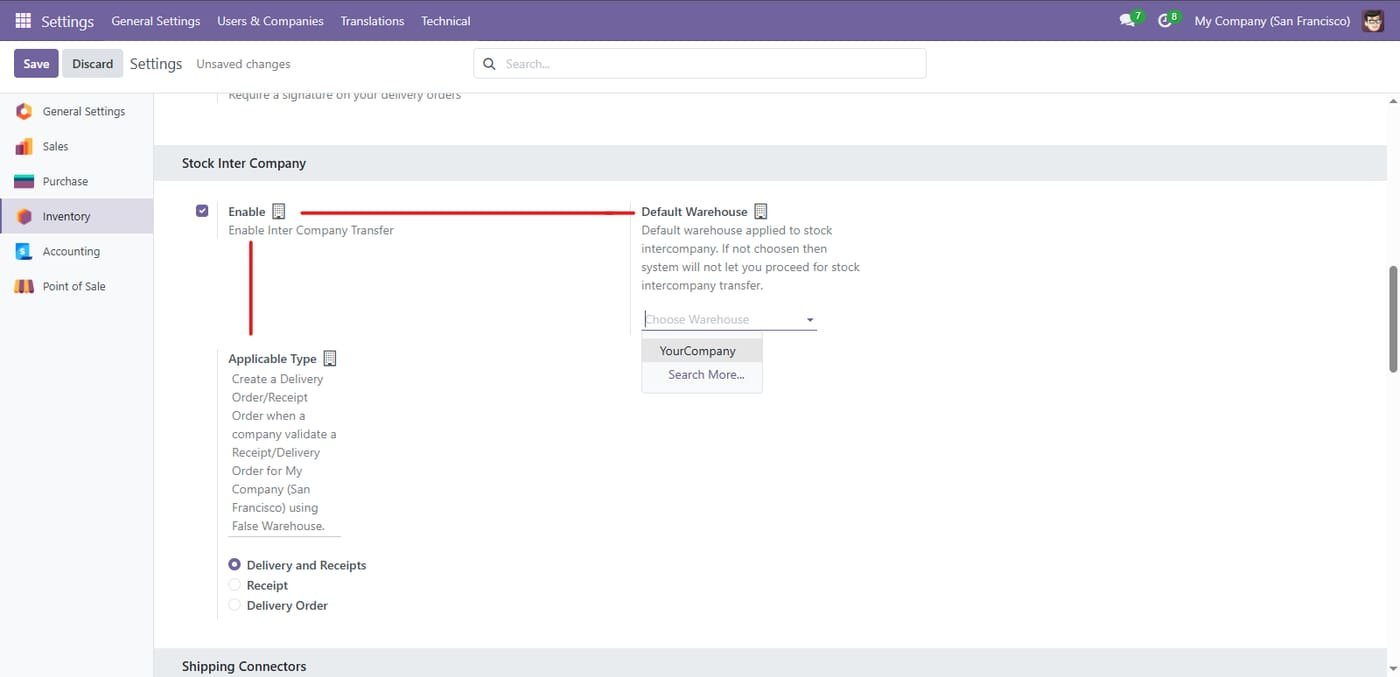
Step 2

Select the company and applicable transfer type for intercompany operations.

Select the company and applicable transfer type for intercompany operations.
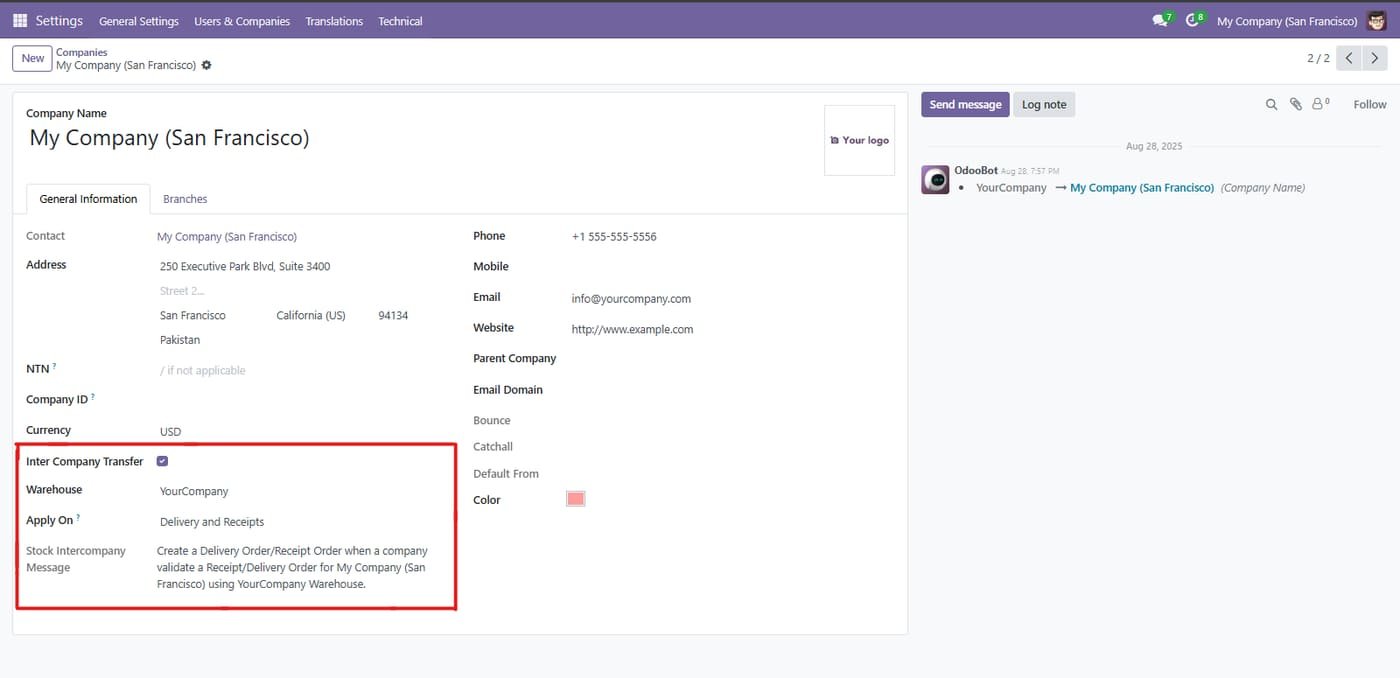
Step 3

Company Intercompany Transfer Configuration

Company Intercompany Transfer Configuration
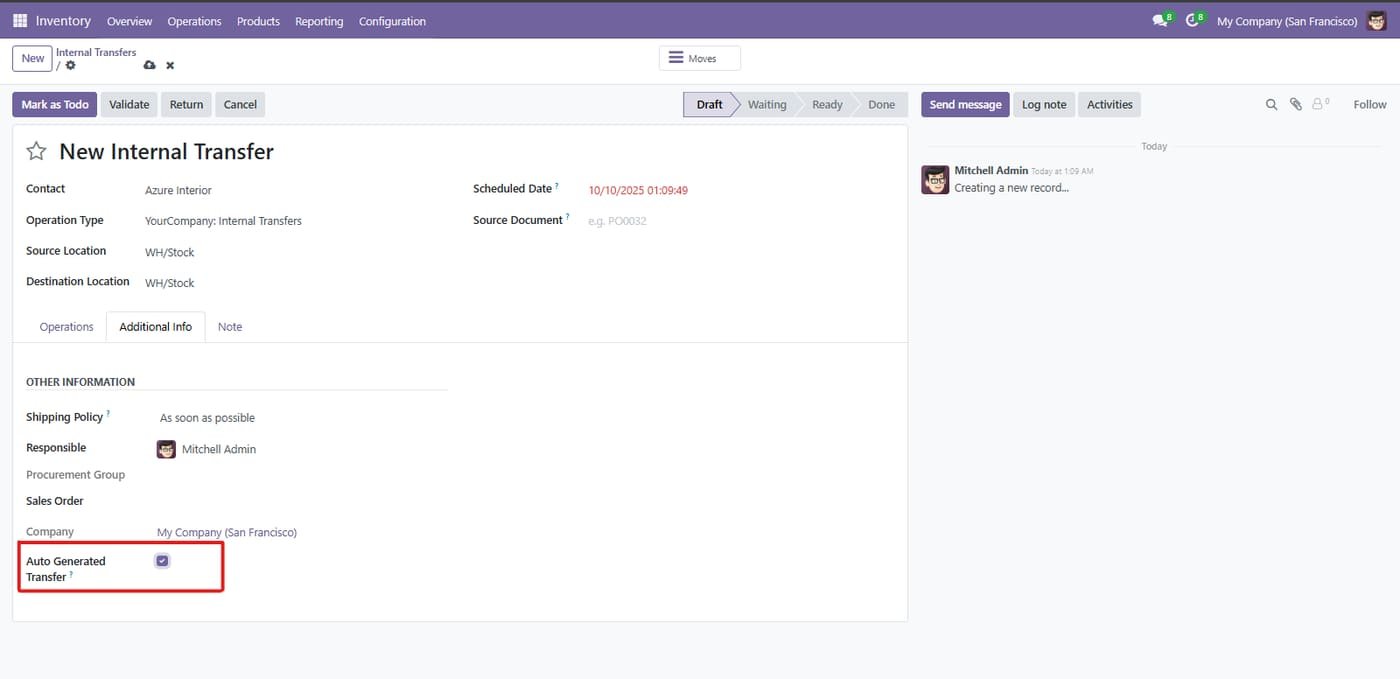
Step 4

Auto-generated internal transfer

Internal transfers created by the inter-company flow are flagged as auto generated.

Auto-generated internal transfer
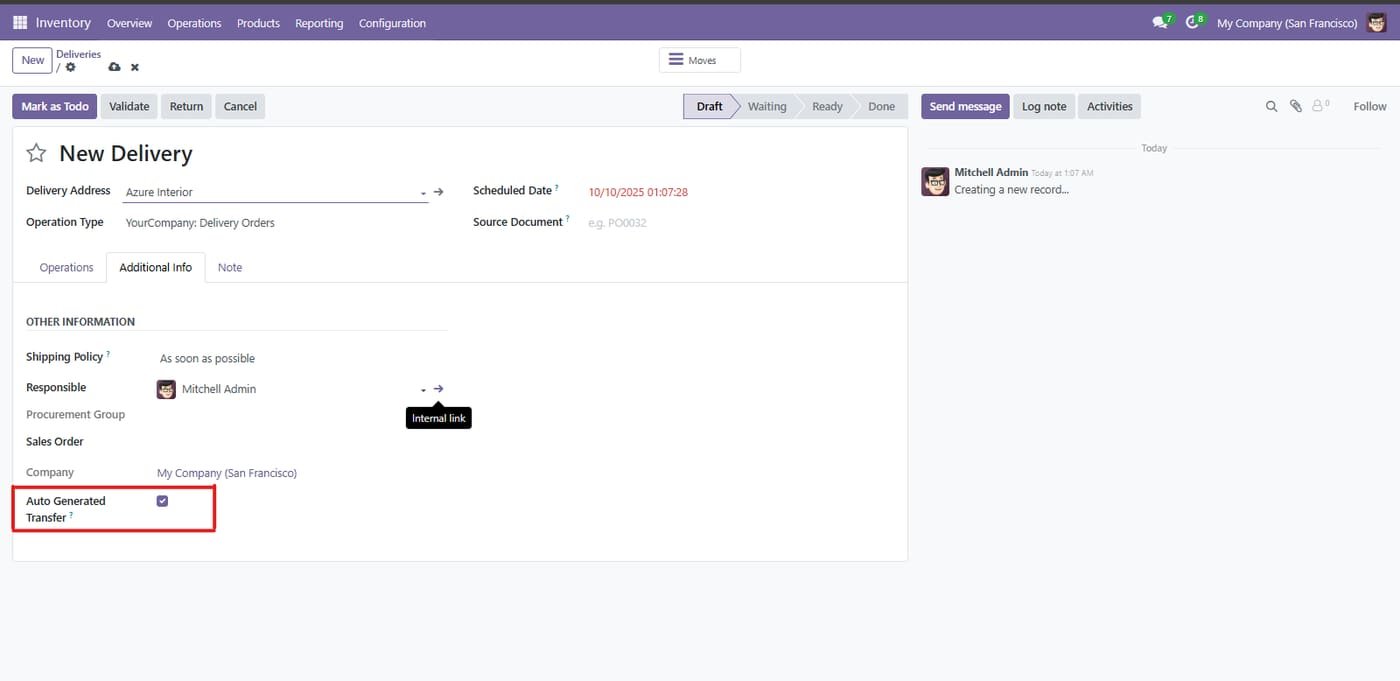
Step 5

Auto-generated delivery

The matching delivery order in the other company is created and flagged automatically.

Auto-generated delivery
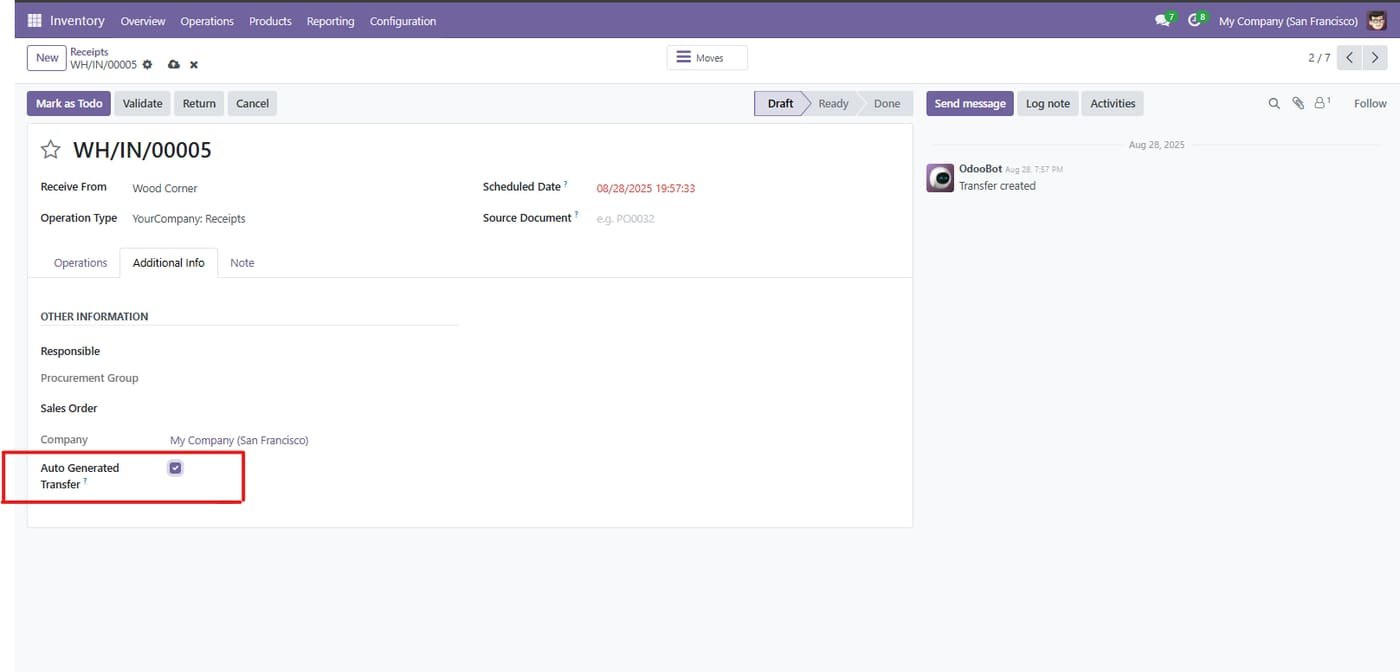
Step 6

Auto-generated receipt

The receiving company gets its receipt created automatically too.

Auto-generated receipt
Common questions

Questions aboutthis module.

Something else? Ask our team.

This build is for Odoo 18. Need it for another version? Contact us and we will let you know when it is available.

Yes. Every purchase includes free deployment — after payment our team installs and sets up the module on your Odoo.

It builds on these Odoo apps: stock, account, stock_account.

Not sure it's theright fit?

Book a free consultation and we'll help you pick the right modules for your workflow.