

Everyone is talking about AI, but most Odoo users we meet ask the same practical question: what can it actually do inside my Odoo, today, without risking my data? Below are the seven uses we see working in real companies, with screenshots from Odoo.
The rule behind all of them is the same. AI should read your data, prepare work and explain it, but a person should approve anything that changes a record. That one rule removes most of the risk.
1. Ask questions in plain language
Instead of building a report, you type a question like "Which customers have not paid for more than 60 days?" and get a table back, with links that open each record. It works in the language you type in, which matters for teams that work in Urdu, Arabic or French.
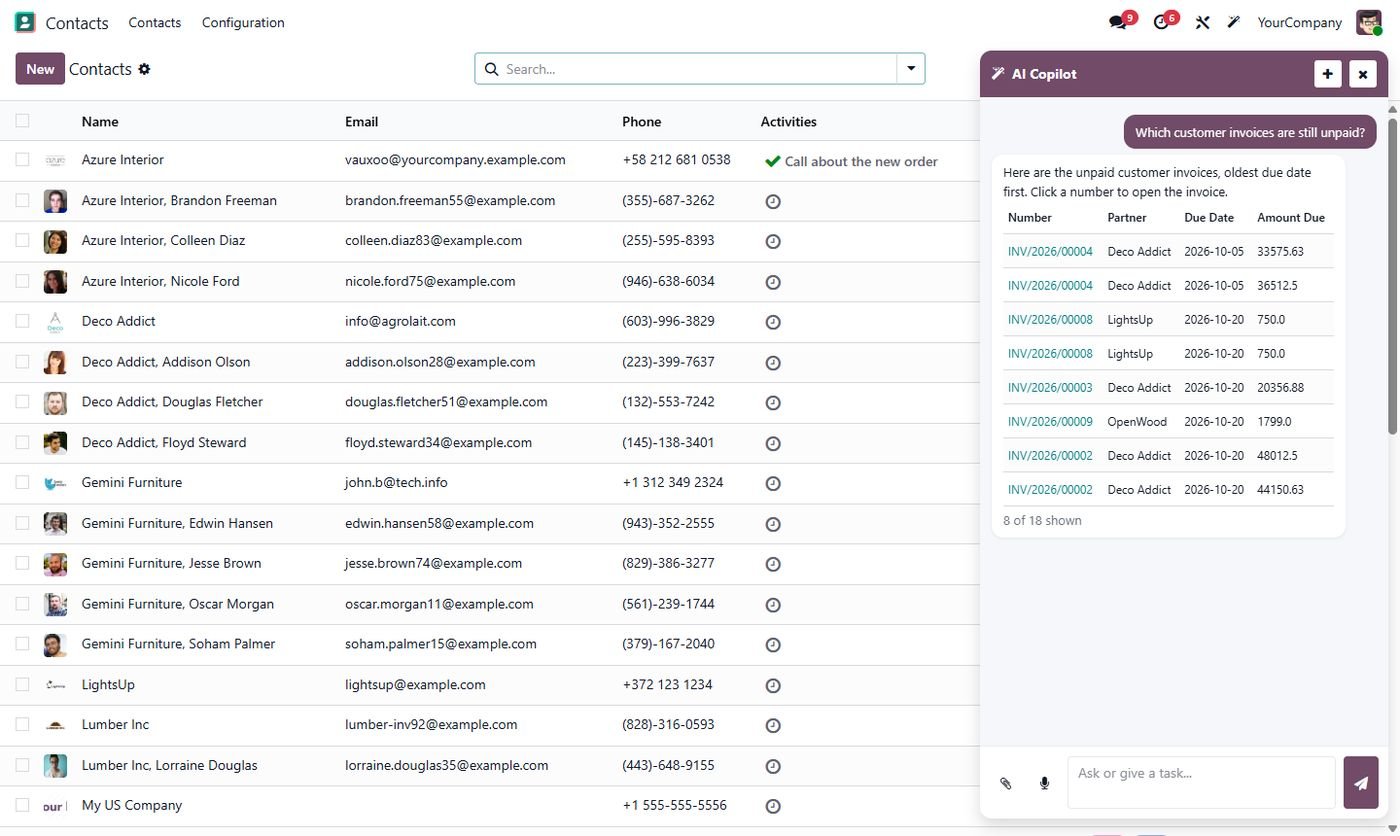
2. Get charts, Excel and PDF without building reports
Managers often need one chart for a meeting, not a new dashboard. Ask for "sales by month this year as a bar chart" and the answer comes with the chart, an Excel file and a PDF.
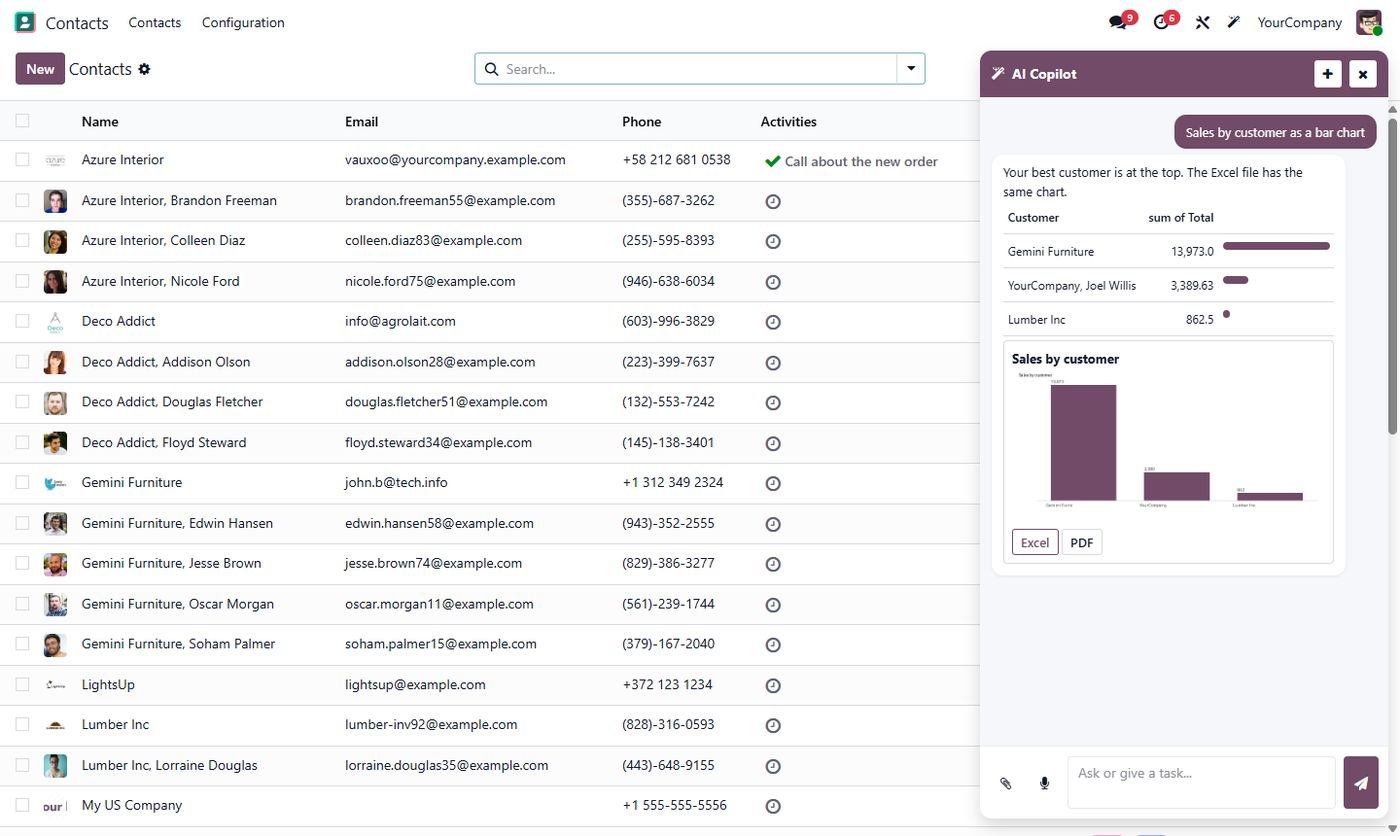
3. Let AI prepare records, then approve them
AI can draft a quotation, a lead or an activity from a short instruction. The important part is that nothing is saved until someone clicks Approve. This is the difference between a useful assistant and a risky one.
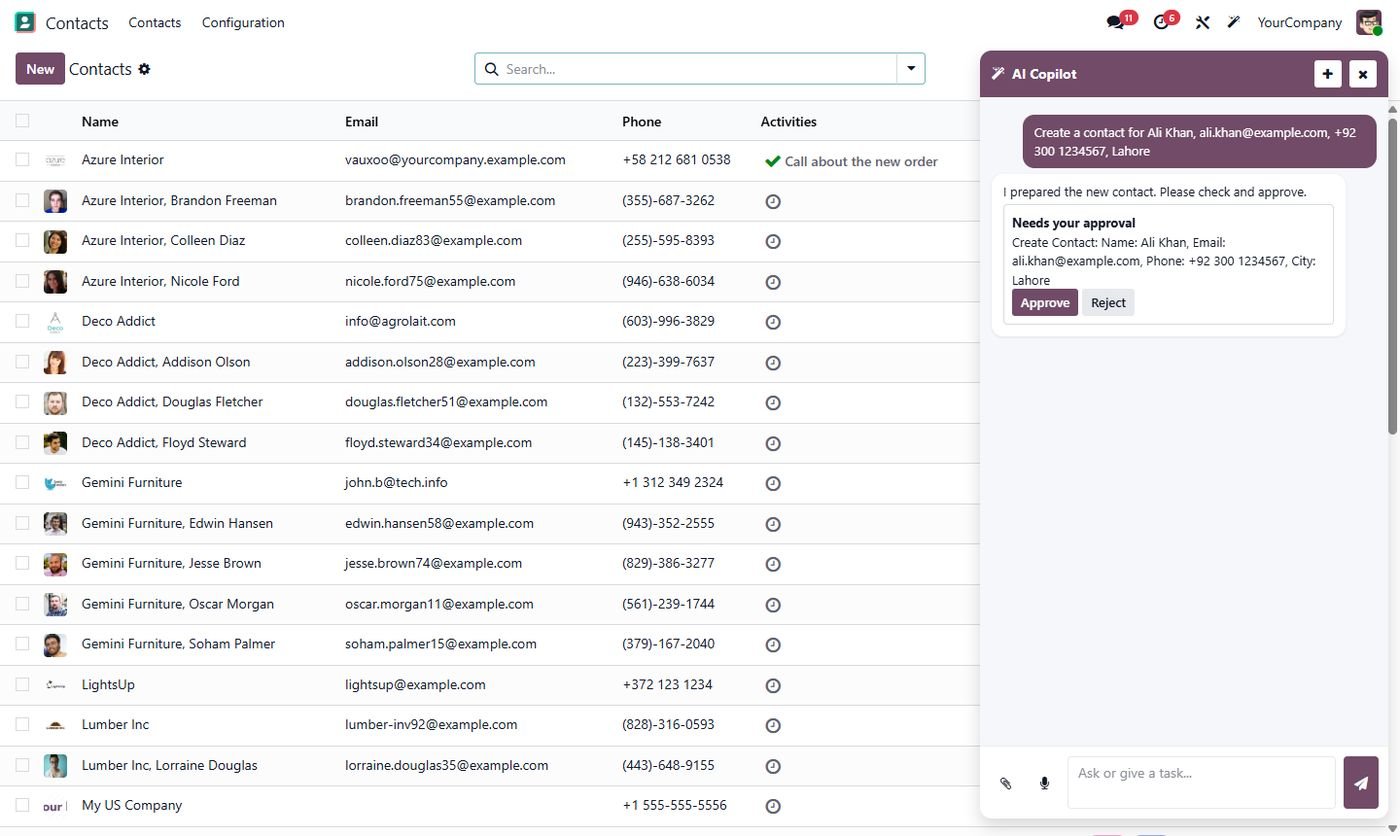
4. Read bills and documents
Upload a PDF, a CSV or even a phone photo of a supplier bill, and the AI fills in the vendor bill for you to check. For accounts teams that type in dozens of bills a week, this is often the biggest time saver.
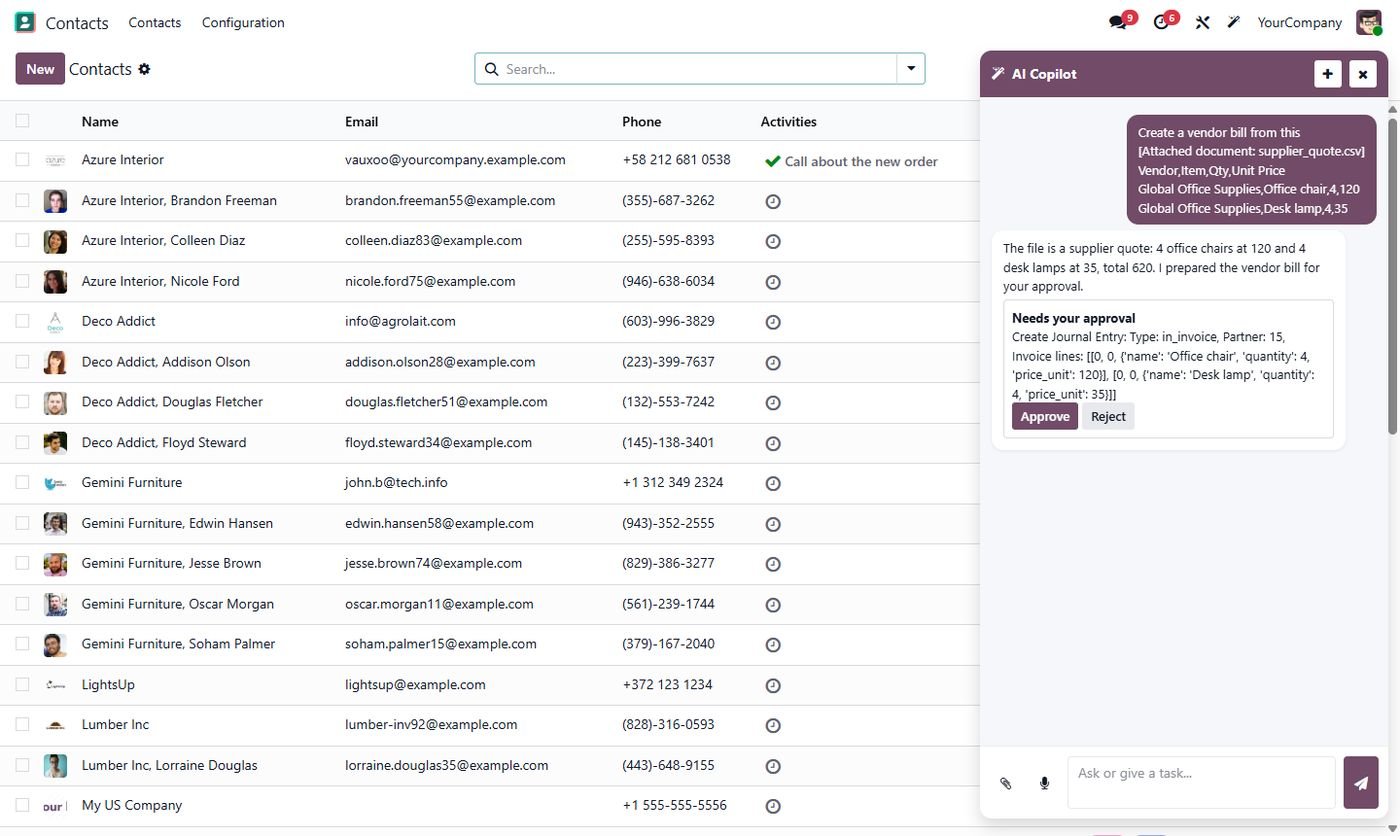
5. Reminders and WhatsApp follow-ups
After a call or a quotation, ask the AI to schedule a follow-up activity and prepare a WhatsApp message. The message is ready to send in one click, and the activity shows up in the salesperson's planner.
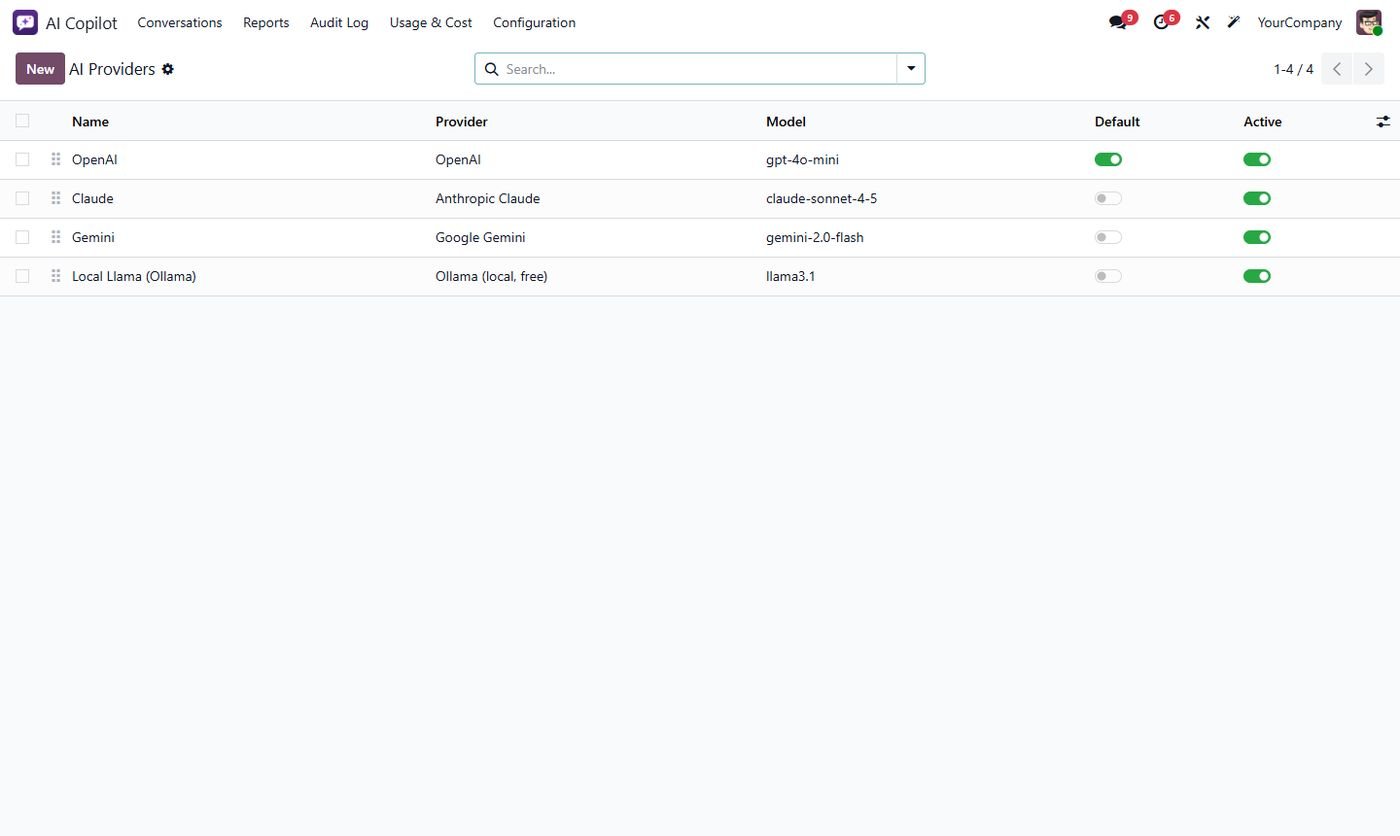
6. Choose your AI provider, including free local models
You are not tied to one company. The same Odoo assistant can use OpenAI, Claude, Gemini, Groq, DeepSeek or a free local model through Ollama, so data can even stay on your own server.
7. Control what AI can see and do
Good AI in Odoo has the same limits as a user. Decide which models the AI may read or change, which user groups can use it, and keep a log of every action. If something looks wrong, the audit log shows who asked what and what happened.
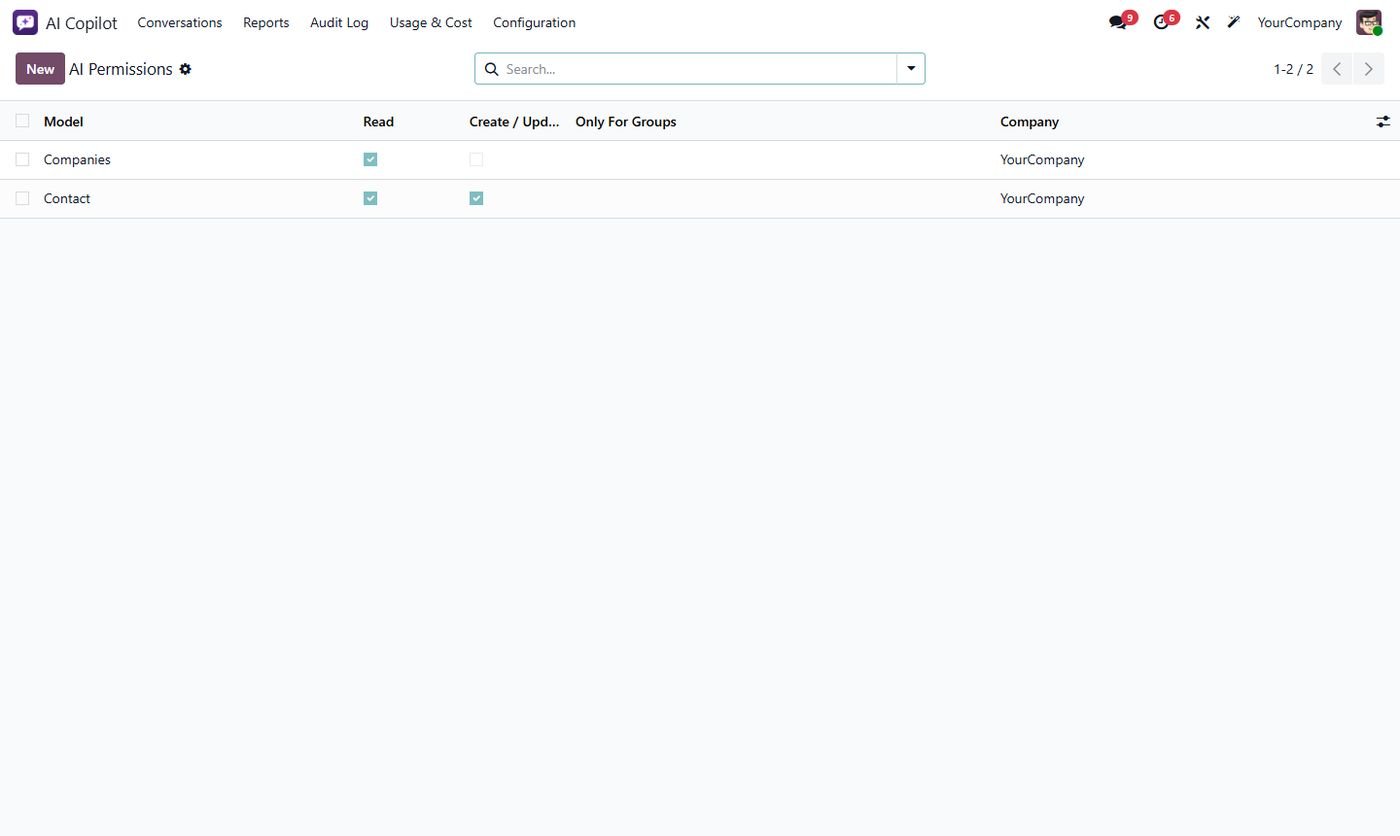
The first thing most clients turn on is not chat at all, it is bill reading and plain-language reports. The second is the permission screen: finance teams want AI to read invoices, but not to change them. Start small, with read-only access, and widen it once the team trusts it.
Is AI in Odoo safe?
It is as safe as the rules around it. Use AI that respects Odoo access rights, require approval before saving, keep an audit log and watch the cost per user. With those four in place, AI becomes a helpful colleague rather than a risk.
Frequently asked questions
Does Odoo have AI built in?
Recent Odoo versions include some AI features, mainly in Enterprise. Apps like AI Copilot Center add a full assistant to Community and Enterprise, with your own choice of AI provider.
How much does AI in Odoo cost?
The app is a one-time cost and the AI provider charges per use, usually a few cents per question. A free local model through Ollama costs nothing per question.
Can AI change my data without asking?
It should not. Choose a setup where every change waits for approval and every action is logged.