Security & Access Community

Access Rights Manager

User Access Rights, Permissions & Security: restrict menus, fields, buttons, views & reports per user, group or profile with domain-based rules.

$80.50 USD
Choose your Odoo version
Ask a question
Built by an Odoo partner Initial setup support Download link by email
Access Rights Manager
What's included

Key features

1

Centralized access profile management

Create and maintain reusable access profiles to control what each user or group can see and do, without touching complex technical security rules.

2

Intuitive non technical interface

Manage all access rights from a clean, user friendly screen so functional admins can configure security without developer knowledge.

3

Menu, tab and button visibility control

Hide or show specific menus, submenus, form tabs and buttons per profile to simplify the interface and prevent access to unwanted features.

4

Detailed model level access rights

Control model permissions such as create, edit, delete, view, archive or unarchive, duplicate and export, all from a single configuration place.

5

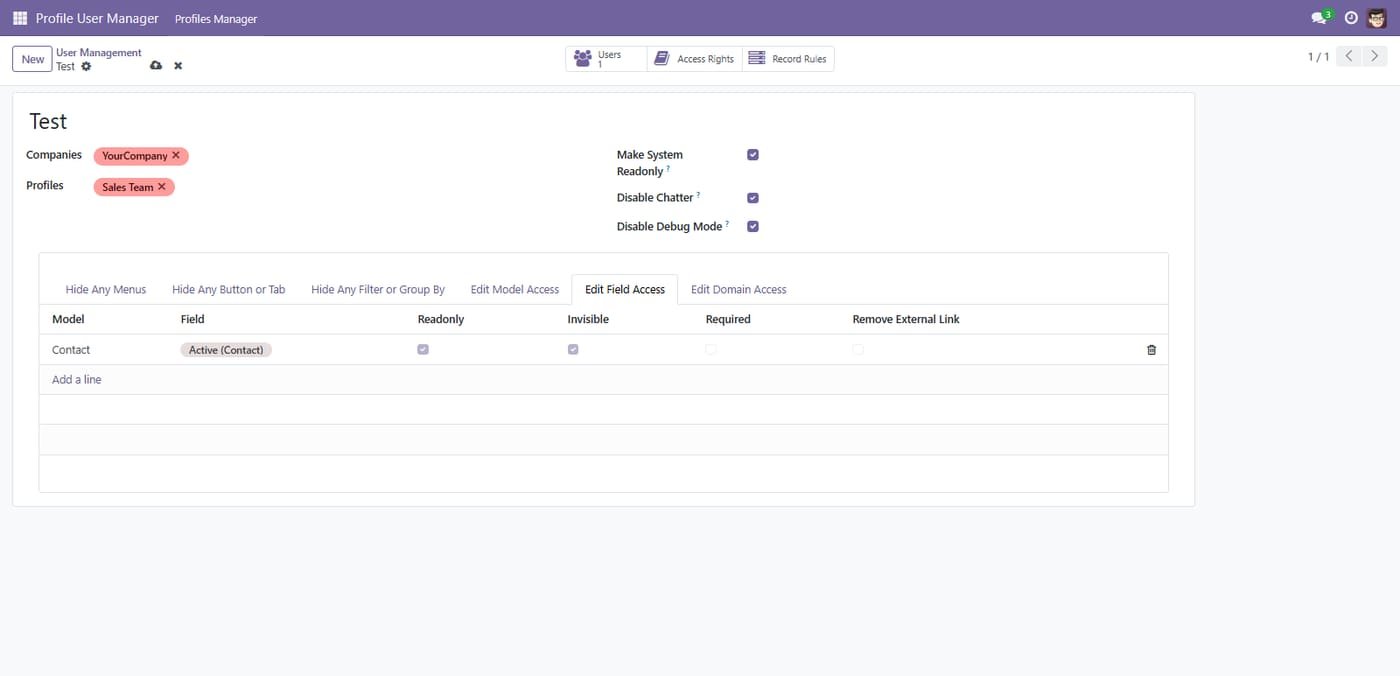
Fine grained field level permissions

Define field behavior per profile by making fields invisible, read only or required, ensuring users only see and edit what they really need.

6

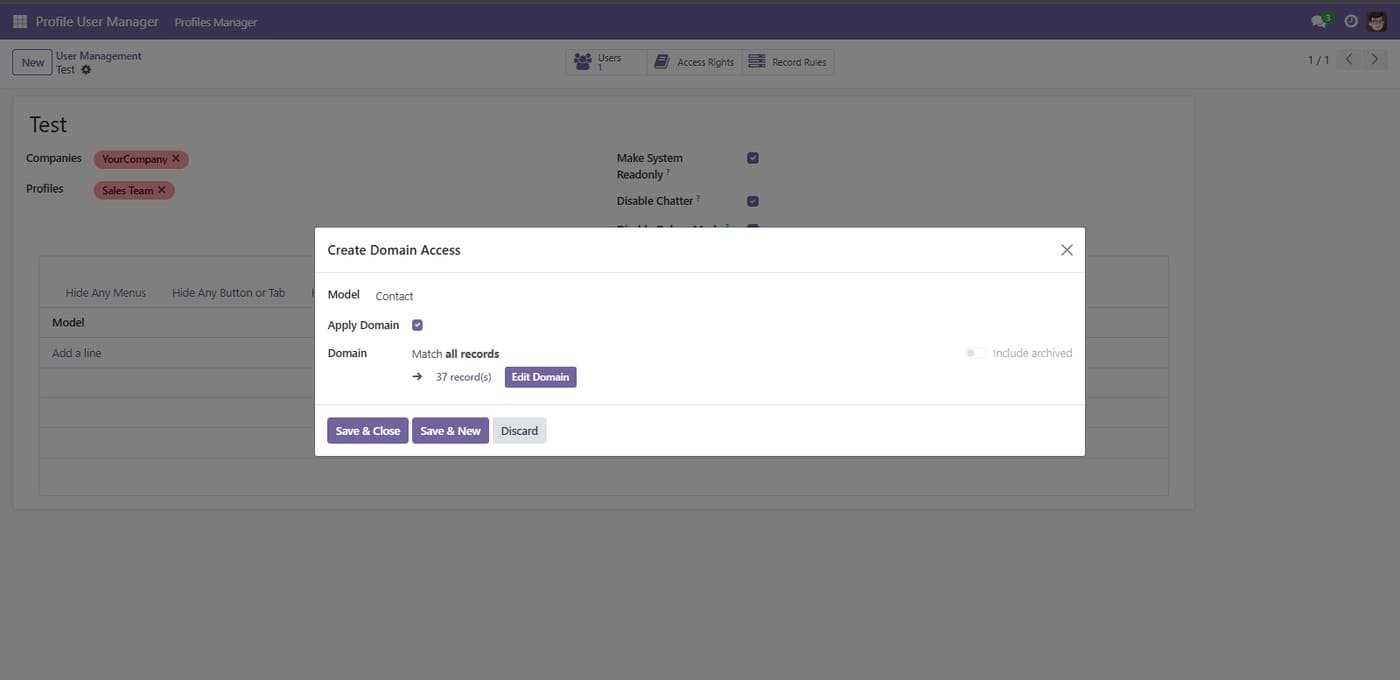
Domain based conditional permissions

Apply conditional rules using domains to allow or restrict create, write, delete and read operations based on record values and business conditions.

7

Record and chatter access control

Configure chatter access per model and globally, hide chatter for specific users, and manage who can see messages, activities and notes.

8

Read only mode and developer mode restrictions

Turn any user into read only, hide technical options and restrict developer mode access to protect configuration from accidental changes.

Inside the module

Screenshots

Real screens from Access Rights Manager — click any image to see it full size.

Step 1

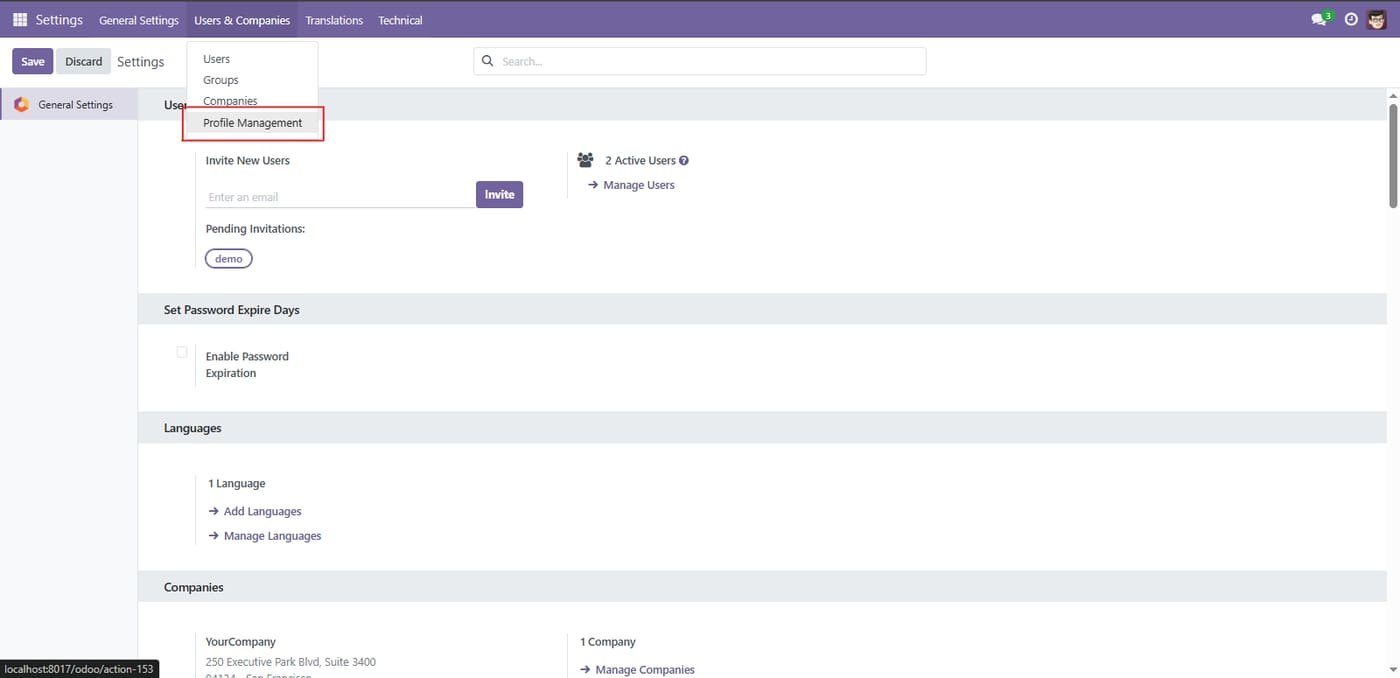
Open Profile Management from Settings

Go to Settings → Users & Companies → Profile Management to start managing access profiles.

Open Profile Management from Settings
Step 2

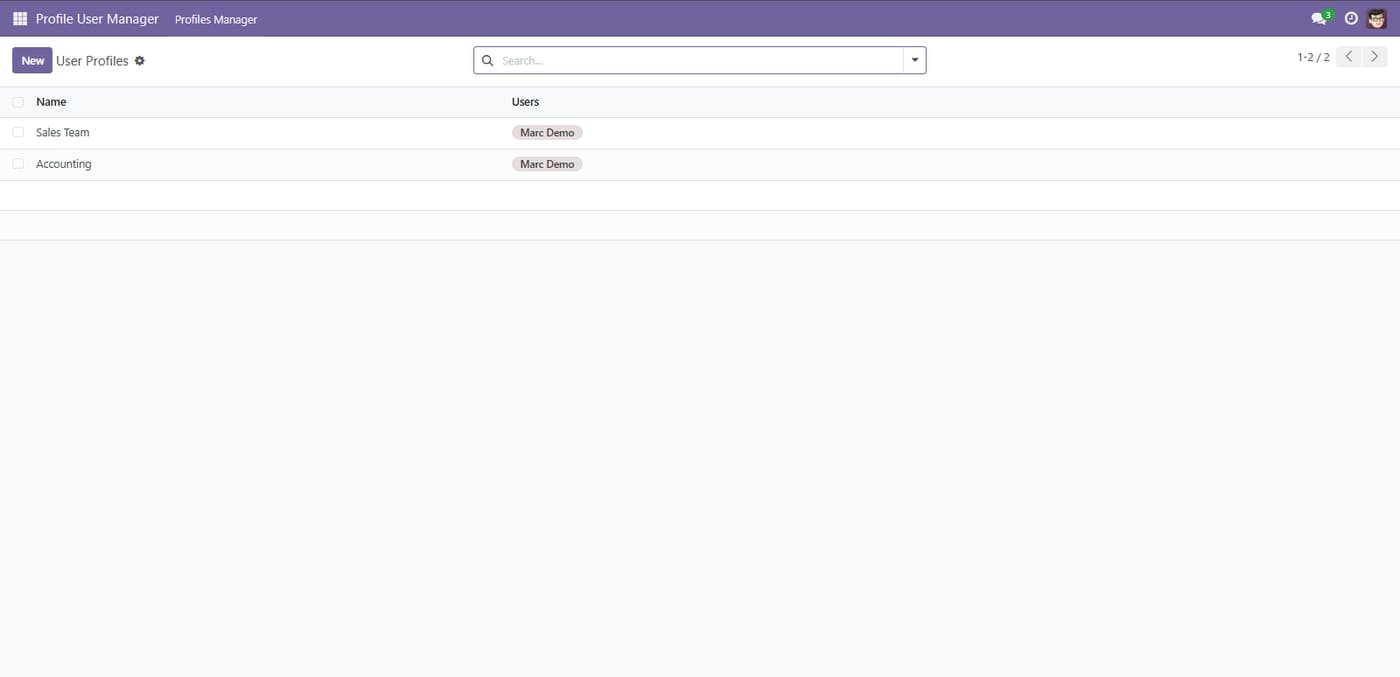
You start by Creating your different profiles

You start by Creating your different profiles
Step 3

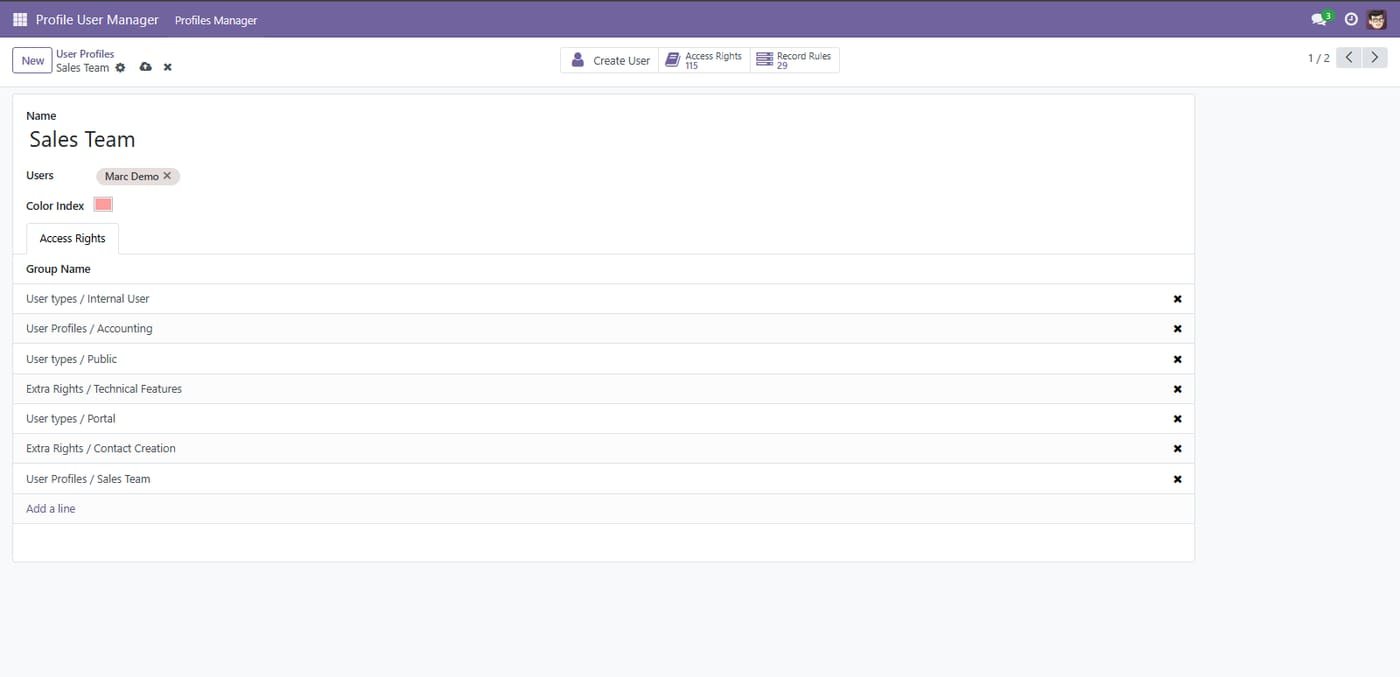
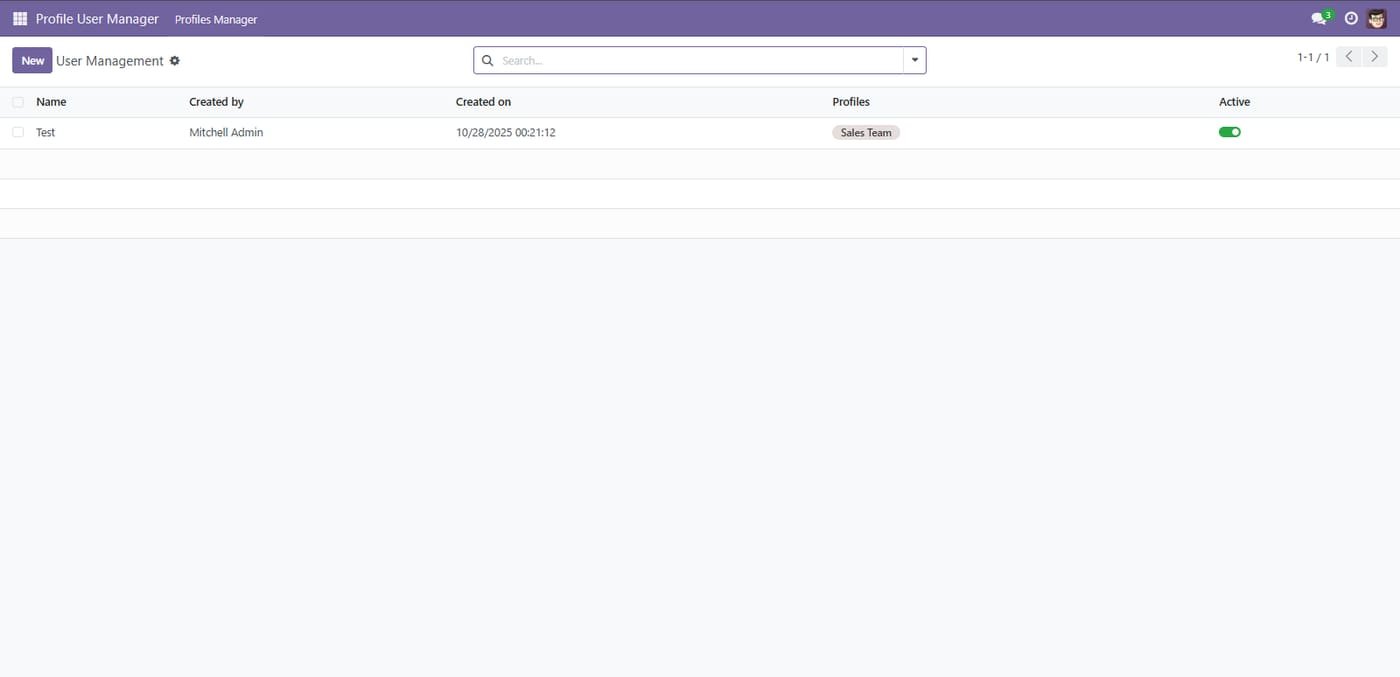
Profile by color for user and groups

Profile by color for user and groups
Step 4

Then you create rules for yours profiles

Then you create rules for yours profiles
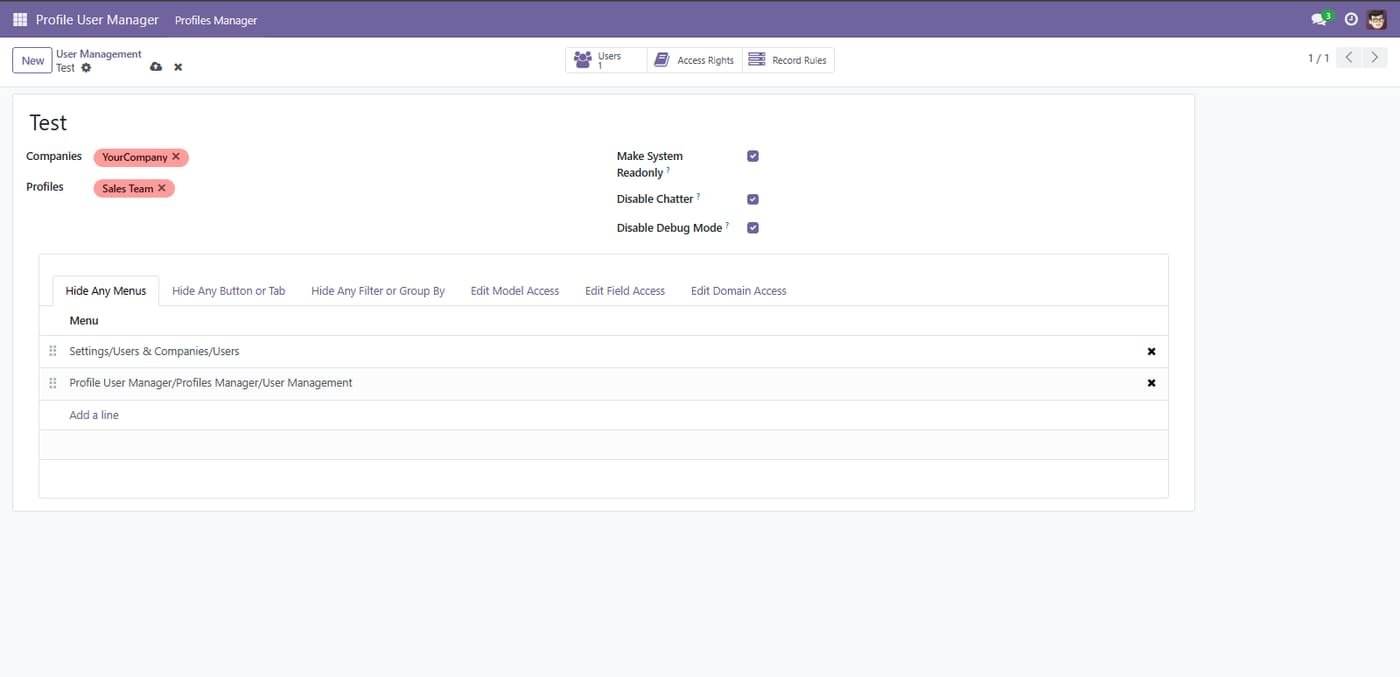
Step 5

Restrict a user profile

Link companies and profiles, make the user read-only, disable chatter or debug mode, and hide chosen menus.

Restrict a user profile
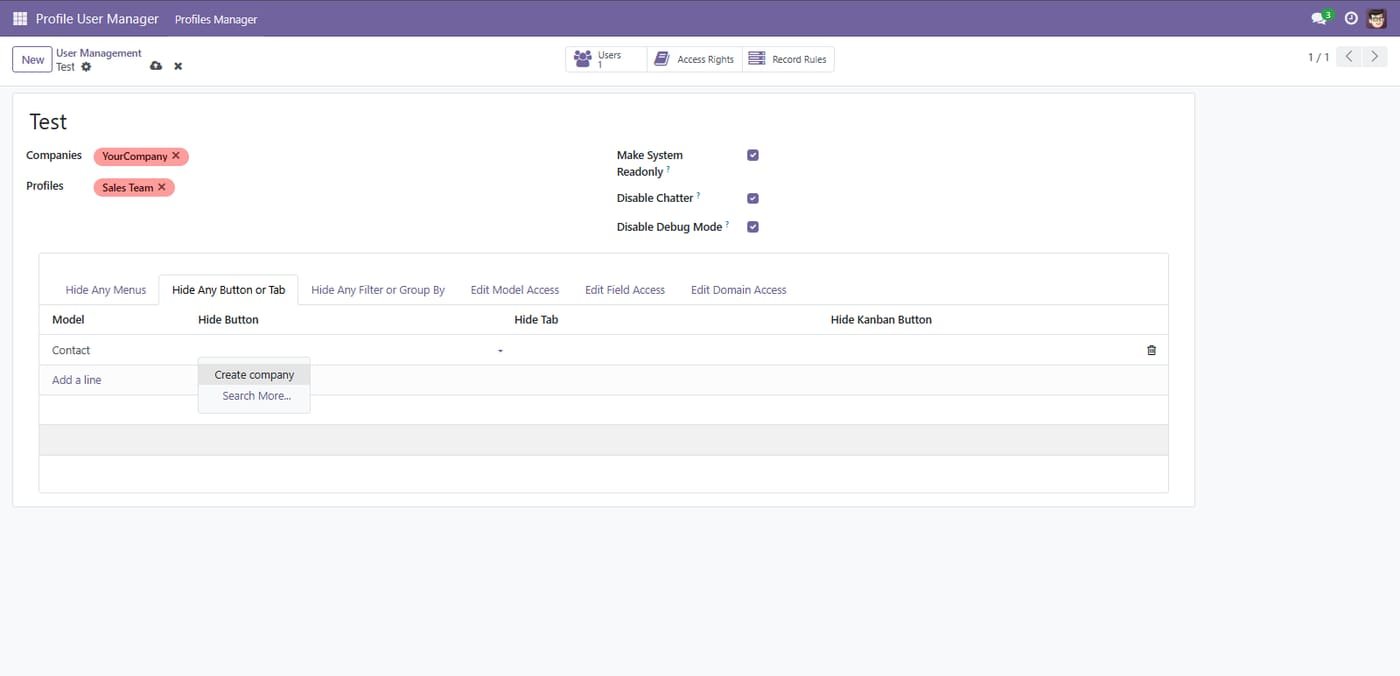
Step 6

Hide Any Button or Tab

Hide Any Button or Tab
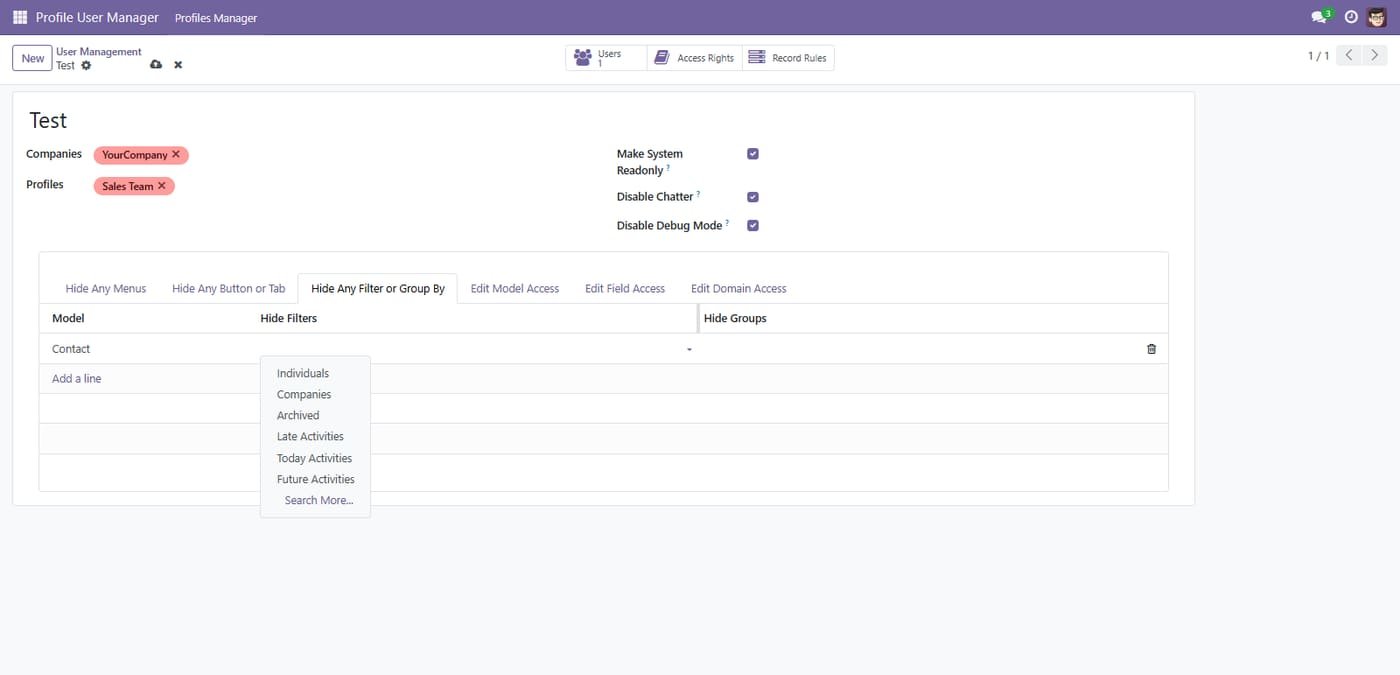
Step 7

Hide Any Filter or Group By

Hide Any Filter or Group By
Step 8

Edit Access for any Field

Edit Access for any Field
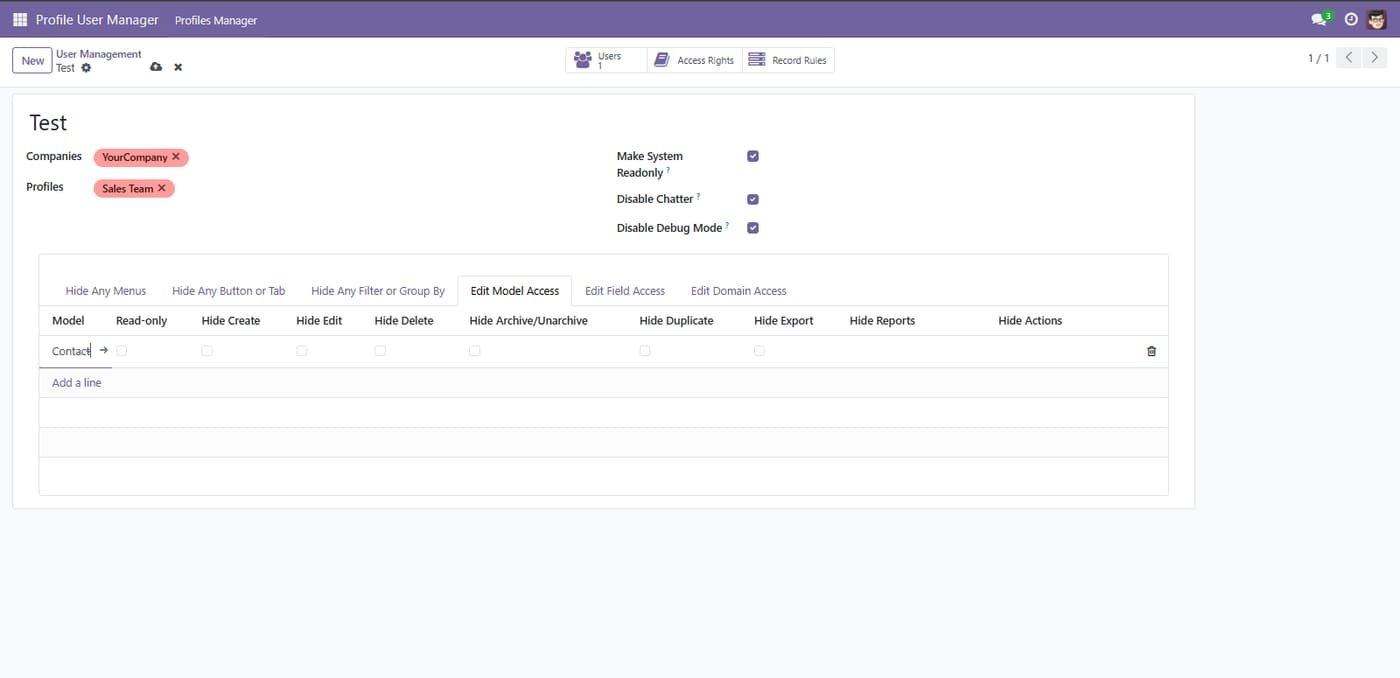
Step 9

Edit Access for any Model

Edit Access for any Model
Step 10

Domain-based access rules

Limit which records a profile can see by applying a domain on any model.

Domain-based access rules
Common questions

Questions aboutthis module.

Something else? Ask our team.

This build is for Odoo 18. Need it for another version? Contact us and we will let you know when it is available.

Yes. Every purchase includes free deployment — after payment our team installs and sets up the module on your Odoo.

It builds on these Odoo apps: base, auth_signup, web, base_setup.

Not sure it's theright fit?

Book a free consultation and we'll help you pick the right modules for your workflow.