Accounting & Finance Community

Automatic Transfers & Cost Allocation

Recurring transfers and cost allocation between accounts by percentage, fixed amount, KPI or analytic weights, with preview, accrual reversal, approval and full history.

$80.10 USD
Choose your Odoo version
Ask a question
Built by an Odoo partner Initial setup support Download link by email
Automatic Transfers & Cost Allocation
What's included

Key features

1

Four ways to allocate

Percentages, fixed amounts first, KPI weights (headcount, square meters, machine hours) or analytic weights such as revenue per department.

2

Monthly, quarterly or yearly

Start and end dates, a scheduled action that runs every finished period, or Run Next Period by hand.

3

Source filters

Only take entries from chosen journals, partners, products, analytic accounts or account tags.

4

Preview before posting

See the exact journal items for a period before anything is written, then create the entry from the preview.

5

Accrual and reversal

Accrual mode reverses each entry on the first day of the next period automatically.

6

Re-run a period

Late entries? Re-run the period: the previous entry is cancelled and replaced with the new amounts.

7

Approval above a threshold

Entries larger than the set amount stay in draft until an accounting manager approves them.

8

History and allocation report

Every run is logged with its entries, and a pivot shows where each amount was allocated; rounding differences land on the last line.

Inside the module

Screenshots

Real screens from Automatic Transfers & Cost Allocation — click any image to see it full size.

Step 1

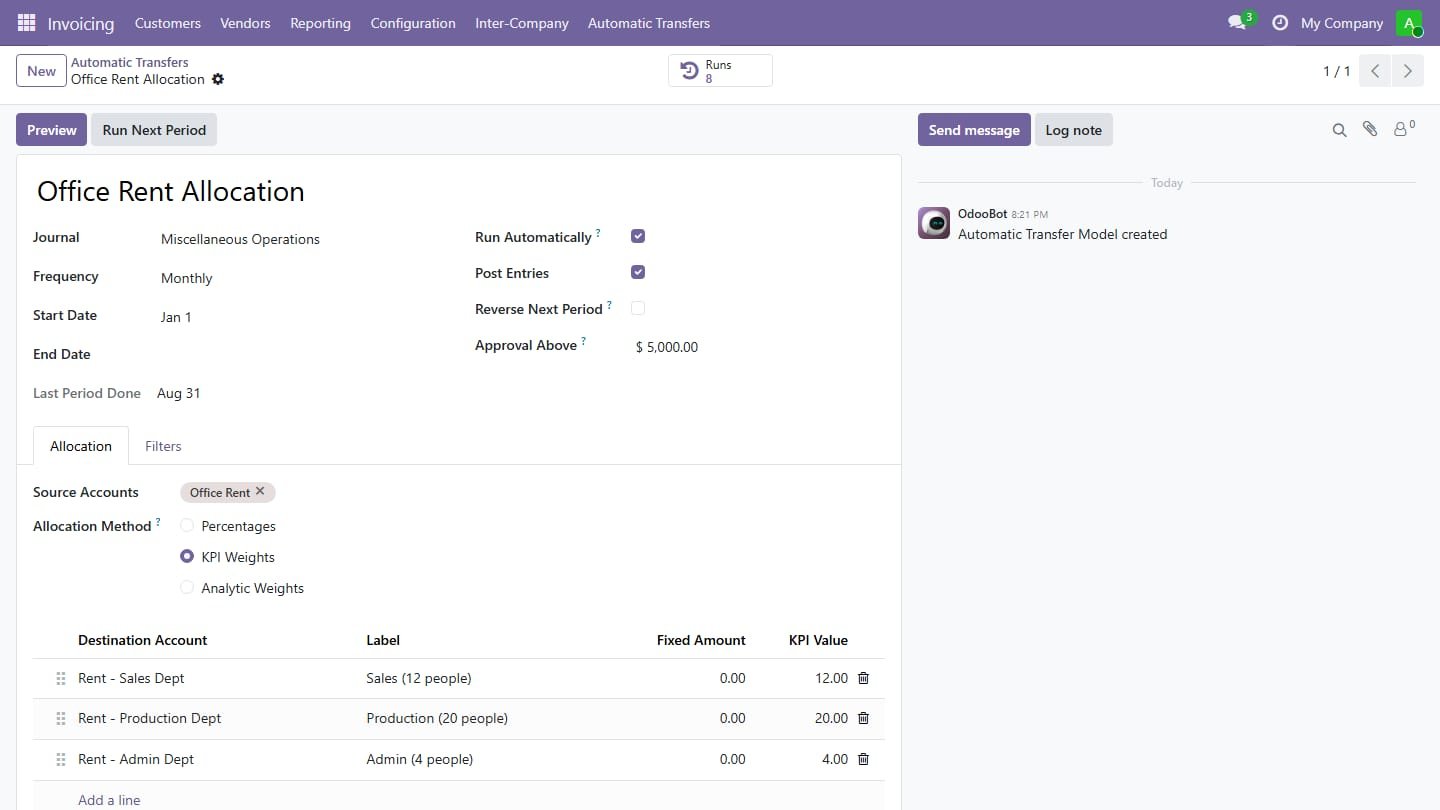
Transfer model

Pick the source accounts, the frequency and how to share: here office rent is split every month by the headcount of each department.

Transfer model
Step 2

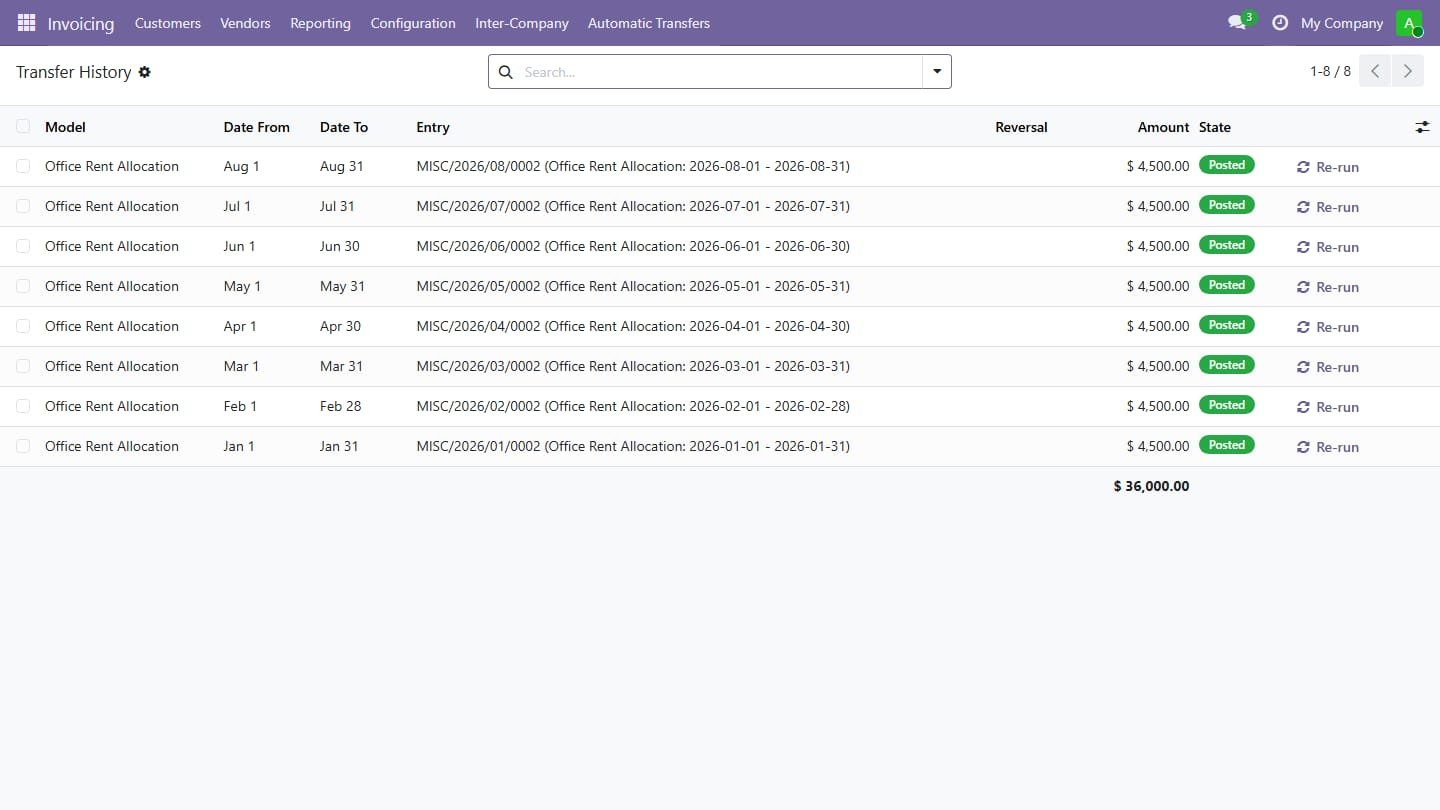
Run history

Every period gets one line with its entry, reversal and amount; entries above the approval limit wait for a manager and any period can be re-run.

Run history
Step 3

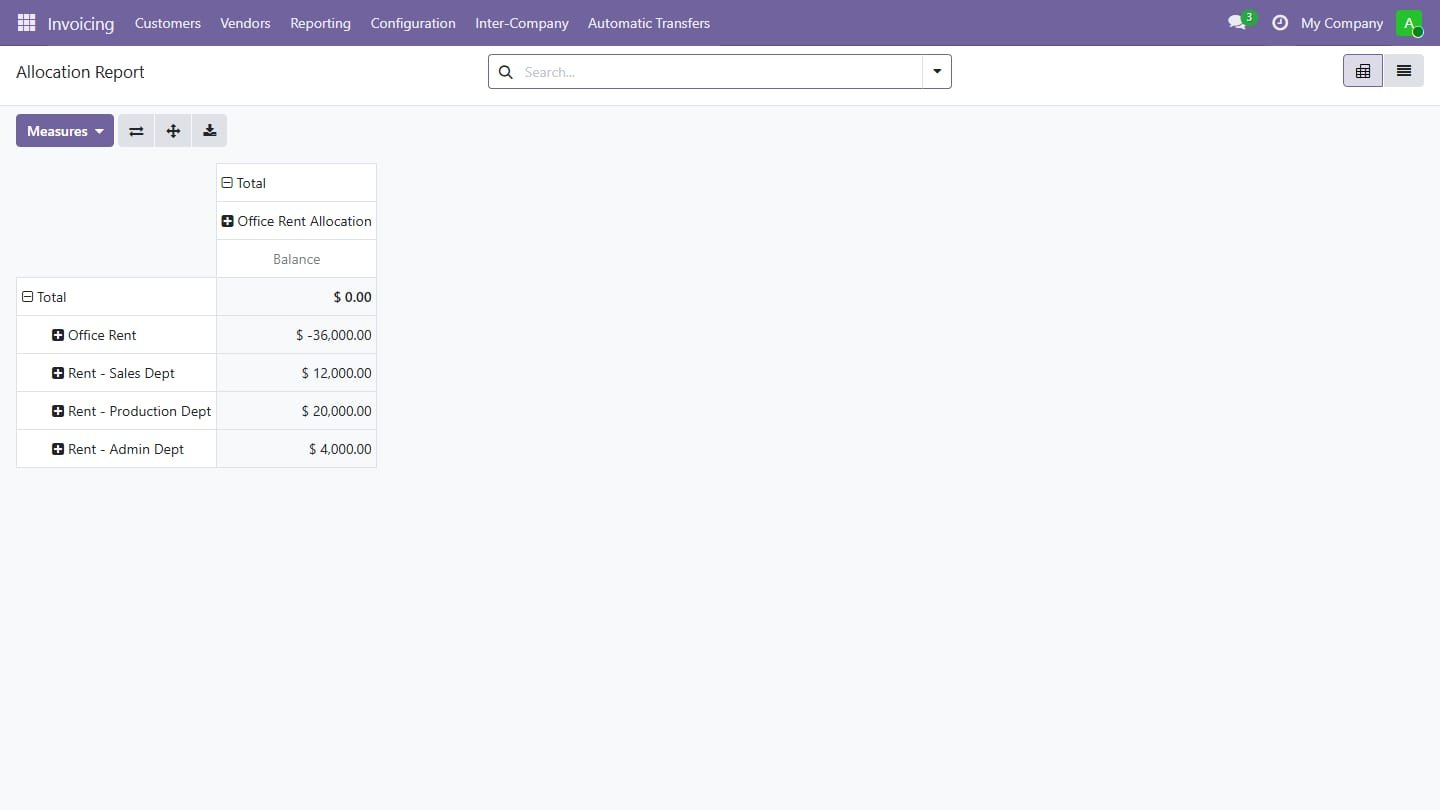
Allocation report

Pivot of all transfers: how much left each source account and where it went.

Allocation report
Common questions

Questions aboutthis module.

Something else? Ask our team.

This build is for Odoo 18. Need it for another version? Contact us and we will let you know when it is available.

Yes. Every purchase includes free deployment — after payment our team installs and sets up the module on your Odoo.

It builds on these Odoo apps: account.

Not sure it's theright fit?

Book a free consultation and we'll help you pick the right modules for your workflow.