Accounting & Finance Community

Fund Transfer Management

Transfers between bank, cash and ledger accounts as documents: approval limits, bank fees, foreign currency, recurring transfers, one-click reversal, vouchers and analysis.

$36.23 USD
Choose your Odoo version
Ask a question
Built by an Odoo partner Initial setup support Download link by email
Fund Transfer Management
What's included

Key features

1

Transfer documents

From a bank or cash journal (or any account) to another, numbered TRF/2026/0001, with reference, partner and purpose.

2

No manual entries

The balanced journal entry is created and posted for you when the transfer is posted.

3

Bank fees

Fees are booked on their own expense account and charged to the sending account.

4

Foreign currency

Transfers in any currency, converted at the rate of the transfer date.

5

Approval limit

Transfers above the company limit wait for an accounting manager, who gets an activity to approve.

6

Recurring transfers

Weekly, monthly, quarterly or yearly transfers generated automatically, as drafts or posted, until an end date.

7

Safe cancellation

Cancelling a posted transfer creates and posts the reversal entry.

8

Voucher and analysis

Printable transfer voucher with signatures, kanban by status, pivot and graph by account and month.

Inside the module

Screenshots

Real screens from Fund Transfer Management — click any image to see it full size.

Step 1

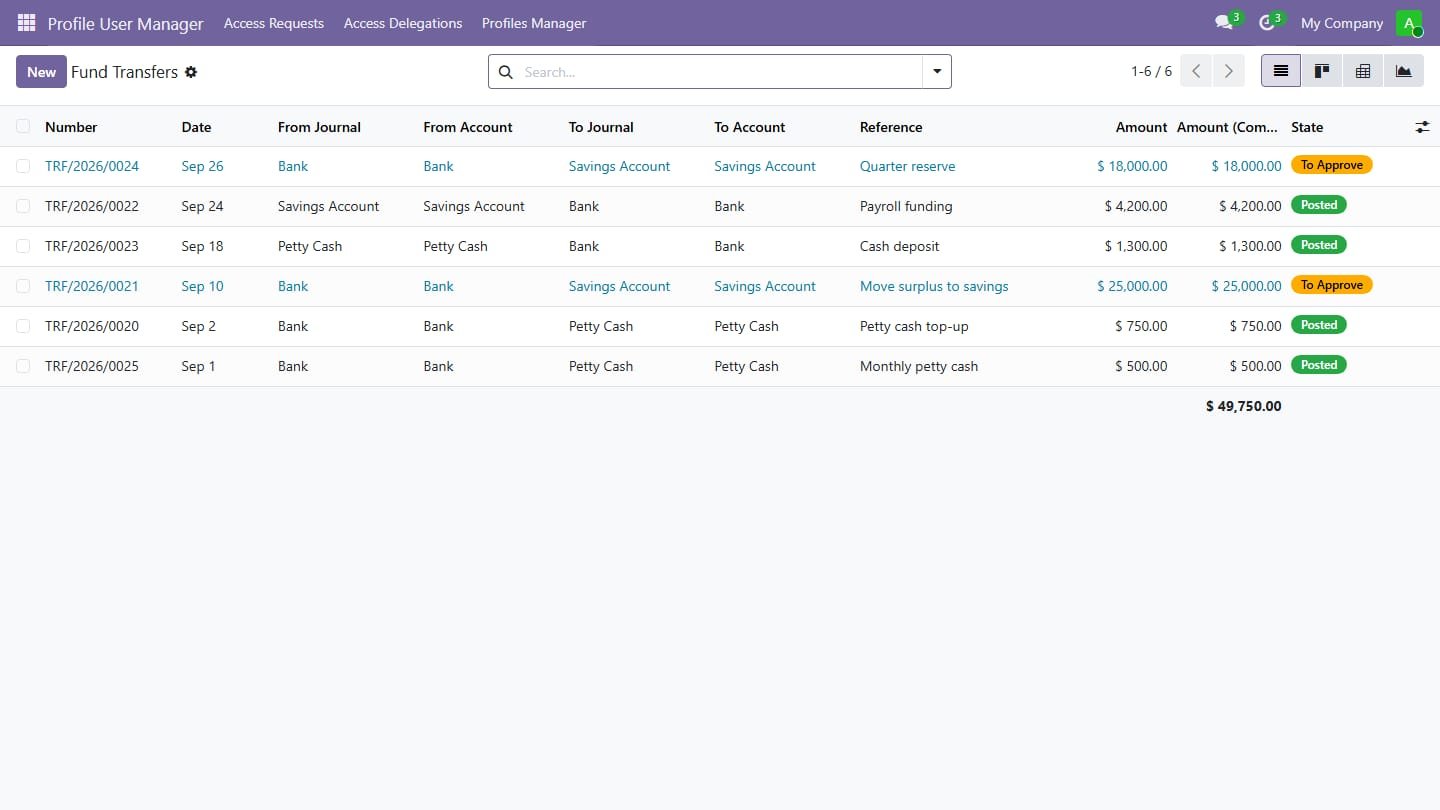
All transfers

Transfers with source and destination, amounts in company currency and their status.

All transfers
Step 2

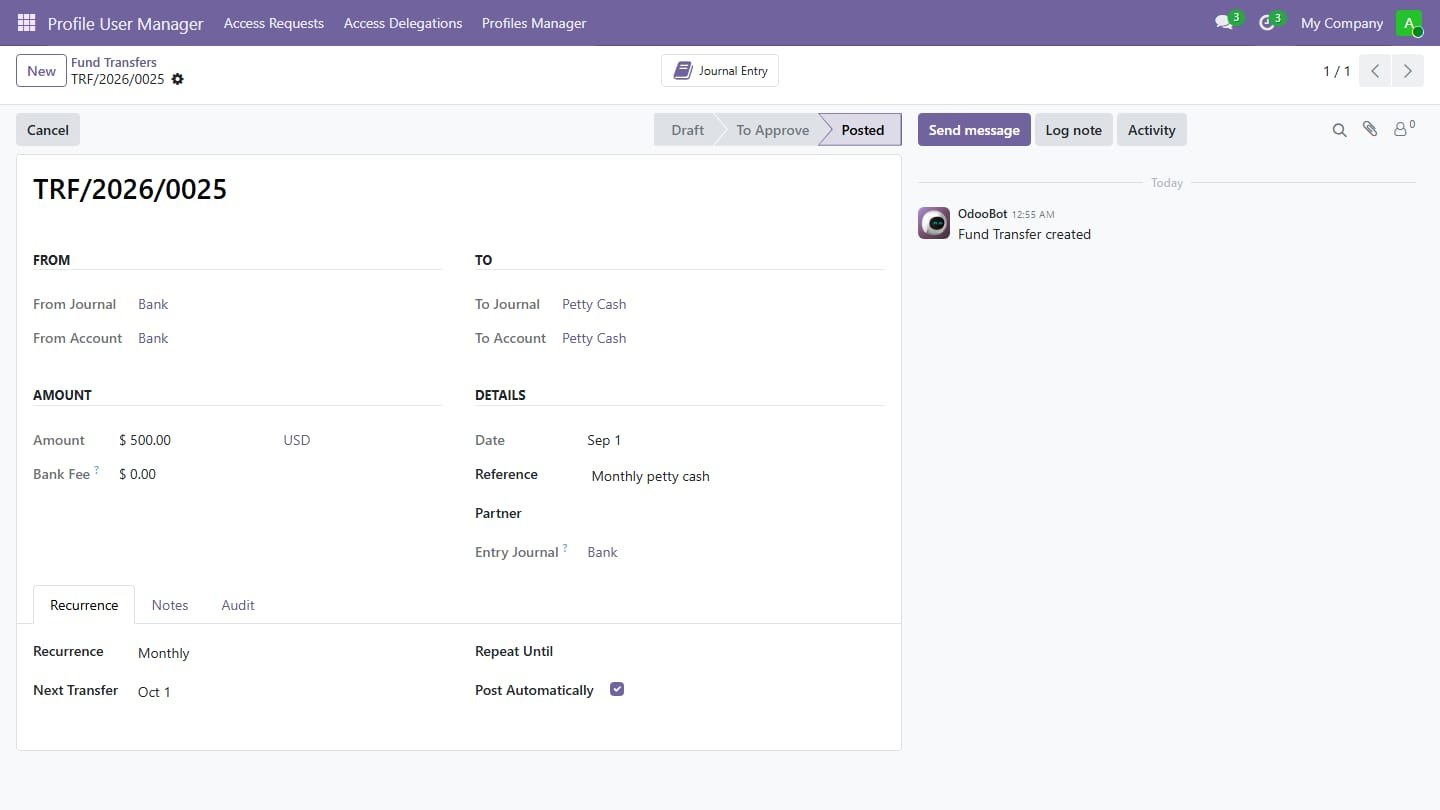
Transfer with recurrence

Journals and accounts, amount, fee, reference and a monthly recurrence posted automatically.

Transfer with recurrence
Step 3

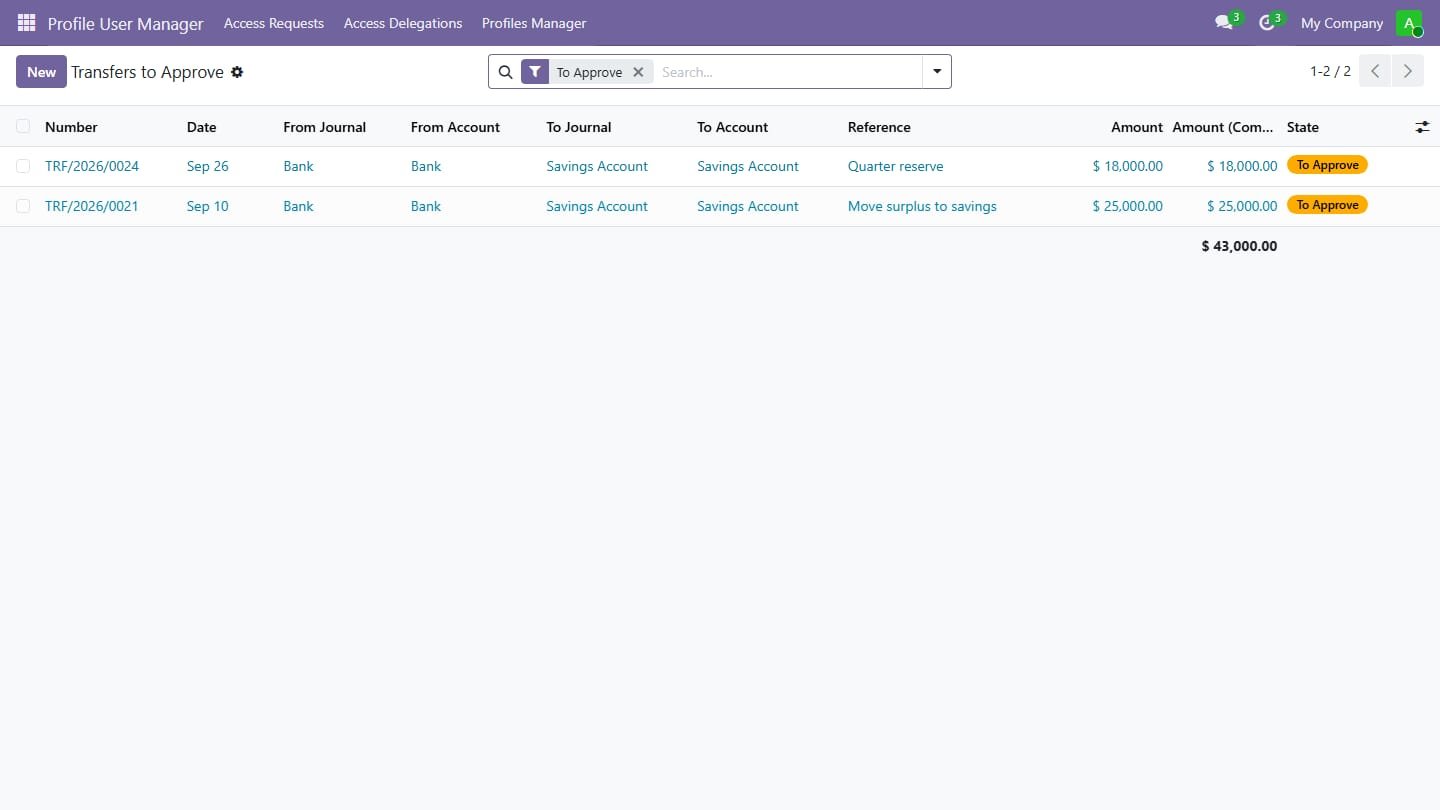
Approval queue

Transfers above the approval limit, waiting for an accounting manager.

Approval queue
Common questions

Questions aboutthis module.

Something else? Ask our team.

This build is for Odoo 18. Need it for another version? Contact us and we will let you know when it is available.

Yes. Every purchase includes free deployment — after payment our team installs and sets up the module on your Odoo.

It builds on these Odoo apps: account.

Not sure it's theright fit?

Book a free consultation and we'll help you pick the right modules for your workflow.