The "Advanced Variant Prices" module revolutionizes how you manage pricing across your Odoo product catalog by enabling granular, variant-specific price control without complex workarounds. Standard Odoo relies heavily on pricelists for discounting, but this module empowers you to set unique base prices directly on individual variants (like Size, Color, Material combinations). This ensures accurate financial calculations, simplifies multi-currency commerce, and provides complete visibility into margin per SKU. Whether you're selling T-shirts in multiple colors or machinery with different…
Built by an Odoo partnerInitial setup supportDownload link by email
What's included
Key features
1
Direct Variant Base Pricing
Set specific base prices on individual product.product variants directly from the Product Form. No need for complex pricelist rules to define the fundamental cost of a specific configuration.
2
Automated Price Calculation
Configure automatic price adjustments based on attribute combinations. The system dynamically computes final prices using predefined formulas.
3
Multi-Currency Support
Ensure pricing consistency across global markets. The module recalculates variant prices in real-time according to active exchange rates, eliminating manual currency conversion errors.
4
Bulk Price Management
Update pricing for hundreds of SKUs simultaneously using the Pricelist & Variant Editor. Import/export Excel files to apply mass price changes efficiently without editing one-by-one.
5
Custom Attribute Rules
Create intelligent pricing logic tied to specific attributes. Define rules such as "Material = Gold adds 20% markup" or "Size = XL reduces stock value by 5%" automatically.
Inside the module
Screenshots
Real screens from Advanced Pricing System For Variants — click any image to see it full size.
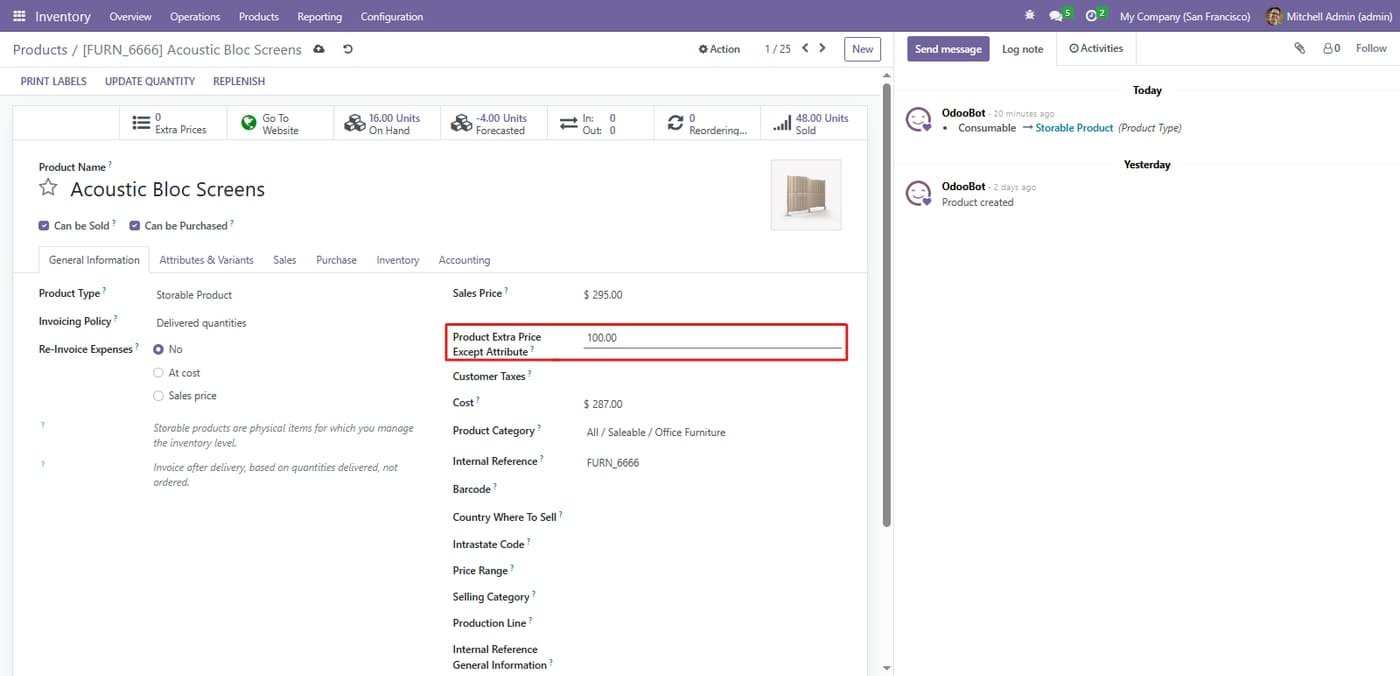
Step 1
Extra price except attribute
Set an extra price on the product that applies regardless of the chosen attribute.
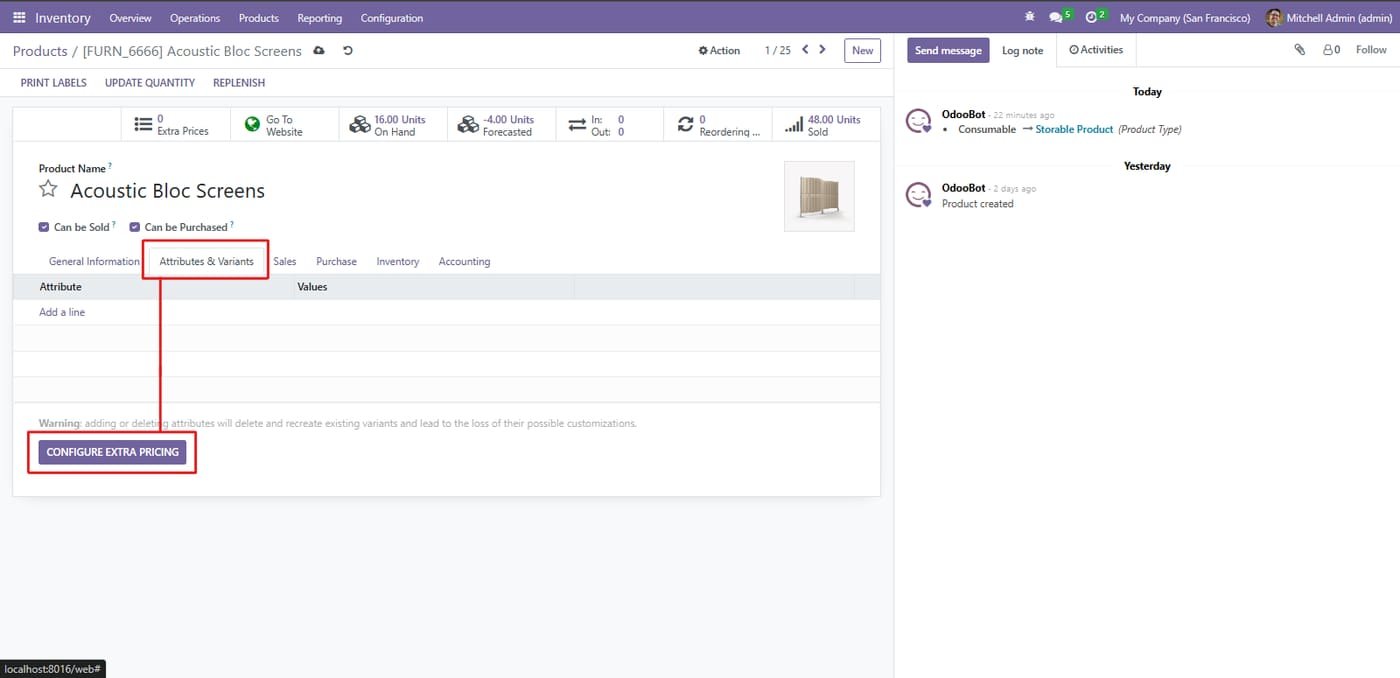
Step 2
Navigate to the "Attributes & Variants" tab. Here you will find the dedicated "Configure Extra Pricing" button, which opens a wizard to manage pricing logic tied directly to your product's specific options (like Size, Color, Material).
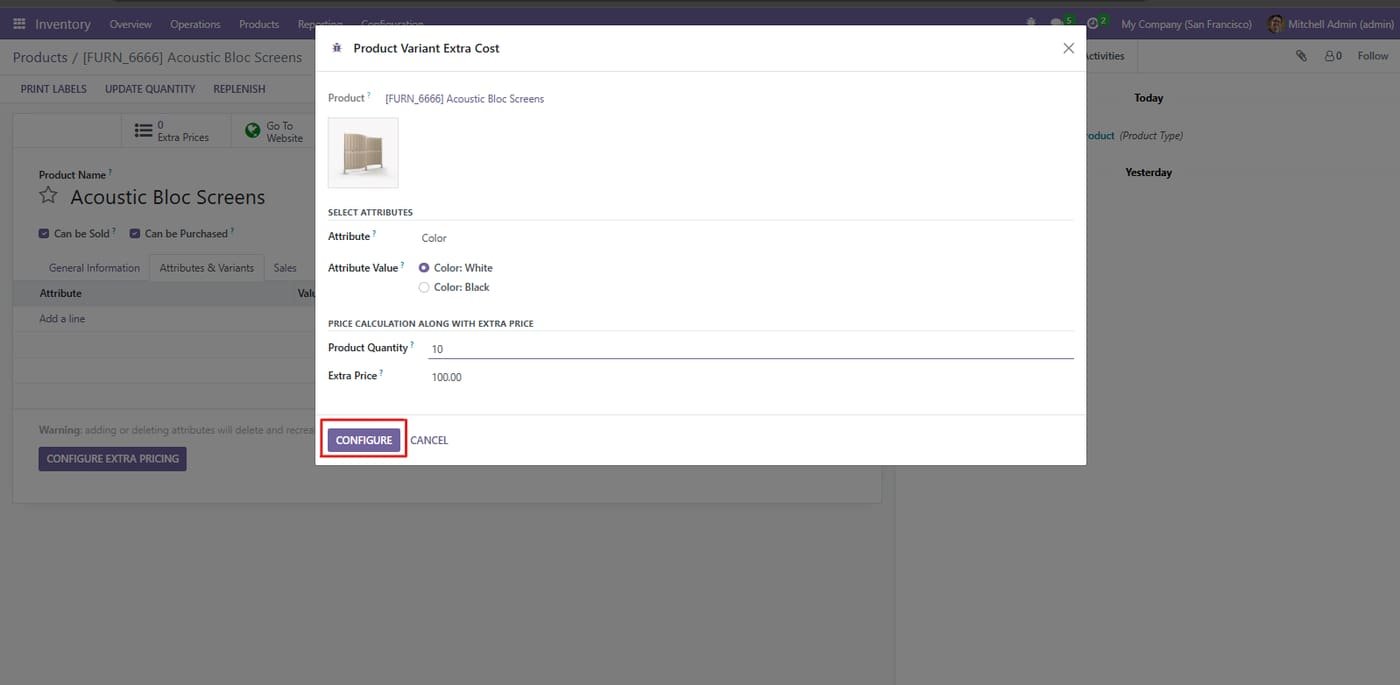
Step 3
Configure variant extra cost
Pick an attribute value and quantity to calculate the extra price for that variant.
Step 4
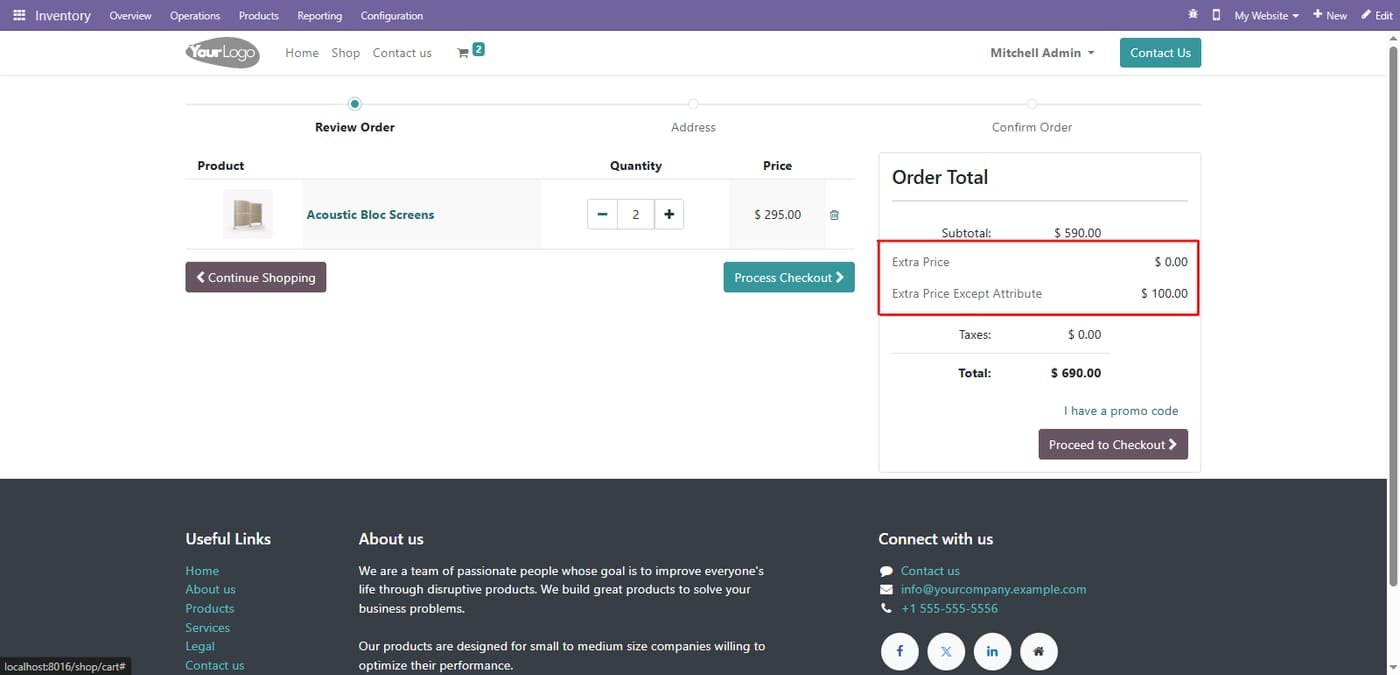
Extra price in the cart
The website cart shows the extra price and extra price except attribute in the order total.
Step 5
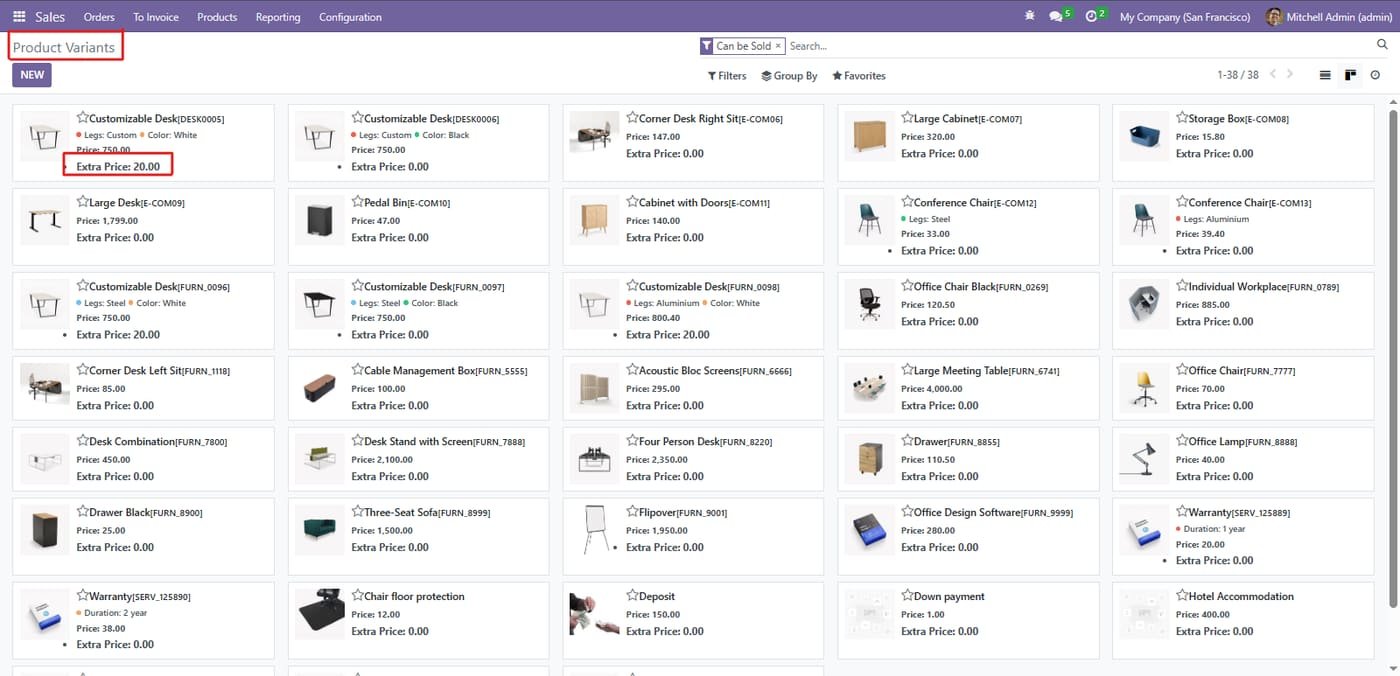
Extra price on variants
Every product variant shows its extra price right in the variants view.
Amazon Selling Partner API for Odoo: orders imported every 15 minutes, SKU mapping, FBA/FBM, stock sent to Amazon, tracking numbers confirmed, sync log. Works on Odoo Community.
Selling Partner API (SP-API) with Login with Amazon: North America, Europe and Far East regions, several marketplaces
Orders imported automatically with buyer, items, prices, shipping and taxes; cancellations follow
FBA orders imported as already delivered by Amazon (optional), FBM orders shipped from your warehouse
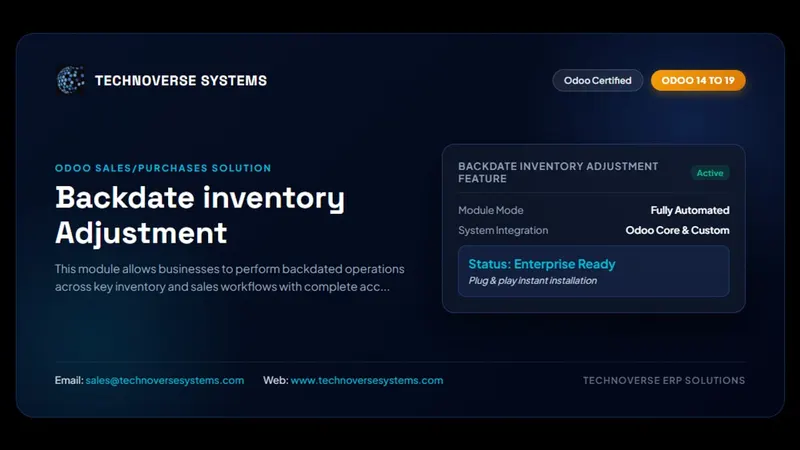
This module allows businesses to perform backdated operations across key inventory and sales workflows with complete accuracy and control. Users can create backdated inventory adjustments to correct stock levels for past dates, ensuring precise historical reporting. It also allows backdating of purchase orders and sales orders, making it easy to align records with actual transaction timelines. By maintaining accurate data for past activities, the module improves audit compliance, enhances traceability, and provides a more realistic view of stock and order history, all while keeping the…
Shared foundation for building marketplace integrations: instances, listings, queue jobs, order workflow, logging and a dashboard that channel connectors (Shopify, and more) build on.