
Sales & eCommerce Community

Backdate inventory Adjustment

This module allows businesses to perform backdated operations across key inventory and sales workflows with complete accuracy and control. Users can create backdated inventory adjustments to correct stock levels for past dates, ensuring precise historical reporting. It also allows backdating of purchase orders and sales orders, making it easy to align records with actual transaction timelines. By maintaining accurate data for past activities, the module improves audit compliance, enhances traceability, and provides a more realistic view of stock and order history, all while keeping the…

$15.20 USD
Choose your Odoo version
Ask a question
Built by an Odoo partner Initial setup support Download link by email
Backdate inventory Adjustment
What's included

Key features

1

Backdate Inventory Adjustments

2

Backdate Deliveries & Receipts

3

Backdate Sales and Purchase Orders

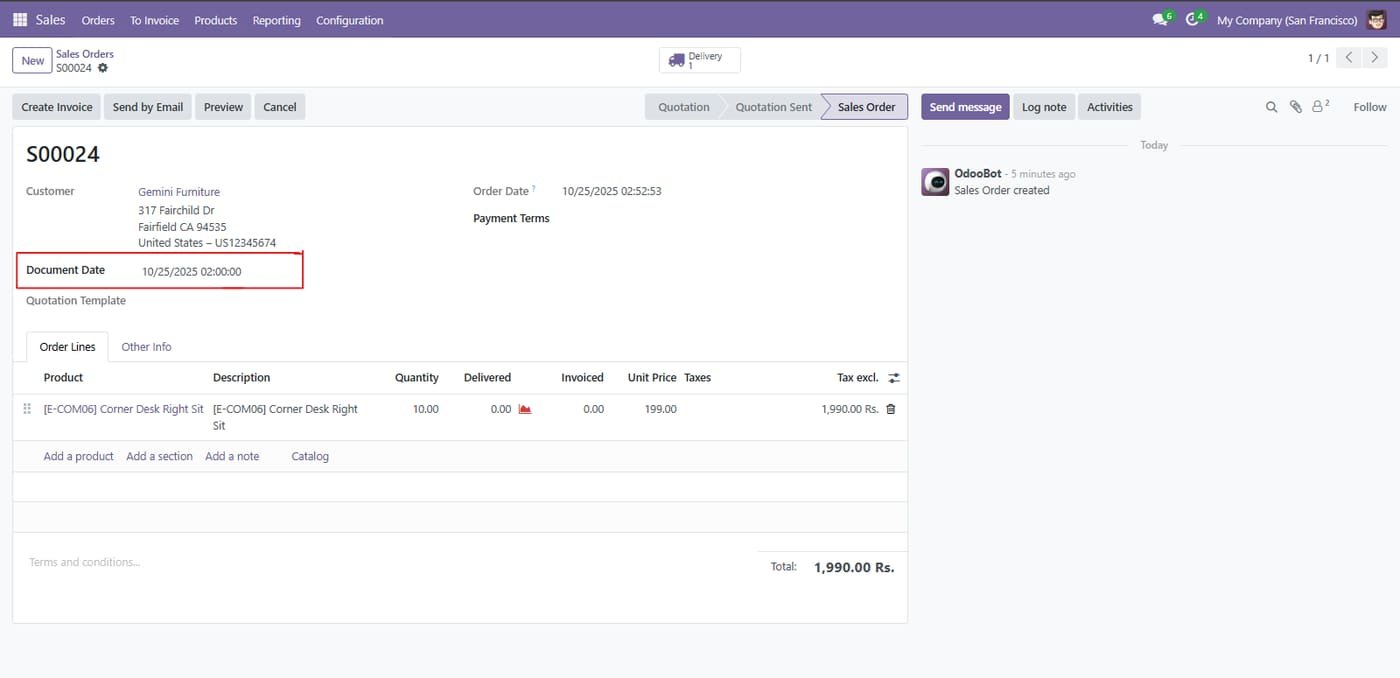
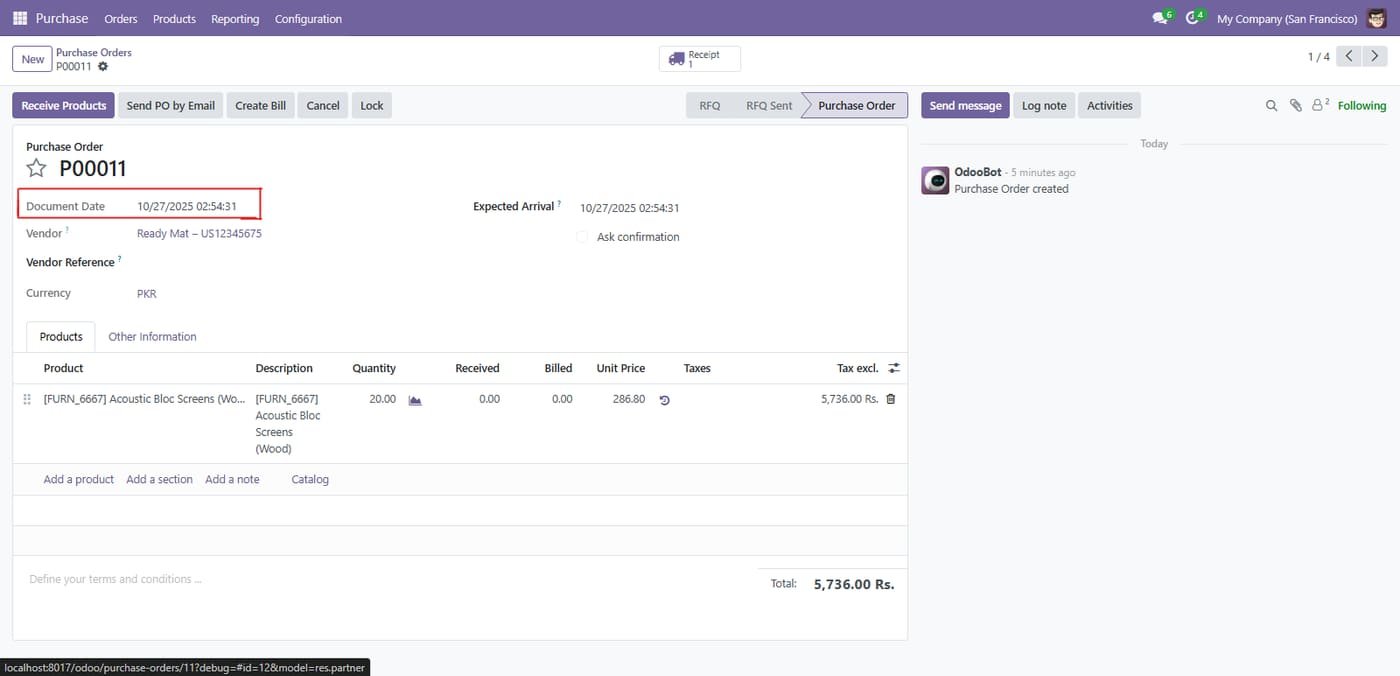
Align your SO and PO dates with the actual date of sale or supplier confirmation, not just the date you entered it into the system.

4

Automatic Accounting Correction

The module is accounting-aware. When you backdate a stock move, the corresponding journal entries for stock valuation and Cost of Goods Sold are automatically posted on the correct backdated date.

5

Controlled Access with Security Groups

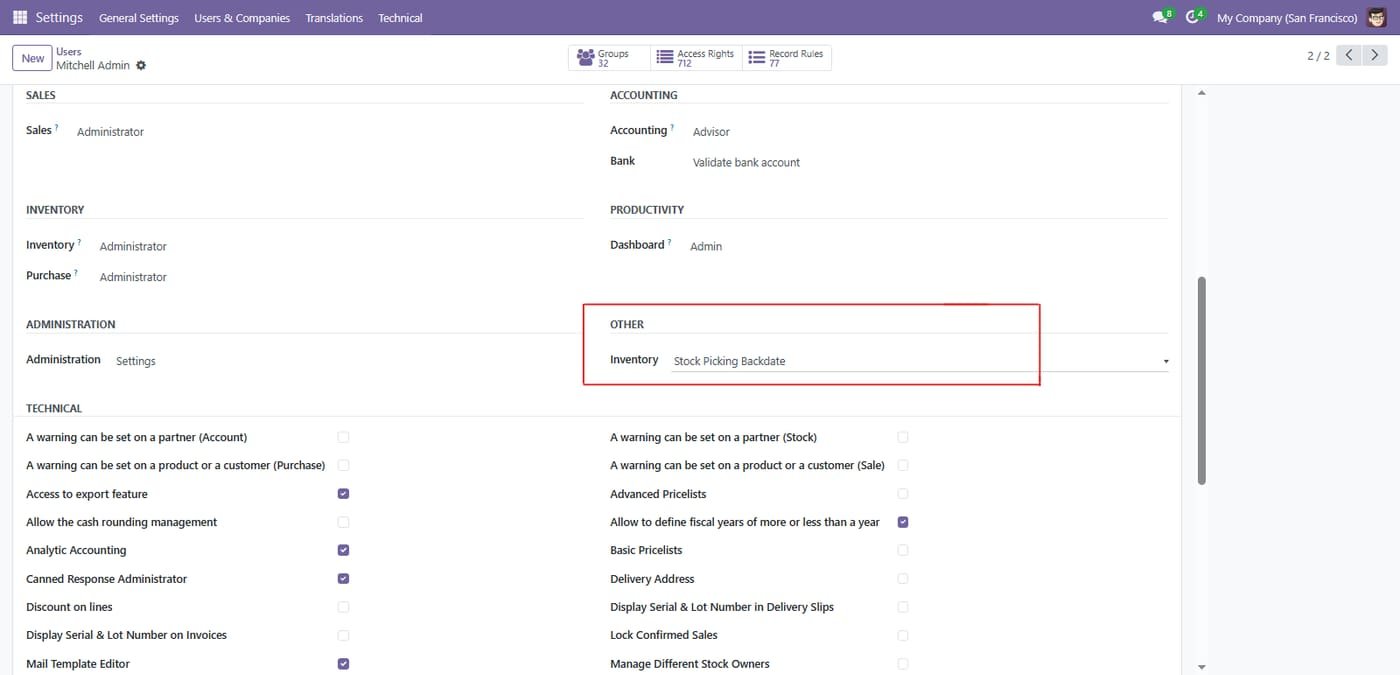
Not everyone should have this power. The ability to backdate is controlled by a dedicated security group, ensuring only authorized managers or administrators can make historical changes.

Inside the module

Screenshots

Real screens from Backdate inventory Adjustment — click any image to see it full size.

Step 1

Set user access for backdate operations.

Set user access for backdate operations.
Step 2

Stock Backdate in Sales Order

Stock Backdate in Sales Order
Step 3

Stock Backdate in Purchase Order

Stock Backdate in Purchase Order
Step 4

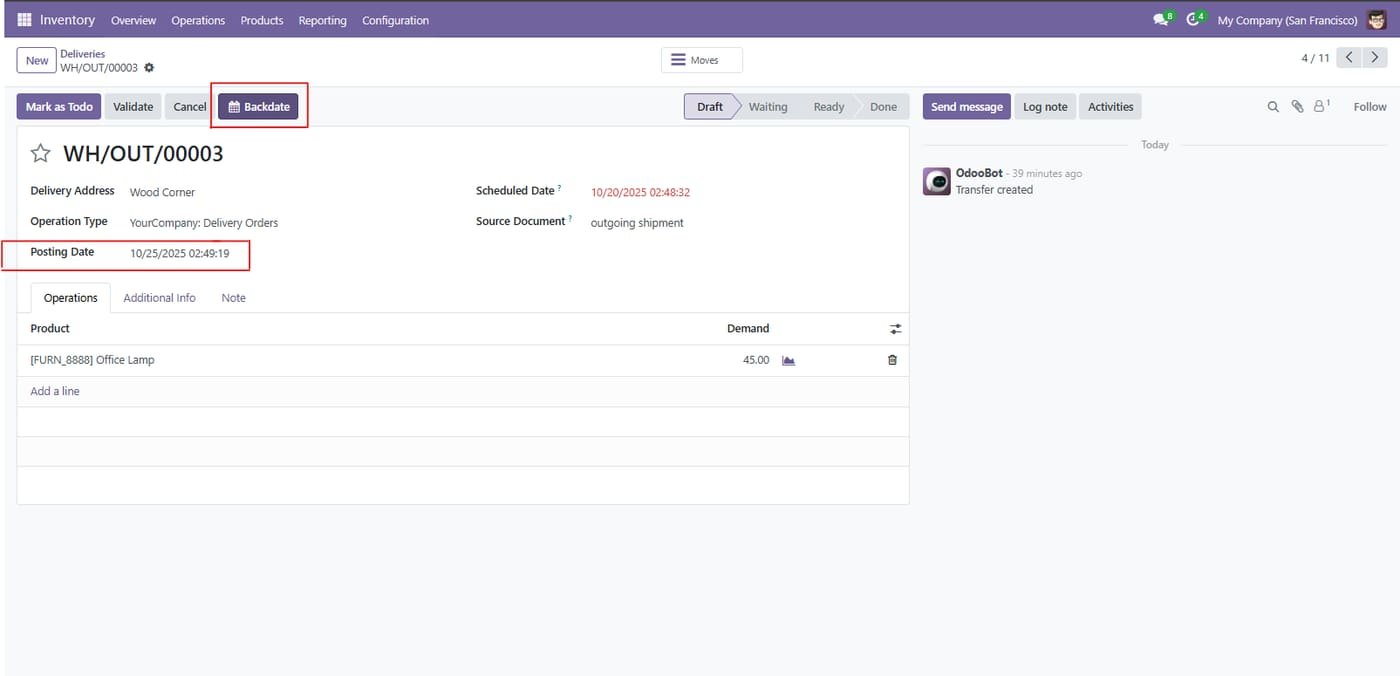
Allowing users to update the posting date before validating the delivery order

Allowing users to update the posting date before validating the delivery order
Step 5

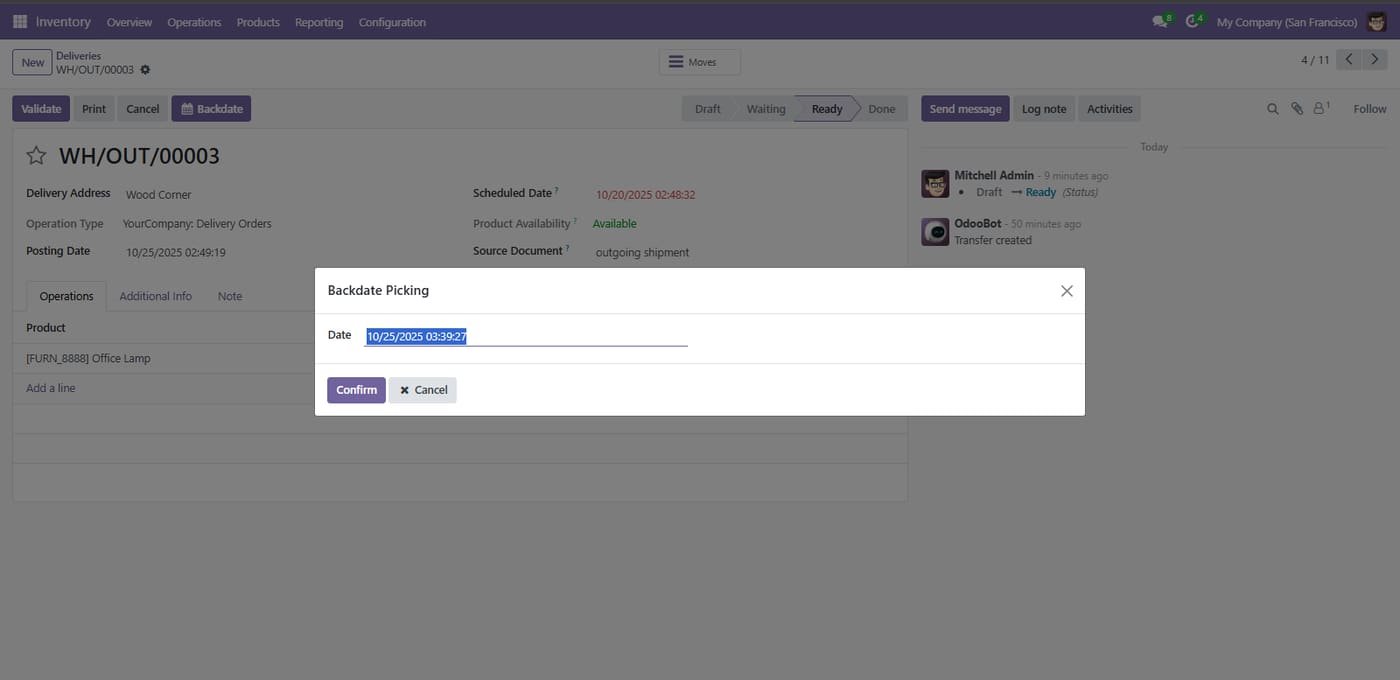
Users can manually select a posting date.

Users can manually select a posting date.
Common questions

Questions aboutthis module.

Something else? Ask our team.

This build is for Odoo 18. Need it for another version? Contact us and we will let you know when it is available.

Yes. Every purchase includes free deployment — after payment our team installs and sets up the module on your Odoo.

It builds on these Odoo apps: stock, account, sale, purchase.

Not sure it's theright fit?

Book a free consultation and we'll help you pick the right modules for your workflow.