Productivity & Tools Community

Auto Generate Product Code(Sku/Internal Reference)

The Auto Product SKU & Barcode Generator is a powerful Odoo automation tool designed to eliminate manual data entry when managing your product catalog. This module automatically generates unique Product Codes (Internal References/SKUs) based on configurable settings while also creating scannable EAN13 barcodes for every product variant. With flexible configuration options, you can choose between random number generation or date-based sequencing for barcodes, ensuring each item receives a globally unique identifier. Whether youre working with hundreds of new products or existing inventory,…

$49.30 USD
Choose your Odoo version
Ask a question
Built by an Odoo partner Initial setup support Download link by email
Auto Generate Product Code(Sku/Internal Reference)
What's included

Key features

1

Automated SKU & Internal Reference Generation

The system auto-generates unique Product Codes and Internal References during product creation using customizable sequences and prefix rules, eliminating manual typing errors.

2

EAN13 Barcode Auto-Generation

Automatically creates compliant EAN13 barcodes for all products with integrated image rendering. Each barcode is scannable and ready for point-of-sale systems immediately.

3

Configurable Generation Settings

Access a global configuration menu to enable/disable automatic barcode generation, set numbering prefixes, choose sequence patterns (e.g., PRD-2025-001), and define default barcode types.

4

Multiple Barcode Generation Modes

Choose between Random Number or Date-Based barcode generation. Random mode provides unique IDs without pattern exposure; Date mode organizes inventory chronologically for easy tracking.

5

One-Click Batch Barcode Creation

Generate barcodes for multiple products simultaneously via the Product List View. Select several items and click "Generate Barcode" to process them all in seconds.

Inside the module

Screenshots

Real screens from Auto Generate Product Code(Sku/Internal Reference) — click any image to see it full size.

Step 1

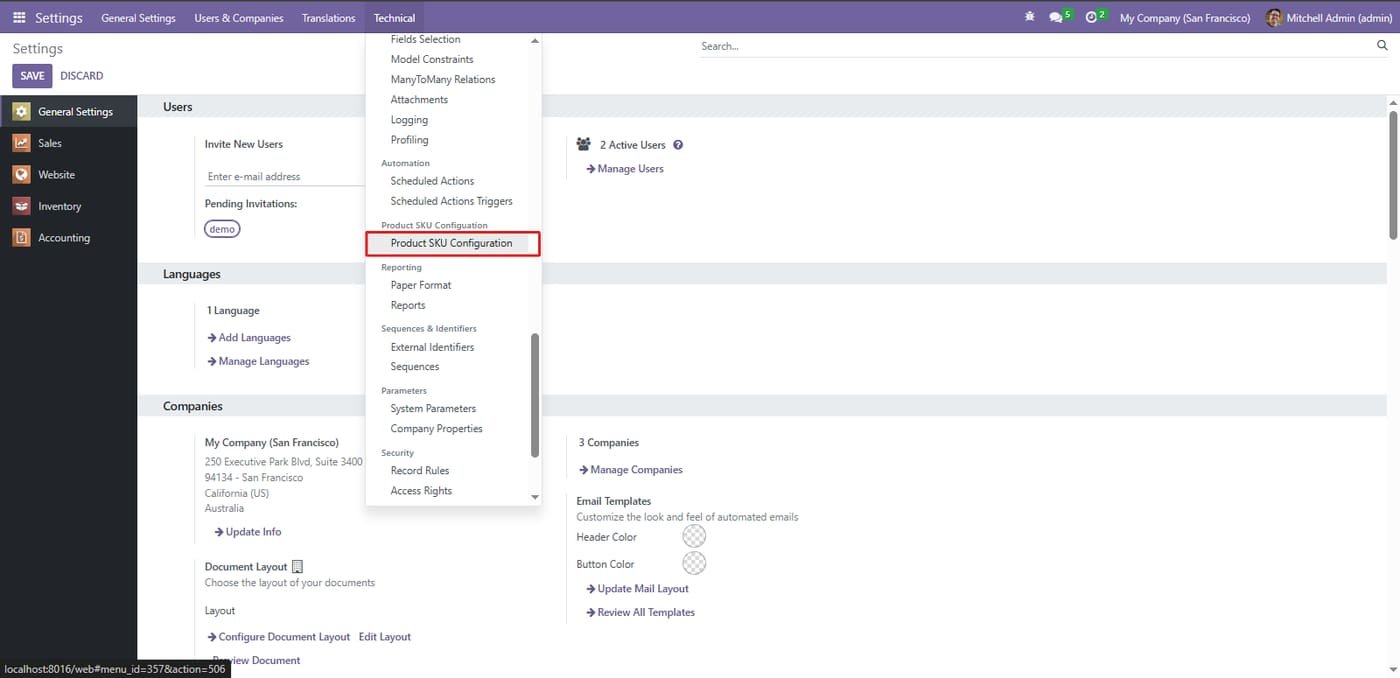
Navigate to Settings > Technical > Product SKU Configuration to access the global rules engine. This dedicated configuration page allows administrators to define naming conventions and formatting standards that will apply to all new products automatically.

Navigate to Settings > Technical > Product SKU Configuration to access the global rules engine. This dedicated configuration page allows administrators to define naming conventions and formatting standards that will apply to all new products automatically.
Step 2

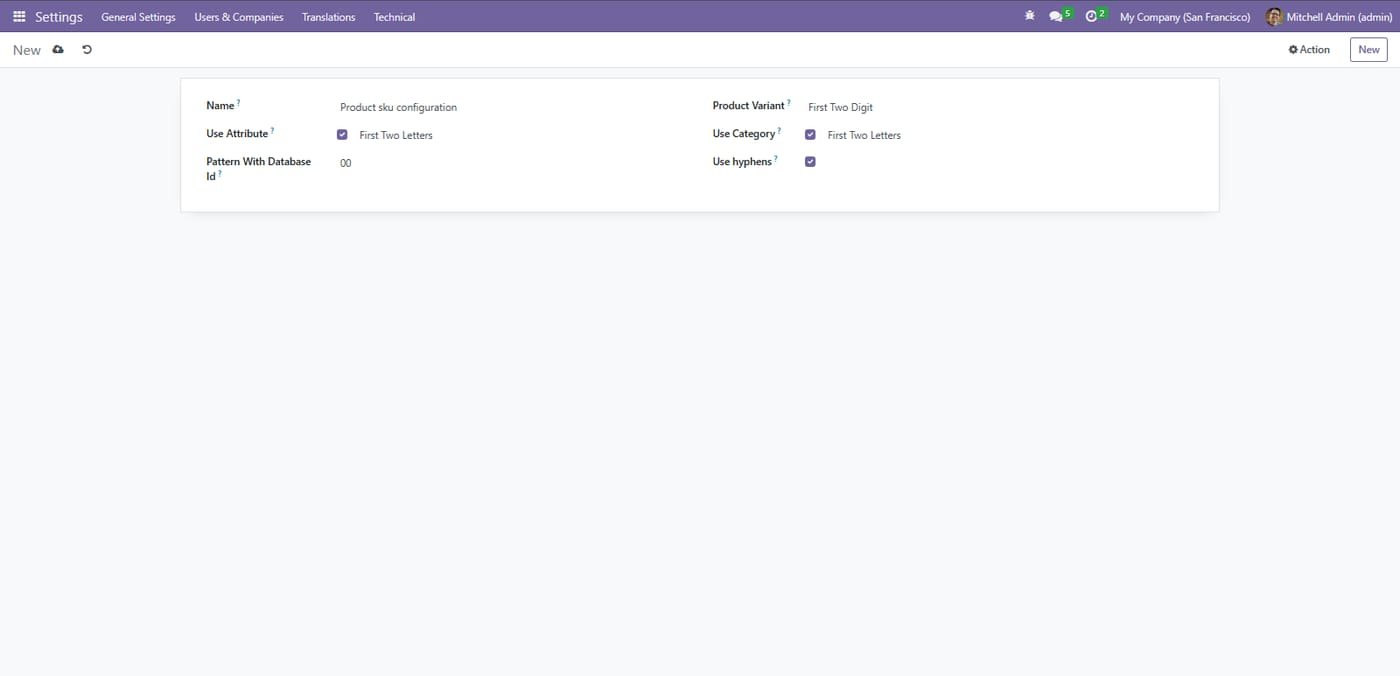
SKU pattern configuration

Build SKUs from attribute, category and database ID letters, with or without hyphens.

SKU pattern configuration
Step 3

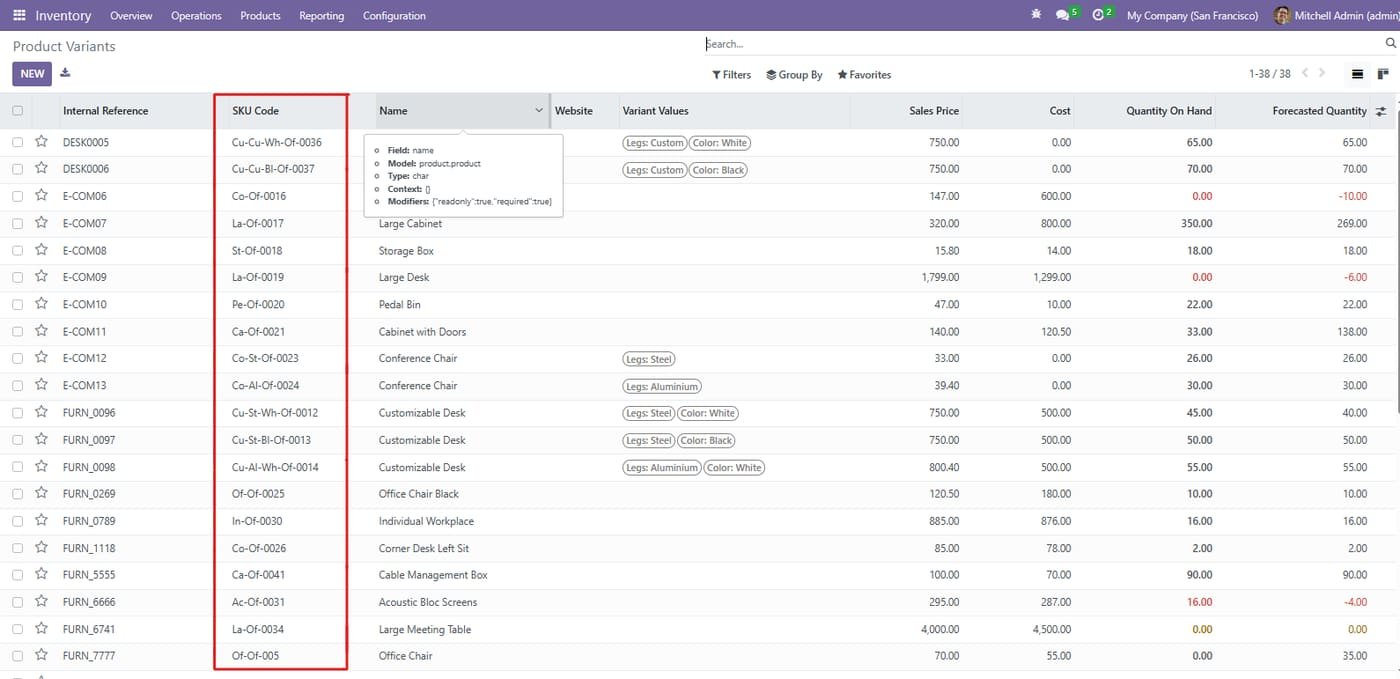
Auto-generated SKU codes

Every product variant gets a unique SKU code automatically based on your pattern.

Auto-generated SKU codes
Common questions

Questions aboutthis module.

Something else? Ask our team.

This build is for Odoo 18. Need it for another version? Contact us and we will let you know when it is available.

Yes. Every purchase includes free deployment — after payment our team installs and sets up the module on your Odoo.

It builds on these Odoo apps: base, product, sale_management.

Not sure it's theright fit?

Book a free consultation and we'll help you pick the right modules for your workflow.