




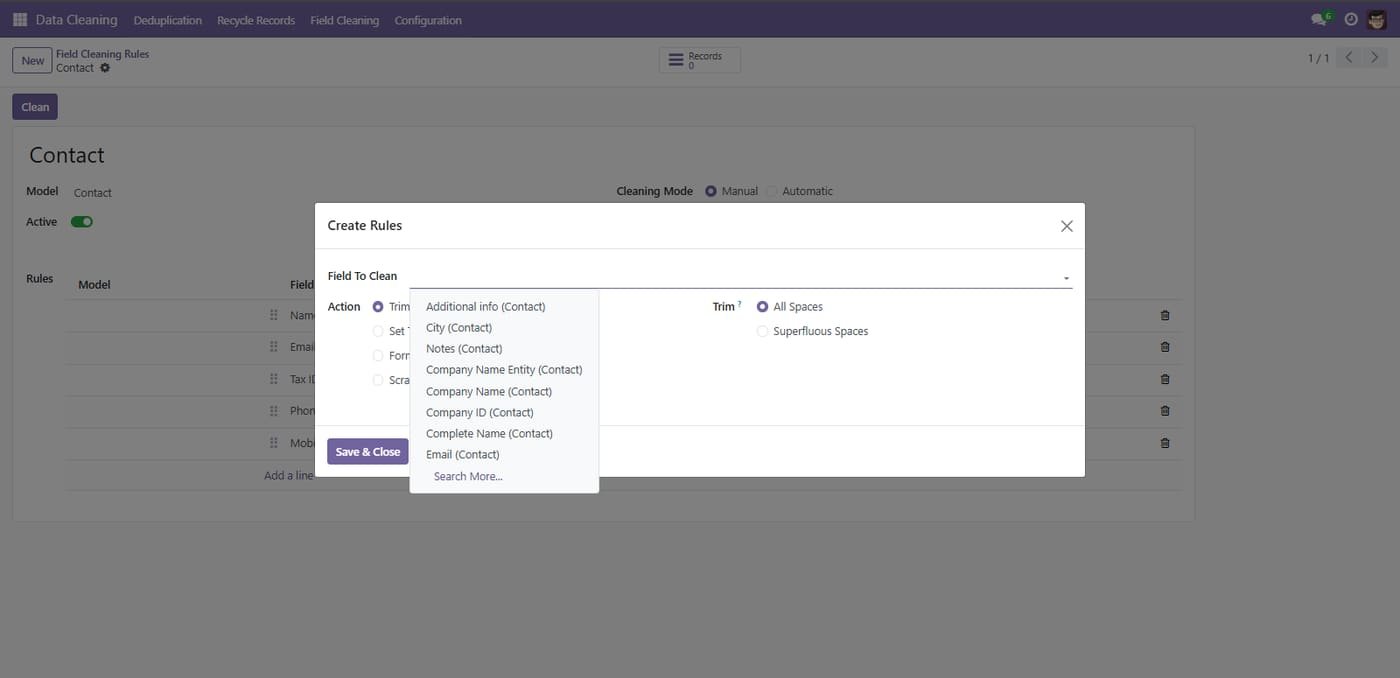
rule based data cleaning for Odoo with two core areas: Field Cleaning and Recycle Records. In Field Cleaning, you create a rule for a specific model (such as Contact), activate it, and add multiple rule lines via Add a line to target individual fields (Name, Email, Tax ID, Phone, Mobile, City, etc.) with actions like Trim Spaces (Superfluous or All Spaces) and Format Phone; you can run the job with the Clean button, monitor the Records counter, choose Manual or Automatic mode, and notify selected users on a schedule. In Recycle Records, you configure how records are archived or deleted by selecting the model, choosing Manual or Automatic recycle mode, picking the recycle action (Archive or Delete), optionally including already archived items, defining the domain with Select, notifying users at a set frequency, checking the Records counter, and applying the rule instantly with Run Now; a list view centralizes all recycle rules with columns for Name, Model, Recycle Mode, Recycle Action, and Active for quick management. Together these screens let you add granular field-fix rules and automate or manually execute archiving/deletion, giving clear control over what is cleaned and when.


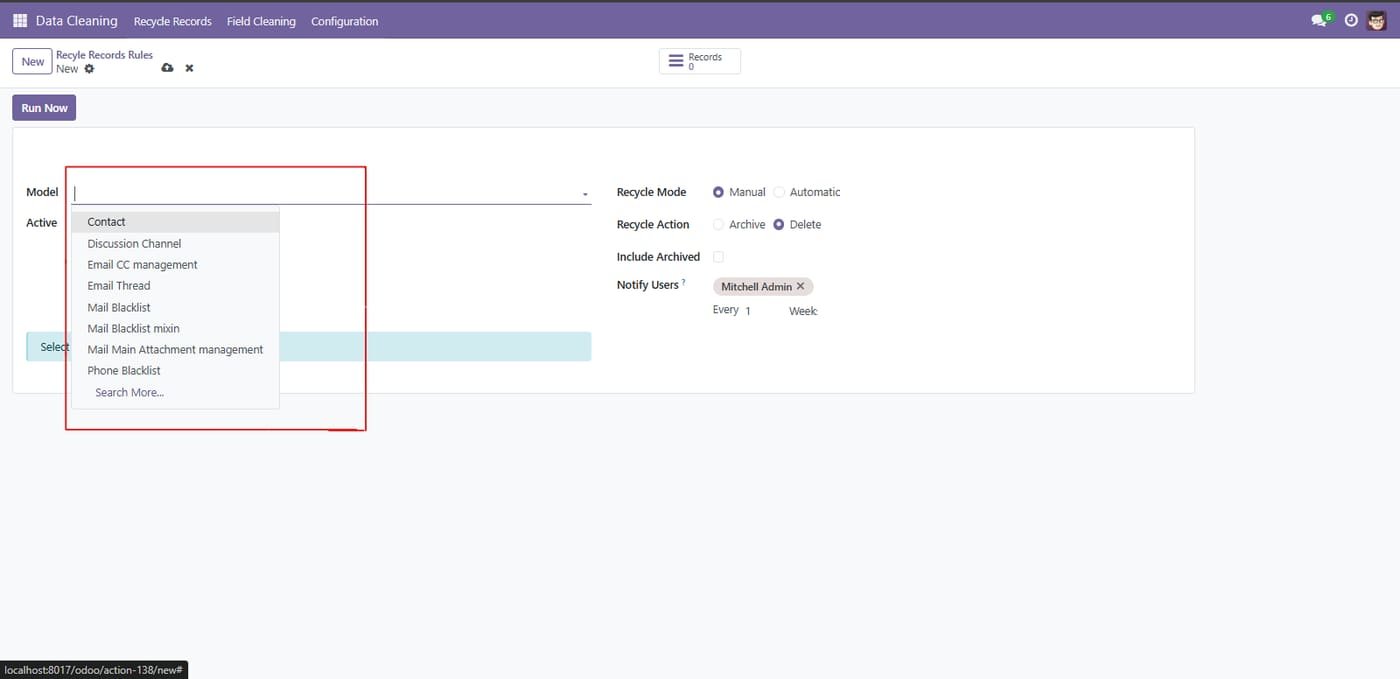
From the Model dropdown menu, select the specific document type (e.g., Contact, Lead) where you want to apply this rule.


Data Cleaning Extension
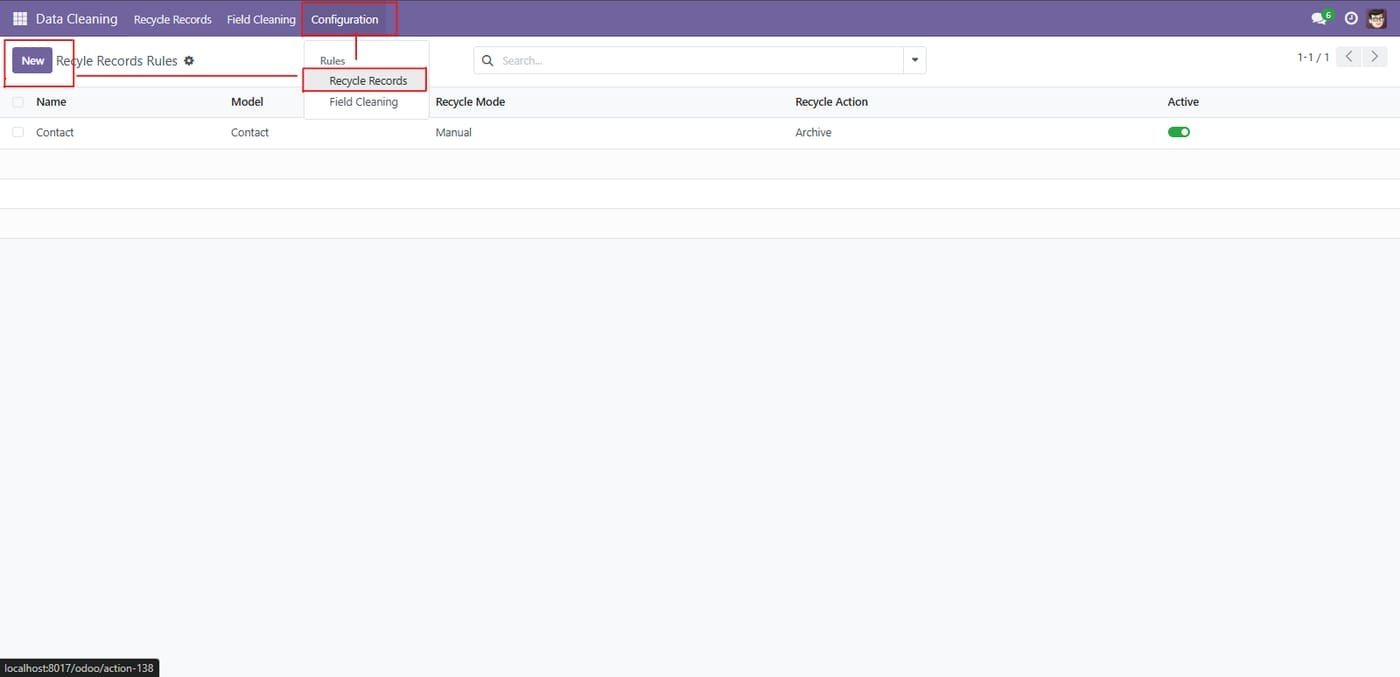
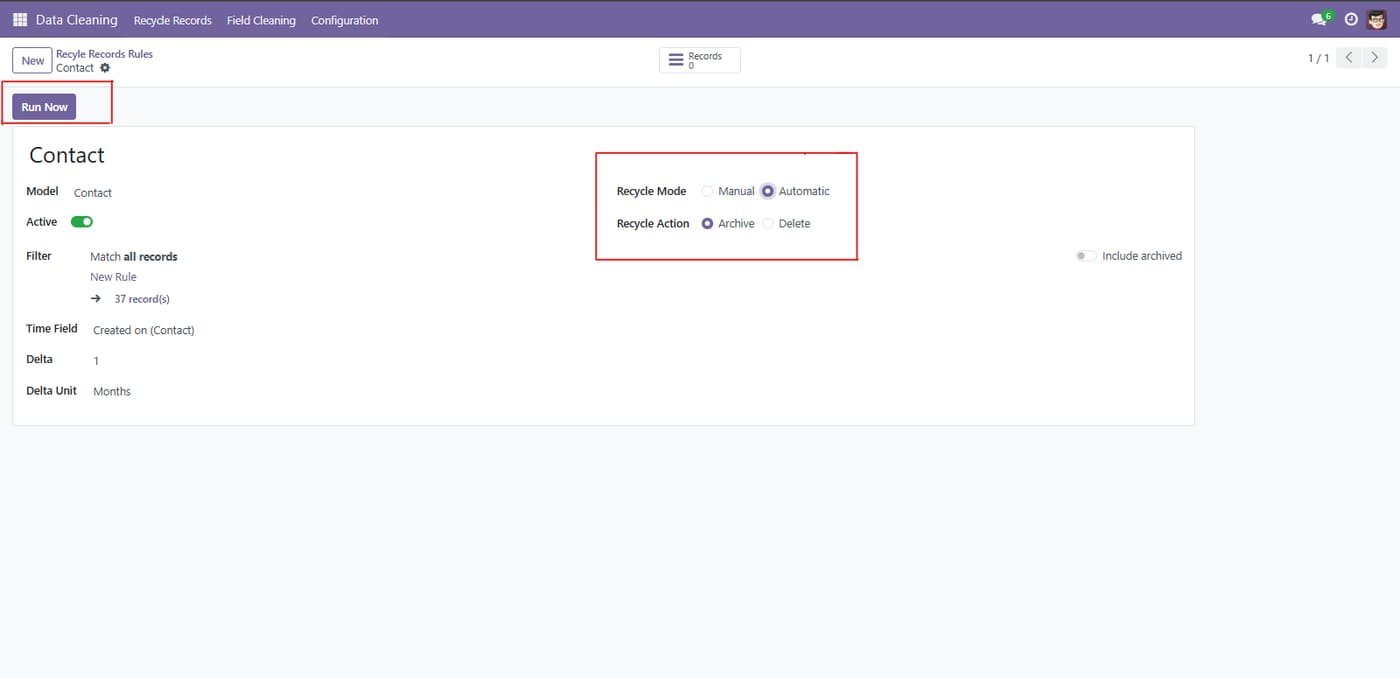
Navigate to Configuration > Recycle Records and click on the New button to start creating a record cleaning rule.


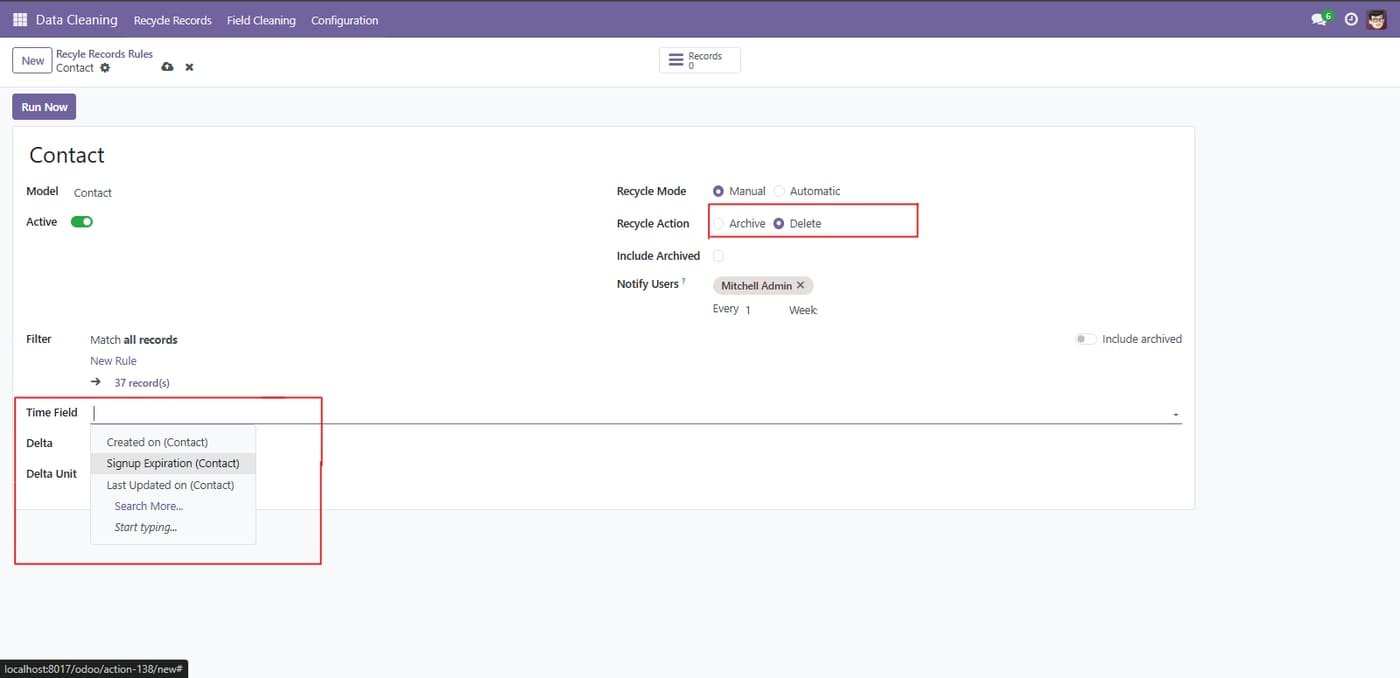
Choose the Recycle Action (Archive or Delete) and set the Time Field criteria to filter records based on their age or activity.


Select the Recycle Mode (Manual or Automatic) and click the Run Now button to trigger the rule immediately.


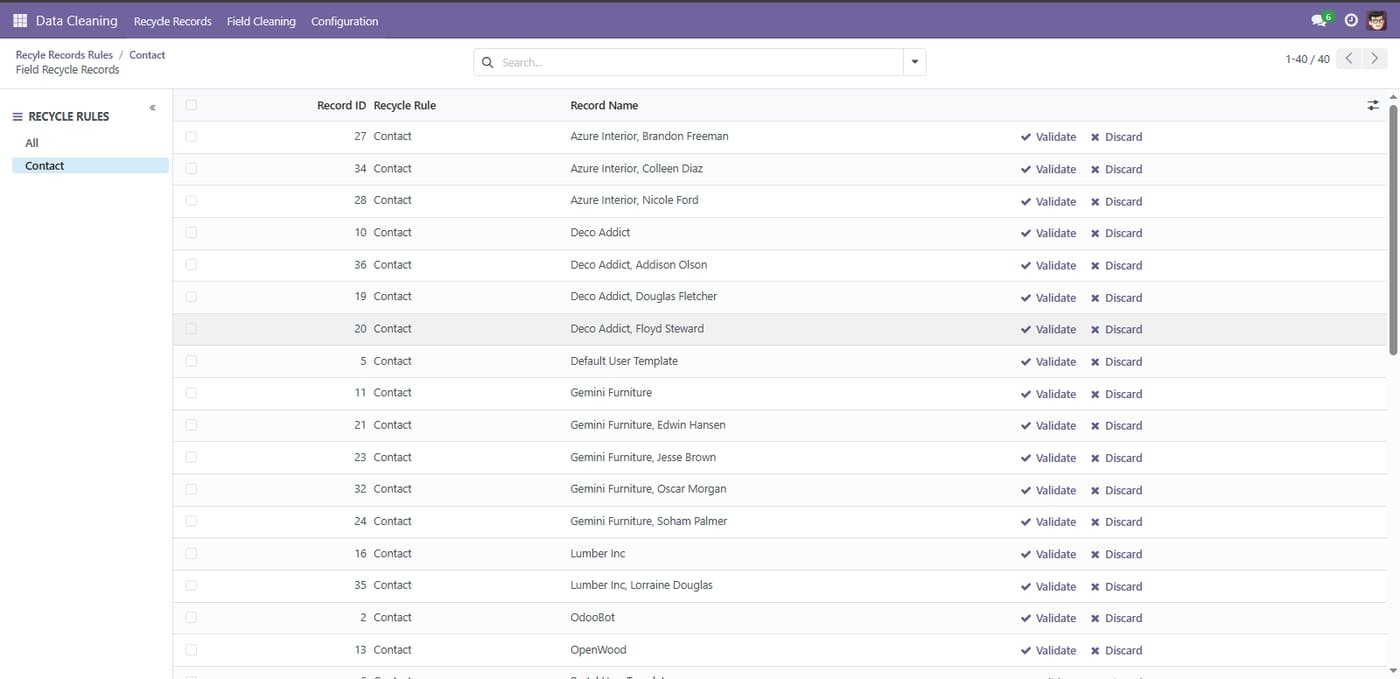
The system will display identified records. Review the list and click Validate to confirm the action or Discard to skip specific records.


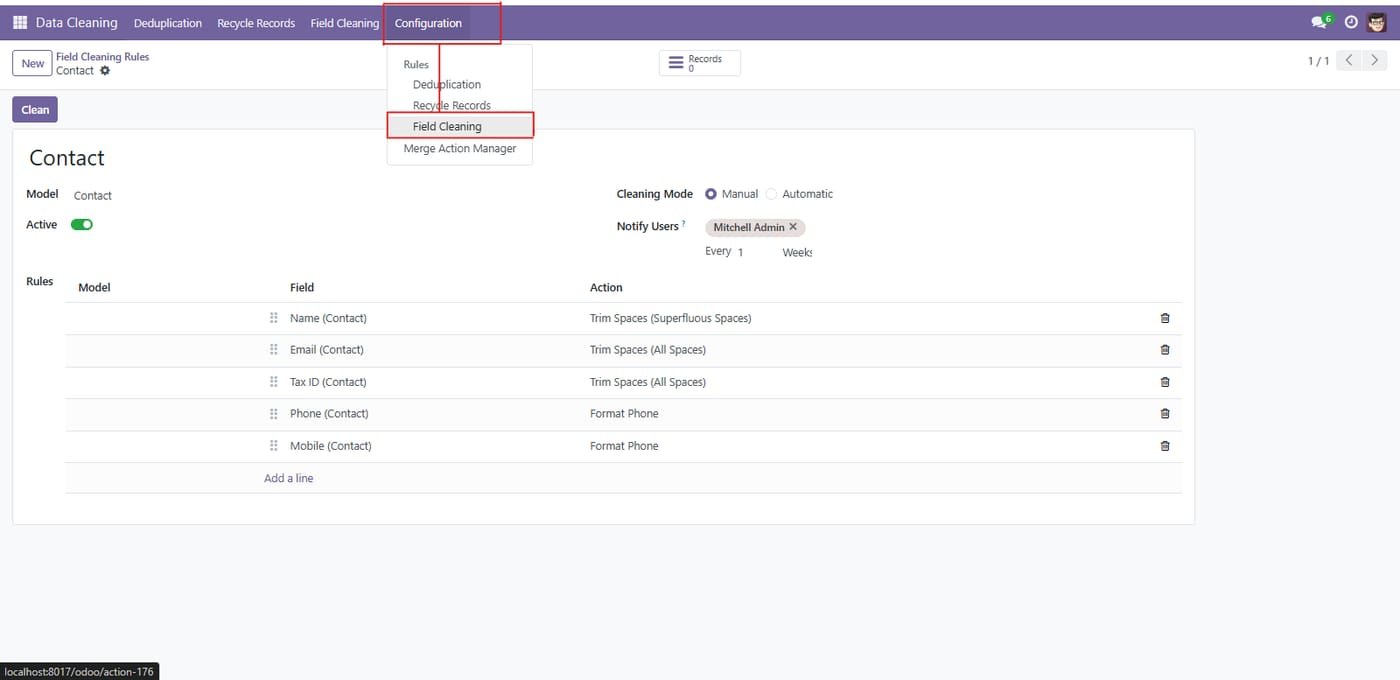
Go to the Configuration menu and select Field Cleaning to manage text formatting and standardization rules.


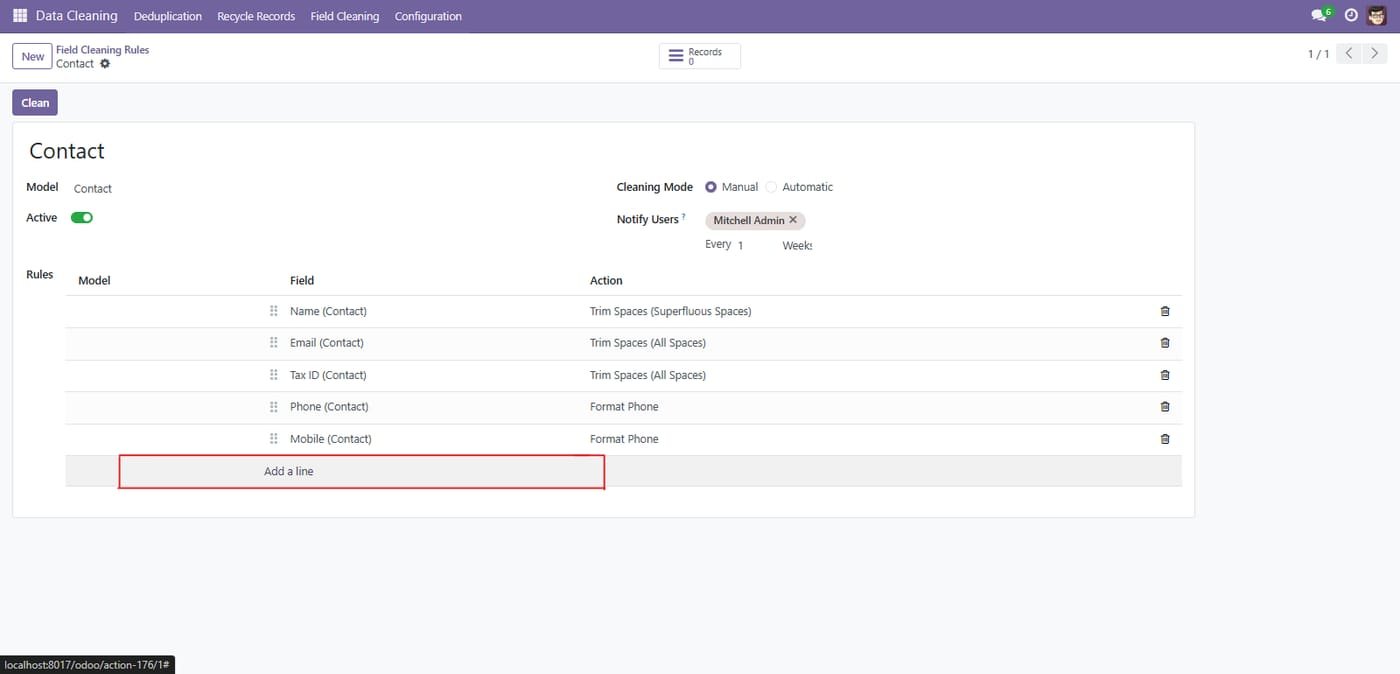
Inside the configuration form, click on Add a line to define a specific cleaning operation for your data fields.


Inside the configuration form, click on Add a line to define a specific cleaning operation for your data fields.
The system displays a list of records with Current and Suggested values. Click Validate to apply the correction or Discard to reject the suggestion.


About Us
At Technoverse Systems, we specialize in Odoo consultancy and implementation services, tailoring solutions to optimize operations and drive growth. Our certified experts work closely with clients to design, deploy, and support Odoo solutions that streamline processes and enhance productivity. With a focus on scalability and efficiency, we empower businesses of all sizes to unlock their full potential with Odoo ERP. Partner with us today and transform your business with confidence. Connect to learn more about our comprehensive services.
ServicesS
Your trusted partner in Odoo ERP solutions, driving digital transformation and business excellence.


Contact info
sales@technoversystems.com
+92 302 1980998
Karachi, Pakistan
© 2025 Technoverse Systems. All rights reserved.
