


Productivity & Tools Community

Data Merge

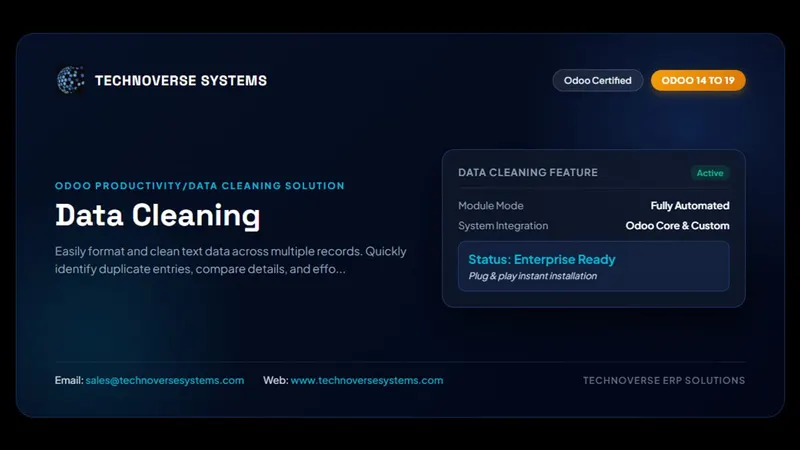
Allow you to merge the duplicate data. Find duplicate data from any model. User have option for find duplicate data based on the selected field.

$99.80 USD
Choose your Odoo version
Ask a question
Built by an Odoo partner Initial setup support Download link by email
Data Merge
What's included

Key features

1

Powerful Rule-Based Engine

2

Works on ANY Odoo Model

3

Manual & Automated Merge Modes

Choose your level of control. Use "Manual" mode to review suggested duplicates before merging, or set up "Automatic" mode to let the system handle the cleanup based on your trusted rules.

4

Flexible Matching Criteria

5

Safe Merging with Previews & Thresholds

Inside the module

Screenshots

Real screens from Data Merge — click any image to see it full size.

Step 1

Powerful Rule-Based Engine

Powerful Rule-Based Engine
Step 2

Works on ANY Odoo Model

Works on ANY Odoo Model
Step 3

Manual & Automated Merge Modes

Choose your level of control. Use "Manual" mode to review suggested duplicates before merging, or set up "Automatic" mode to let the system handle the cleanup based on your trusted rules.

Manual & Automated Merge Modes
Step 4

Flexible Matching Criteria

Flexible Matching Criteria
Step 5

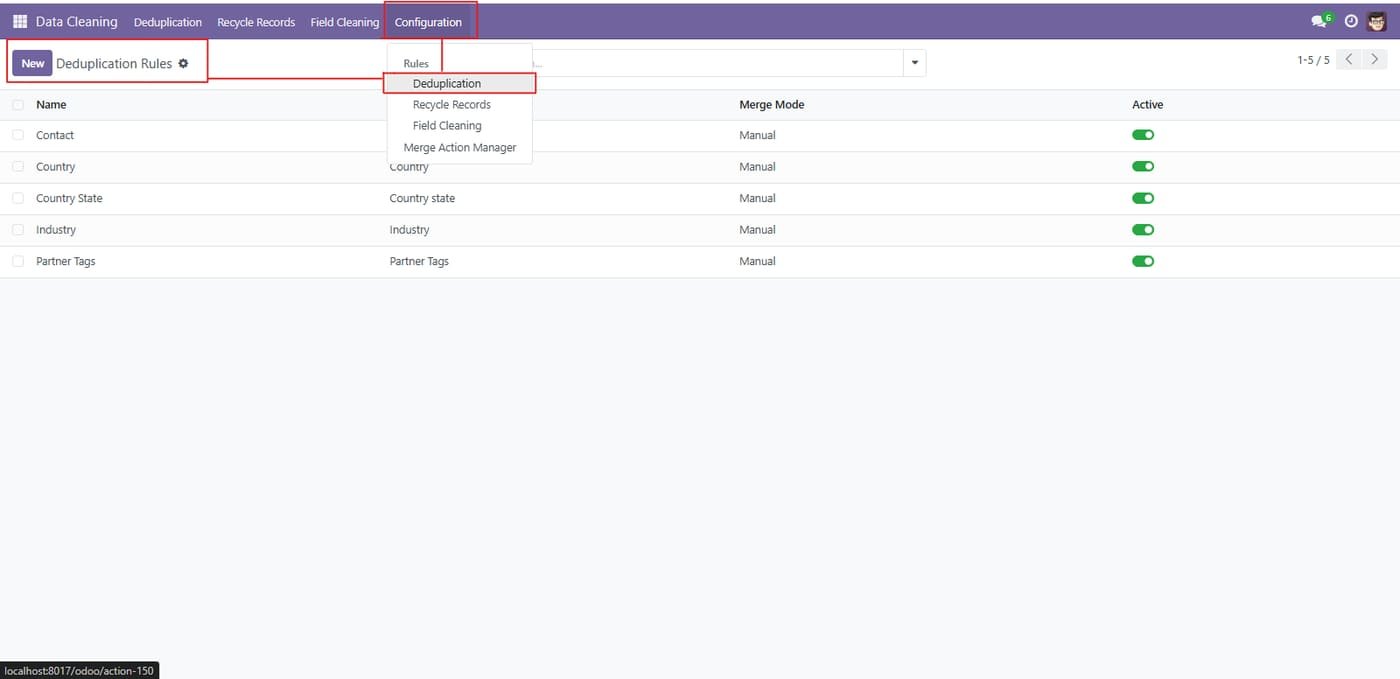
Configuration > Rules > Deduplication to manage merge rules per model. Click on create.

Configuration > Rules > Deduplication to manage merge rules per model. Click on create.
Step 6

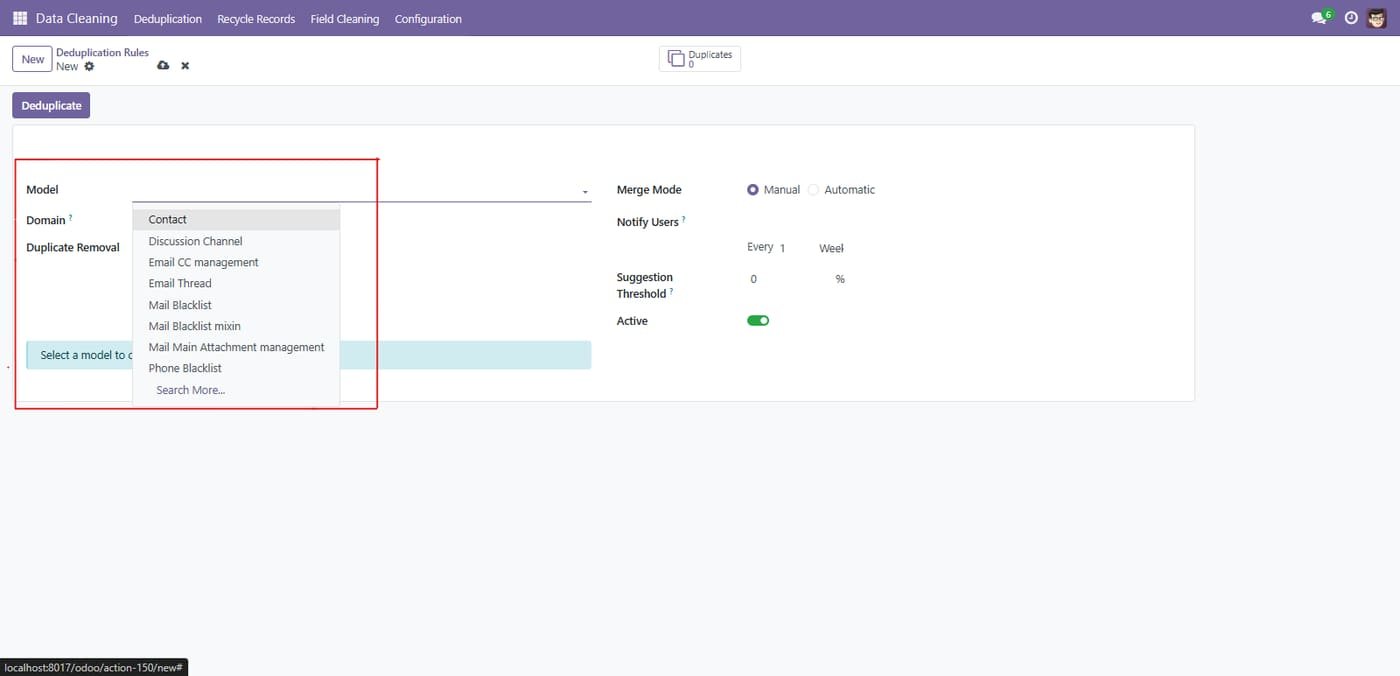
Select the target model (e.g., Contact); once selected, the Domain field becomes available to filter which records are checked, and the Duplicate Removal options for that model can be configured

Select the target model (e.g., Contact); once selected, the Domain field becomes available to filter which records are checked, and the Duplicate Removal options for that model can be configured
Step 7

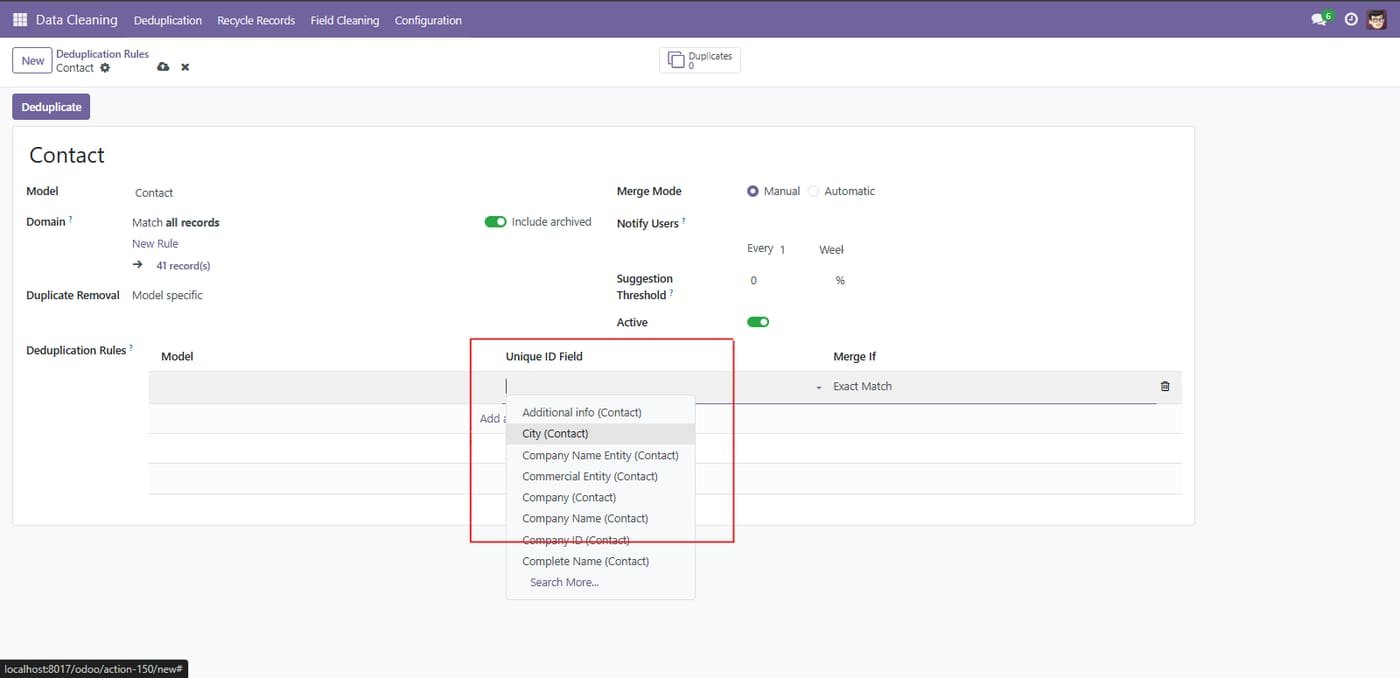
Select the field that will identify duplicates (e.g., City, Company, Company Name, Complete Name). Each line pairs a chosen field with a Merge If condition (Exact Match shown) to decide when records should be merged.

Select the field that will identify duplicates (e.g., City, Company, Company Name, Complete Name). Each line pairs a chosen field with a Merge If condition (Exact Match shown) to decide when records should be merged.
Step 8

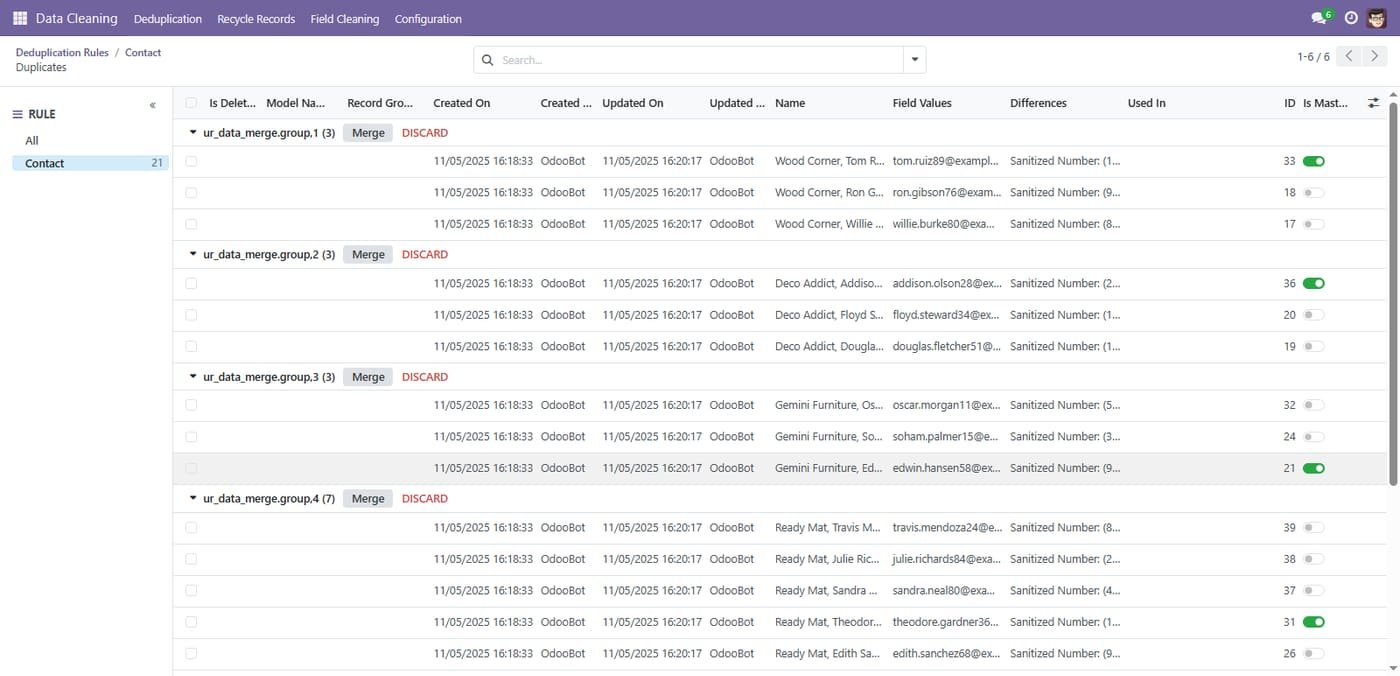
Review duplicate groups

Duplicate records are grouped with their differences so you can merge or discard each group.

Review duplicate groups
Step 9

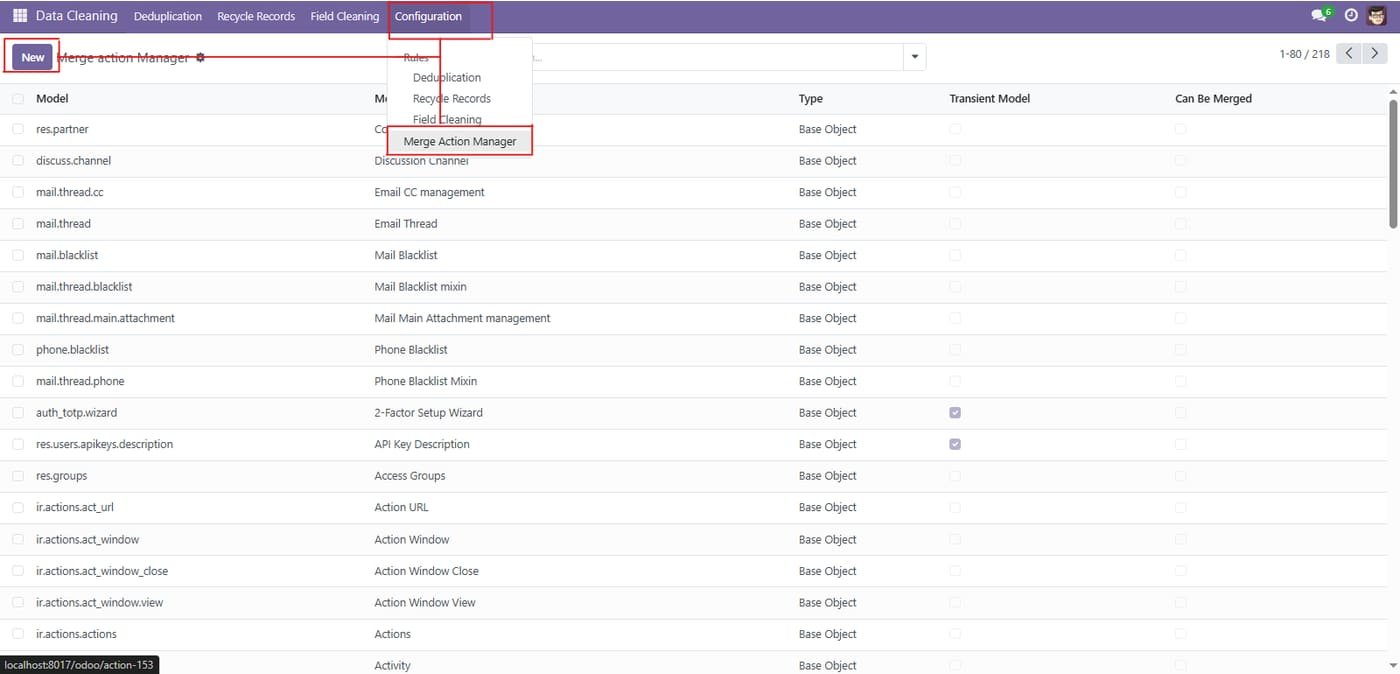
Merge Action Manager list accessed via Configuration > Merge Action Manager. Use New to create a merge configuration; the list shows each model with Type, Transient Model, and Can Be Merged columns to control which models support merge operations.

Merge Action Manager list accessed via Configuration > Merge Action Manager. Use New to create a merge configuration; the list shows each model with Type, Transient Model, and Can Be Merged columns to control which models support merge operations.
Step 10

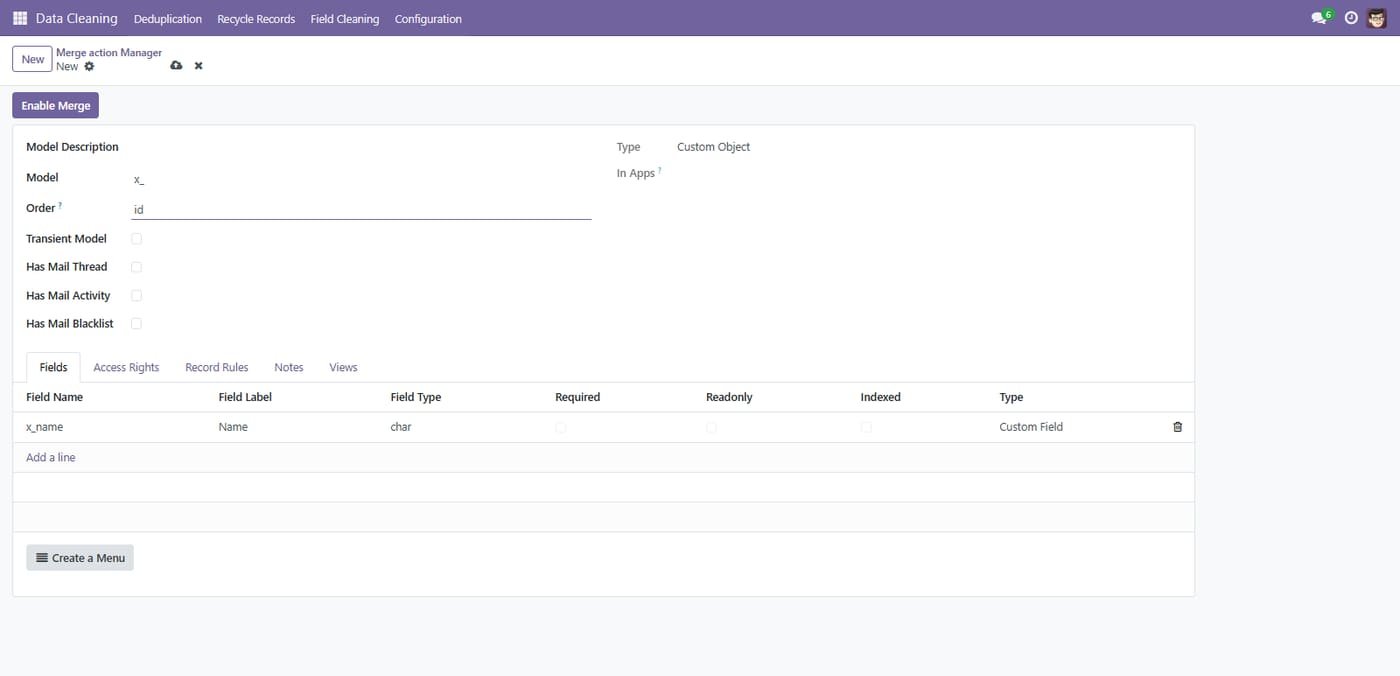
Enable merge on any model

Turn on merging for custom models and review their fields, access rights and views.

Enable merge on any model
Common questions

Questions aboutthis module.

Something else? Ask our team.

This build is for Odoo 18. Need it for another version? Contact us and we will let you know when it is available.

Yes. Every purchase includes free deployment — after payment our team installs and sets up the module on your Odoo.

It builds on these Odoo apps: mail.

Yes — it needs Data Cleaning. They are included in your download.

Not sure it's theright fit?

Book a free consultation and we'll help you pick the right modules for your workflow.