Productivity & Tools Community

Interactive Dashboard & KPI Builder

Build dashboards from any Odoo data without code: KPI tiles with trend and target, bar/line/pie/doughnut charts and top-N lists, date filter and period comparison, click-through to the records, one menu per dashboard.

$349.90 USD
Choose your Odoo version
Ask a question
Built by an Odoo partner Initial setup support Download link by email
Interactive Dashboard & KPI Builder
What's included

Key features

1

Smart AI-Driven Insights

2

All-in-One Multi-Module Support

3

Advanced Dashboard Studio

A robust built-in designer and builder that allows you to create, revamp, and customize your own dashboards without any coding.

4

Dynamic Data Visualization

Transform complex ERP data into engaging Pie charts, Bar graphs, and Table views for faster and smarter decision-making.

5

Fully Customizable & Modern UI

Give your Odoo a premium makeover with a sleek, responsive interface designed for the modern business.

Inside the module

Screenshots

Real screens from Interactive Dashboard & KPI Builder — click any image to see it full size.

Step 1

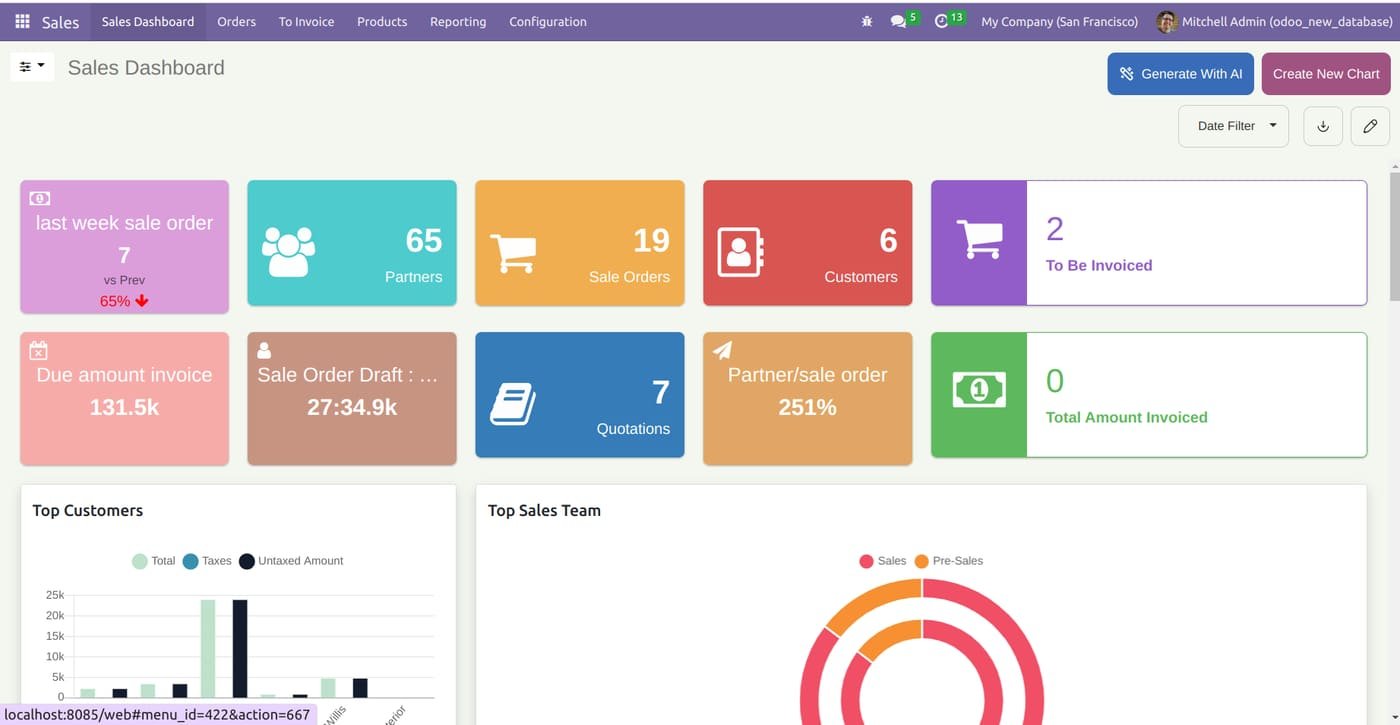
Sales dashboard

KPI tiles for orders, partners, customers, quotations and invoices, with charts for top customers and sales teams.

Sales dashboard
Step 2

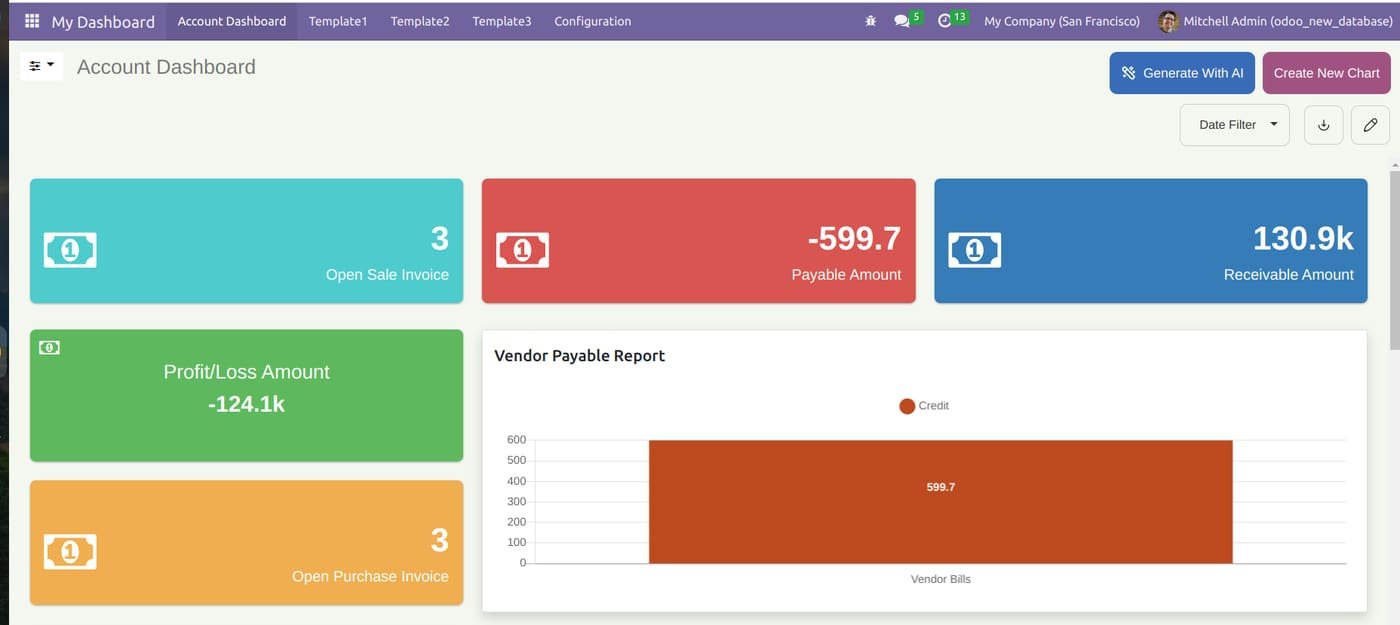
Leverage the "Generate With AI" feature to automatically create comprehensive accounting charts. Monitor your Profit/Loss, Receivable/Payable amounts, and open invoices in real-time with a sleek, color-coded interface designed for financial clarity.

Leverage the "Generate With AI" feature to automatically create comprehensive accounting charts. Monitor your Profit/Loss, Receivable/Payable amounts, and open invoices in real-time with a sleek, color-coded interface designed for financial clarity.
Step 3

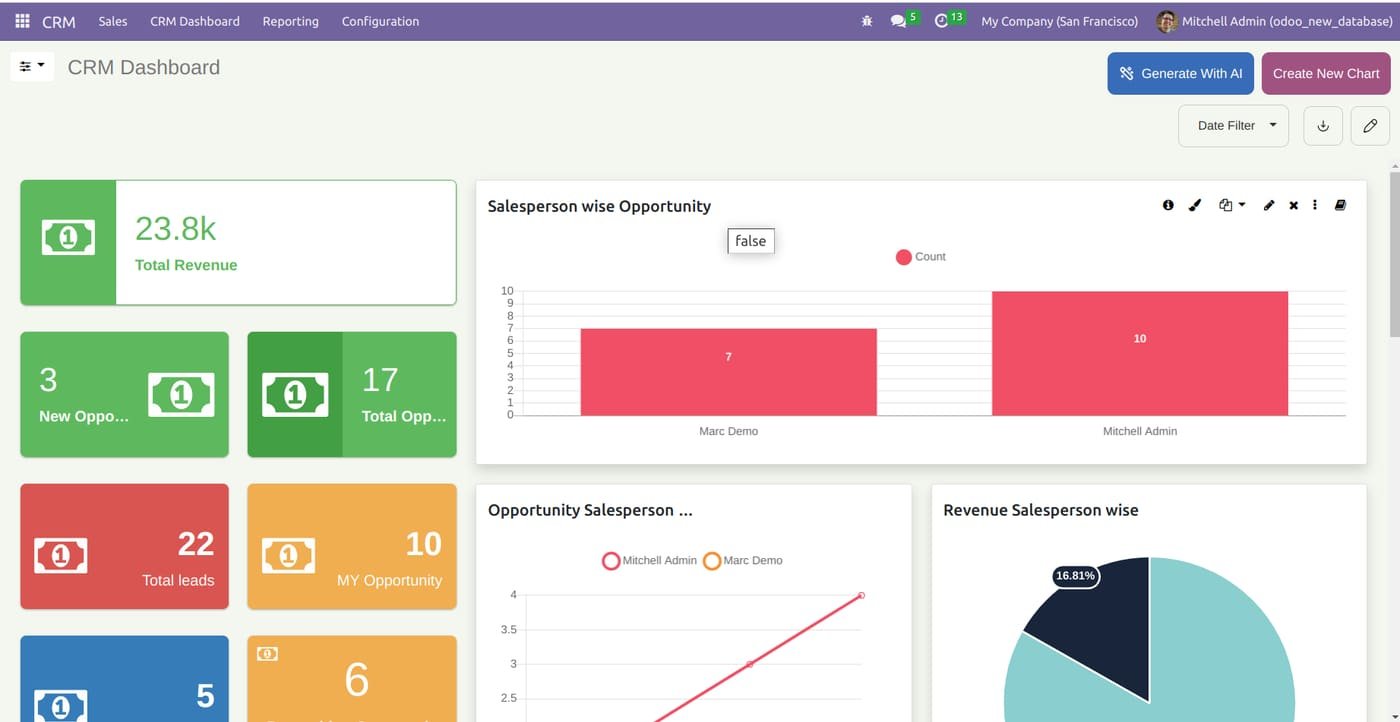
CRM dashboard

Revenue, opportunities and leads at a glance, with salesperson-wise opportunity and revenue charts.

CRM dashboard
Step 4

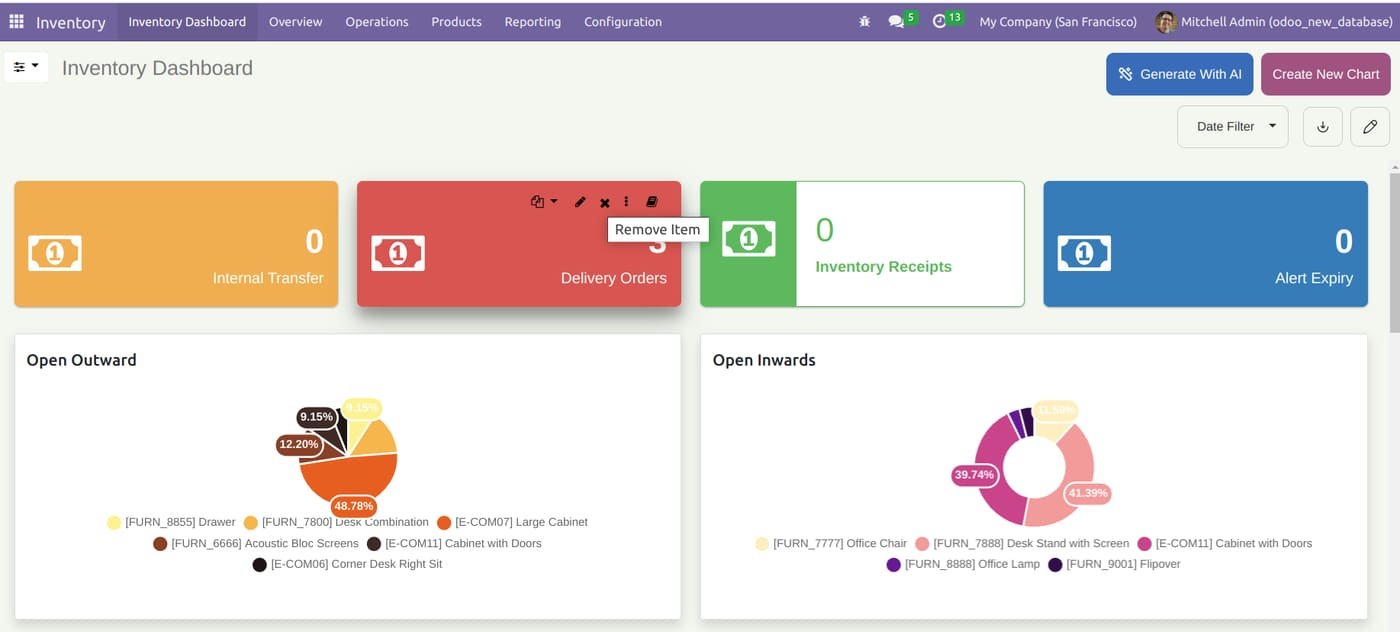
Monitor internal transfers, delivery orders, and inventory receipts in real-time. Use interactive pie charts to track open inward and outward movements and get instant alerts on stock expiry.

Monitor internal transfers, delivery orders, and inventory receipts in real-time. Use interactive pie charts to track open inward and outward movements and get instant alerts on stock expiry.
Step 5

Point of Sale dashboard

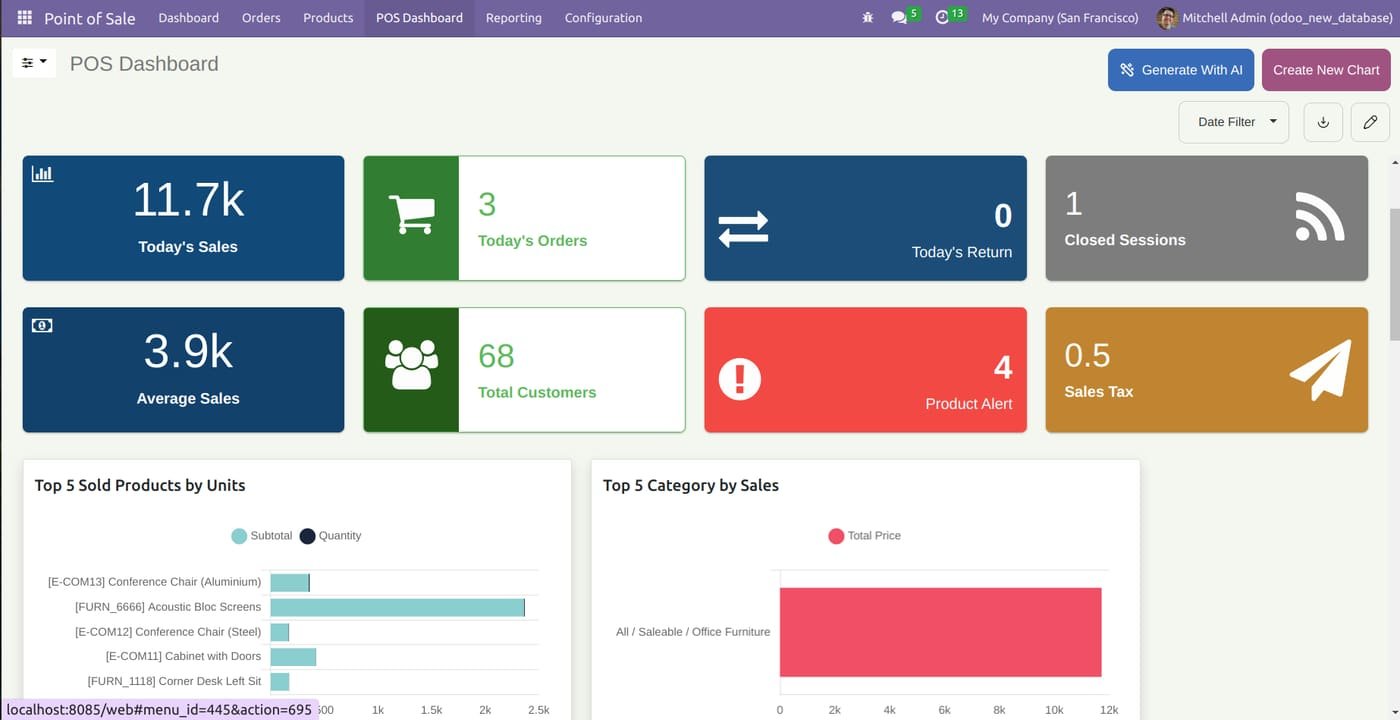
Today's sales, orders, returns and sessions, plus top products and categories by sales.

Point of Sale dashboard
Step 6

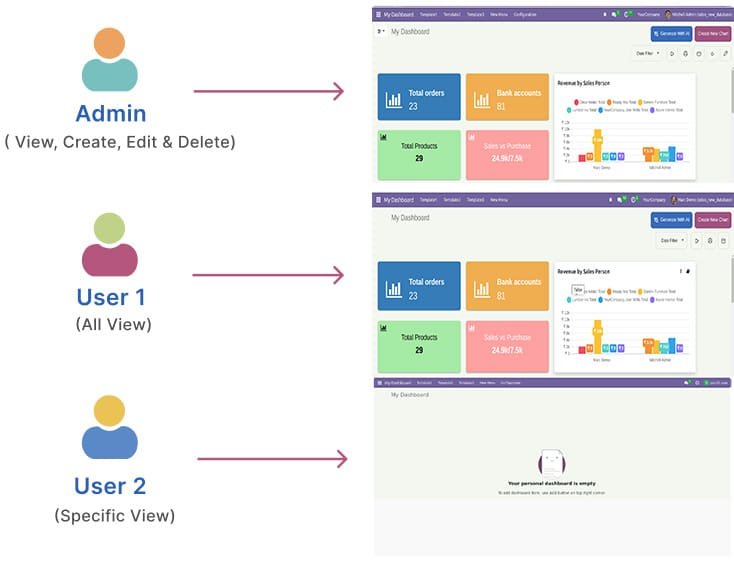
Manage data security with role-based access. Define what each user sees—from 'Admin' (full control) to 'Specific View' for restricted users. Ensure the right data reaches the right person.

Manage data security with role-based access. Define what each user sees—from 'Admin' (full control) to 'Specific View' for restricted users. Ensure the right data reaches the right person.
Step 7

Role-based dashboard access

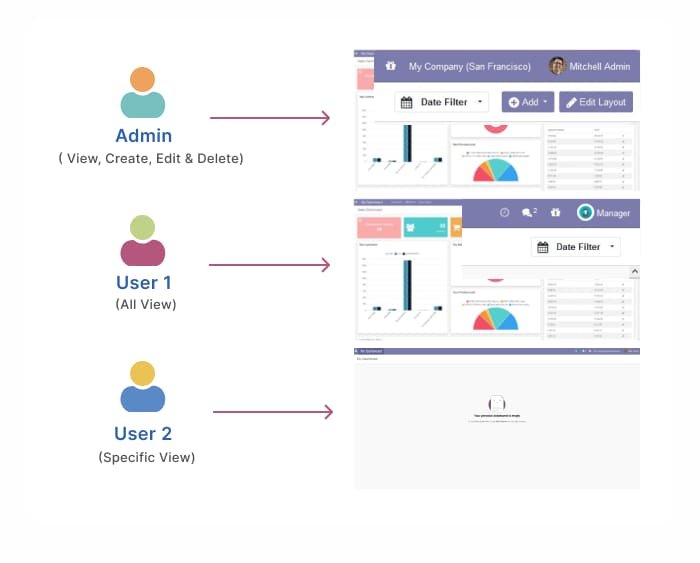
Admins can view, create, edit and delete; other users see all or only specific dashboards.

Role-based dashboard access
Common questions

Questions aboutthis module.

Something else? Ask our team.

This build is for Odoo 18. Need it for another version? Contact us and we will let you know when it is available.

Yes. Every purchase includes free deployment — after payment our team installs and sets up the module on your Odoo.

It builds on these Odoo apps: base, web, base_setup, bus, base_geolocalize.

Not sure it's theright fit?

Book a free consultation and we'll help you pick the right modules for your workflow.