Productivity & Tools

Knowledge Center Pro for Odoo

Your company wiki, help center and manuals inside Odoo. Write articles in sections with tags, templates and full revision history, ask AI questions answered from your own articles with cited sources, build manuals and learning tours, and publish a public help center and customer portal without the Website app.

$399 USD
Choose your Odoo version
Ask a question
Built by an Odoo partner 100+ clients served since 2019 Initial setup support Download link by email
Knowledge Center Pro for Odoo
What's included

Key features

1

My Selection basket kept across searches; print by tag; link articles in activities; HTML code view in the editor

2

Drag-and-drop building blocks: columns, info/warning/tip boxes, steps, checklist, FAQ, table, image + text, quote, code; add your own blocks

3

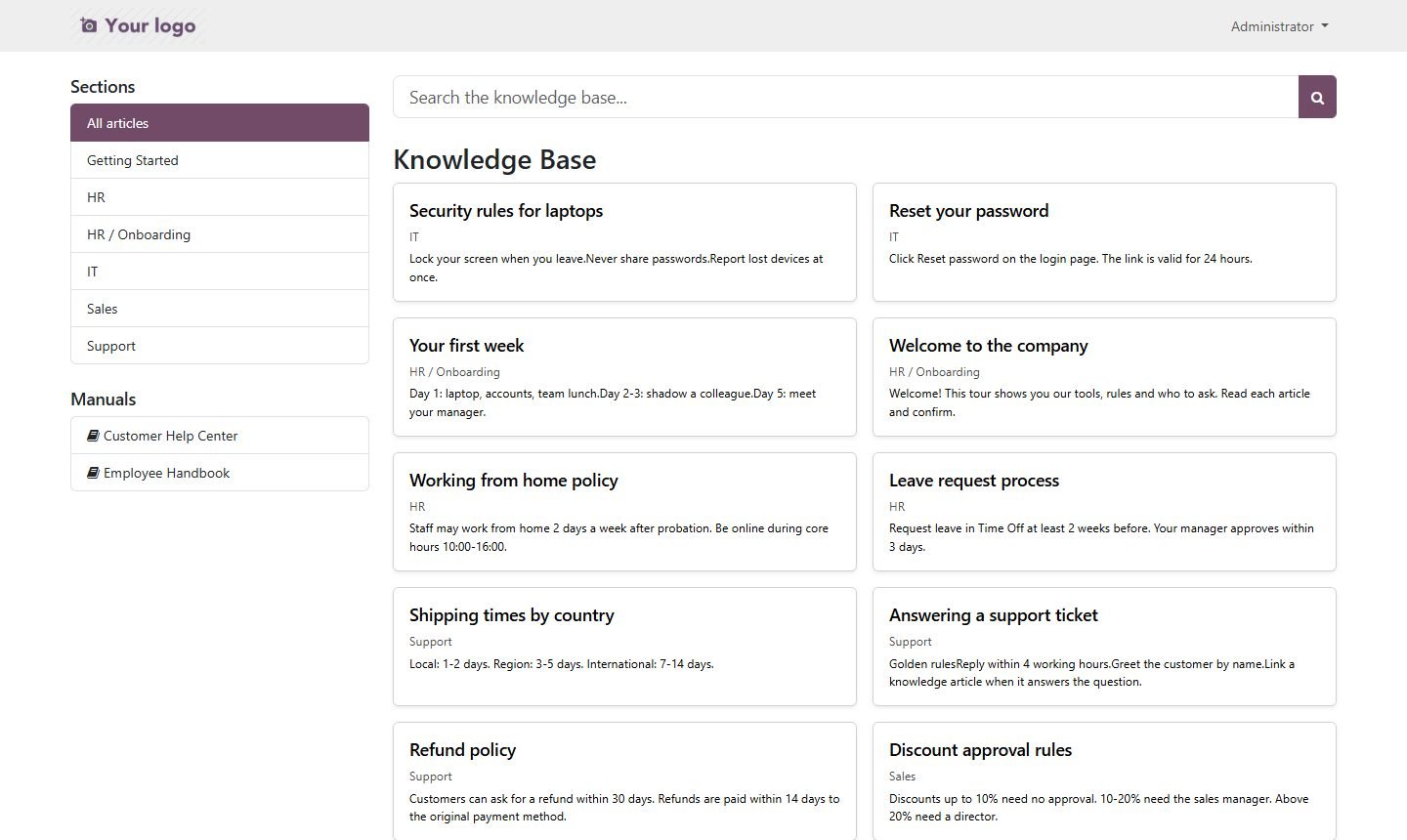
Articles in sections and sub-sections with tags, types, favorites and templates

4

Full revision history with one-click restore; likes, dislikes, views, contributors and e-mail usage counts

5

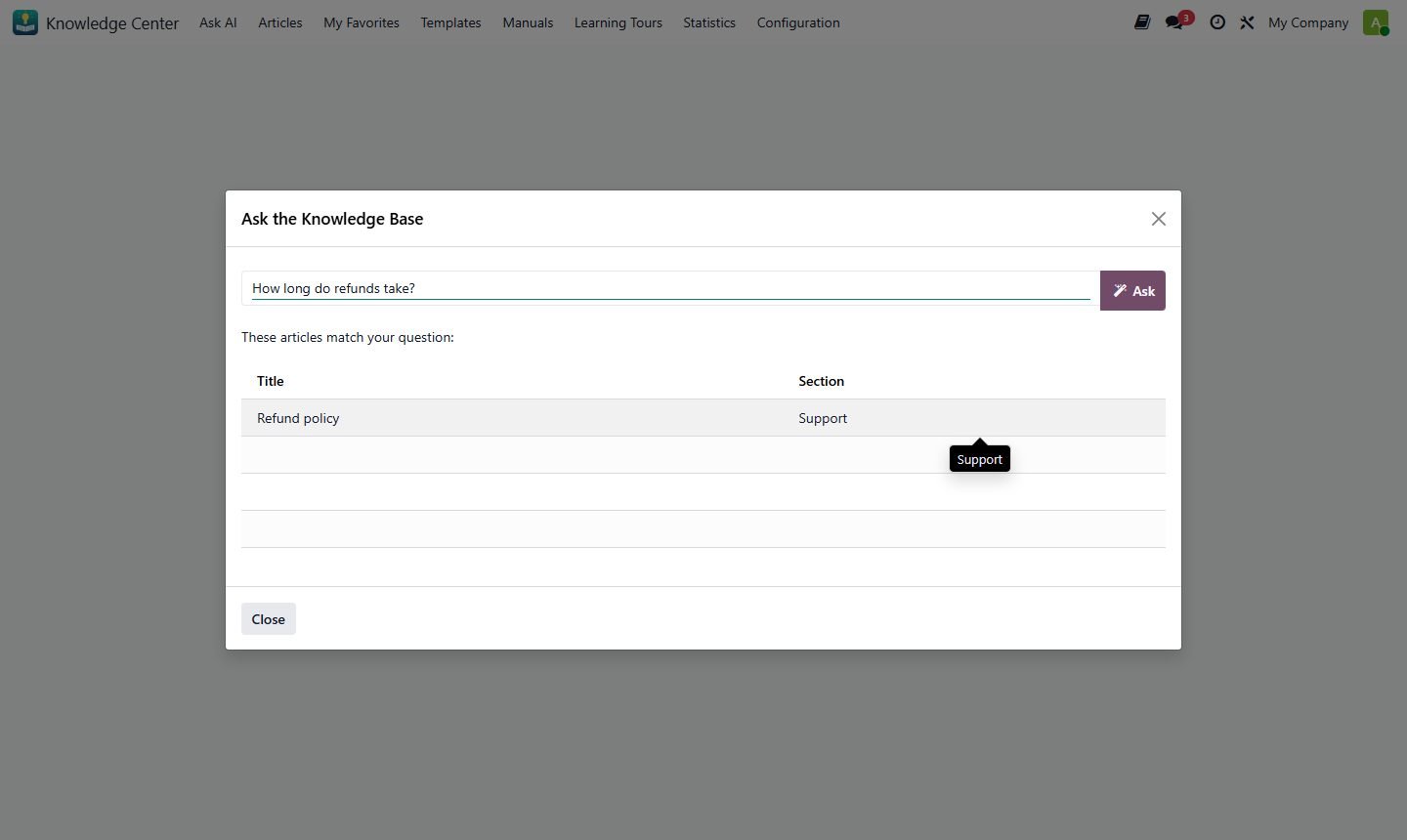
Ask AI: answers from your own articles with cited sources (OpenAI, Gemini or Claude)

6

AI draft, AI summary and AI auto-tags for articles

7

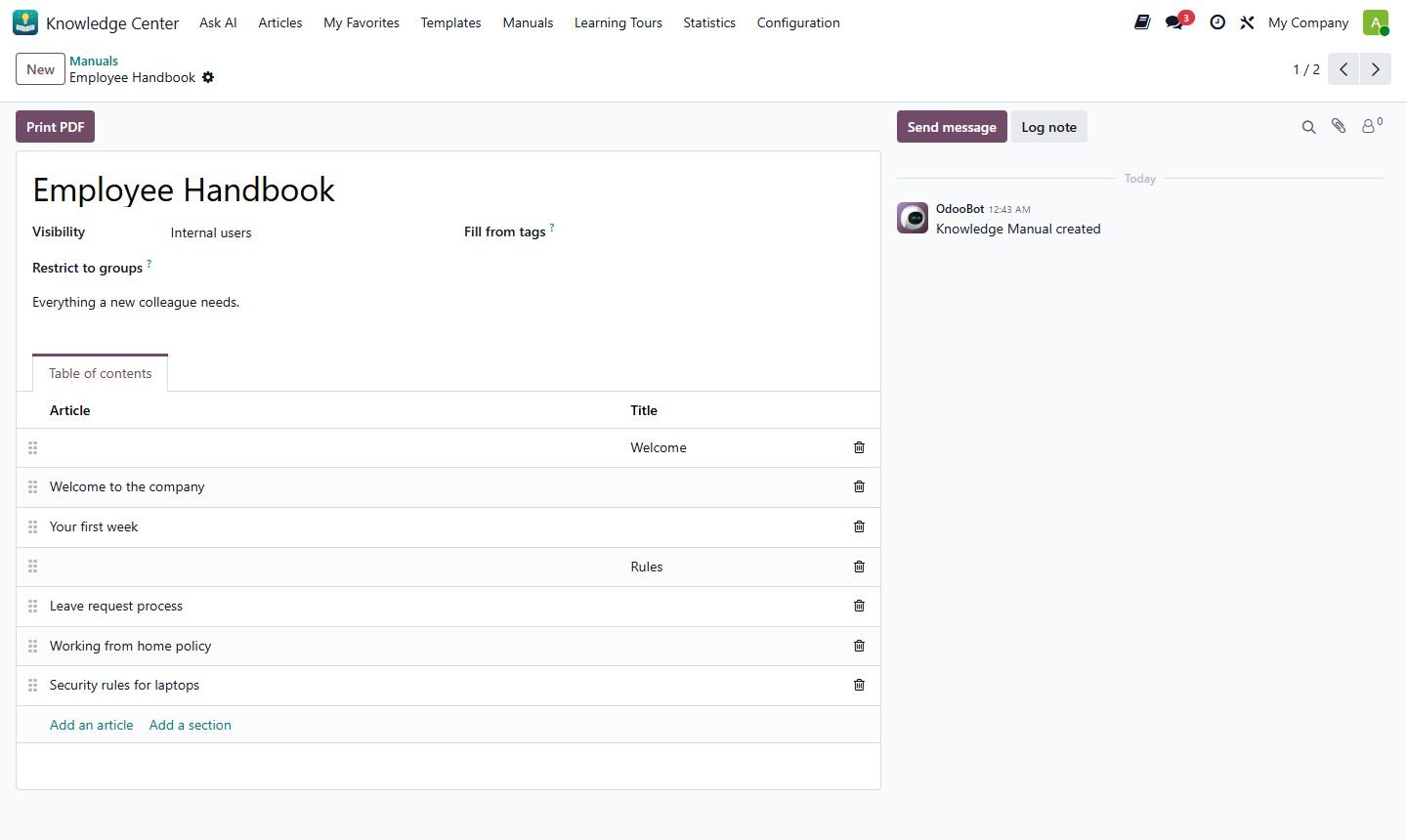
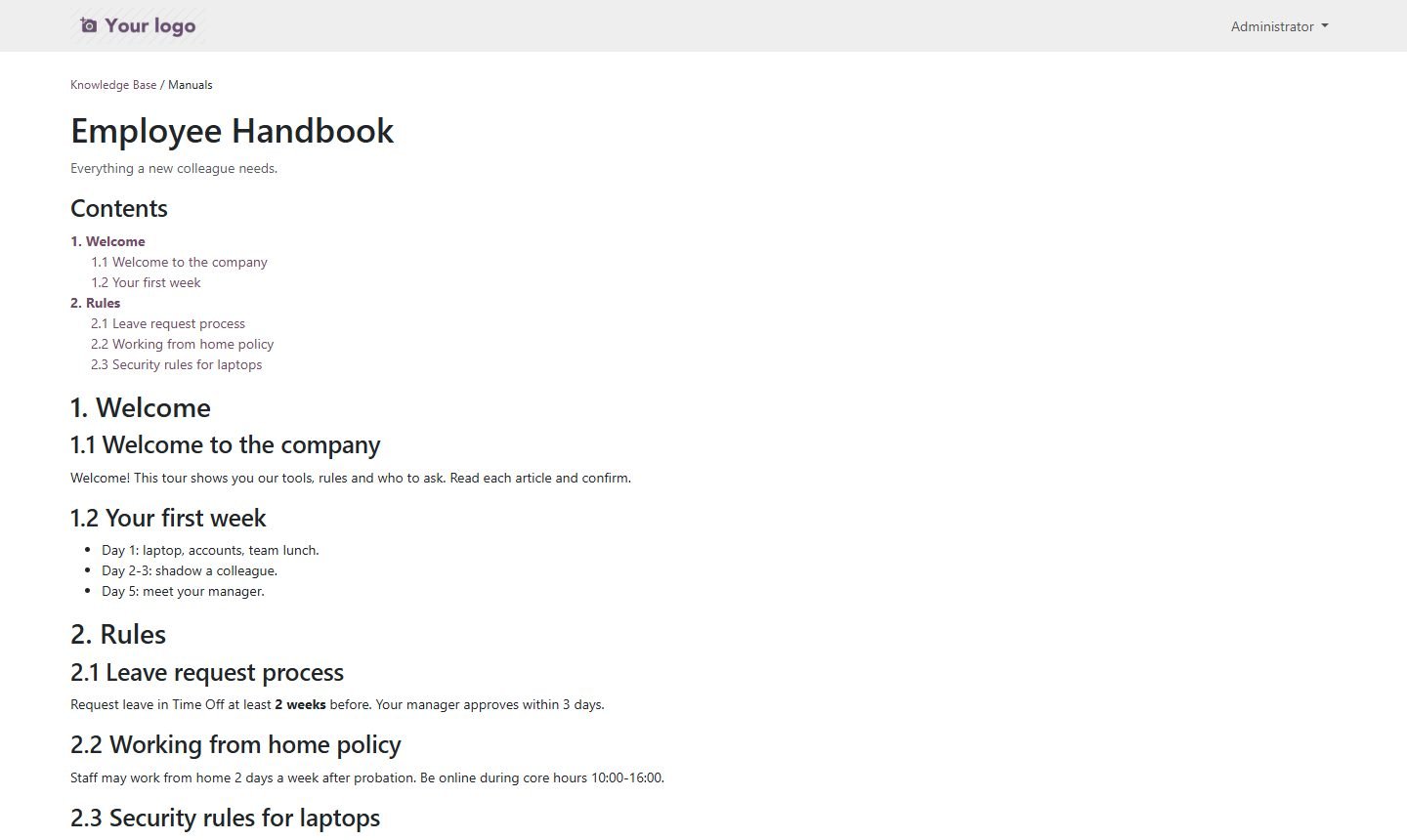
Manuals and handbooks built from articles: chapters, table of contents, PDF print, search inside the manual

8

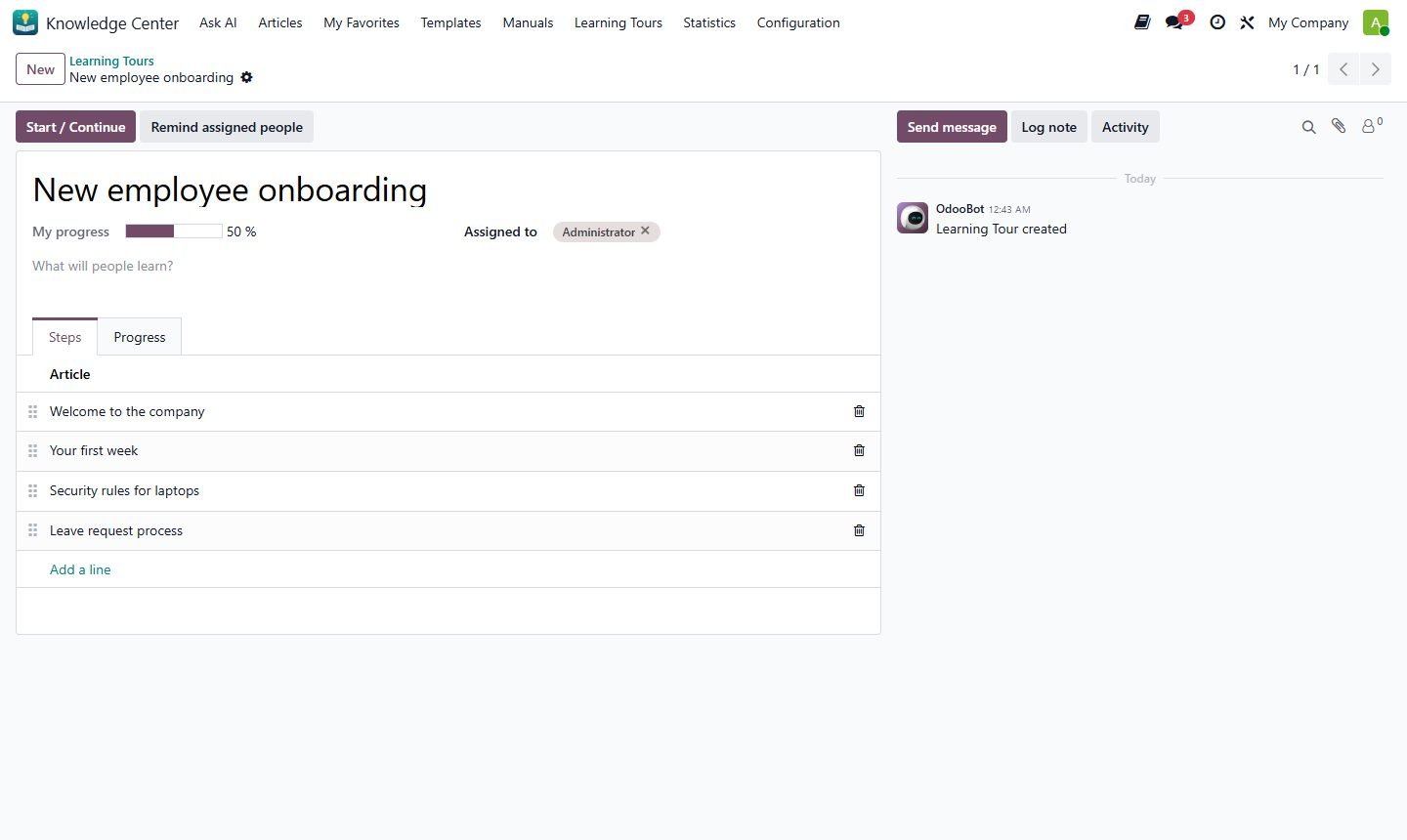
Learning tours for users or whole groups, with progress and "I have read this" confirmations

9

Public help center and customer portal on /knowledge, no Website app needed

10

Portal access per article or by tag for chosen customers; secret share links

11

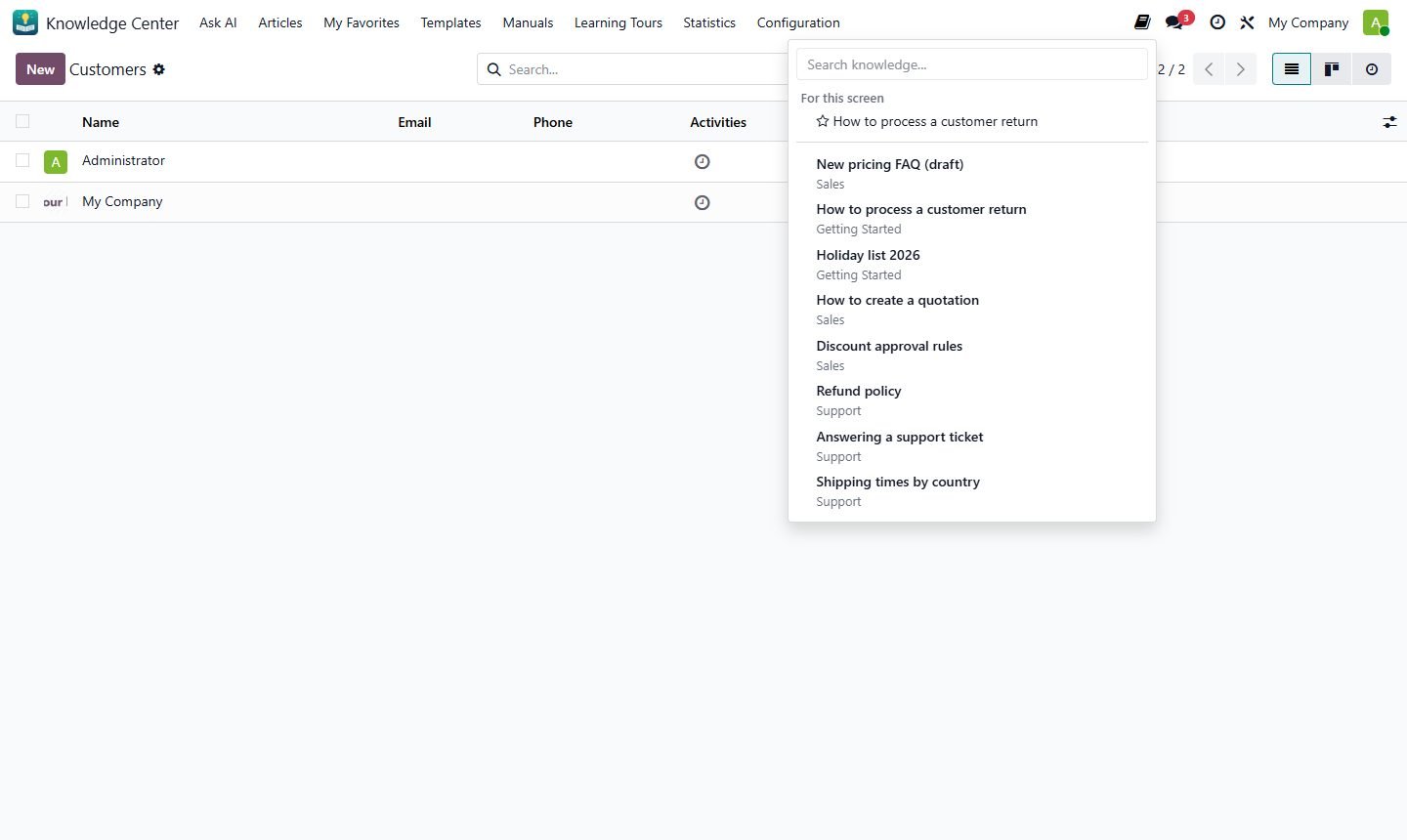
Knowledge in the top bar on every screen (Odoo 18+); insert articles or PDFs into e-mails

12

Access per section and user group; reader, editor and manager roles

13

Custom fields per article type (Odoo 16+), review reminders, auto-archive dates, multi-language

14

Bonus module: FAQ and documentation on eCommerce product pages (Odoo 19)

15

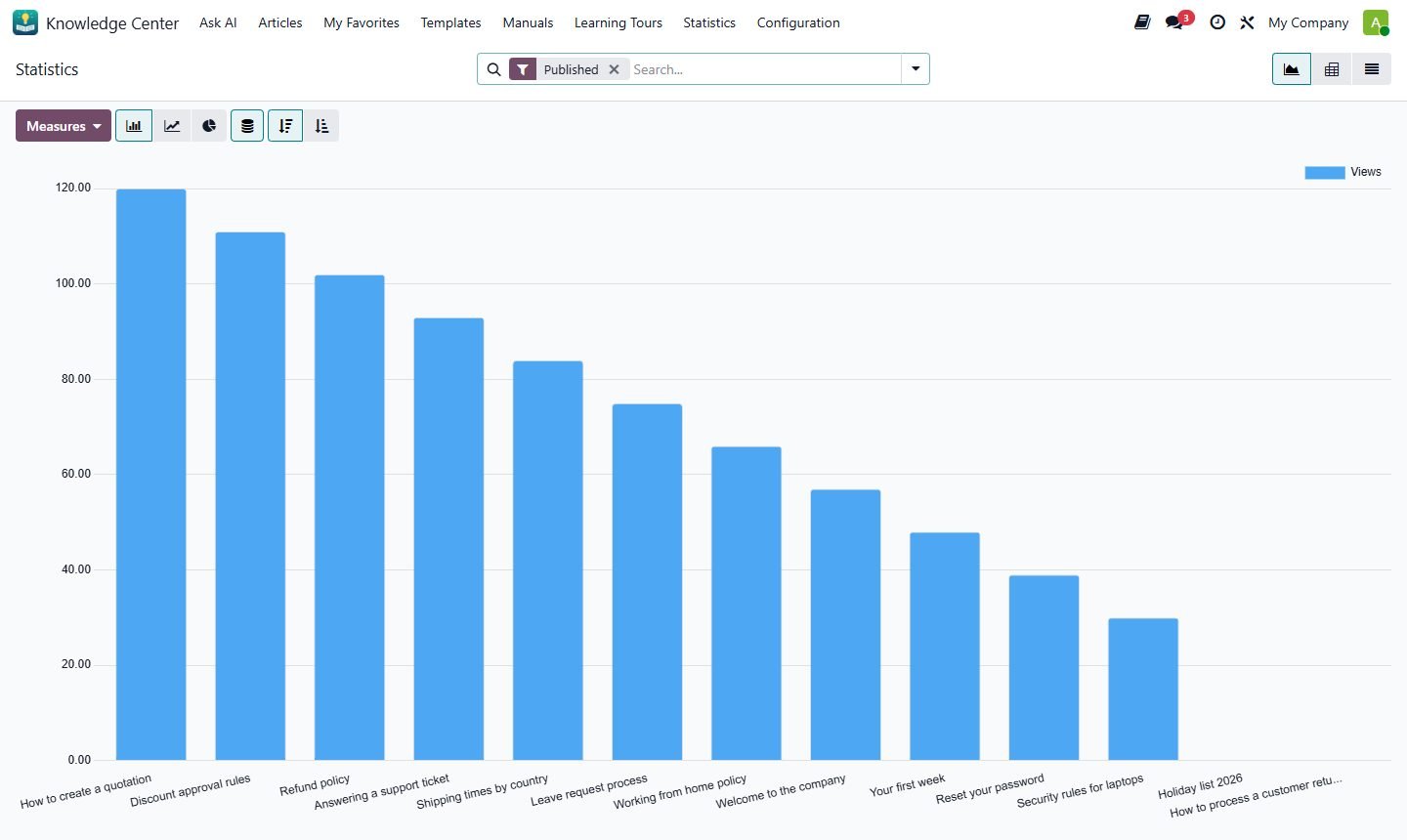
Bulk update, PDF export, statistics (graph and pivot), multi-company

Demo video

See Knowledge Center Pro for Odoo in action

Inside the module

Screenshots

Real screens from Knowledge Center Pro for Odoo — click any image to see it full size.

Step 1

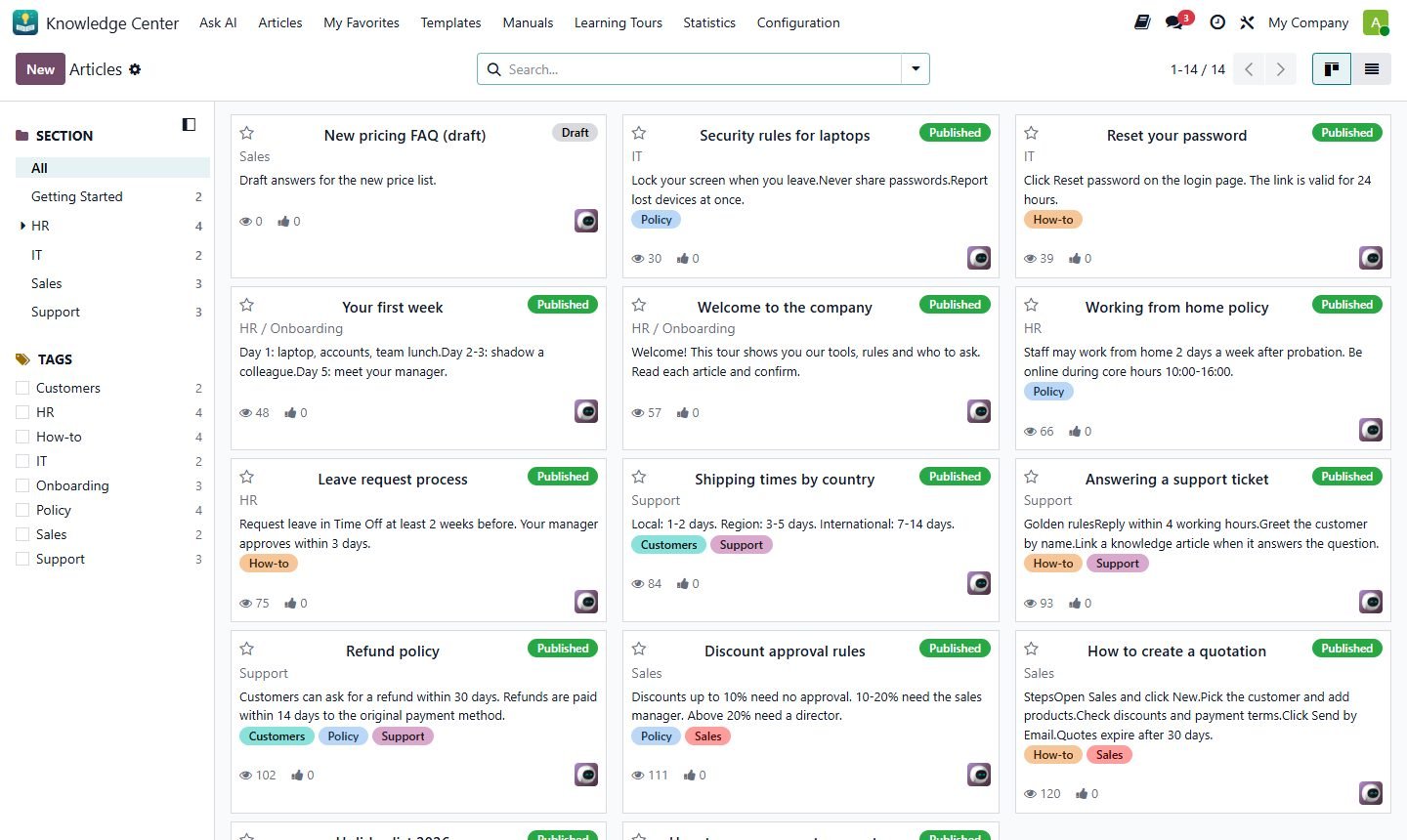
All your knowledge in one place

Sections, sub-sections, tags, favorites and templates

All your knowledge in one place
Step 2

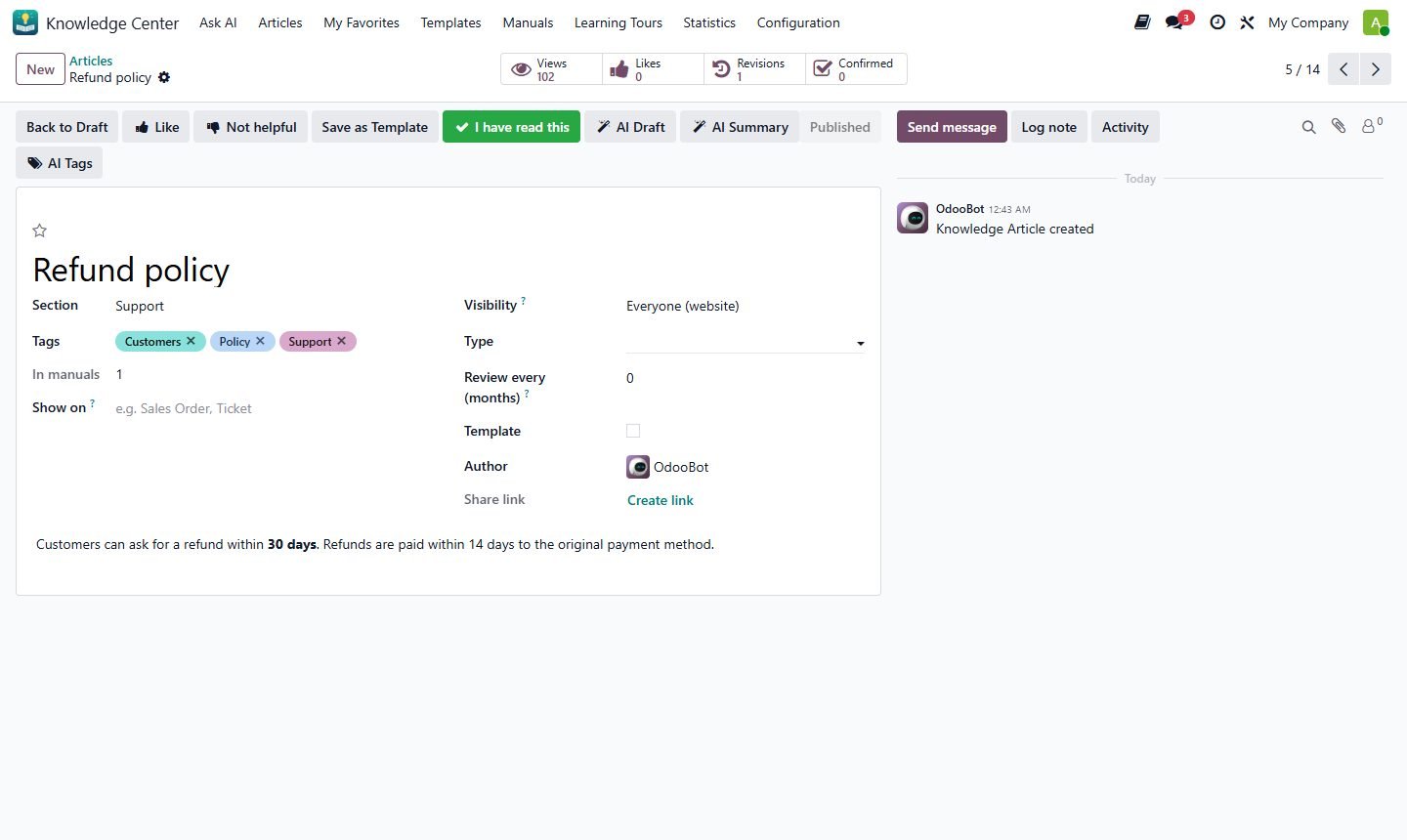
Write, publish and improve articles

Revisions, likes, views, read confirmations, share links

Write, publish and improve articles
Step 3

Ask AI

Answers that cite your articles (OpenAI, Gemini or Claude)

Ask AI
Step 4

Manuals from articles

Chapters, table of contents and PDF print

Manuals from articles
Step 5

Learning tours

Step-by-step reading with progress per person

Learning tours
Step 6

Public help center and customer portal

Internal, portal or public per article

Public help center and customer portal
Step 7

Manuals on the website

Numbered chapters with a table of contents

Manuals on the website
Step 8

Knowledge on every screen

Articles for the screen you are on, from the top bar

Knowledge on every screen
Step 9

Statistics

Most viewed articles, likes and dislikes

Statistics
Step 10

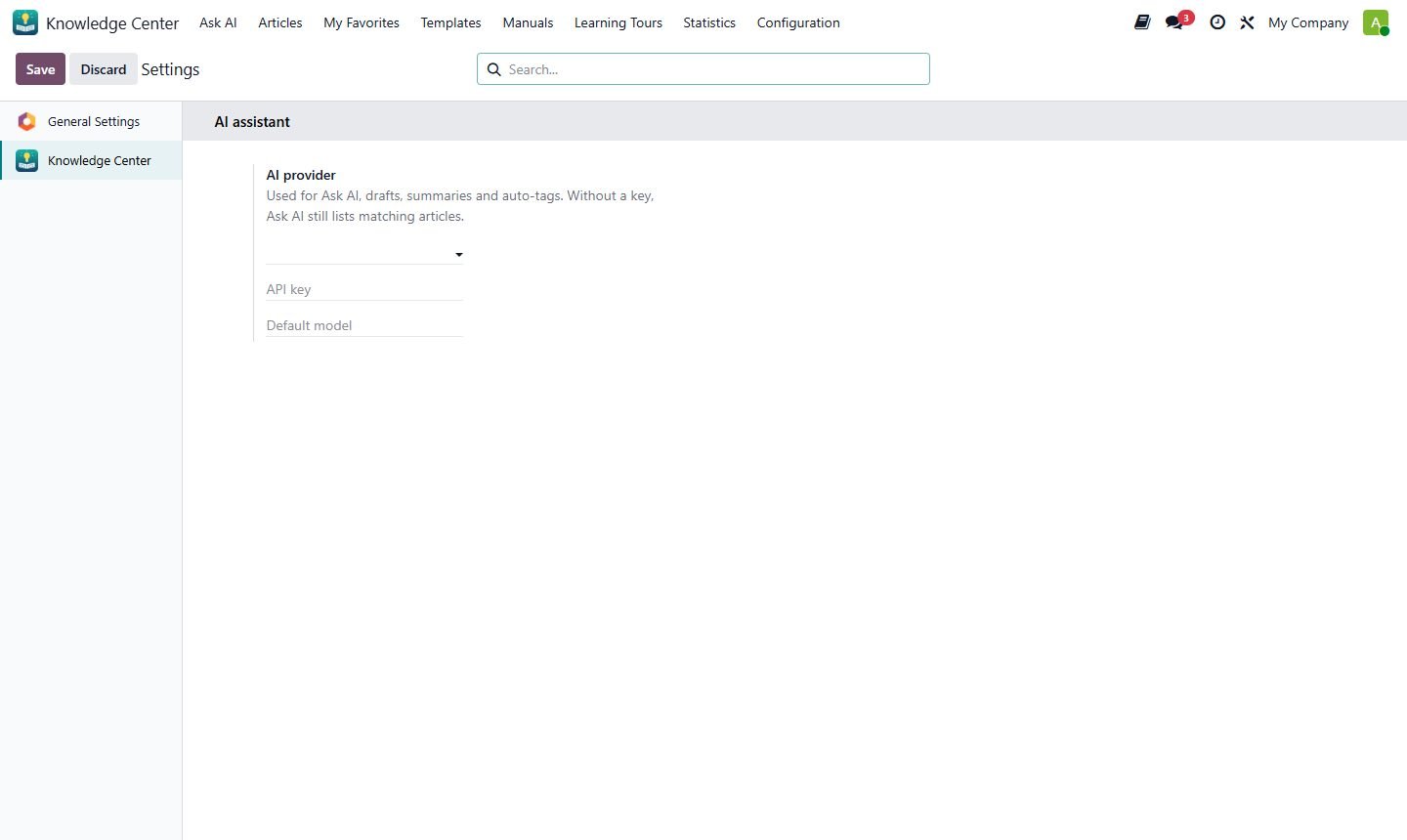
Settings

Pick your AI provider

Settings
Common questions

Questions aboutthis module.

Something else? Ask our team.

Odoo 14, 15, 16, 17, 18, 19 and 20, Community and Enterprise. The top-bar search needs Odoo 18 or newer and custom fields need Odoo 16 or newer.

No. The public help center and customer portal only need the free Portal module.

OpenAI, Google Gemini or Anthropic Claude with your own API key. Without a key, Ask AI still lists the matching articles.

No. Each article is internal, portal or public, sections can be limited to user groups, and tags can open articles to chosen customers. Share links give access to one article only.

Not sure it's theright fit?

Book a free consultation and we'll help you pick the right modules for your workflow.

Book your 30 mins call