

Inventory & Logistics Community

Landed Costs in Foreign Currency

Enter stock landed cost lines in any currency with automatic conversion to the company currency.

$13.05 USD
Choose your Odoo version
Ask a question
Built by an Odoo partner Initial setup support Download link by email
Landed Costs in Foreign Currency
What's included

Key features

1

Multi-Currency Landed Costs

2

Automatic Exchange Rate Conversion

3

Real-Time Valuation Accuracy

Ensures your product's total cost (valuation) is 100% accurate by incorporating converted landed costs precisely into the stock valuation.

4

Journal & Currency Integration

Easily link specific Account Journals with their corresponding currencies for seamless financial reporting.

5

Side-by-Side Cost Comparison

View the cost in the original foreign currency and the converted company currency simultaneously on the cost lines for better clarity.

Inside the module

Screenshots

Real screens from Landed Costs in Foreign Currency — click any image to see it full size.

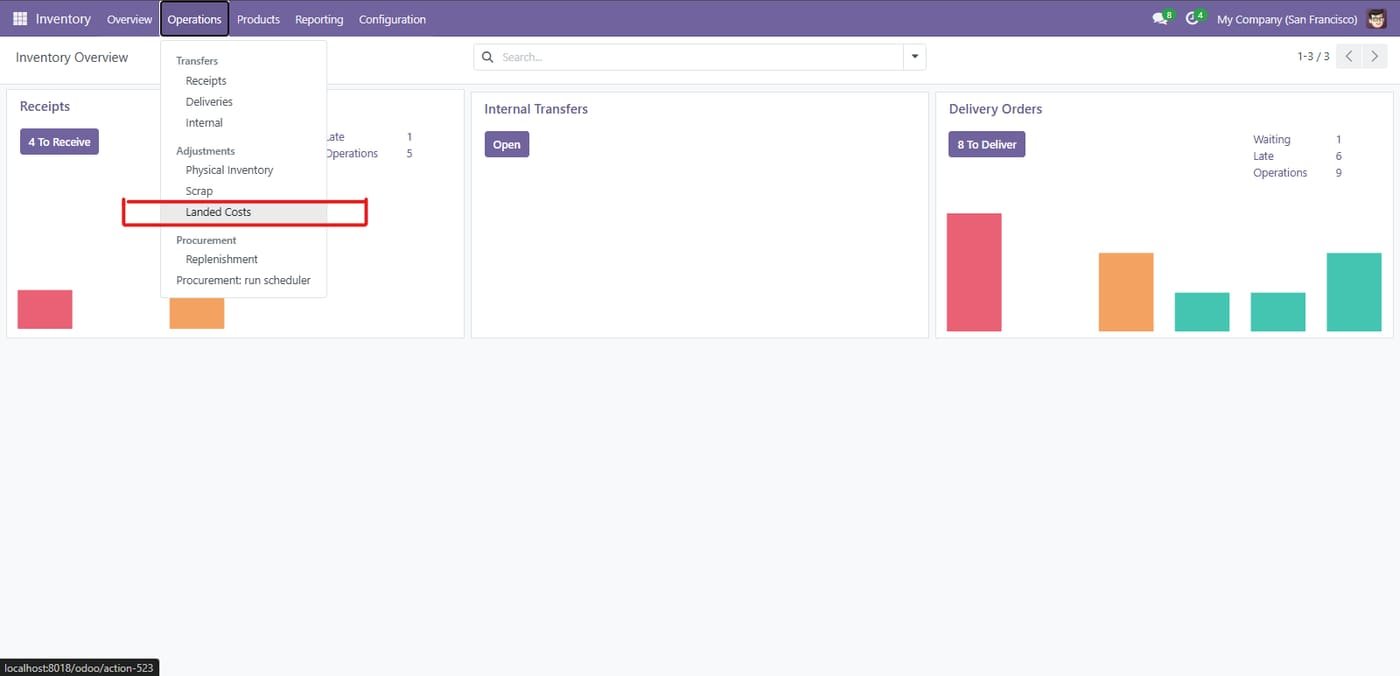
Step 1

Go to Inventory -> Operations -> Landed Costs

Go to Inventory -> Operations -> Landed Costs
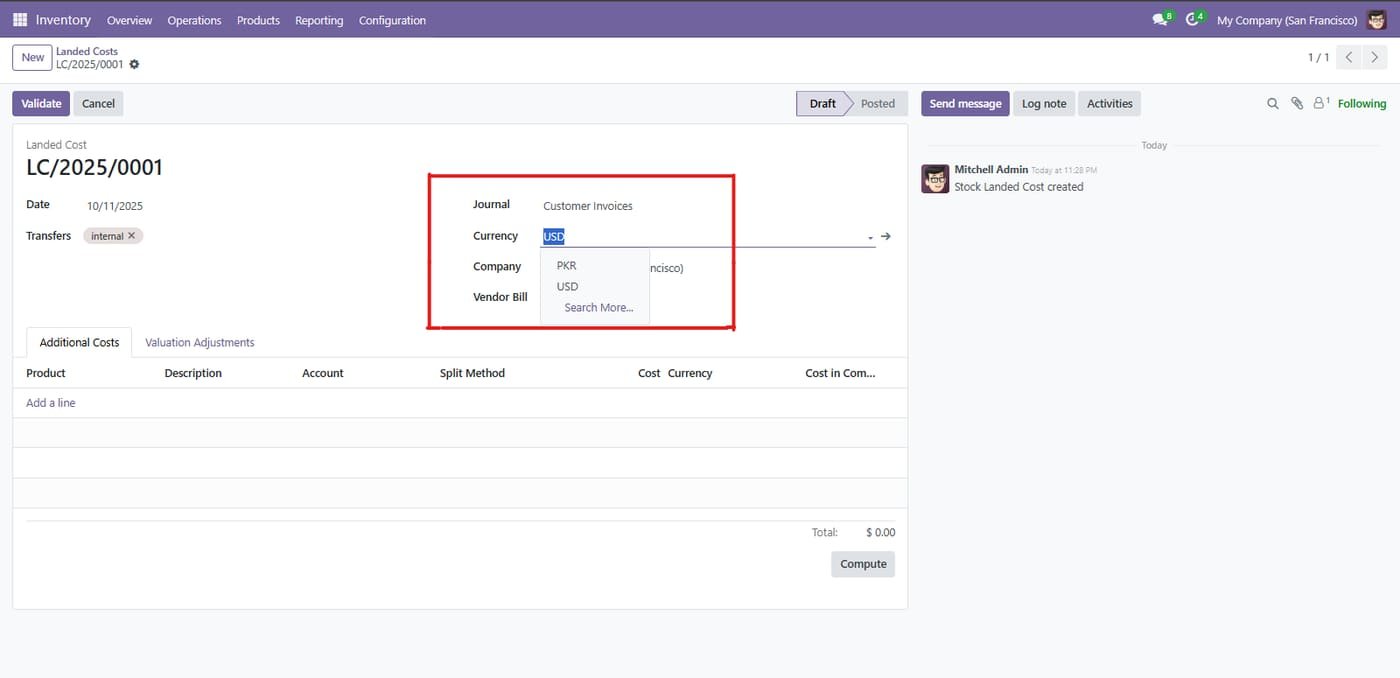
Step 2

choose the Account Journal and the corresponding Currency

choose the Account Journal and the corresponding Currency
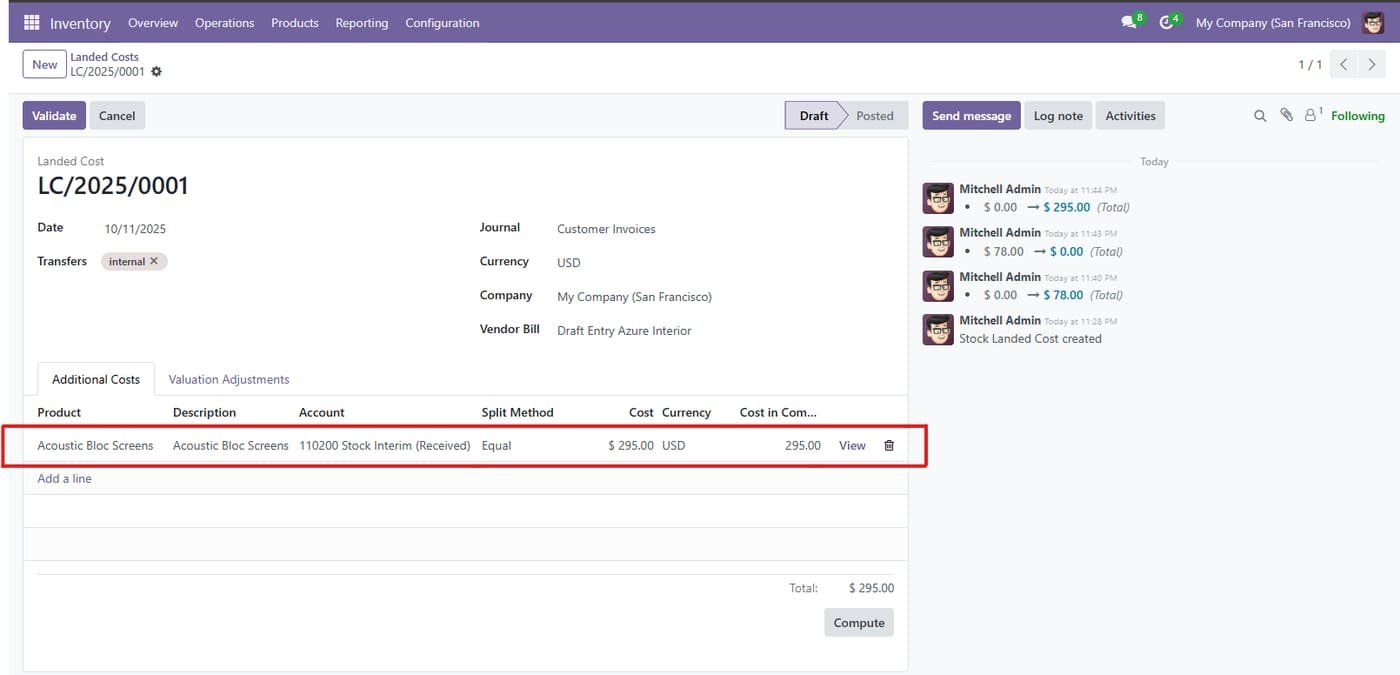
Step 3

Landed cost in a foreign currency

Enter additional costs in their own currency; Odoo converts them to company currency.

Landed cost in a foreign currency
Common questions

Questions aboutthis module.

Something else? Ask our team.

This build is for Odoo 18. Need it for another version? Contact us and we will let you know when it is available.

Yes. Every purchase includes free deployment — after payment our team installs and sets up the module on your Odoo.

It builds on these Odoo apps: stock_landed_costs.

Not sure it's theright fit?

Book a free consultation and we'll help you pick the right modules for your workflow.