Inventory & Logistics

Product Label Designer - Odoo Barcode Label Printing & ZPL

Odoo product label and barcode label designer: drag-and-drop labels for products, shelves, lots and shipping. Print PDF, ZPL (Zebra) and TSPL with GS1 barcodes for Odoo 14-20.

$210 USD
Choose your Odoo version
Ask a question
Built by an Odoo partner Initial setup support Download link by email
Product Label Designer - Odoo Barcode Label Printing & ZPL
What's included

Key features

1

Drag-and-Drop Designer

Place text, fields, barcodes, QR codes, images, lines and boxes on a mm grid. Drag, resize, rotate, align, undo and redo with a live preview of a real record.

2

Every Barcode, GS1 Included

EAN-13, EAN-8, UPC, Code 128, Code 39, QR and DataMatrix, plus GS1-128 and GS1 DataMatrix with lot, expiry and weight. Transparent or inverted barcodes too.

3

PDF, ZPL and TSPL

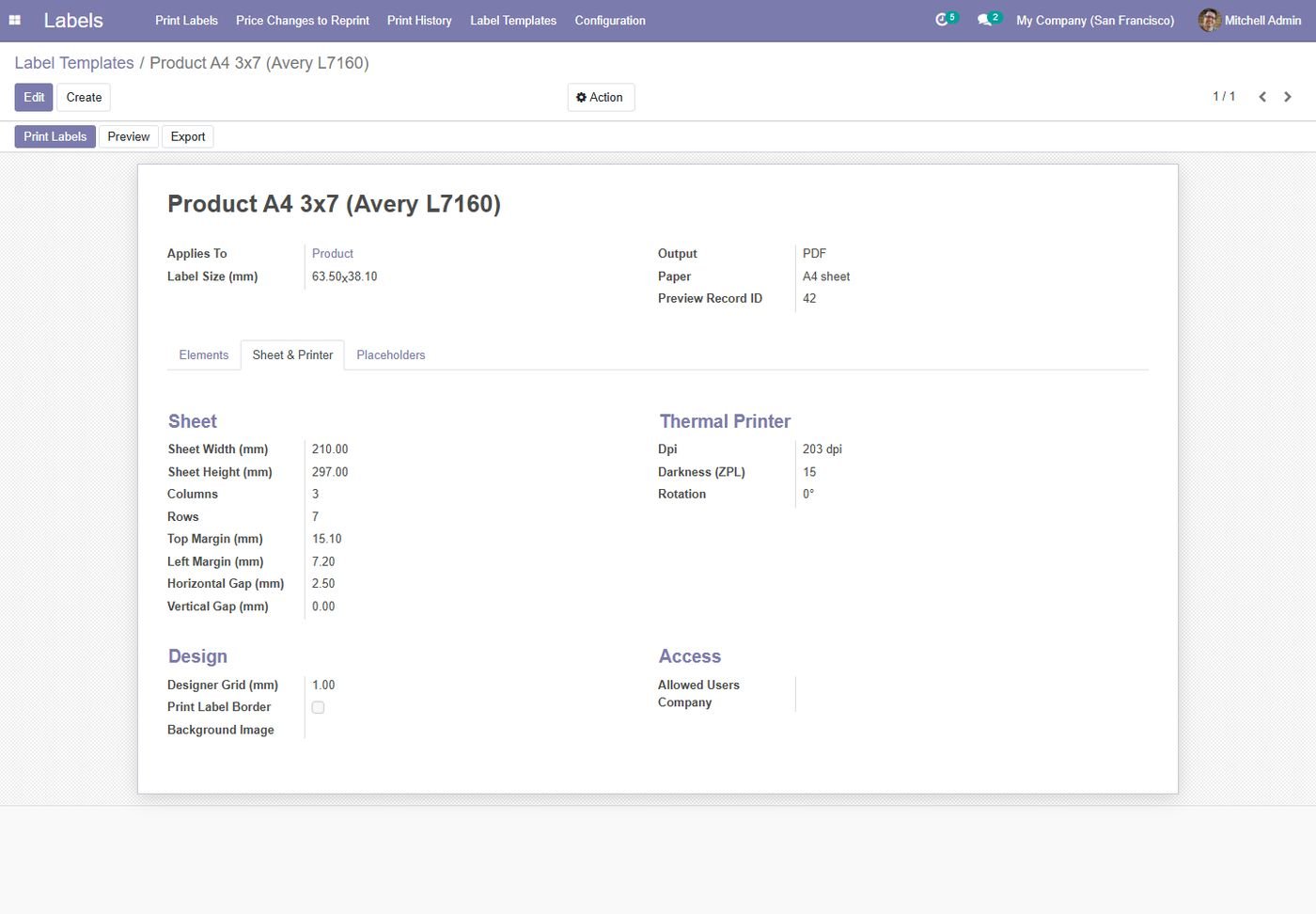
A4, Letter and Avery sheets or label rolls as PDF, raw ZPL for Zebra and TSPL for TSC / Xprinter, with dpi, darkness and rotation.

4

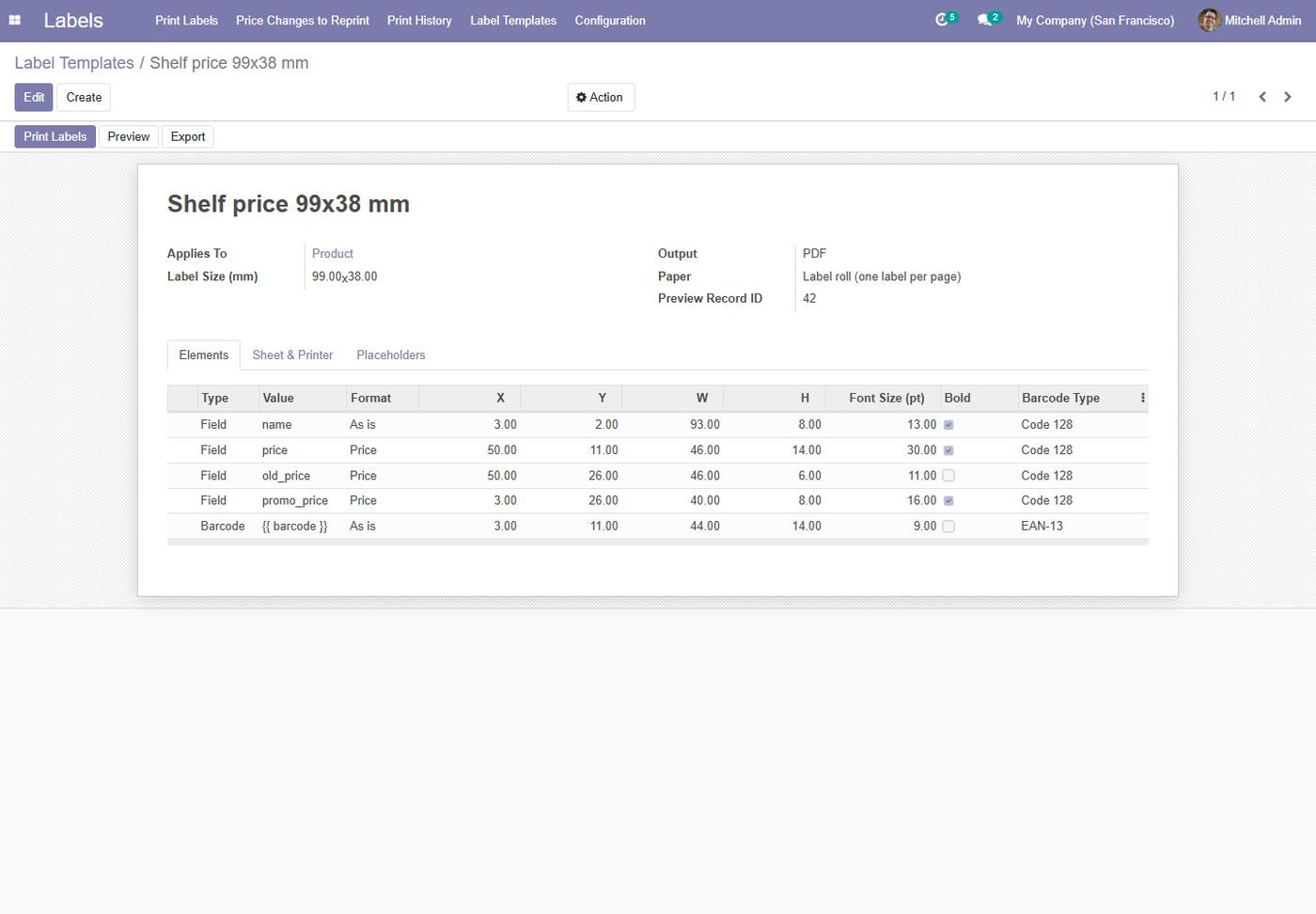
Prices and Promotions

Prices from any pricelist, a promo pricelist that shows the old price struck through, formulas such as price per kg, and currency formatting.

5

Labels From Any Document

Print from products, receipts, deliveries, sales and purchase orders, invoices, manufacturing orders, lots, packages, locations, contacts and employees.

6

Automatic Printing

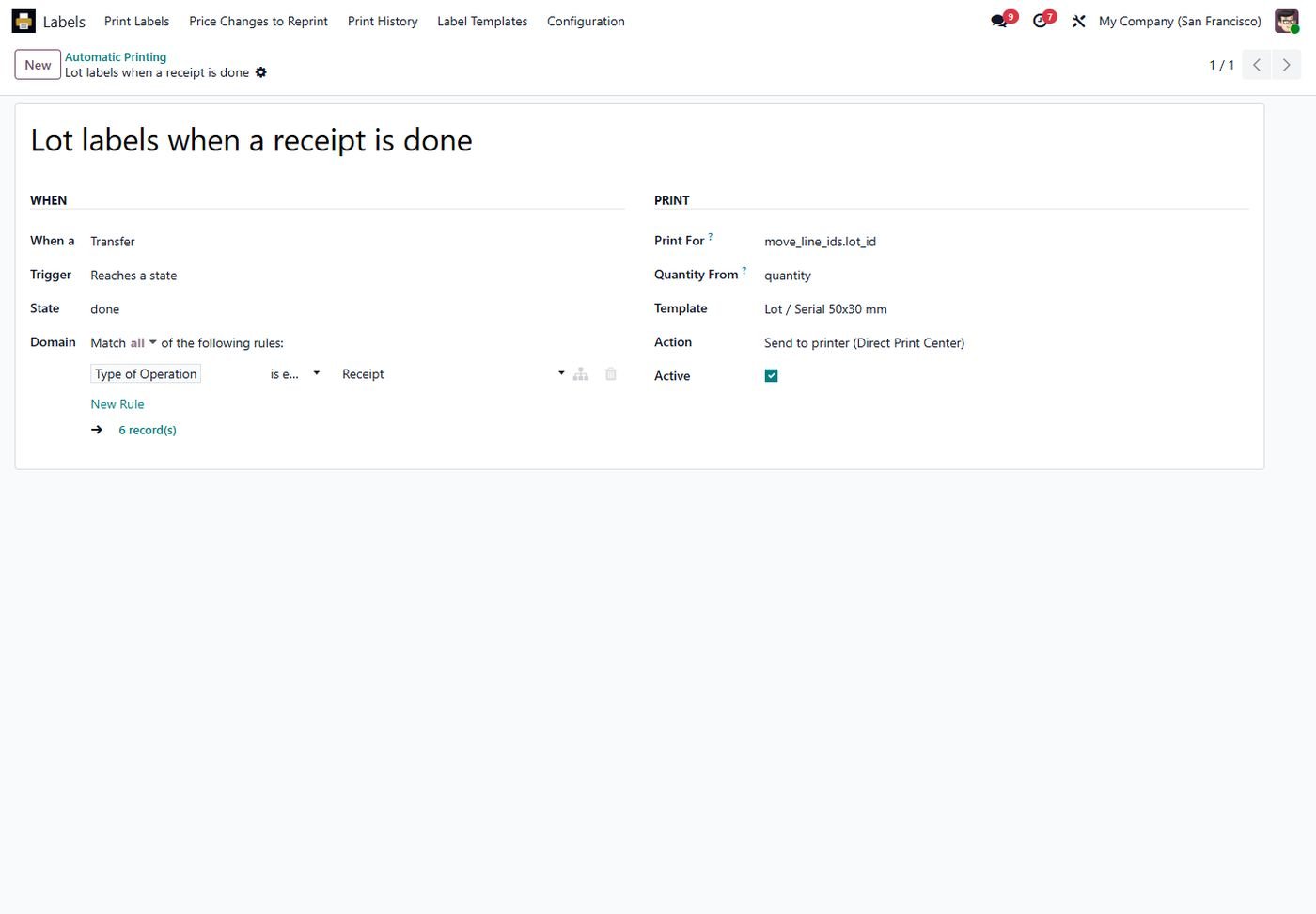
Print lot labels when a receipt is validated, shipping labels for new customers, or any rule you define, straight to the printer or as a file.

7

Shelf Price Control

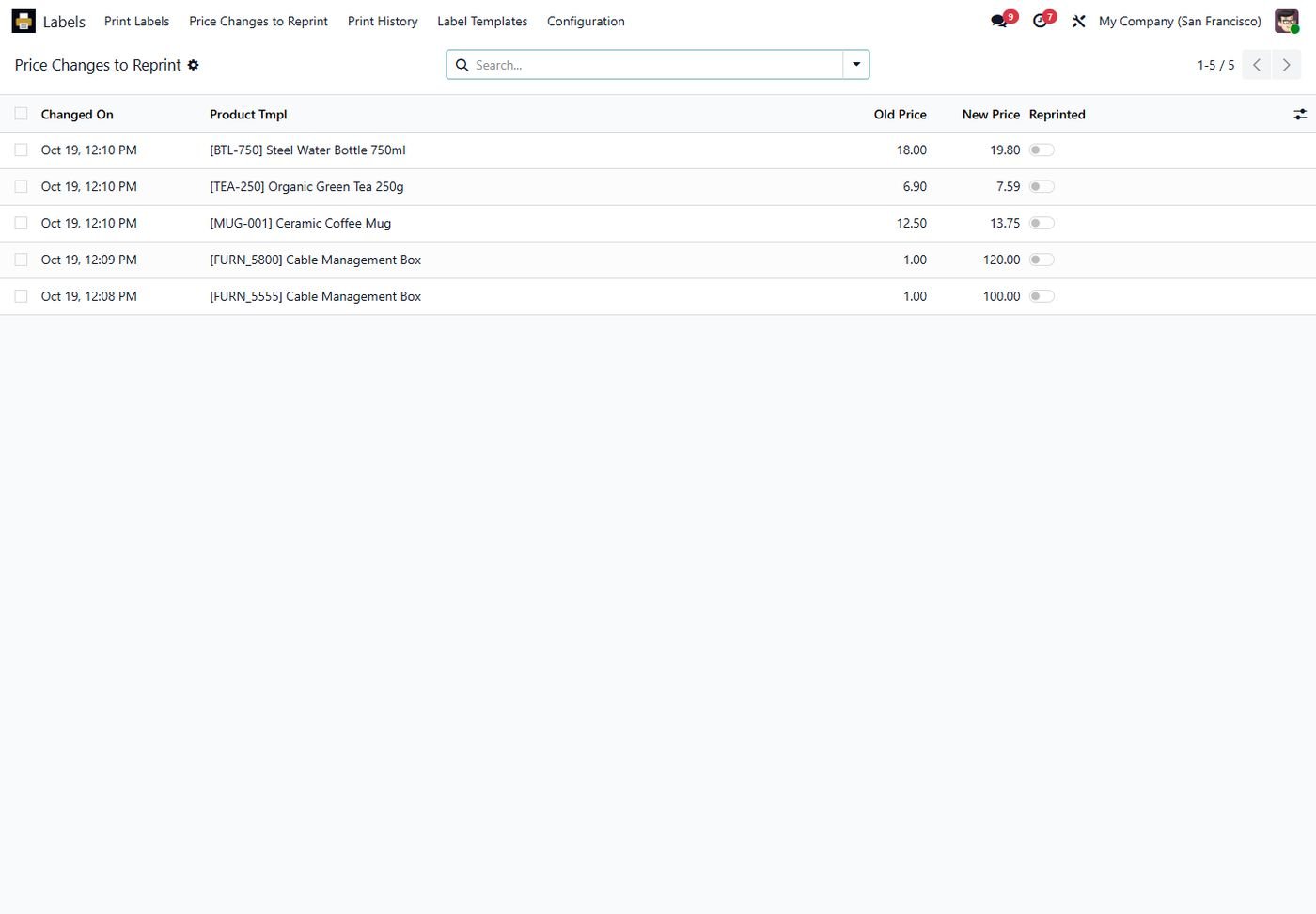
Every price change lands in a reprint list, so shelf labels never show an old price. Reprint all of them in one click.

8

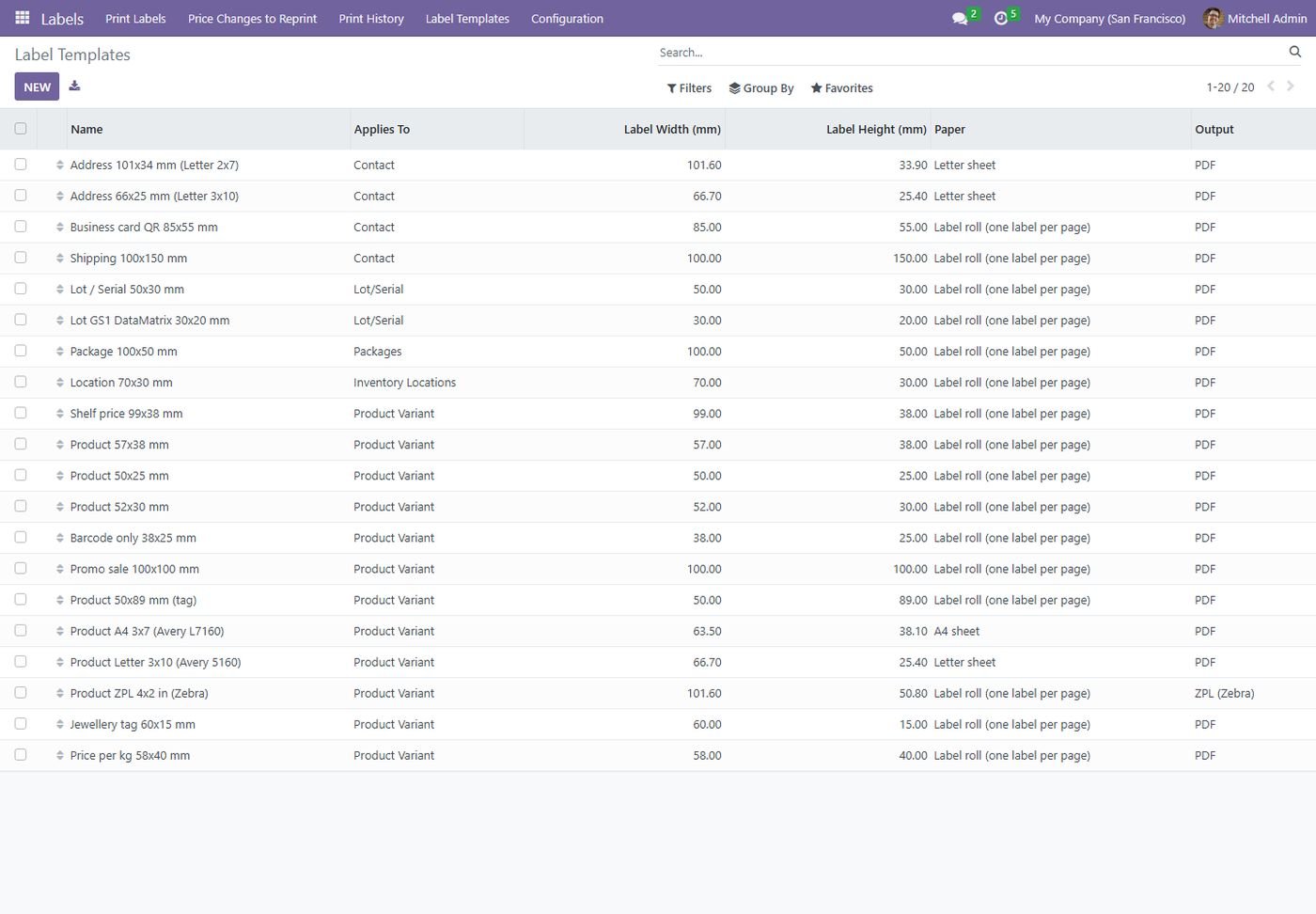
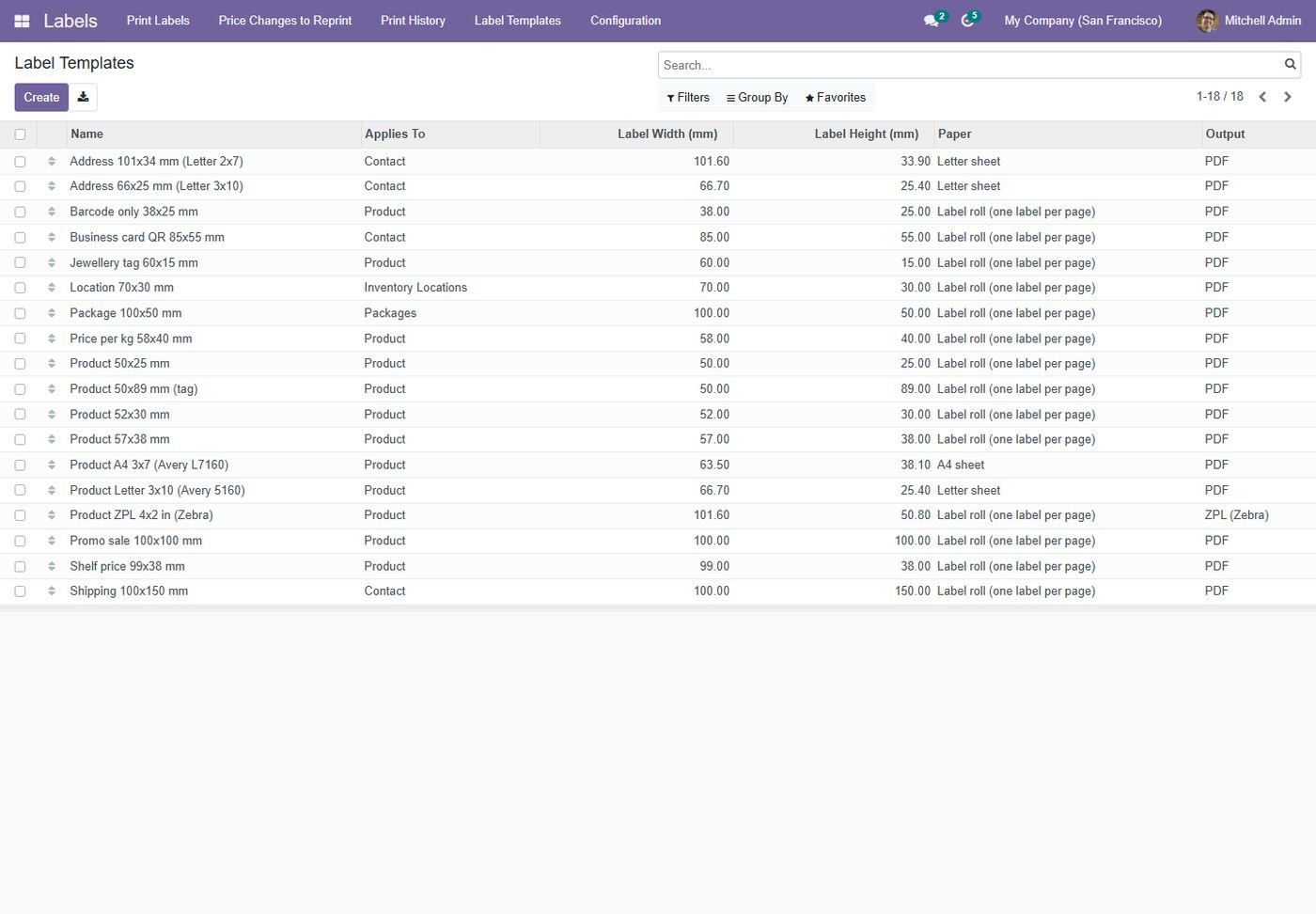
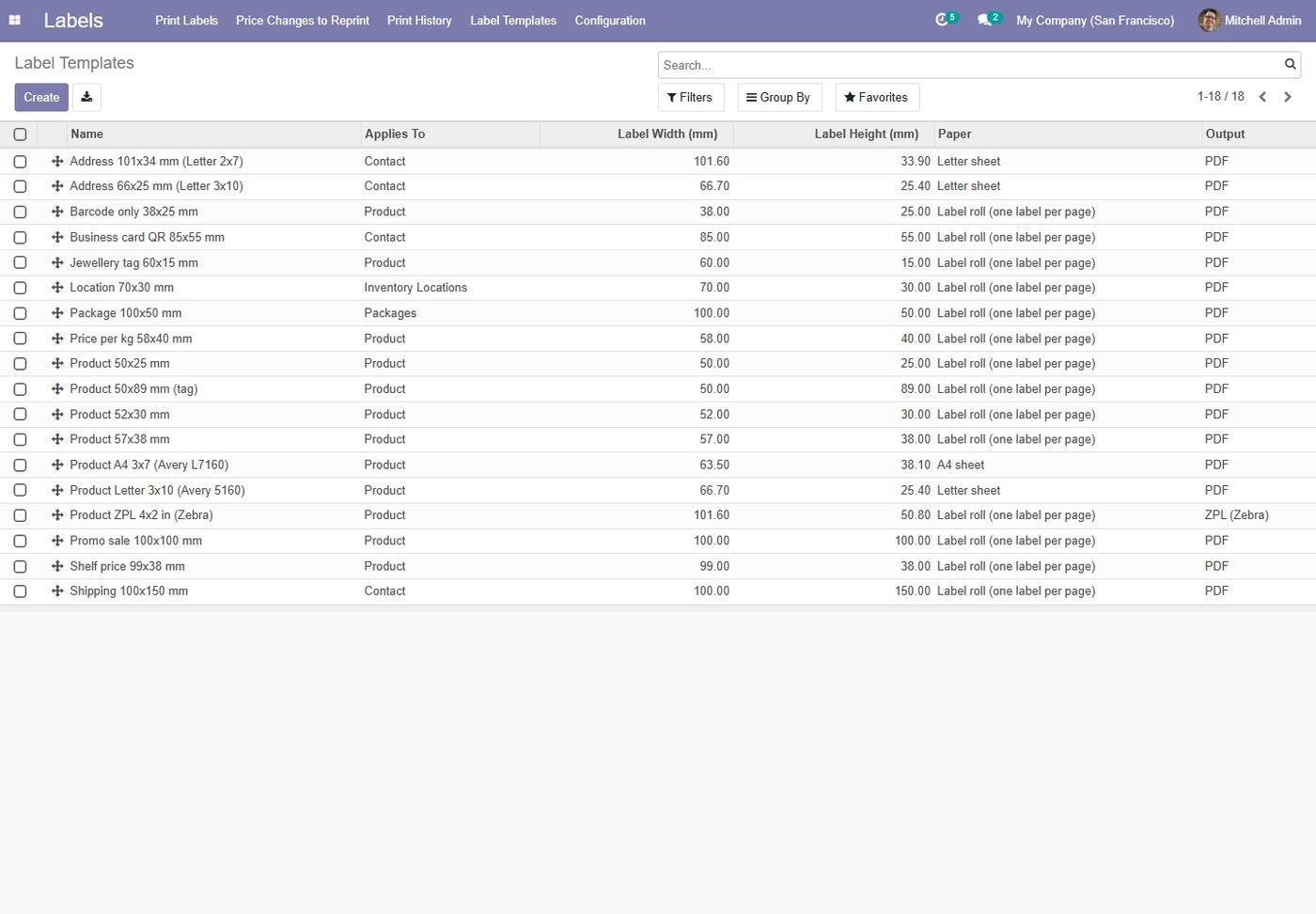
20+ Ready Templates

Shelf, promo, jewellery, price per kg, Avery and Letter sheets, Zebra 4x2, lot GS1, package, location, address, shipping, business card and employee badge.

Inside the module

Screenshots

Real screens from Product Label Designer - Odoo Barcode Label Printing & ZPL — click any image to see it full size.

Step 1

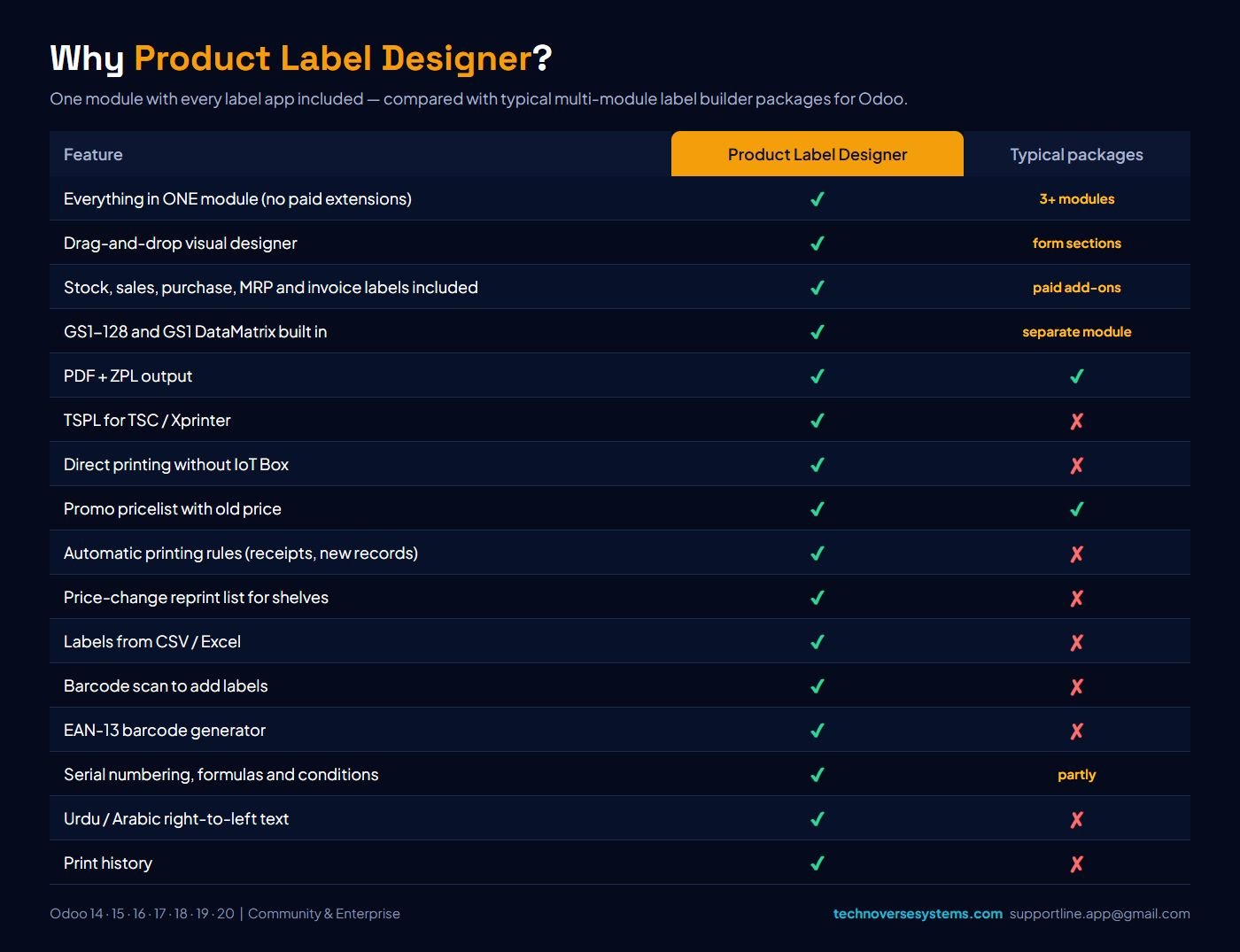
Why Product Label Designer?

Every label app in one module, compared with typical multi-module label builder packages.

Why Product Label Designer?
Step 2

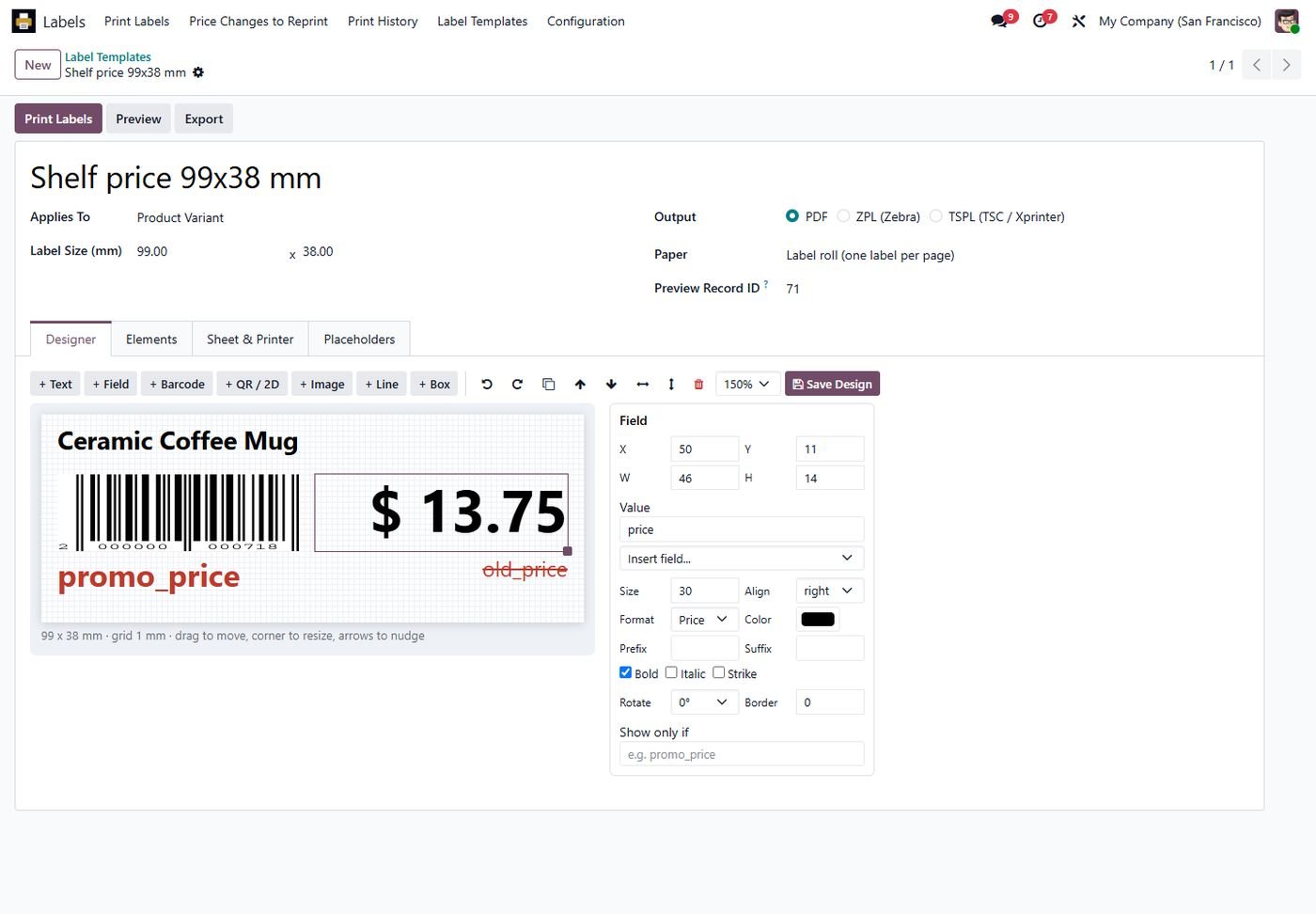
Drag-and-drop designer

Place fields, prices and barcodes on a mm grid with a live preview of a real product.

Drag-and-drop designer
Step 3

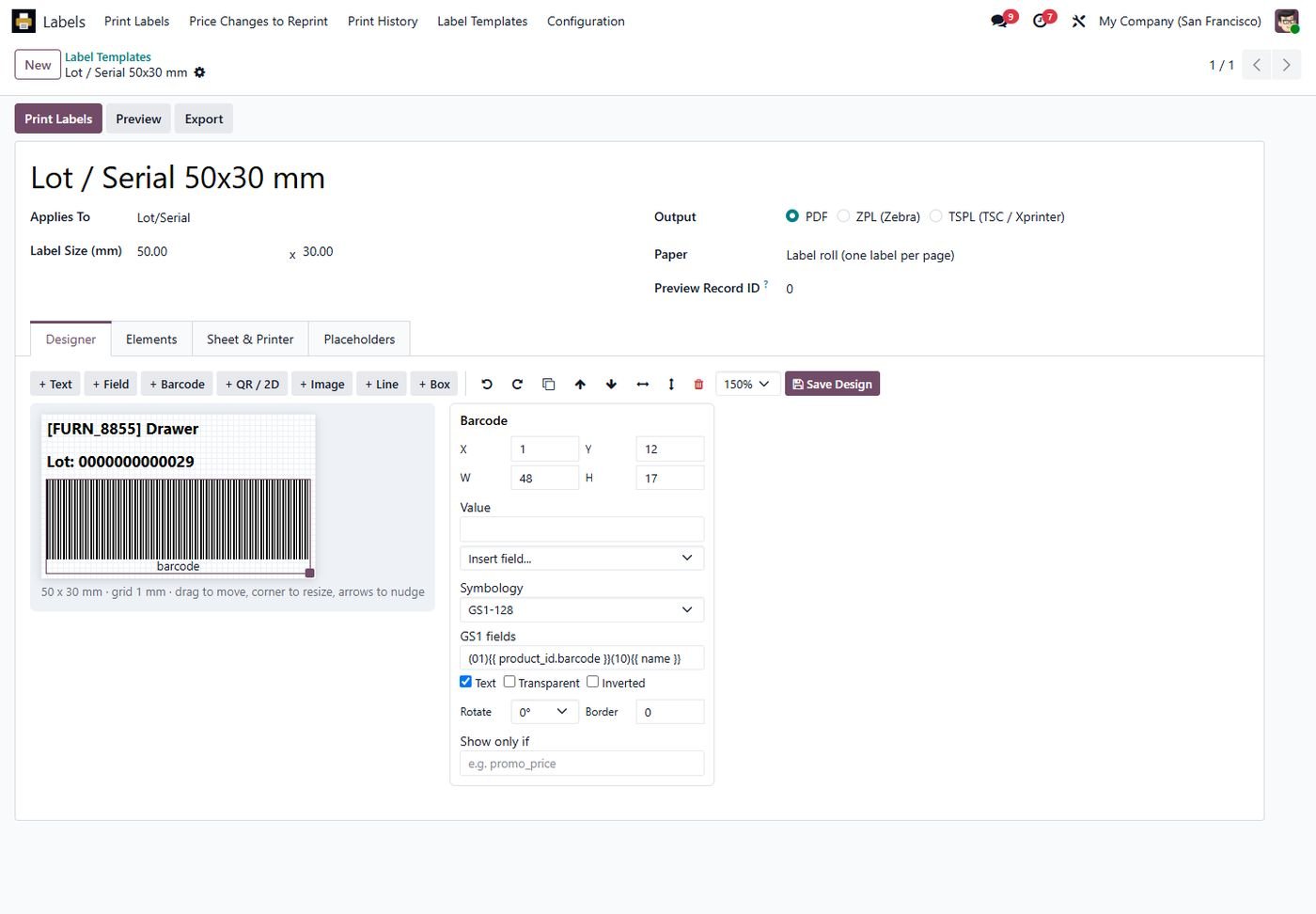
GS1 barcodes

GS1-128 and GS1 DataMatrix with GTIN, lot, expiry and weight built in.

GS1 barcodes
Step 4

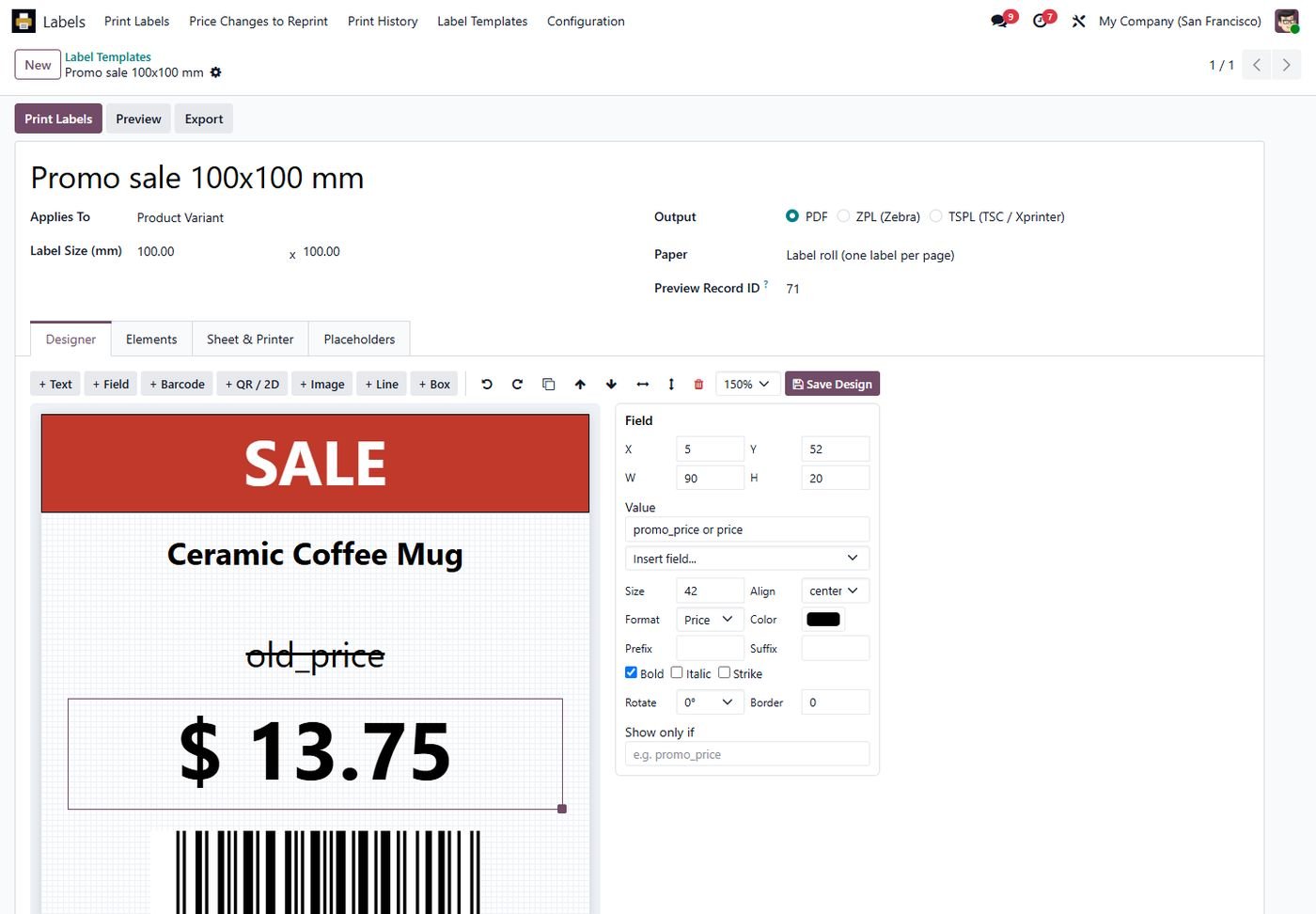
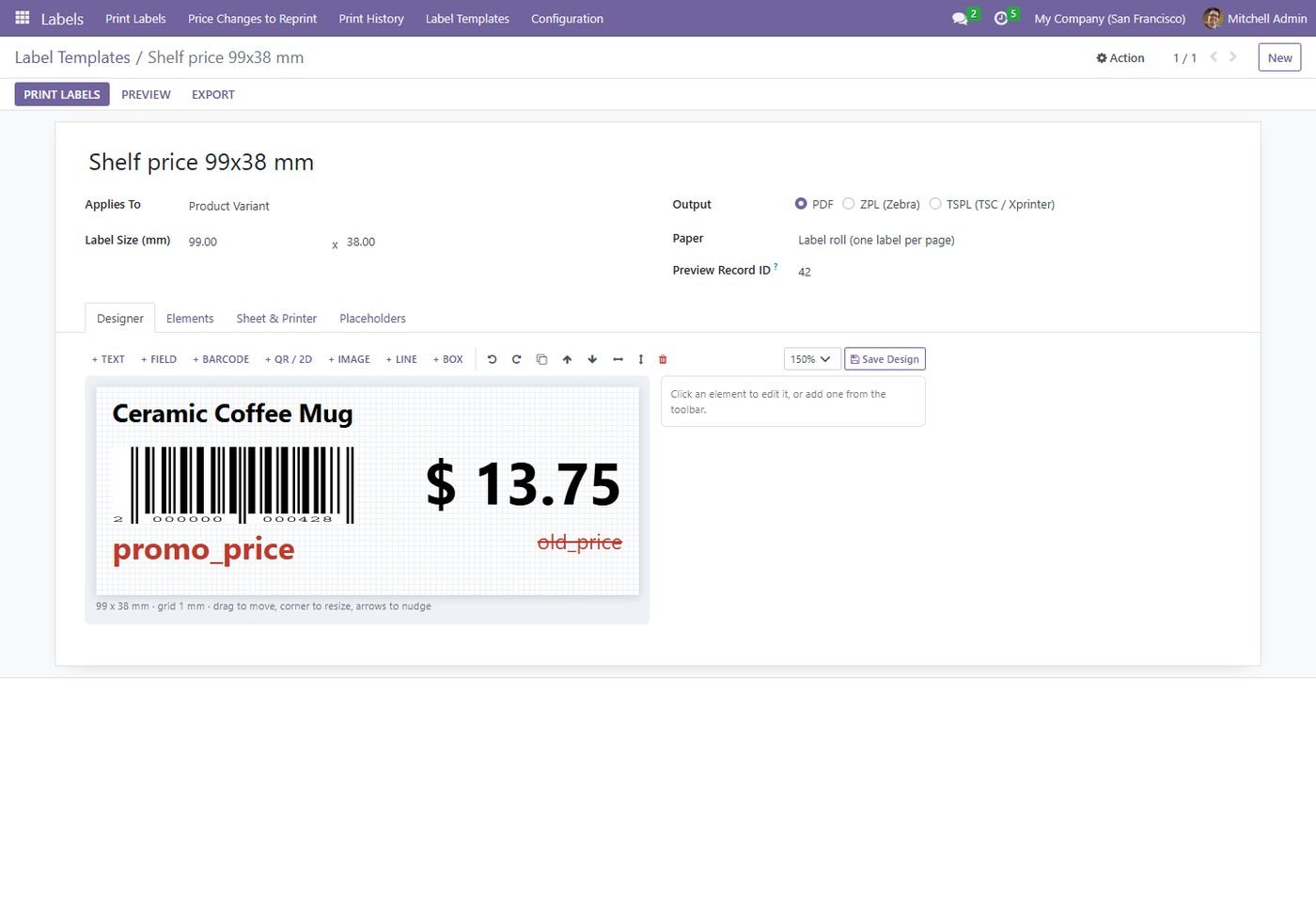
Promo label design

Big sale labels with the old price struck through from a promo pricelist.

Promo label design
Step 5

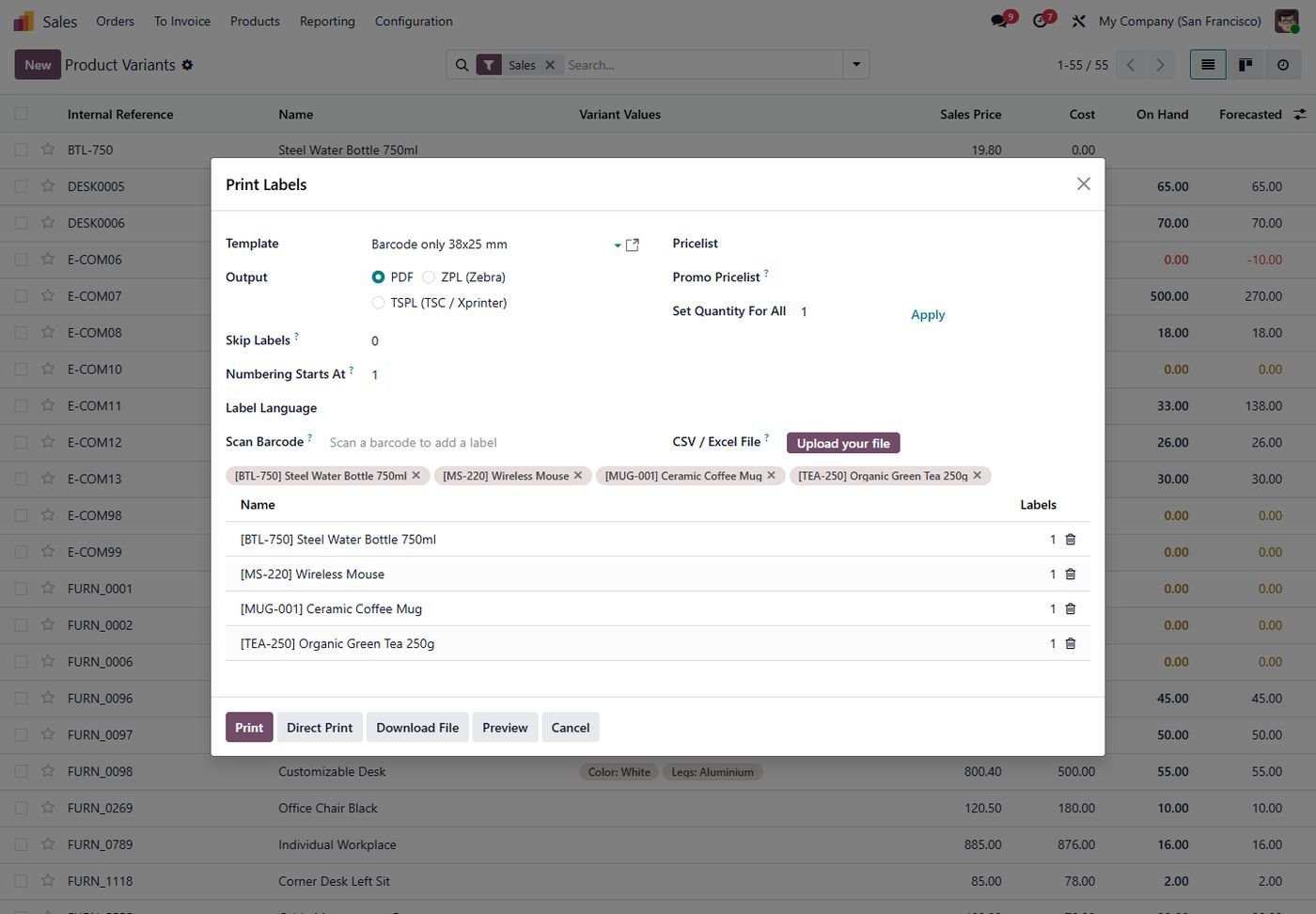
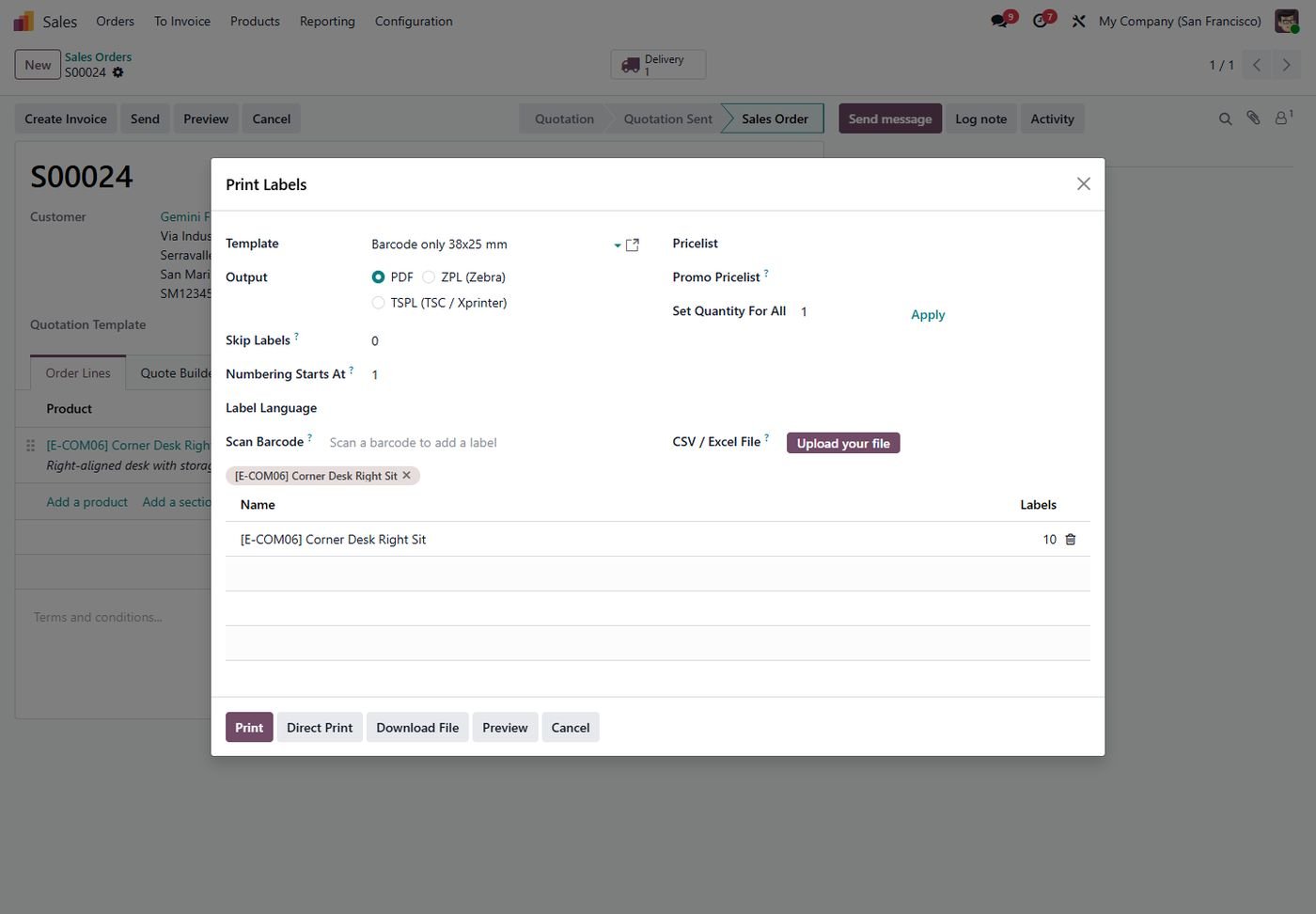
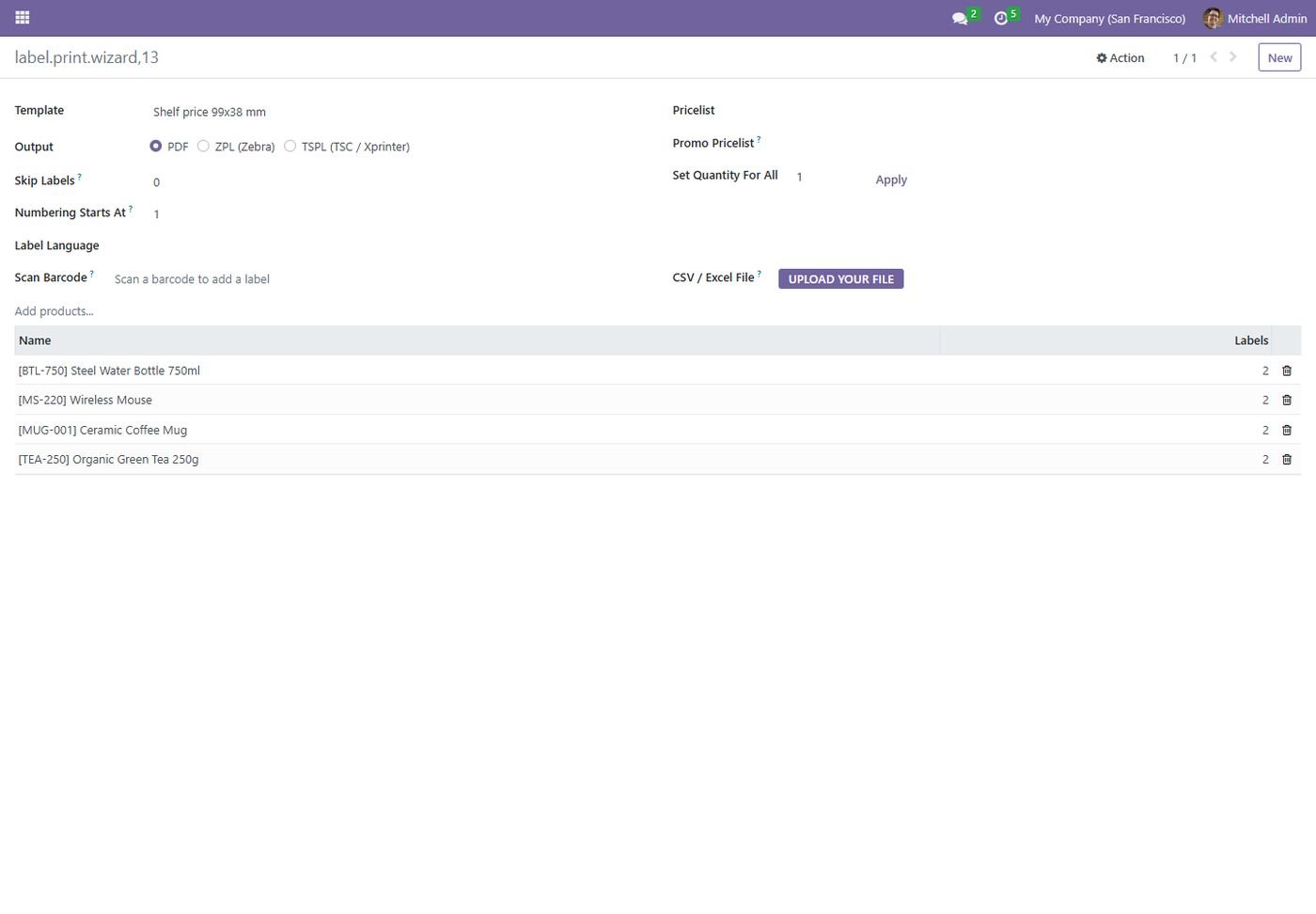
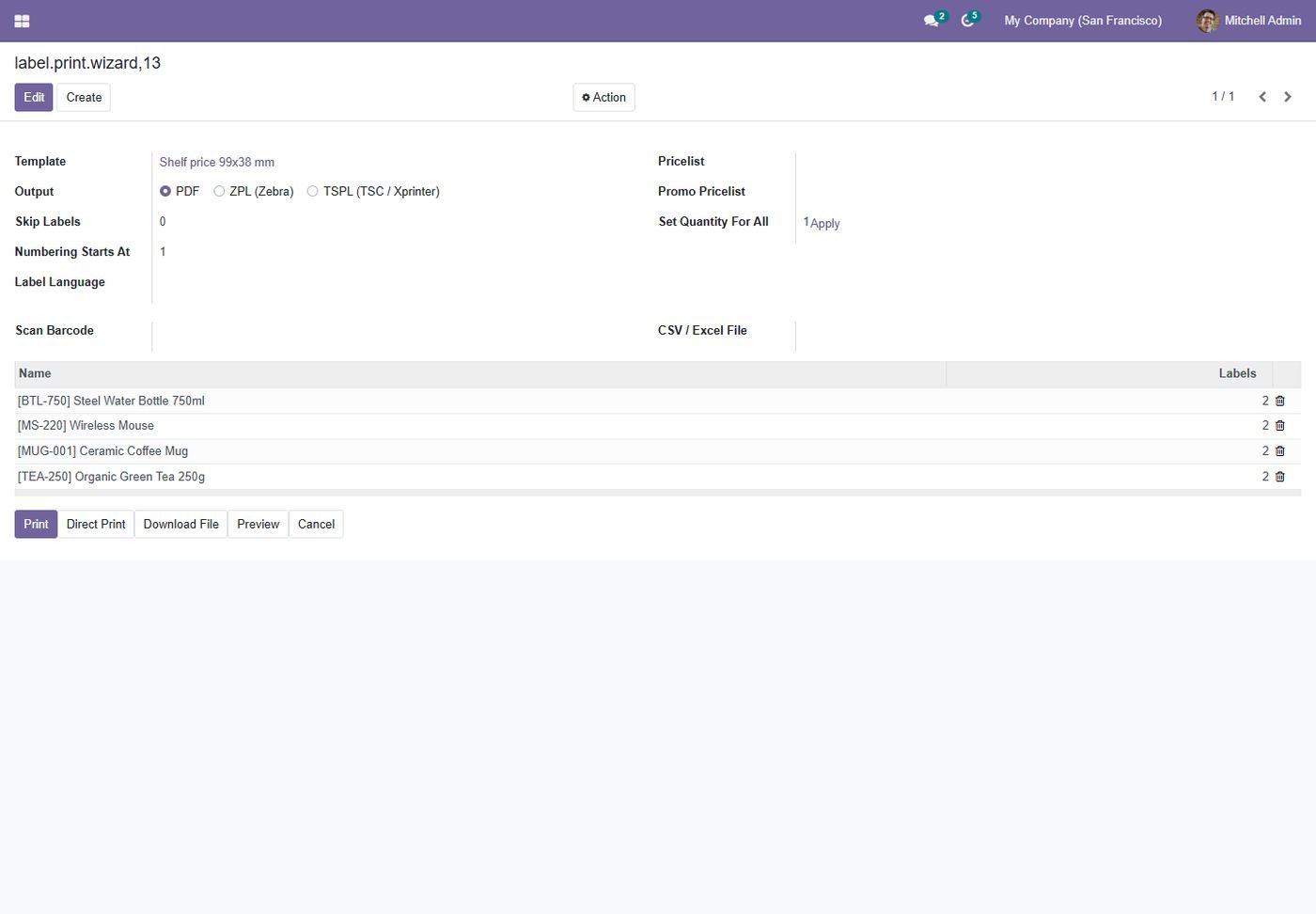
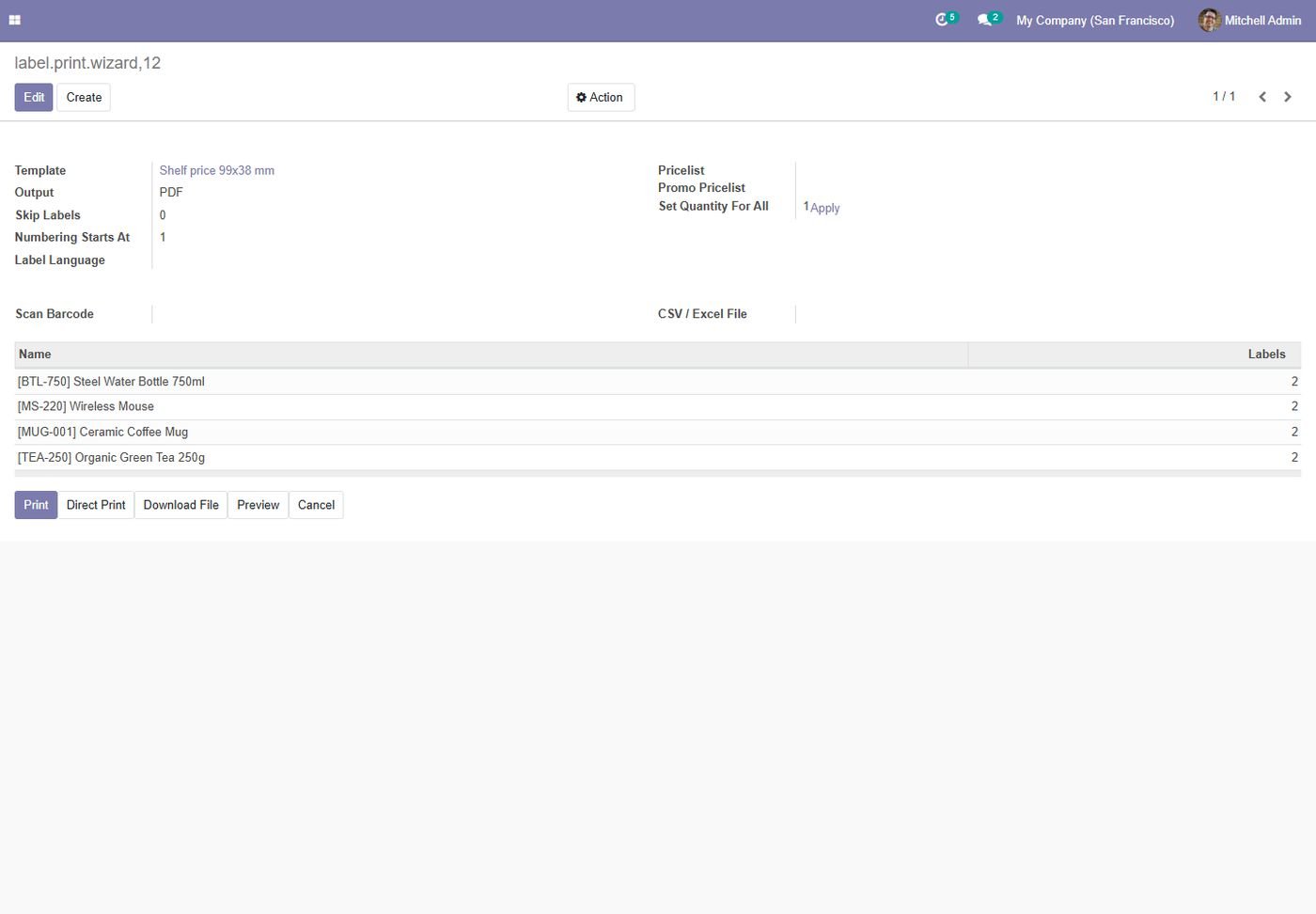
Print wizard

Products, quantities, pricelists, numbering, language, barcode scan and CSV import.

Print wizard
Step 6

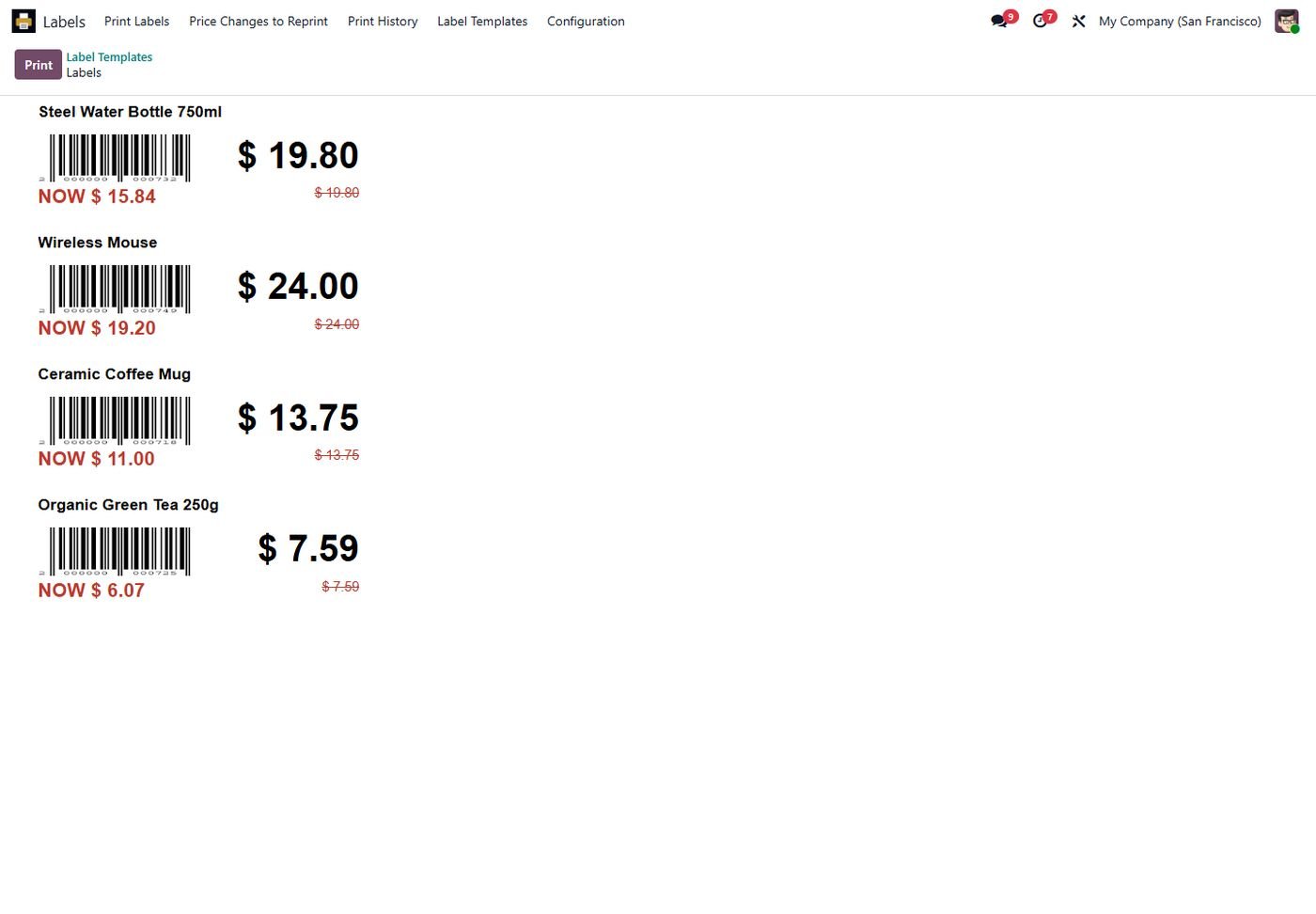
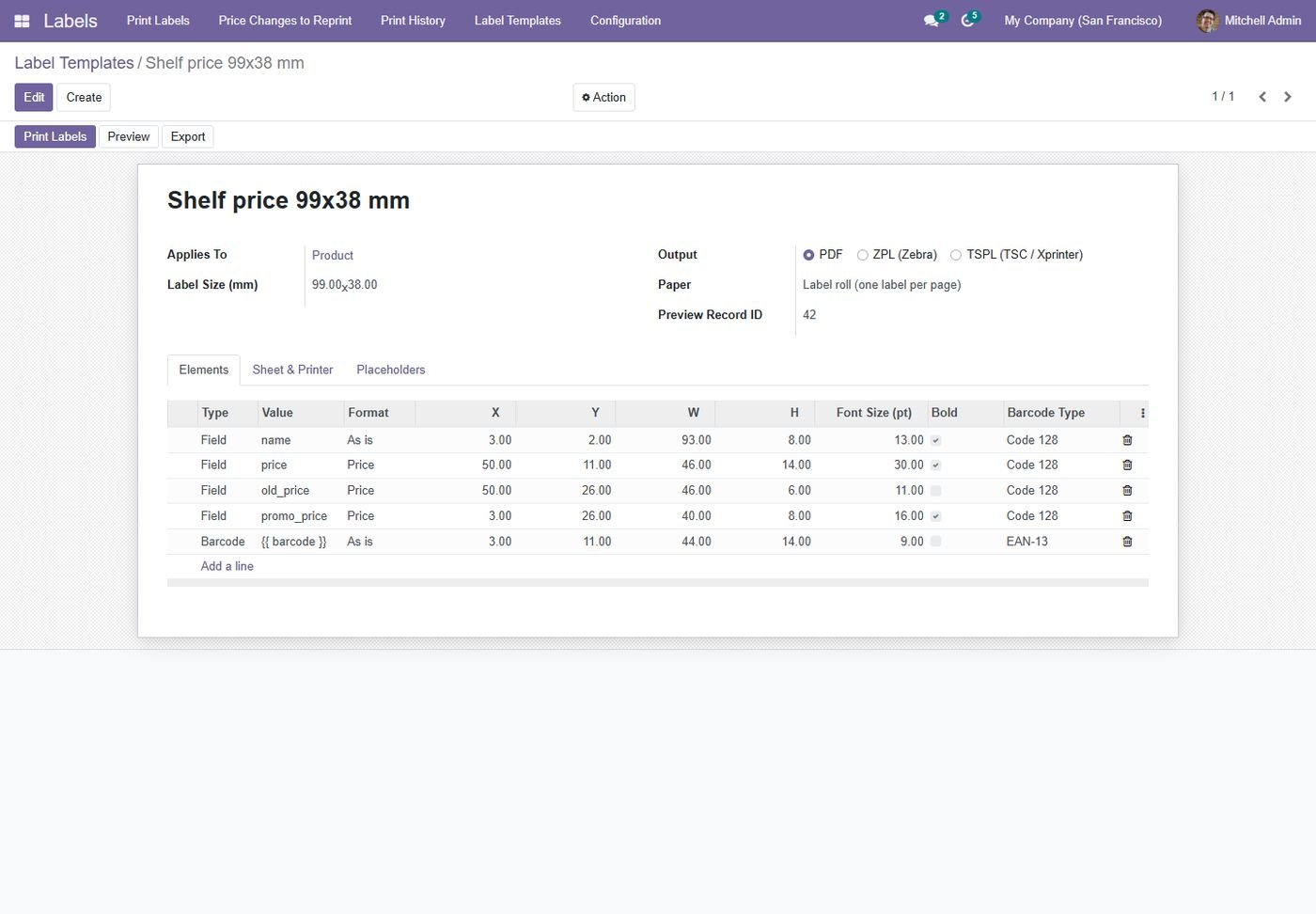
Shelf labels with promo prices

Real labels with barcodes, new price and the old price struck through.

Shelf labels with promo prices
Step 7

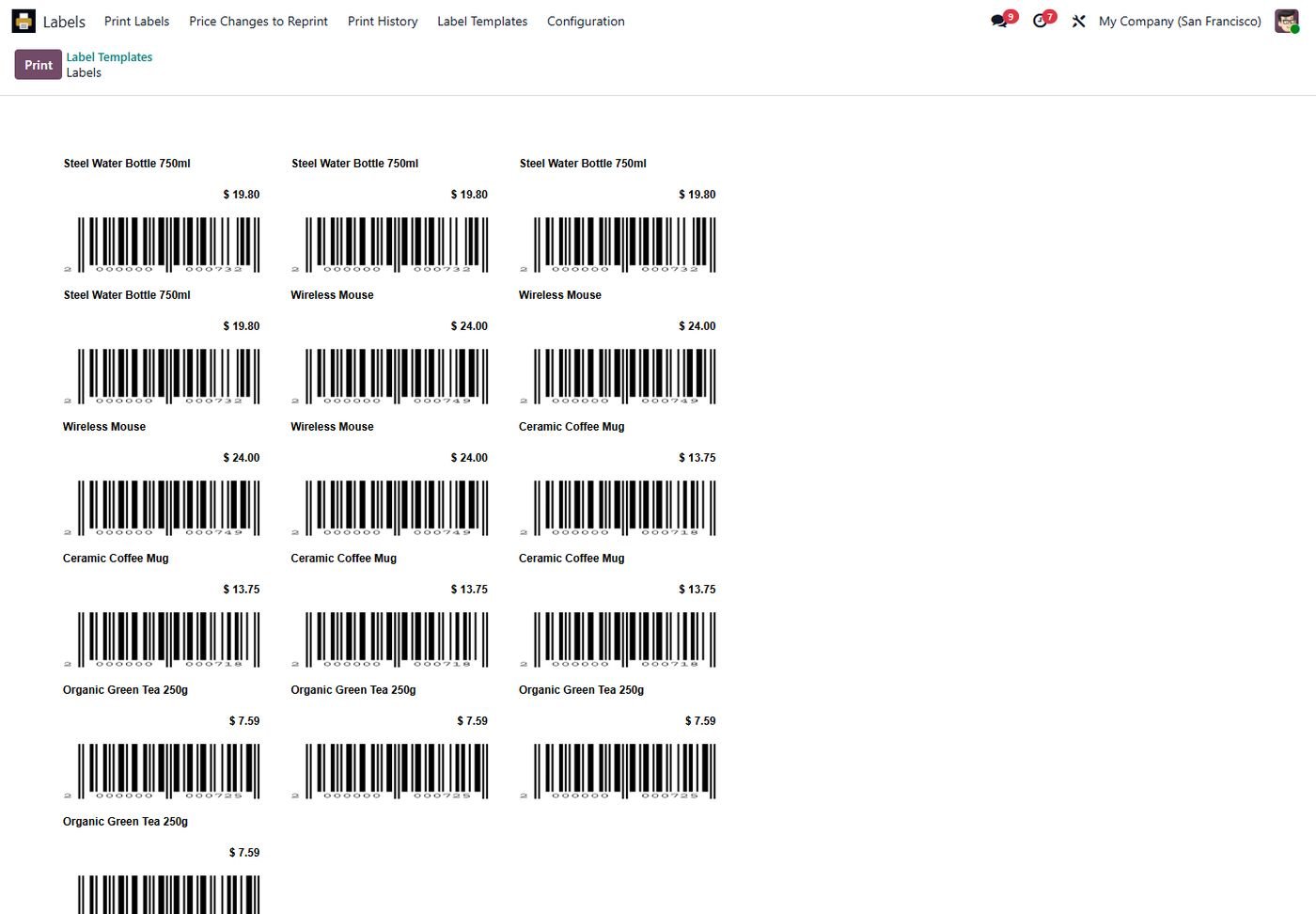
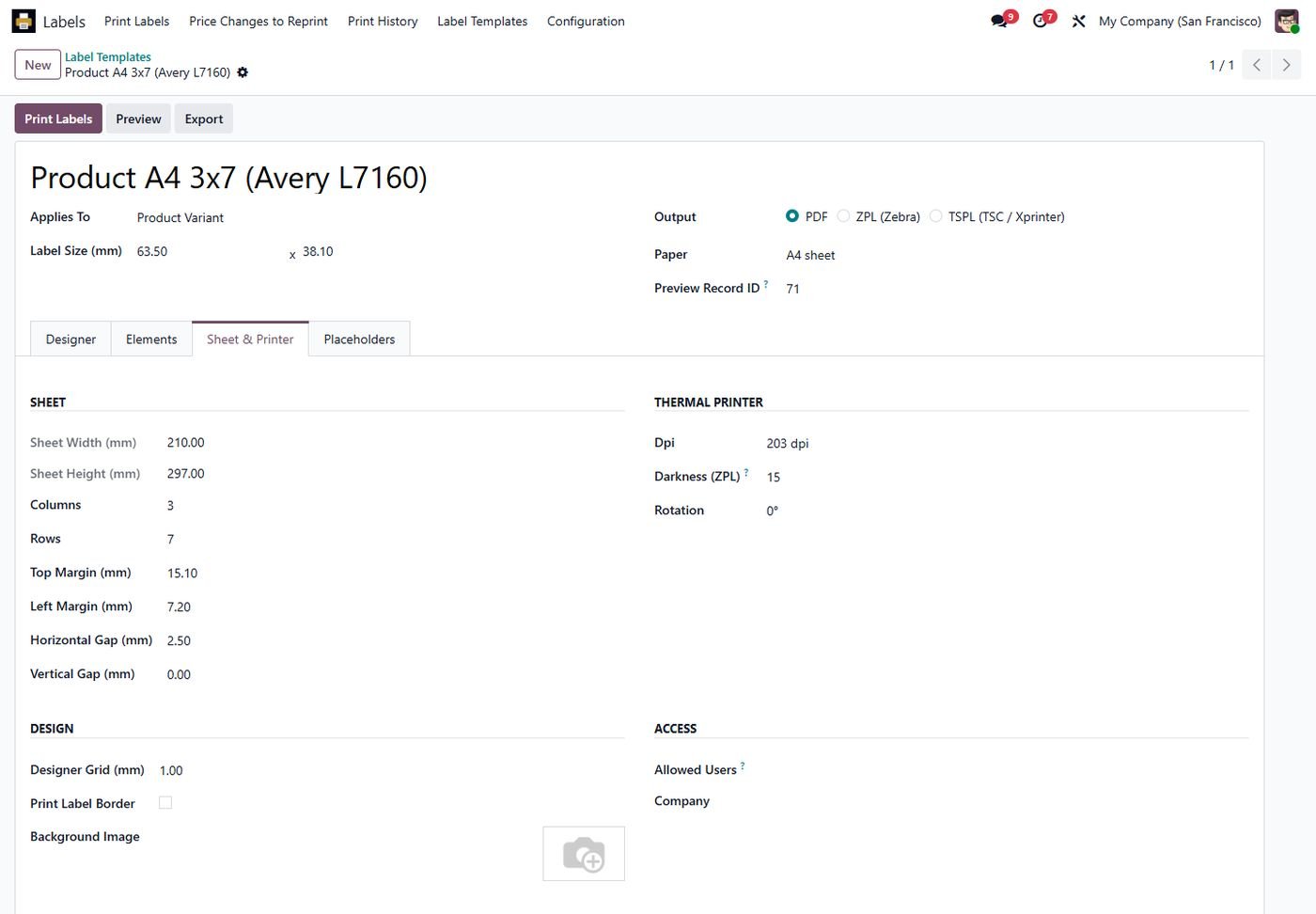
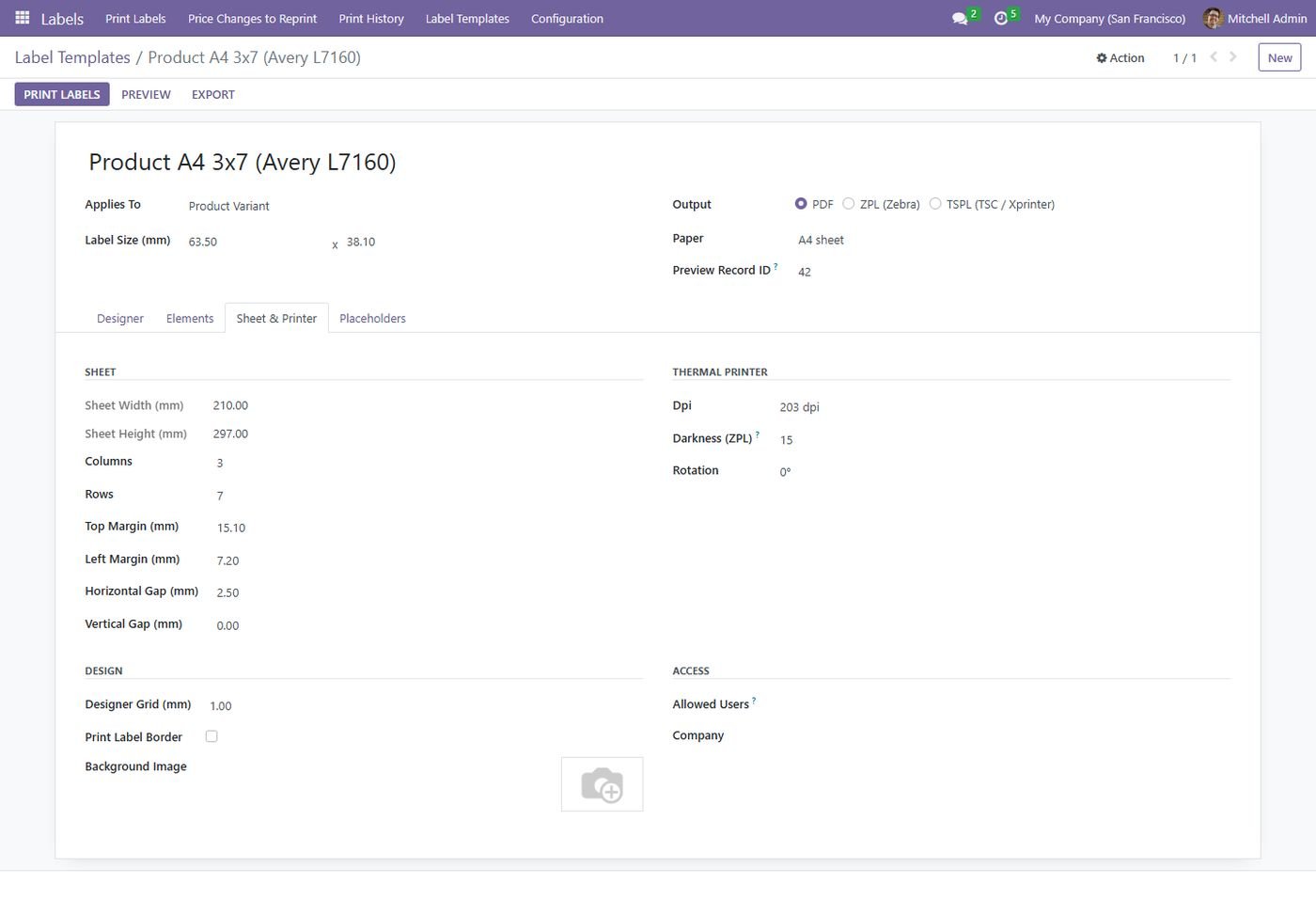
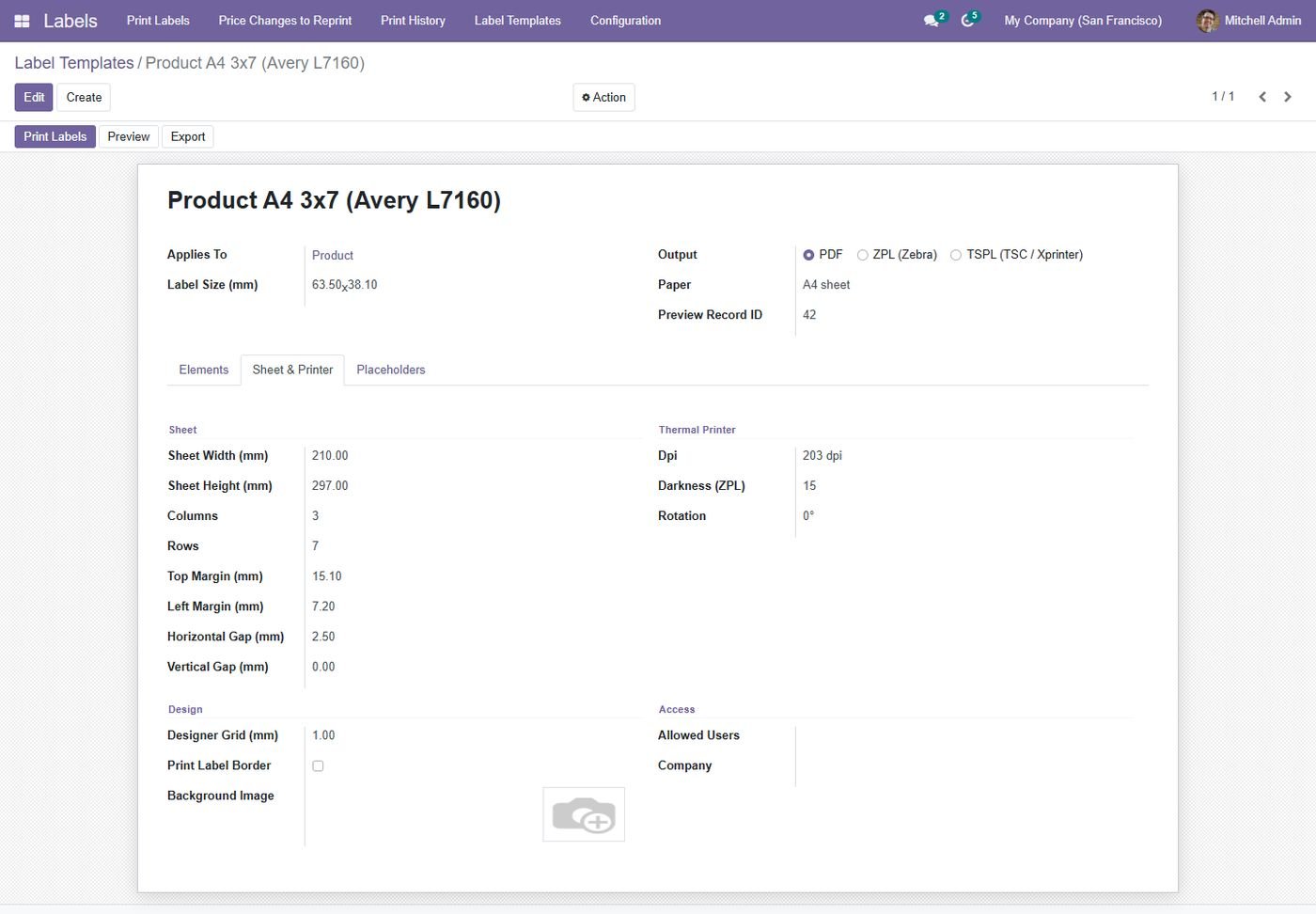
A4 sheet labels

Avery-style sheets with rows, columns, margins and skipped labels.

A4 sheet labels
Step 8

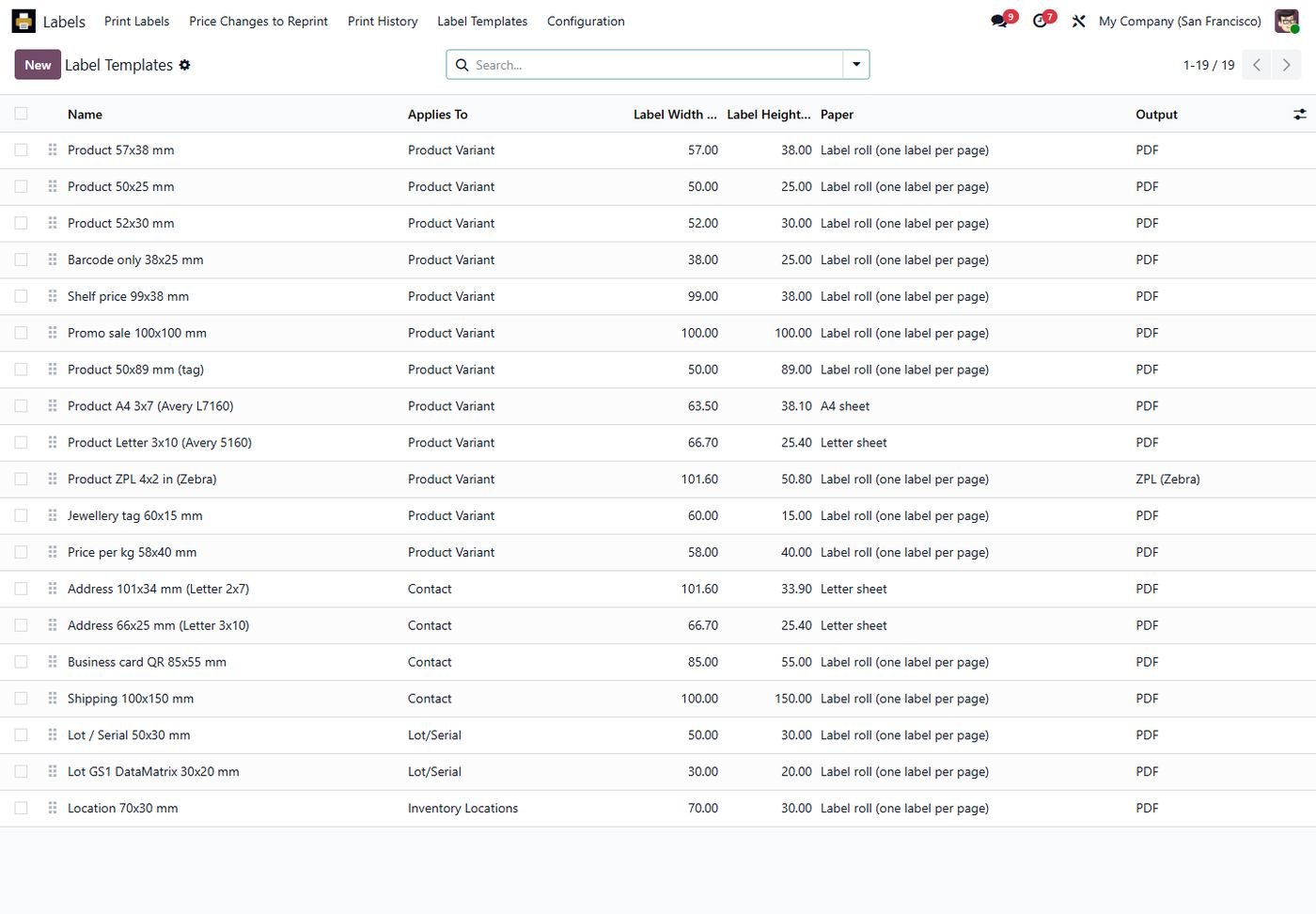
20+ ready templates

Products, shelves, promos, jewellery, lots, packages, locations, addresses, shipping and badges.

20+ ready templates
Step 9

Sheet and printer settings

Sheet layout plus dpi, darkness and rotation for Zebra and TSC printers.

Sheet and printer settings
Step 10

Labels from documents

Sale orders, receipts, deliveries, purchases and invoices with their quantities.

Labels from documents
Step 11

Automatic printing

Lot labels when a receipt is validated, sent straight to the printer.

Automatic printing
Step 12

Price changes to reprint

Every price change waits here until its shelf label is reprinted.

Price changes to reprint
Step 13

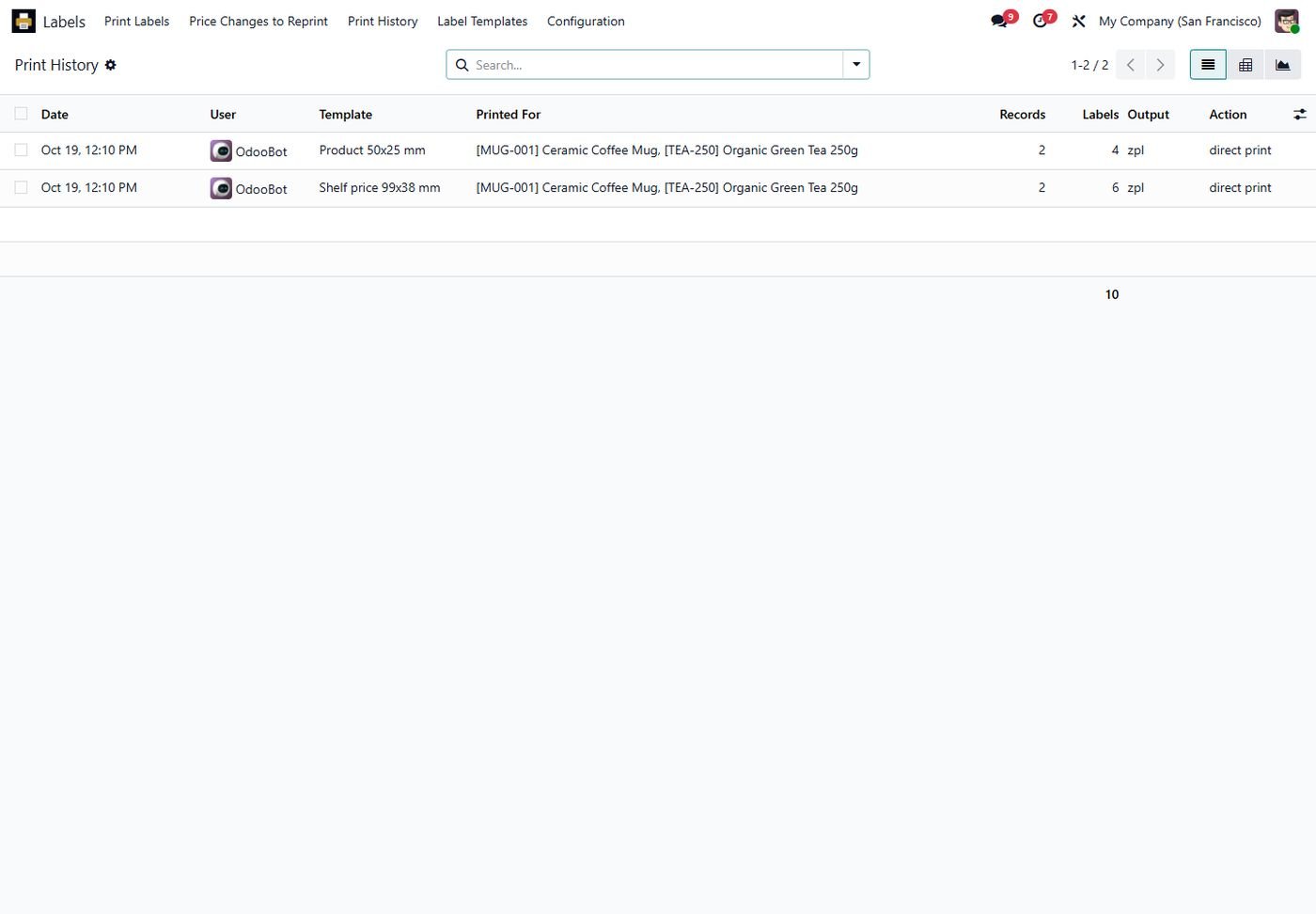
Print history

Who printed which labels, how many and in which format.

Print history
Step 14

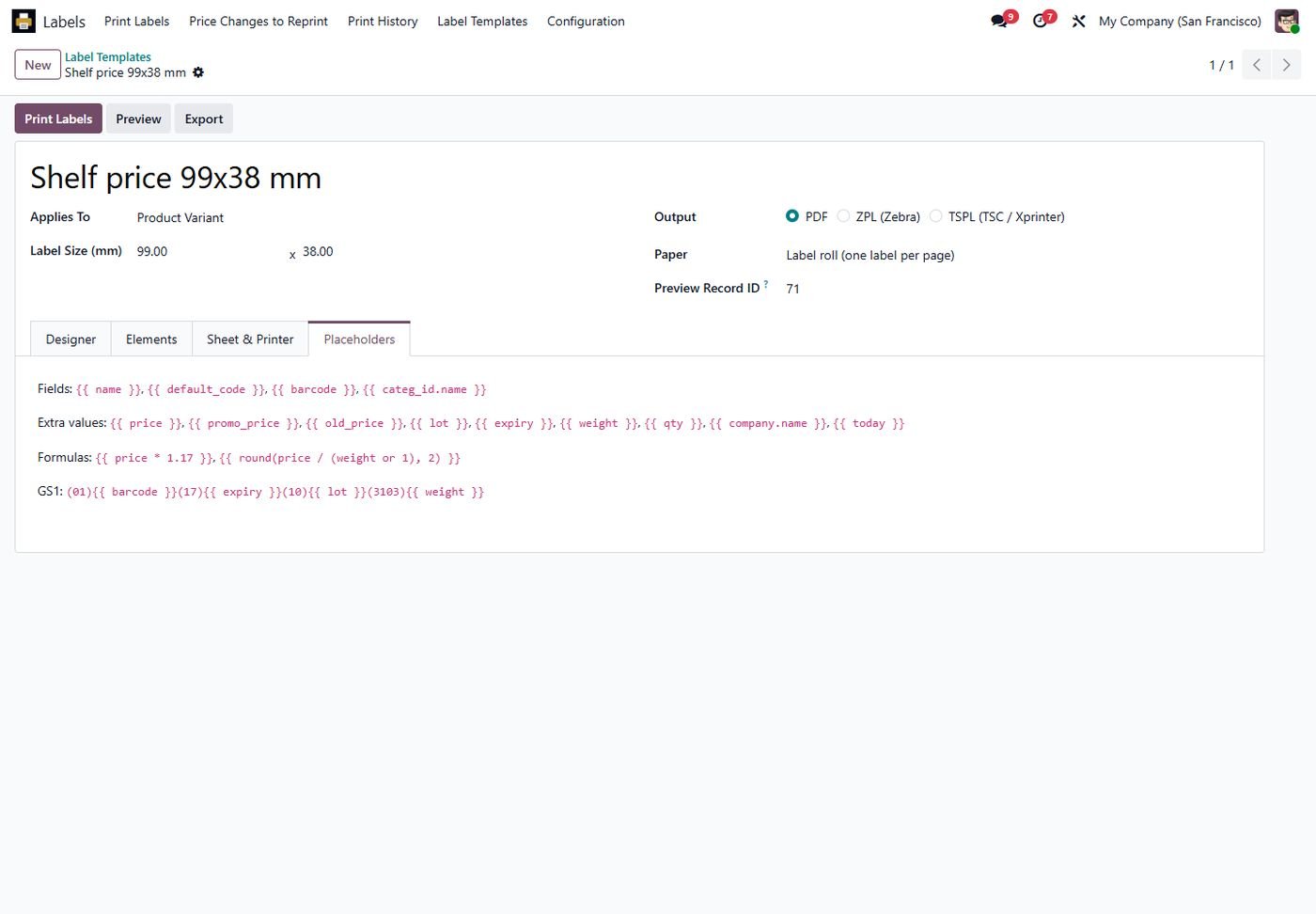
Placeholders and formulas

Fields, prices, lots, counters and formulas such as price per kg.

Placeholders and formulas
Step 15

Odoo 16: Label template

Same features on Odoo 16.

Odoo 16: Label template
Step 16

Odoo 16: Print labels

Same features on Odoo 16.

Odoo 16: Print labels
Step 17

Odoo 16: Ready-made templates

Same features on Odoo 16.

Odoo 16: Ready-made templates
Step 18

Odoo 16: Sheet and printer settings

Same features on Odoo 16.

Odoo 16: Sheet and printer settings
Step 19

Odoo 15: Label template

Same features on Odoo 15.

Odoo 15: Label template
Step 20

Odoo 15: Print labels

Same features on Odoo 15.

Odoo 15: Print labels
Step 21

Odoo 15: Ready-made templates

Same features on Odoo 15.

Odoo 15: Ready-made templates
Step 22

Odoo 15: Sheet and printer settings

Same features on Odoo 15.

Odoo 15: Sheet and printer settings
Step 23

Odoo 14: Label template

Same features on Odoo 14.

Odoo 14: Label template
Step 24

Odoo 14: Print labels

Same features on Odoo 14.

Odoo 14: Print labels
Step 25

Odoo 14: Ready-made templates

Same features on Odoo 14.

Odoo 14: Ready-made templates
Step 26

Odoo 14: Sheet and printer settings

Same features on Odoo 14.

Odoo 14: Sheet and printer settings
Common questions

Questions aboutthis module.

Something else? Ask our team.

No. Labels from receipts, deliveries, sales, purchases, invoices, manufacturing, lots, packages and locations are all included.

Any printer through PDF, Zebra printers through ZPL, and TSC / Xprinter and compatible printers through TSPL.

Yes. Install our Direct Print Center and labels go straight to the printer through its free agent.

Yes. GS1-128 and GS1 DataMatrix with GTIN, lot, expiry date and weight are built in.

Yes. Set the rows, columns, margins and gaps, or start from the Avery and Letter templates. You can also skip labels that were already used.

On Odoo 16 to 20. On Odoo 14 and 15 you place the elements from a list with the same options.

Yes, on Community and Enterprise from Odoo 14 to 20.

Not sure it's theright fit?

Book a free consultation and we'll help you pick the right modules for your workflow.