The Multiple Product Barcodes & Enhanced Search module is a powerful inventory add-on designed to overcome Odoo default limitation of assigning only a single barcode per product. In real-world retail and warehousing, a single product often has multiple barcodes (e.g., individual item barcode, box barcode, carton barcode, or supplier-specific barcodes). This module allows users to define an unlimited number of secondary barcodes for any product. Furthermore, it significantly upgrades Odoo’s default search functionality. Users can now instantly find products in the backend simply by scanning…
Built by an Odoo partnerInitial setup supportDownload link by email
What's included
Key features
1
Unlimited Additional Barcodes
Break free from the 1-barcode limit. Add as many secondary barcodes as you need to a single product or product variant.
2
Smart Global Search Integration
Automatically upgrades the Odoo search bar. Type or scan any secondary barcode in the Products list view, and Odoo will instantly find the exact match.
3
Internal Reference (SKU) Search
Enhanced search capability that ensures products can be quickly filtered and found using their Internal Reference alongside barcodes.
4
Perfect for Multi-Packaging
Ideal for businesses that sell the same item in different packaging without creating complex unit-of-measure configurations.
5
No Interference with Primary Barcode
The default Odoo barcode field remains fully functional and untouched. This module only adds an extra layer of secondary barcodes.
Inside the module
Screenshots
Real screens from Product Multiple Barcodes — click any image to see it full size.
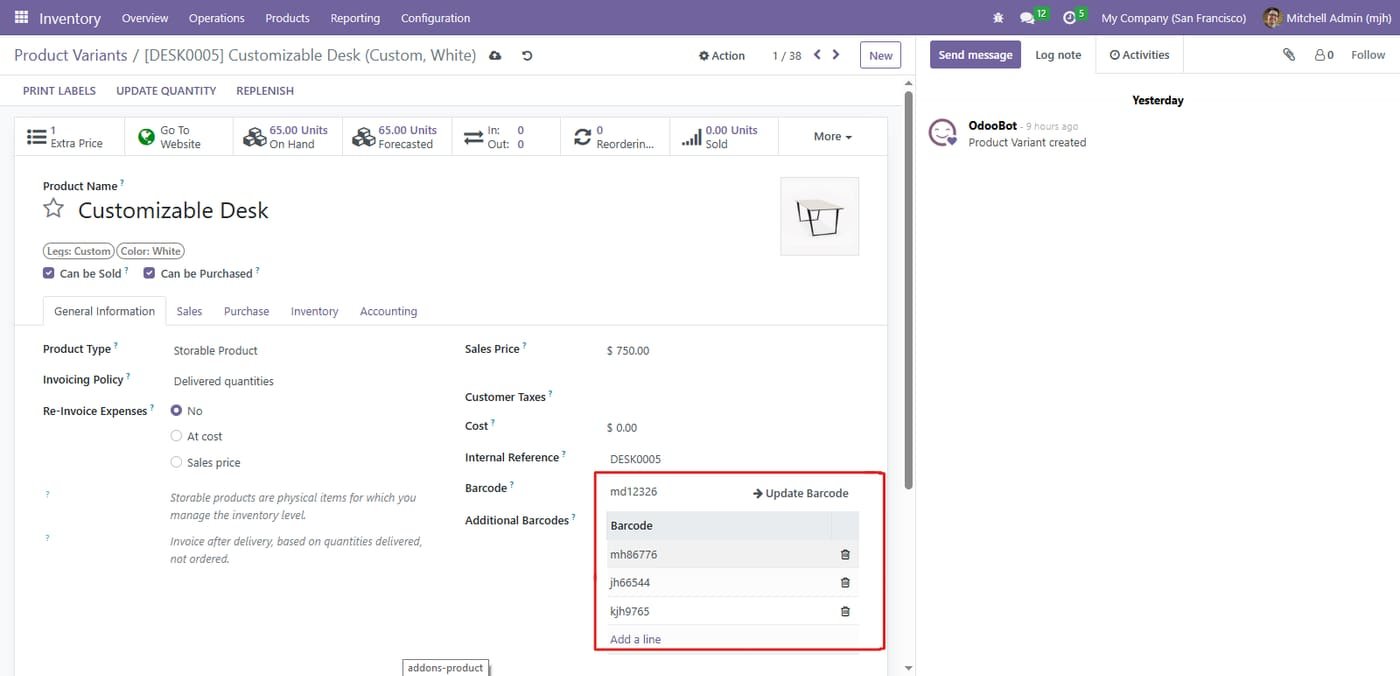
Step 1
Add unlimited additional barcodes to any product and product variant. No limits of any kind
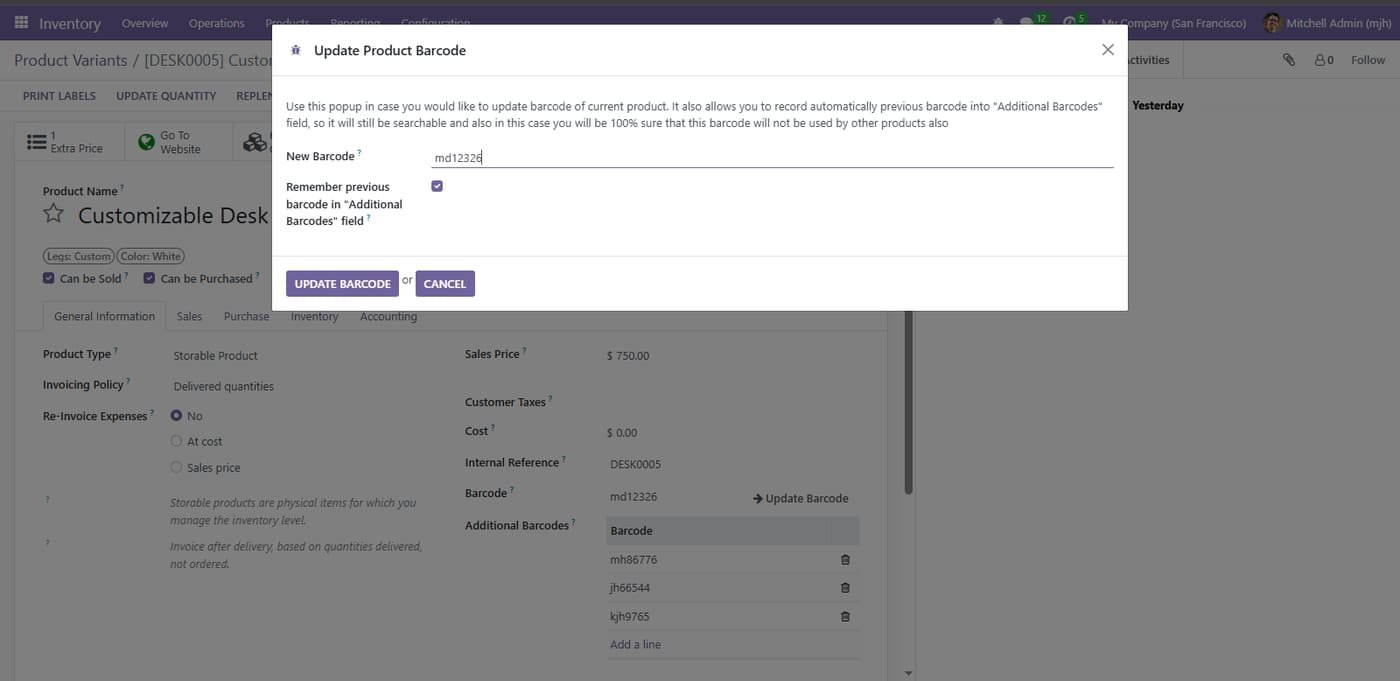
Step 2
Unique intelligent feature. When you change the main barcode of a product, automatically archive the old barcode so it remains forever searchable
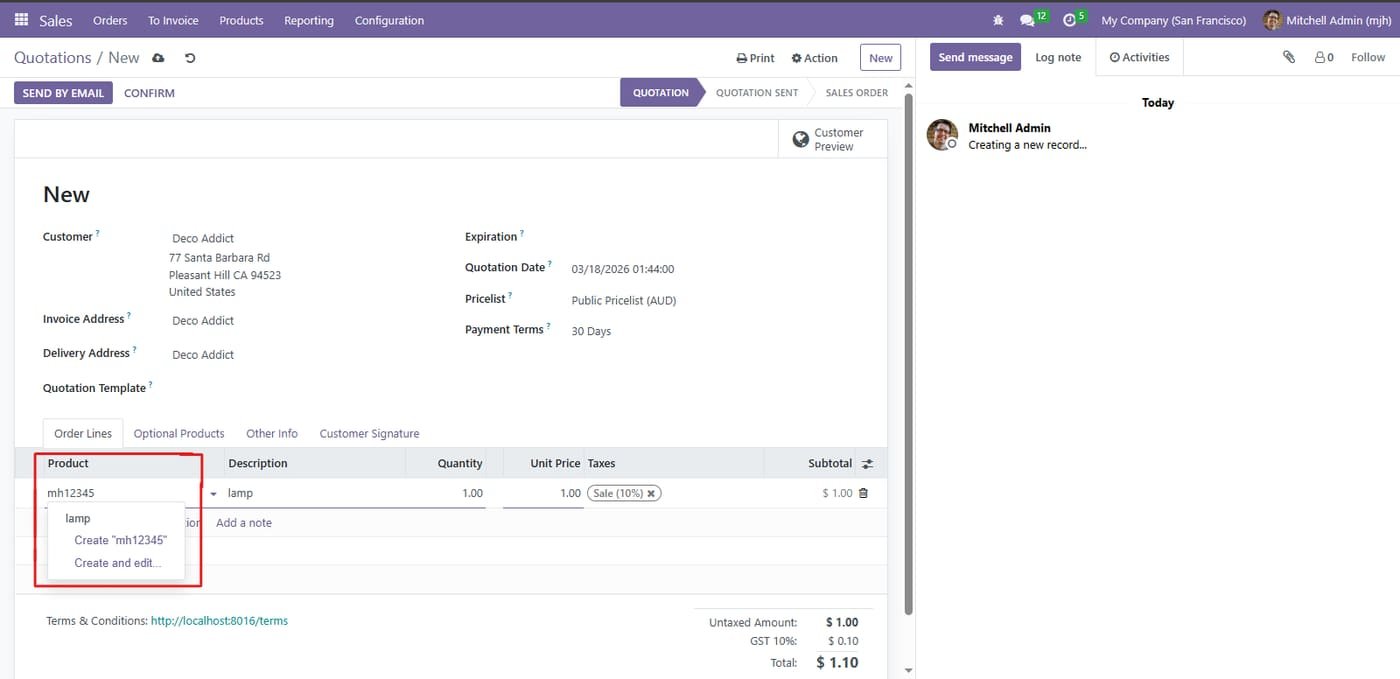
Step 3
Every single additional barcode works 100% everywhere in Odoo. Type or scan any barcode in Sales Orders, Purchase Orders, Delivery Orders, Inventory and Point of Sale
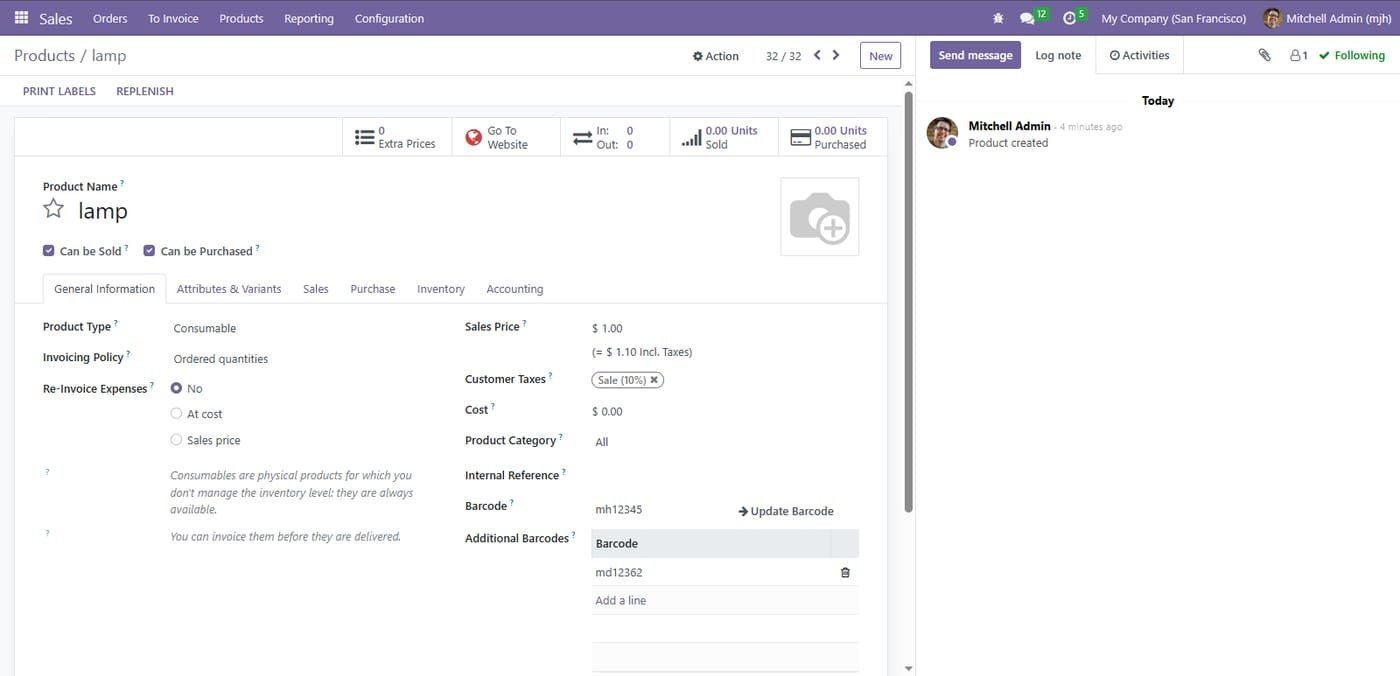
Step 4
Full native support for product variants. Every single variant can have its own separate independent list of additional barcodes
Scan products into sales, purchases, invoices, pickings, inventory adjustments, manufacturing BOMs and scrap orders, and jump to any document by scanning its reference.
Sales orders
Purchase orders / requests for quotation
Customer invoices, vendor bills, credit and debit notes