1
Line-level matching
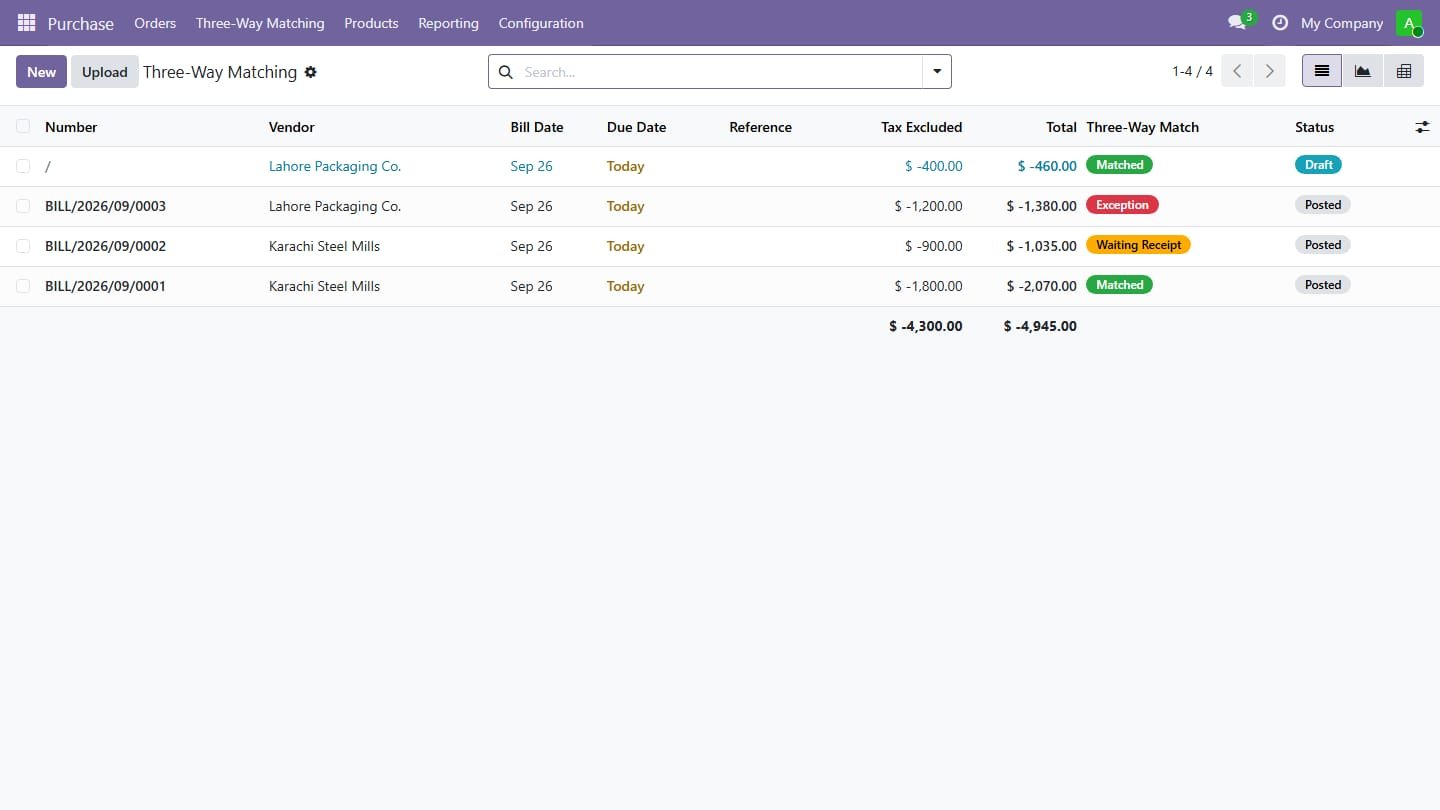
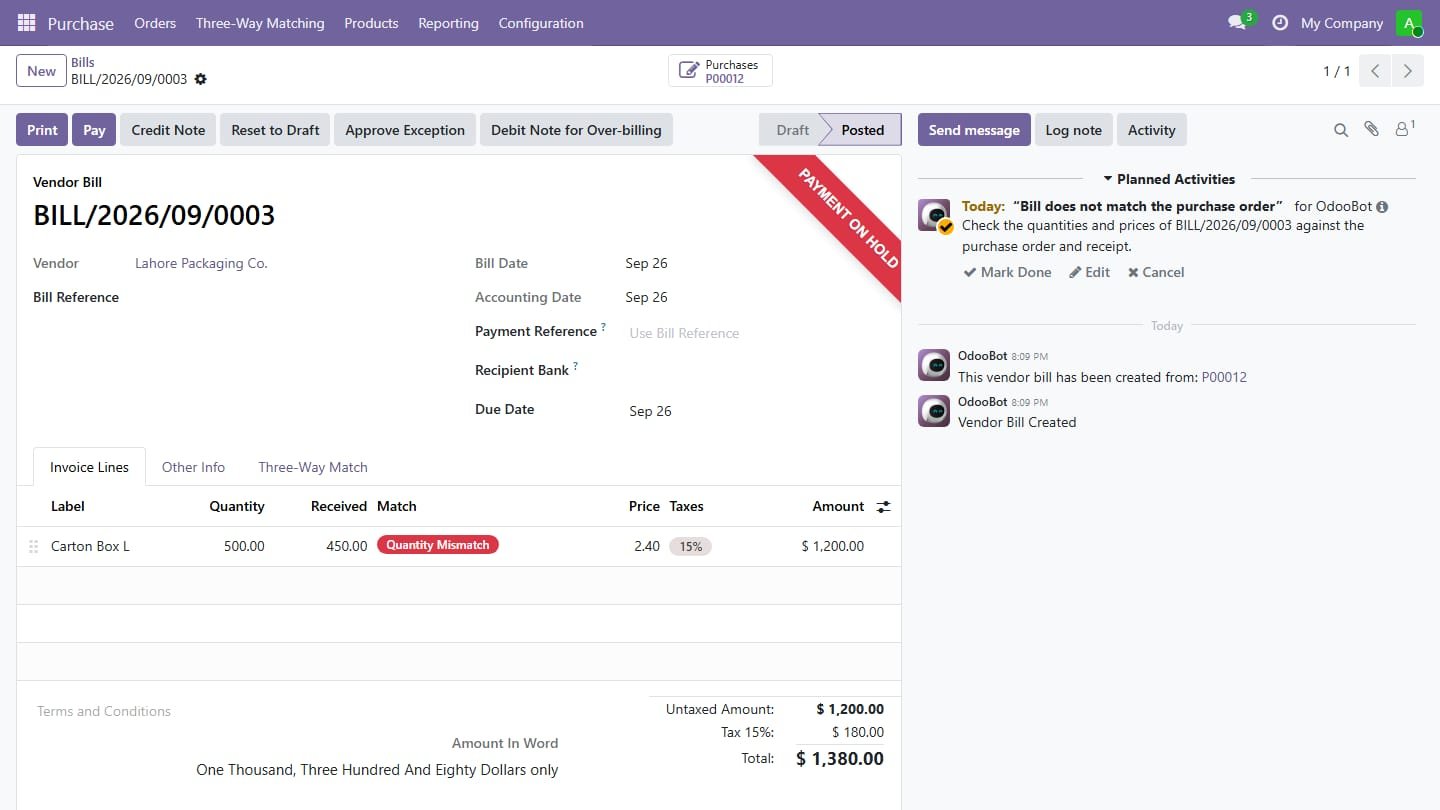
Each bill line is compared with its purchase order line and receipt: Matched, Quantity Mismatch, Price Mismatch or Waiting Receipt.
2
Tolerance rules
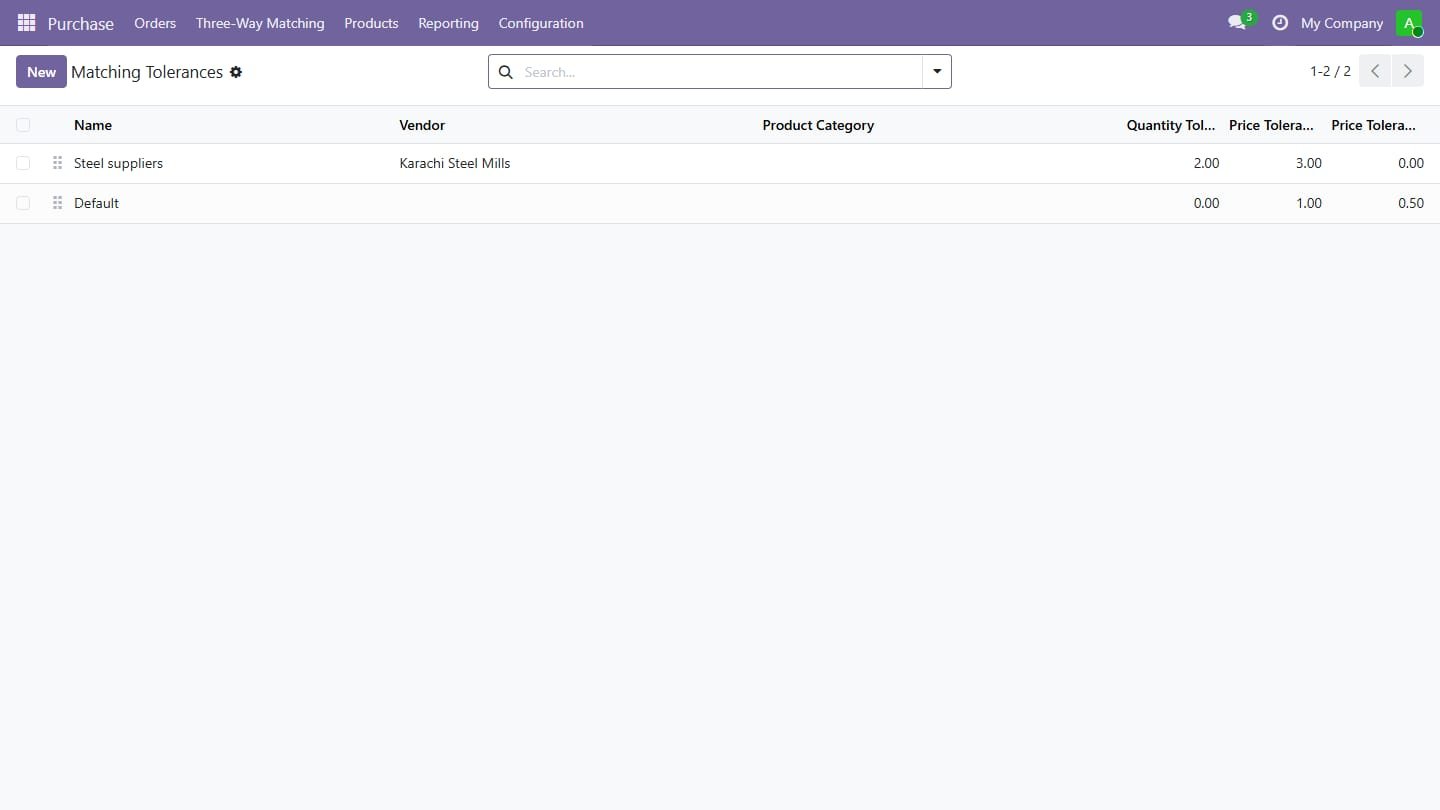
Accept small differences per vendor or product category, with quantity and price tolerances in percent or amount.
3
Two-way match for services
Services and products billed on ordered quantities are matched against the order, no receipt needed.
4
Payment hold
Bills that do not match cannot be paid: Register Payment is blocked and a Ready to Pay filter shows only clean bills.
5
Exception approval
Purchase or accounting managers release a bill with a mandatory reason, stored on the bill and in its chatter.
6
Price variance entry
Optionally move the part of the price above the purchase price to a dedicated variance account, reversed if the bill goes back to draft.
7
Debit note and Match with PO
Create the debit note for over-billed quantities in one click, and link bills entered by hand or OCR to the right purchase order.
8
Dashboard, alerts and vendor report
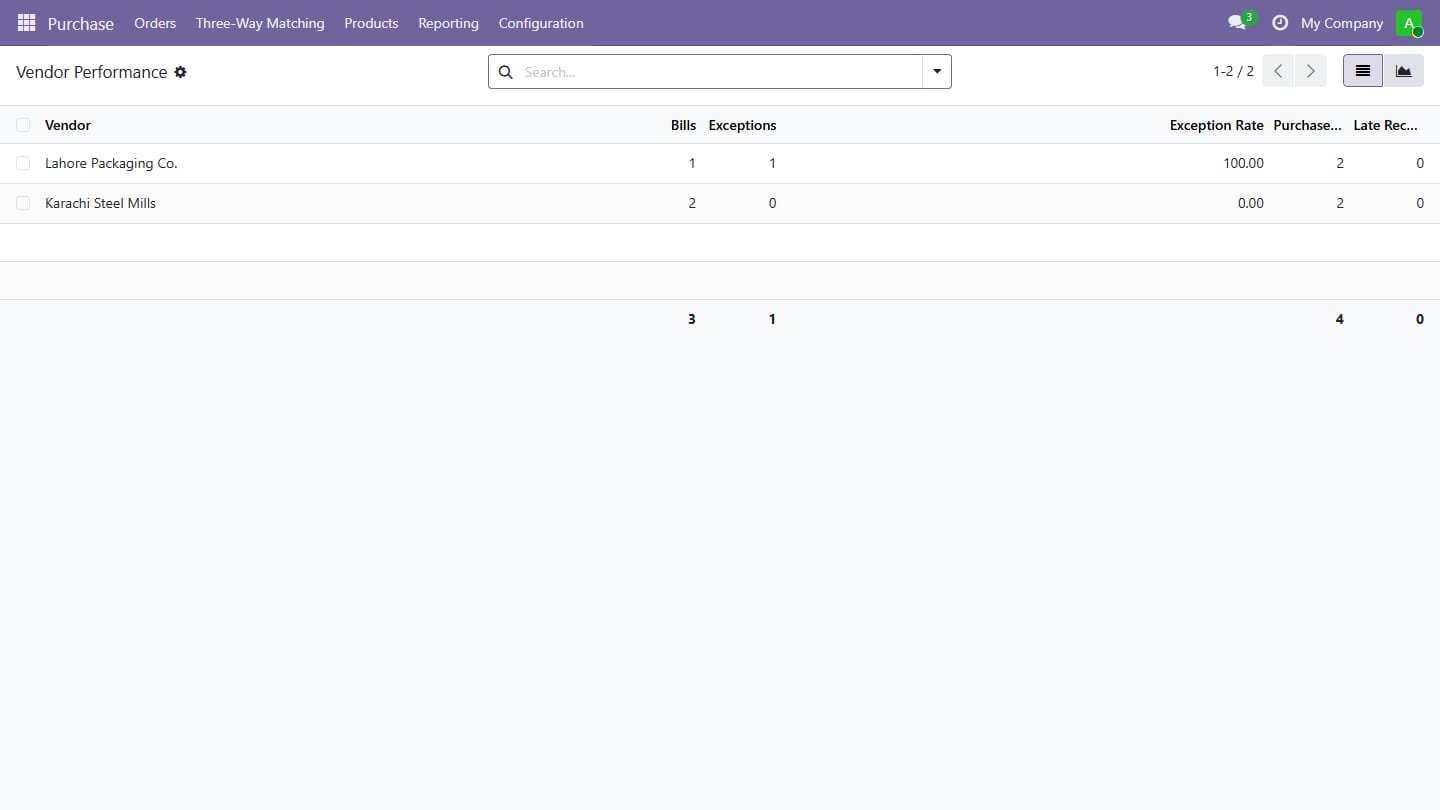
Buyers get an activity on mismatches, and a vendor report shows exception rates and late receipts.