Productivity & Tools

Appointment Booking Center - Odoo Appointment & Online Booking

Odoo appointment booking and online scheduling module: staff, rooms, equipment and vehicles with website booking, payments, reminders and QR check-in for Odoo 14-20.

$249 USD
Choose your Odoo version
Ask a question
Built by an Odoo partner Initial setup support Download link by email
Appointment Booking Center - Odoo Appointment & Online Booking
What's included

Key features

1

Conflict-Free Slots

Free times from working hours, time off, service length, buffers and booking rules. The same person, room or car can never be booked twice.

2

Book Anything

Staff, specialists, rooms, desks, equipment and vehicles. Hourly or day-based services, group classes with seats, and automatic resource assignment.

3

Online Booking & Portal

Customers pick a service, person and time on your website, answer your questions, buy packages, and reschedule or cancel in their portal.

4

Payments & Invoices

Quotations and invoices from bookings, online advance payment to confirm, add-on products, coupons and no-show fees.

5

Reminders That Work

Confirmation, reminder, change and cancellation emails with a calendar file and QR code, plus automatic SMS and WhatsApp messages.

6

Packages & Waiting List

Sell session packages and memberships, repeat bookings weekly, and notify the waiting list when a place becomes free.

7

Check-in & Reviews

Scan the QR code at the front desk, collect 5-star reviews after each visit and track staff ratings and commissions.

8

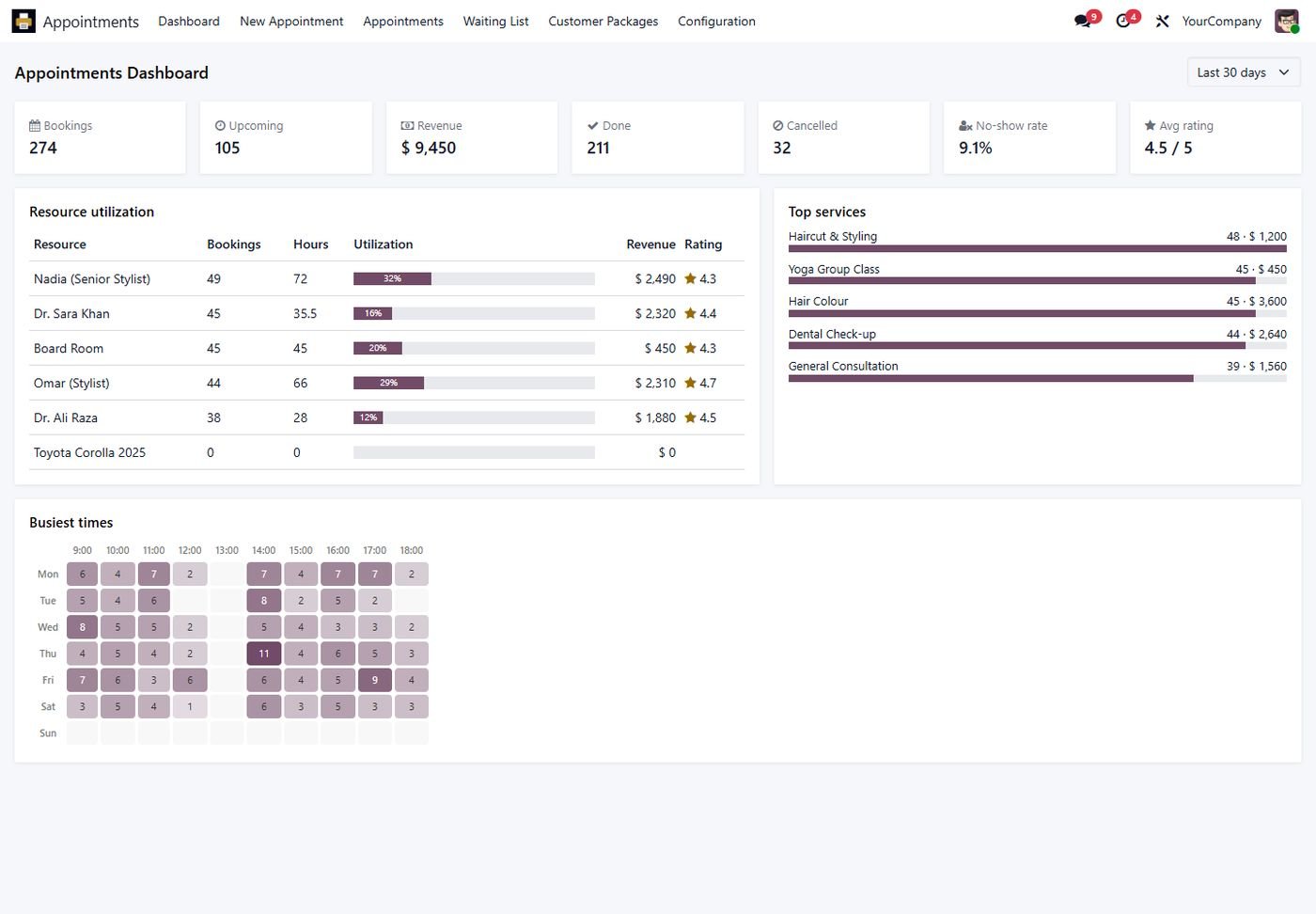
Live Dashboard

Bookings, revenue, no-show rate, ratings, resource utilization, top services and a busiest-times heatmap.

Inside the module

Screenshots

Real screens from Appointment Booking Center - Odoo Appointment & Online Booking — click any image to see it full size.

Step 1

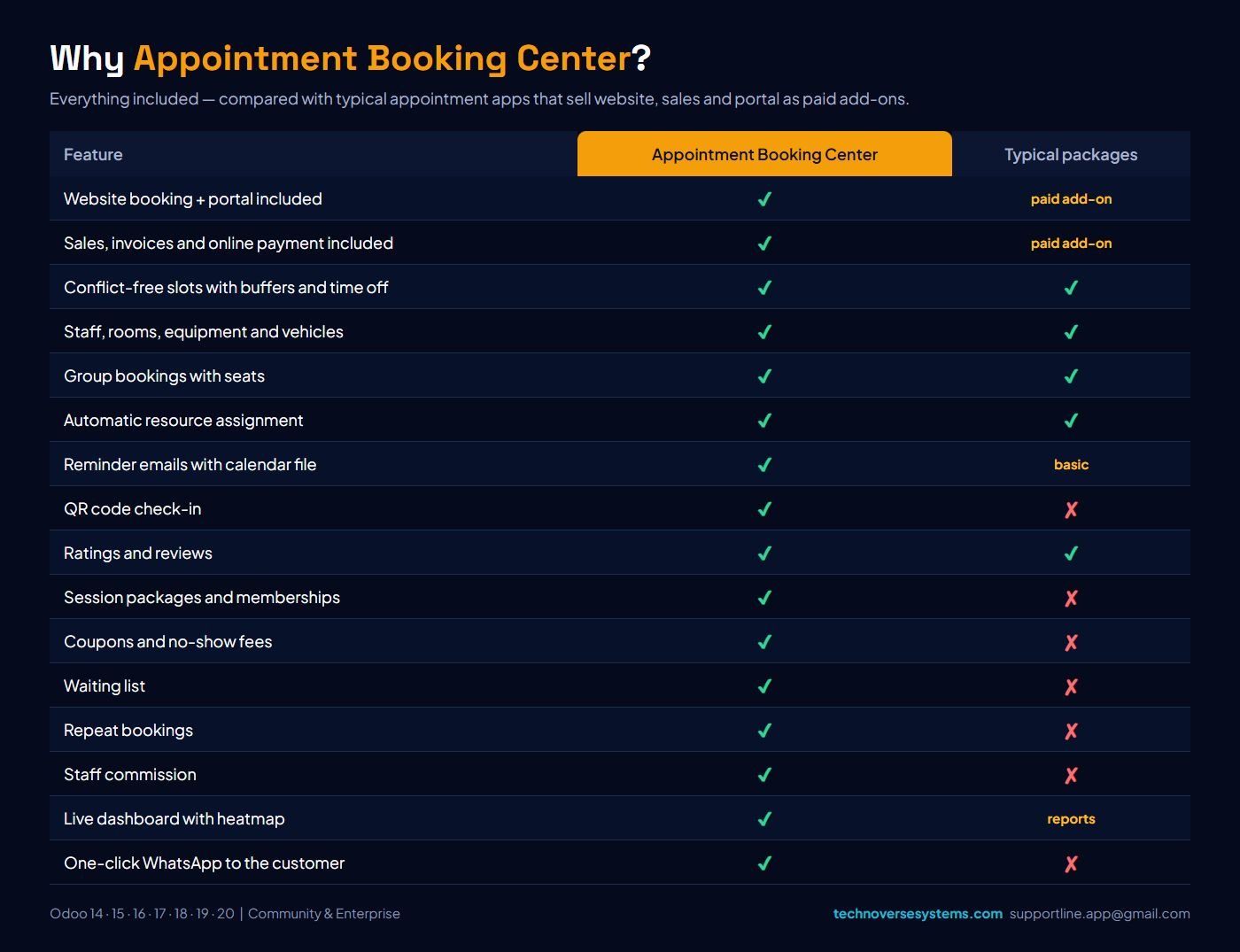
Why Appointment Booking Center?

Everything included, compared with appointment apps that sell website, sales and portal as paid add-ons.

Why Appointment Booking Center?
Step 2

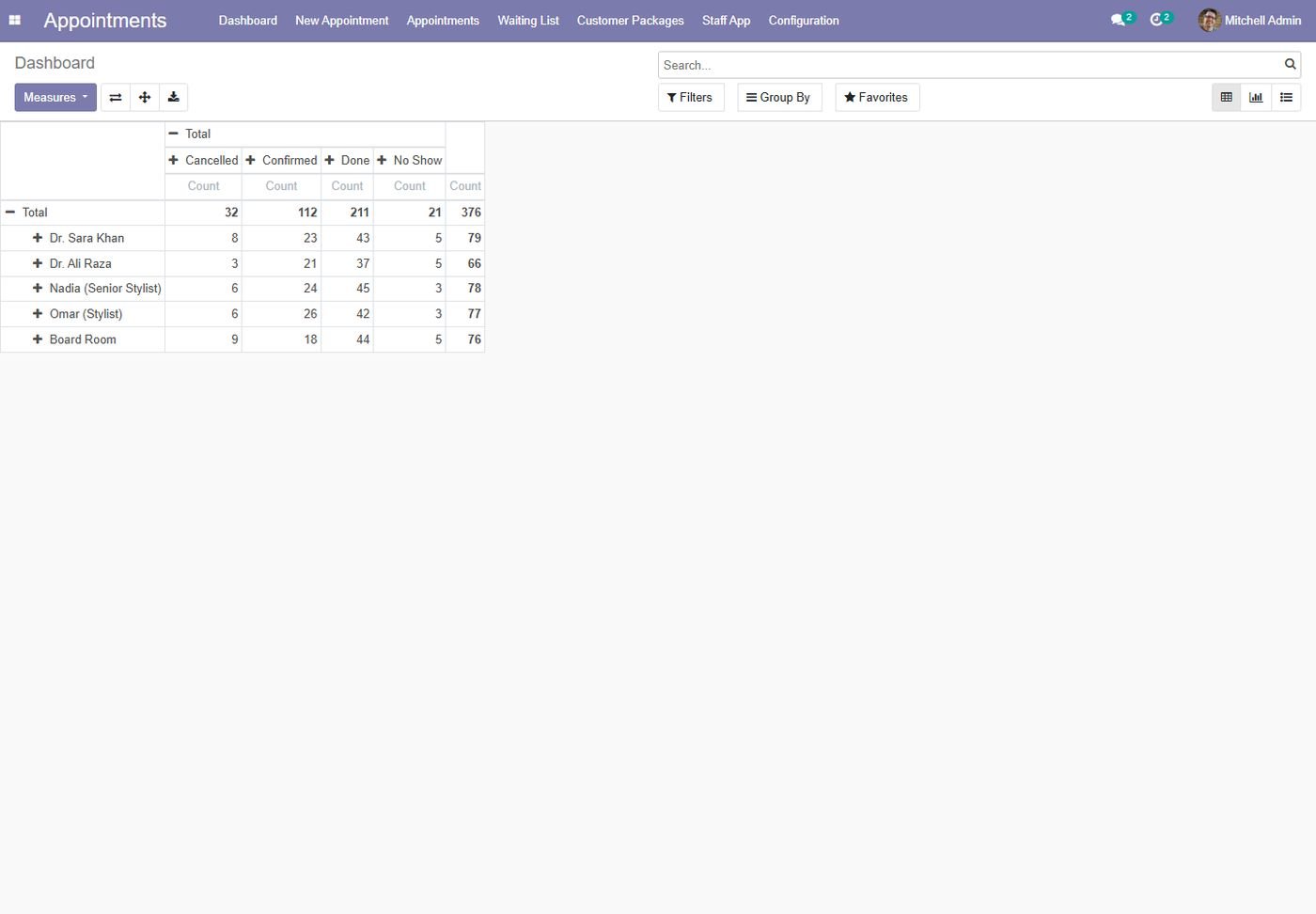
Live dashboard

Bookings, revenue, no-show rate, ratings, resource utilization and a busiest-times heatmap.

Live dashboard
Step 3

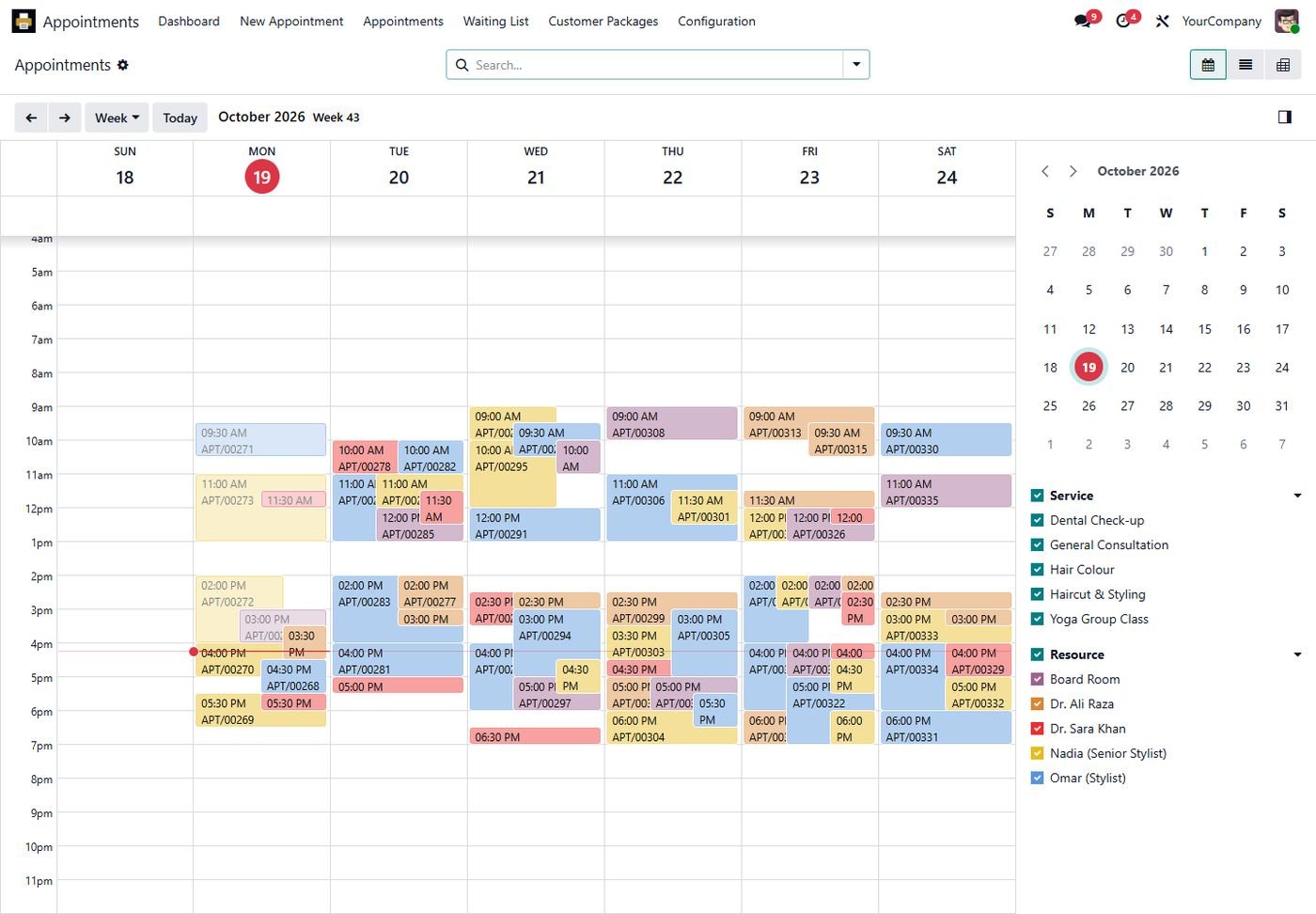
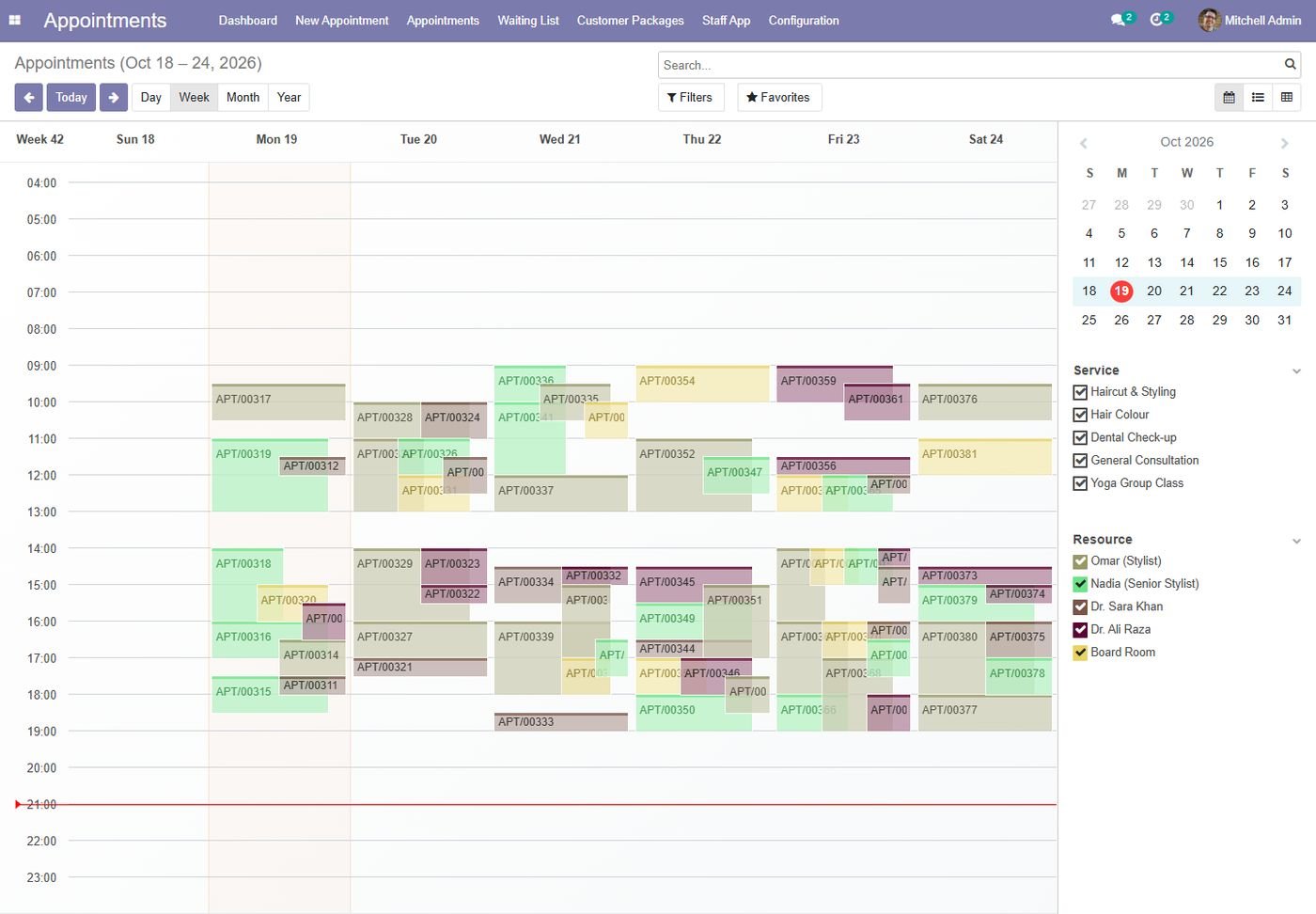
Appointments calendar

Week view coloured by resource with service and resource filters.

Appointments calendar
Step 4

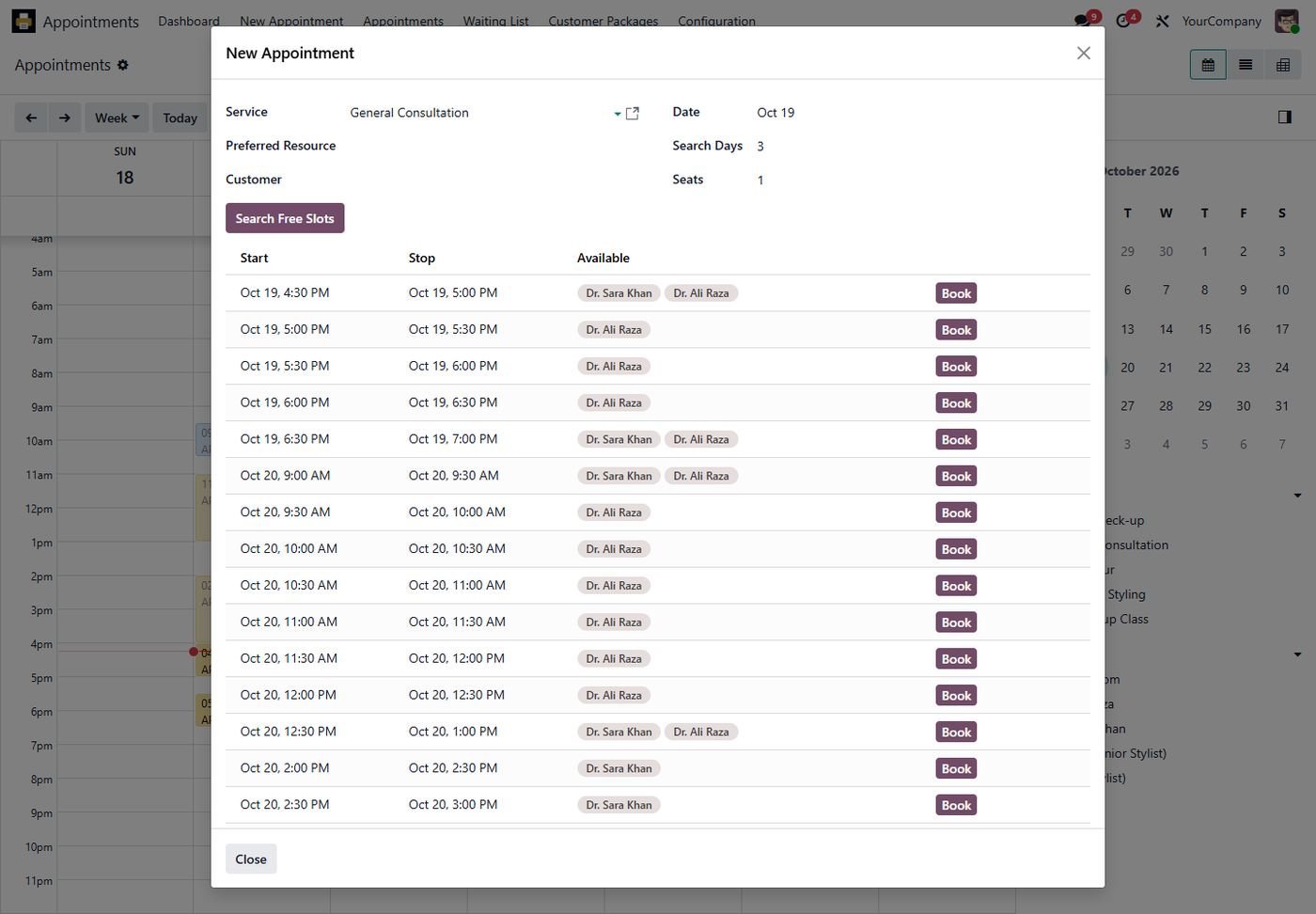
Find a free slot

Pick a service and day to see every free time and book it in one click.

Find a free slot
Step 5

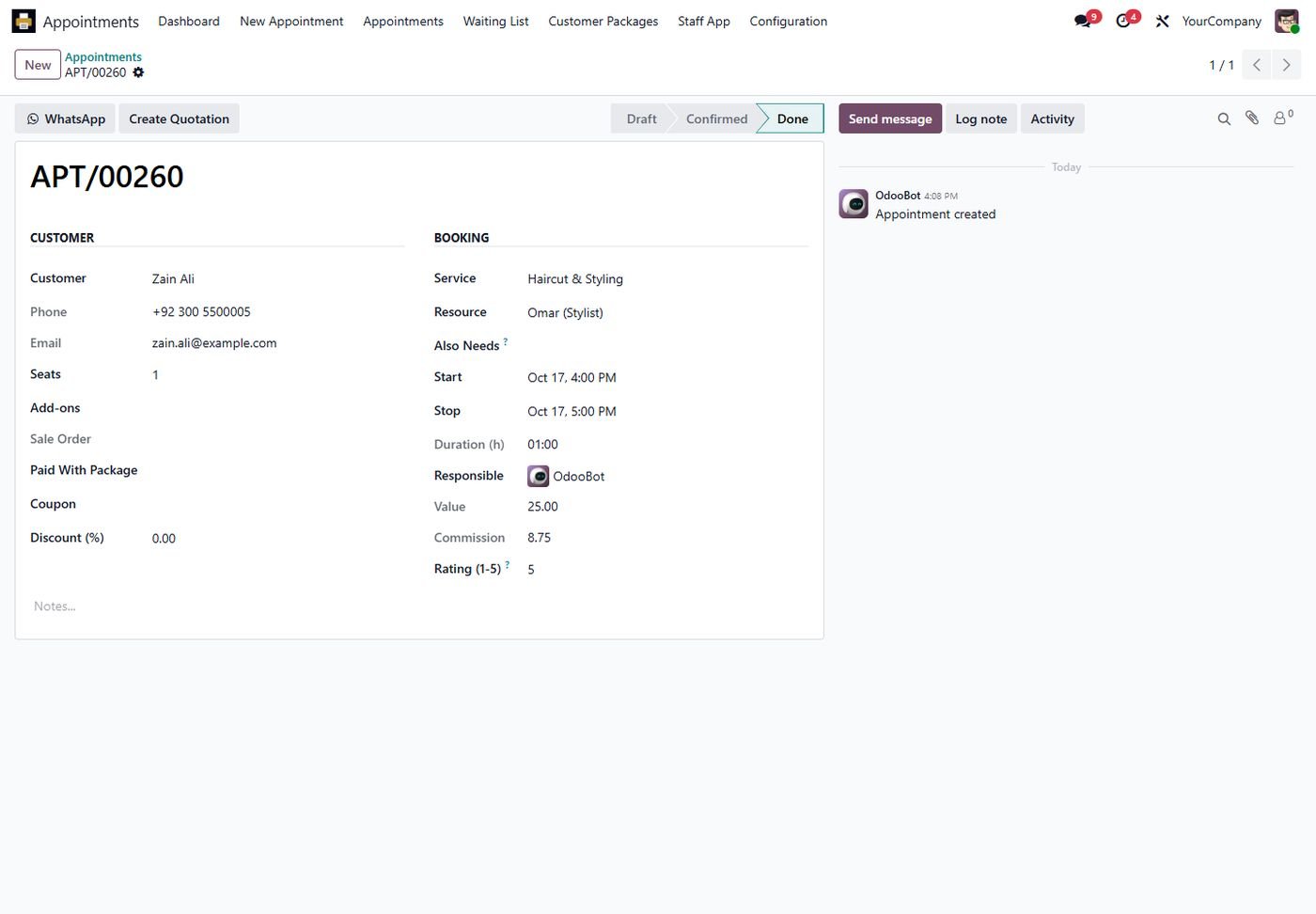
Appointment

Customer, service, resource, value, commission, rating and one-click WhatsApp.

Appointment
Step 6

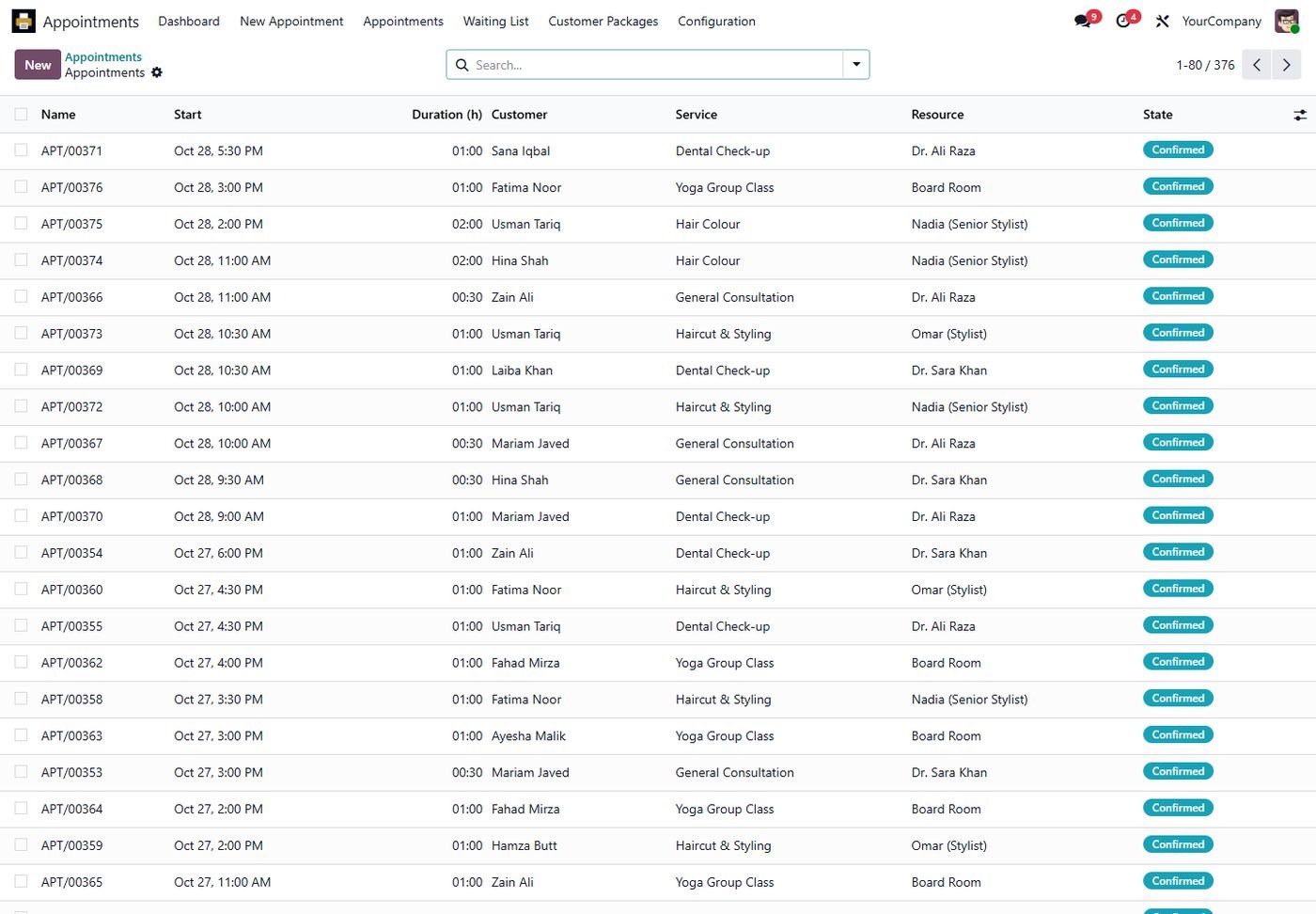
All appointments

List with status, duration, customer, service and resource.

All appointments
Step 7

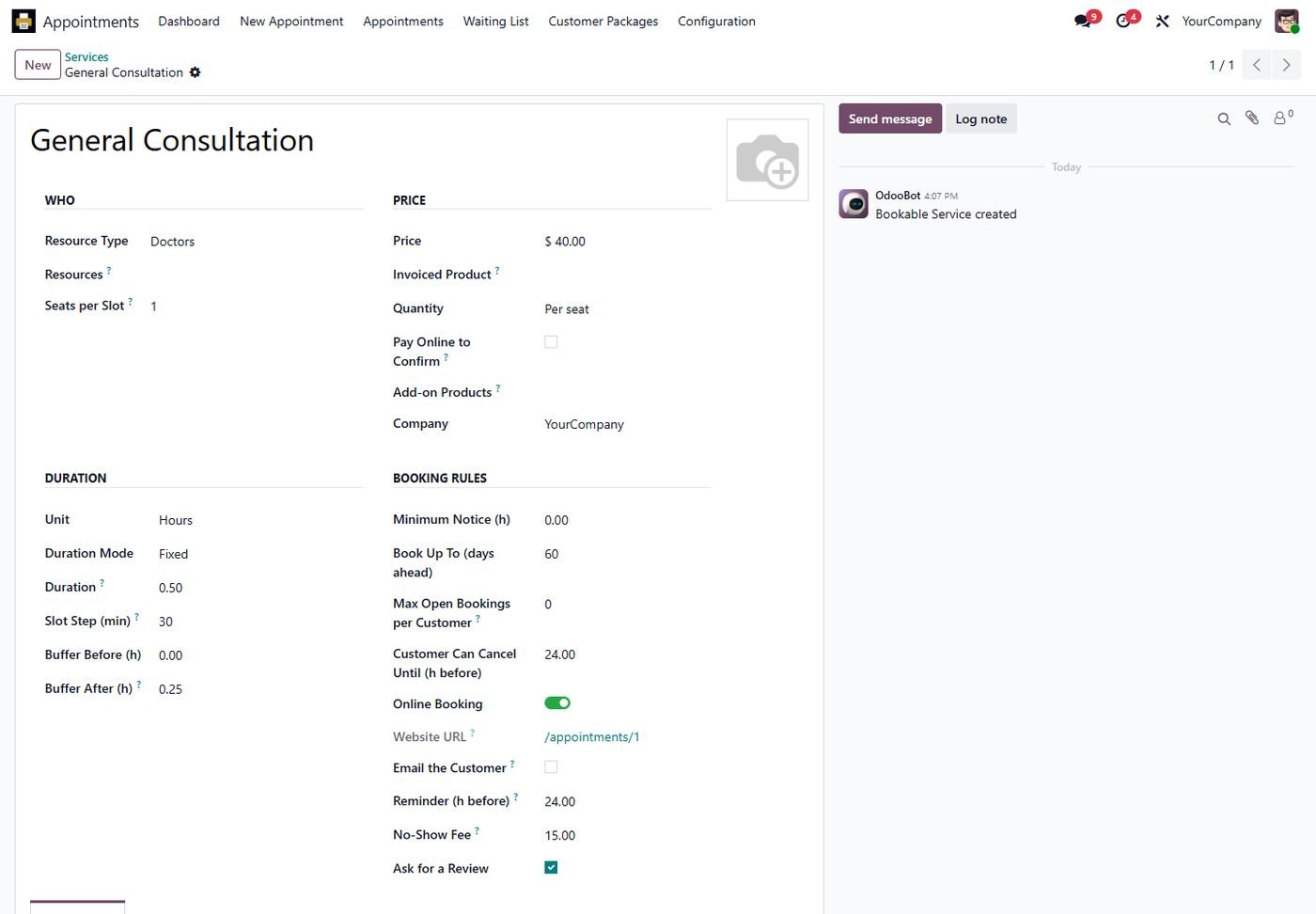
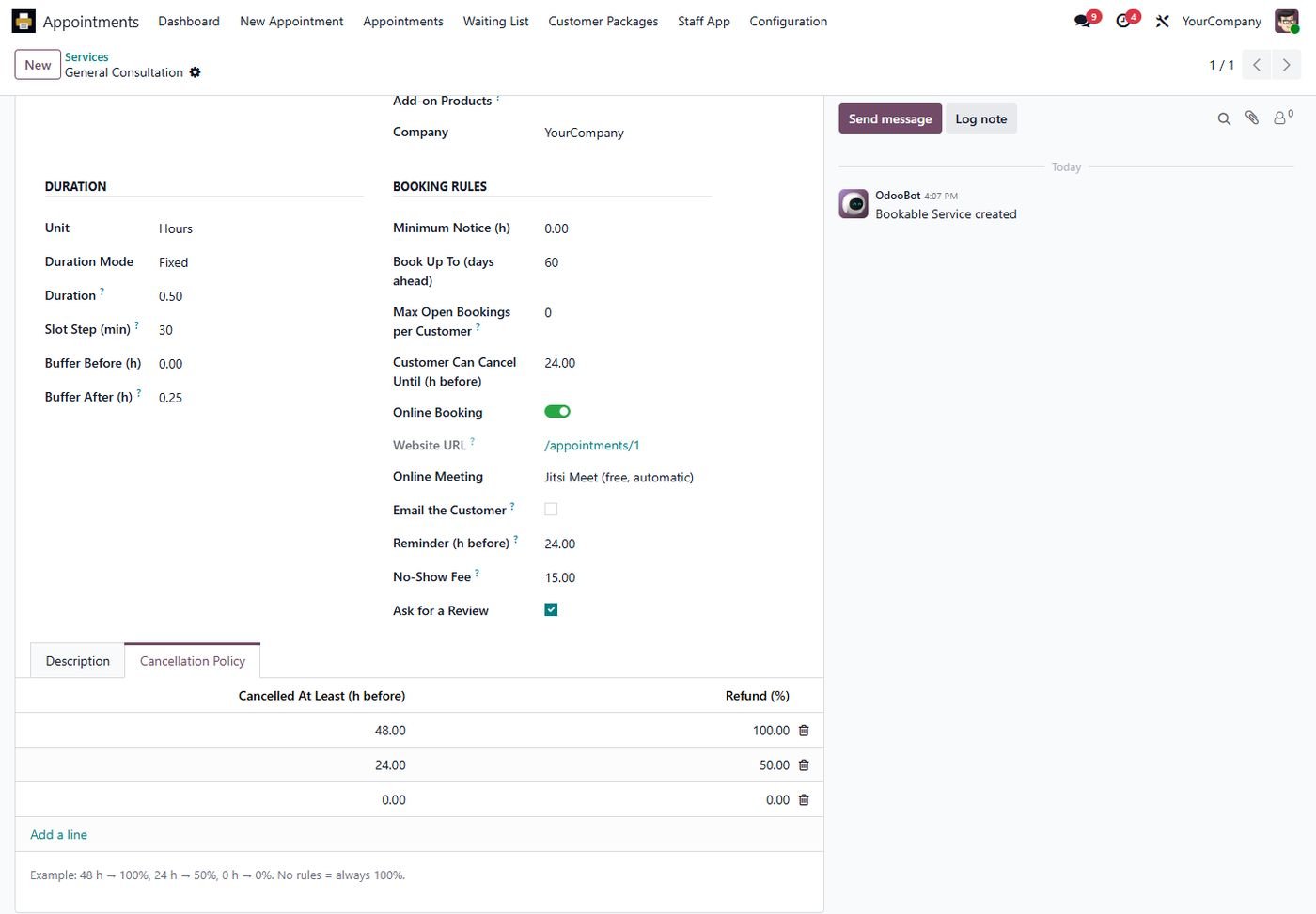
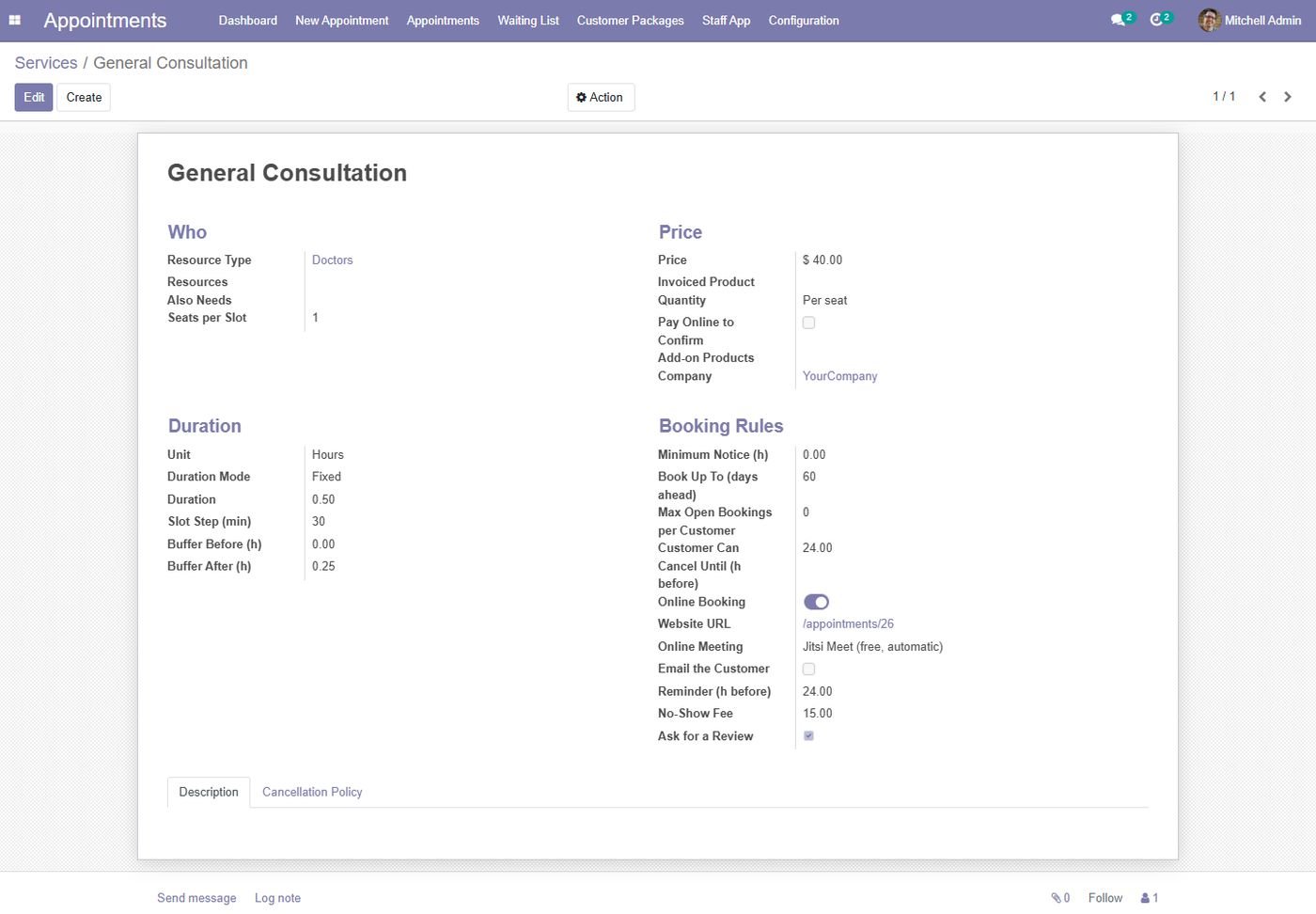
Service settings

Duration, buffers, seats, notice, online booking, payment, reminders and no-show fee.

Service settings
Step 8

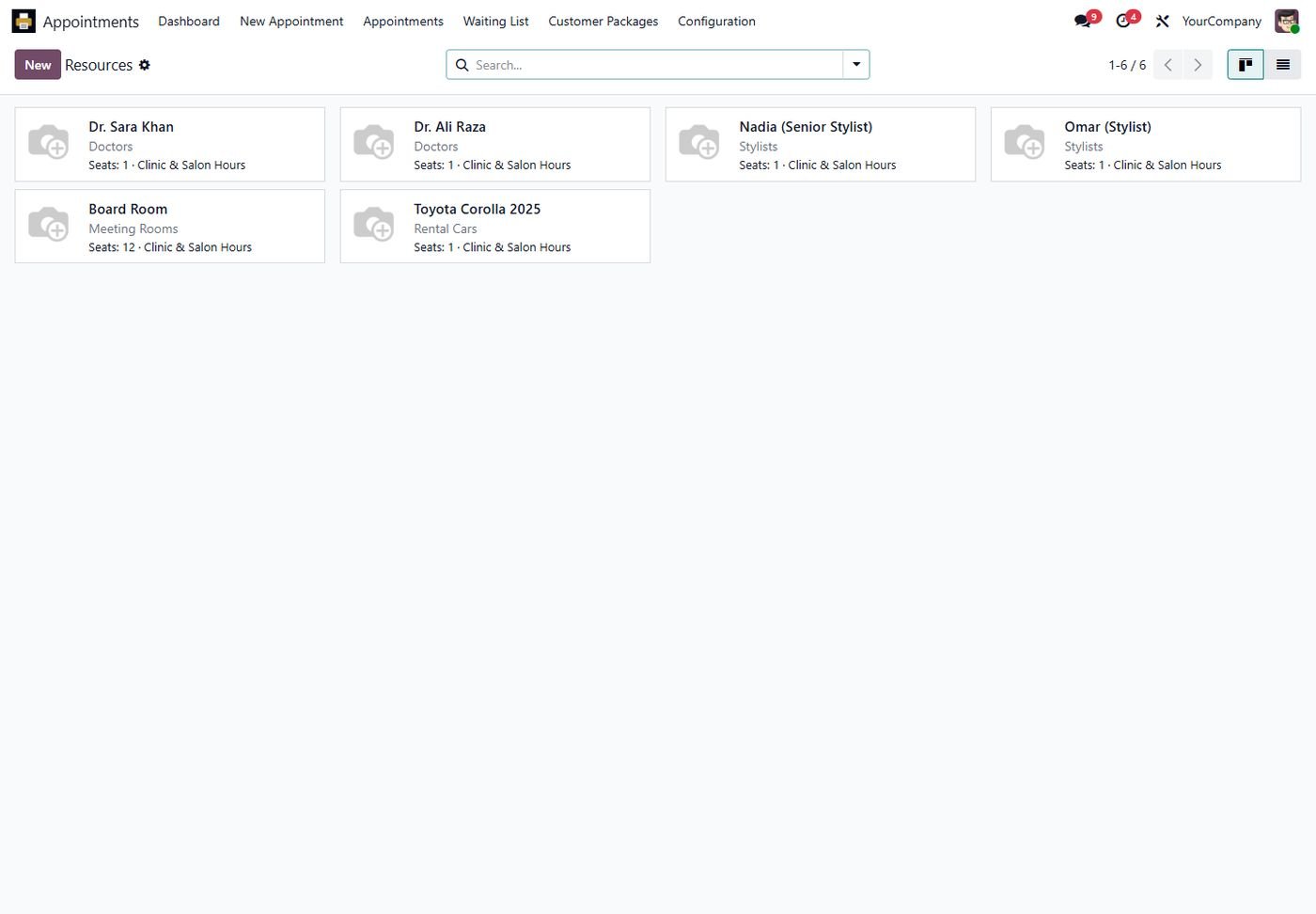
Resources

Doctors, stylists, rooms and cars with their working hours and seats.

Resources
Step 9

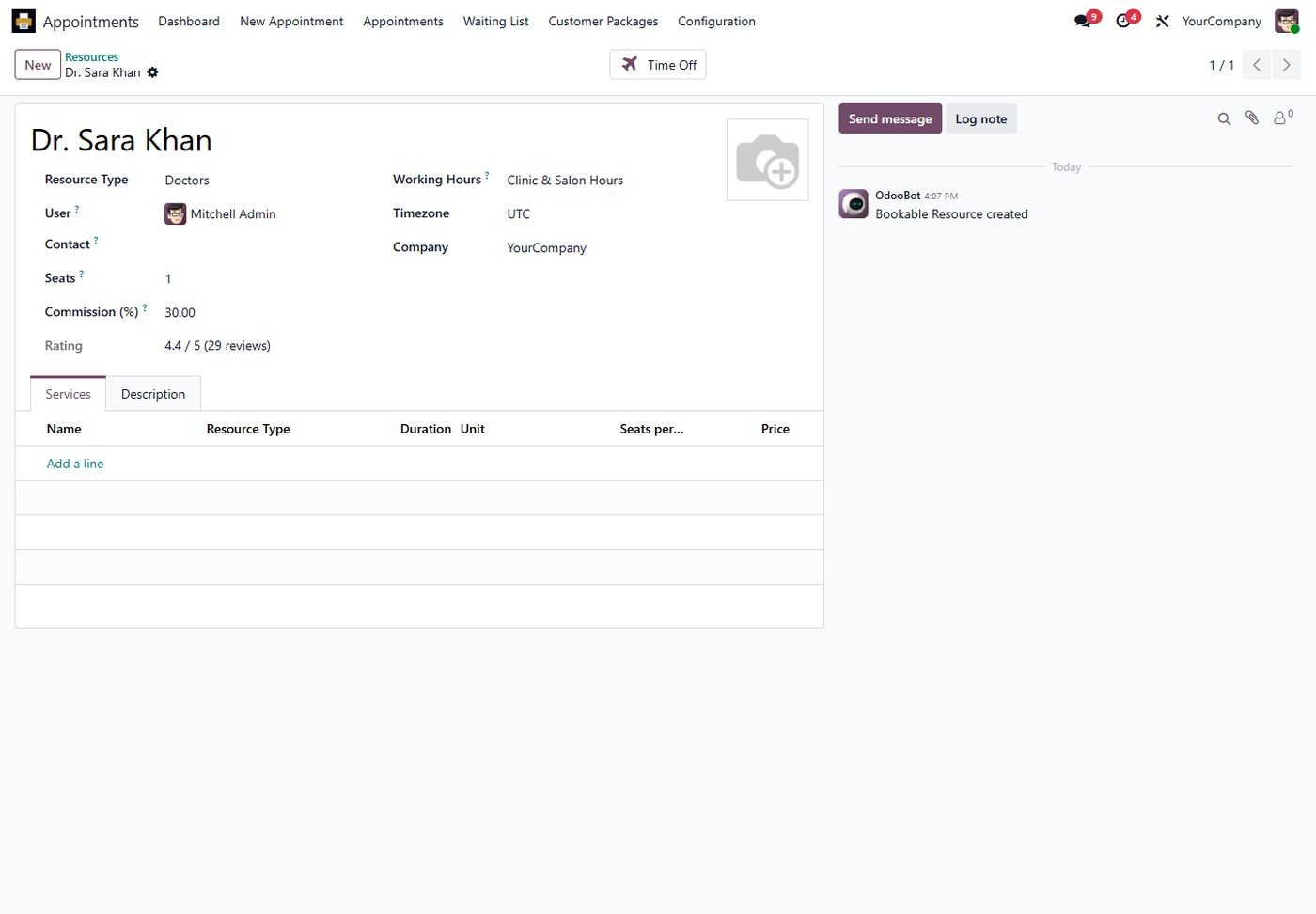
Resource rating and commission

Average rating, number of reviews and the commission rate per resource.

Resource rating and commission
Step 10

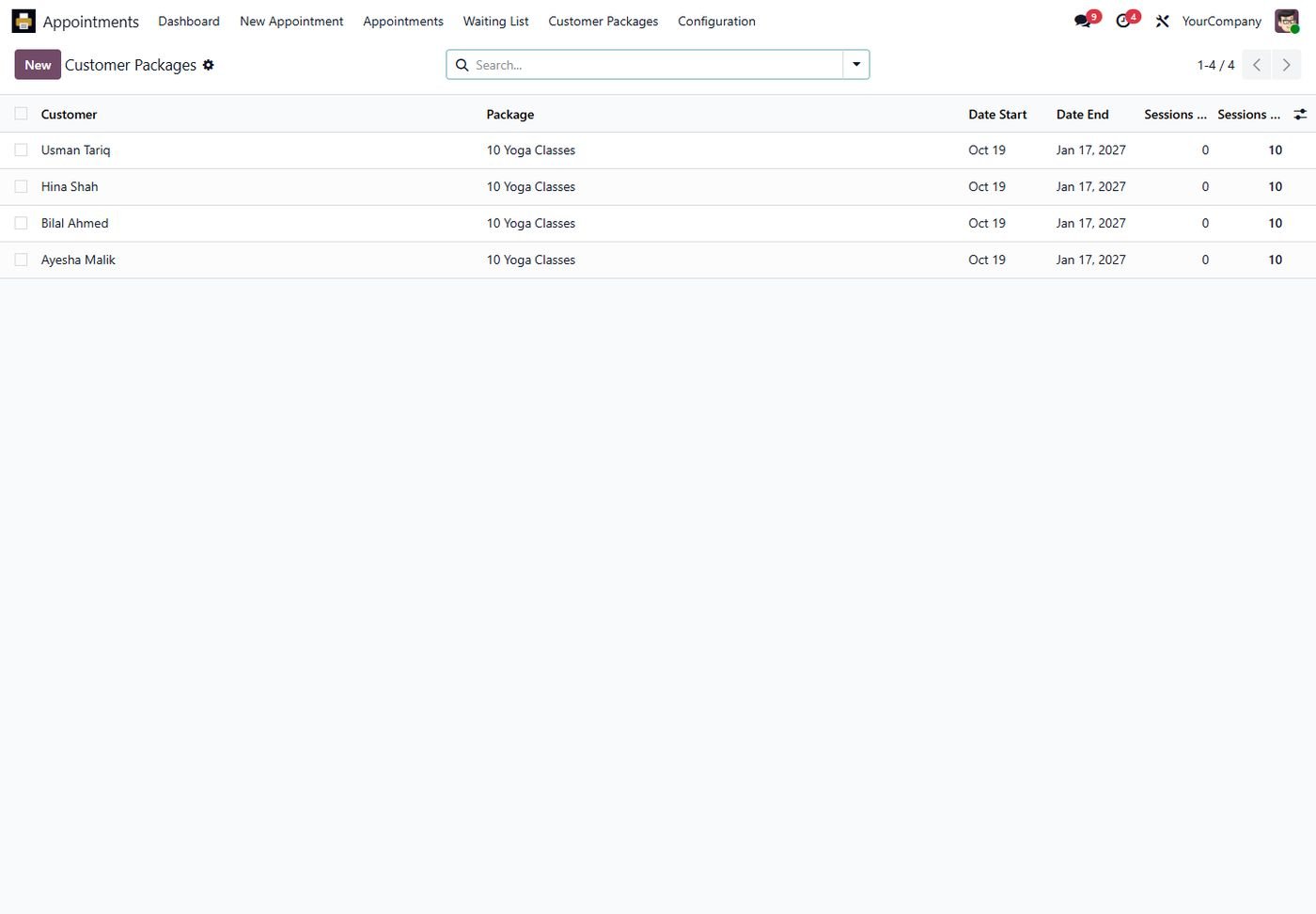
Session packages

Customers with prepaid packages, used and remaining sessions.

Session packages
Step 11

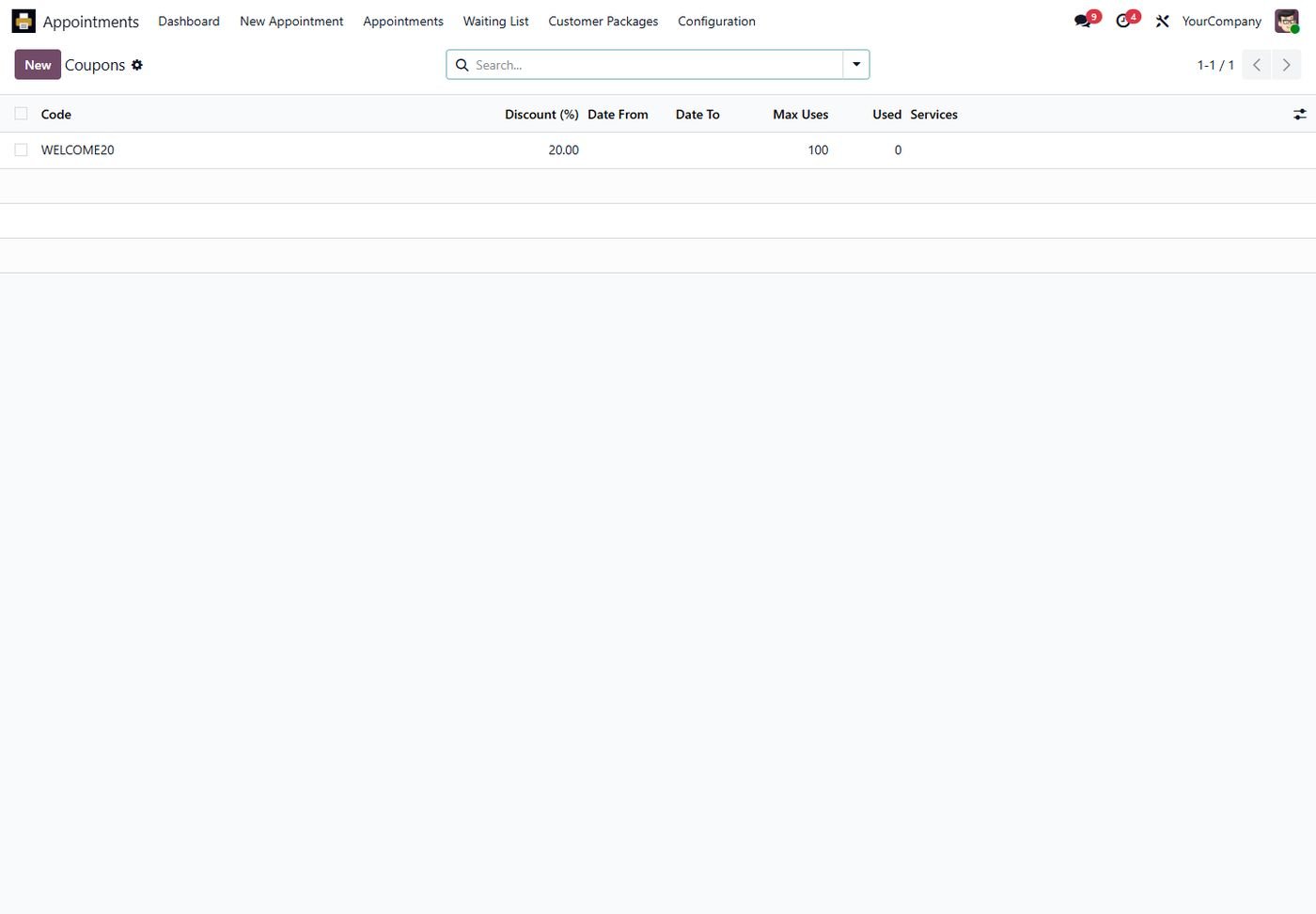
Coupons

Discount codes with dates, usage limits and services.

Coupons
Step 12

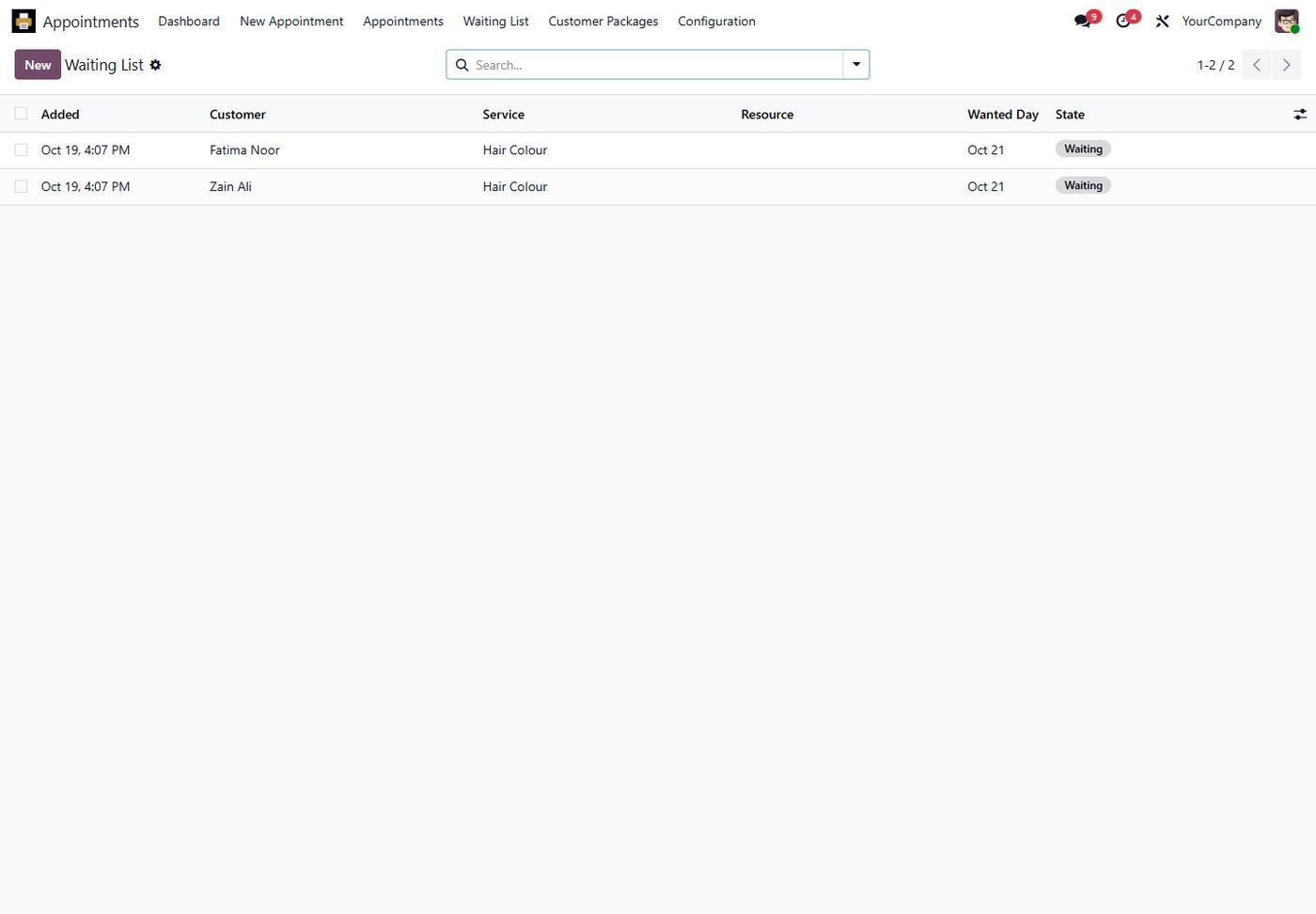
Waiting list

Customers waiting for a day are notified when a place is freed.

Waiting list
Step 13

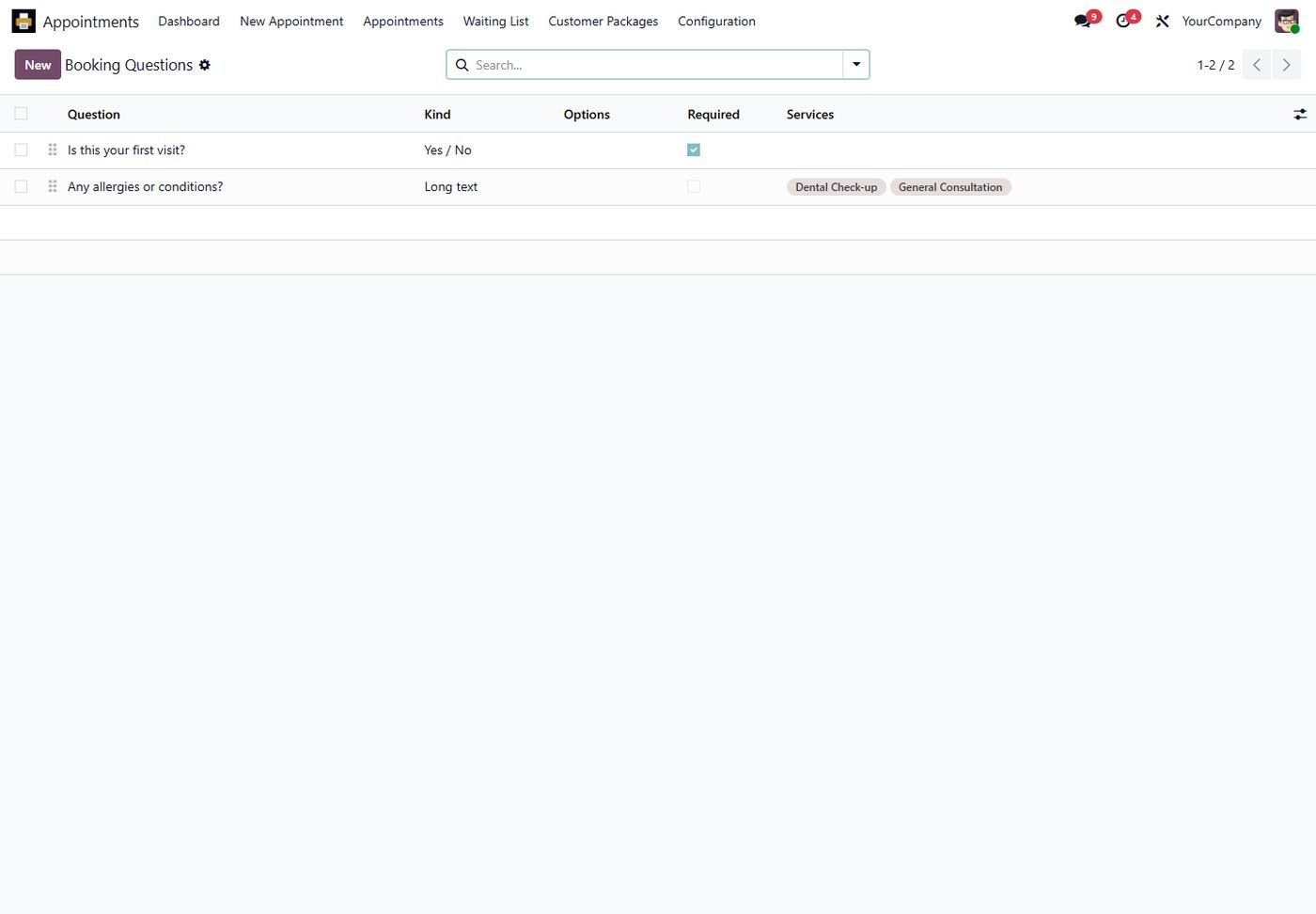
Booking questions

Your own questions on the booking form, per service.

Booking questions
Step 14

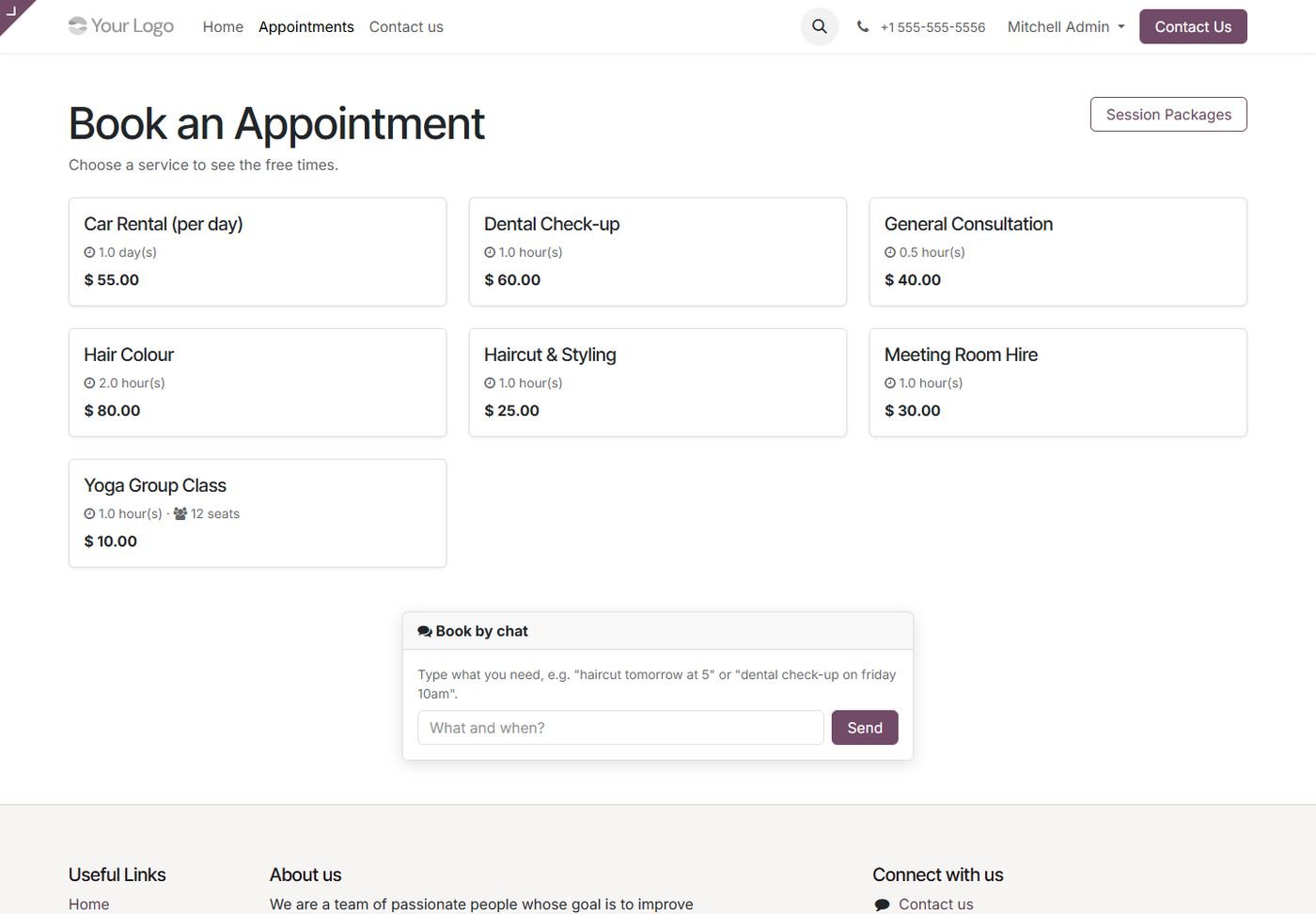
Online booking

Customers choose a service on your website.

Online booking
Step 15

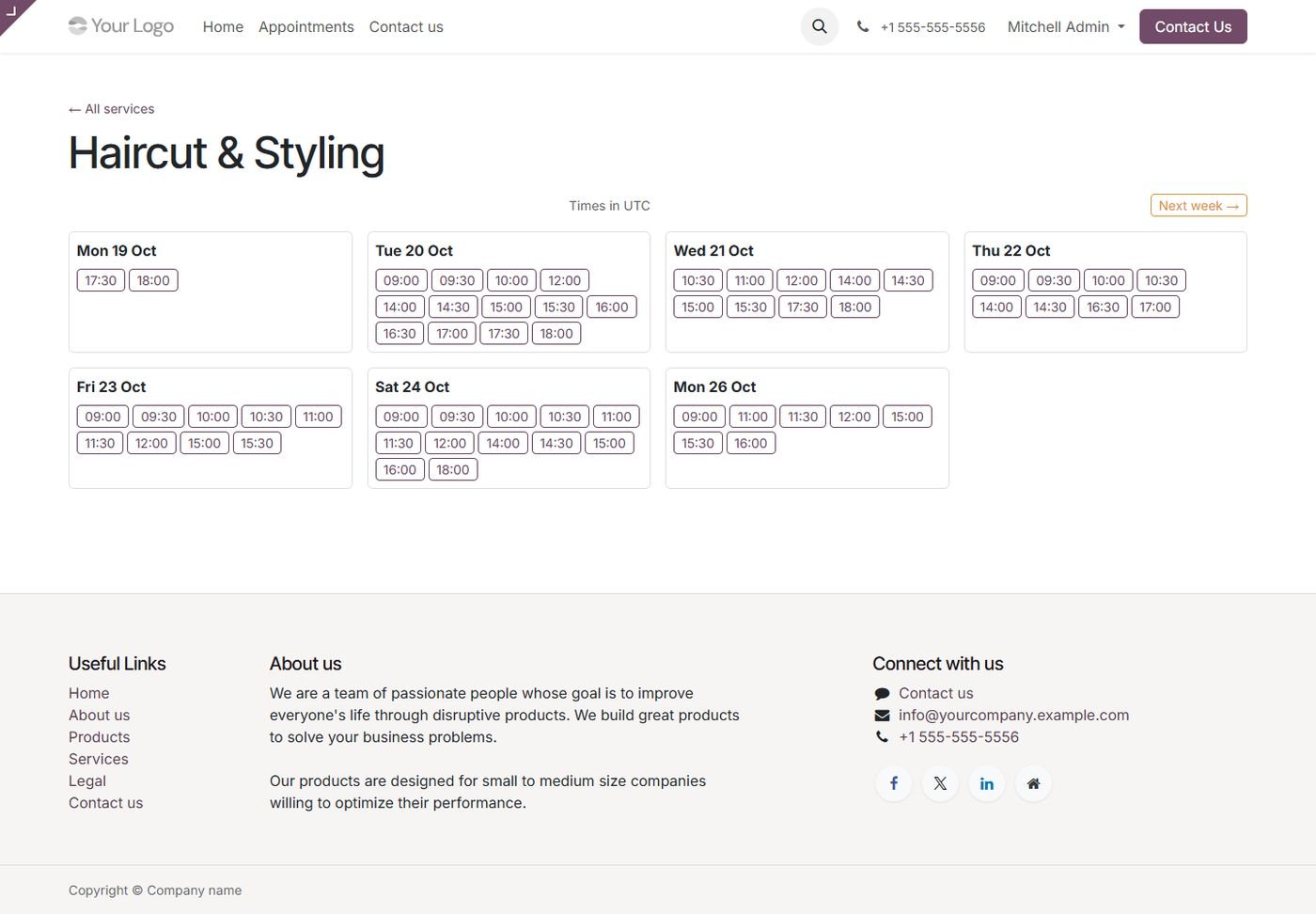
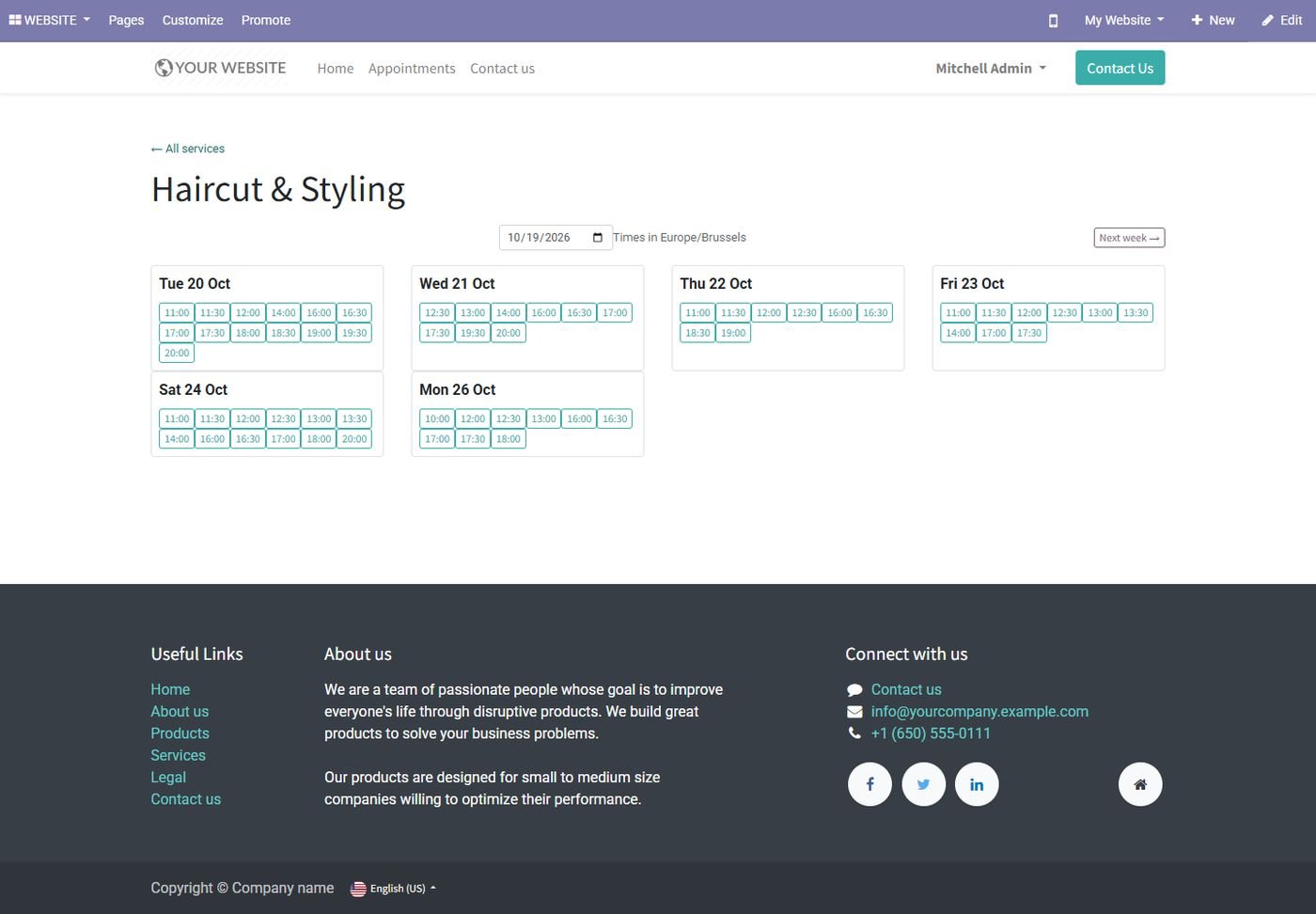
Free times online

Week-by-week free times, with the specialist of their choice.

Free times online
Step 16

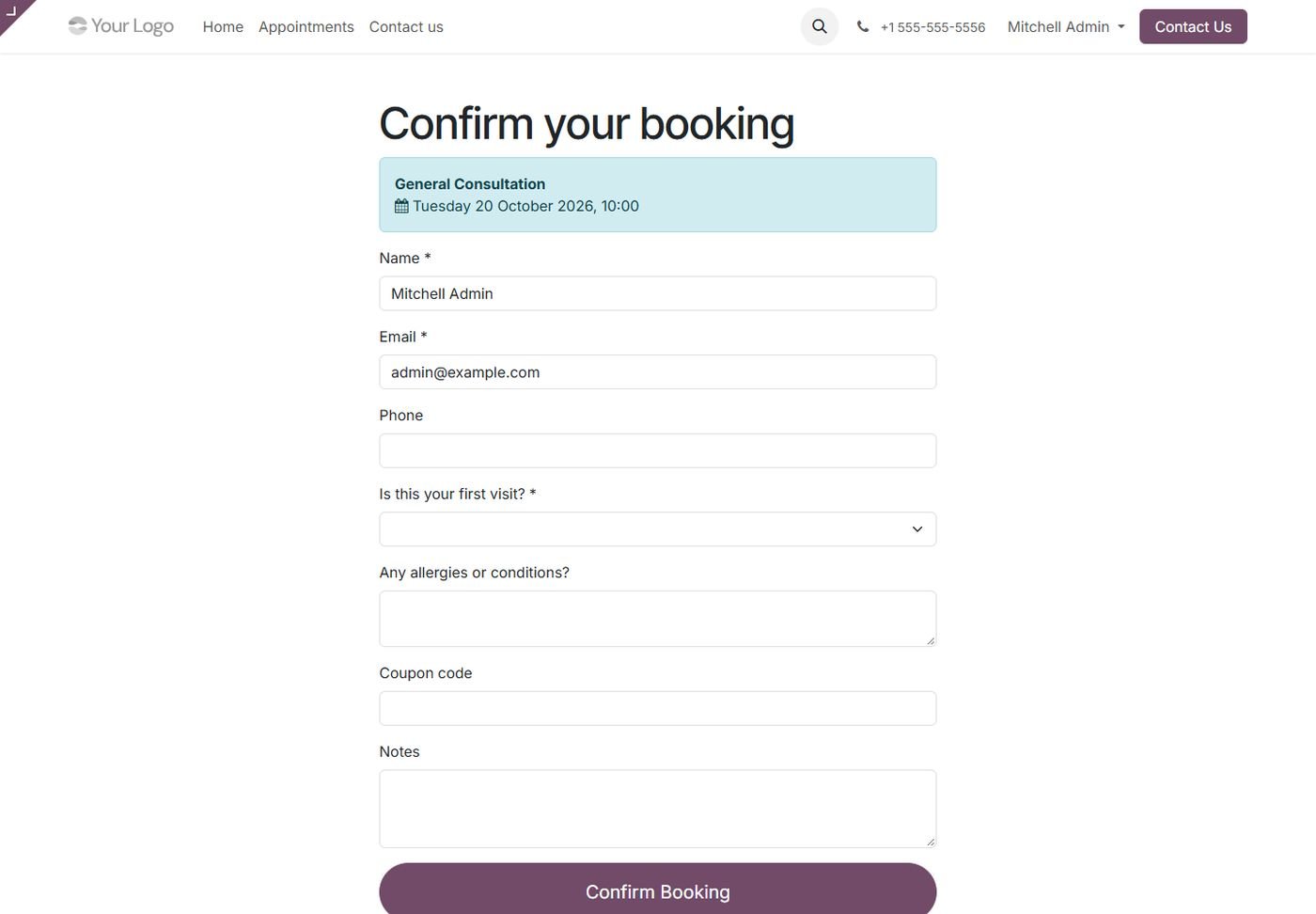
Confirm booking

Contact details, your questions and a coupon code.

Confirm booking
Step 17

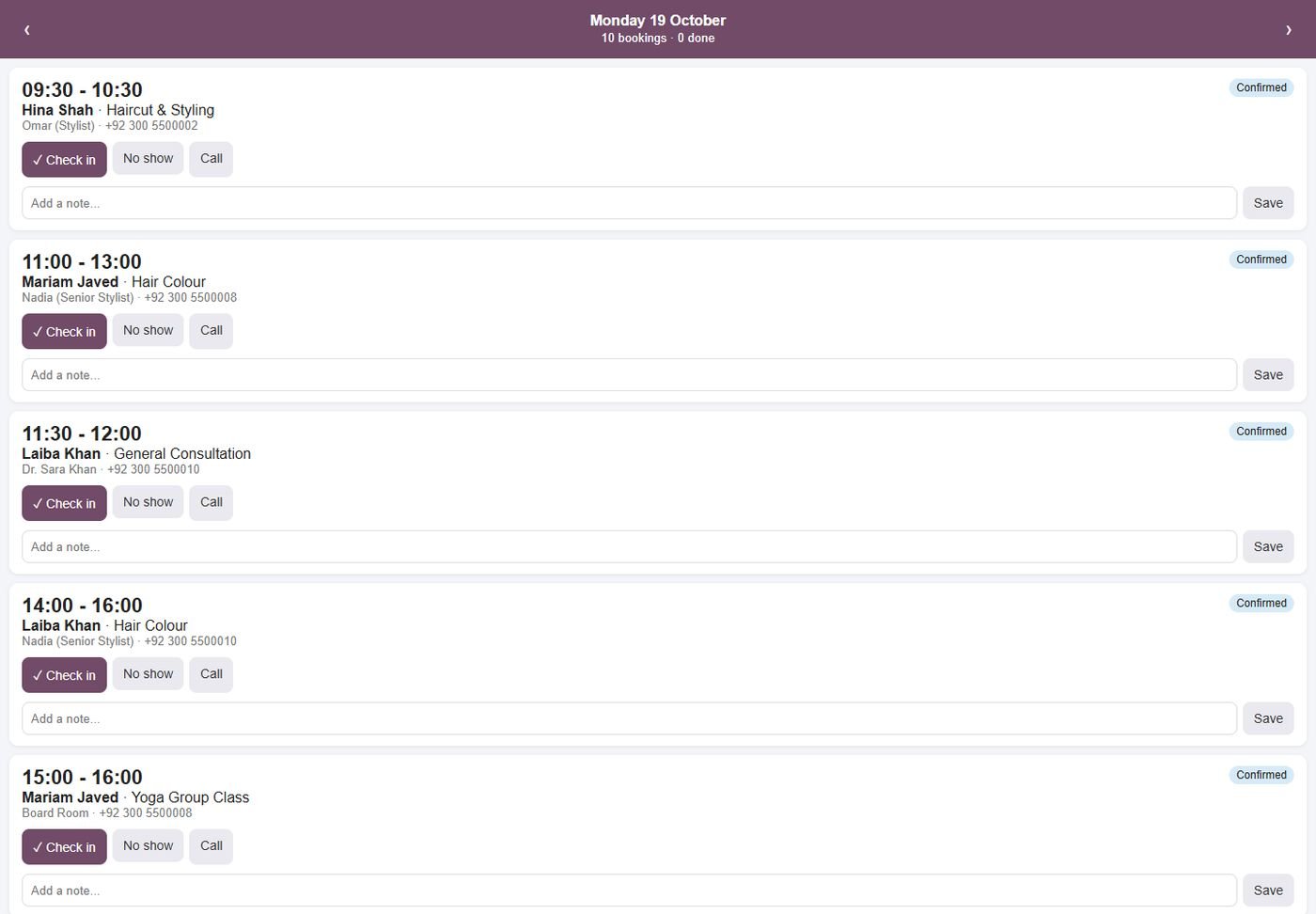
Staff mobile page

Today's bookings with check-in, no-show, notes, call and join buttons.

Staff mobile page
Step 18

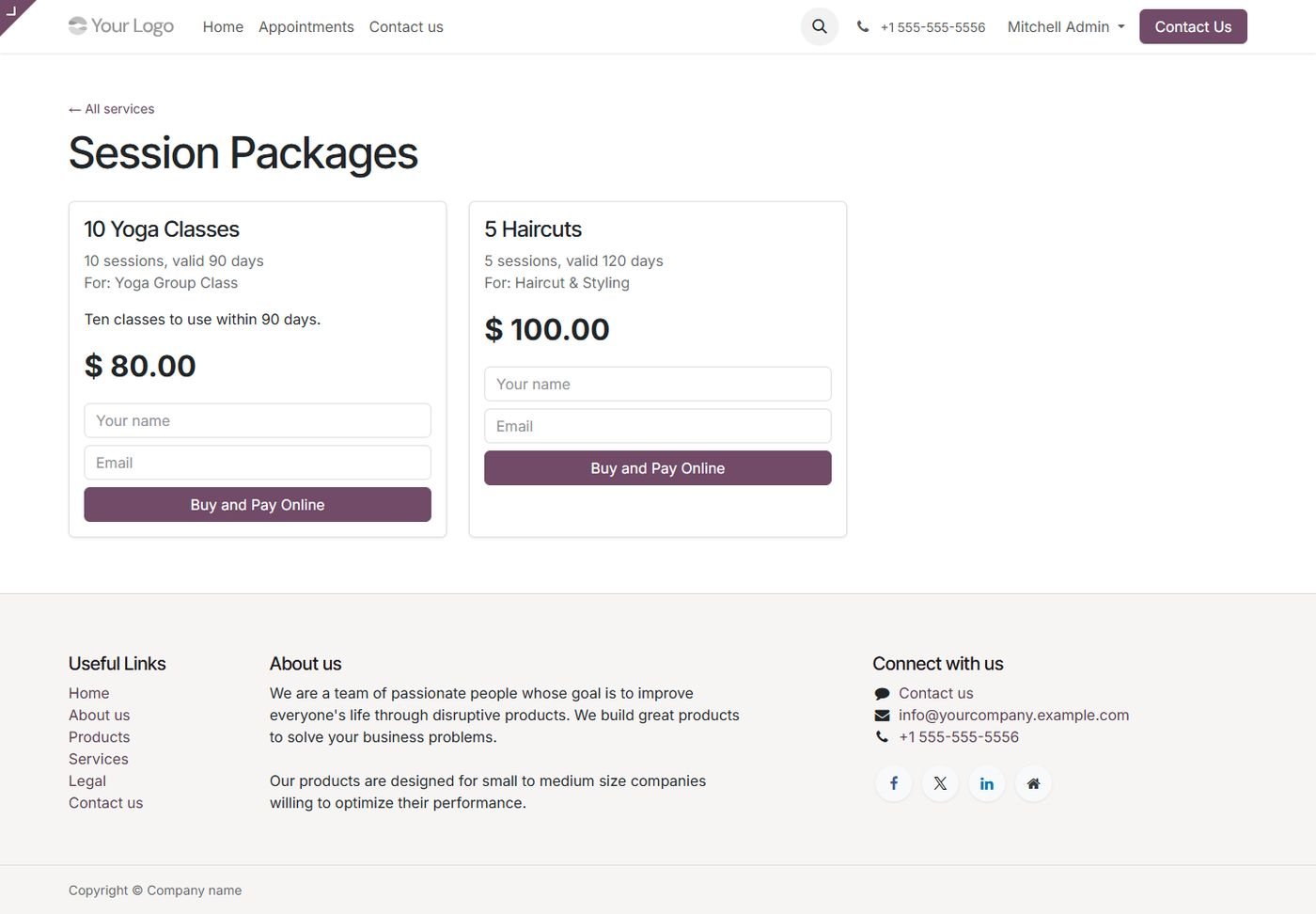
Packages sold online

Customers buy session packages and pay online.

Packages sold online
Step 19

Cancellation policy

Refund percentages by hours before the booking, with automatic credit notes.

Cancellation policy
Step 20

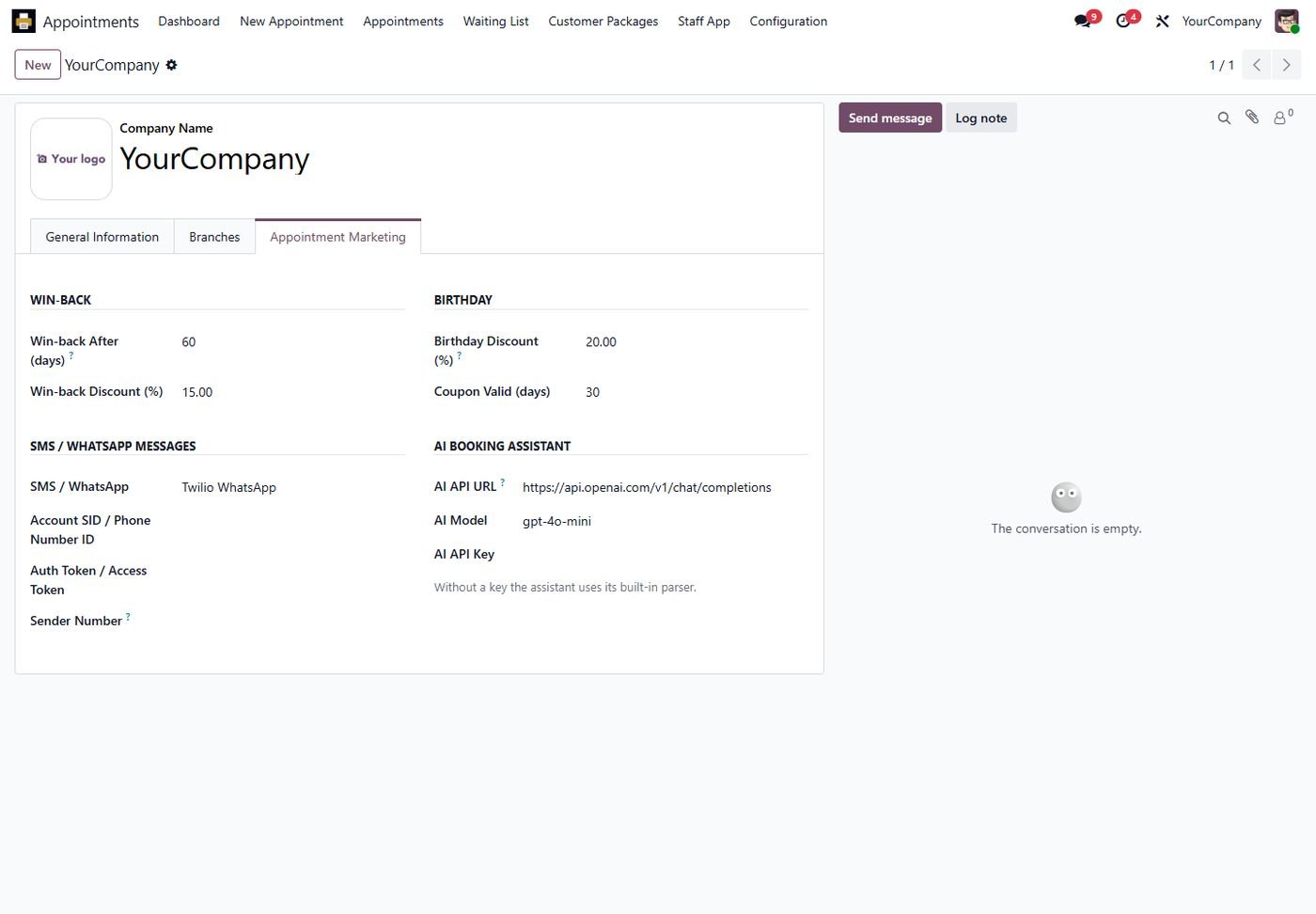
Marketing, SMS and AI settings

Win-back and birthday coupons, SMS / WhatsApp provider and the AI assistant.

Marketing, SMS and AI settings
Step 21

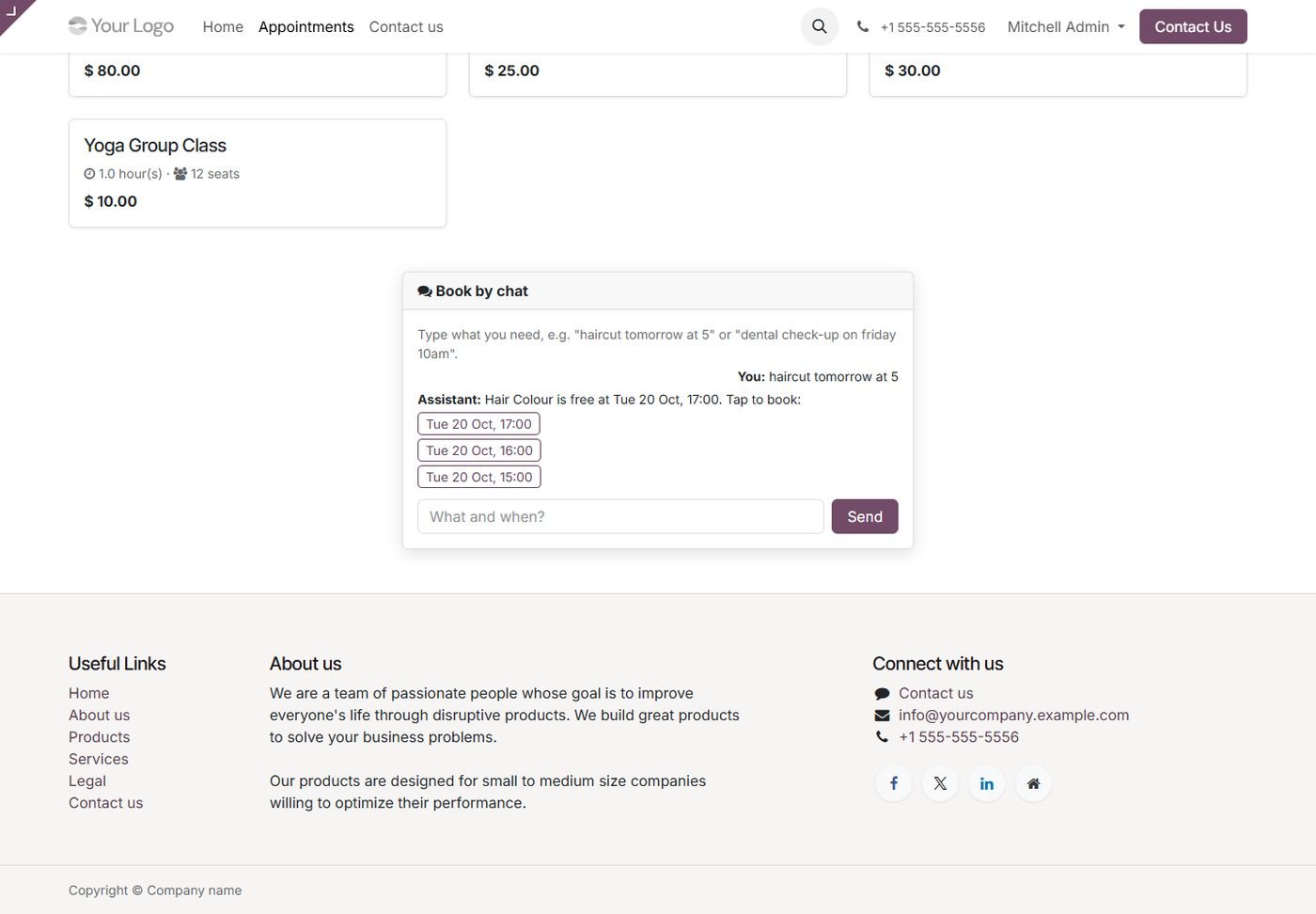
Book by chat

Customers type "haircut tomorrow at 5" and get the closest free times.

Book by chat
Step 22

Odoo 14 / 15 / 16: Appointments calendar

Same features on Odoo 14, 15 and 16.

Odoo 14 / 15 / 16: Appointments calendar
Step 23

Odoo 14 / 15 / 16: Dashboard

Same features on Odoo 14, 15 and 16.

Odoo 14 / 15 / 16: Dashboard
Step 24

Odoo 14 / 15 / 16: Service settings

Same features on Odoo 14, 15 and 16.

Odoo 14 / 15 / 16: Service settings
Step 25

Odoo 14 / 15 / 16: Online booking

Same features on Odoo 14, 15 and 16.

Odoo 14 / 15 / 16: Online booking
Common questions

Questions aboutthis module.

Something else? Ask our team.

Yes. Everything is included in this package with no paid add-ons. The website and sales parts install automatically when those apps are installed.

Yes. Any resource can be booked, by the hour or by the day, with its own working hours and seats.

Yes. Turn on Pay Online to Confirm on the service and set the advance percentage. The booking is confirmed when the payment is done.

Yes. Free times are calculated from working hours, time off, buffers and existing bookings, and the same resource cannot be booked twice.

Yes. Confirmation, reminder, reschedule and cancellation emails are sent automatically with a calendar file.

Yes, on Community and Enterprise from Odoo 14 to 20.

On Odoo 16 to 20. On Odoo 14 and 15 the dashboard opens as pivot and graph reports.

Not sure it's theright fit?

Book a free consultation and we'll help you pick the right modules for your workflow.