Operations

Fuel Station Control Center

Complete petrol / fuel station management for Odoo 14-20: tanks, pumps, nozzles and fuel rates, shift sheets with nozzle readings, cash/card/credit collections, dip reconciliation at 15 C, tanker receipt checks, bowser trips, fleet cards and prepaid accounts, QR vouchers, a live dashboard and 11 PDF/Excel reports, with stock and accounting posted automatically. Community and Enterprise.

$199 USD
Choose your Odoo version
Ask a question
Built by an Odoo partner Initial setup support Download link by email
Fuel Station Control Center
What's included

Key features

1

Shift & Nozzle Sheets

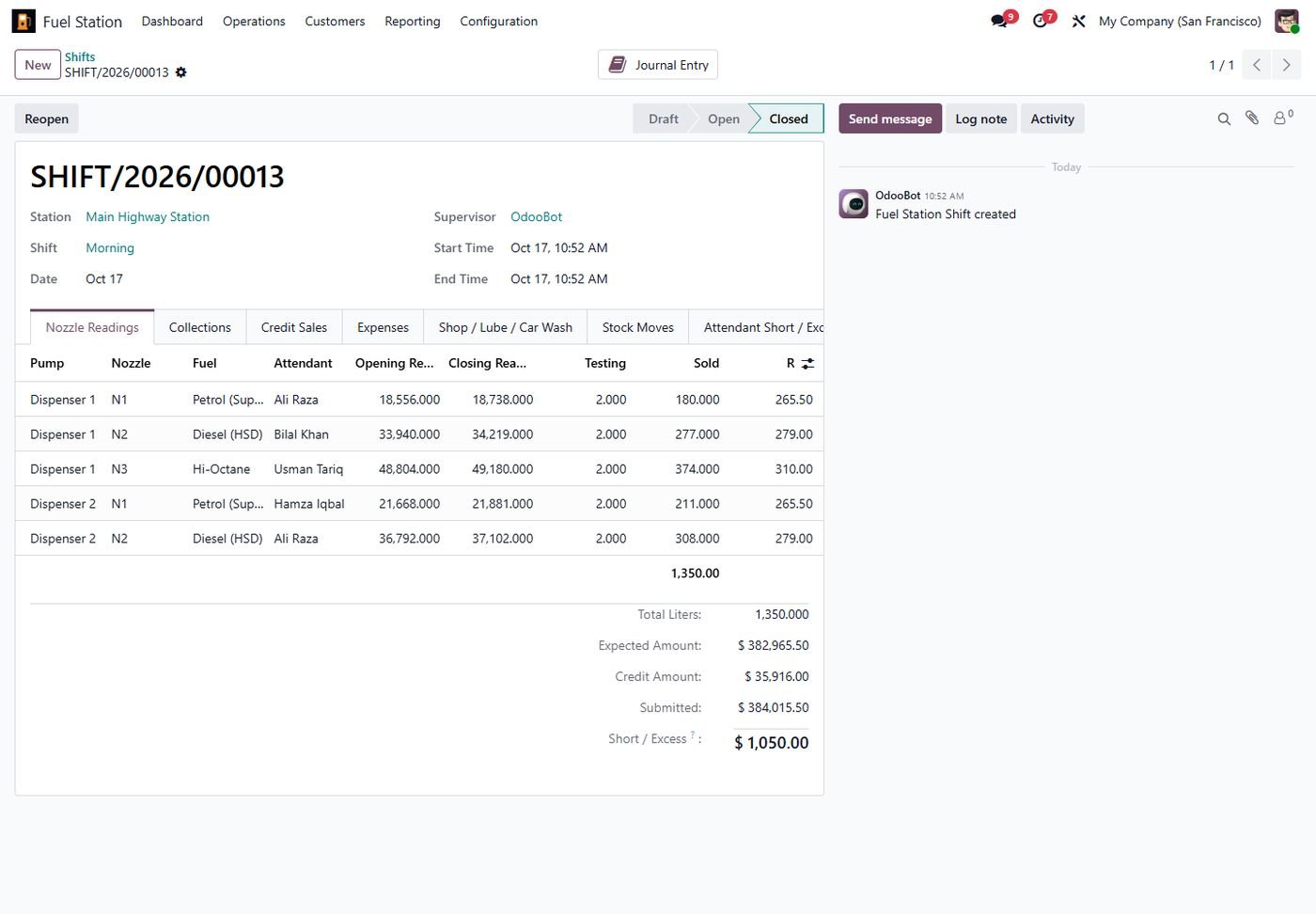
Opening readings come from the last closing, the rate in force is applied, testing liters are excluded and every attendant's short or excess is calculated.

2

Automatic Accounting & Stock

Closing a shift posts cash/bank per payment mode, expenses, short/excess and income, and moves sold fuel out of each tank. Reopen reverses both.

3

Dip Reconciliation

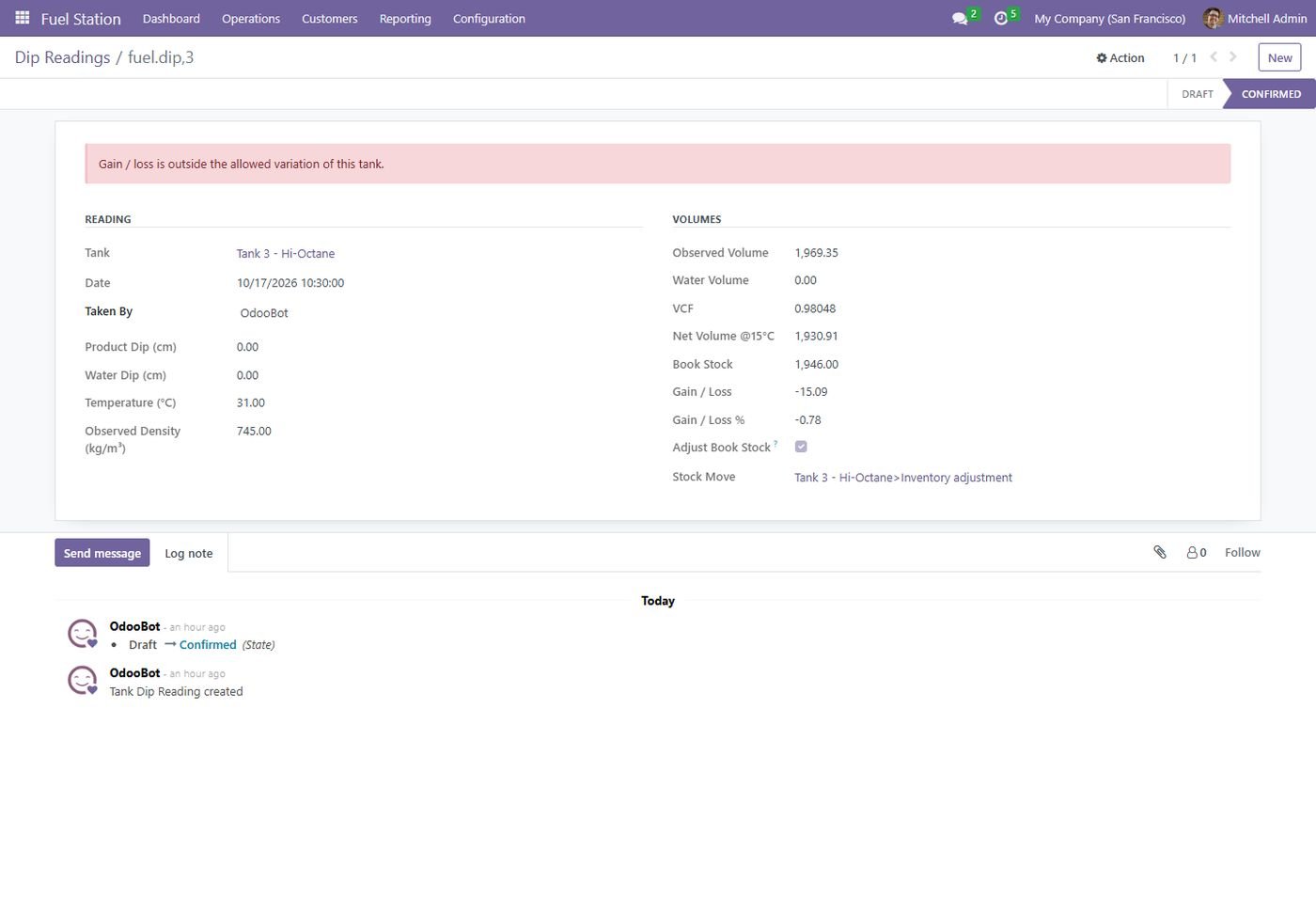
Dip charts (manual or generated from diameter), water dip, volume correction to 15 C by ASTM tables, gain/loss with tolerance and inventory adjustment.

4

Live Dashboard

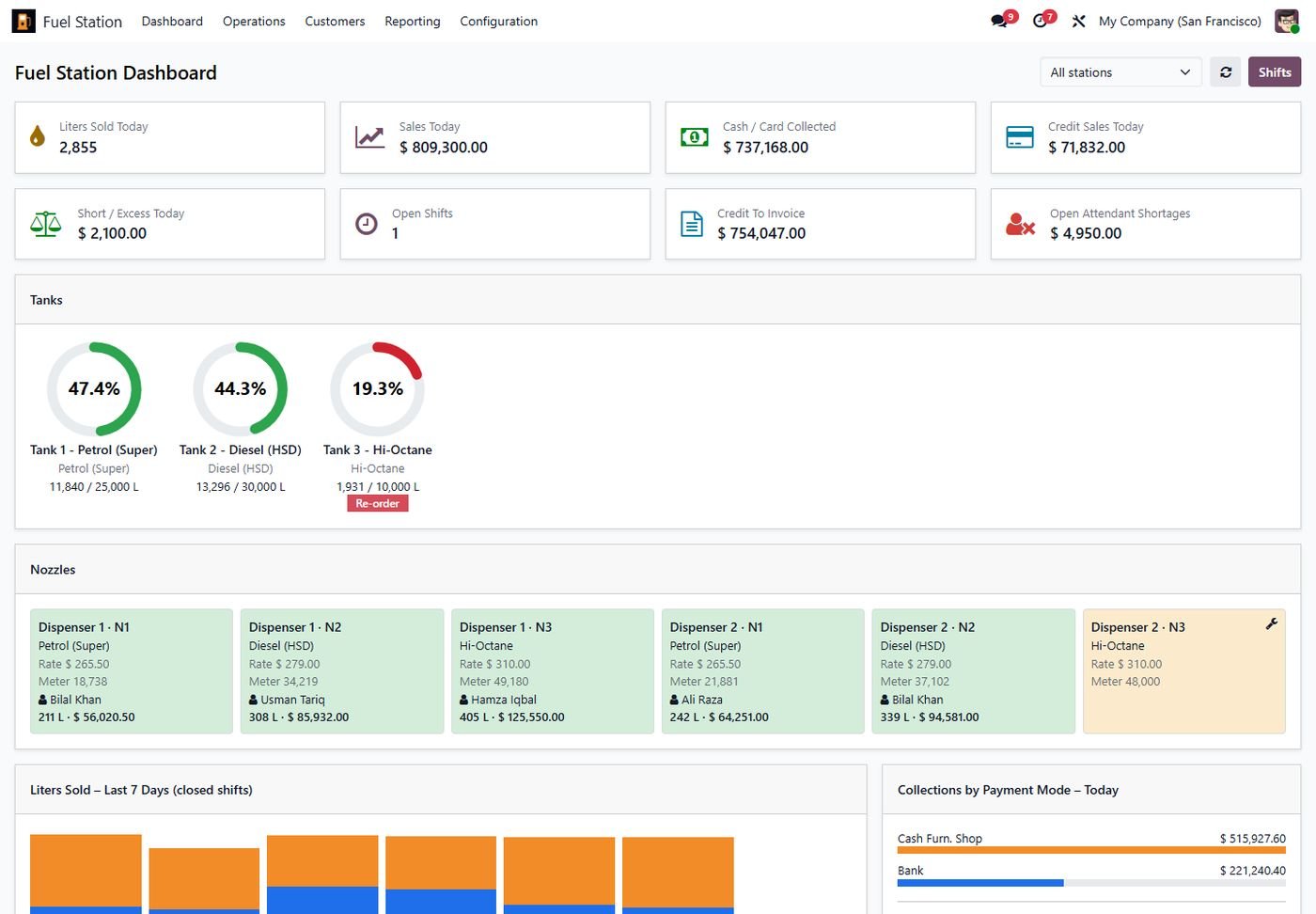
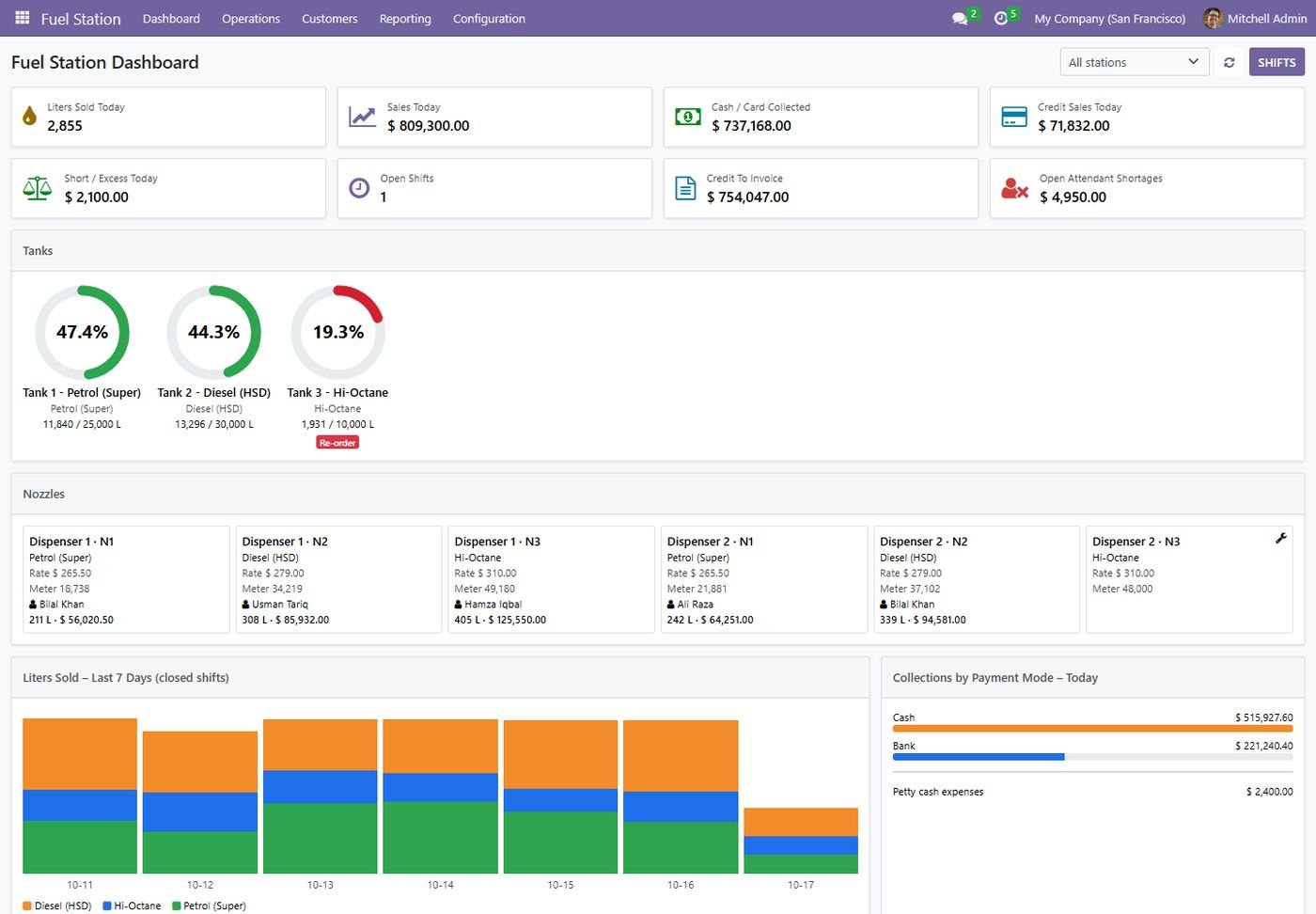
Today's liters, sales, collections and shortages, tank gauges, nozzle cards with attendant and running sale, 7-day trend and payment-mode split.

5

Fleet & Credit Customers

Vehicles with allowed fuel, credit limits that block the sale, km/liter from odometer, grouped invoices and a customer portal.

6

Bowser / Tanker Trips

Load from tank, deliver to sites, return the rest, invoice customers, bill the truck owner for rent and track driver performance.

7

QR Vouchers & Loyalty

Sell prepaid QR fuel vouchers, redeem them in a shift, earn loyalty points per liter and convert points into vouchers.

8

10+ Reports in PDF & Excel

Day end, shift, detailed nozzle, payment mode, customer outstanding, vehicle summary, tank stock, gain/loss, attendant and multi-station.

Inside the module

Screenshots

Real screens from Fuel Station Control Center — click any image to see it full size.

Step 1

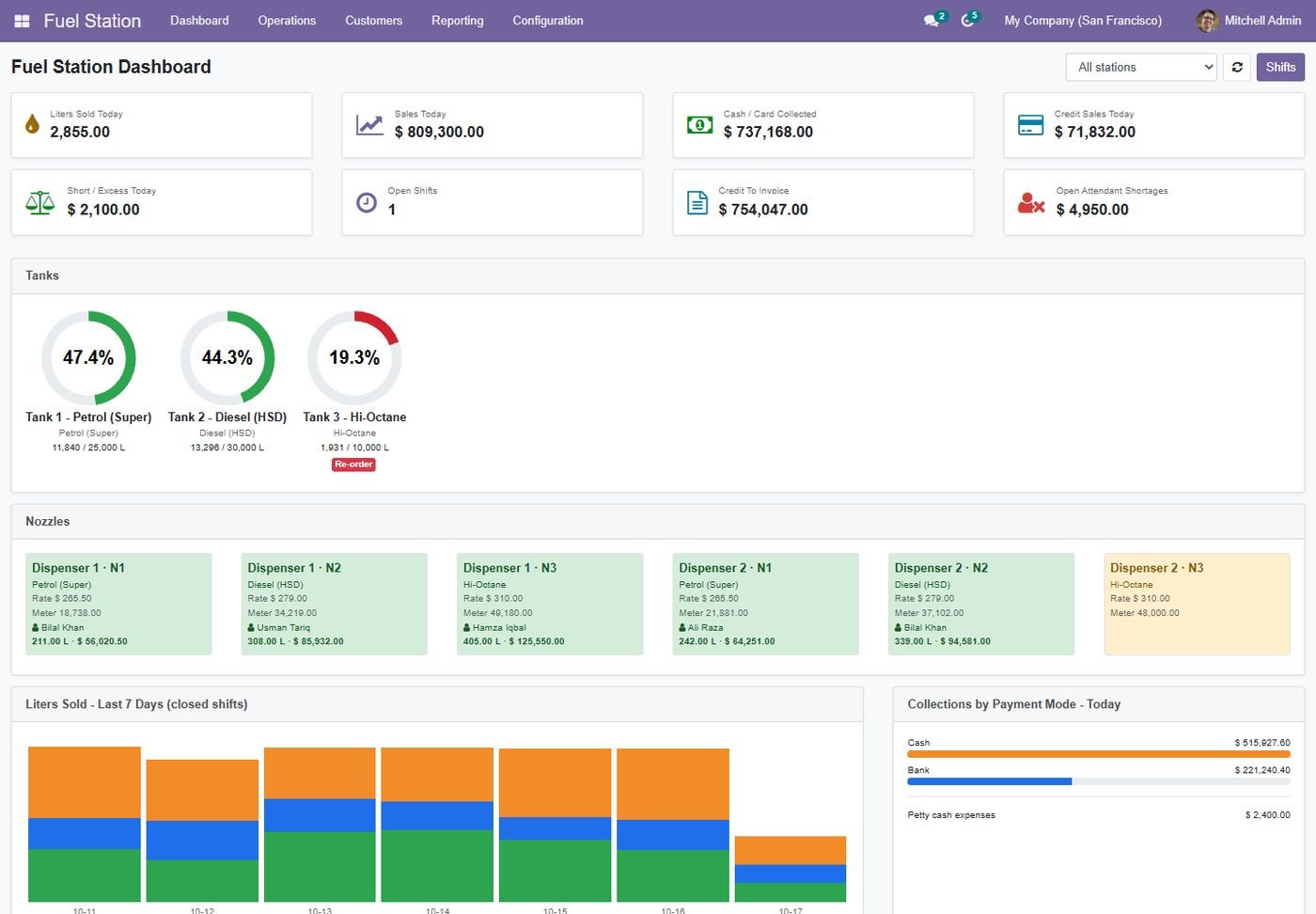
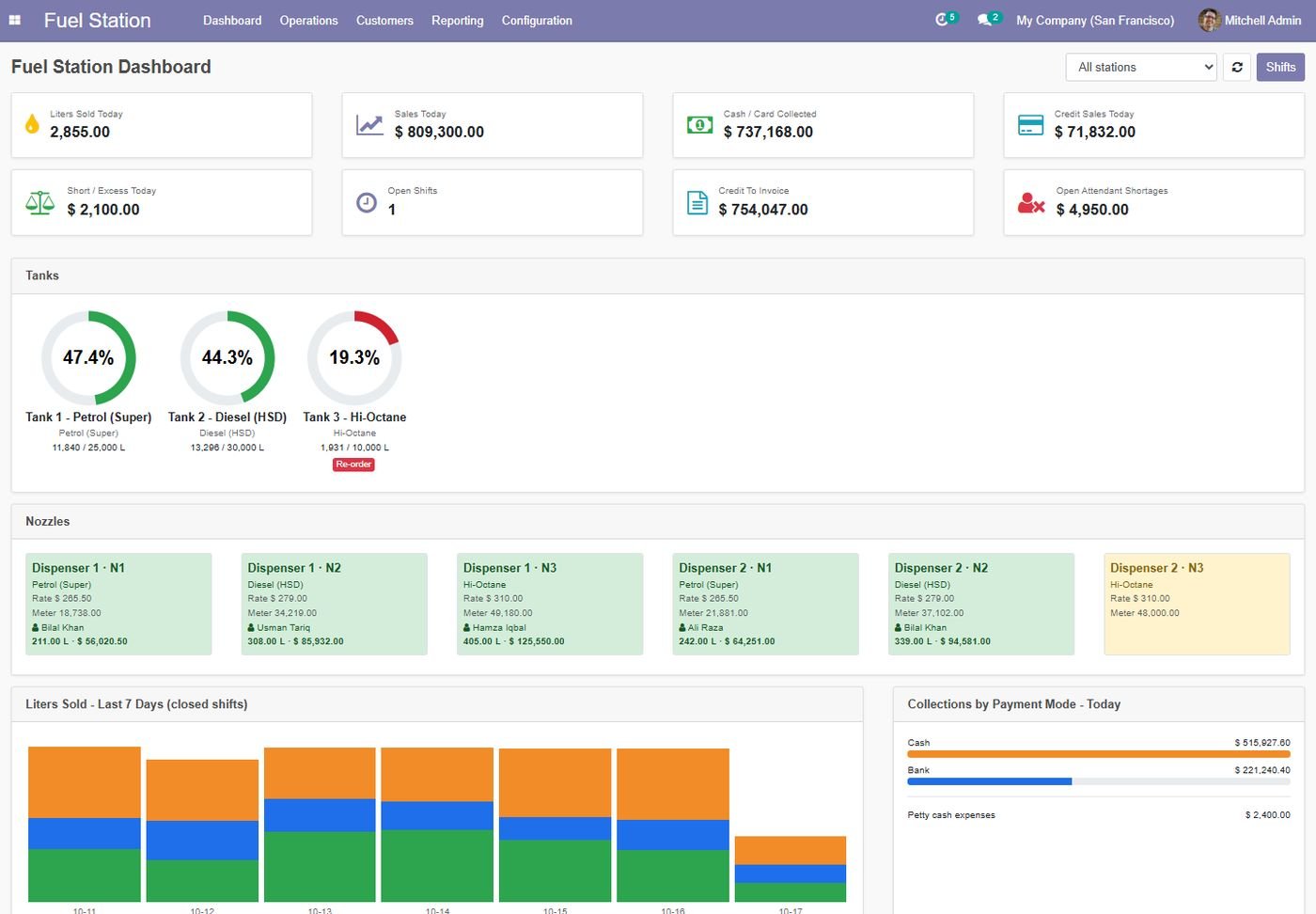
Live fuel station dashboard

Today's liters, sales, collections, credit and shortages, tank gauges, nozzle cards and a 7-day trend.

Live fuel station dashboard
Step 2

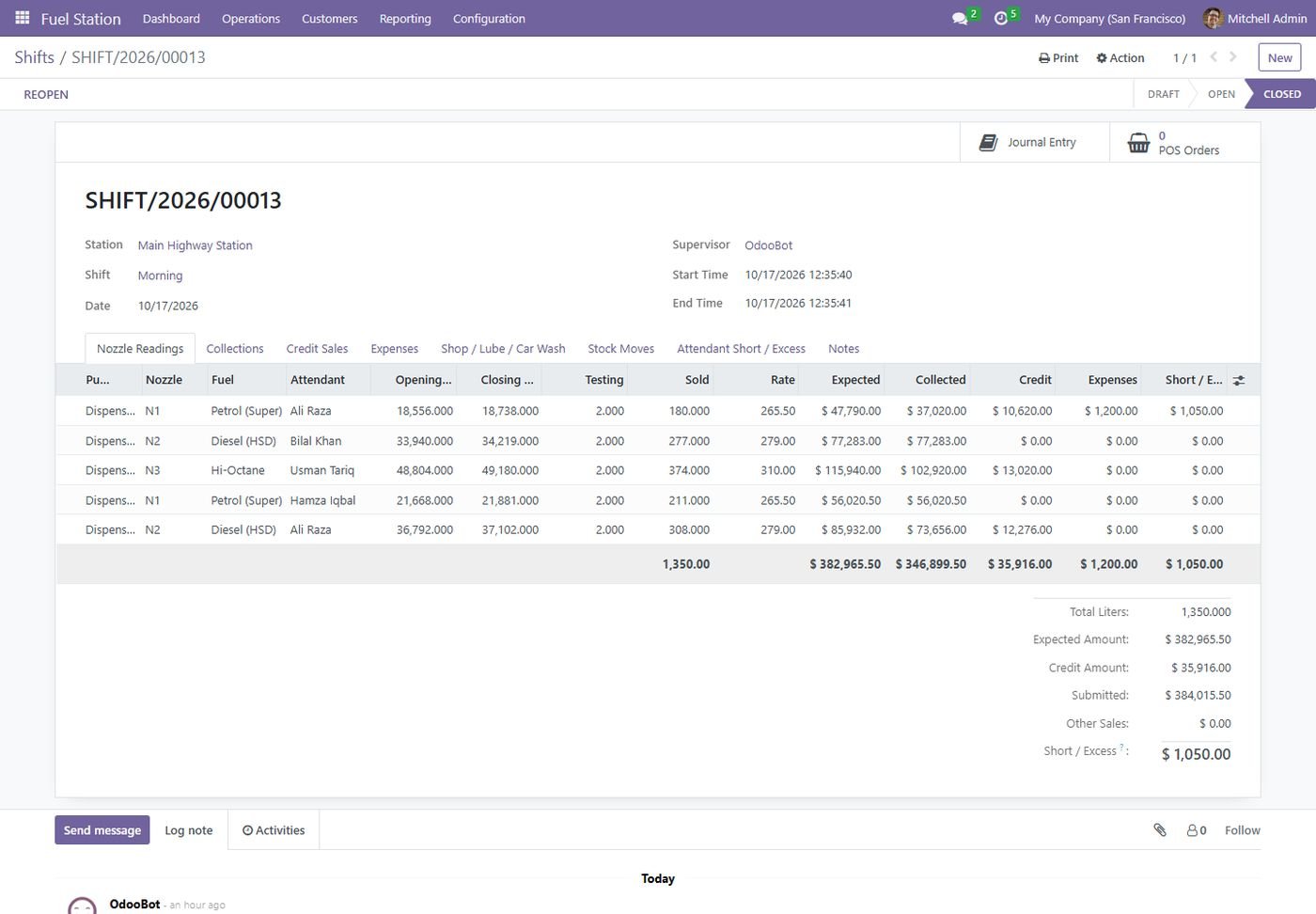
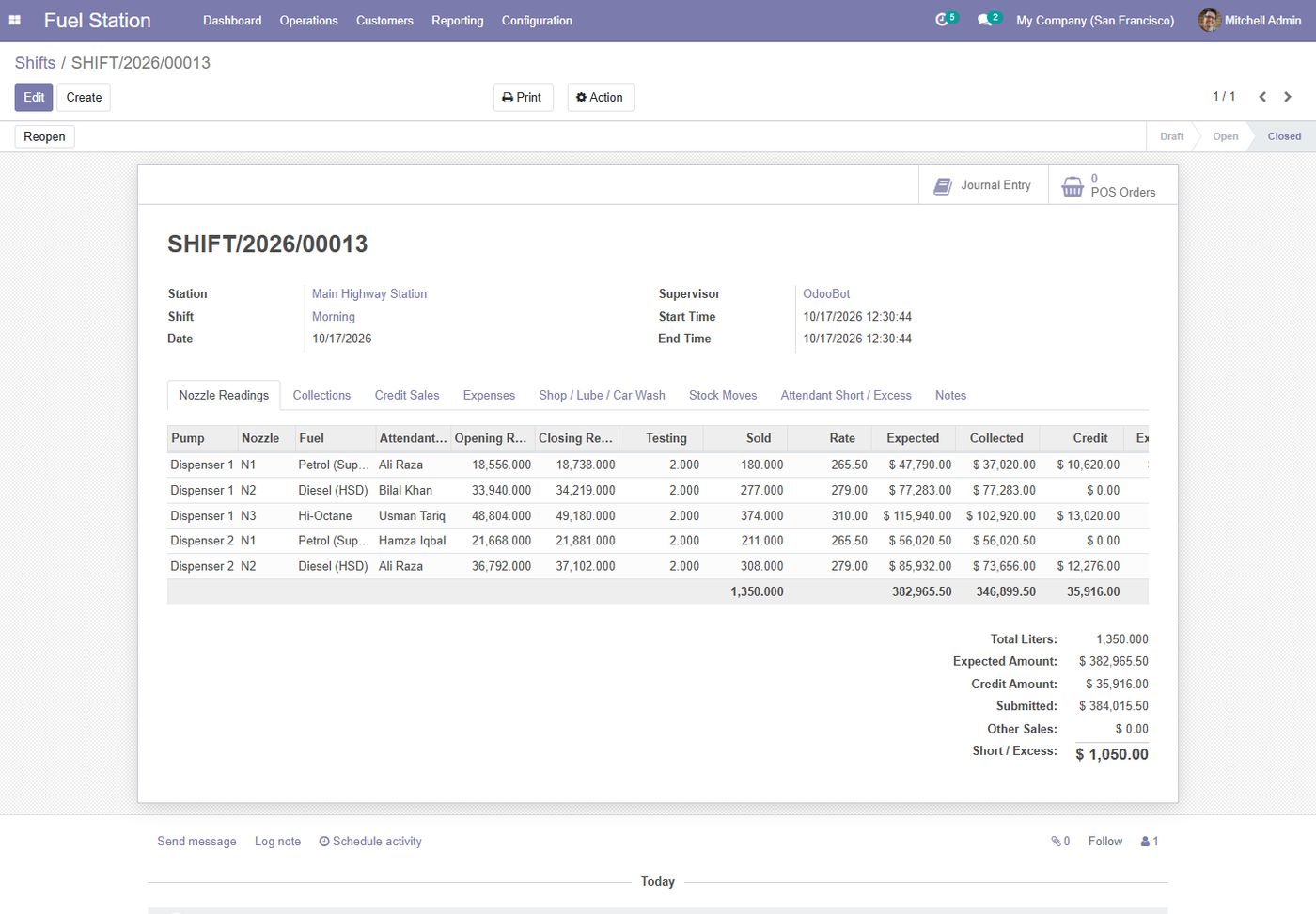
Shift sheet with nozzle readings

Opening readings carried forward, closing and testing liters, rate, expected amount and short/excess per attendant.

Shift sheet with nozzle readings
Step 3

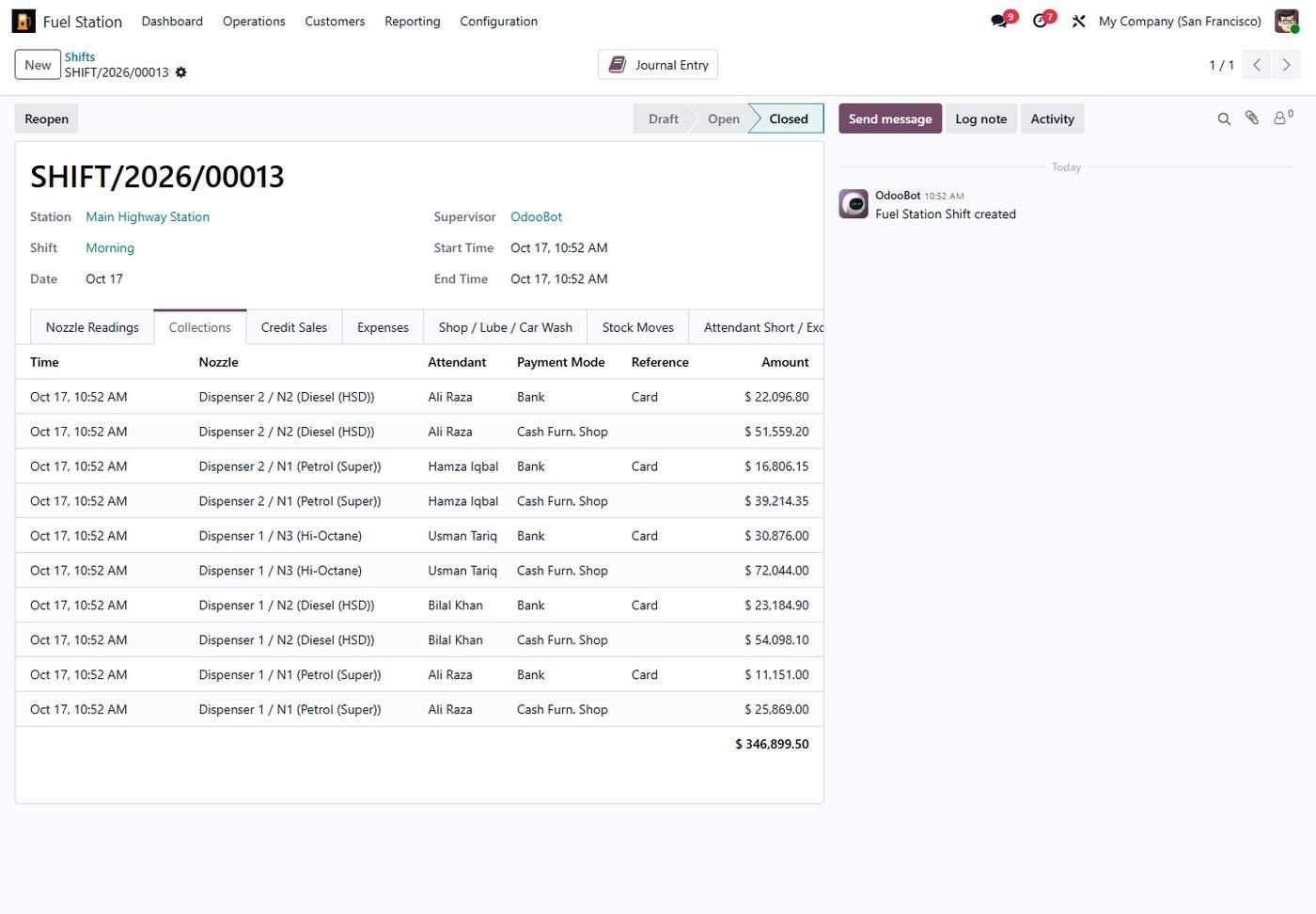
Cash, card and bank collections

Several collections per nozzle during the shift, each with payment mode and reference.

Cash, card and bank collections
Step 4

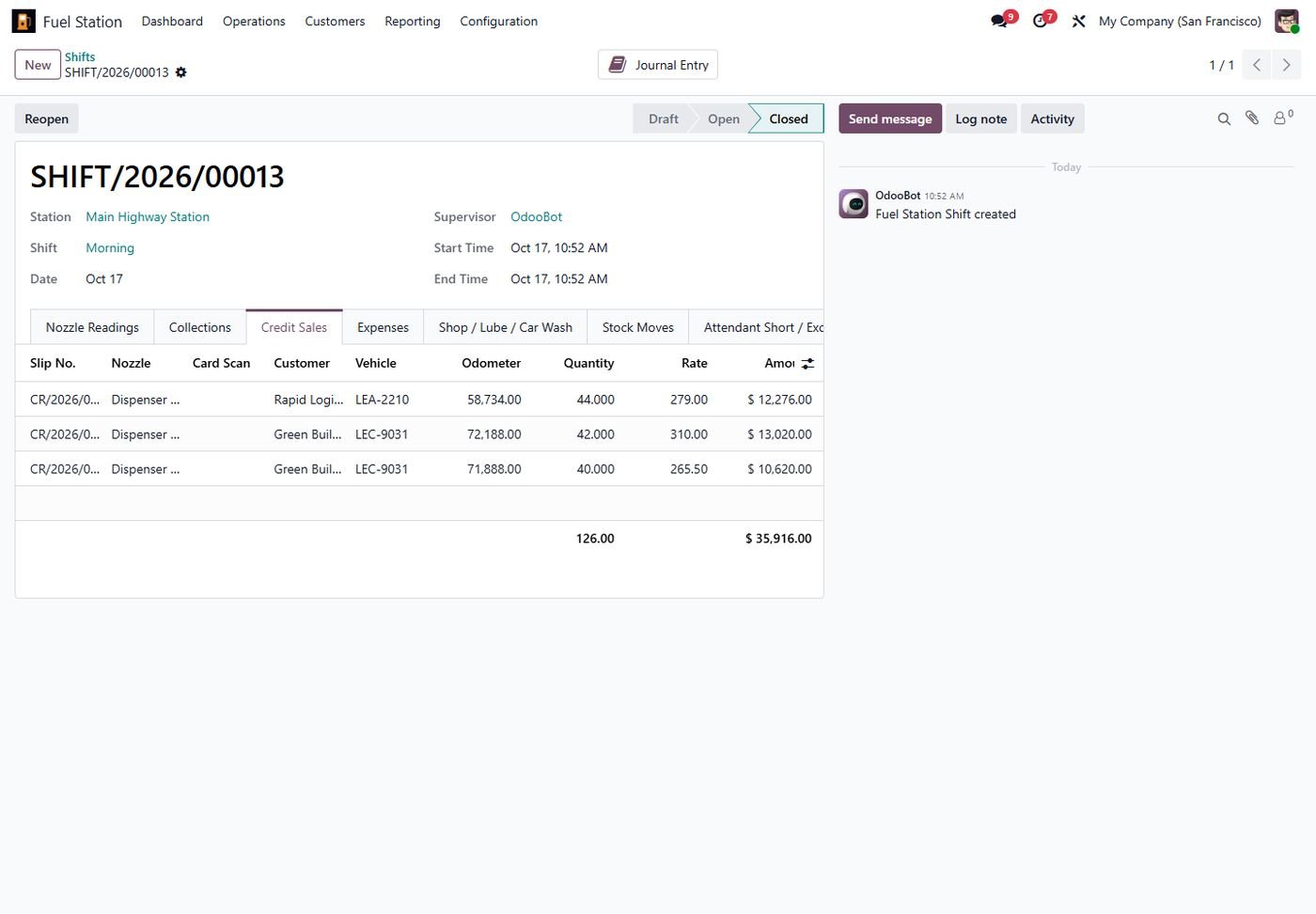
Credit sales by vehicle

Slip number, customer, vehicle, odometer and liters; credit limits are checked on every slip.

Credit sales by vehicle
Step 5

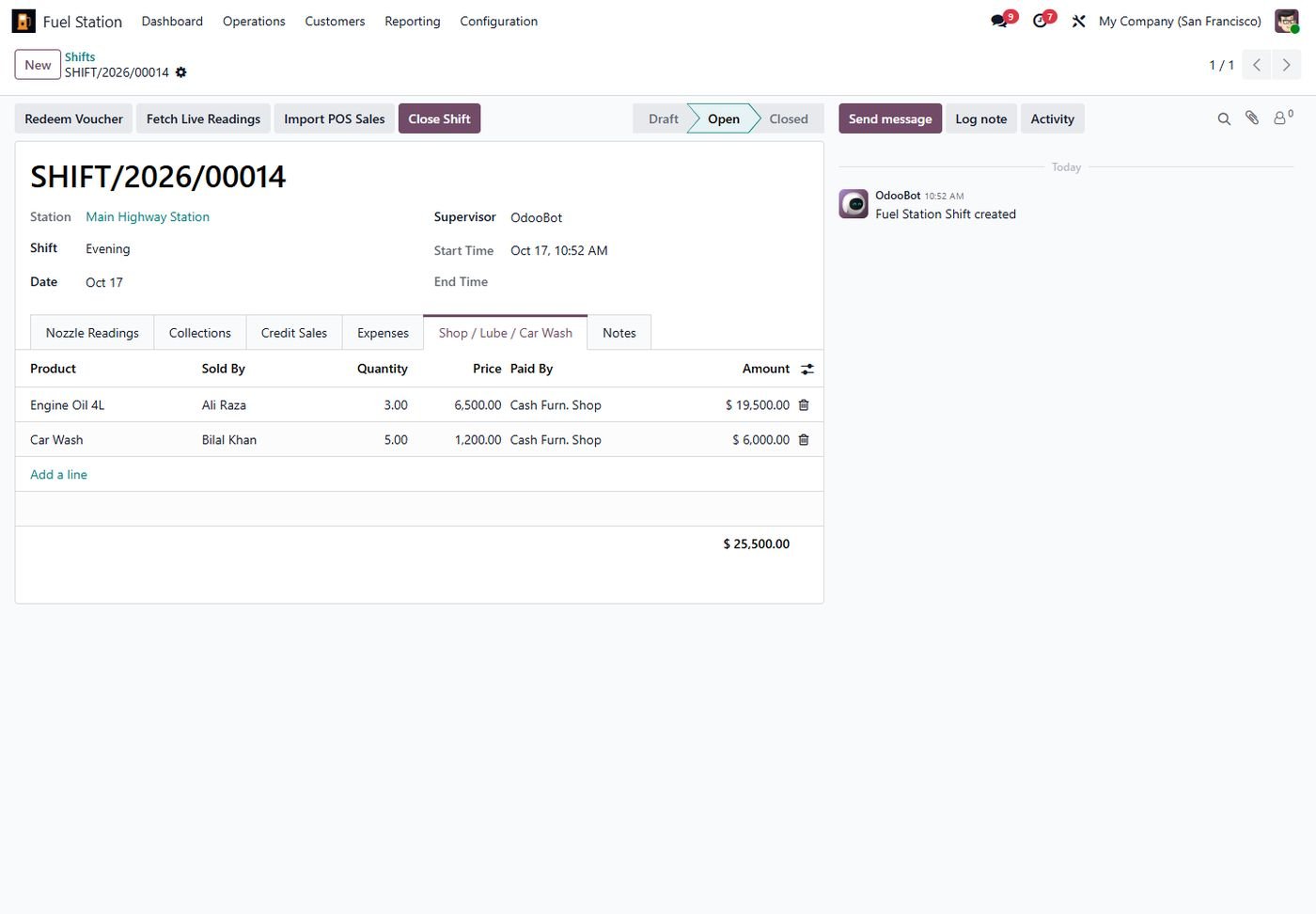
Shop, lube and car wash sales

Non-fuel sales inside the same shift, with stock and accounting.

Shop, lube and car wash sales
Step 6

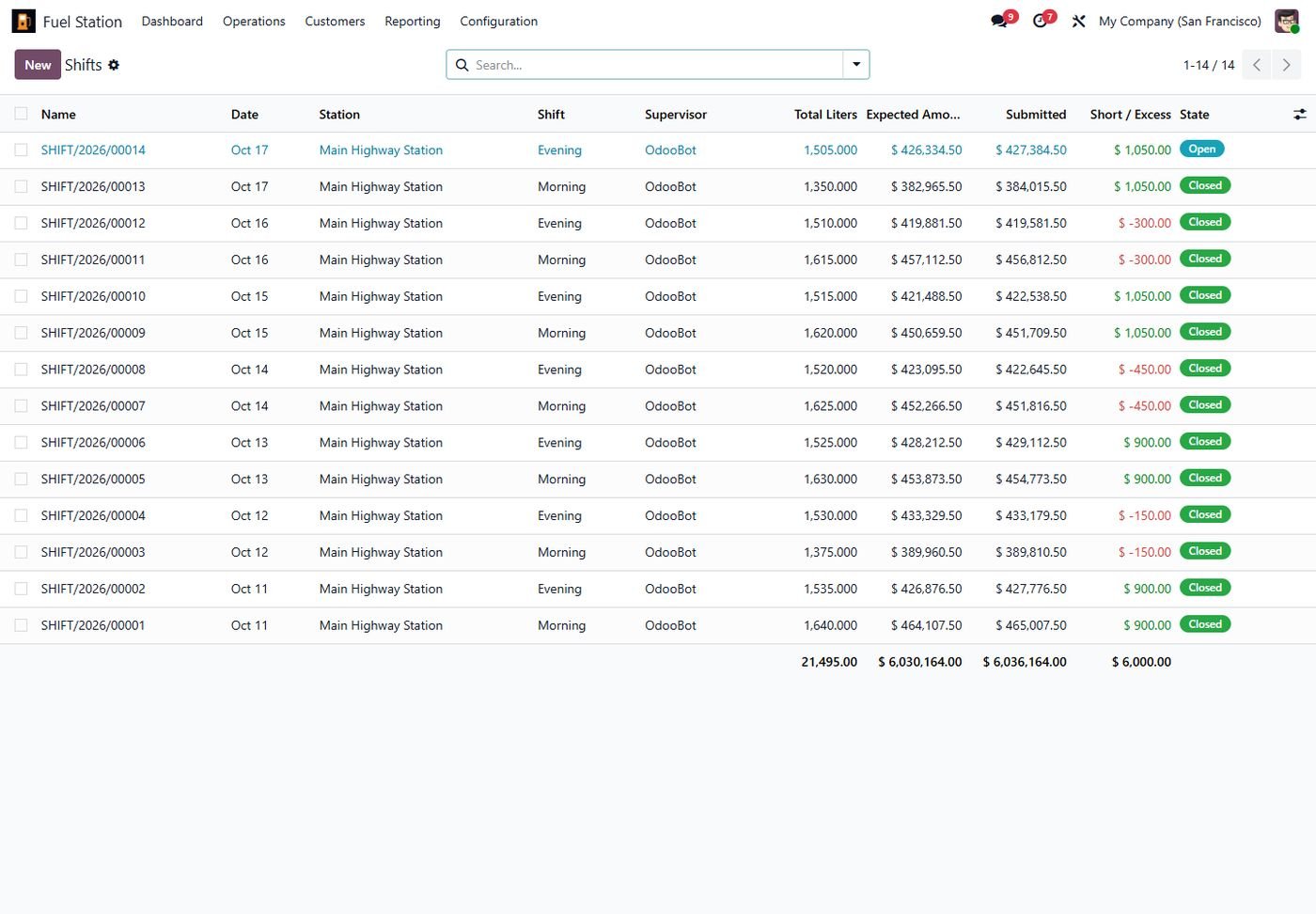
All shifts at a glance

Liters, expected, submitted and short/excess per shift, with totals.

All shifts at a glance
Step 7

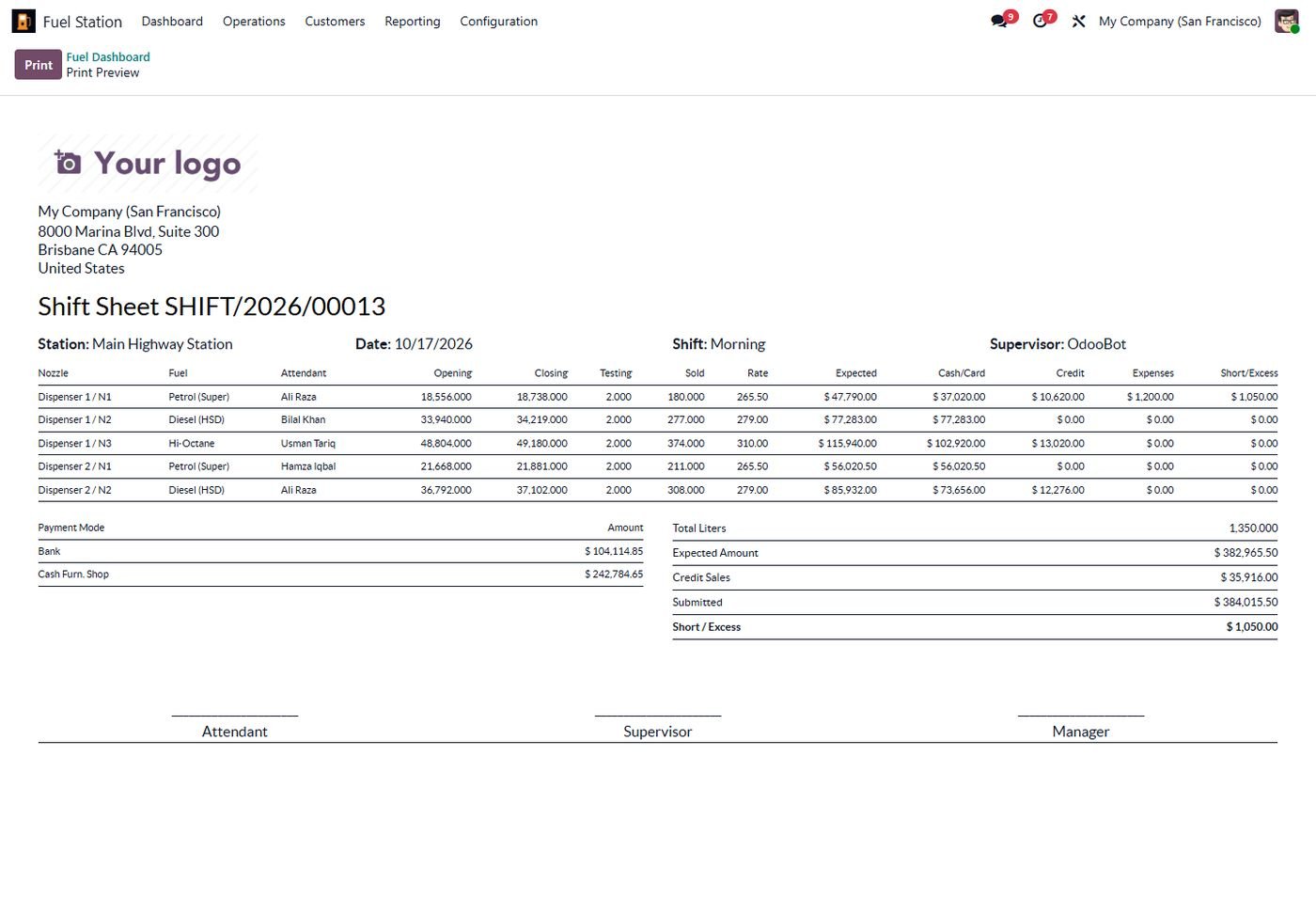
Printable shift sheet

Readings, payment modes and totals with attendant, supervisor and manager signatures.

Printable shift sheet
Step 8

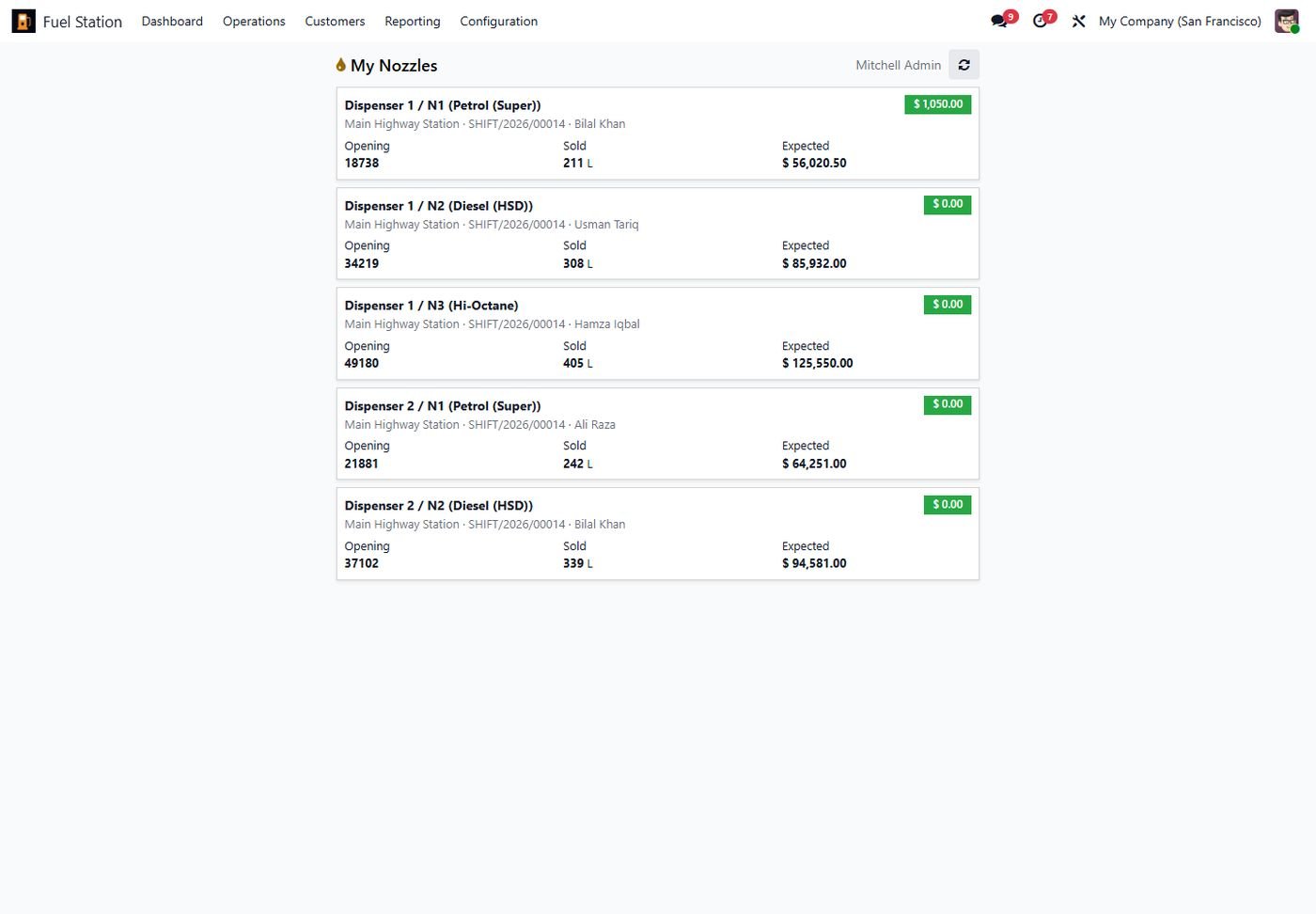
Mobile attendant screen

Attendants enter closing readings, collections and card-based credit sales from the phone.

Mobile attendant screen
Step 9

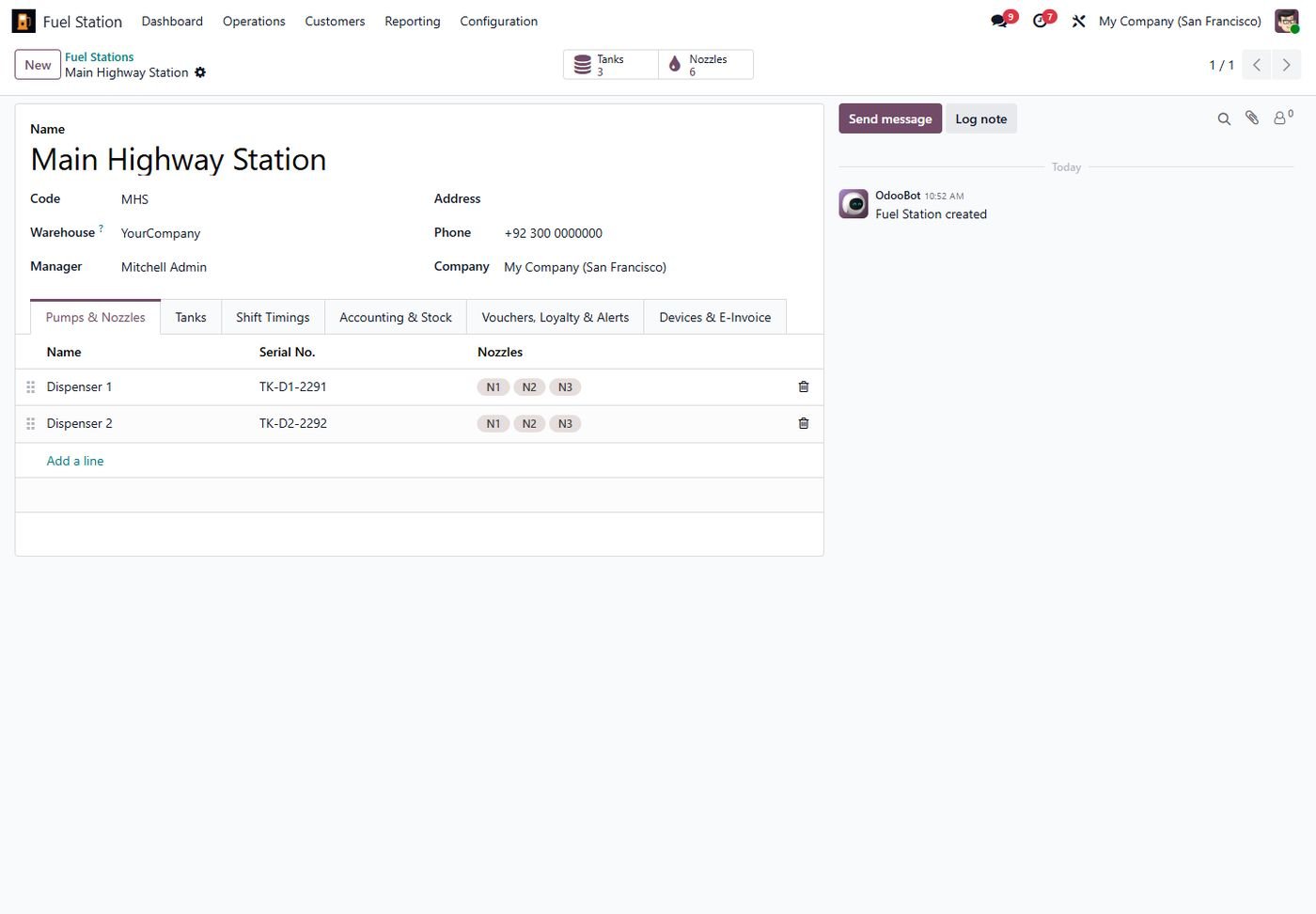
Station setup

Warehouse, manager, pumps and nozzles, tanks and shift timings per station.
Station setup
Step 10

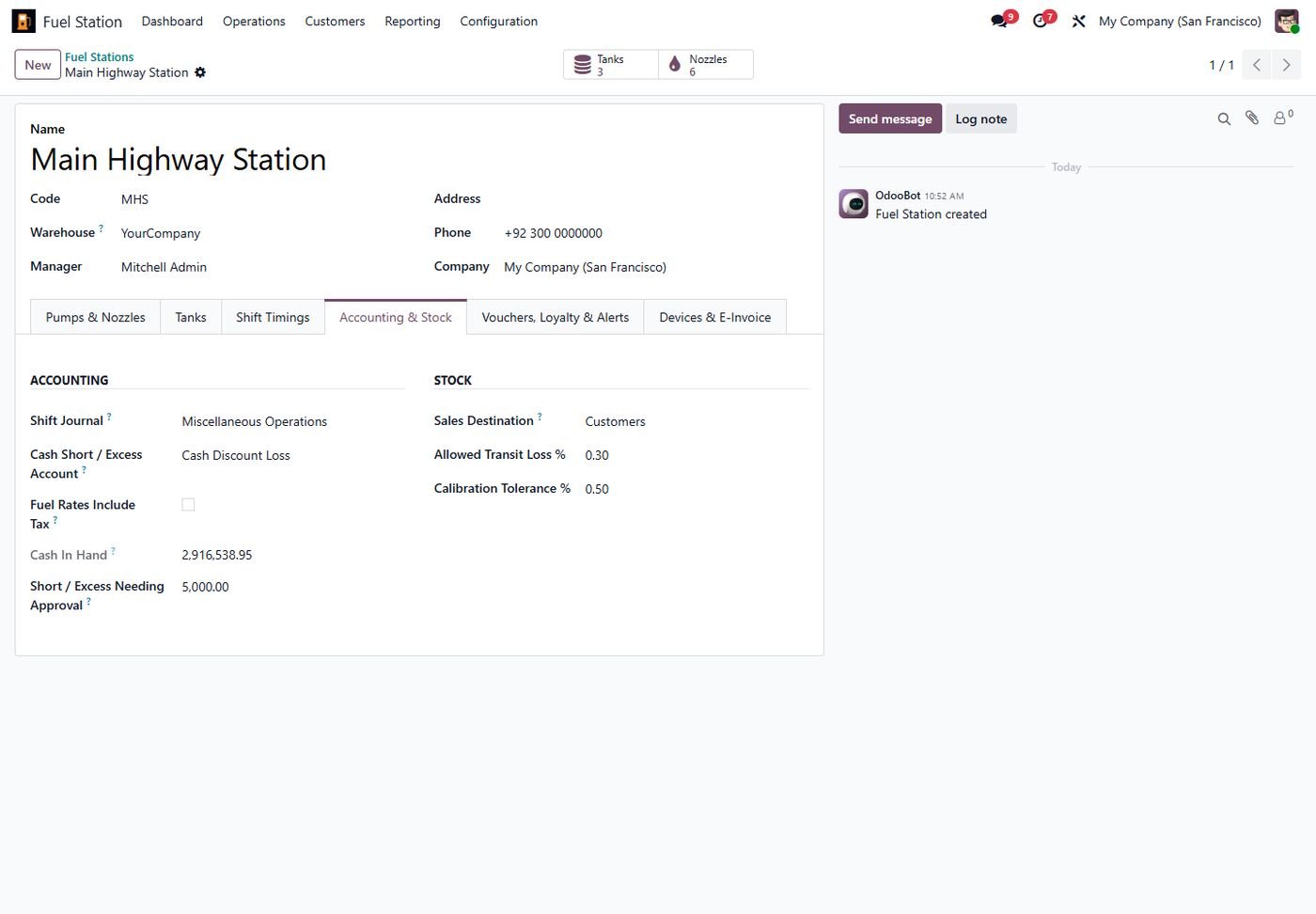
Accounting, tax and approvals

Shift journal, short/excess account, tax-inclusive rates, approval limit, transit loss and calibration tolerance.

Accounting, tax and approvals
Step 11

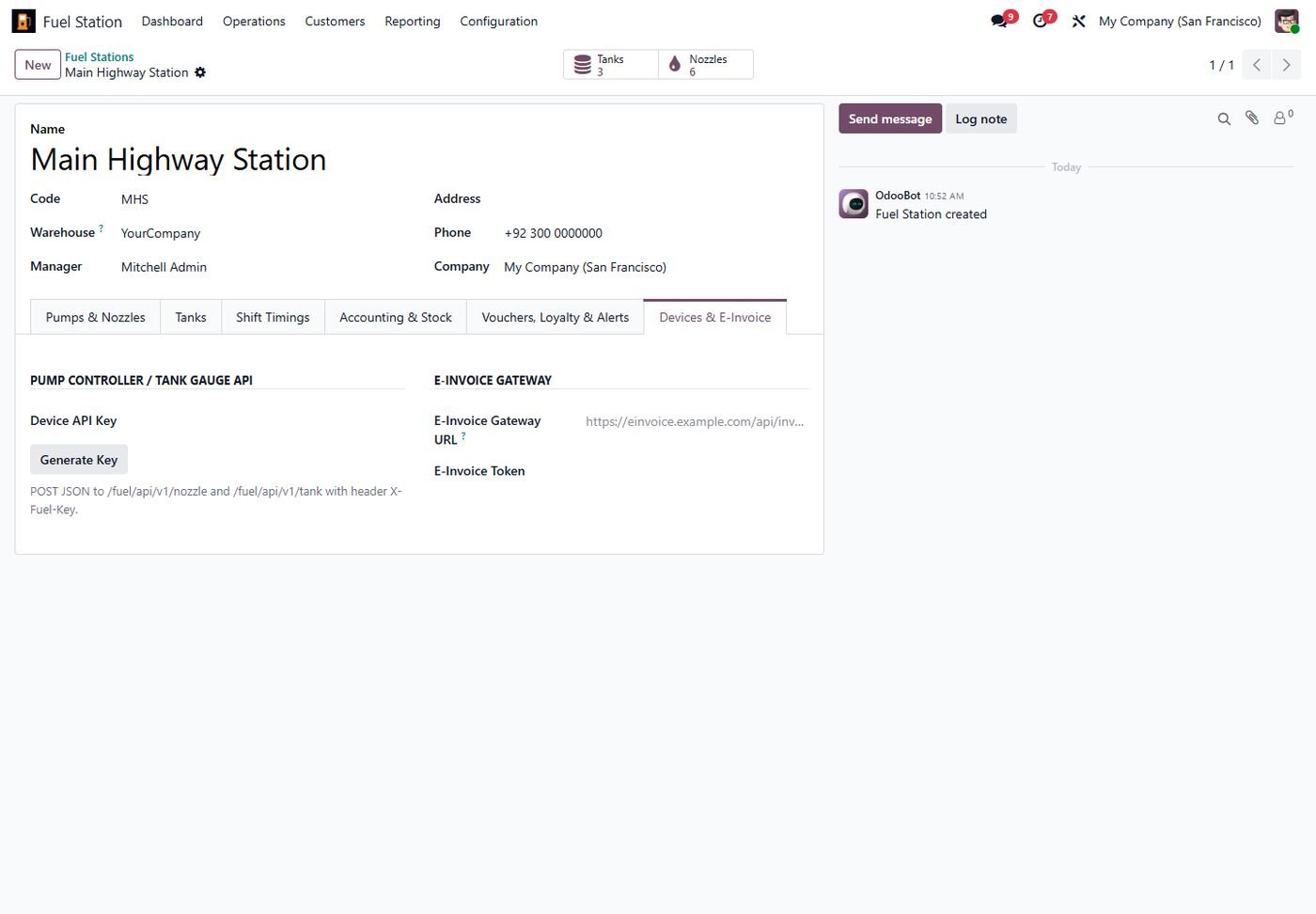
Devices and e-invoice gateway

API key for pump controllers and tank gauges, and the e-invoice gateway URL.

Devices and e-invoice gateway
Step 12

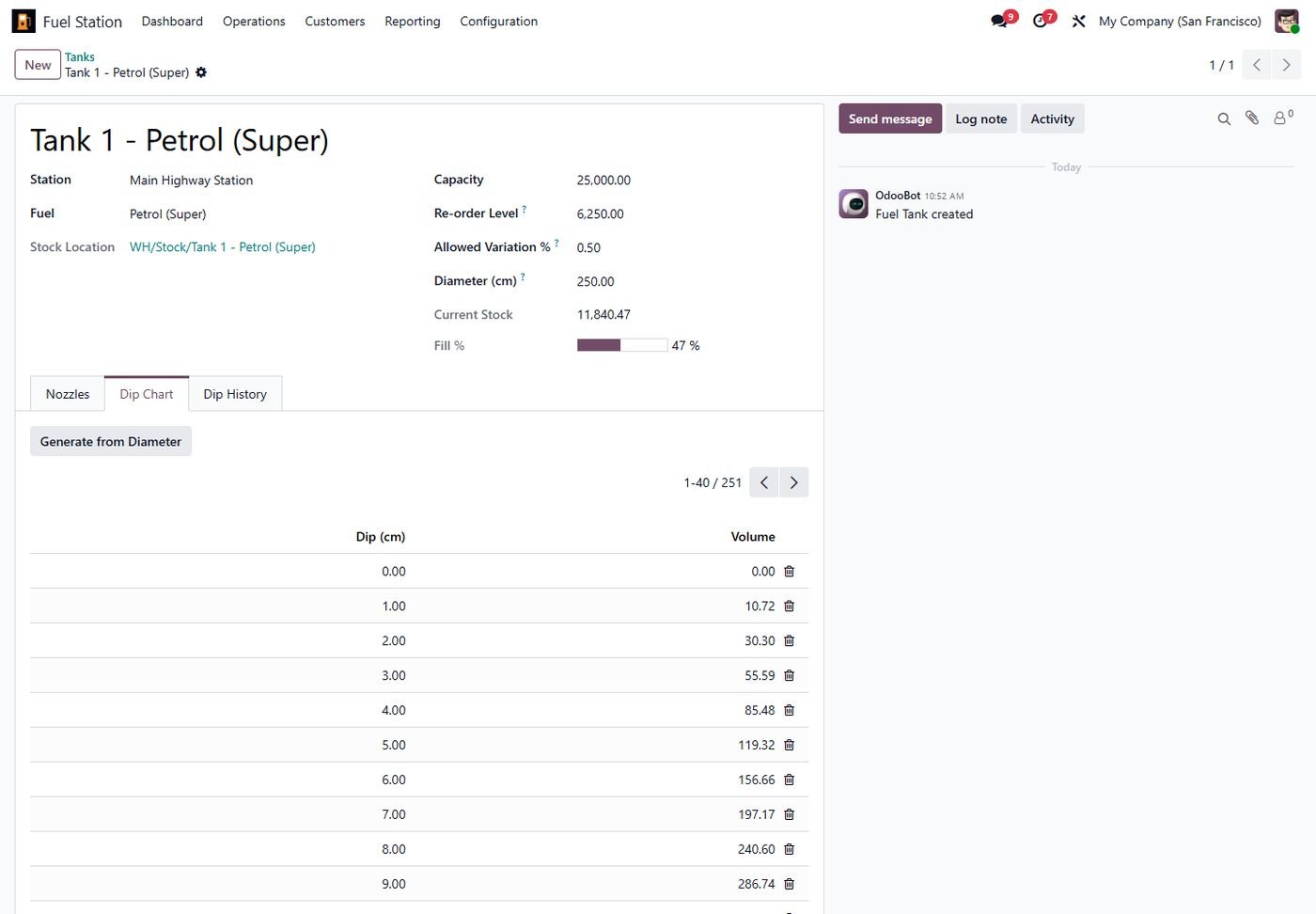
Tank dip chart

Calibration chart entered manually or generated from the tank diameter.

Tank dip chart
Step 13

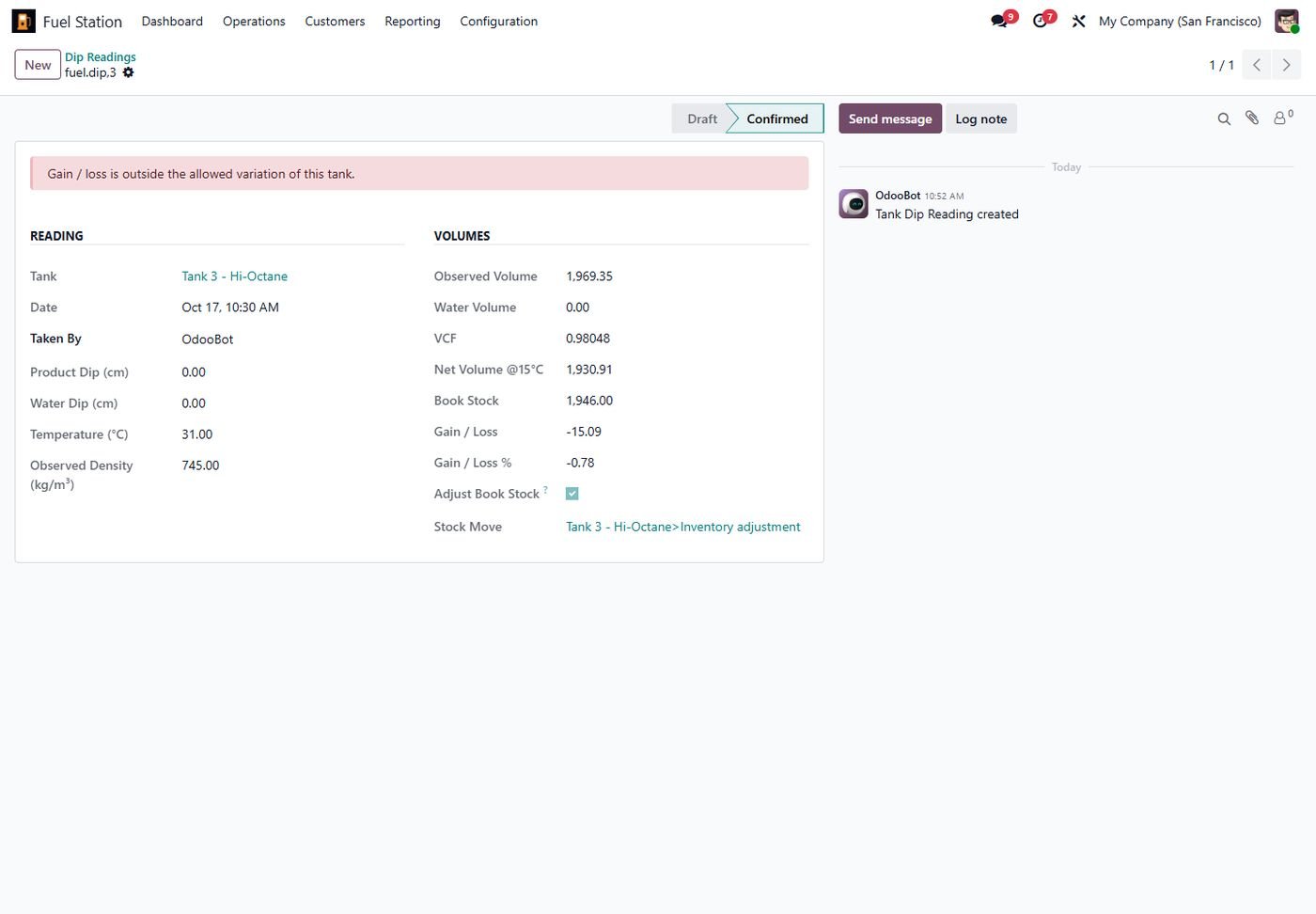
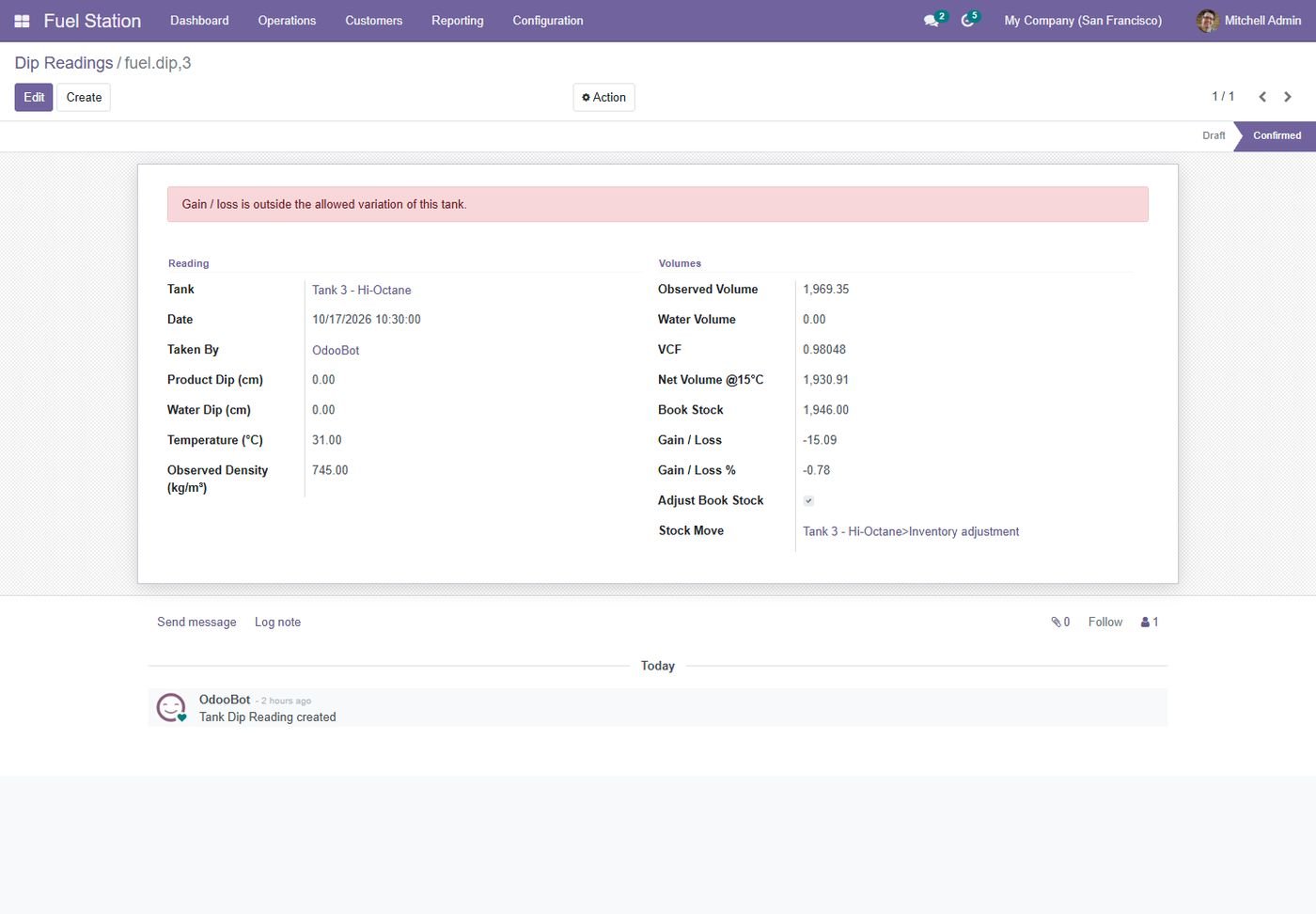
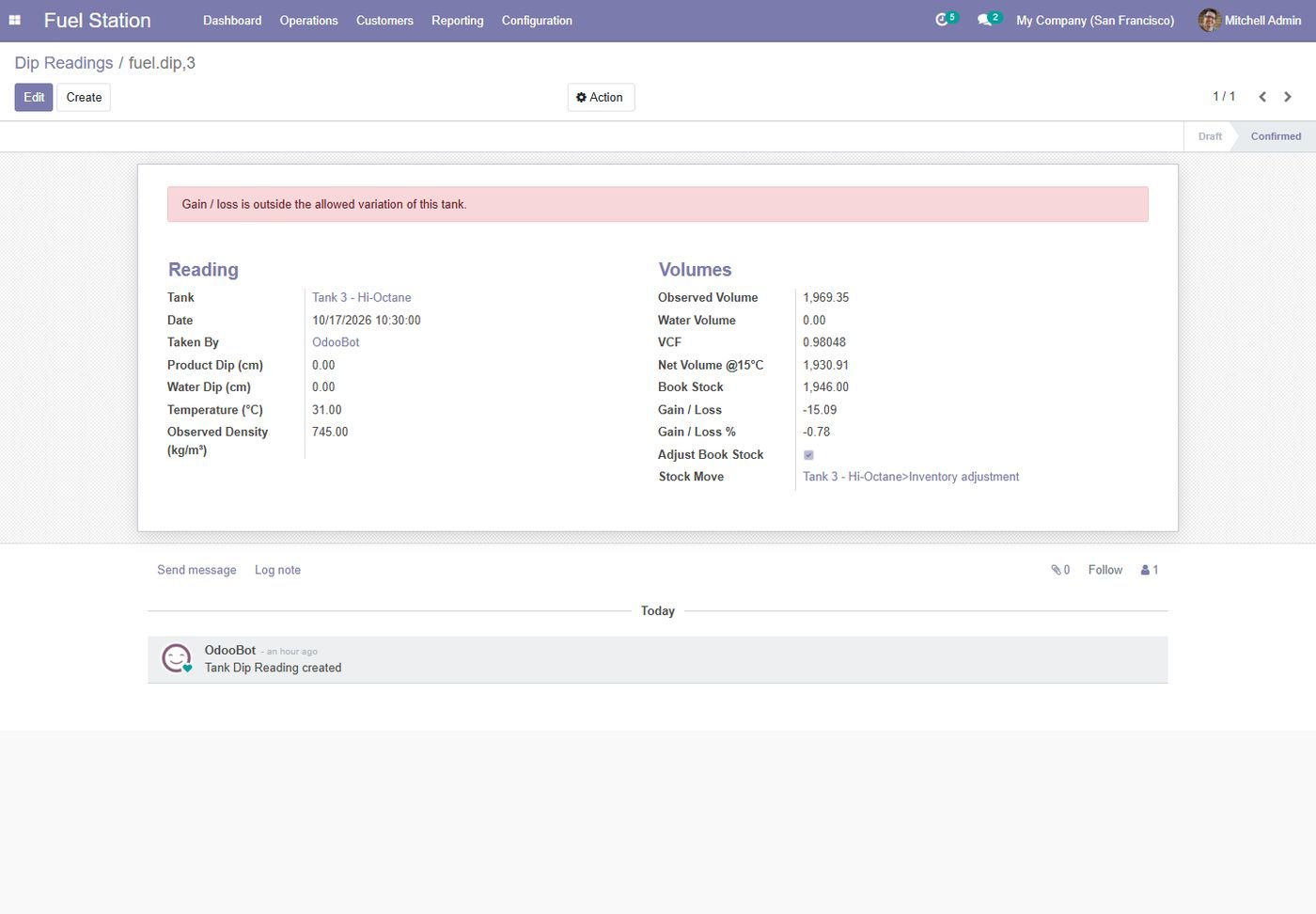
Dip reading at 15 C

Water dip, temperature and density with ASTM volume correction; gain/loss against book stock.

Dip reading at 15 C
Step 14

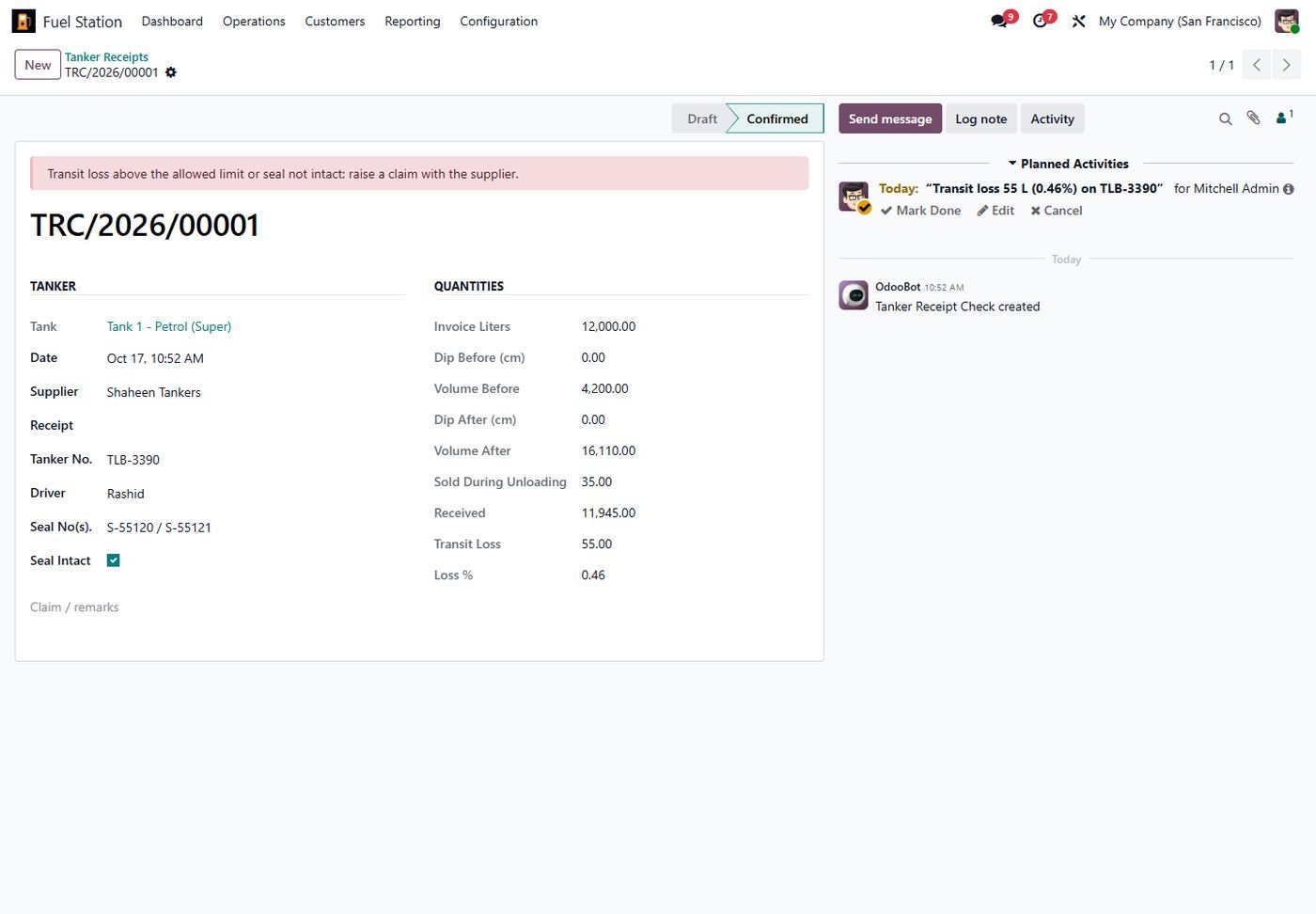
Tanker receipt check

Dip before and after unloading, invoice vs received liters, transit loss and seal record.

Tanker receipt check
Step 15

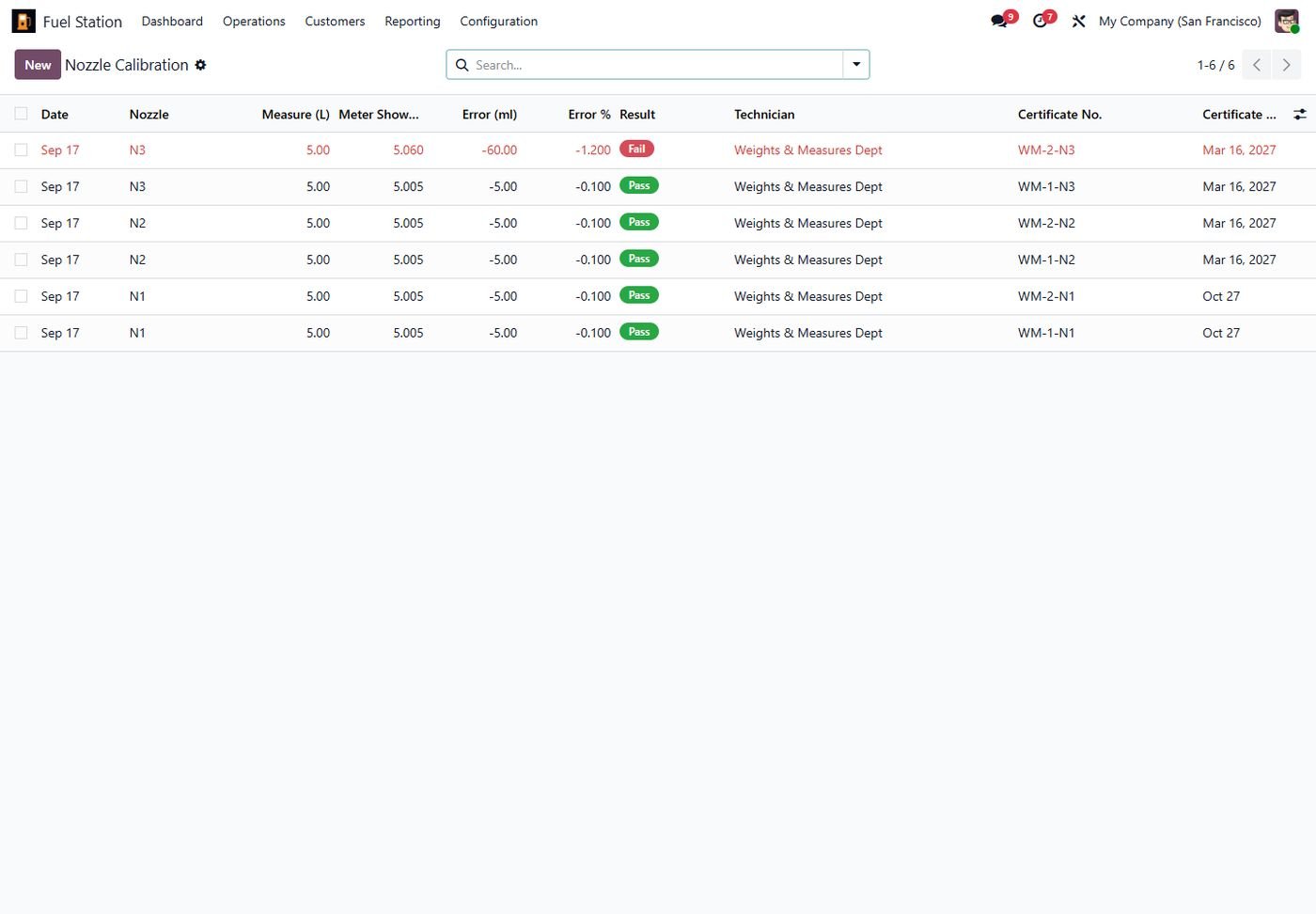
Nozzle calibration log

5 L measure tests with pass/fail, certificate number and expiry reminders.

Nozzle calibration log
Step 16

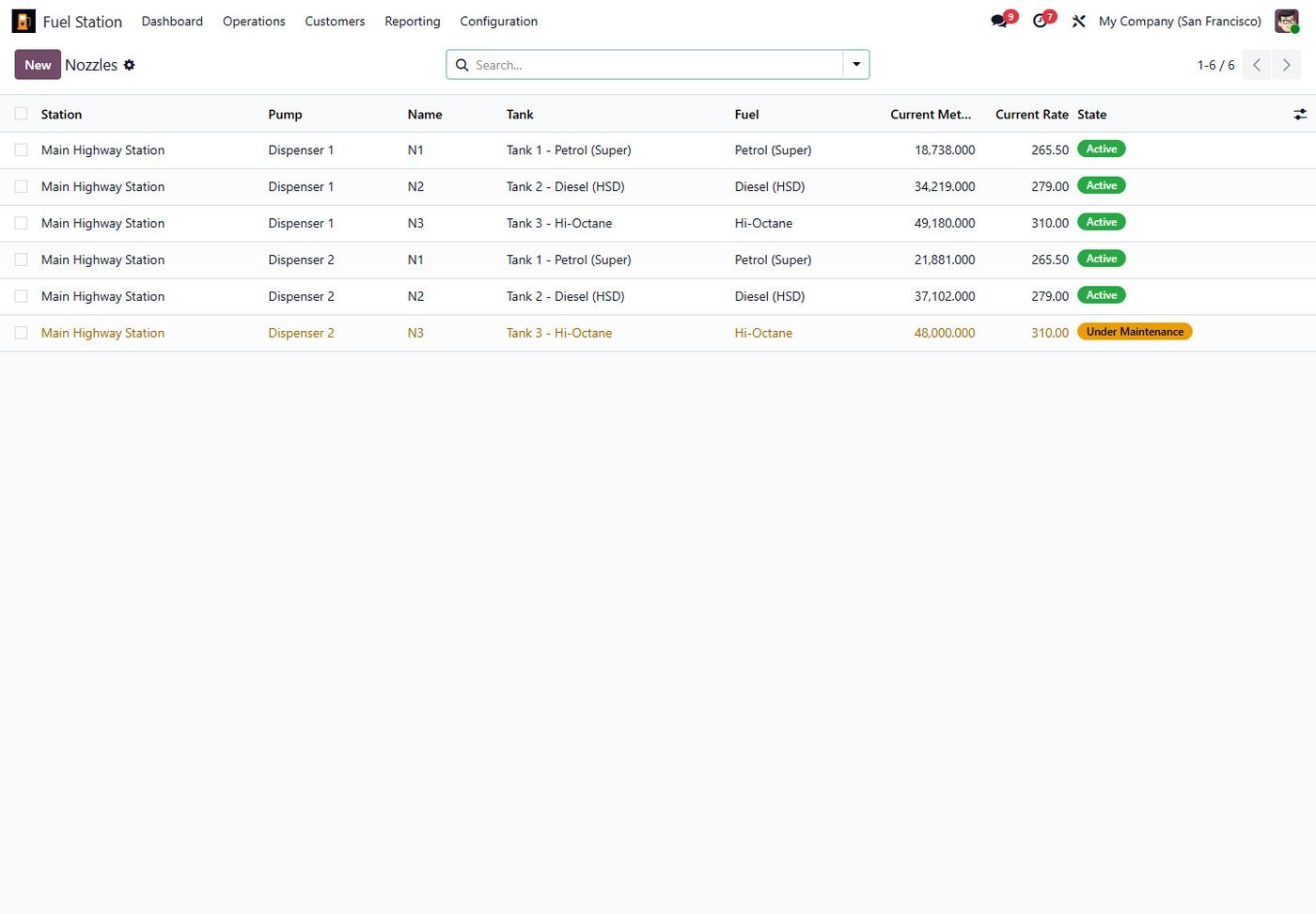
Nozzles

Tank, fuel, current meter reading, live rate and maintenance state of every nozzle.

Nozzles
Step 17

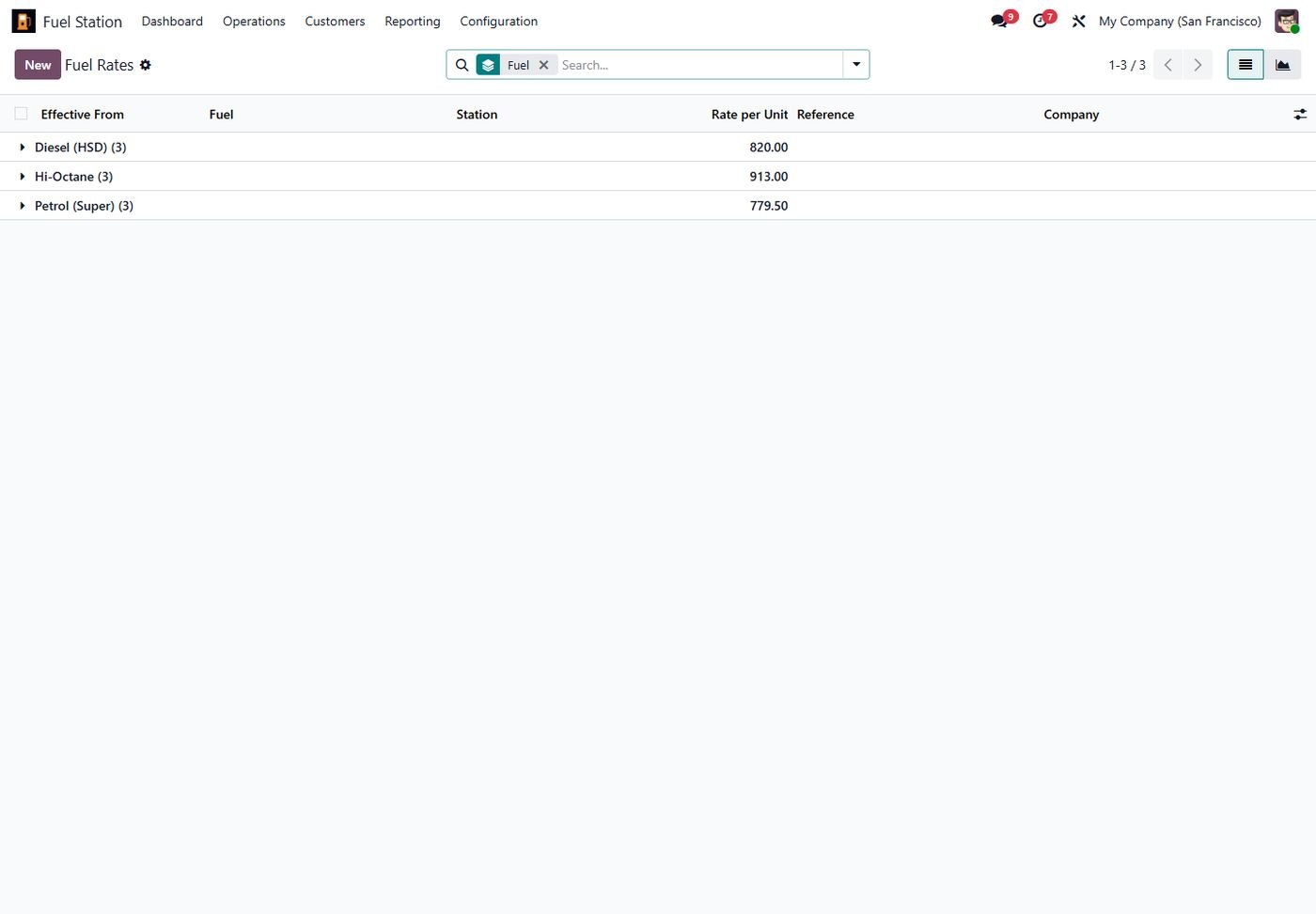
Fuel rate history

Every rate with its effective date, per station or company-wide.

Fuel rate history
Step 18

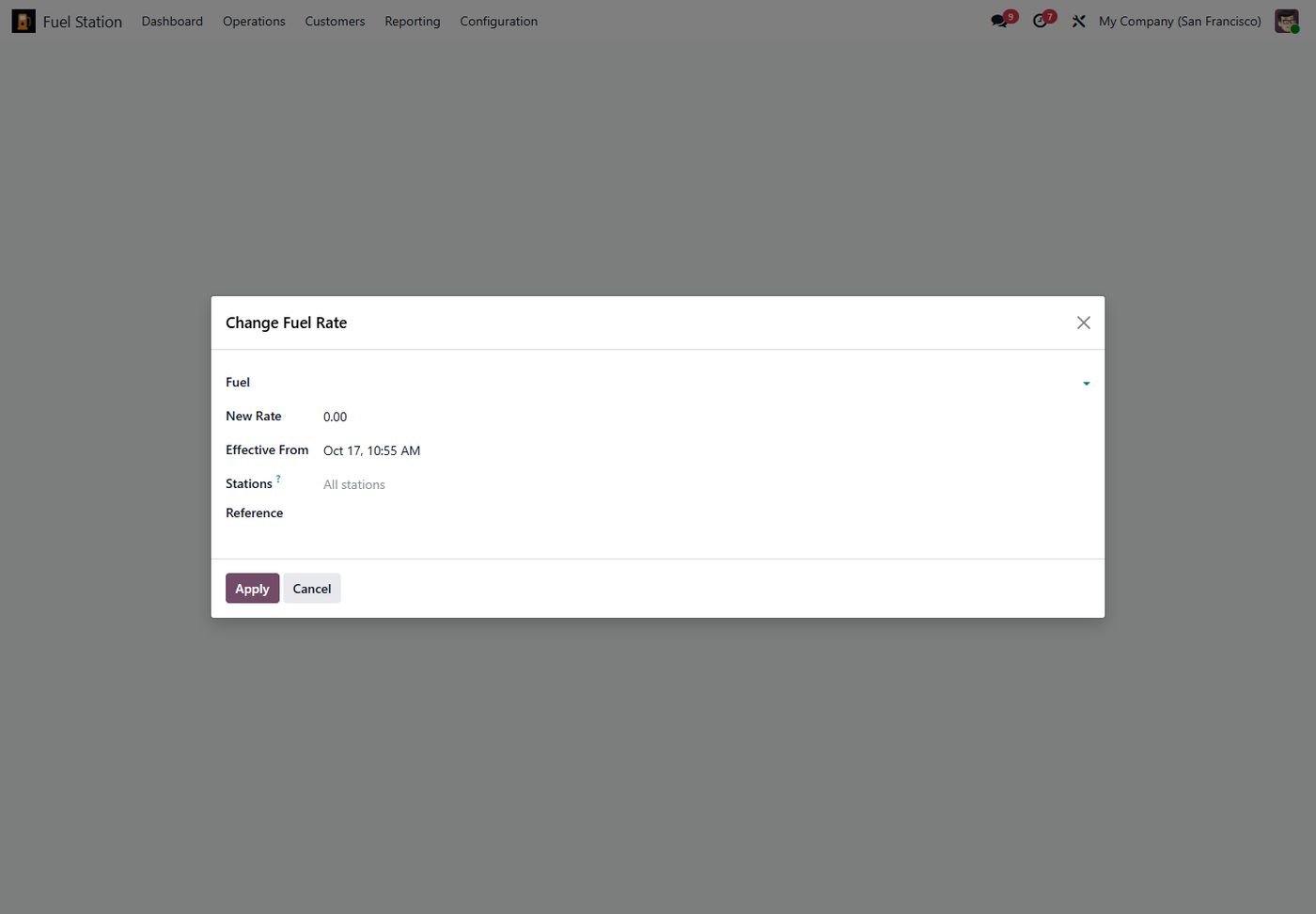
Change rates in one click

New rate for one, several or all stations from a given time.

Change rates in one click
Step 19

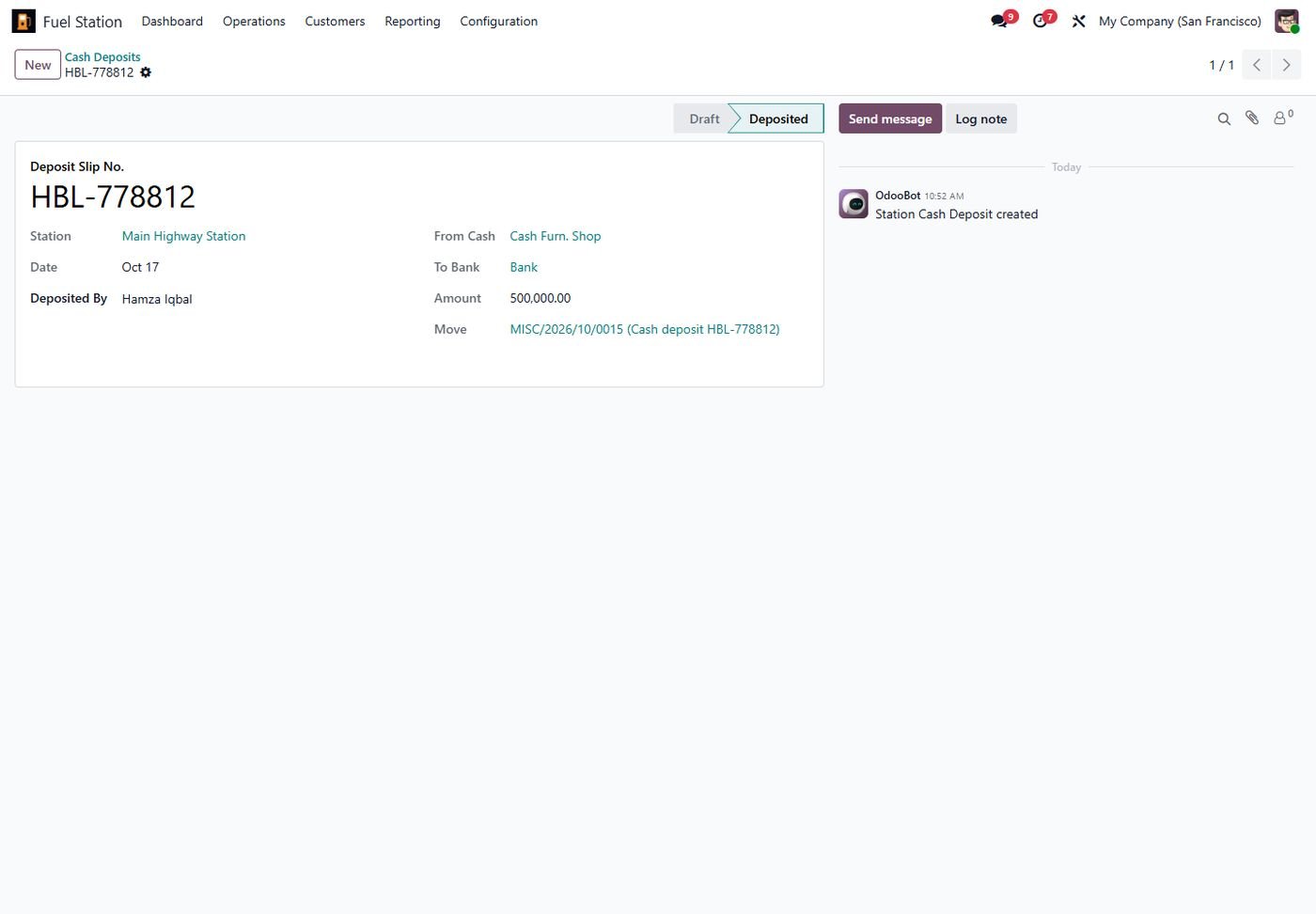
Cash deposits

Cash in hand per station and bank deposit slips with journal entry.

Cash deposits
Step 20

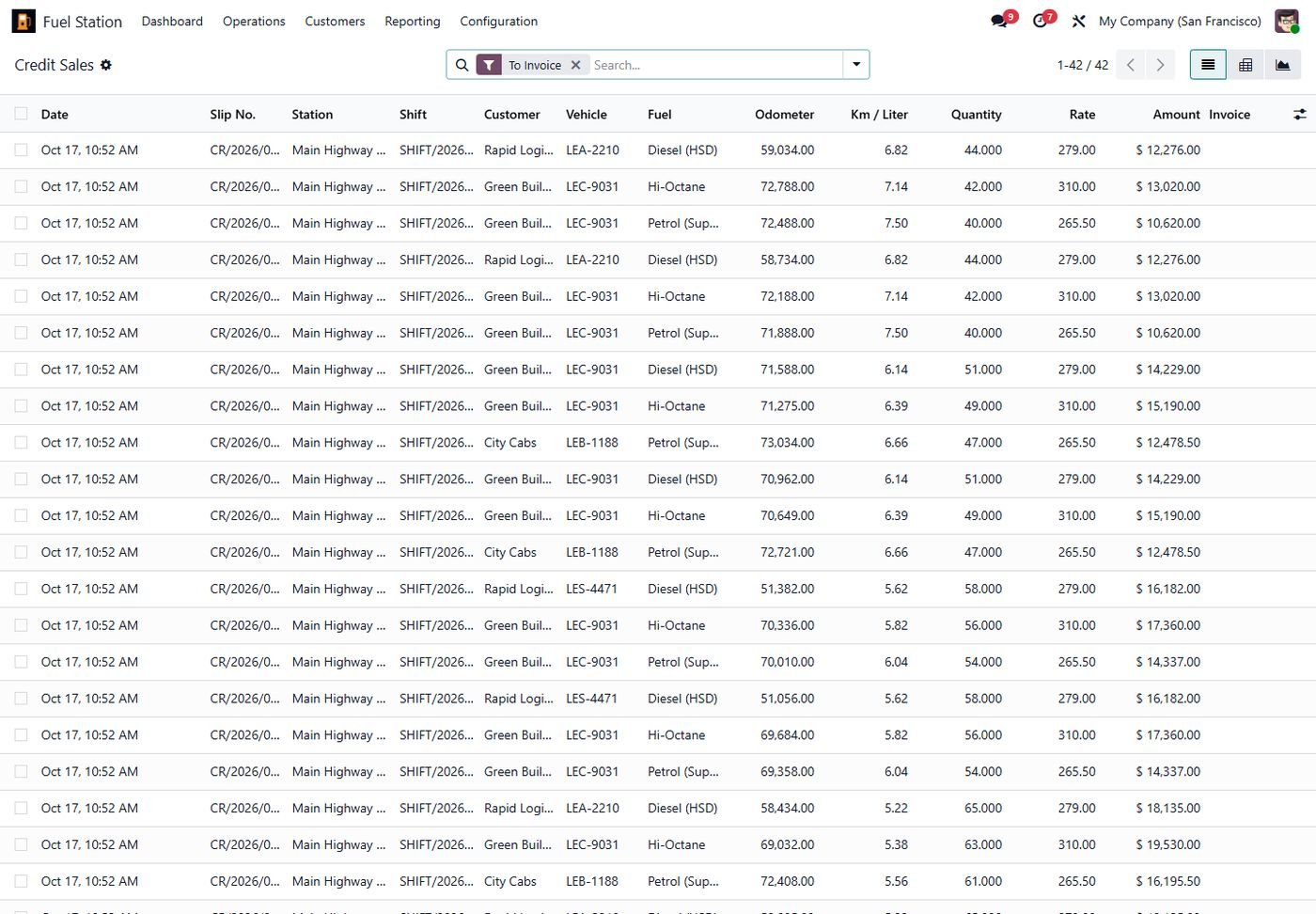
Credit sales register

All credit slips with vehicle, odometer, km/liter and invoice status.

Credit sales register
Step 21

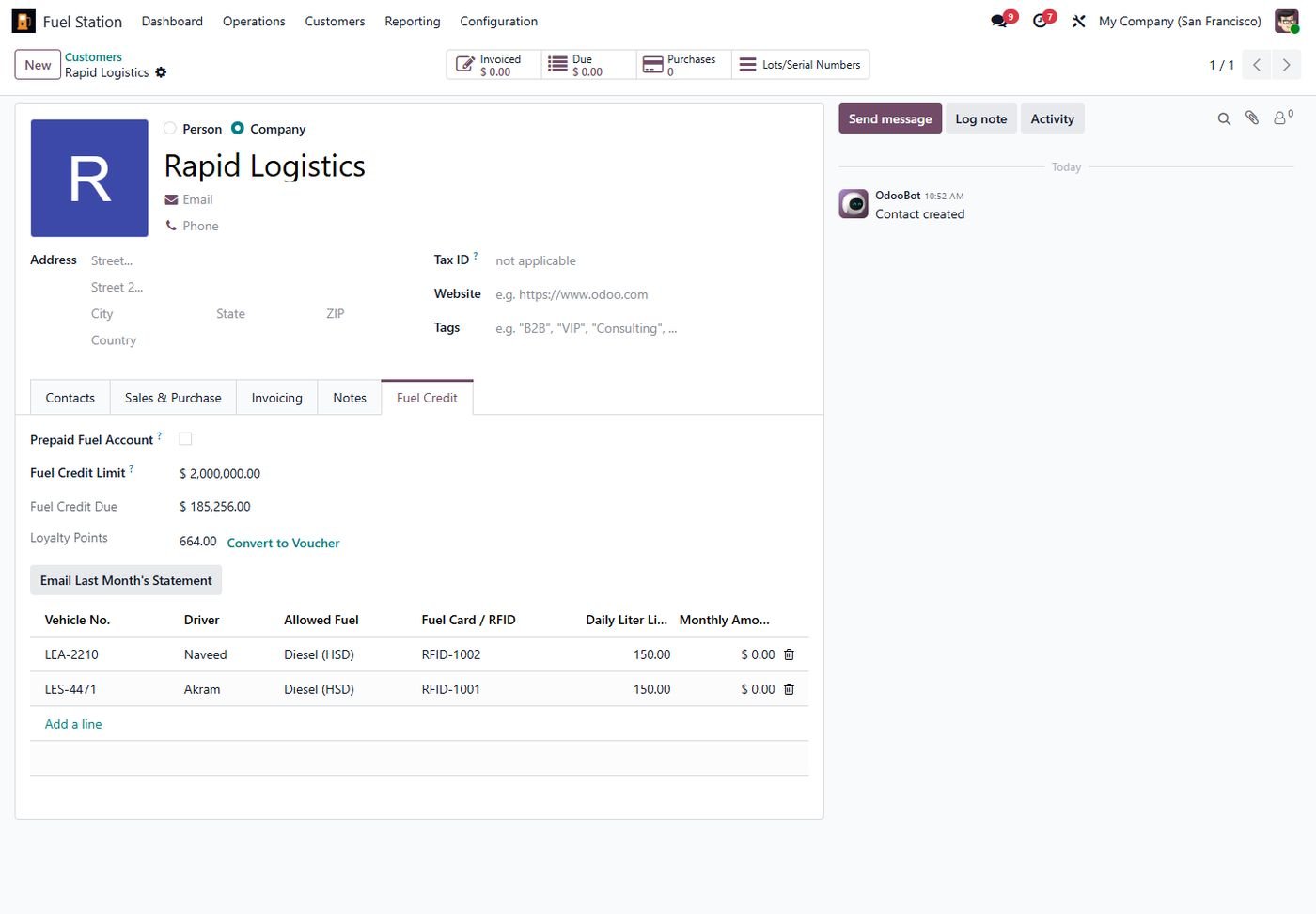
Fleet customer credit

Credit limit, amount due, loyalty points, vehicles with fuel cards and limits.

Fleet customer credit
Step 22

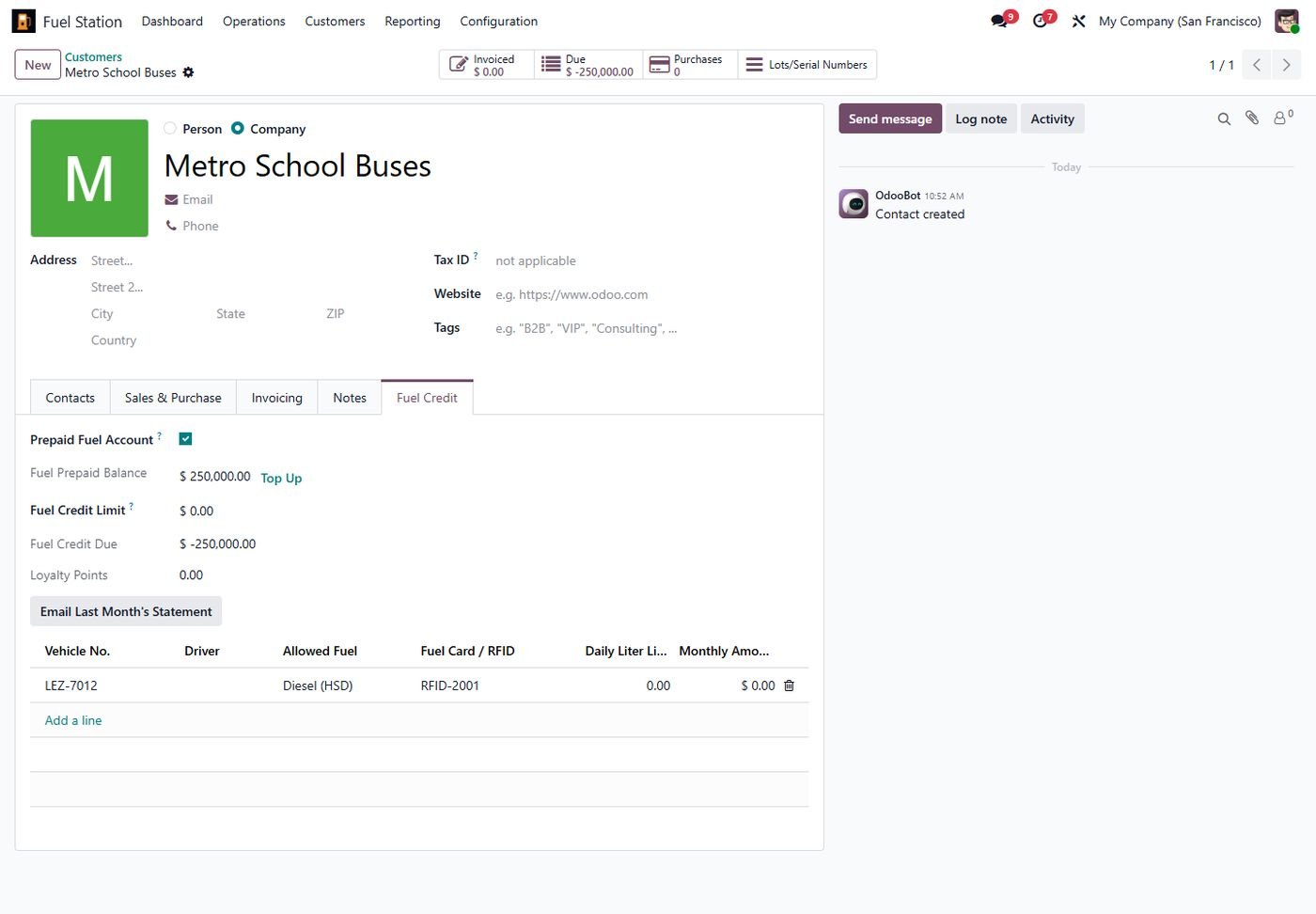
Prepaid fleet accounts

Top-up payments and live prepaid balance checked on every fill.

Prepaid fleet accounts
Step 23

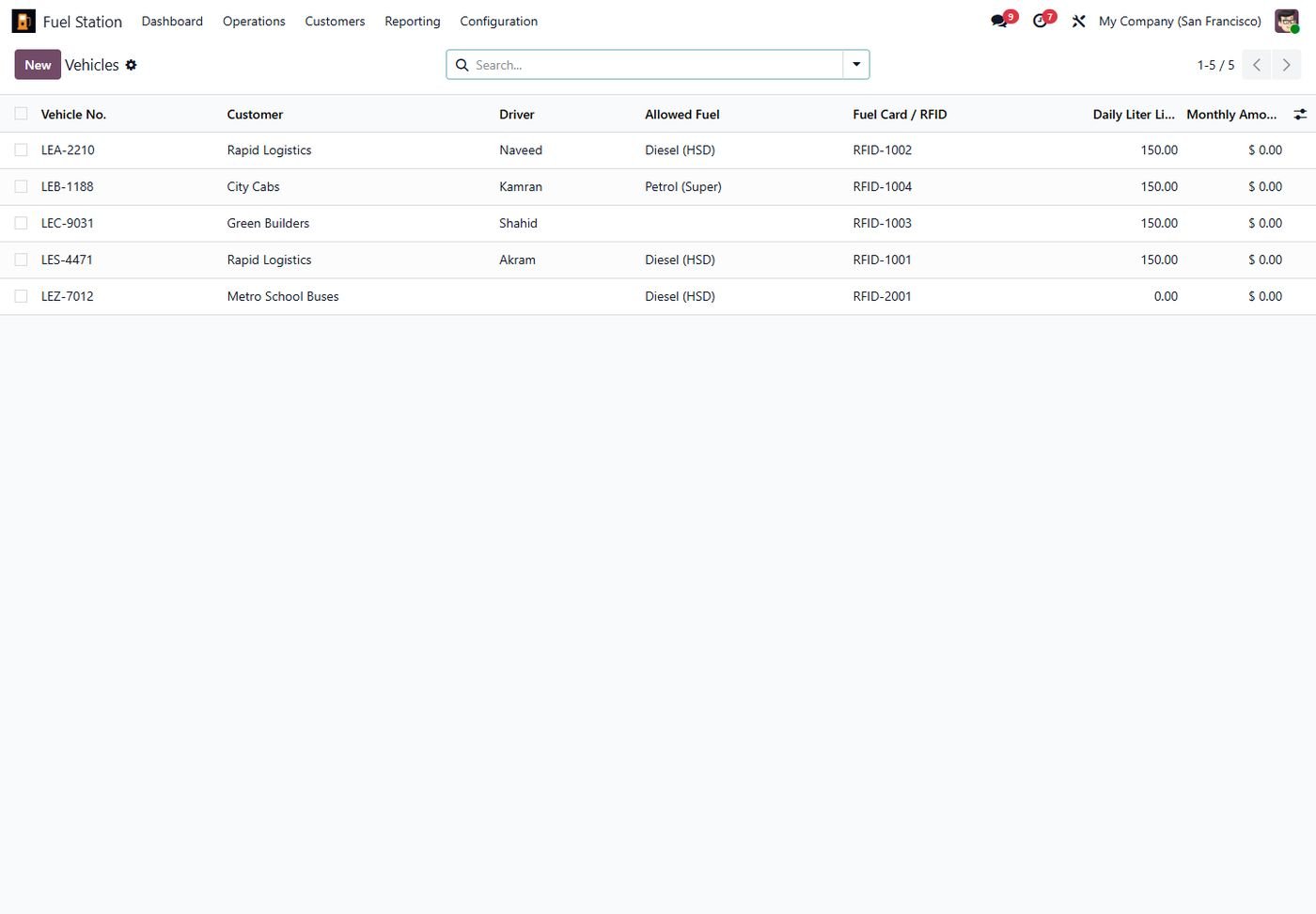
Vehicles and fuel cards

RFID / fuel card per vehicle with daily liter and monthly amount limits.

Vehicles and fuel cards
Step 24

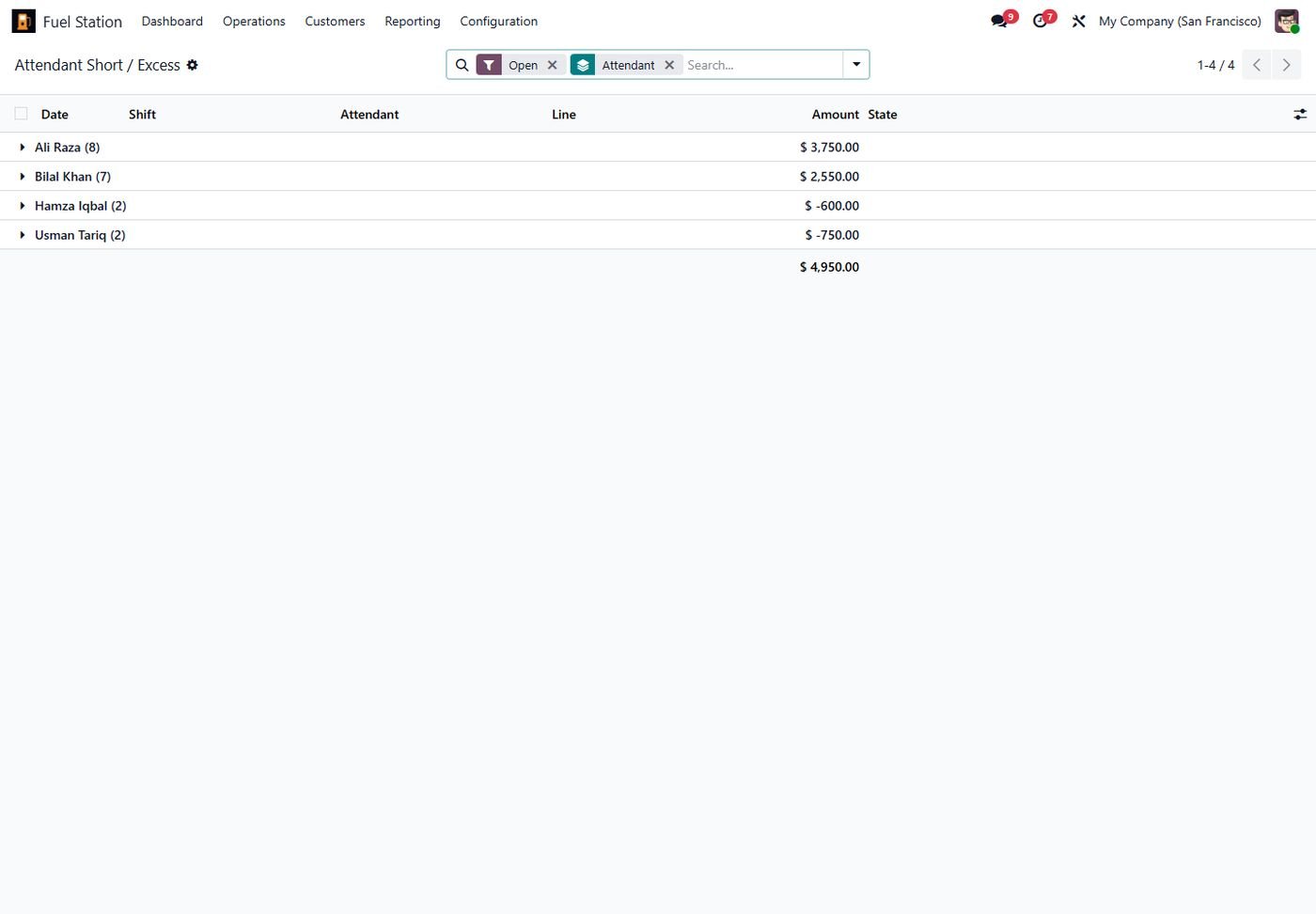
Attendant short / excess

Per attendant balance of shortages and excess, recover or waive.

Attendant short / excess
Step 25

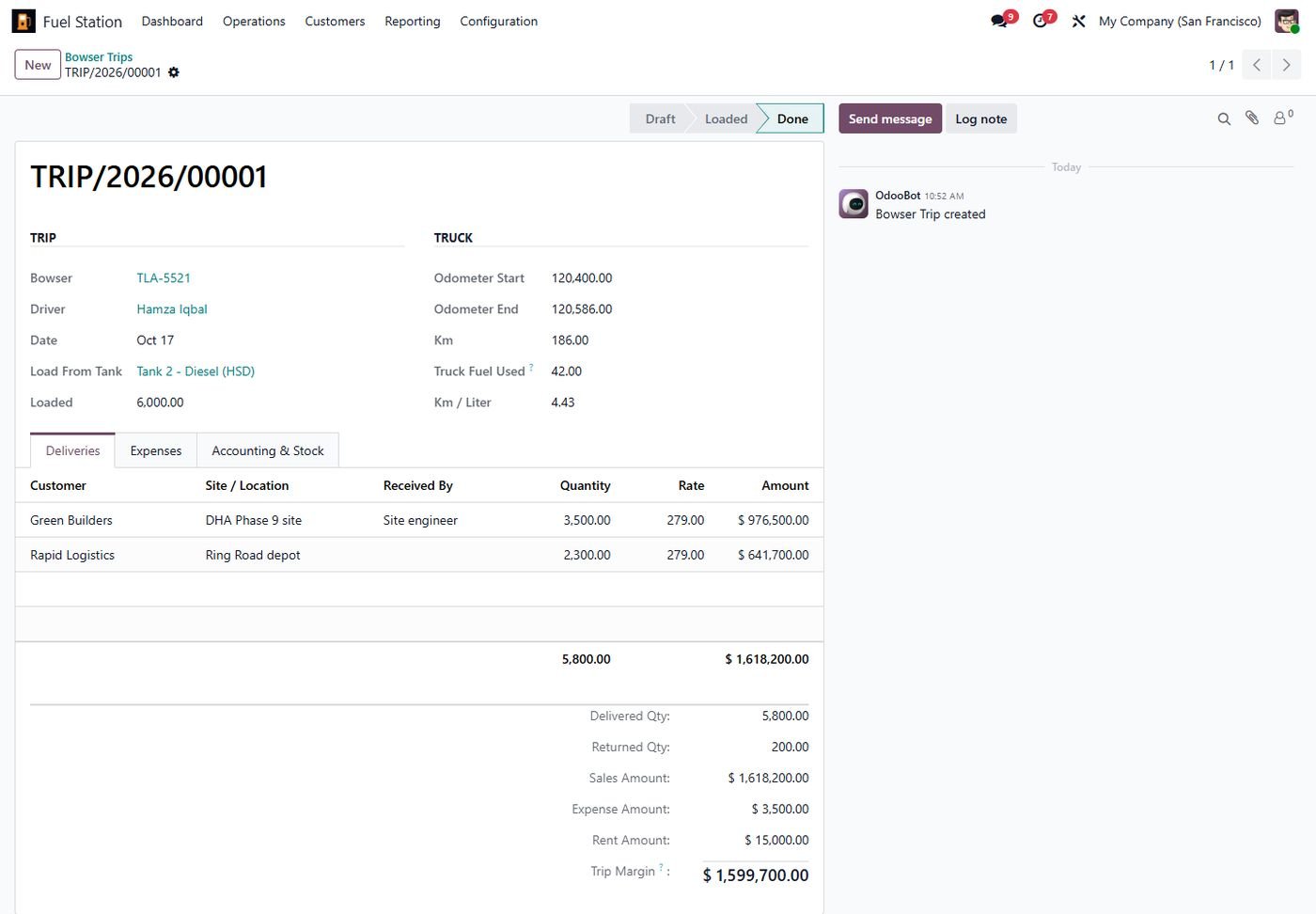
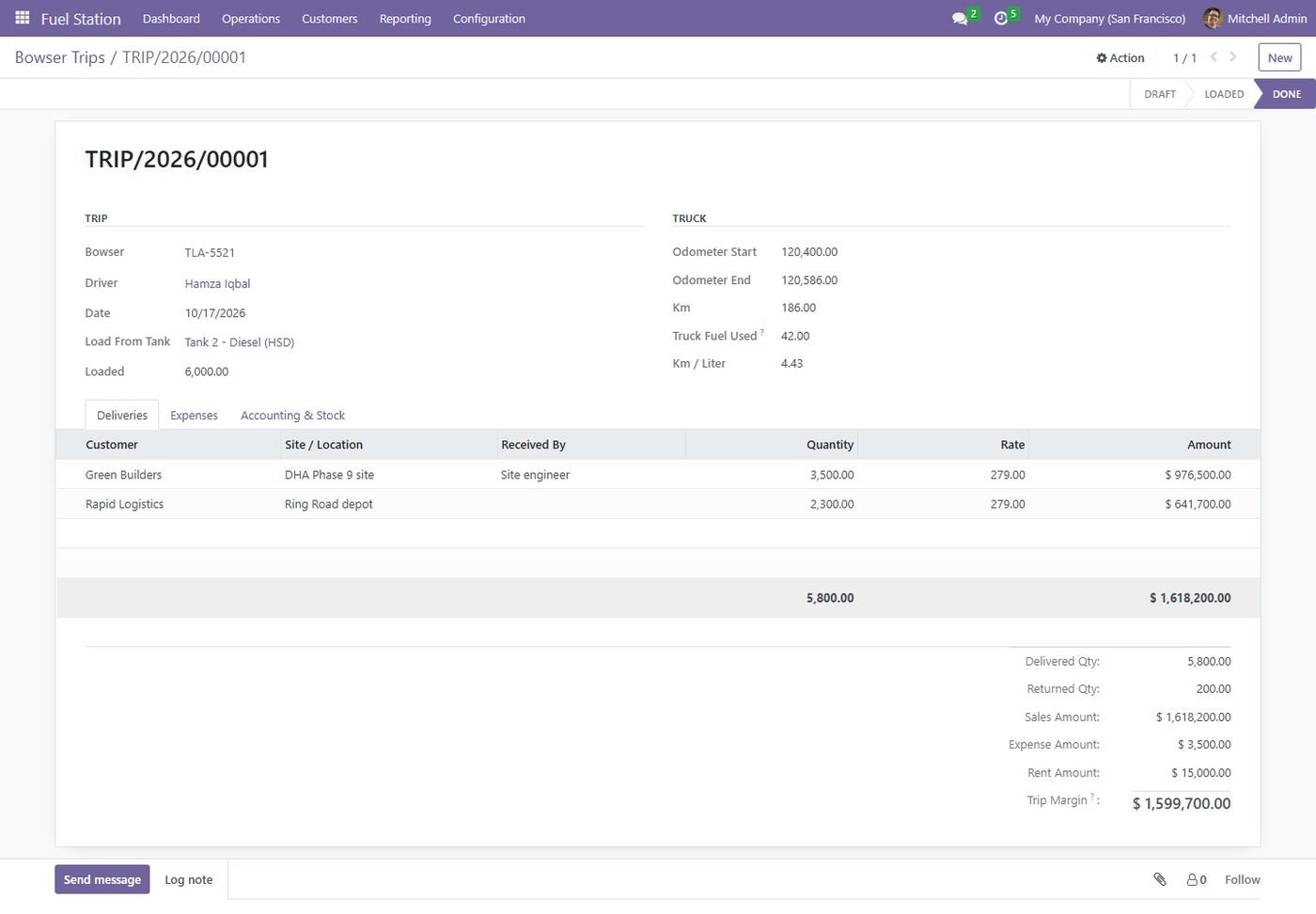
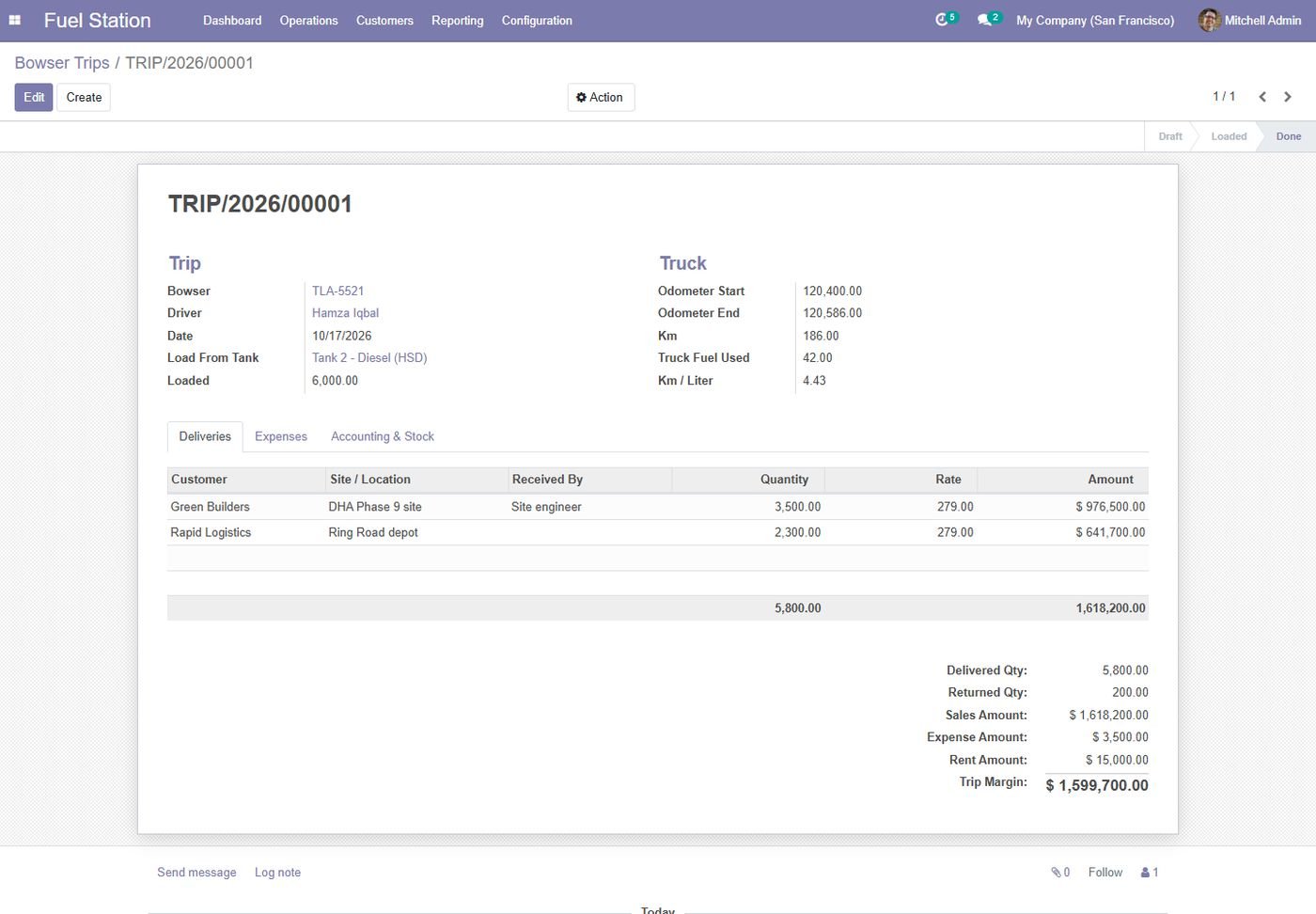
Bowser / tanker trips

Load from tank, deliveries to sites, expenses, odometer and km/liter.

Bowser / tanker trips
Step 26

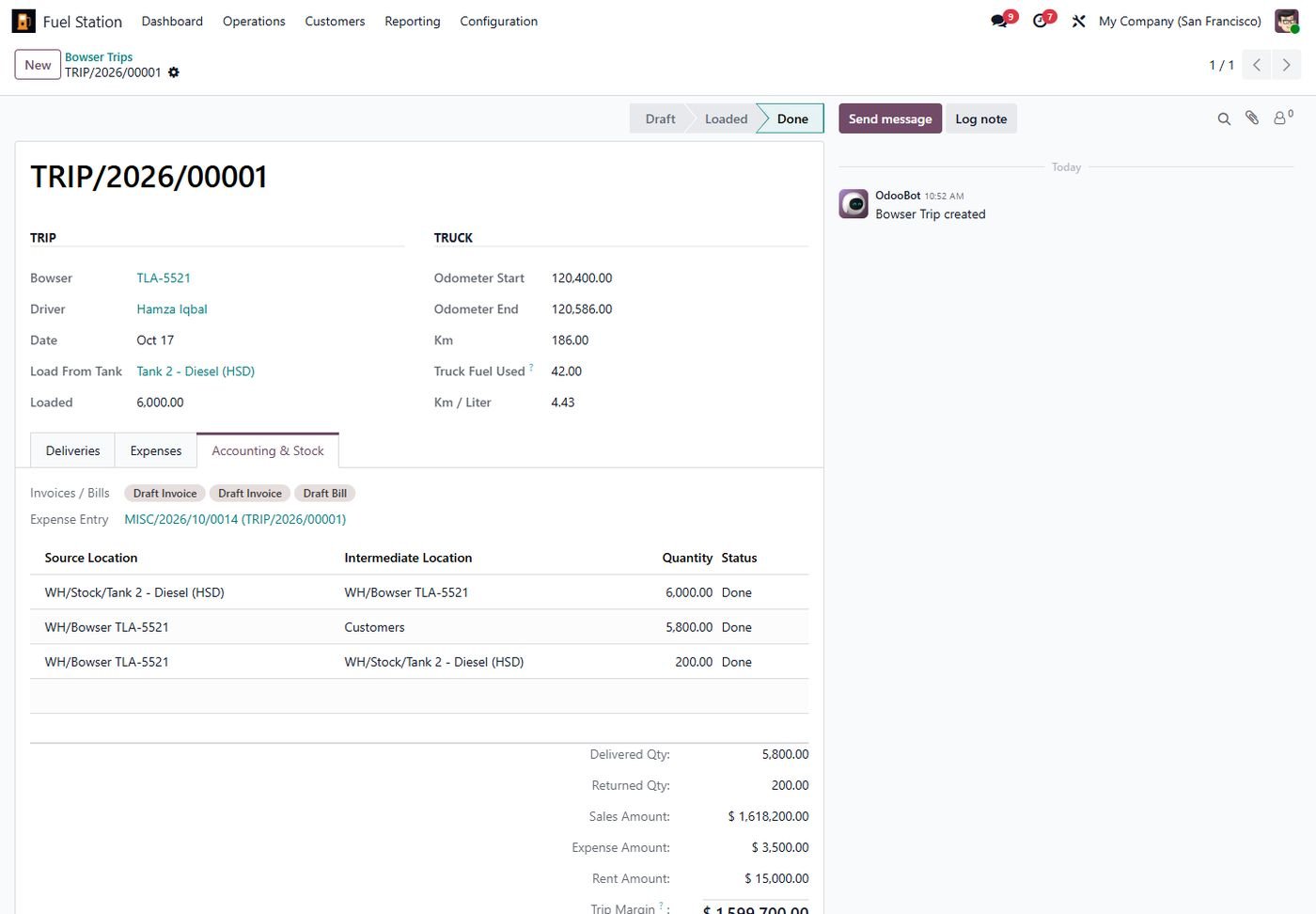
Bowser trip accounting

Customer invoices, rent bill for hired trucks and stock moves.

Bowser trip accounting
Step 27

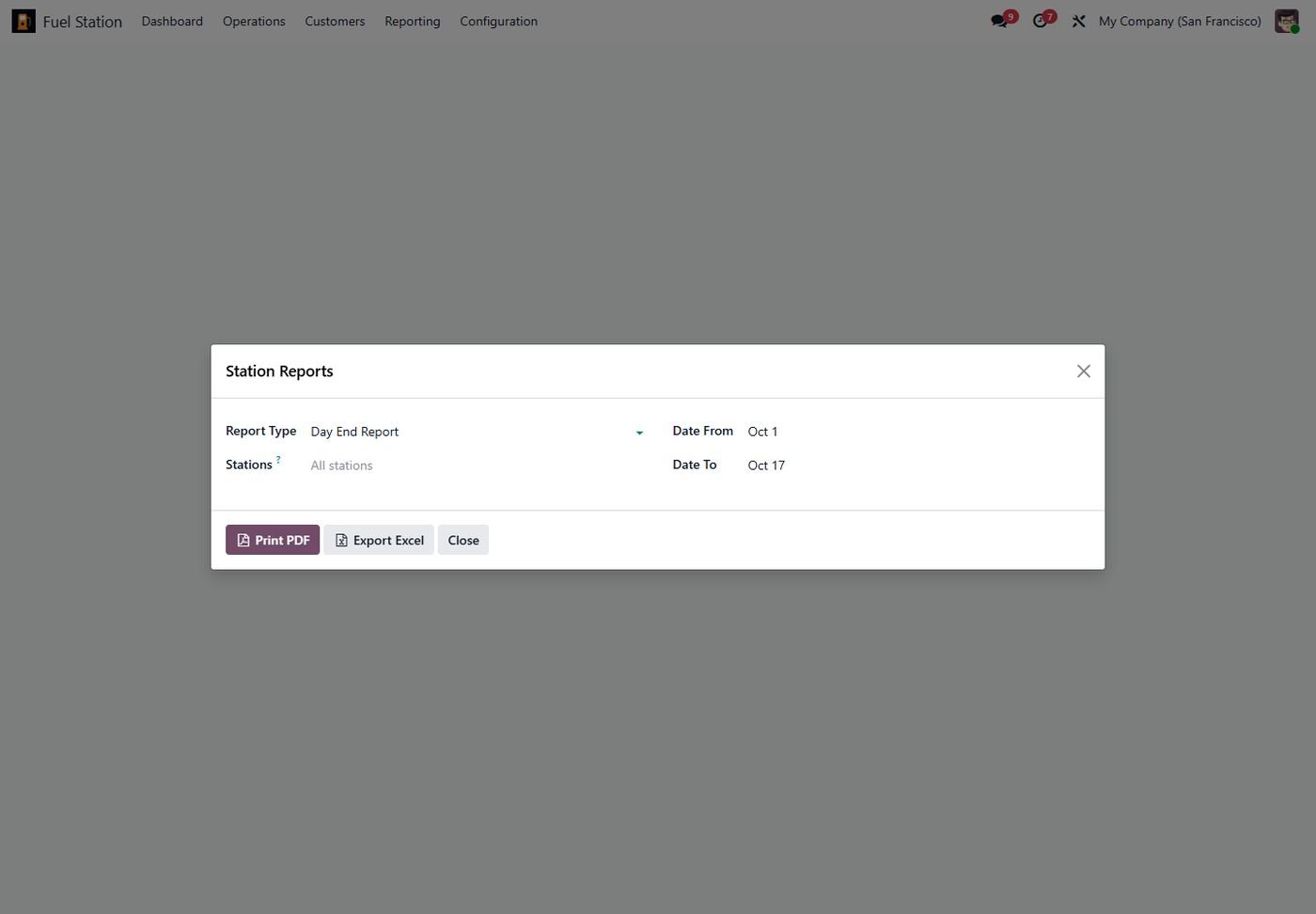
11 station reports

Pick a report, period and stations, then print PDF or export Excel.

11 station reports
Step 28

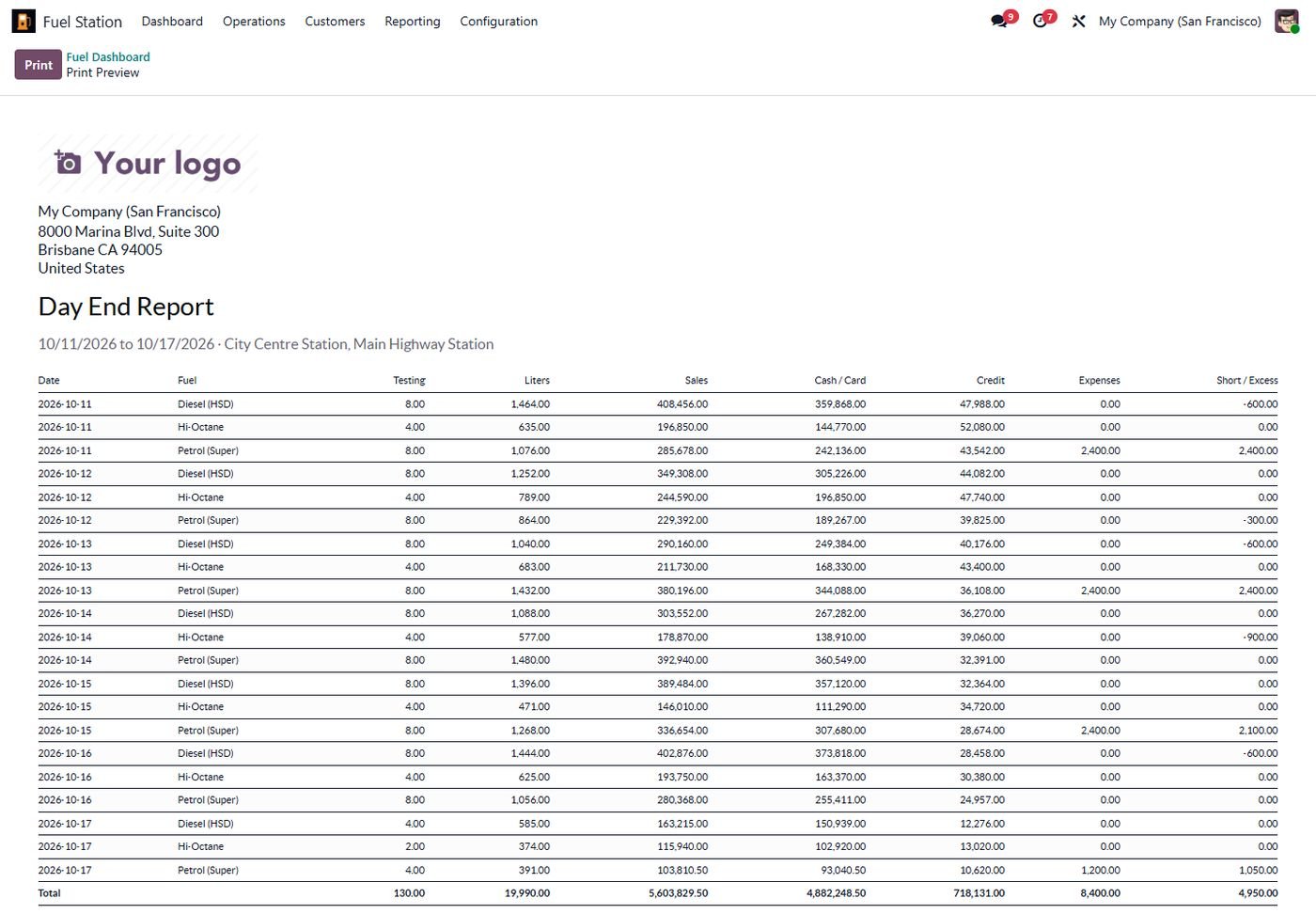
Day end report

Liters, sales, cash, credit, expenses and short/excess by day and fuel.

Day end report
Step 29

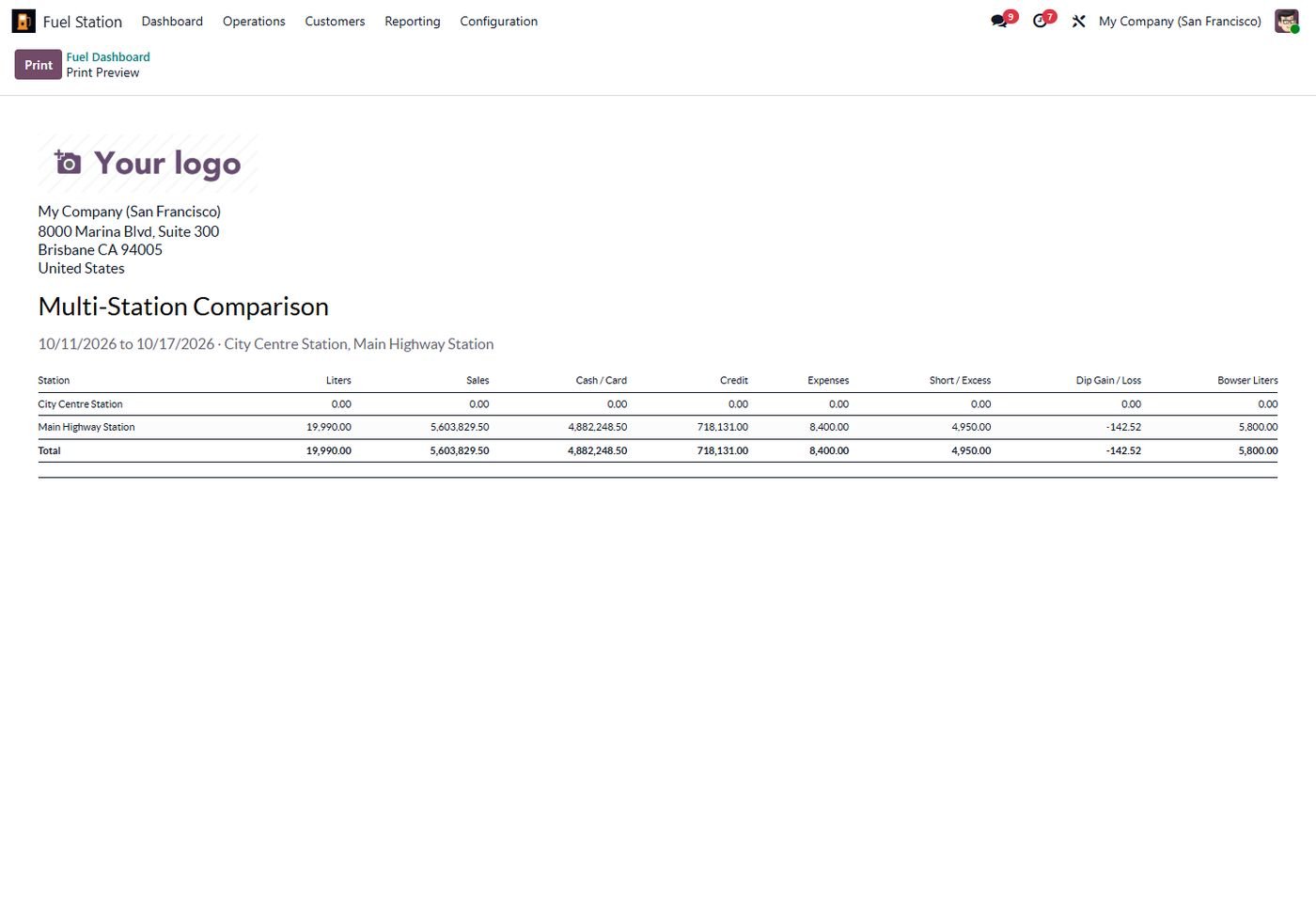
Multi-station comparison

Every station side by side, including dip gain/loss and bowser liters.

Multi-station comparison
Step 30

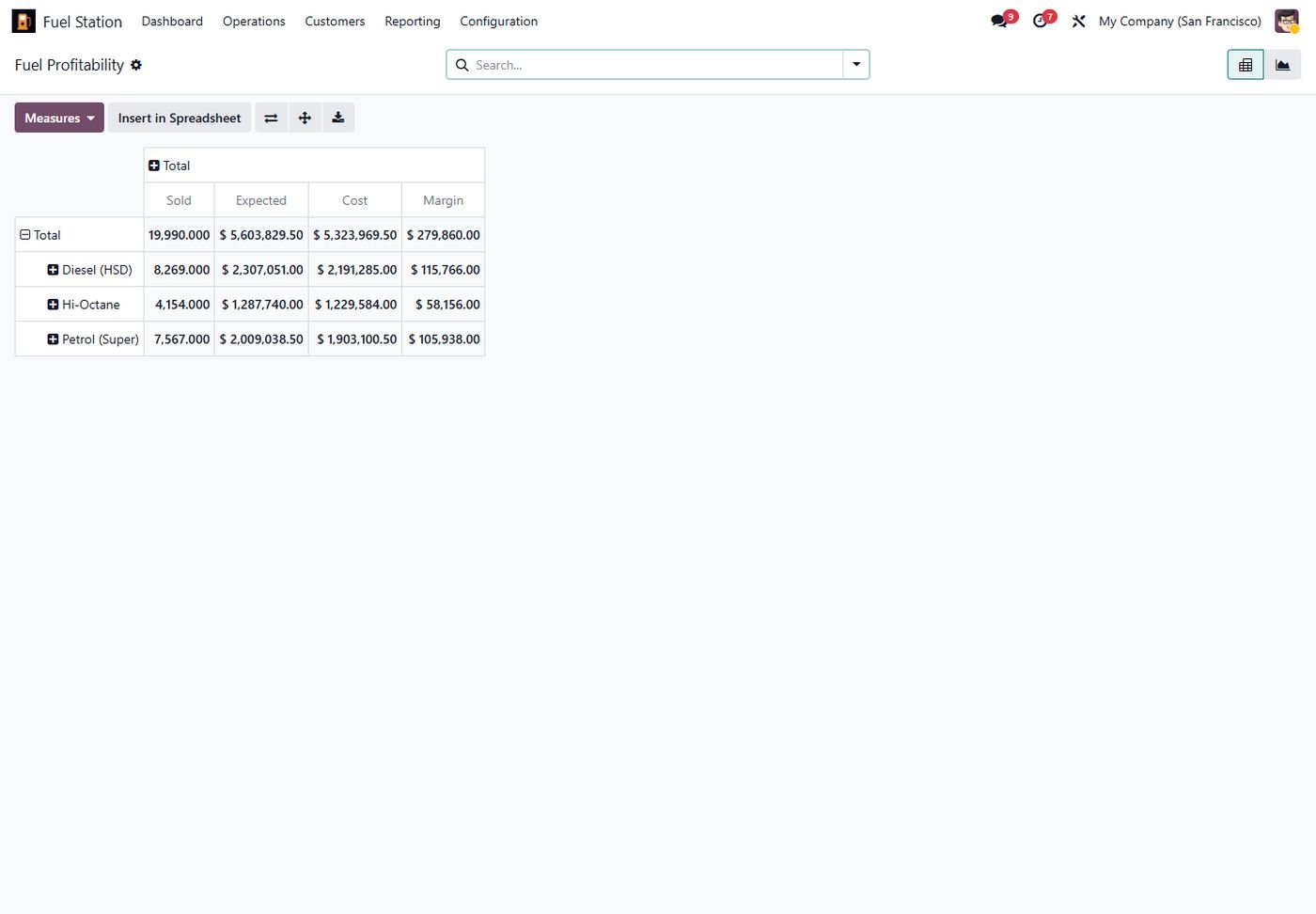
Profit per liter

Cost stamped at shift close, margin by fuel, day and station.
Profit per liter
Step 31

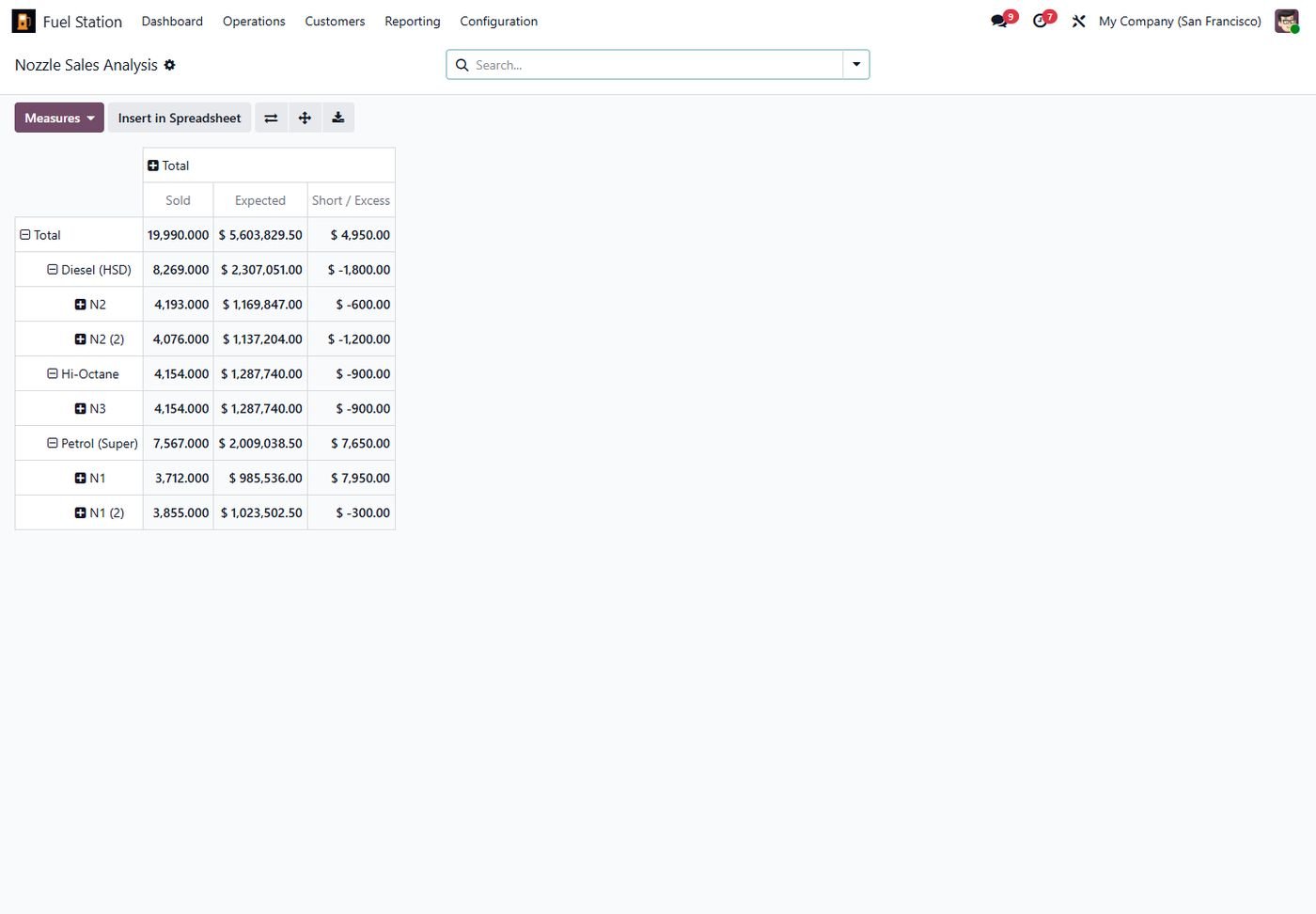
Nozzle sales analysis

Pivot of liters, expected amount and short/excess by fuel and nozzle.

Nozzle sales analysis
Step 32

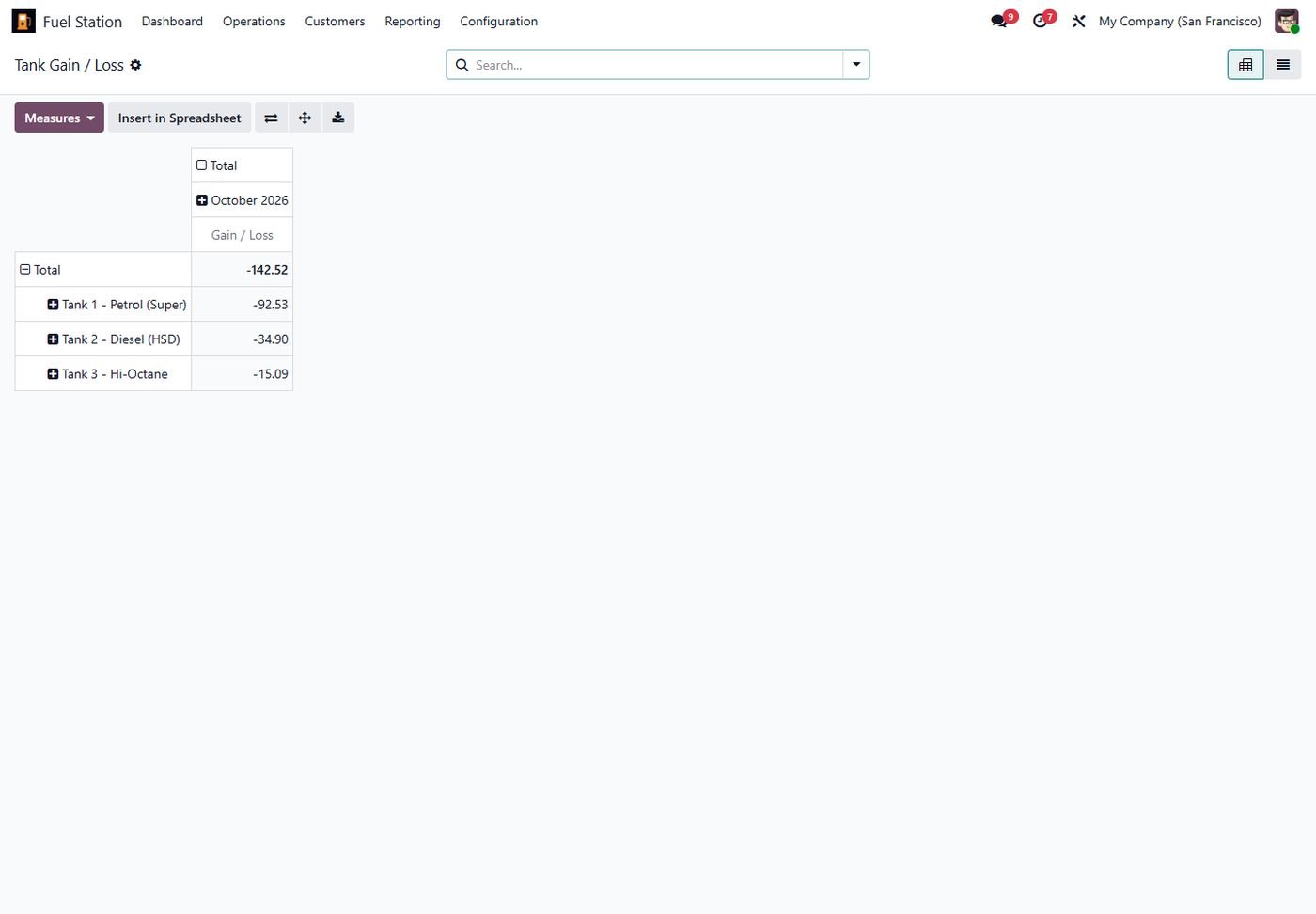
Tank gain / loss

Monthly gain and loss per tank from confirmed dips.

Tank gain / loss
Step 33

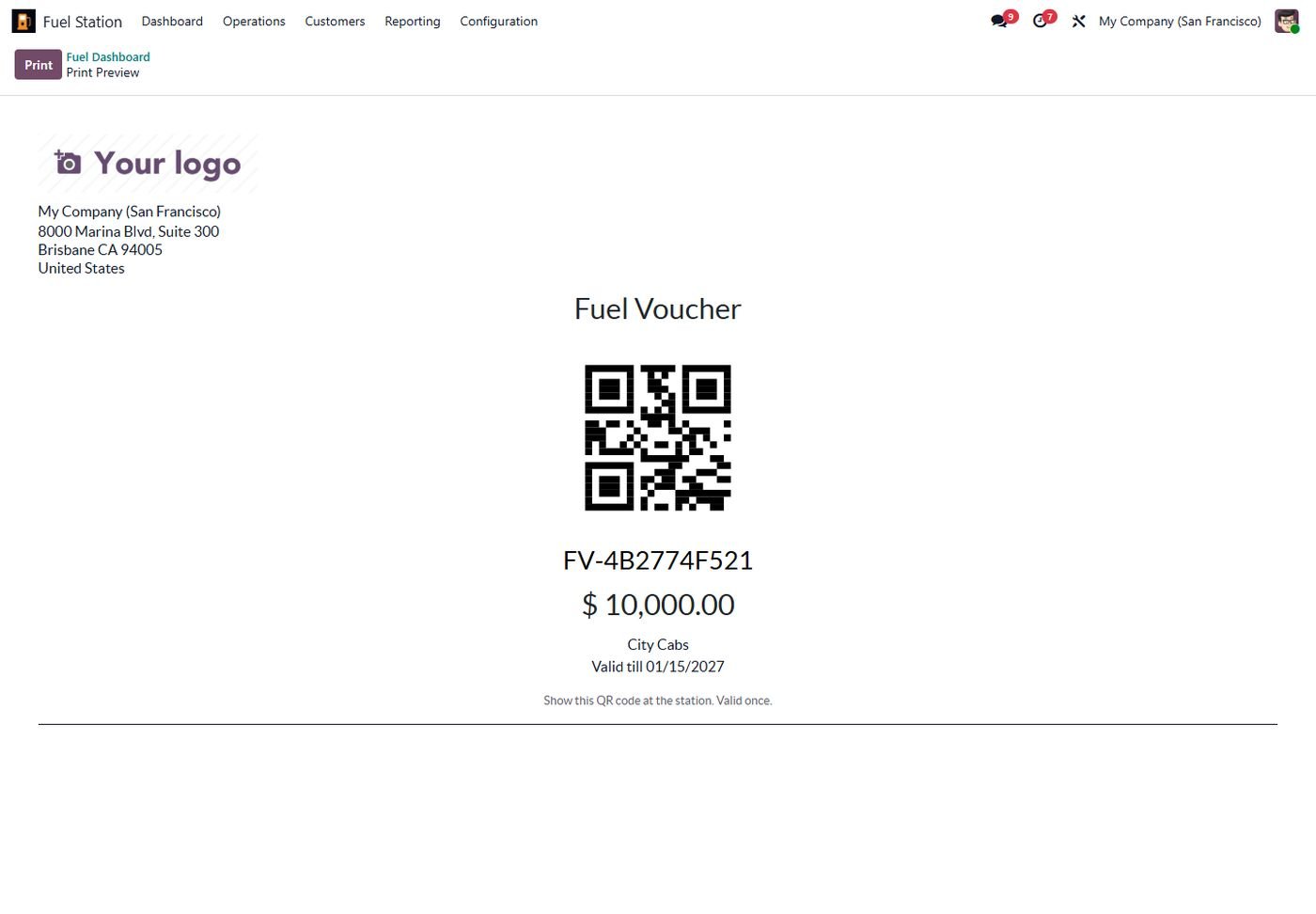
QR fuel vouchers

Prepaid vouchers with QR code, single use, with expiry.

QR fuel vouchers
Step 34

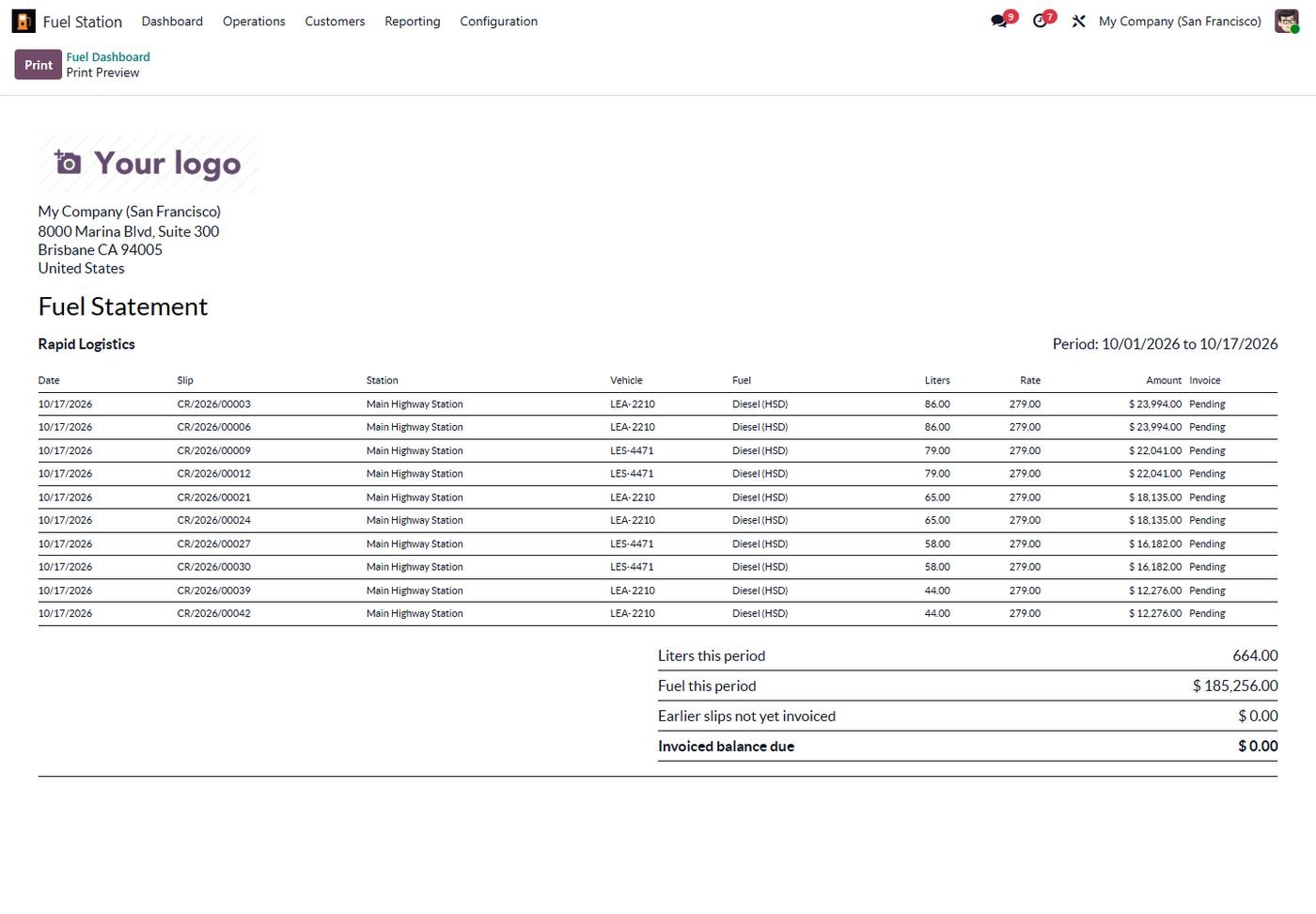
Monthly customer statement

Emailed automatically to every credit customer each month.

Monthly customer statement
Step 35

Odoo 16: Dashboard

The same feature running on Odoo 16.

Odoo 16: Dashboard
Step 36

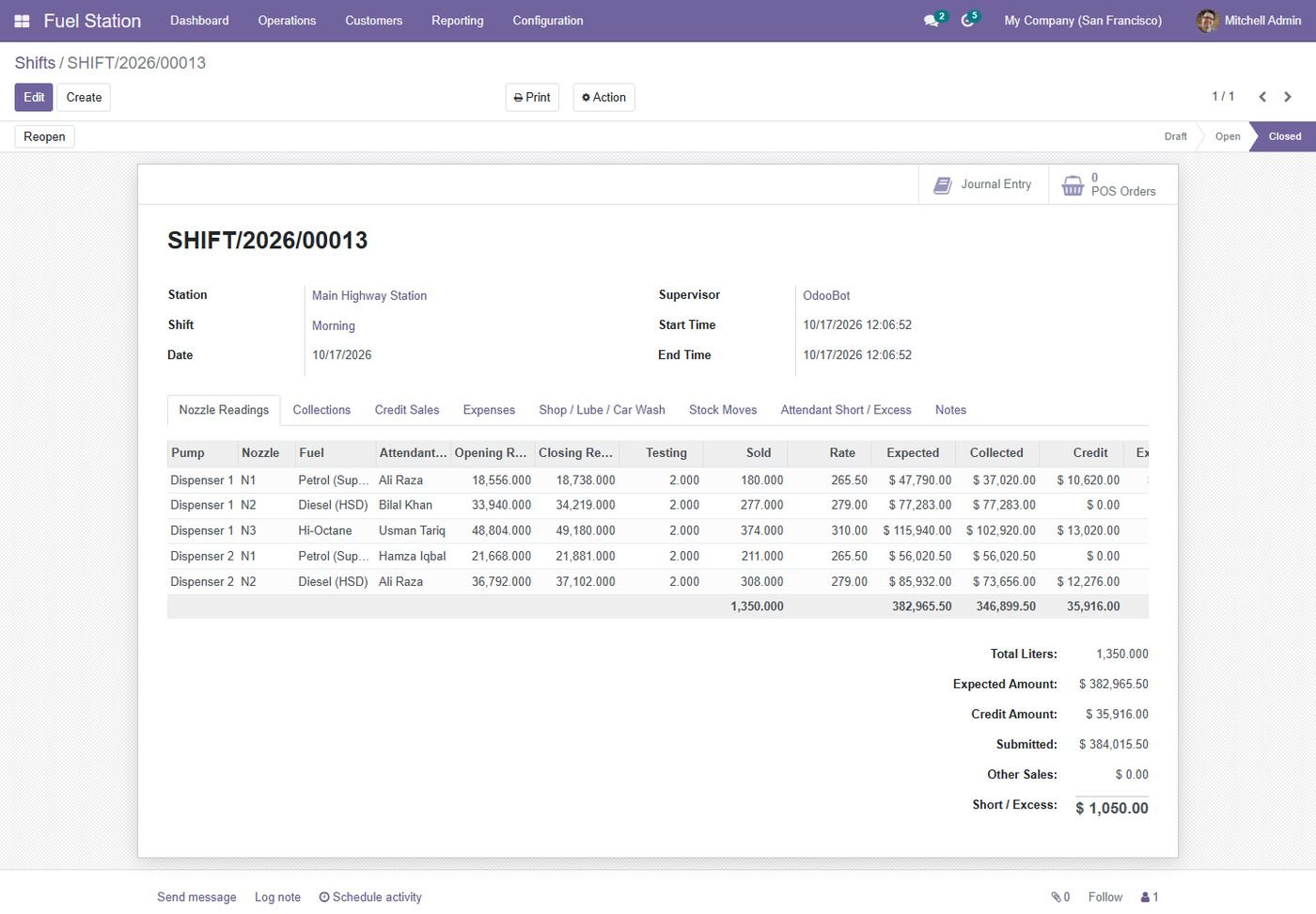
Odoo 16: Shift sheet

The same feature running on Odoo 16.

Odoo 16: Shift sheet
Step 37

Odoo 16: Dip reading at 15 C

The same feature running on Odoo 16.

Odoo 16: Dip reading at 15 C
Step 38

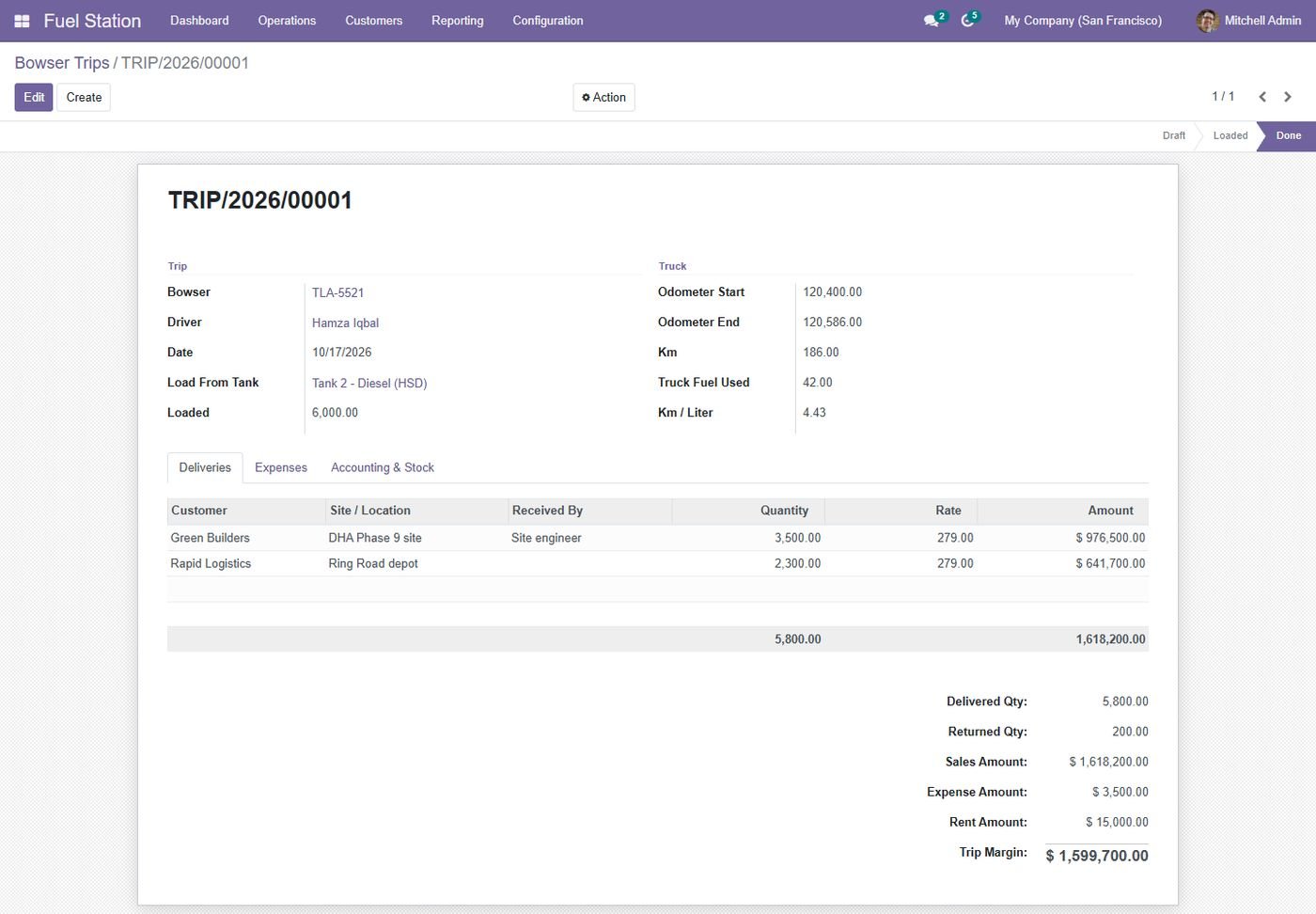
Odoo 16: Bowser trip

The same feature running on Odoo 16.

Odoo 16: Bowser trip
Step 39

Odoo 15: Dashboard

The same feature running on Odoo 15.

Odoo 15: Dashboard
Step 40

Odoo 15: Shift sheet

The same feature running on Odoo 15.

Odoo 15: Shift sheet
Step 41

Odoo 15: Dip reading at 15 C

The same feature running on Odoo 15.

Odoo 15: Dip reading at 15 C
Step 42

Odoo 15: Bowser trip

The same feature running on Odoo 15.

Odoo 15: Bowser trip
Step 43

Odoo 14: Dashboard

The same feature running on Odoo 14.

Odoo 14: Dashboard
Step 44

Odoo 14: Shift sheet

The same feature running on Odoo 14.

Odoo 14: Shift sheet
Step 45

Odoo 14: Dip reading at 15 C

The same feature running on Odoo 14.

Odoo 14: Dip reading at 15 C
Step 46

Odoo 14: Bowser trip

The same feature running on Odoo 14.

Odoo 14: Bowser trip
Common questions

Questions aboutthis module.

Something else? Ask our team.

Odoo 14, 15, 16, 17, 18, 19 and 20 (Community and Enterprise). Pick your version on this page.

Yes. It only depends on standard apps (Inventory, Accounting/Invoicing, Purchase, Employees, Portal) and was tested on Odoo 19 Enterprise.

No. Collections are entered on the shift. If you also use the POS, the included bridge module imports the POS fuel sales into the open shift.

Purchases are received into the tank, closing a shift moves the sold liters out, bowser trips move fuel in and out and confirmed dips post the gain or loss as an inventory adjustment.

Yes. A station-specific rate wins over the company-wide rate, and every rate has an effective date so history and reports stay correct.

A manager can reopen it as long as no later shift used the same nozzles and its credit sales are not invoiced. The journal entry and stock moves are reversed automatically.

Yes. Portal users see their credit limit, balance, active QR vouchers, vehicles and every fuel slip with km/liter.

Set a webhook URL on the station; the summary is posted as JSON so any WhatsApp or SMS gateway can forward it. Email recipients are supported out of the box.

The module has a secure JSON API (per-station key) for live nozzle totalizers and tank volumes. A pump controller, ATG or small middleware posts the readings; vendor protocols themselves are not included.

It sends every posted fuel invoice as JSON to the gateway URL you configure and records the response. The authority-specific format or certification is done in that gateway or as a small add-on.
Yes. Free installation and configuration on your Odoo. Email supportline.app@gmail.com or WhatsApp +92 302 1980998.
Not sure it's theright fit?

Book a free consultation and we'll help you pick the right modules for your workflow.