Productivity & Tools

Construction Project Control

A complete construction ERP inside Odoo: sites and phases, BOQ with rate analysis, job costing that books every purchase, store issue, labour hour and machine hour automatically, material requisitions, daily progress reports, subcontracts and running account bills with retention, equipment, quality, safety, RFIs, variations, a live dashboard and a client portal.

$299 USD
Choose your Odoo version
Ask a question
Built by an Odoo partner Initial setup support Download link by email
Construction Project Control
What's included

Key features

1

Sites & Phases

Every site with client, contract value, GPS and map link, phases weighted by value and progress from tasks or BOQ quantities.

2

BOQ & Estimation

Sections and items with material, labour, machinery, subcontract and overhead rates, margin, tender price, revisions, Excel import/export and PDF.

3

Real Job Costing

Budget from the approved BOQ; purchases, vendor bills, store issues, timesheets, daily labour and machinery post their cost automatically.

4

Material Control

Requisitions with budget check and two-level approval, RFQs per vendor, site stores, issues to site and wastage.

5

Daily Progress Reports

Weather, work done per BOQ item, labour with wages and overtime, machinery, issues, safety and site photos, from desktop or phone.

6

Subcontracts & RA Bills

Measurement book, previous and up-to-date quantities, retention, advance recovery, tax withheld and the accounting entries.

7

Equipment

Owned and rented machines, site moves, hour meter and fuel logs, service reminders, breakdowns and rental bills.

8

Quality, Safety & Portal

Inspection checklists, snag list, HSE incidents, drawings, RFIs, variation orders and a portal where the client approves.

Inside the module

Screenshots

Real screens from Construction Project Control — click any image to see it full size.

Step 1

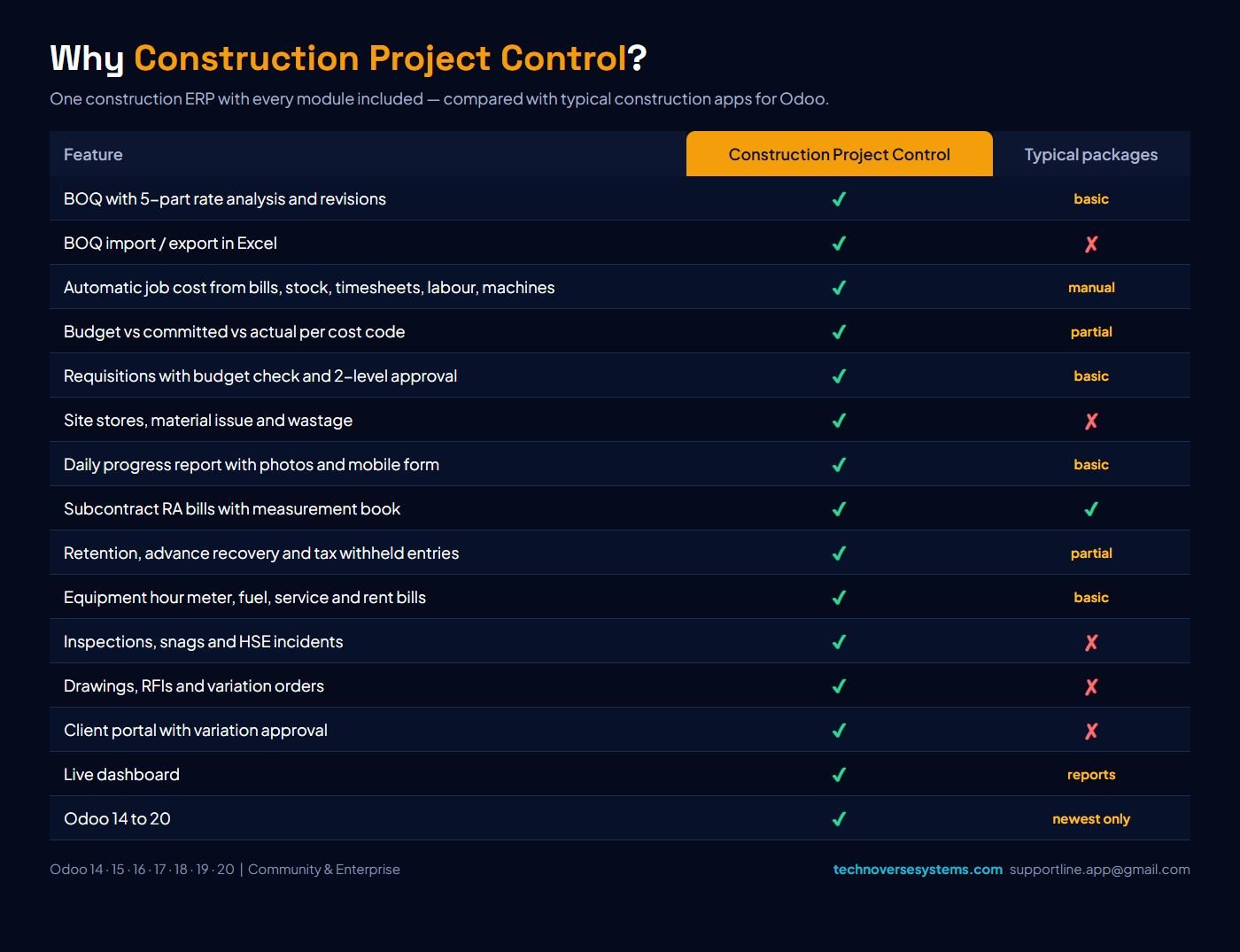
Why Construction Project Control

Every construction department in one module, compared with typical construction apps.

Why Construction Project Control
Step 2

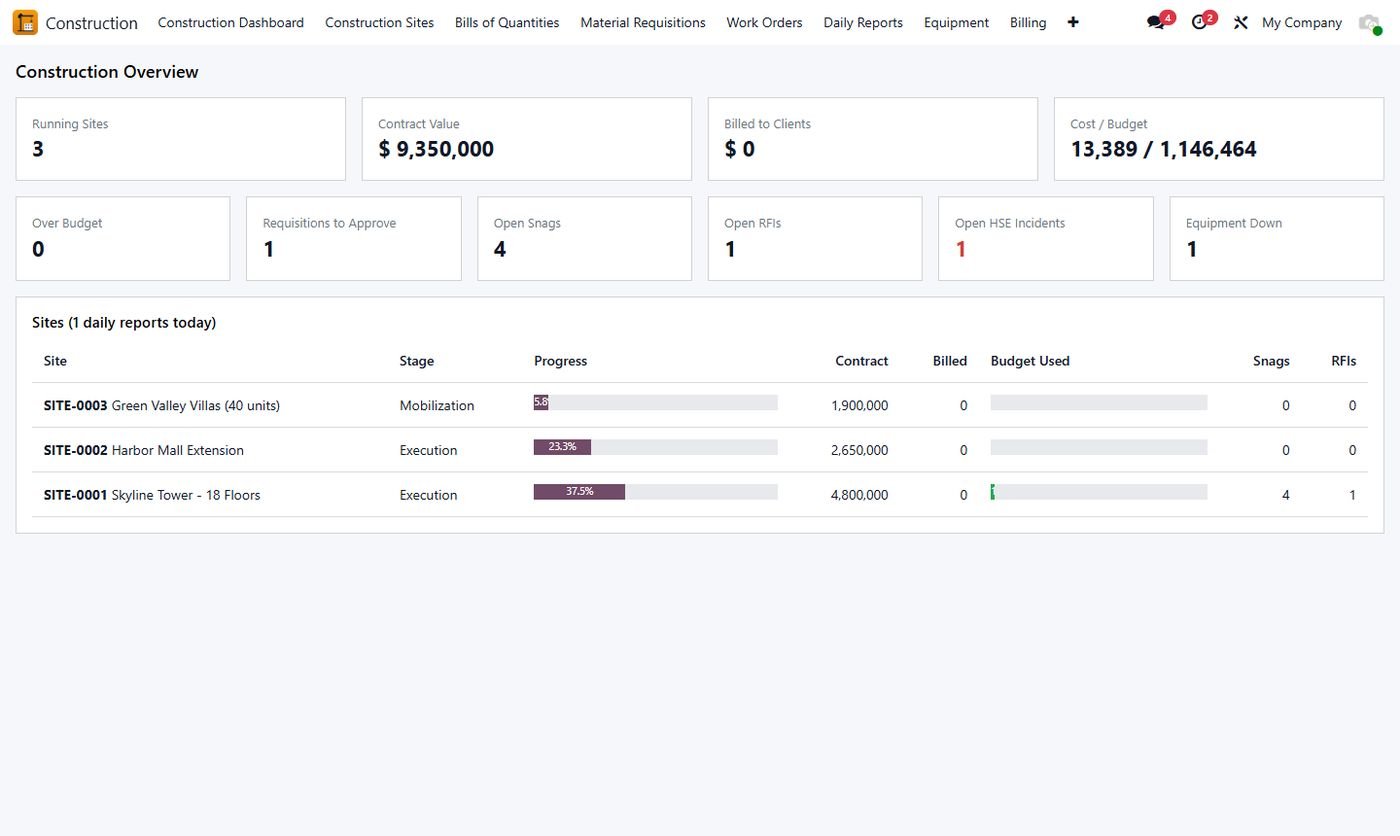
Construction dashboard

Running sites, contract value, billing, cost vs budget, approvals, snags, RFIs, HSE and machines down.

Construction dashboard
Step 3

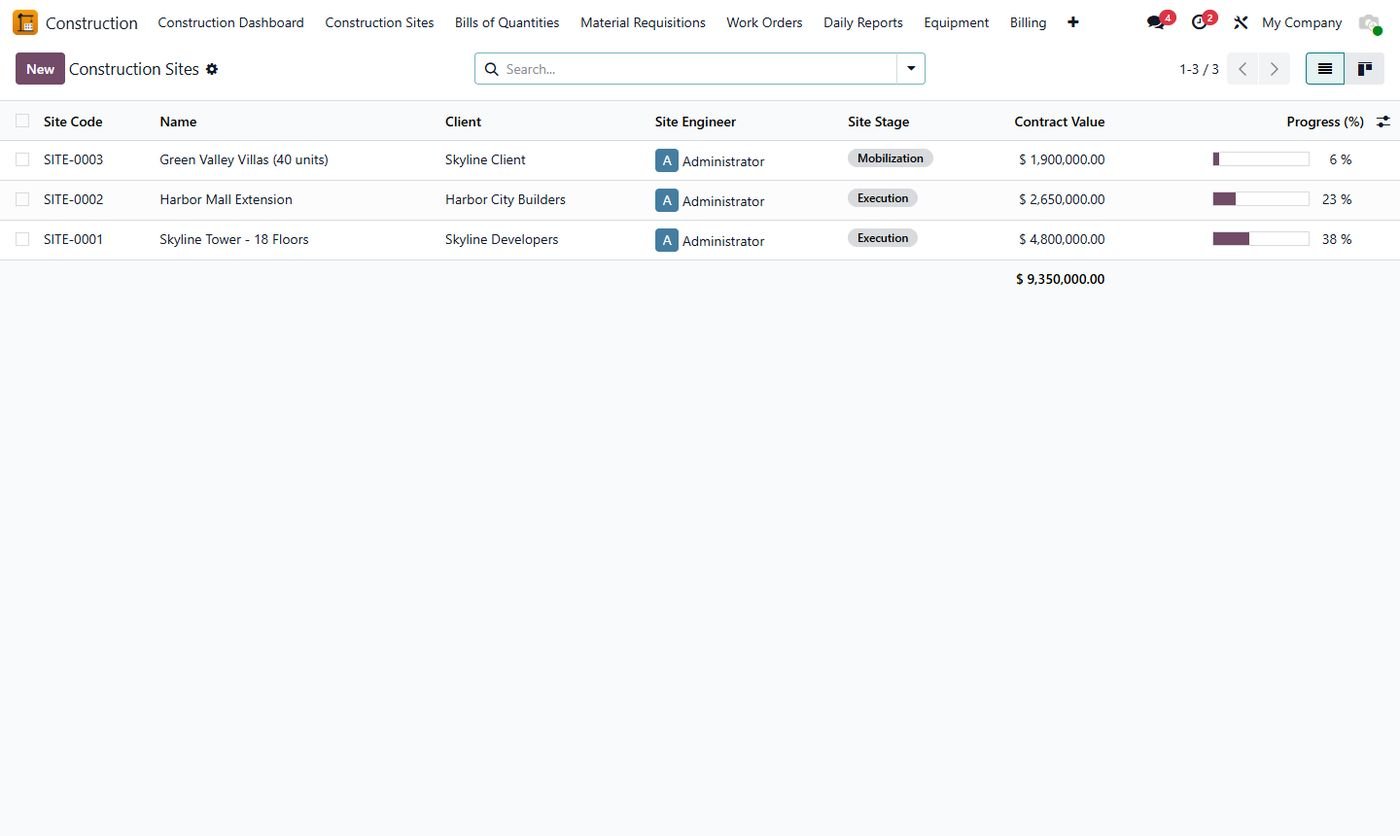
All sites at a glance

Site code, client, engineer, stage, contract value and progress.

All sites at a glance
Step 4

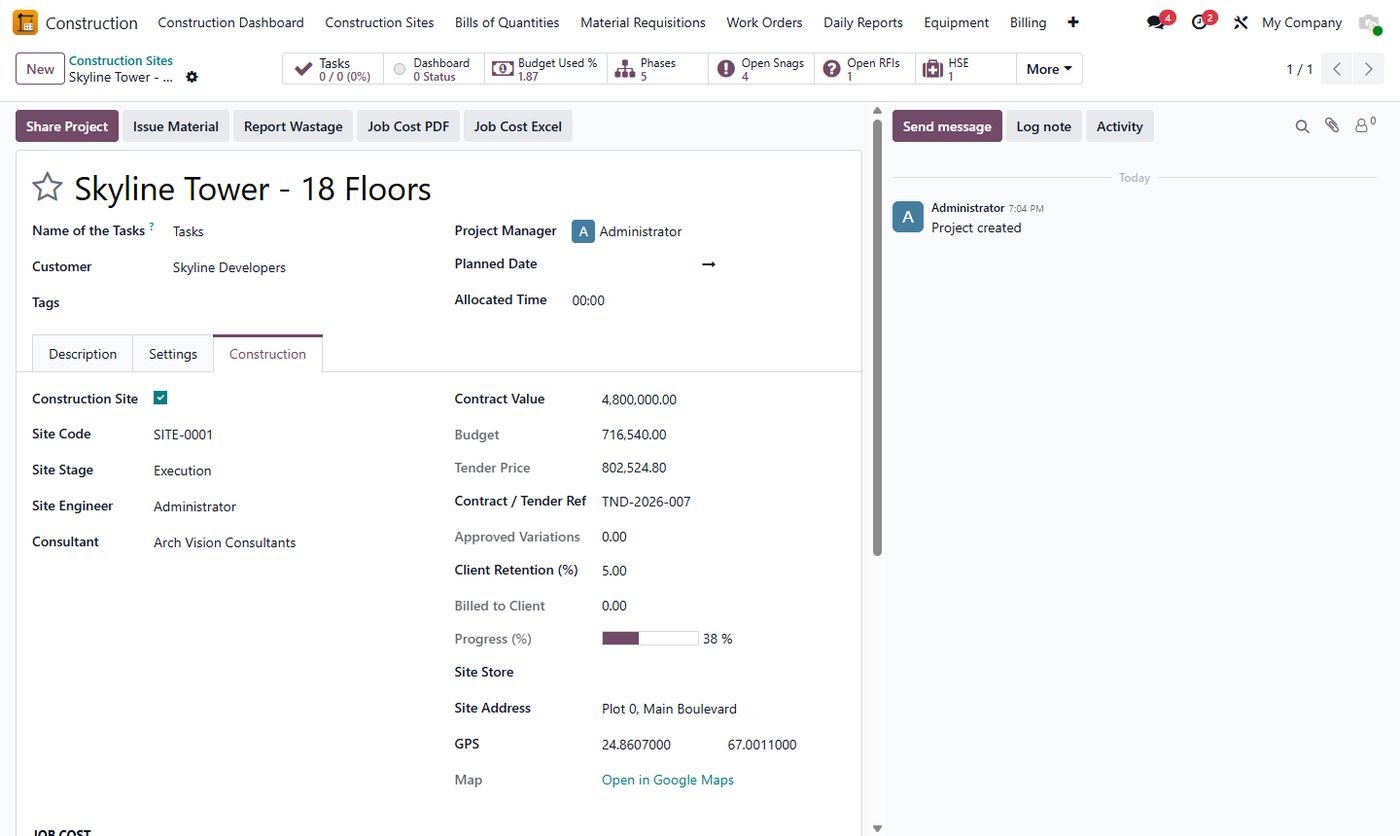
Site, contract and job cost

Contract, budget, tender price, GPS map link, phases and live budget vs actual.

Site, contract and job cost
Step 5

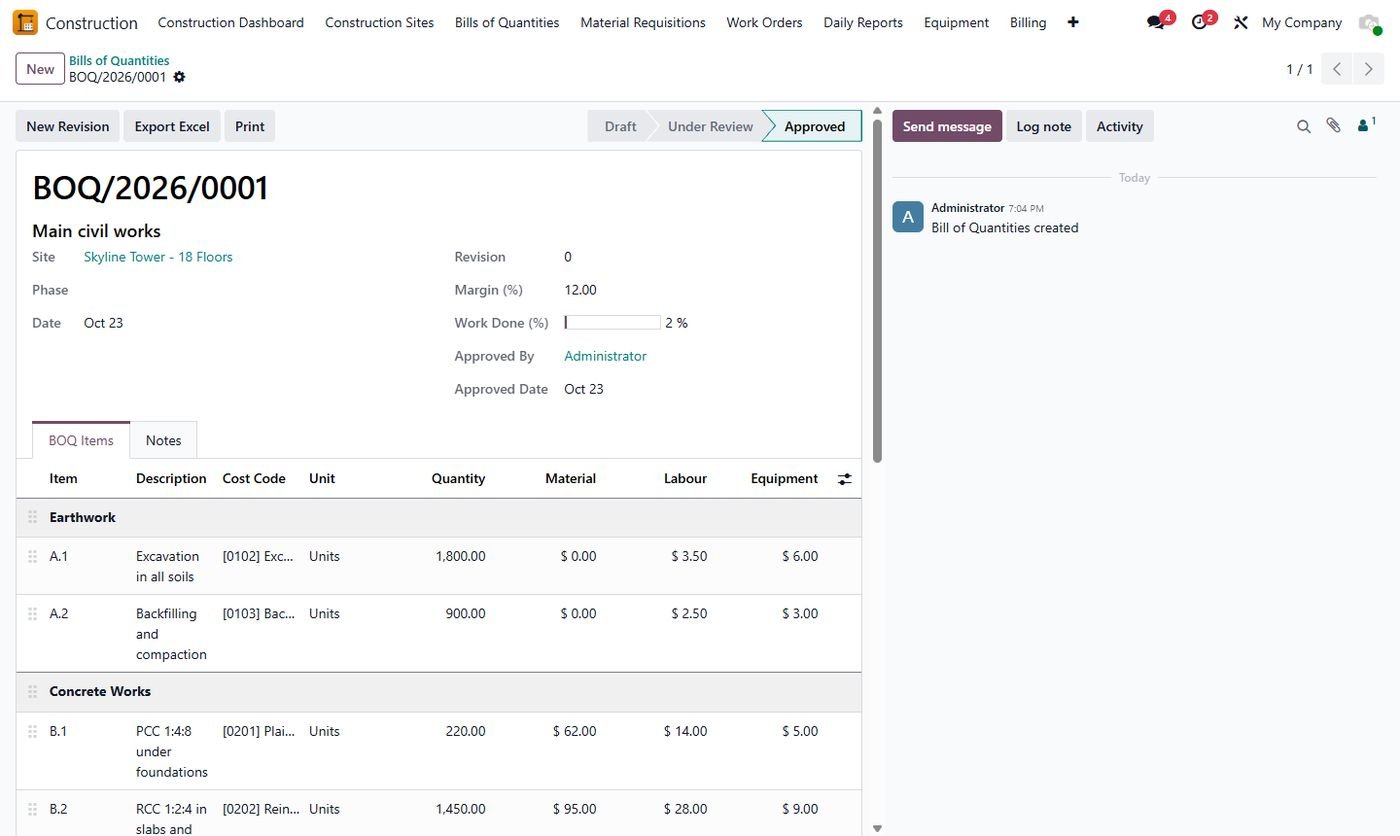
BOQ with rate analysis

Sections and items with material, labour and machinery rates, margin, tender price and progress.

BOQ with rate analysis
Step 6

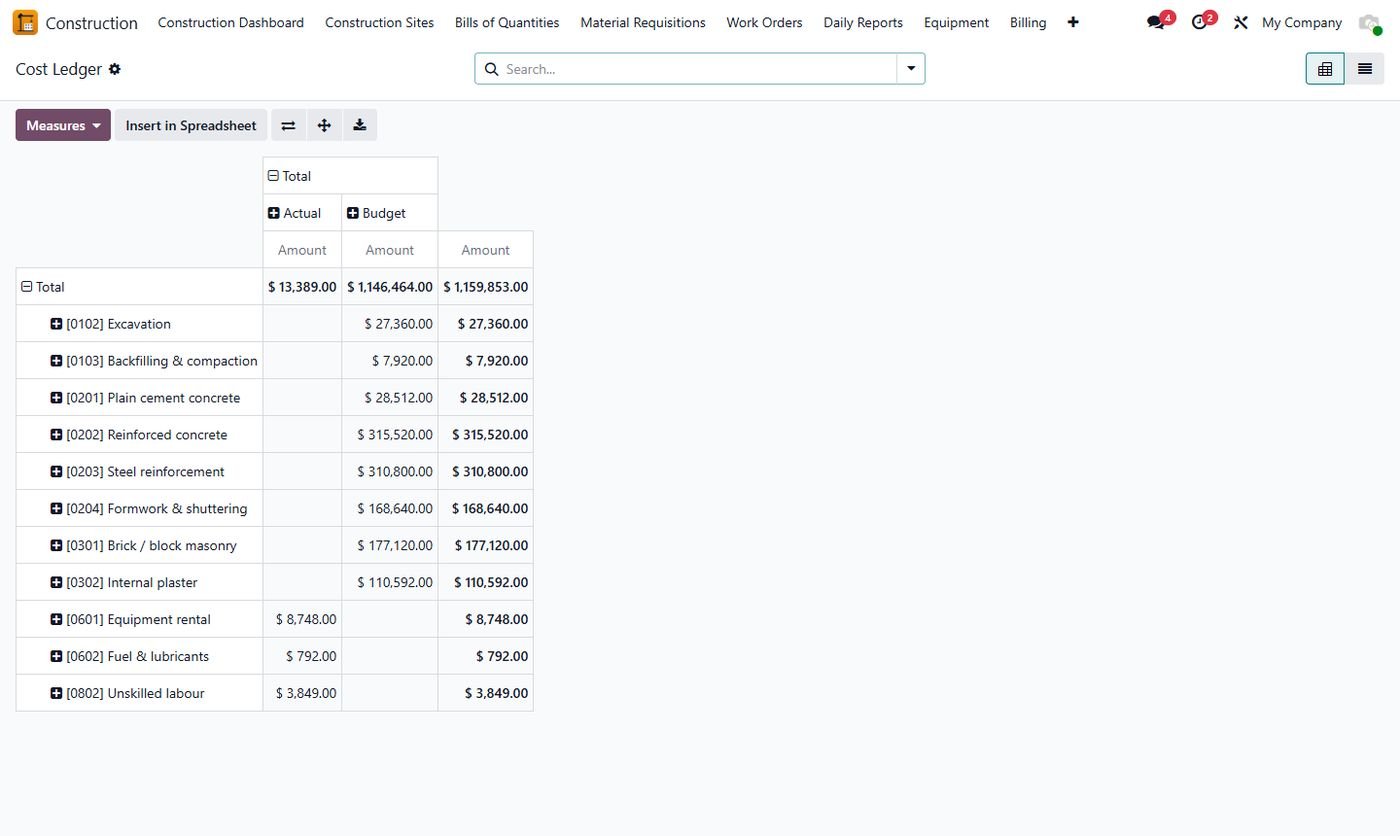
Job cost by cost code

Budget, committed and actual cost per cost code, posted automatically.

Job cost by cost code
Step 7

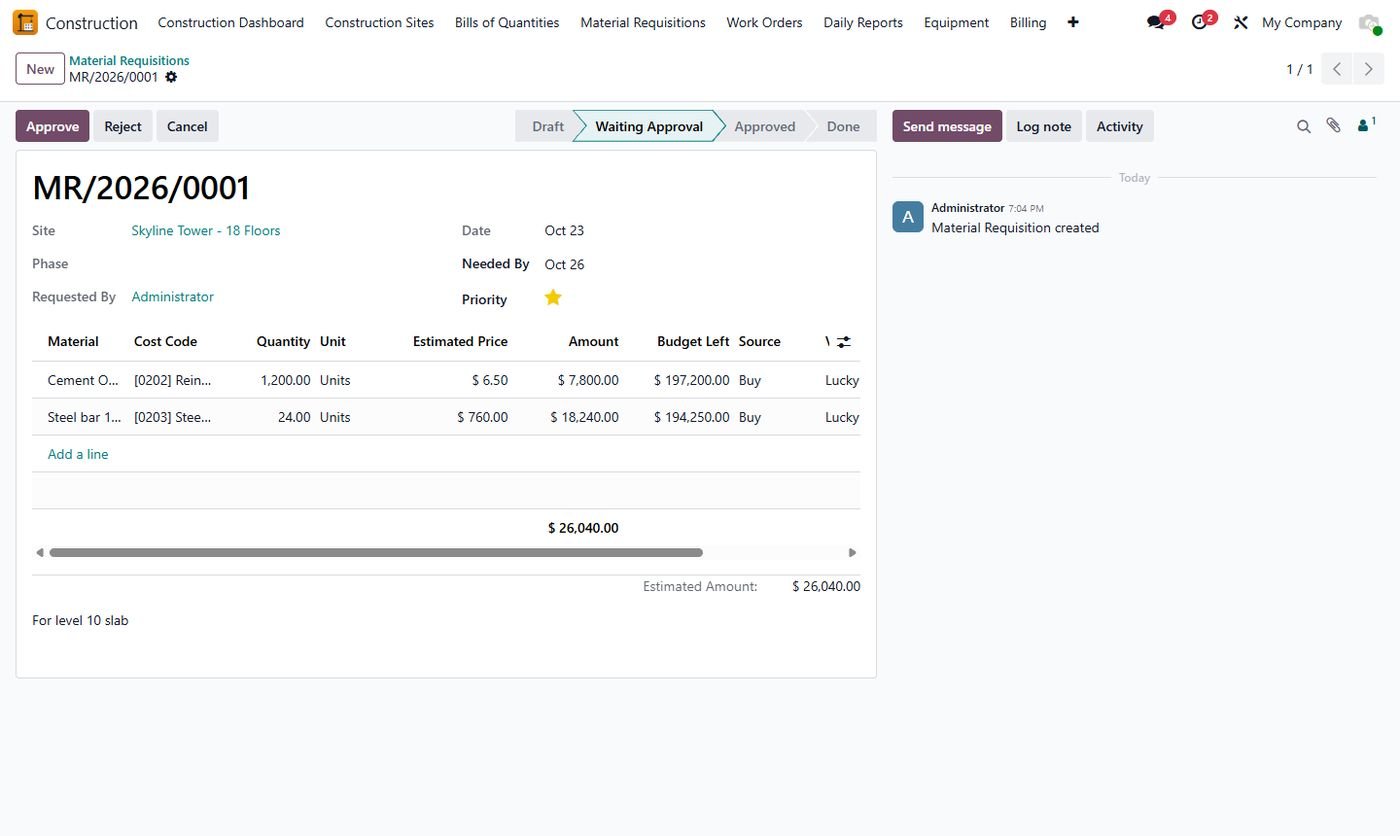
Material requisition

Budget left per cost code, approval, RFQs per vendor or transfer from the store.

Material requisition
Step 8

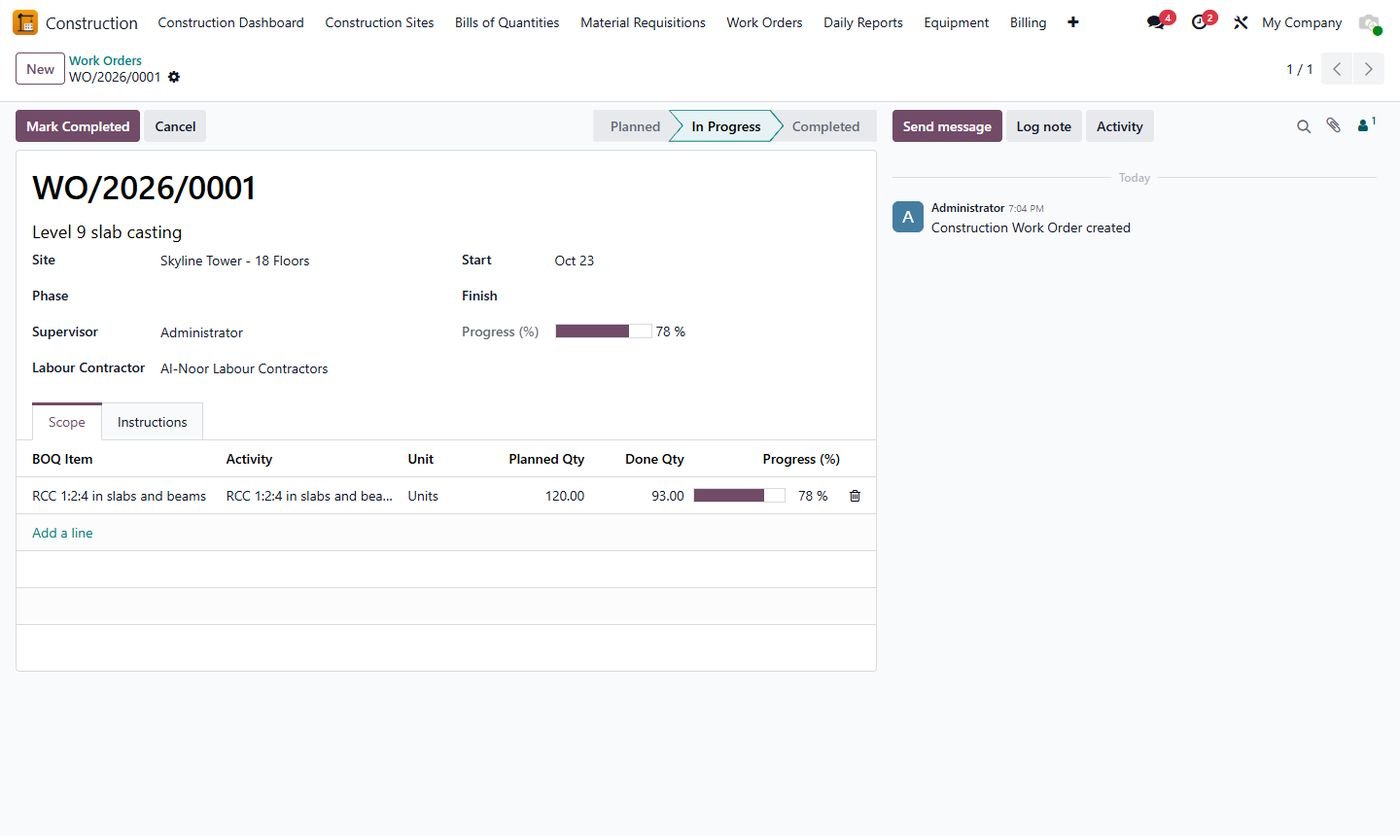
Work orders

Scope from BOQ items with quantities done from daily reports.

Work orders
Step 9

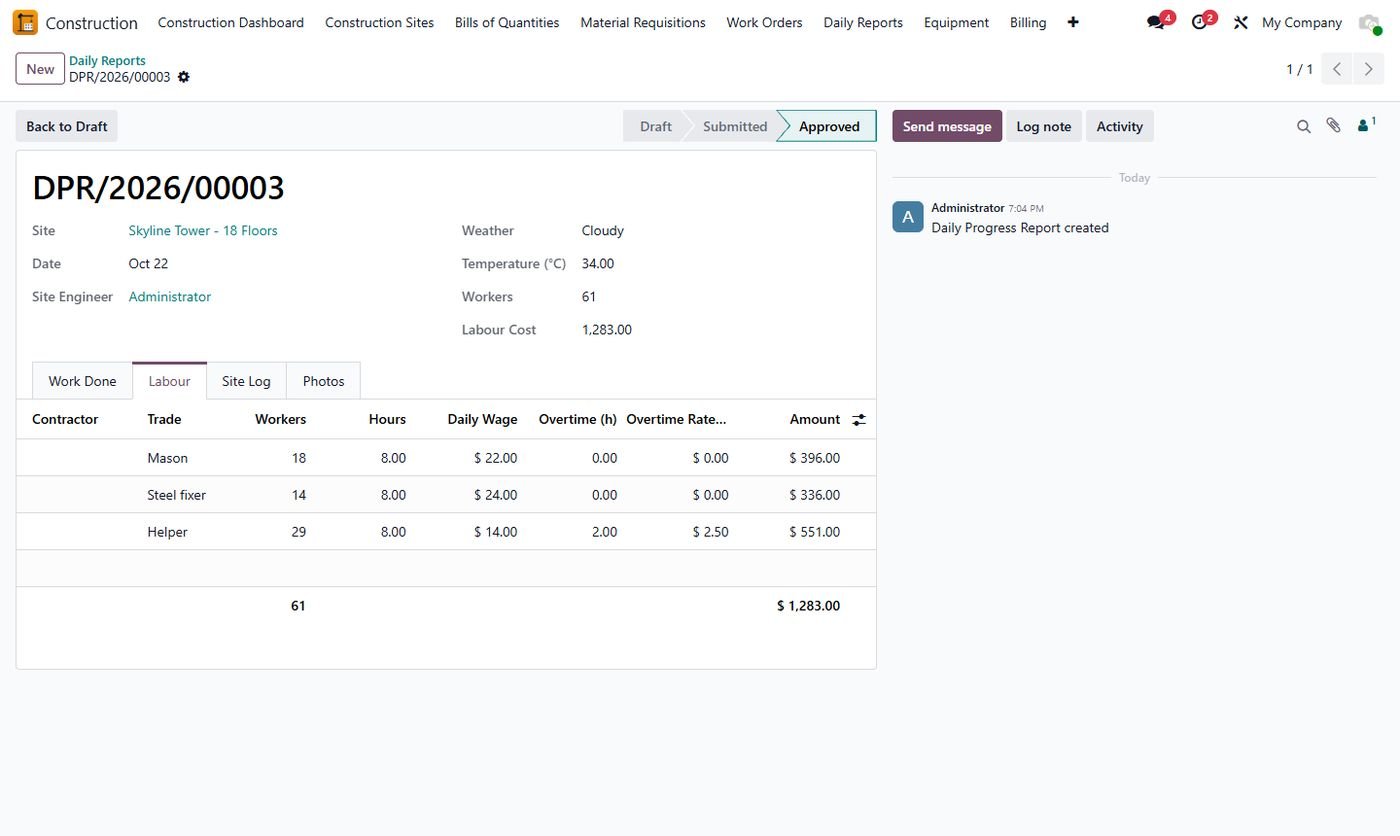
Daily progress report

Weather, work done, labour with wages and overtime, machinery, issues and photos.

Daily progress report
Step 10

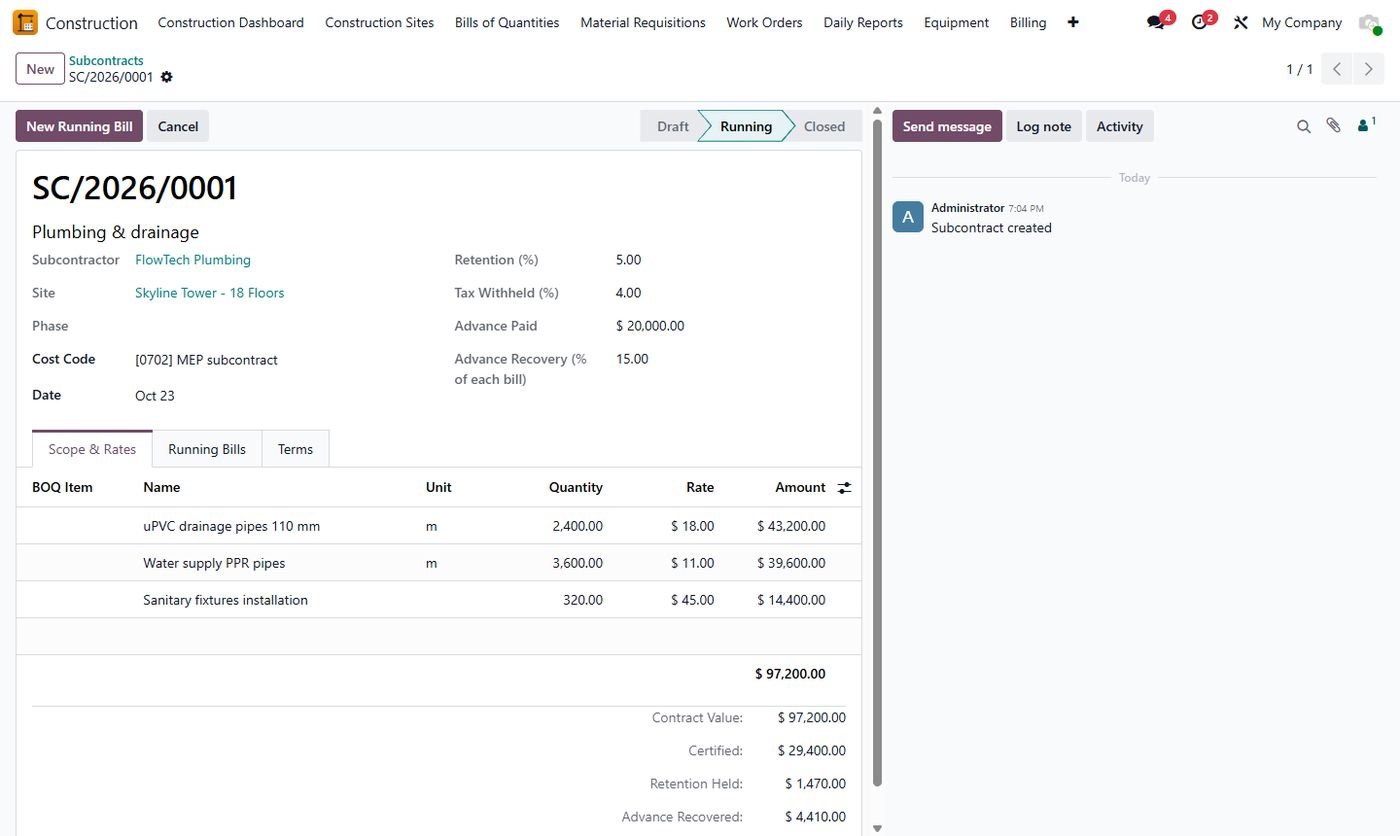
Subcontracts

Scope and rates, retention, tax withheld, advance and its recovery.

Subcontracts
Step 11

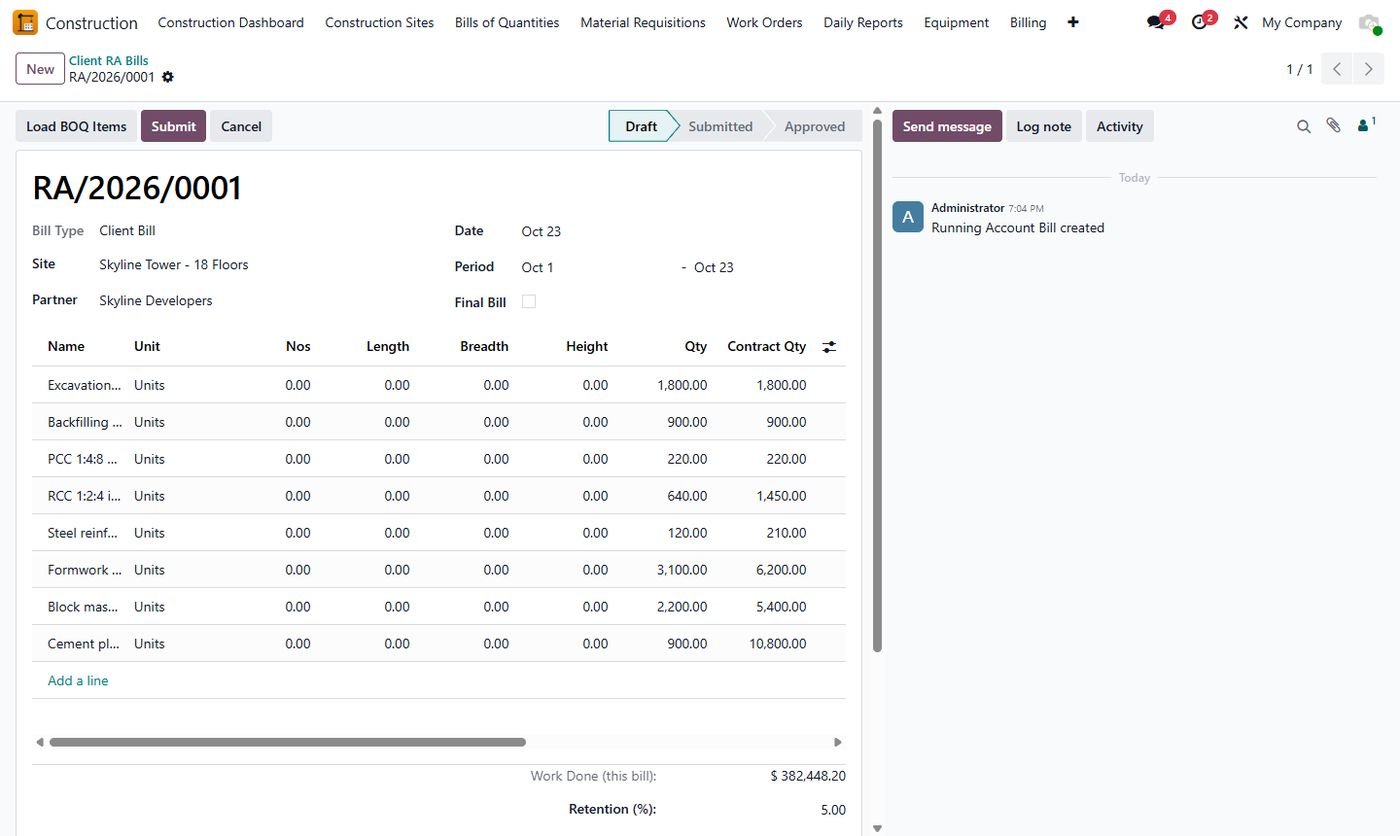
Running account bill

Measurement book with previous, this bill and up-to-date quantities and all deductions.

Running account bill
Step 12

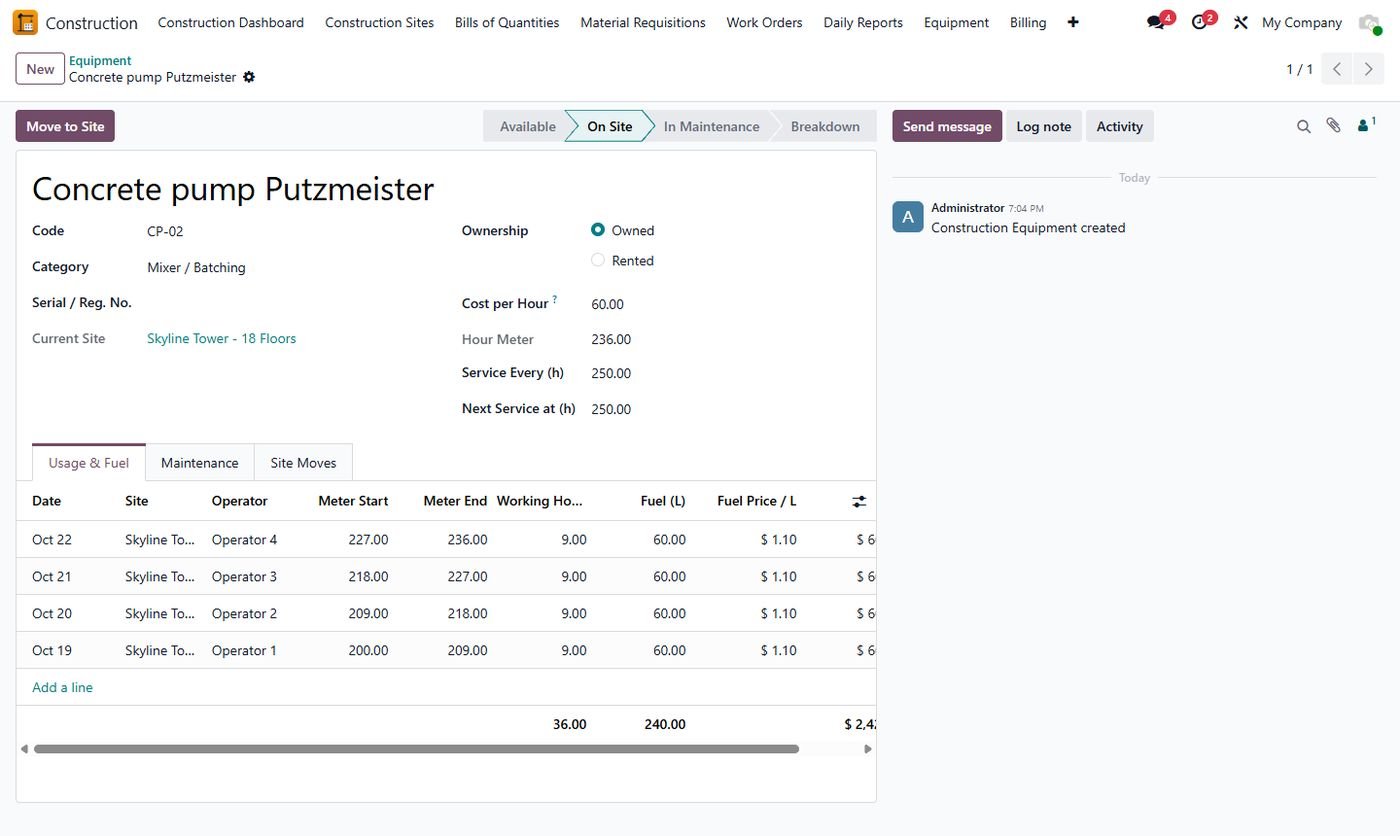
Equipment

Hour meter and fuel logs, site moves, service and breakdowns.

Equipment
Step 13

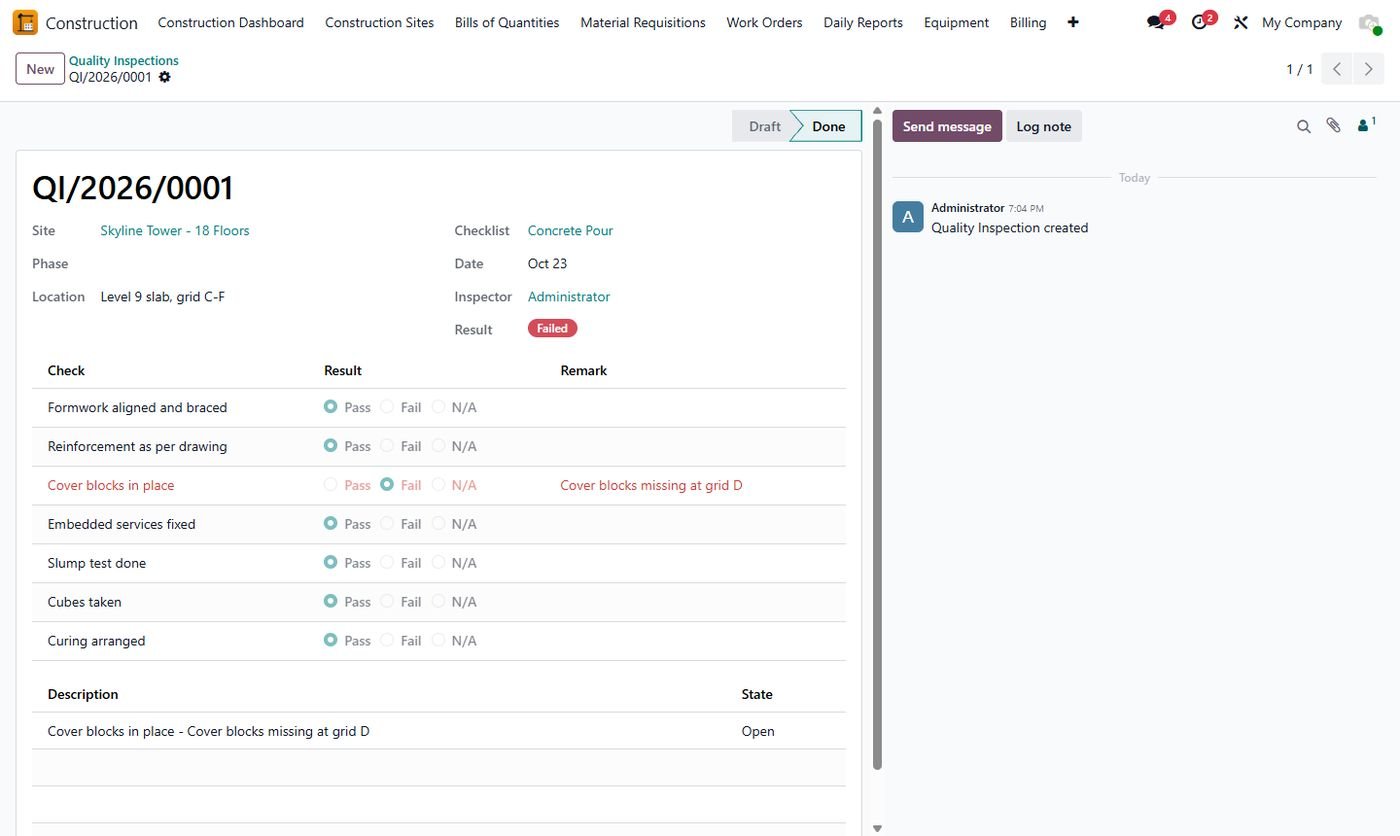
Quality inspection

Checklists with pass / fail; failed checks become snags.

Quality inspection
Step 14

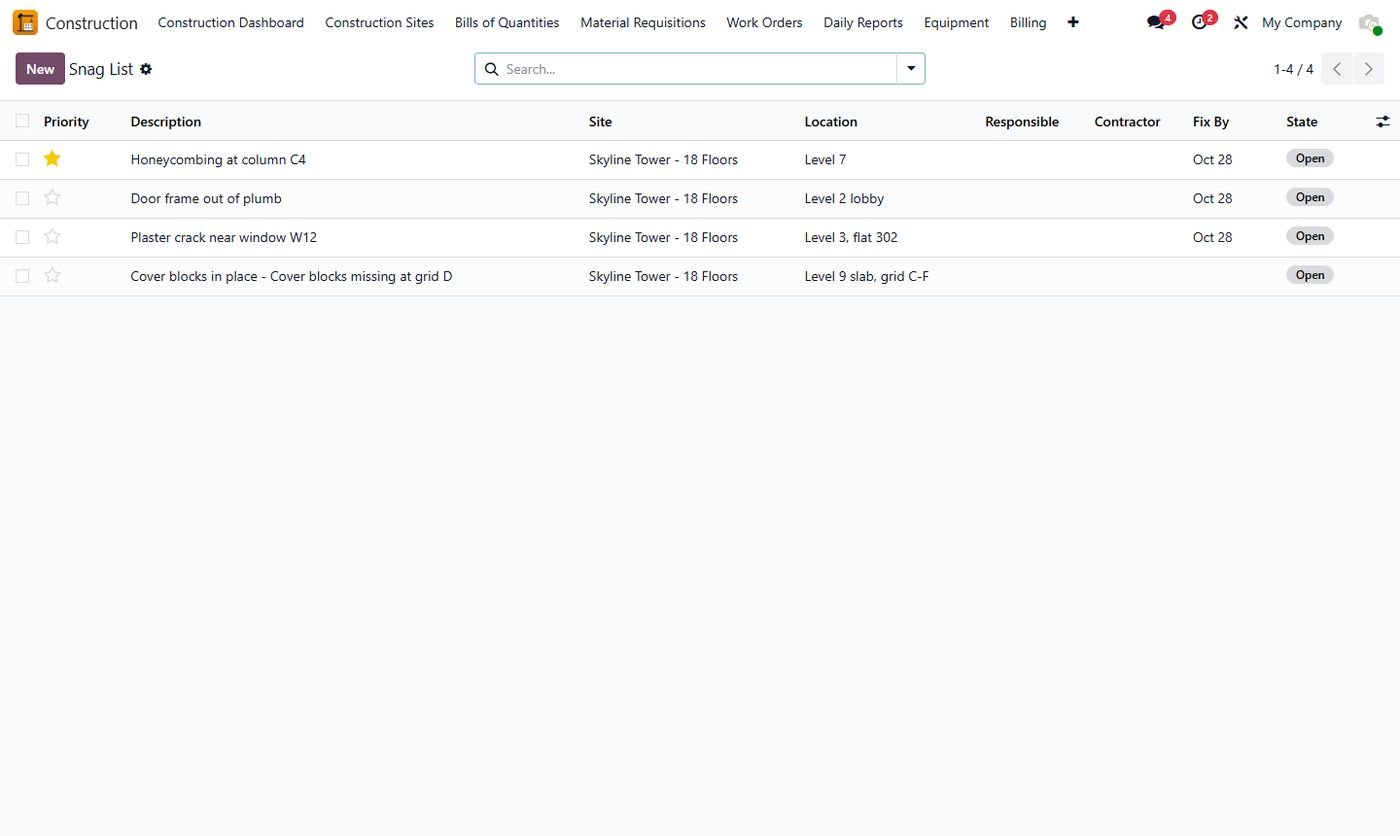
Snag list

Open items with location, priority, responsible and due date.

Snag list
Step 15

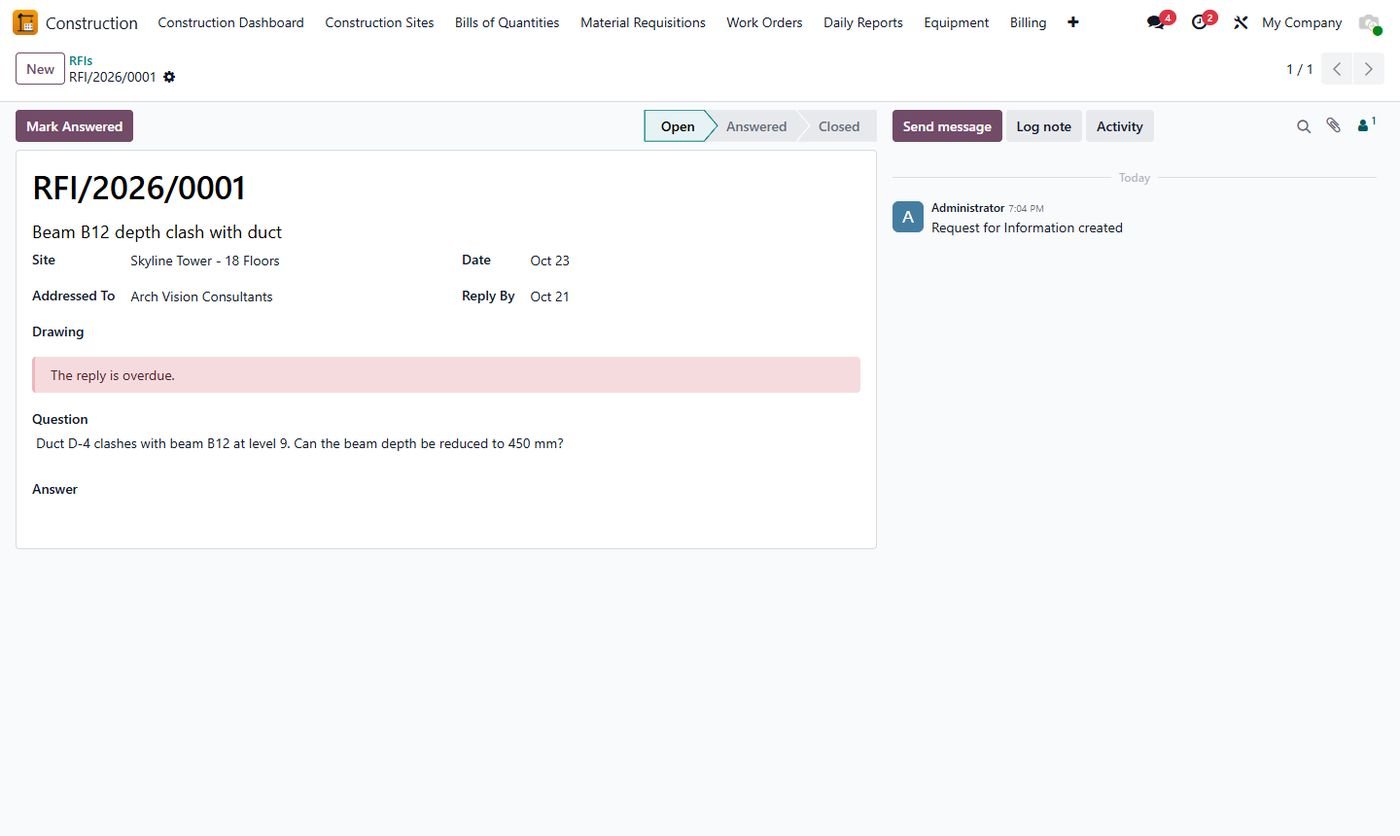
RFIs

Questions to the consultant with due dates and overdue alerts.

RFIs
Step 16

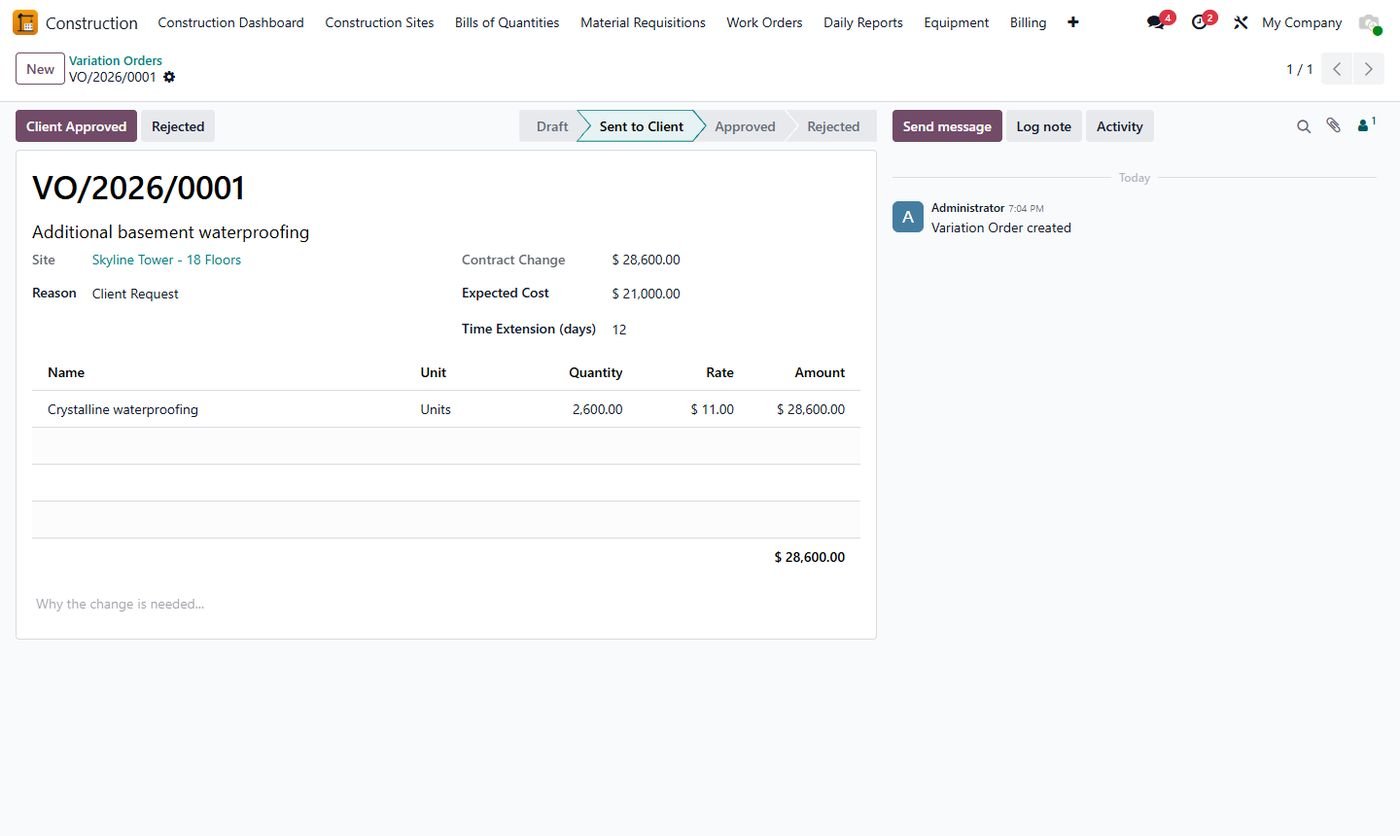
Variation orders

Extra work with cost and time impact; approval updates the contract value.

Variation orders
Step 17

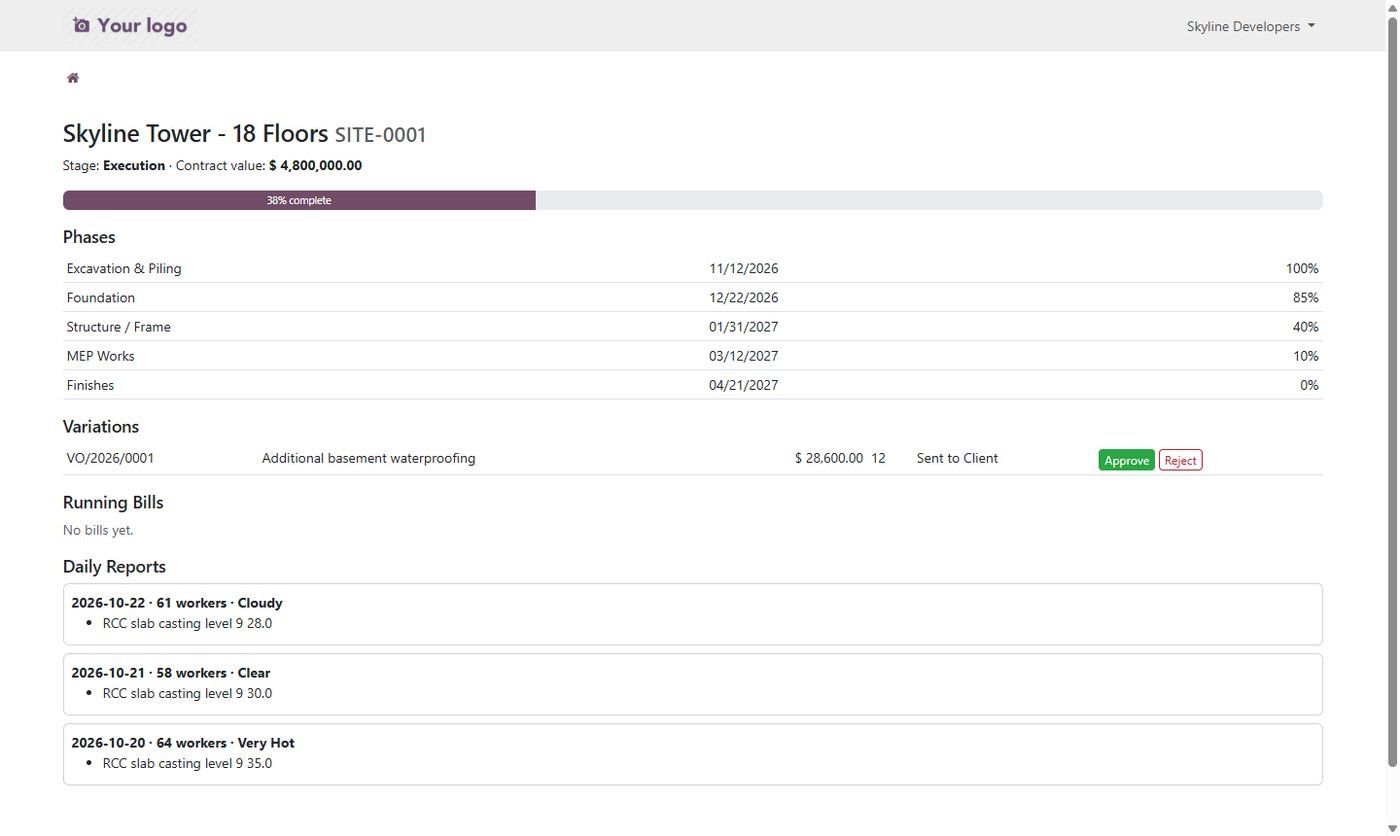
Client portal

Progress, phases, bills and daily reports; the client approves variations online.

Client portal
Step 18

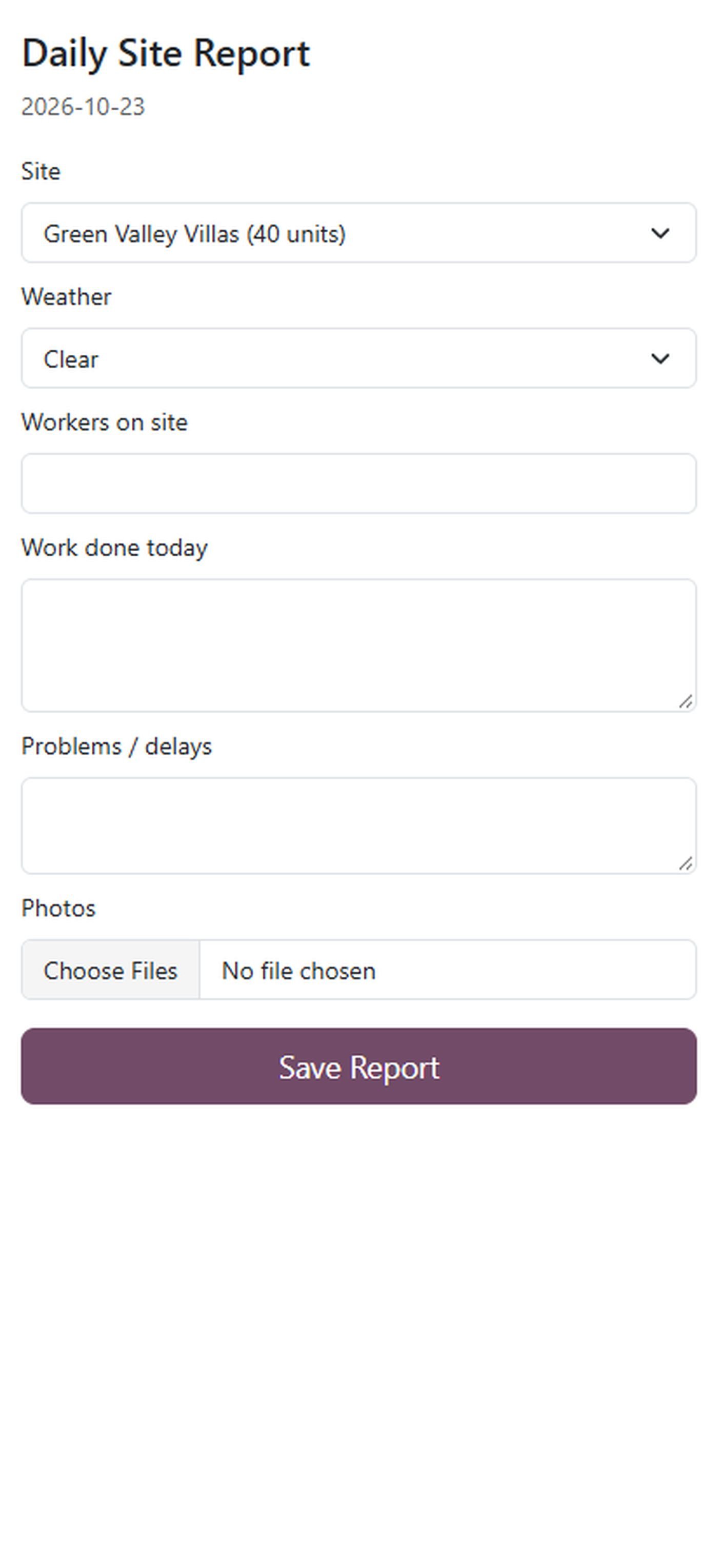
Mobile daily report

Site engineers send the daily report with photos from their phone.

Mobile daily report
Common questions

Questions aboutthis module.

Something else? Ask our team.

Yes, on Community and Enterprise from Odoo 14 to 20. It uses the standard Project, Purchase, Inventory, Timesheets and Accounting apps.

Yes. The approved BOQ is the budget; purchase orders, vendor bills, store issues, timesheets, daily labour and machine logs post their cost to the site and cost code by themselves.

Yes. They can fill the daily progress report from a phone with photos from the camera, and use the normal Odoo app for the rest.

Yes, for both subcontractor bills and client running bills, with the accounting entries on the accounts you choose.

Yes. The client sees progress, phases, approved bills and daily reports with photos on the portal, and approves variations there.

Yes. Export any BOQ to get the template, fill it and import it back. Rows without a quantity become sections.

On Odoo 16 to 20. On Odoo 14 and 15 the dashboard opens as list, pivot and graph reports.

Not sure it's theright fit?

Book a free consultation and we'll help you pick the right modules for your workflow.