Productivity & Tools

Direct Print Center - Odoo Direct Print & ZPL Labels

Odoo direct print module: print invoices, delivery slips, POS receipts and ZPL labels silently to any printer, with no PrintNode subscription. Free agent for Odoo 14-20.

$85 USD
Choose your Odoo version
Ask a question
Built by an Odoo partner Initial setup support Download link by email
Direct Print Center - Odoo Direct Print & ZPL Labels
What's included

Key features

1

No Subscription

A free agent runs on any Windows or Linux PC beside your printers and polls Odoo over HTTPS. You don't need any cloud account, port forwarding or monthly fee.

2

One-Click Direct Print

Odoo's normal Print menu sends PDF and ZPL reports silently to the right printer, and the user gets a confirmation. Downloading stays available with one switch.

3

Smart Printer Routing

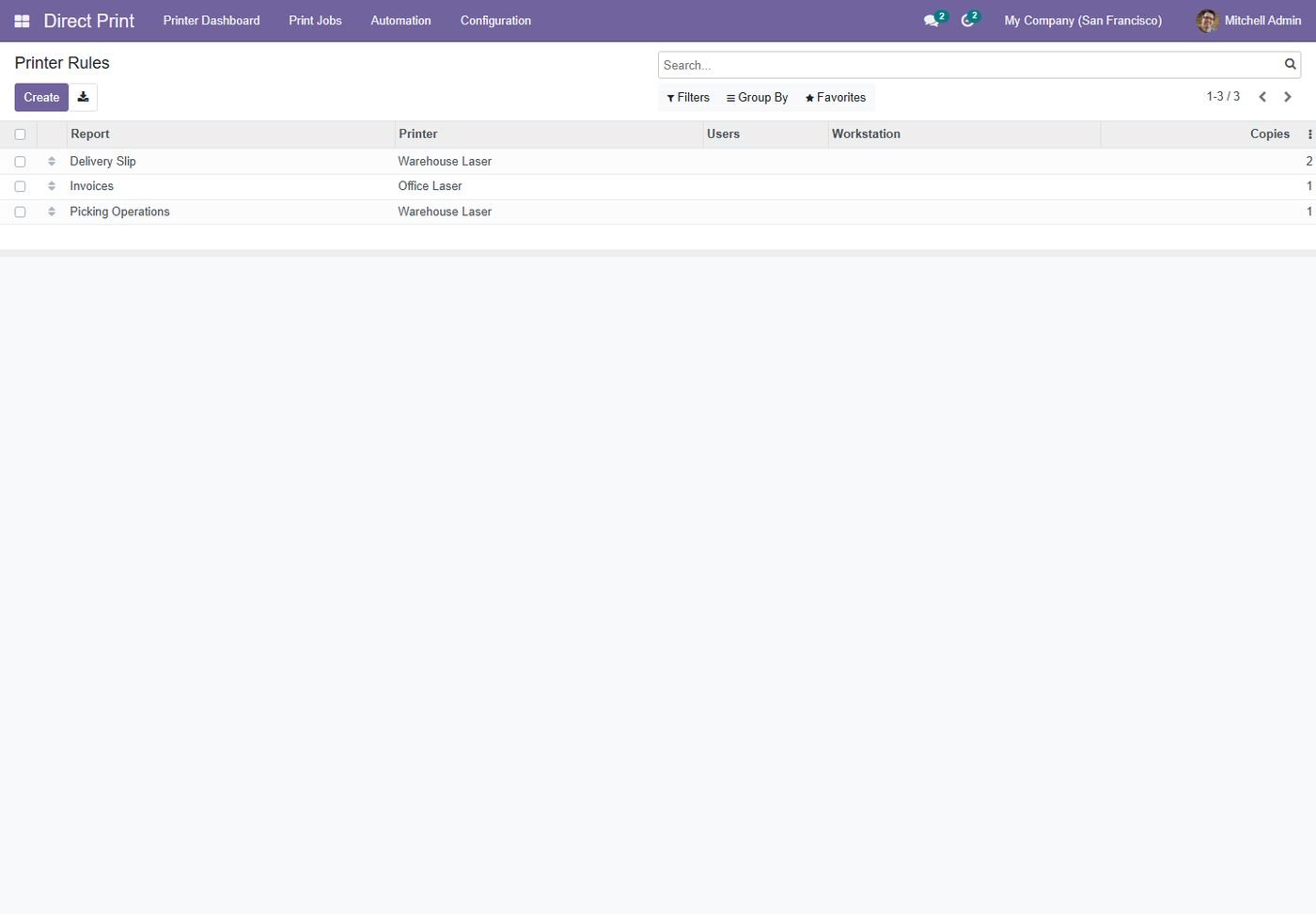
Printer rules per report, user, workstation and company. Separate document and label printers, copies, duplex, color, paper and tray.

4

Automatic Print Scenarios

Print when a record is created or reaches a state: delivery slips on validation, invoices on posting, lot labels on receipt and shipping labels from attachments.

5

ZPL Label Designer

Write ZPL templates with field placeholders such as {{ barcode }}, then print product, lot or package labels from a button on any model.

6

POS Receipts

Print 80mm receipts and invoices from the shop printer as soon as an order is paid, and reprint from the backend in one click.

7

Failover & Monitoring

A failover printer takes over when an agent is offline. The printer dashboard, job queue with retry, analysis and offline alerts for managers keep you informed.

8

Scales & PrintNode

Read serial-port scale weights through the same agent. You can also connect an existing PrintNode account and import its printers.

Inside the module

Screenshots

Real screens from Direct Print Center - Odoo Direct Print & ZPL Labels — click any image to see it full size.

Step 1

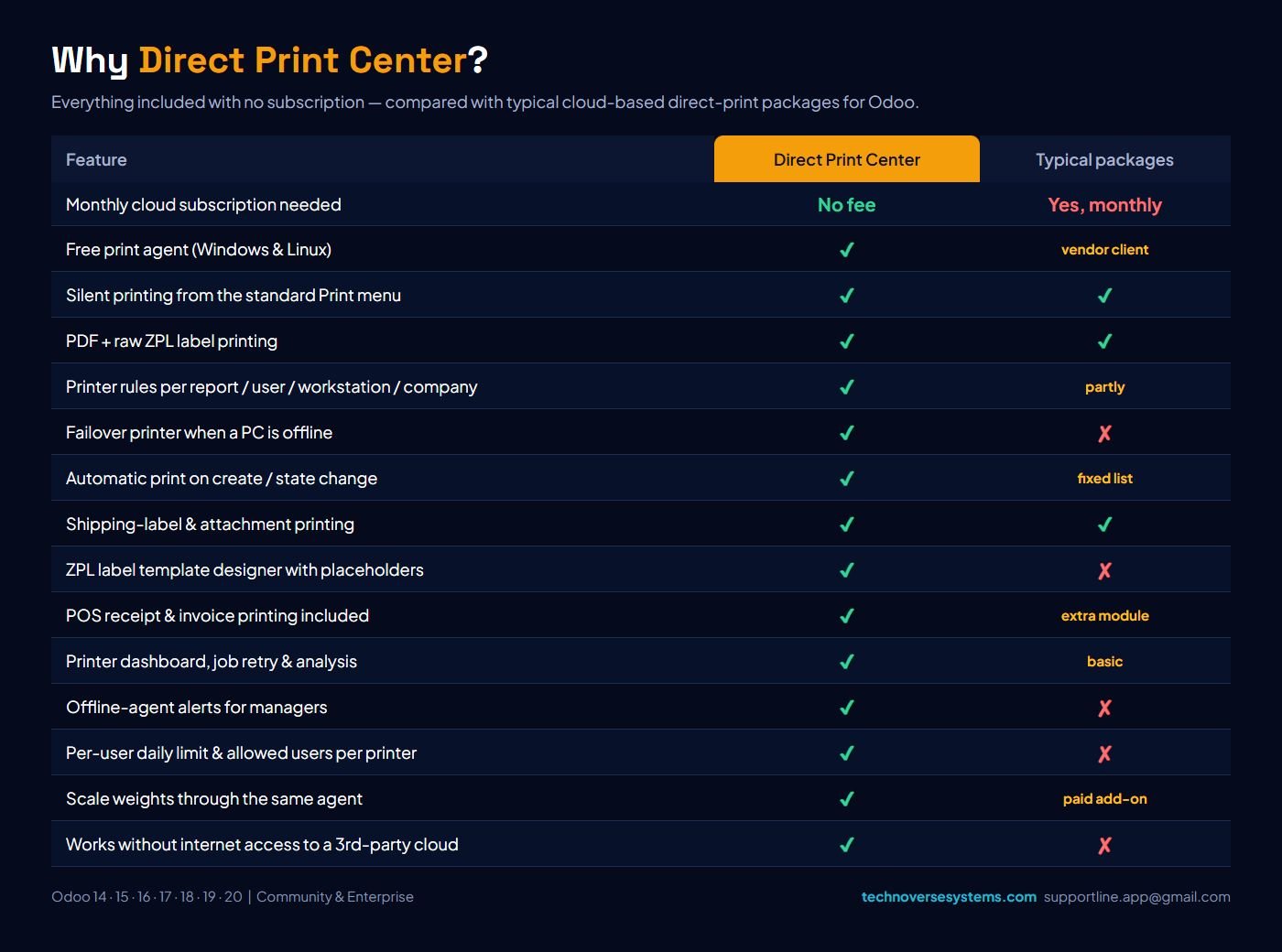
Why Direct Print Center?

Everything included with no monthly subscription, compared with typical cloud-based direct-print packages.

Why Direct Print Center?
Step 2

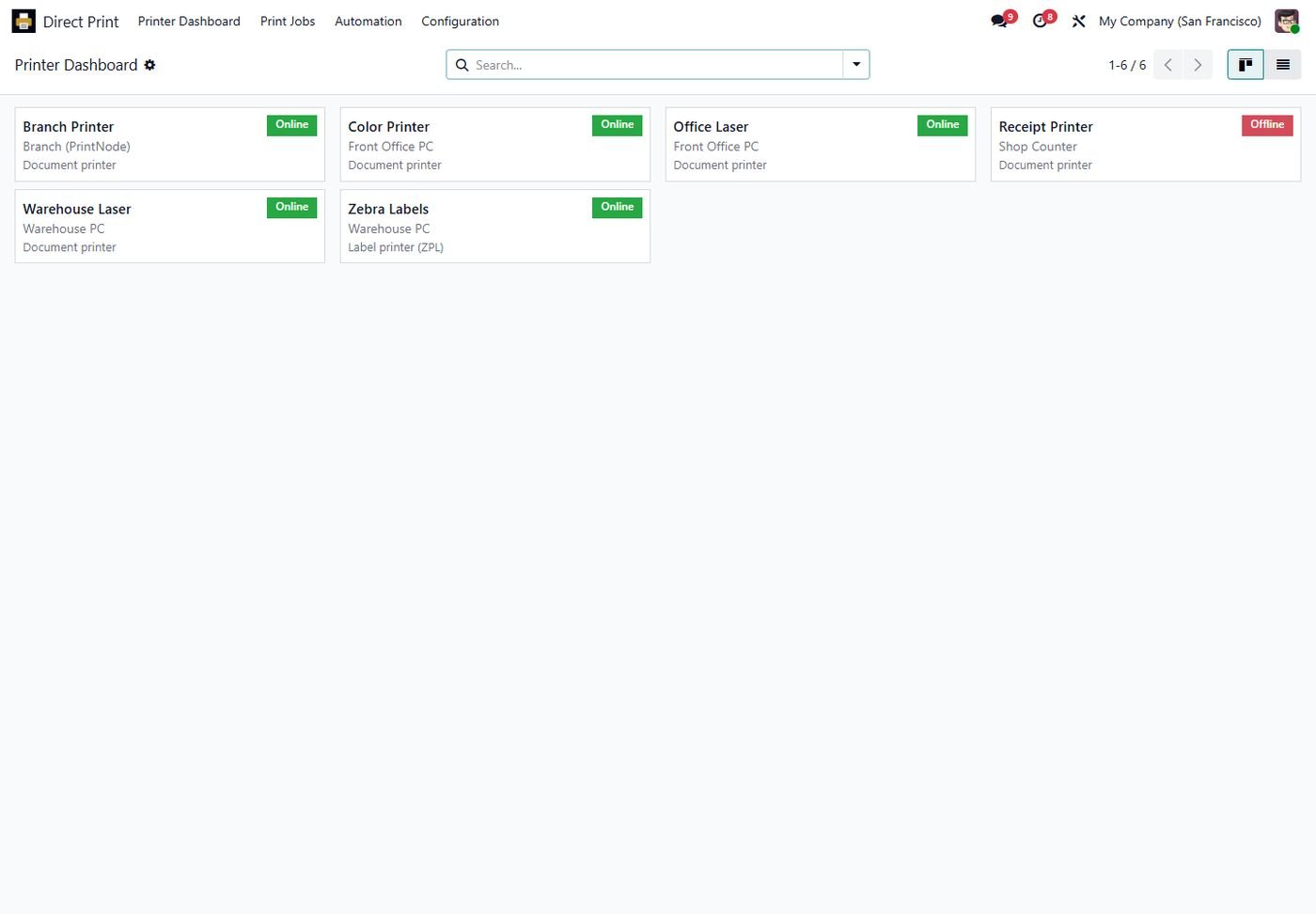
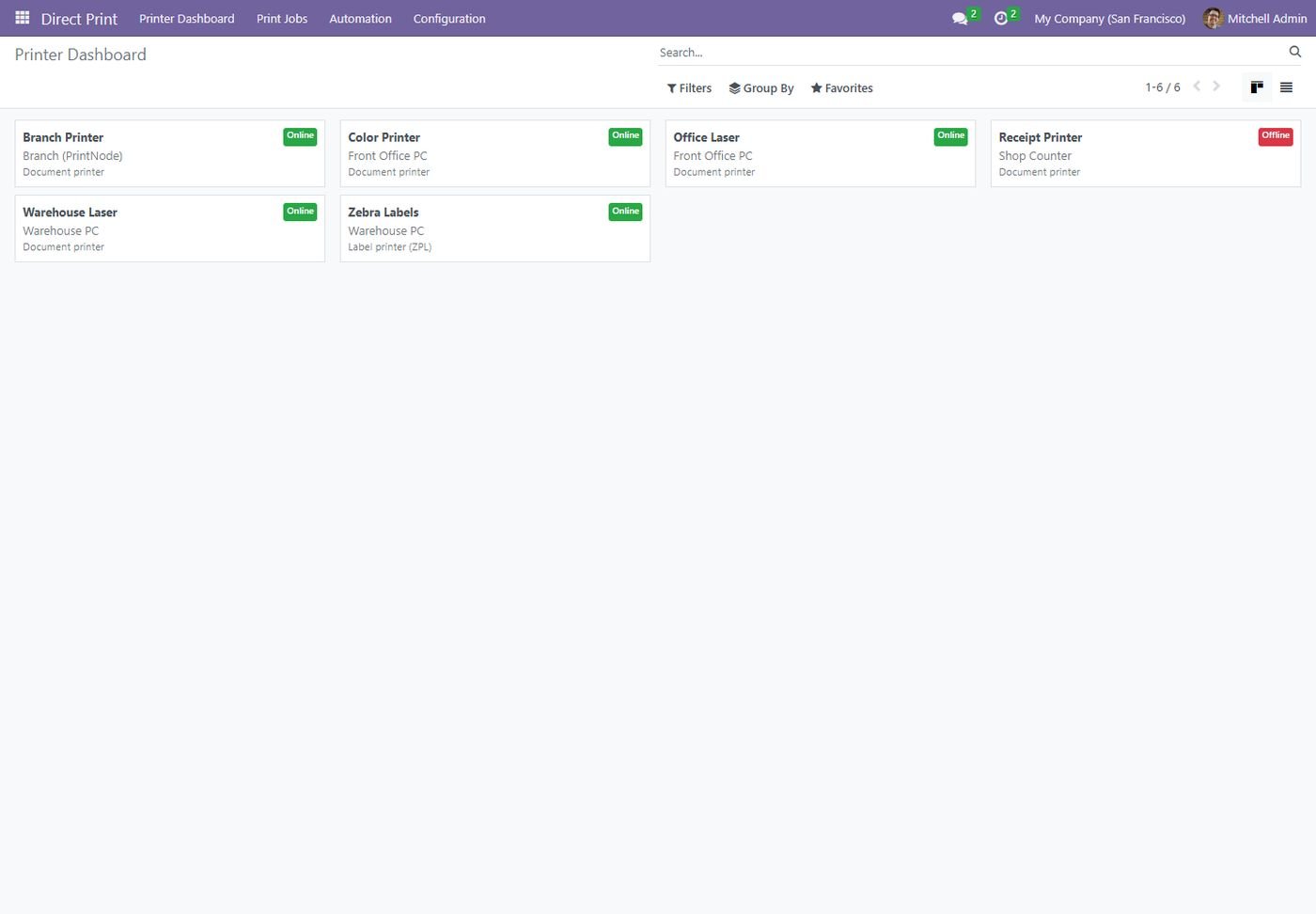
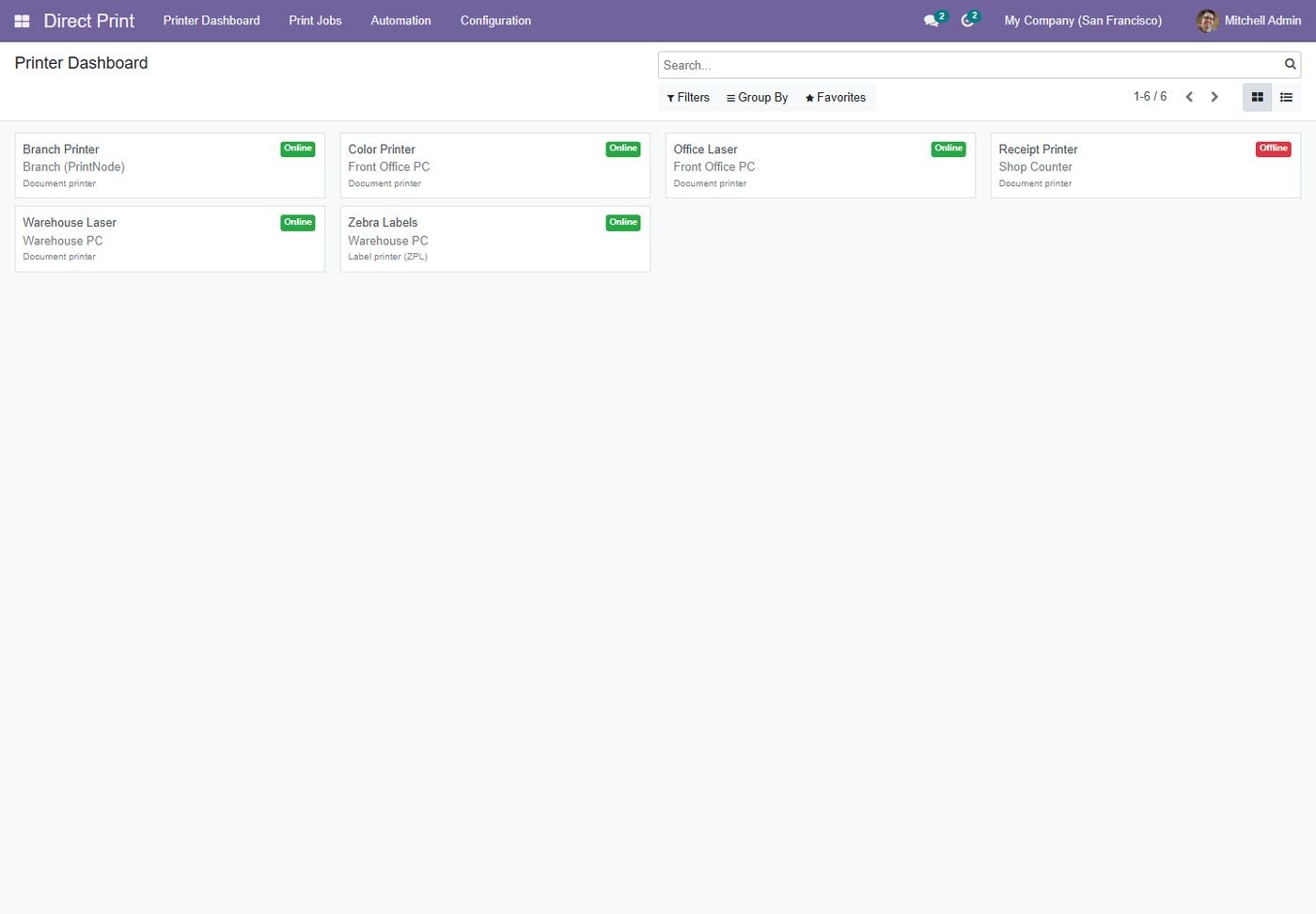
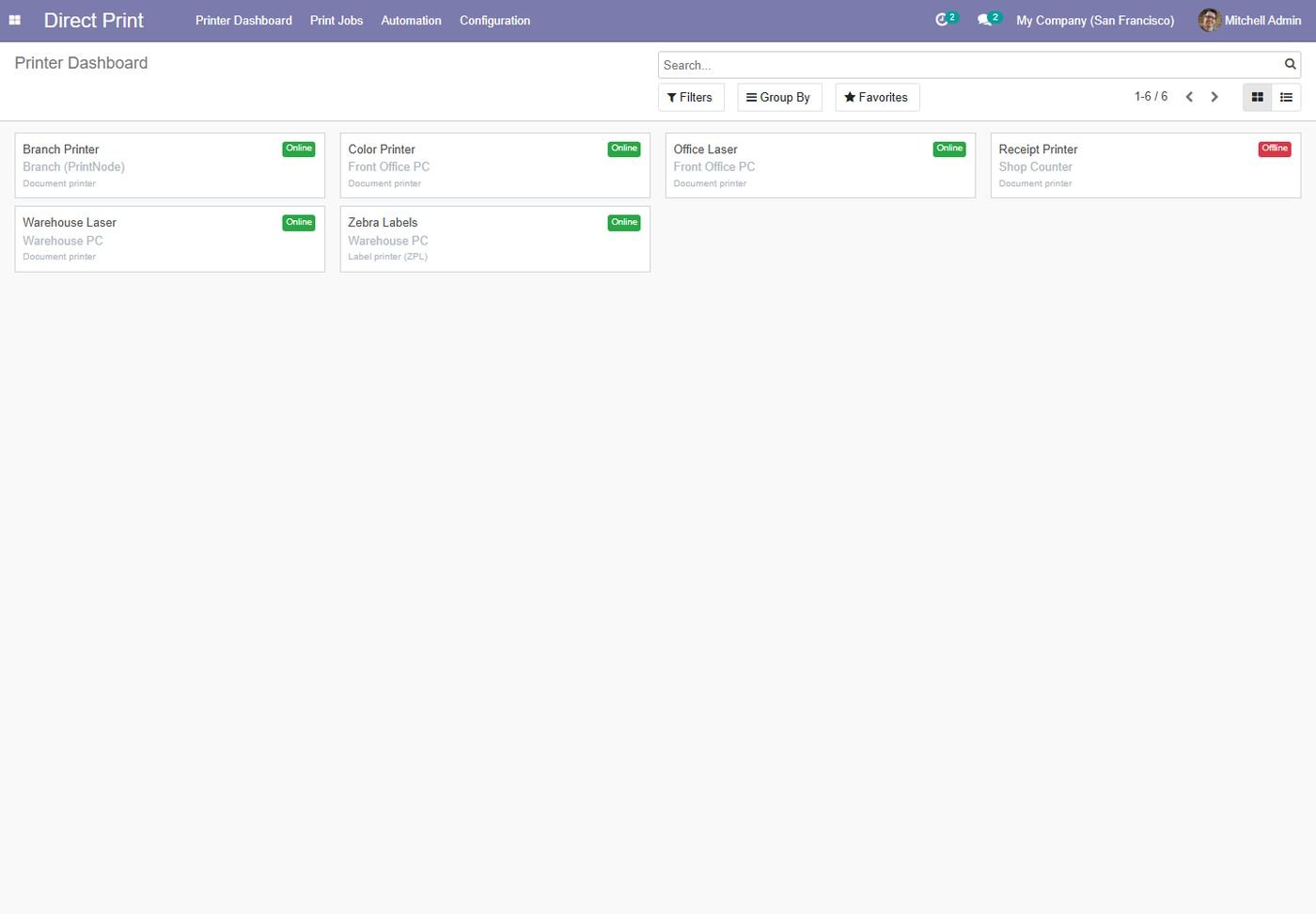
Printer dashboard

Every printer with its agent and live online / offline status.

Printer dashboard
Step 3

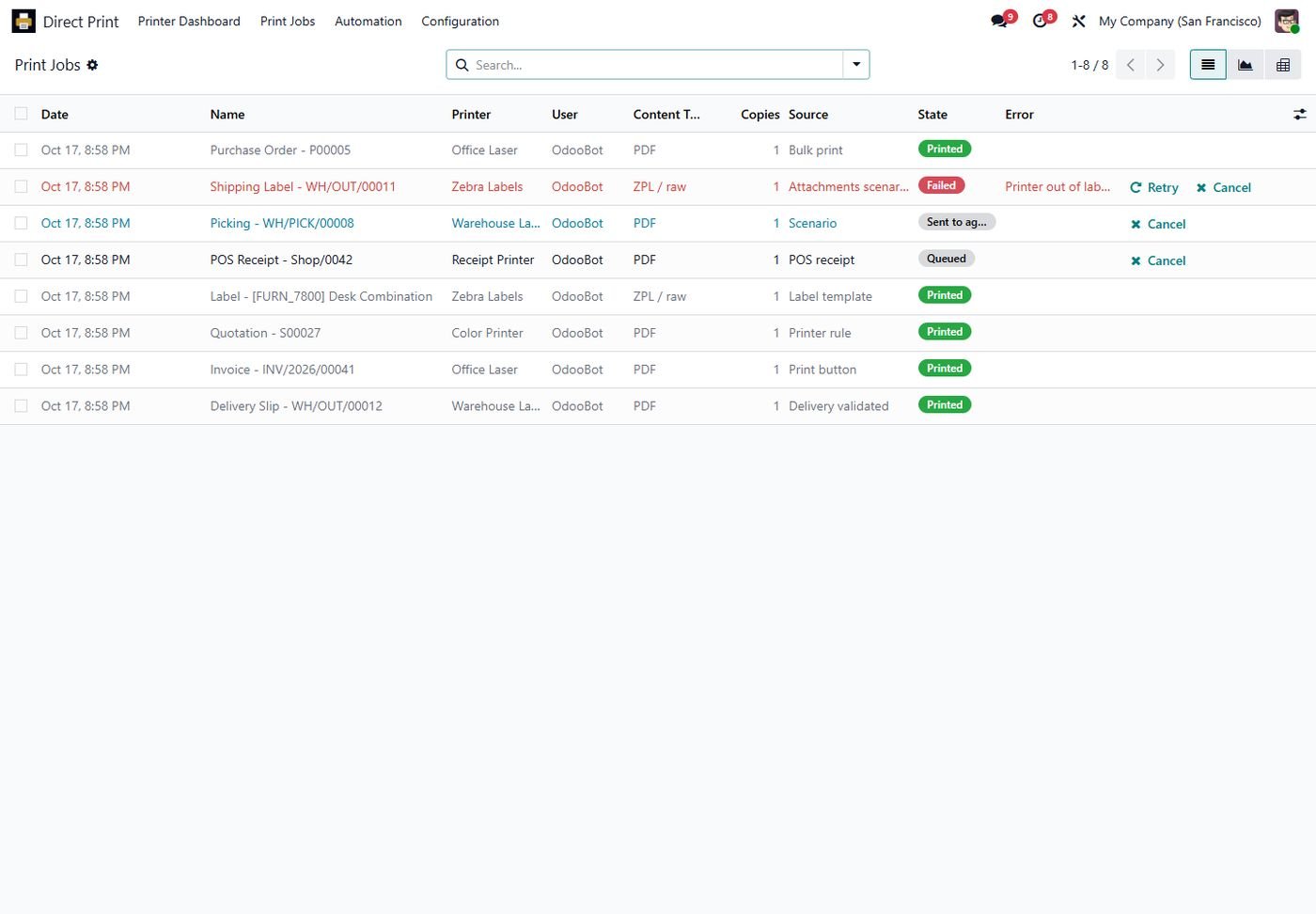
Print job queue

All jobs with printer, source and state, plus retry and cancel for failed jobs.

Print job queue
Step 4

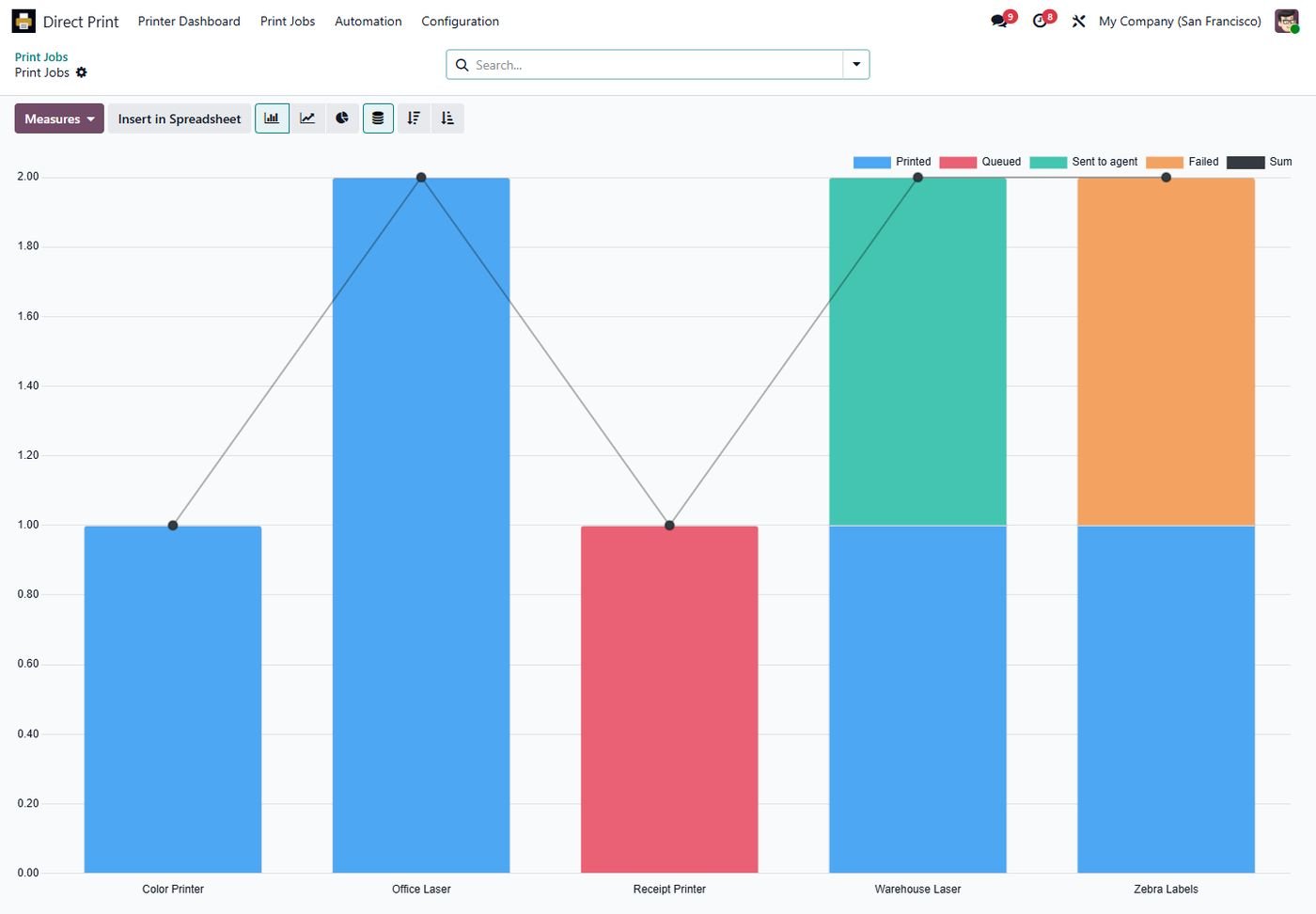
Job analysis

Graph and pivot of jobs per printer and state.

Job analysis
Step 5

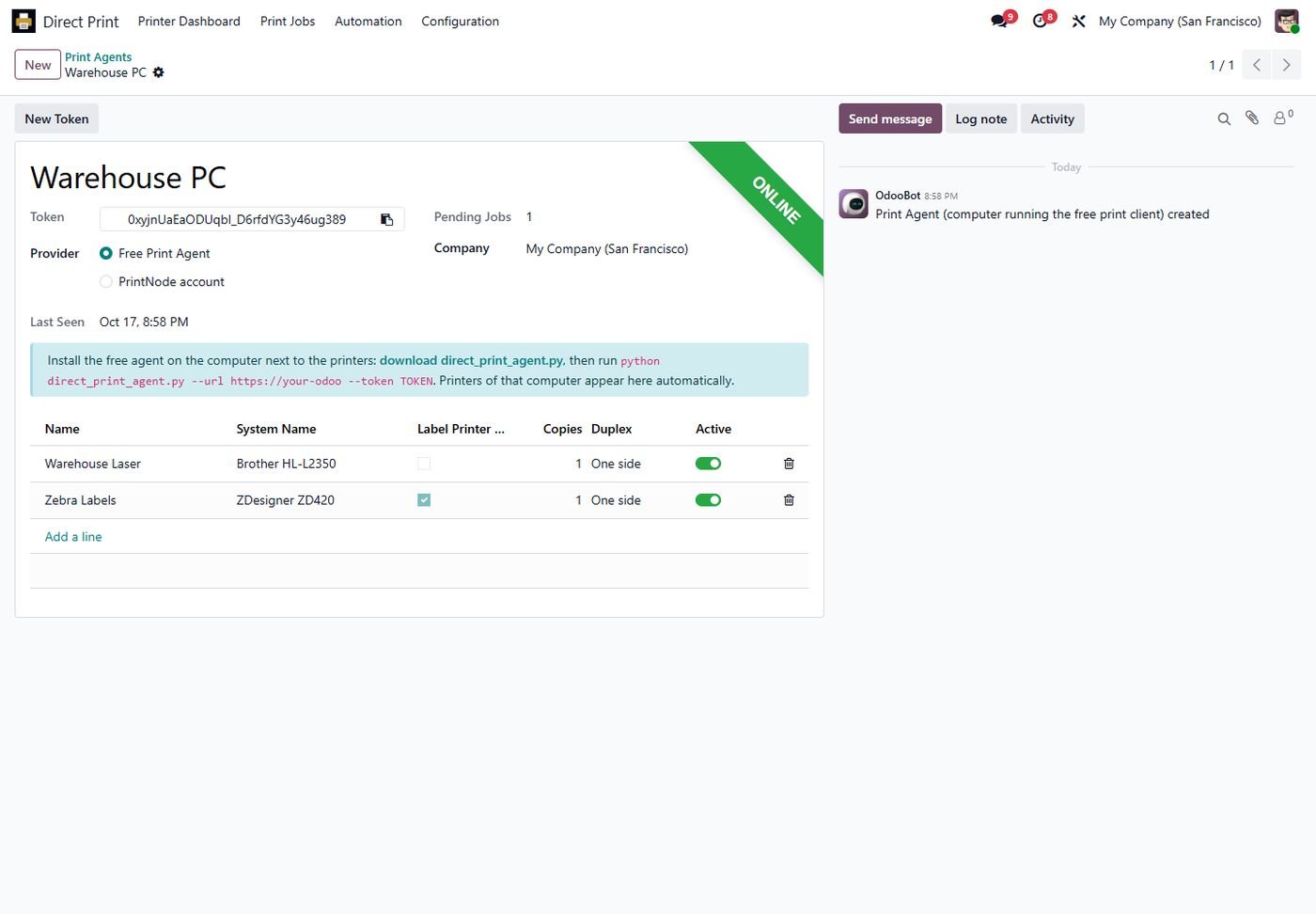
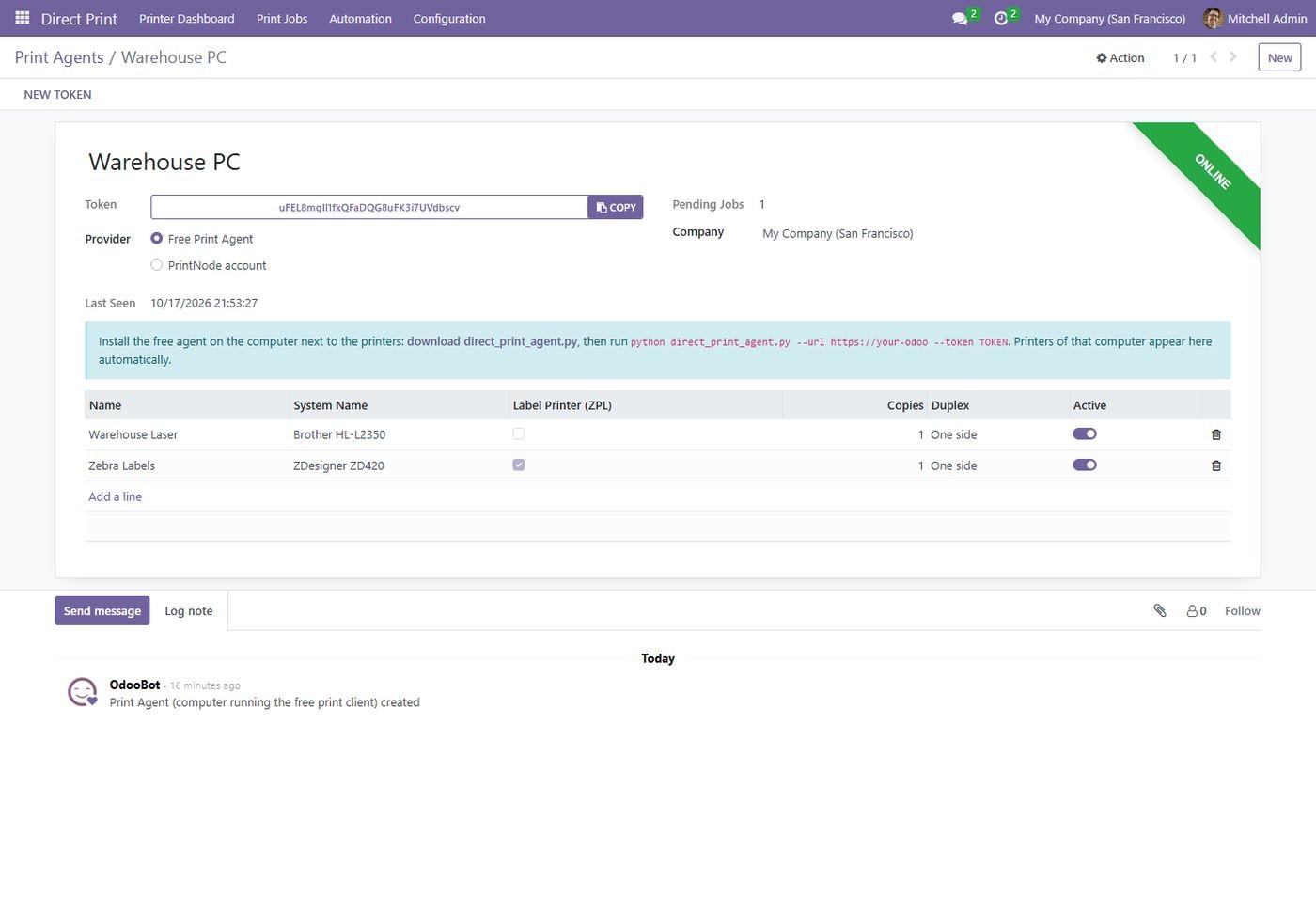
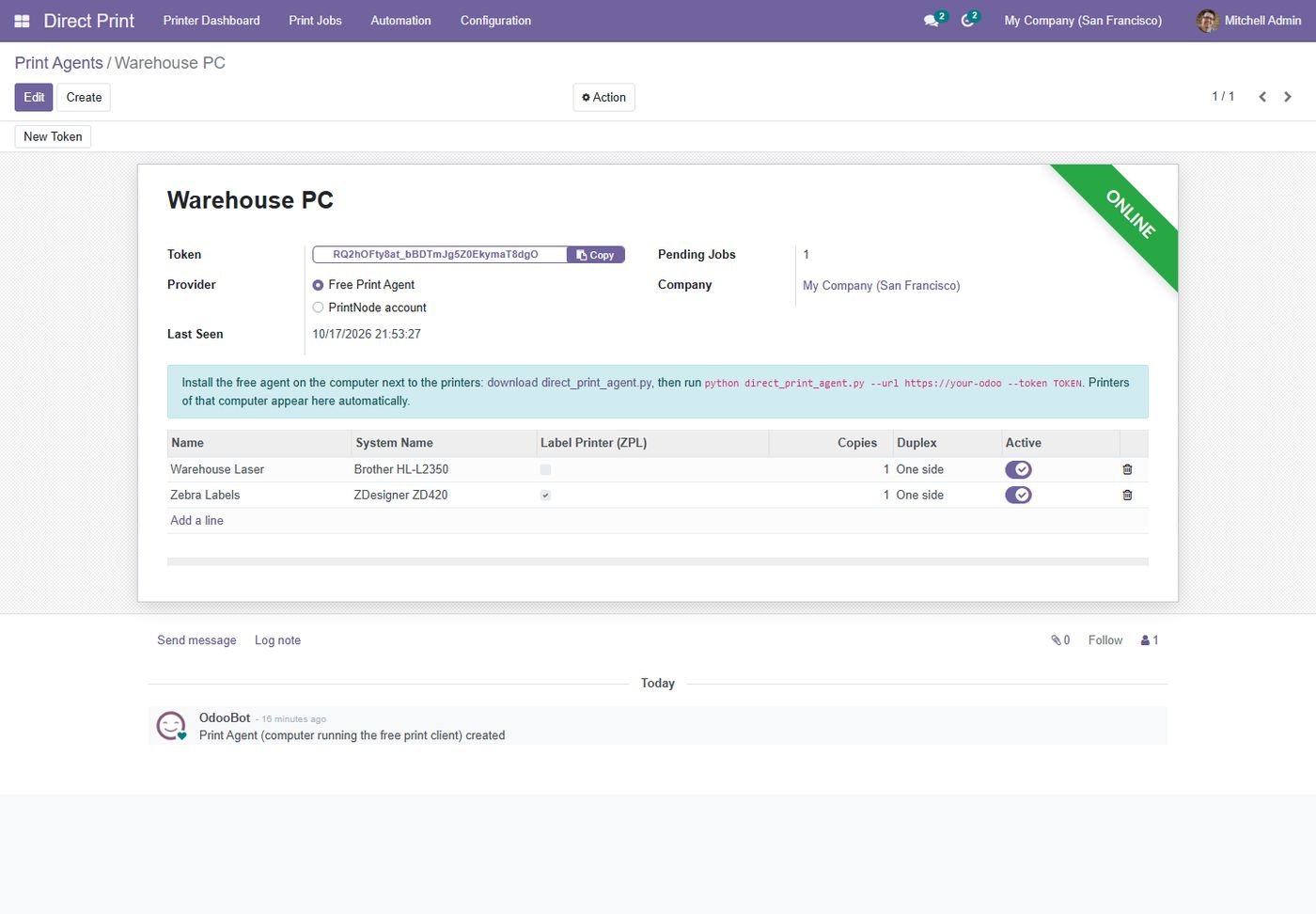
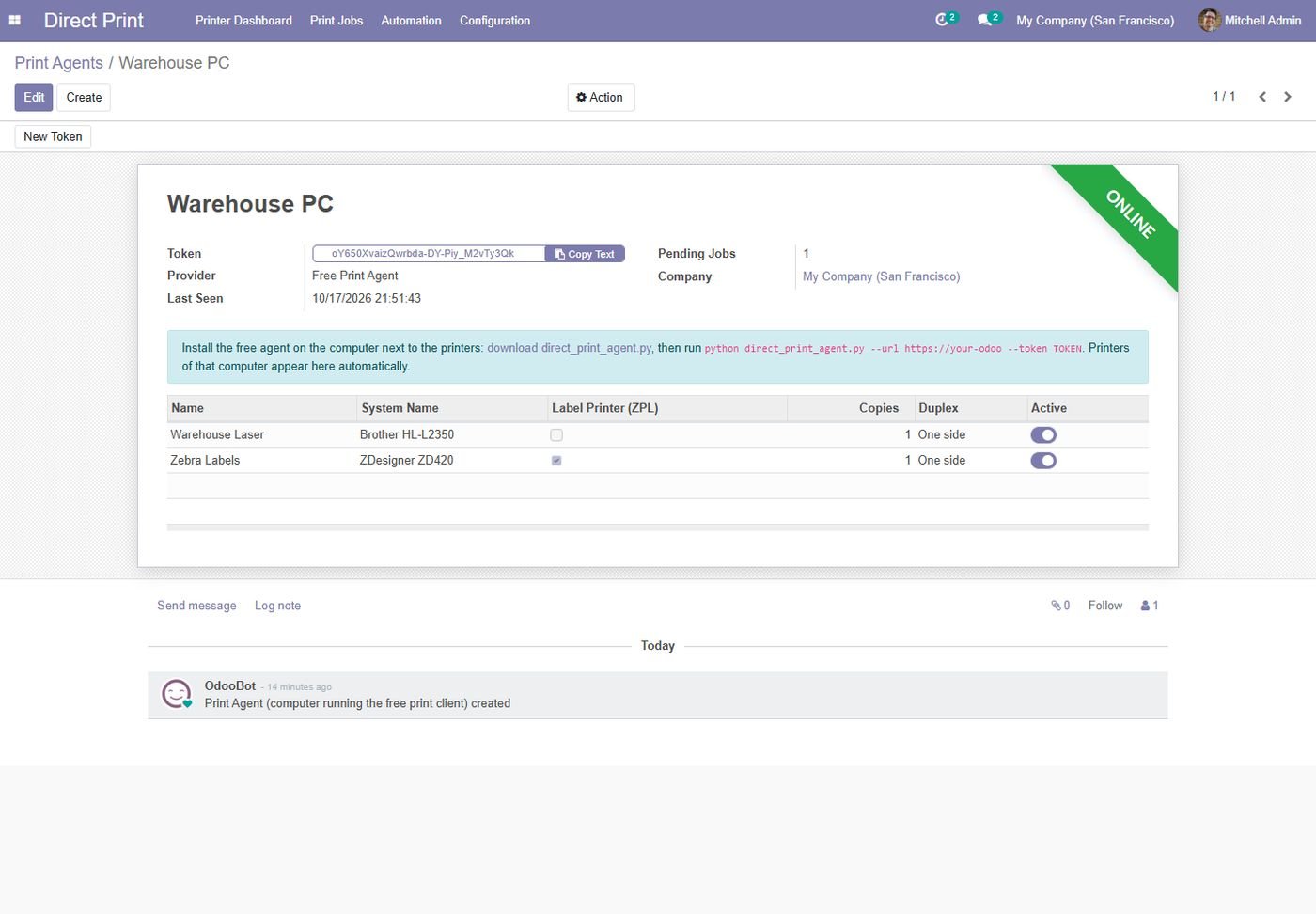
Free print agent

Token, download link and the printers the agent found on its computer.

Free print agent
Step 6

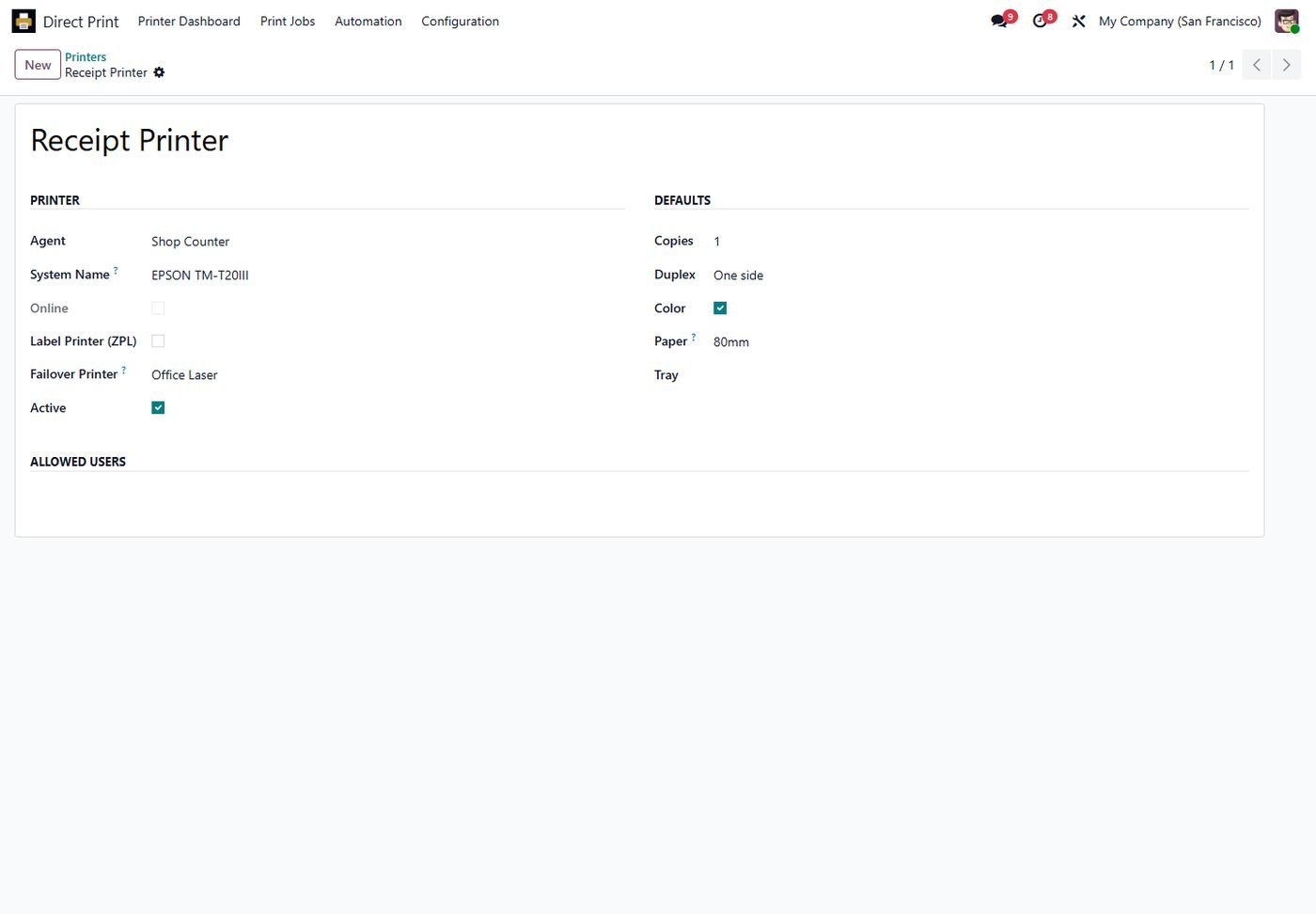
Printer settings

Copies, duplex, color, paper, tray, failover printer and allowed users.

Printer settings
Step 7

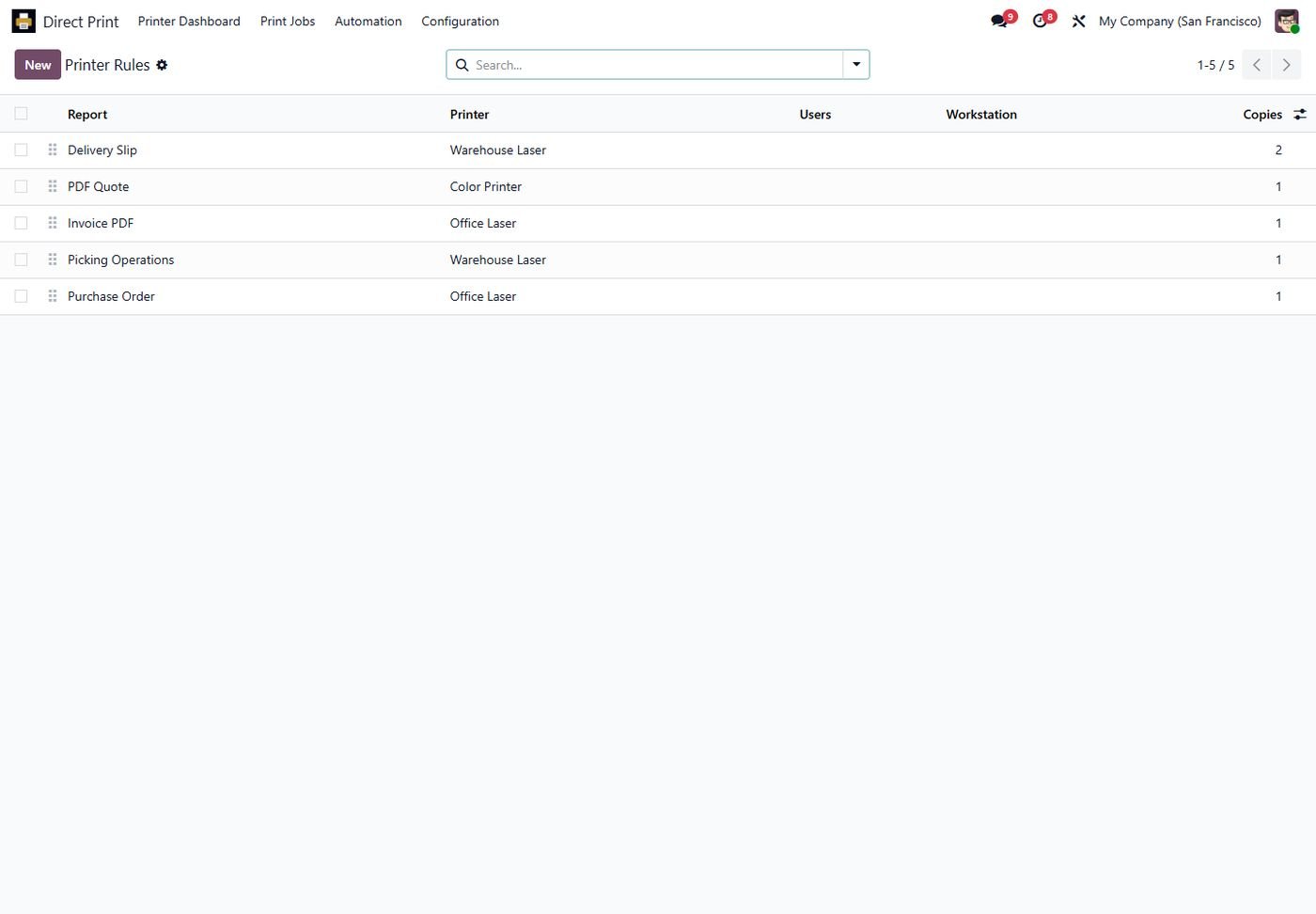
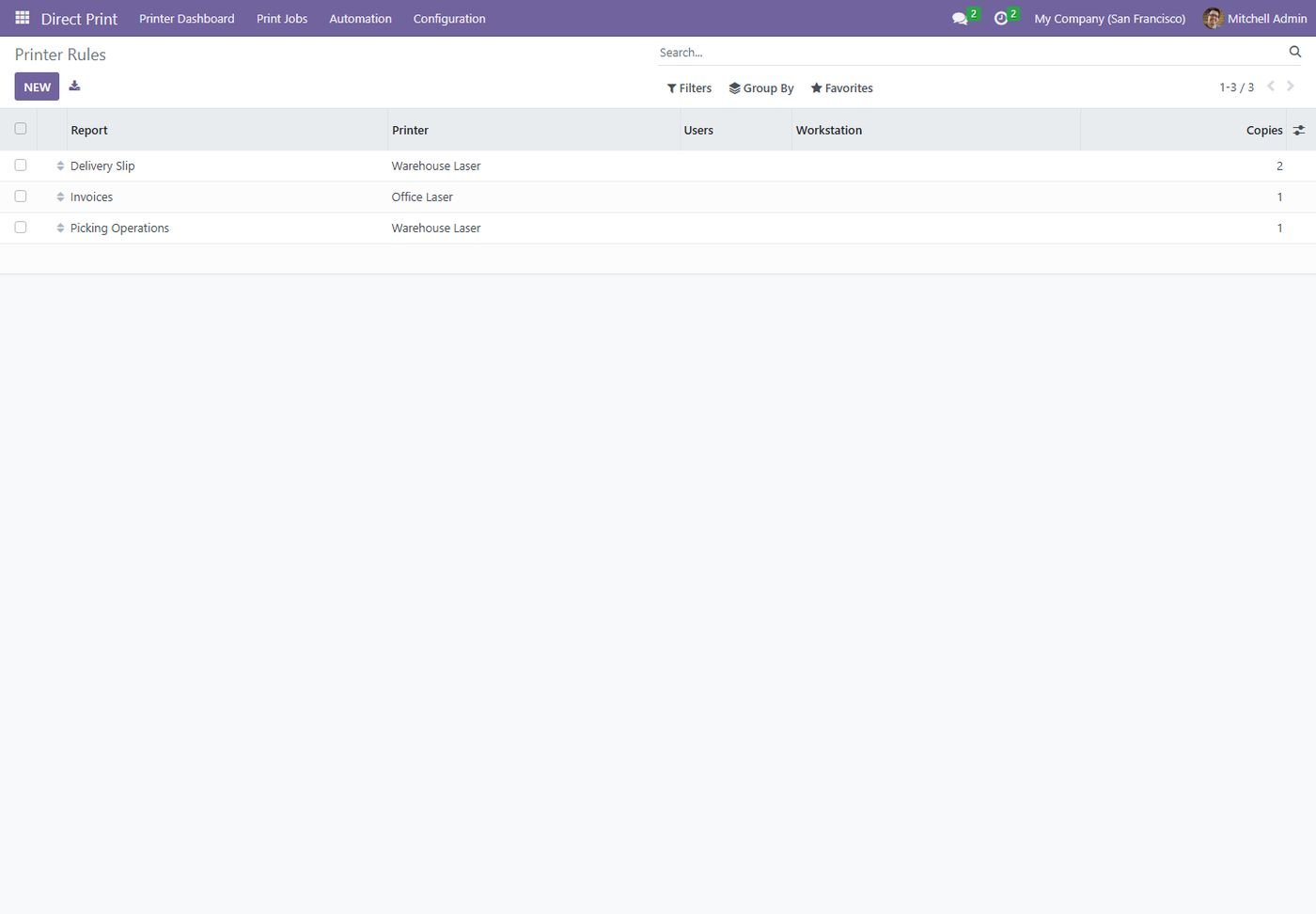
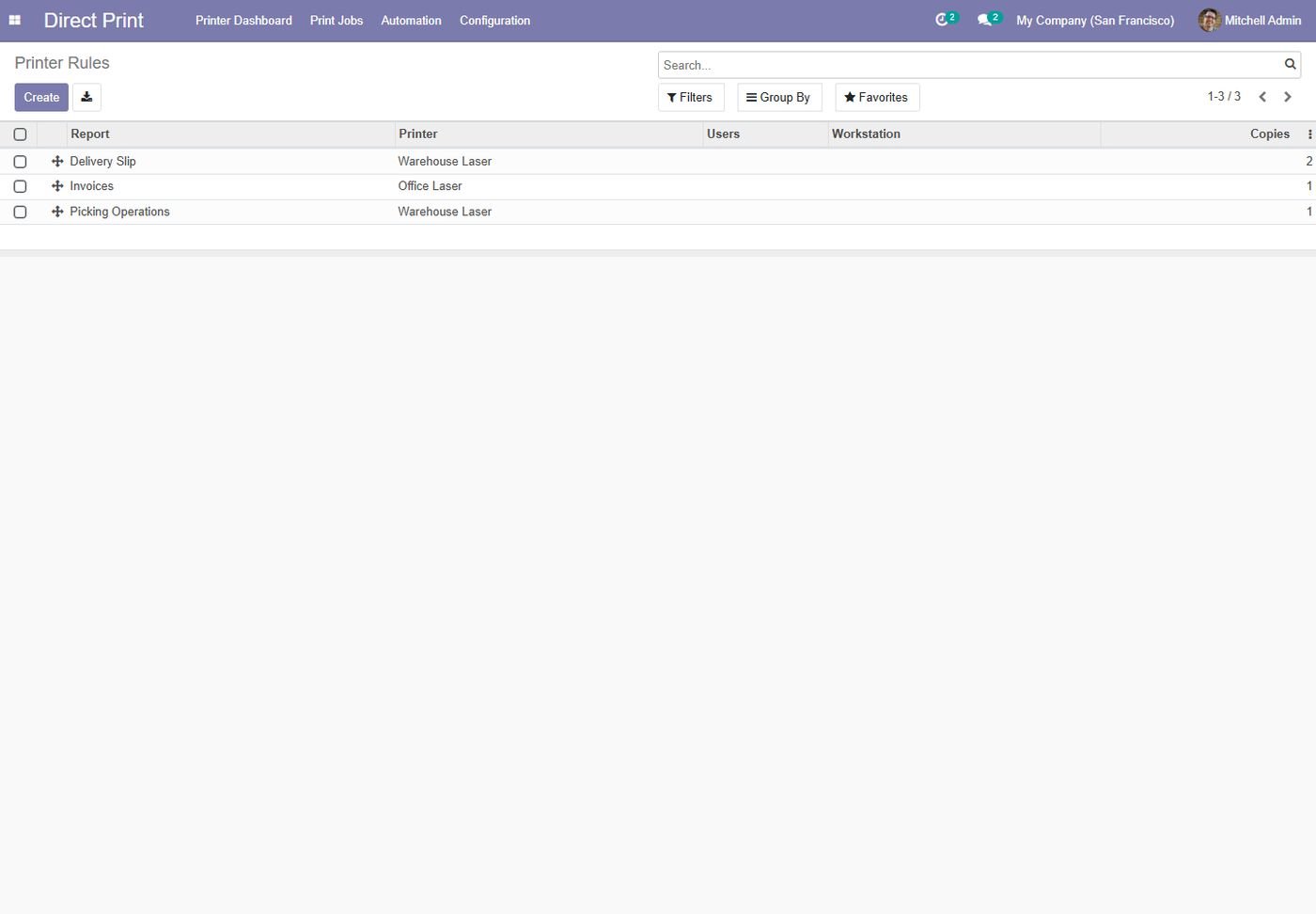
Printer rules

Send each report to its printer per user, workstation or company.

Printer rules
Step 8

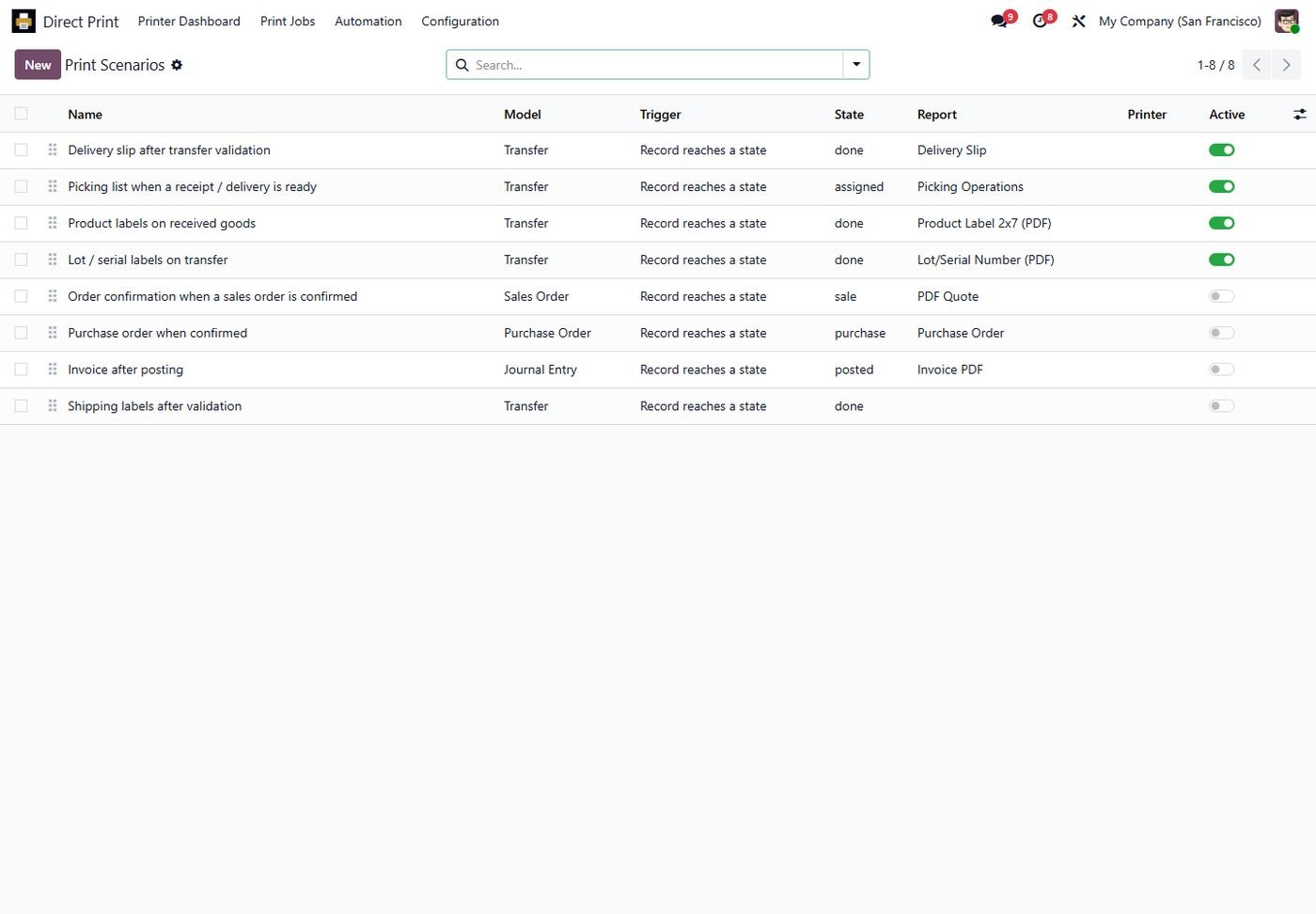
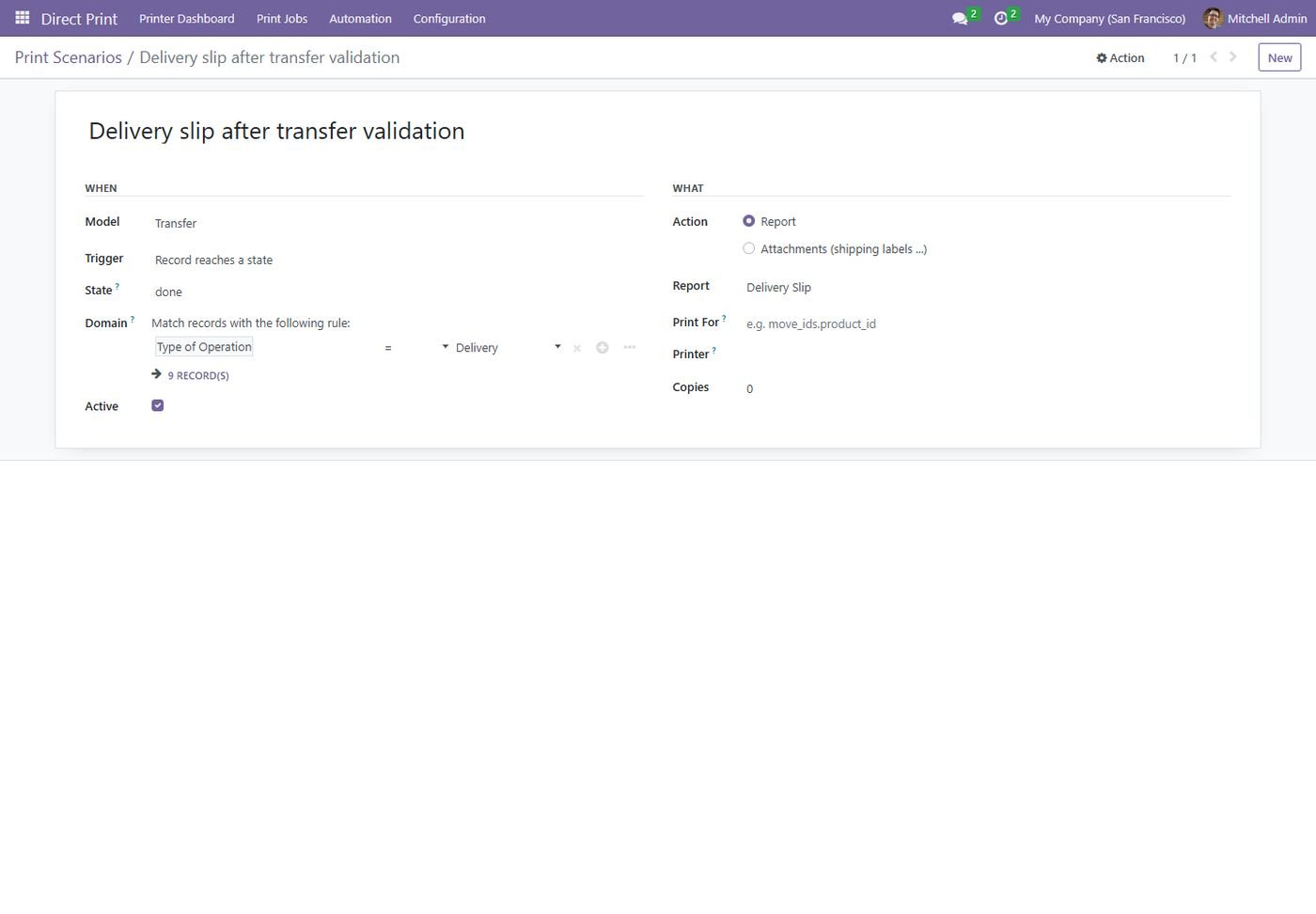
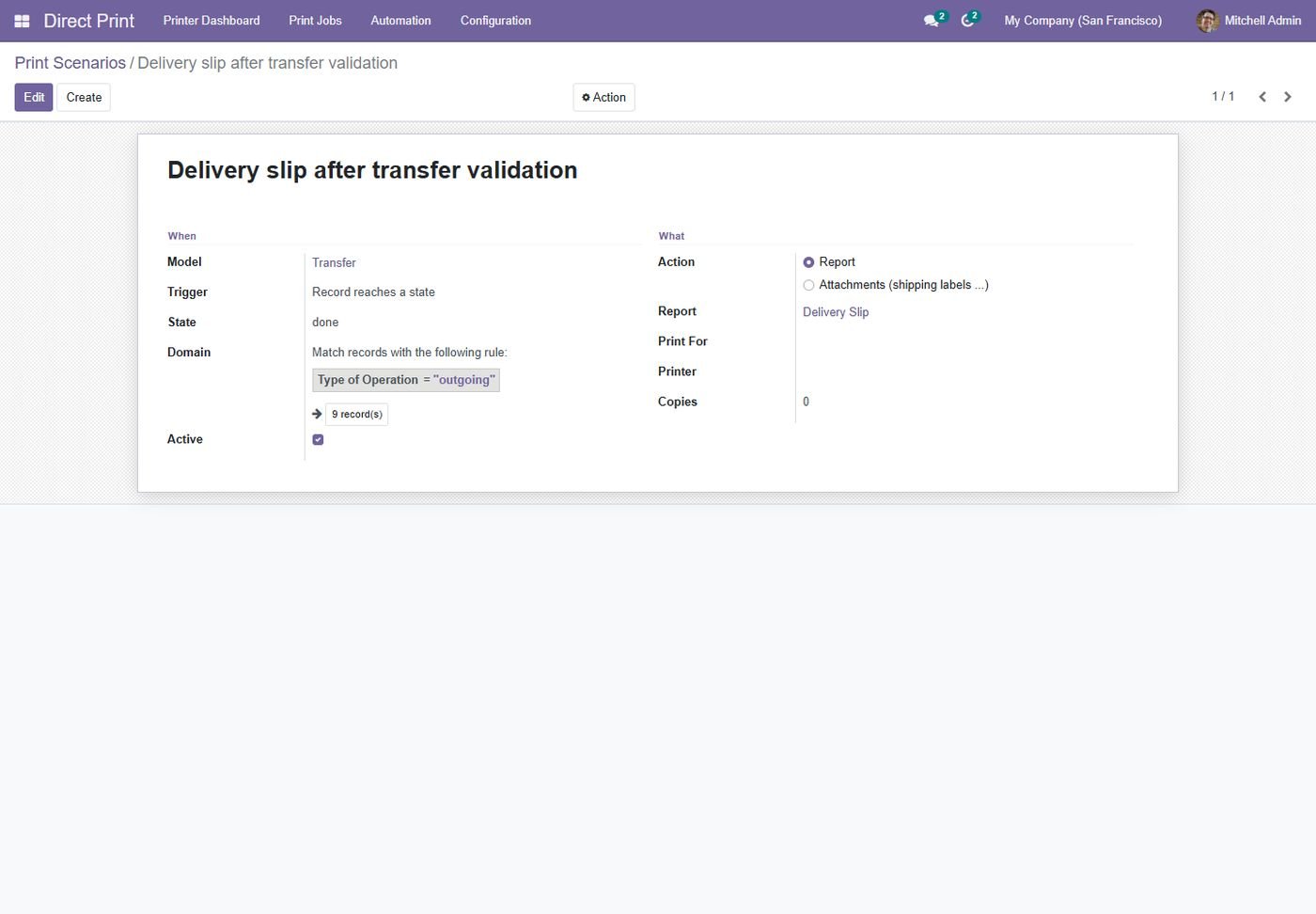
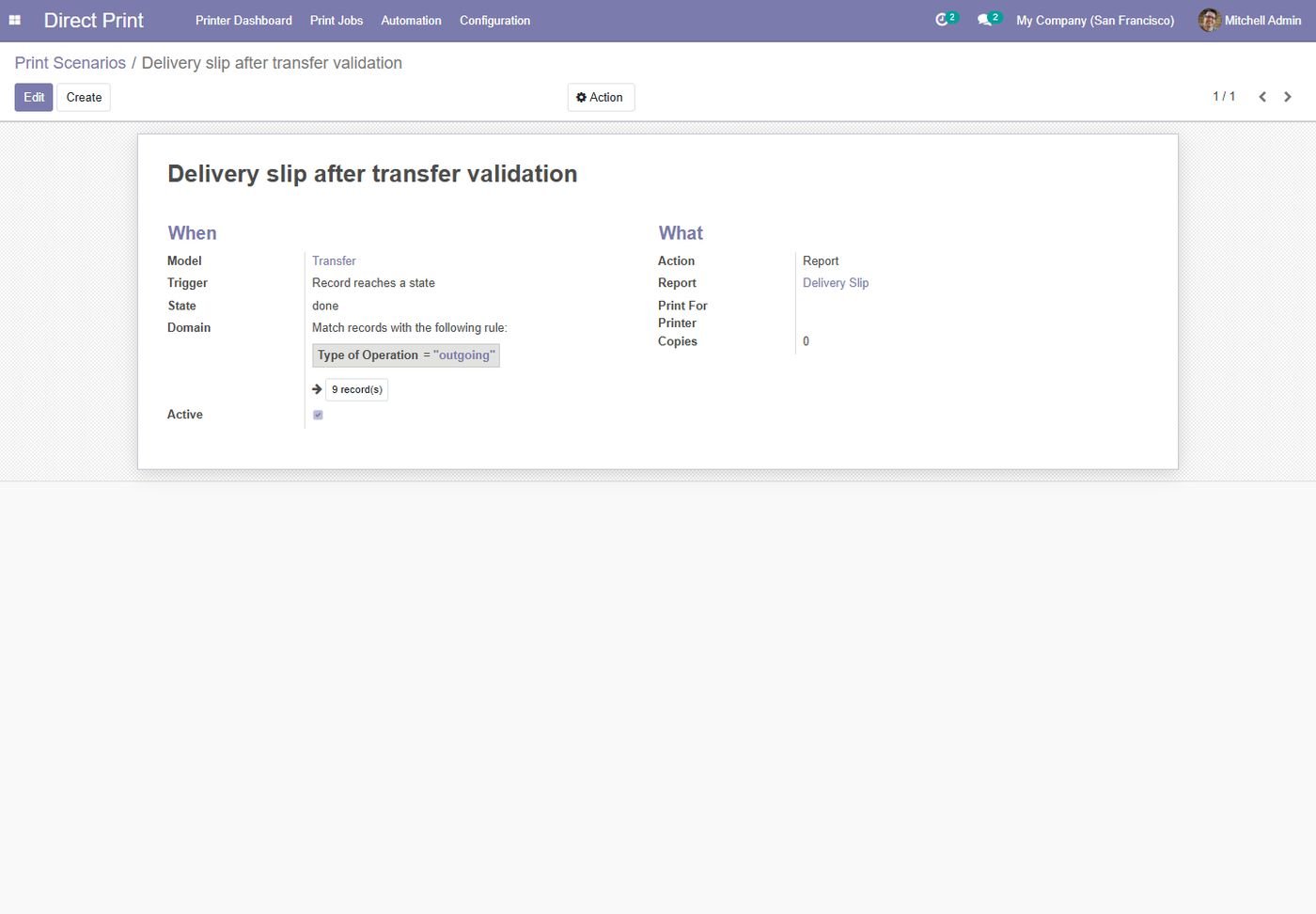
Print scenarios

Ready-made automatic printing for delivery, picking, lots, sales, purchase and invoices.

Print scenarios
Step 9

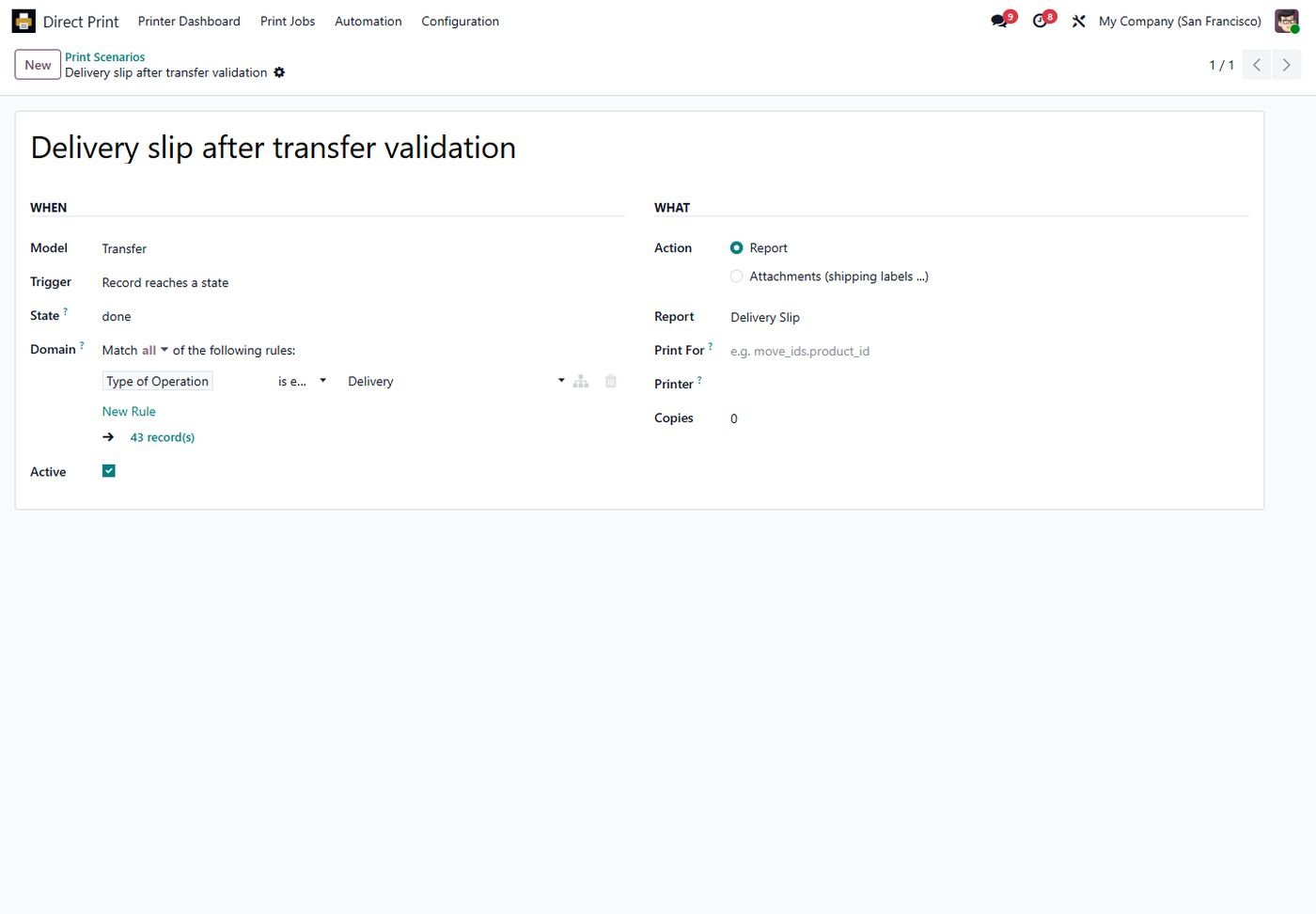
Scenario setup

Trigger on create or state, a domain filter, related records and attachments.

Scenario setup
Step 10

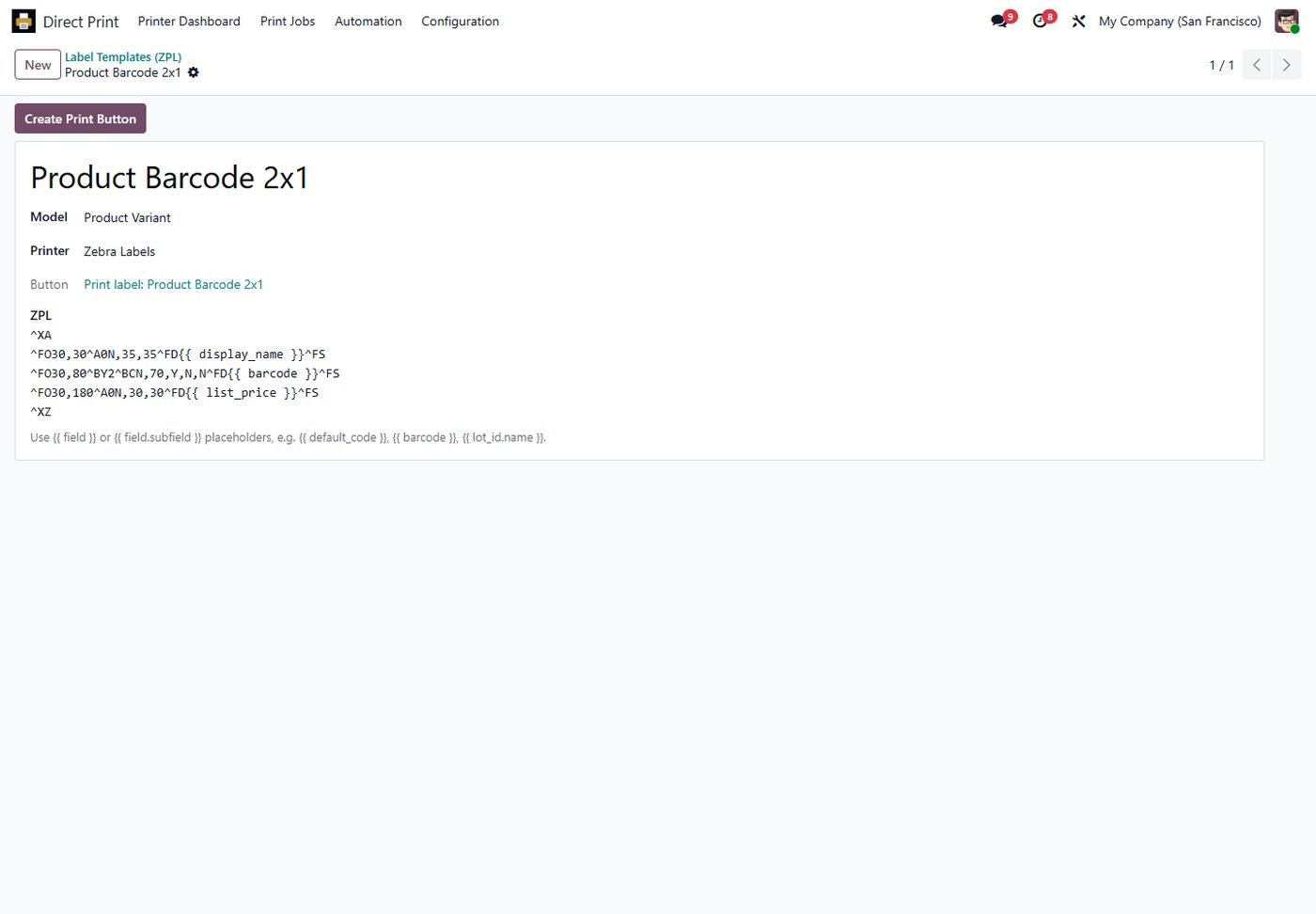
ZPL label designer

A ZPL template with field placeholders and a one-click print button.

ZPL label designer
Step 11

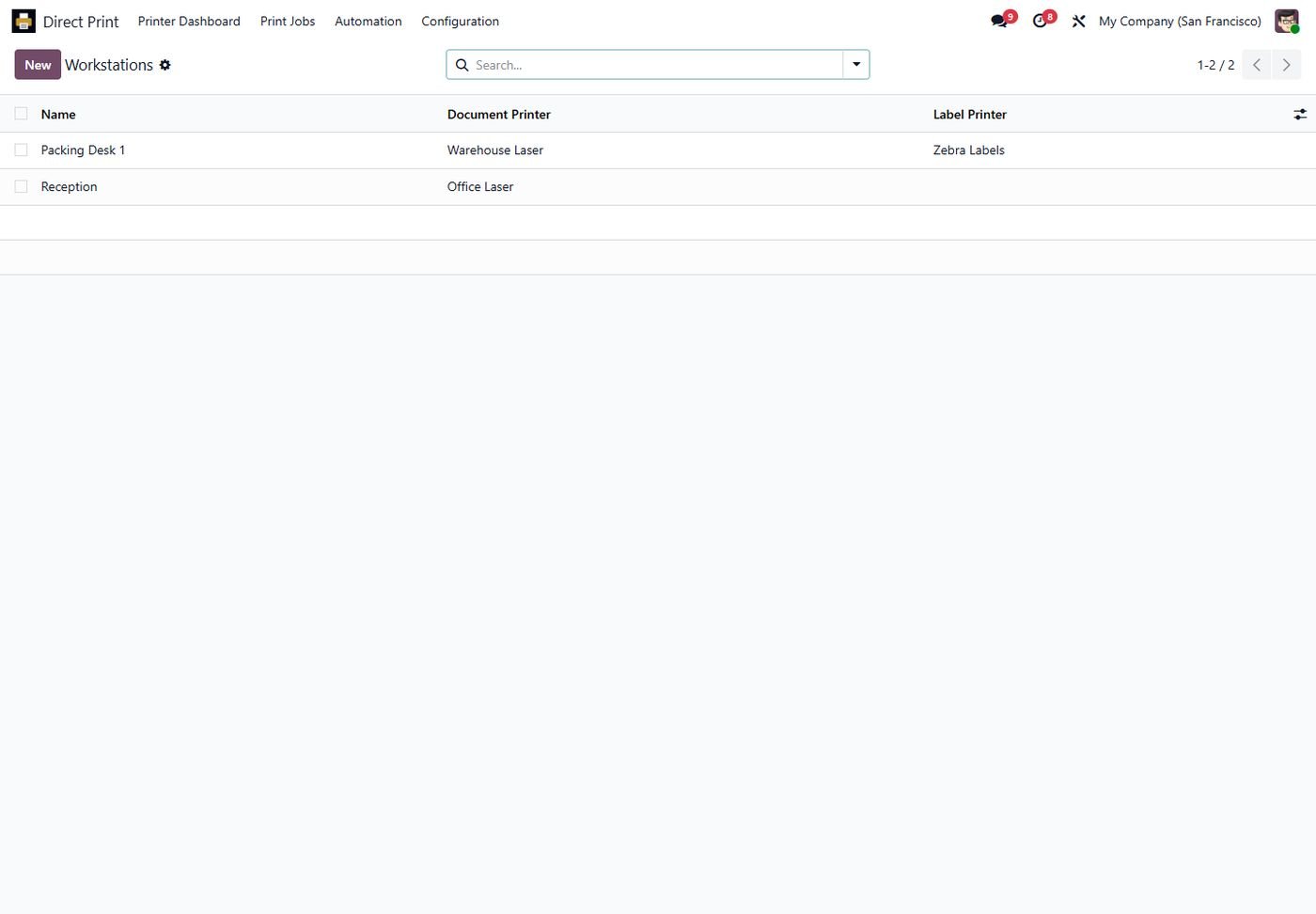
Workstations

Packing desks and counters with their own document and label printers.

Workstations
Step 12

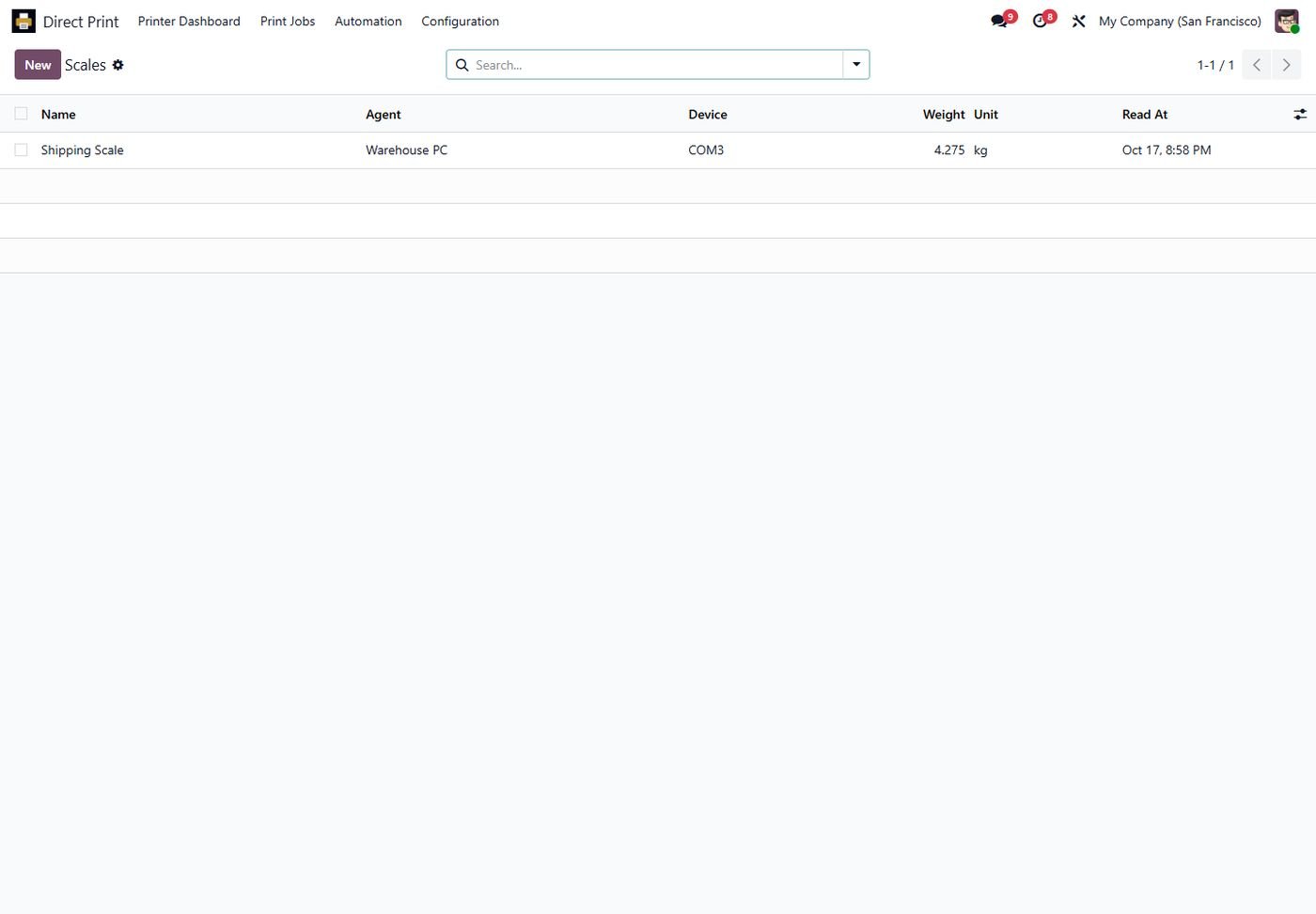
Scales

Live weight from serial-port scales through the same agent.

Scales
Step 13

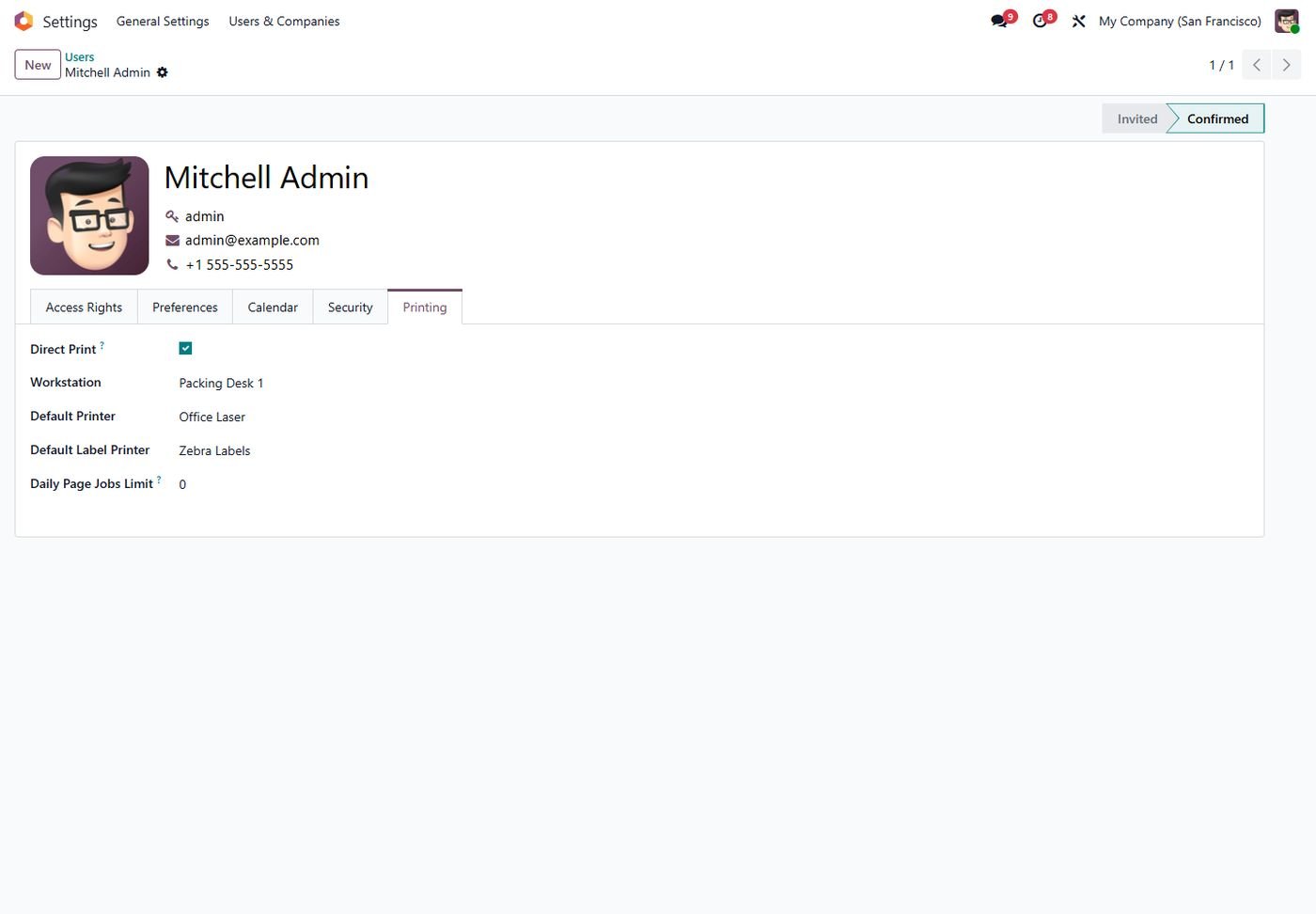
User preferences

Direct print on/off, workstation, default printers and a daily limit.

User preferences
Step 14

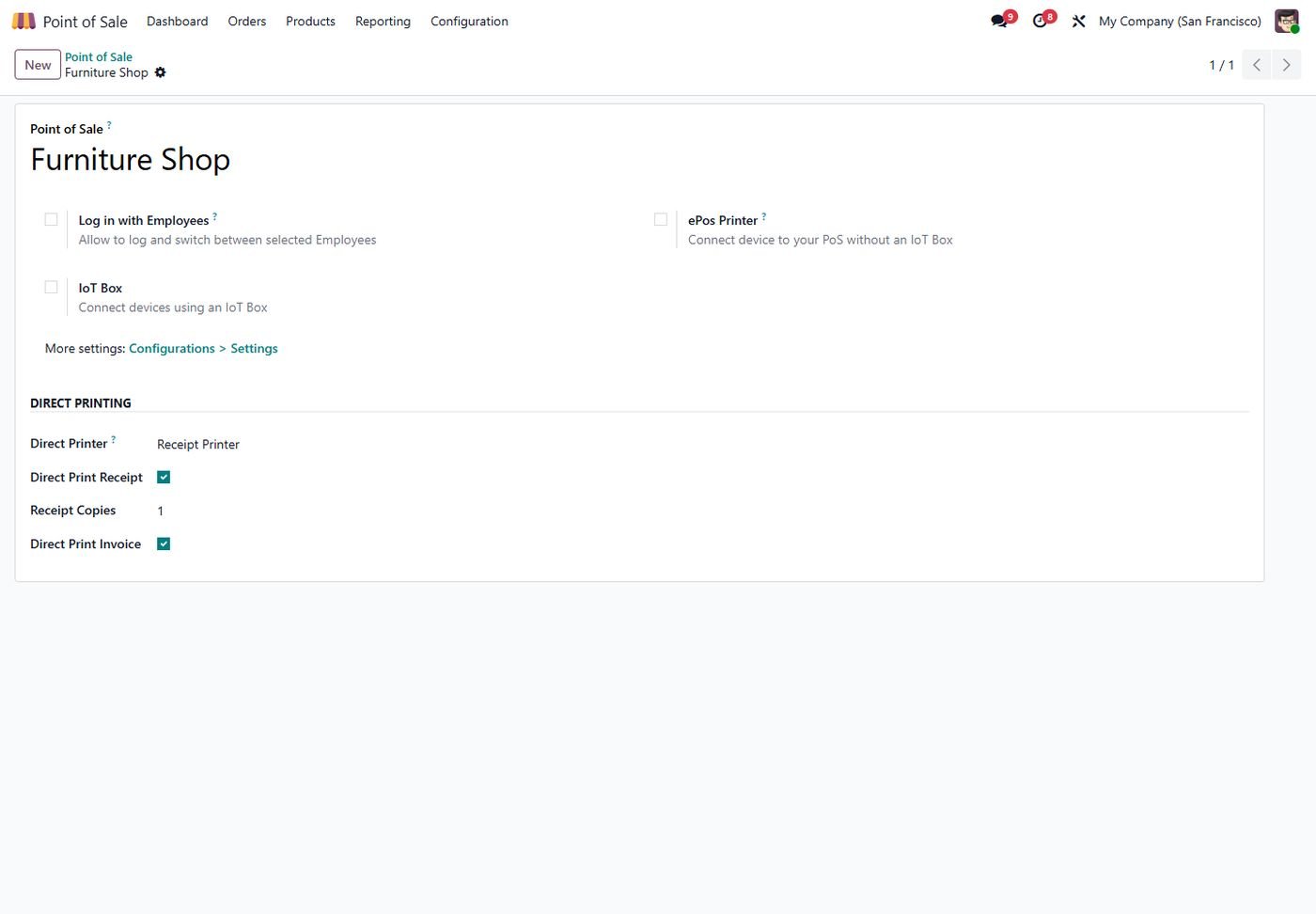
POS receipts

Print the 80mm receipt and the invoice as soon as an order is paid.

POS receipts
Step 15

Bulk print

Print many records at once, as one job or one job per record.

Bulk print
Step 16

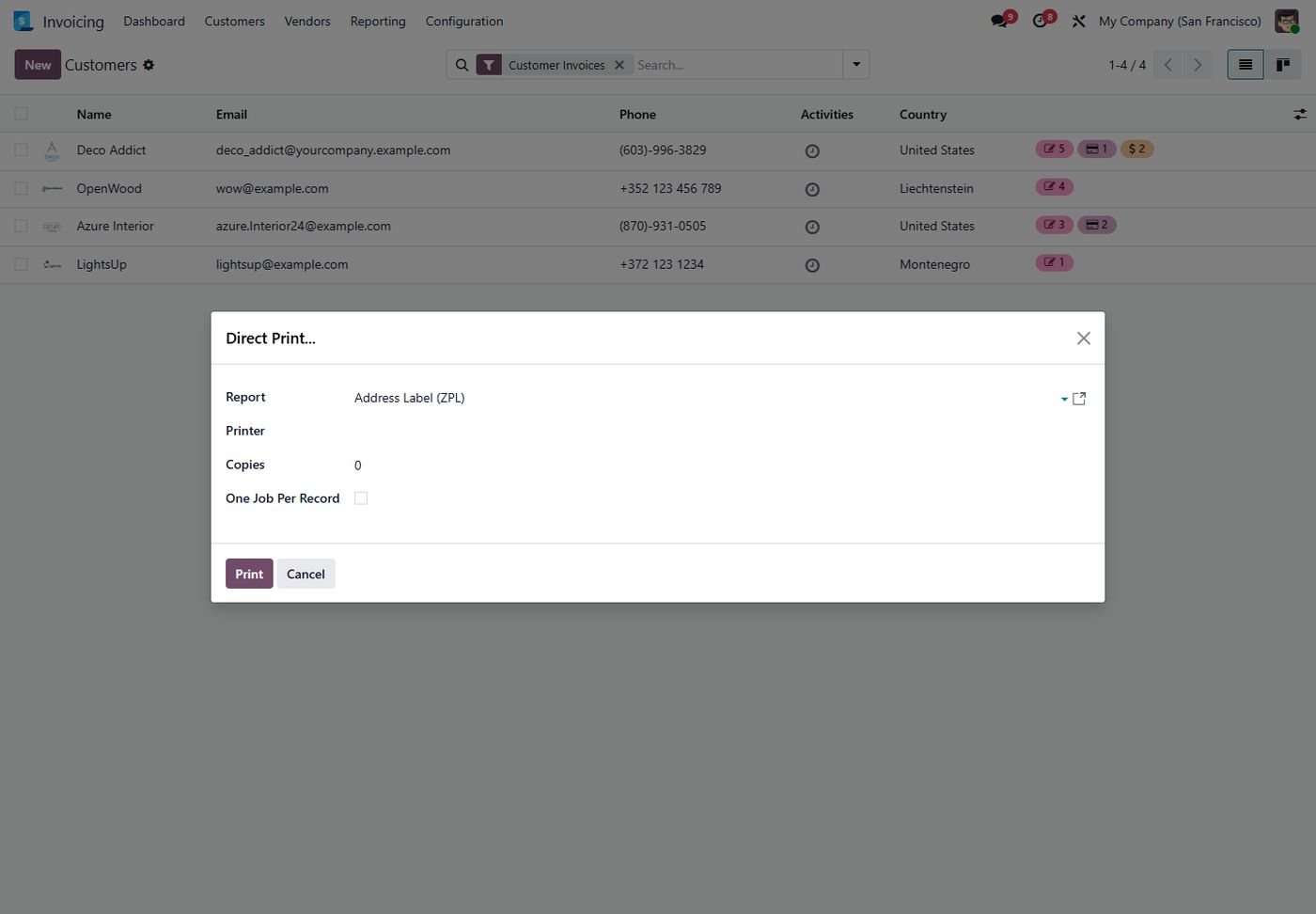
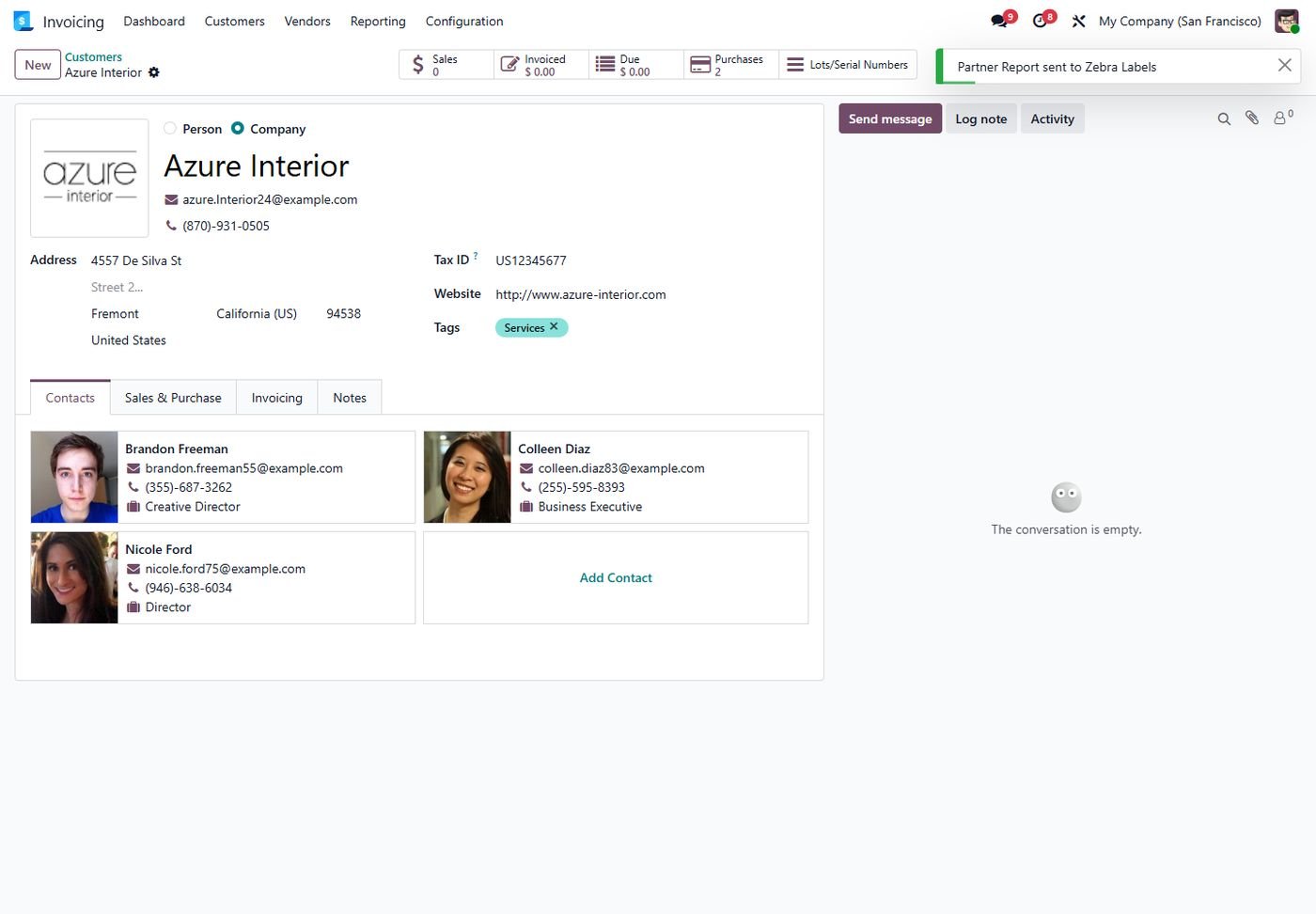
One-click print

The normal Print menu sends the report straight to the printer.

One-click print
Step 17

Odoo 16: Printer dashboard

Every printer with its agent and live online / offline status.

Odoo 16: Printer dashboard
Step 18

Odoo 16: Free print agent

Trigger, domain, report and printer of an automatic print scenario.

Odoo 16: Free print agent
Step 19

Odoo 16: Print scenario

Trigger, domain, report and printer of an automatic print scenario.

Odoo 16: Print scenario
Step 20

Odoo 16: Printer rules

Trigger, domain, report and printer of an automatic print scenario.

Odoo 16: Printer rules
Step 21

Odoo 15: Printer dashboard

Every printer with its agent and live online / offline status.

Odoo 15: Printer dashboard
Step 22

Odoo 15: Free print agent

Trigger, domain, report and printer of an automatic print scenario.

Odoo 15: Free print agent
Step 23

Odoo 15: Print scenario

Trigger, domain, report and printer of an automatic print scenario.

Odoo 15: Print scenario
Step 24

Odoo 15: Printer rules

Trigger, domain, report and printer of an automatic print scenario.

Odoo 15: Printer rules
Step 25

Odoo 14: Printer dashboard

Every printer with its agent and live online / offline status.

Odoo 14: Printer dashboard
Step 26

Odoo 14: Free print agent

Trigger, domain, report and printer of an automatic print scenario.

Odoo 14: Free print agent
Step 27

Odoo 14: Print scenario

Trigger, domain, report and printer of an automatic print scenario.

Odoo 14: Print scenario
Step 28

Odoo 14: Printer rules

Trigger, domain, report and printer of an automatic print scenario.

Odoo 14: Printer rules
Common questions

Questions aboutthis module.

Something else? Ask our team.

No. The included free print agent prints directly. PrintNode is optional if you already have an account.

Any Windows or Linux PC that can see the printers. It needs Python 3 and connects to Odoo over HTTPS, so no open ports are needed.

Yes. ZPL reports and the ZPL label templates are sent raw to the label printer.

Yes. Turn off 'Direct Print' in the user's preferences, or print without a matching printer.

Jobs wait in the queue, a failover printer can take over, and managers get an offline alert.

Yes. It works with Community and Enterprise on Odoo 14 to 20.

Yes. The POS add-on installs automatically and prints receipts and invoices when an order is paid.

Not sure it's theright fit?

Book a free consultation and we'll help you pick the right modules for your workflow.