Productivity & Tools

Drive Sync Center

Google Drive storage and two-way sync for Odoo: every document gets its own Drive folder, attachments move to Google Drive to free server space, files added on Drive come back to Odoo, plus a file manager, sharing, customer portal, printed PDFs, big email files as links, logs and a dashboard. All in one module.

$199 USD
Choose your Odoo version
Ask a question
Built by an Odoo partner Initial setup support Download link by email
Drive Sync Center
What's included

Key features

1

Folder for Every Document

Rules build Drive folders like Customers/{country}/{name} or Invoices/{year}/{name} for any Odoo document.

2

Save Server Space

Attachments upload to Google Drive and become Drive links in Odoo, or keep a local copy if you prefer.

3

Two-Way Sync

Files added, renamed, moved or deleted on Google Drive show up on the right Odoo record.

4

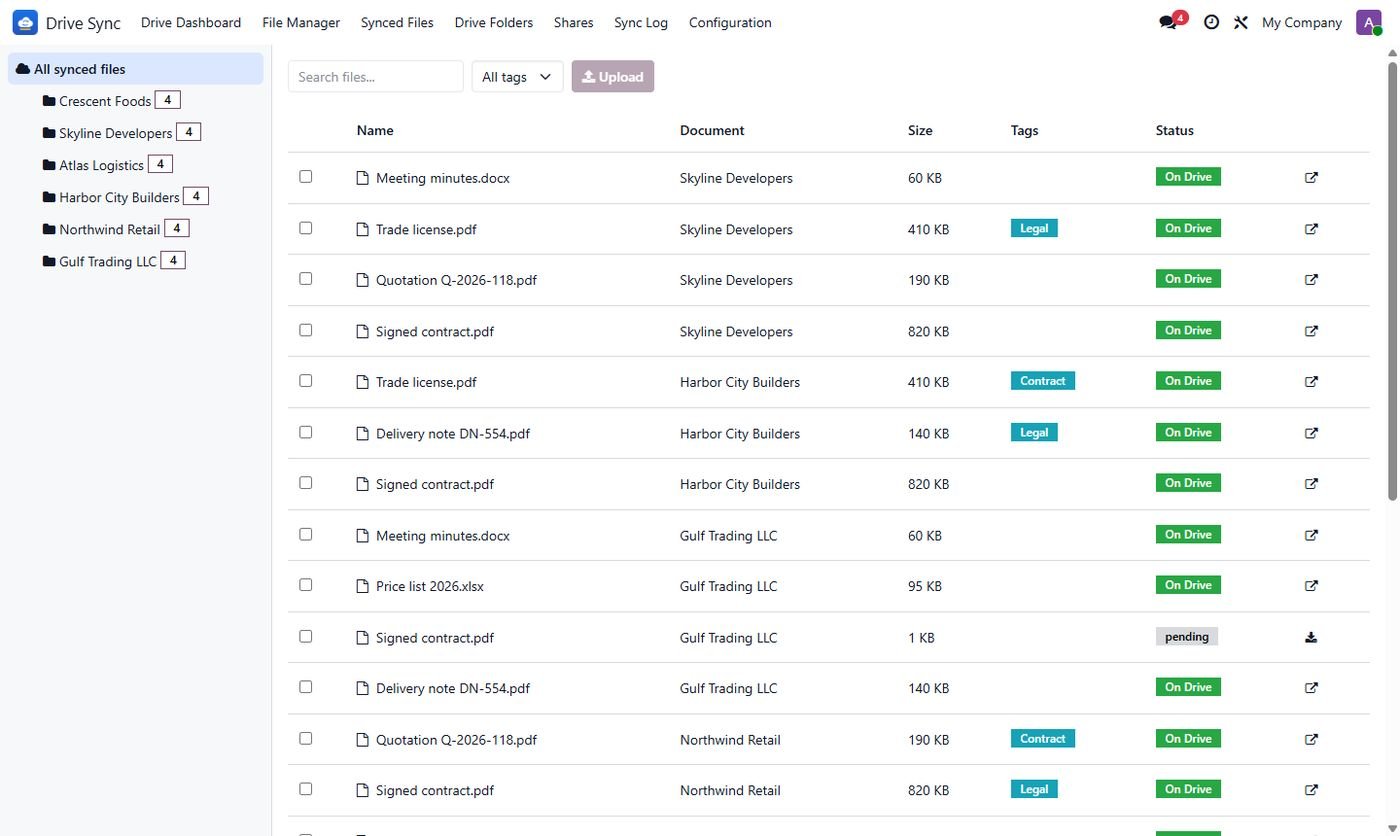
File Manager

Browse folders, search, drag & drop uploads, move files between records and tag them, inside Odoo.

5

Share Safely

Share files or folders with people (view, comment, edit) or by link, revoke any time, all logged.

6

Customer Portal

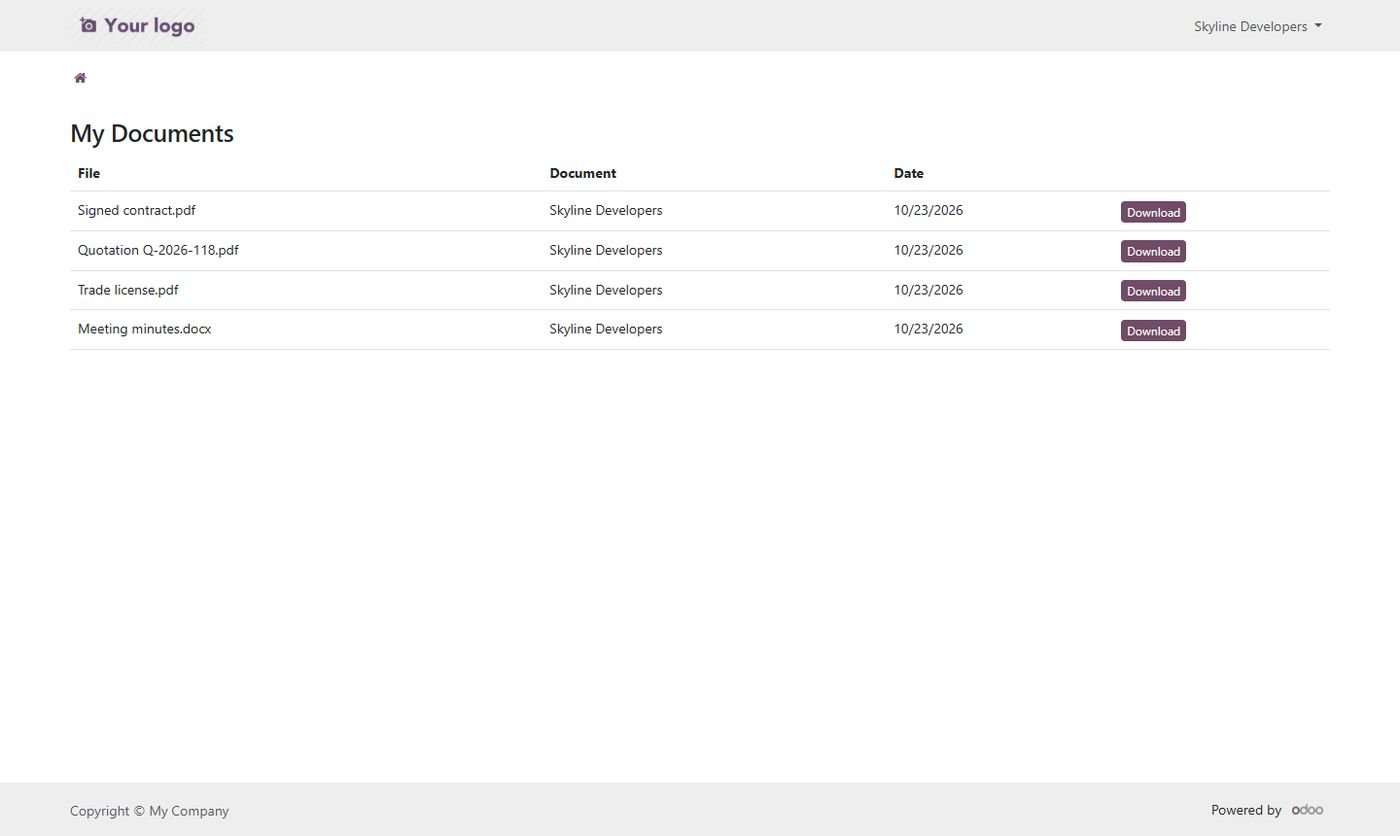
Customers download the files of their own documents from the portal without a Google account.

7

Mail & Reports

Email attachments are synced, printed PDFs are saved to the folder, big email files go as Drive links.

8

Logs & Recovery

Dashboard, sync log, retries, alerts, Google Docs export and bring every file back before disconnecting.

Inside the module

Screenshots

Real screens from Drive Sync Center — click any image to see it full size.

Step 1

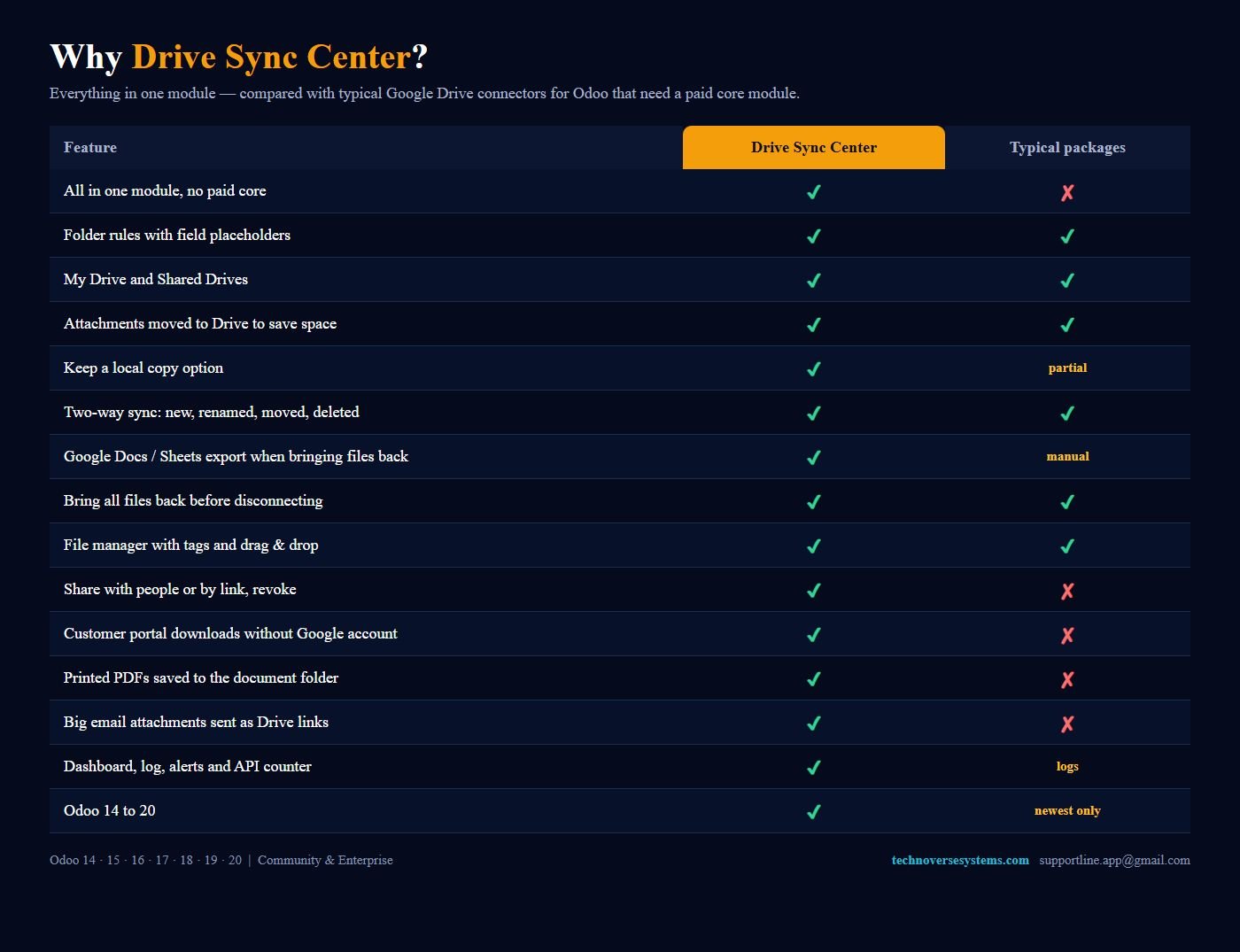
Why Drive Sync Center

Everything in one module, compared with typical Google Drive connectors.

Why Drive Sync Center
Step 2

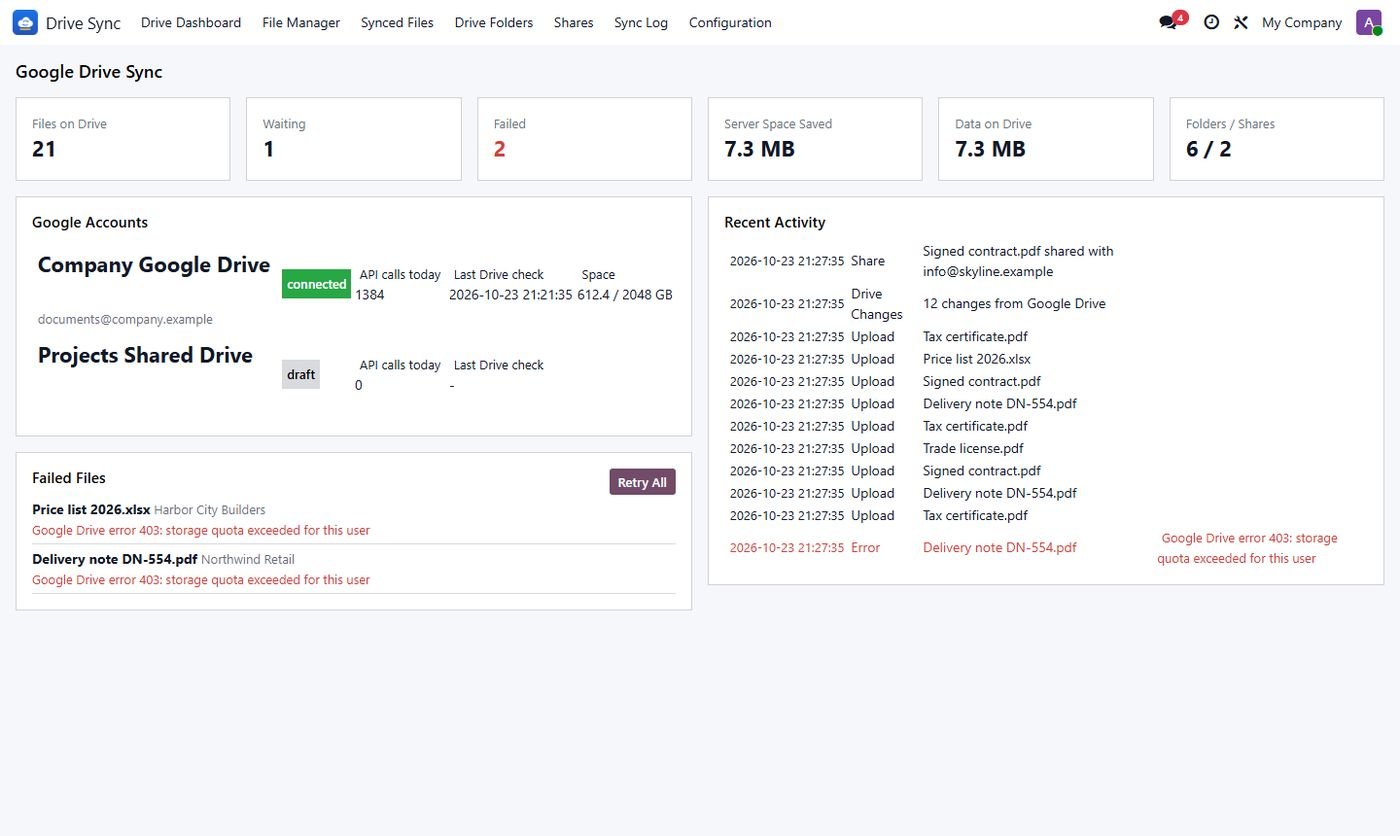
Sync dashboard

Files on Drive, waiting and failed, space saved, accounts, quota and recent activity.

Sync dashboard
Step 3

File manager

Folder tree, search, tags, upload and Drive links for every synced file.

File manager
Step 4

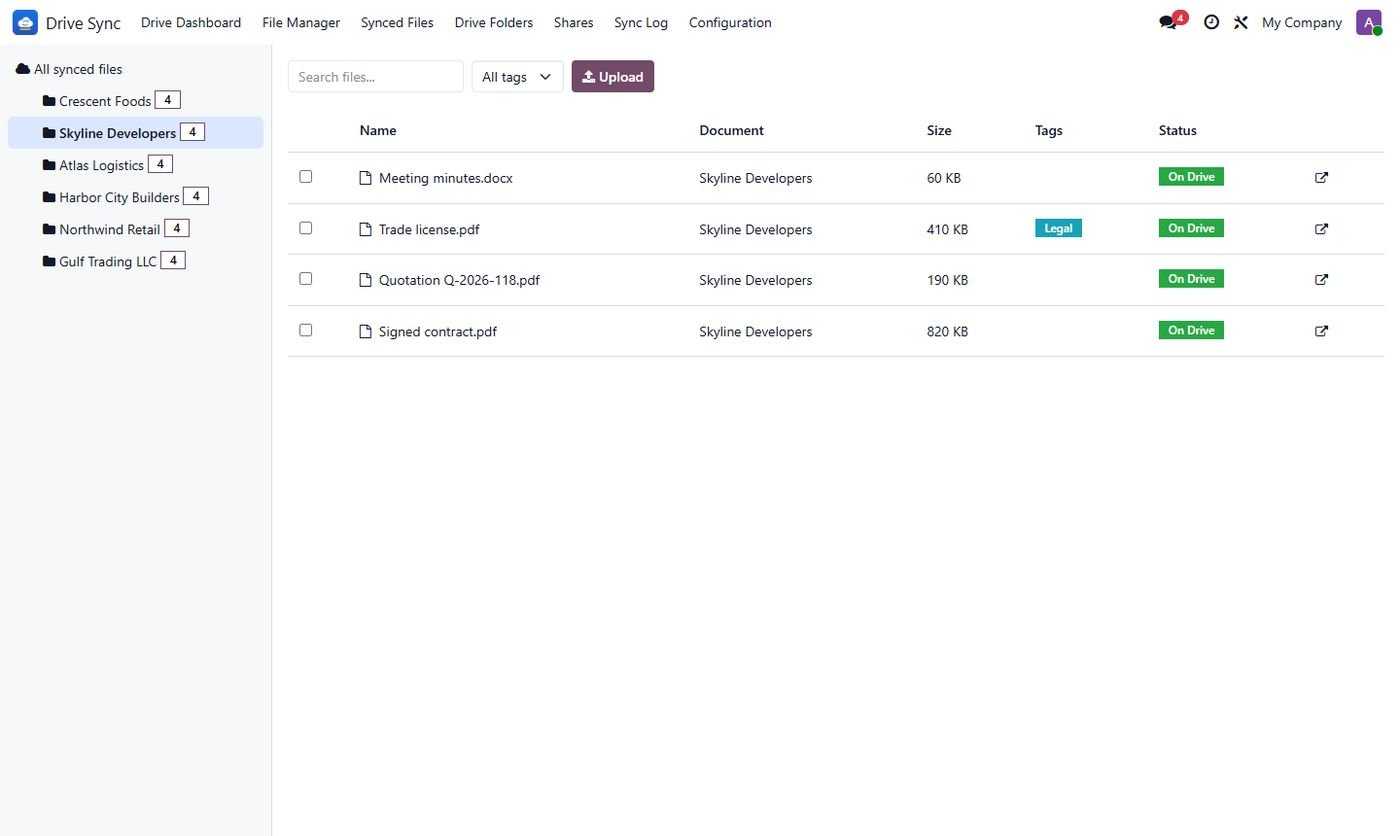
Files of one document

The Drive folder of a customer with its files, sizes, tags and status.

Files of one document
Step 5

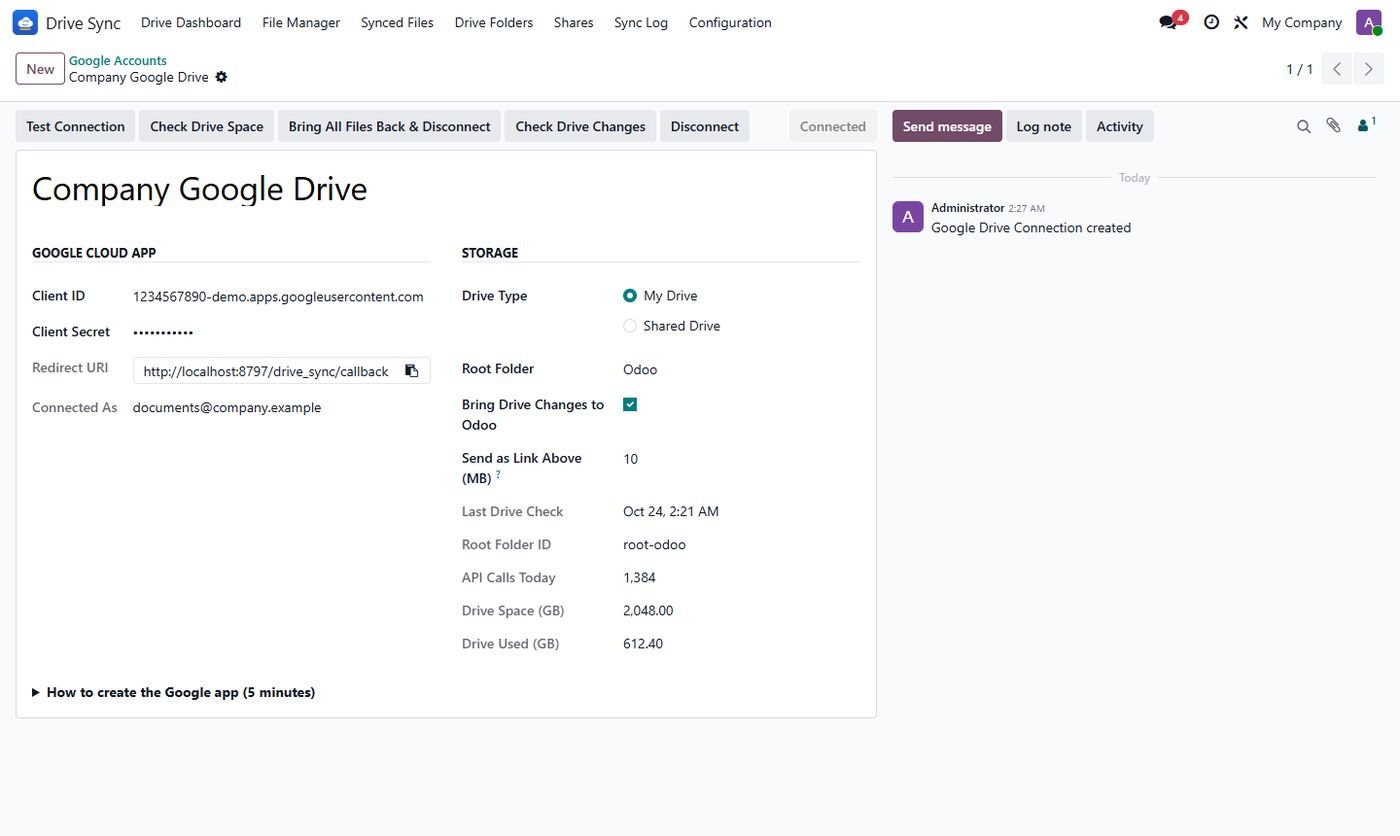
Google account

OAuth connection, My Drive or Shared Drive, root folder, link size, space and API calls.

Google account
Step 6

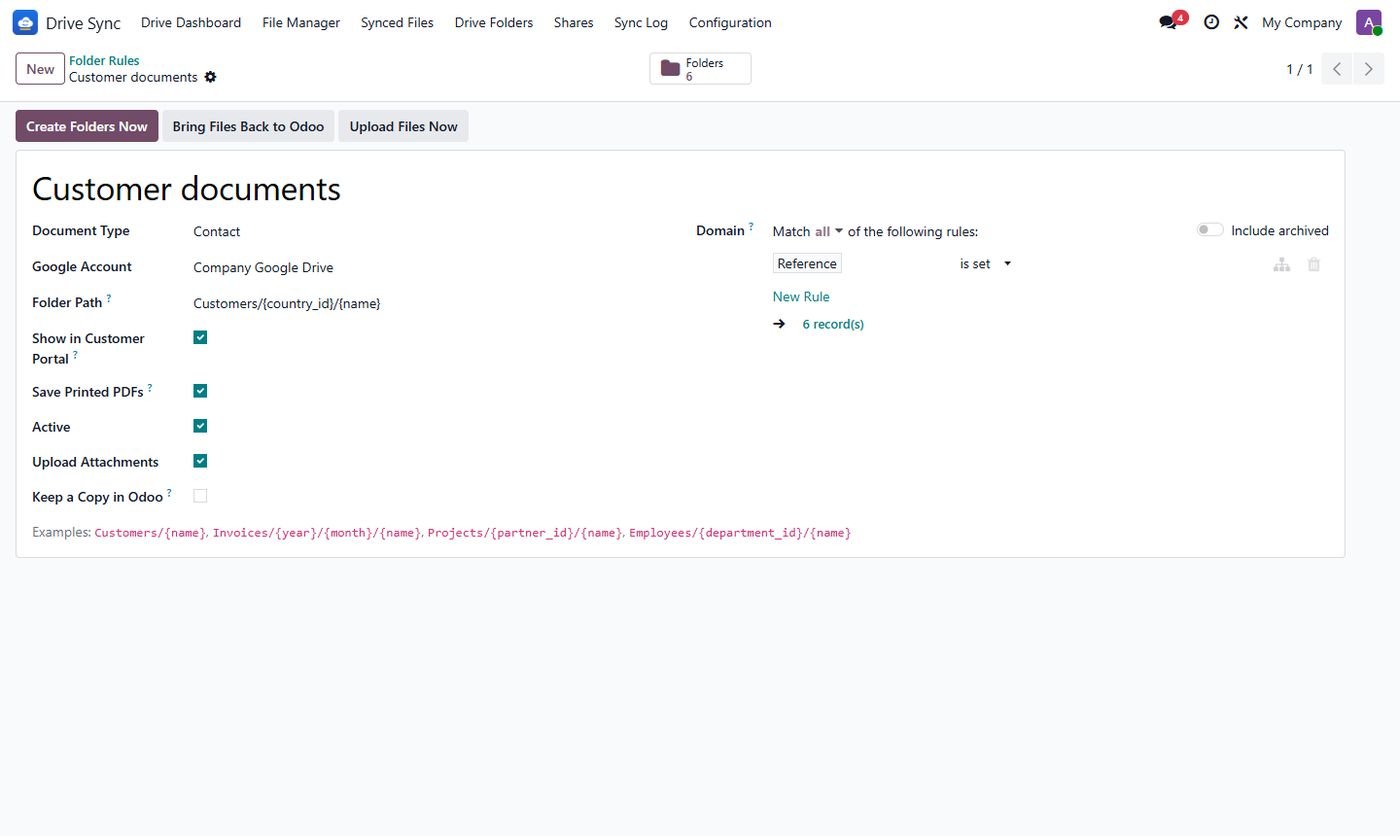
Folder rules

Path patterns with placeholders, filters, portal, printed PDFs and upload options.

Folder rules
Step 7

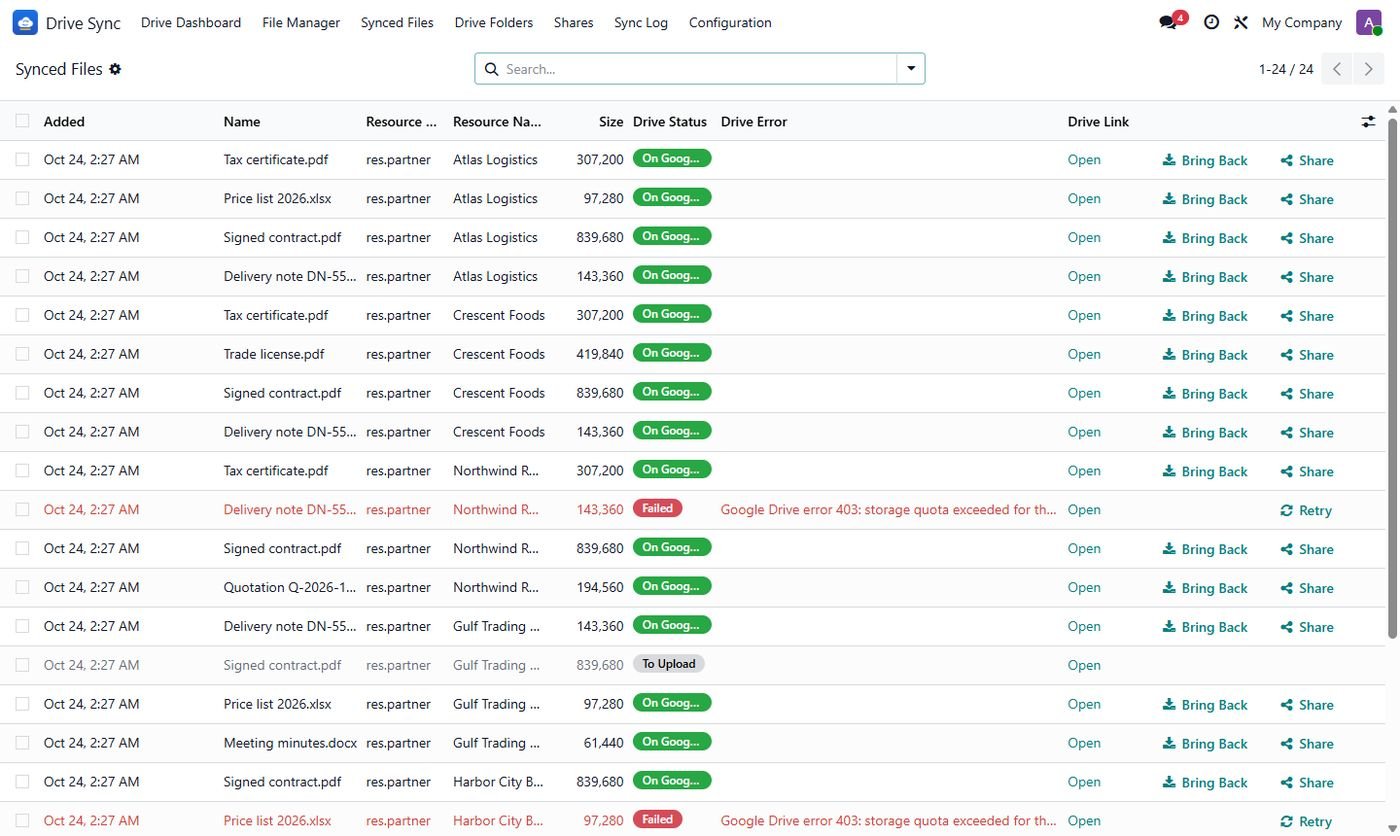
Synced files

Upload status, errors, Drive links, Bring Back, Share and Retry.

Synced files
Step 8

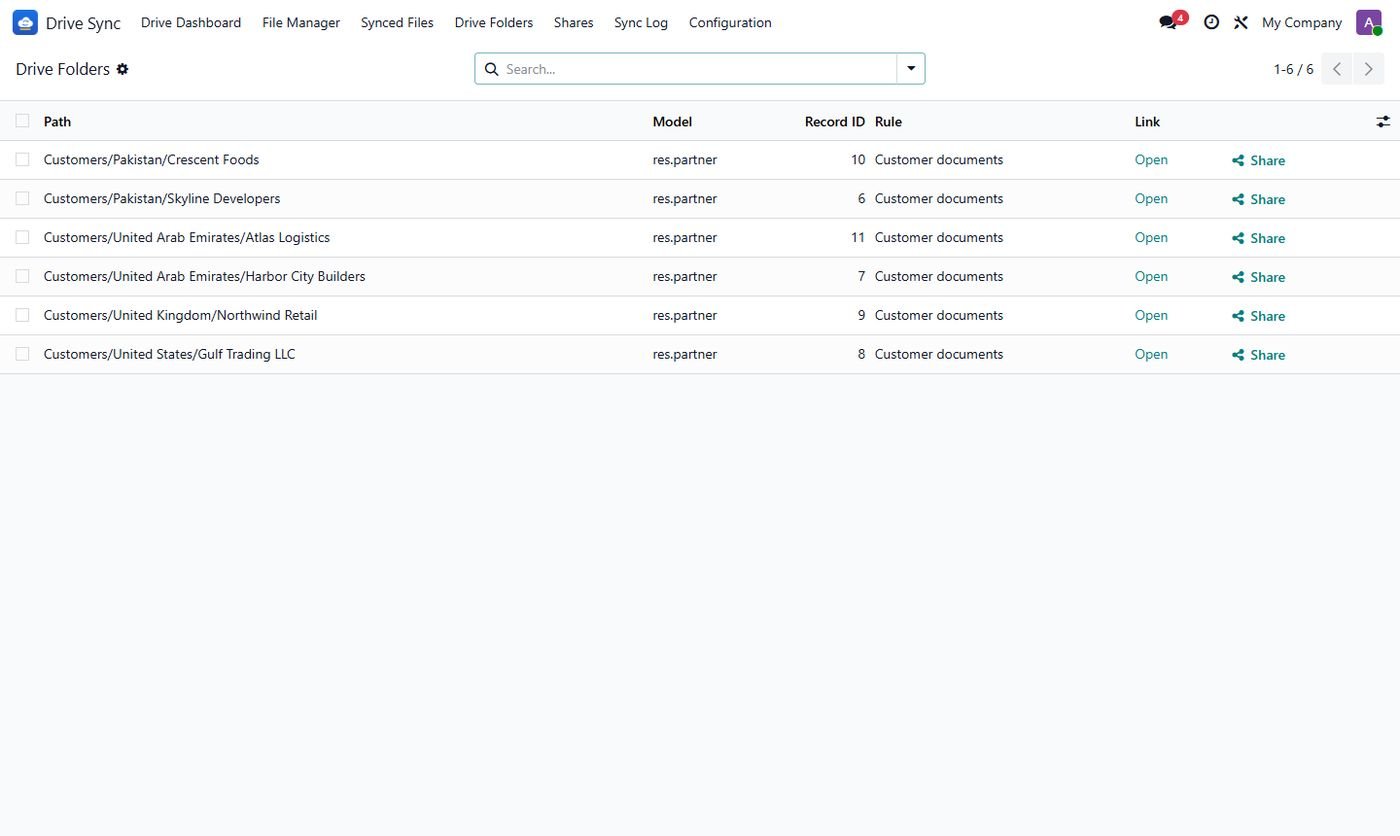
Drive folders

Every document folder with its path, link and Share button.

Drive folders
Step 9

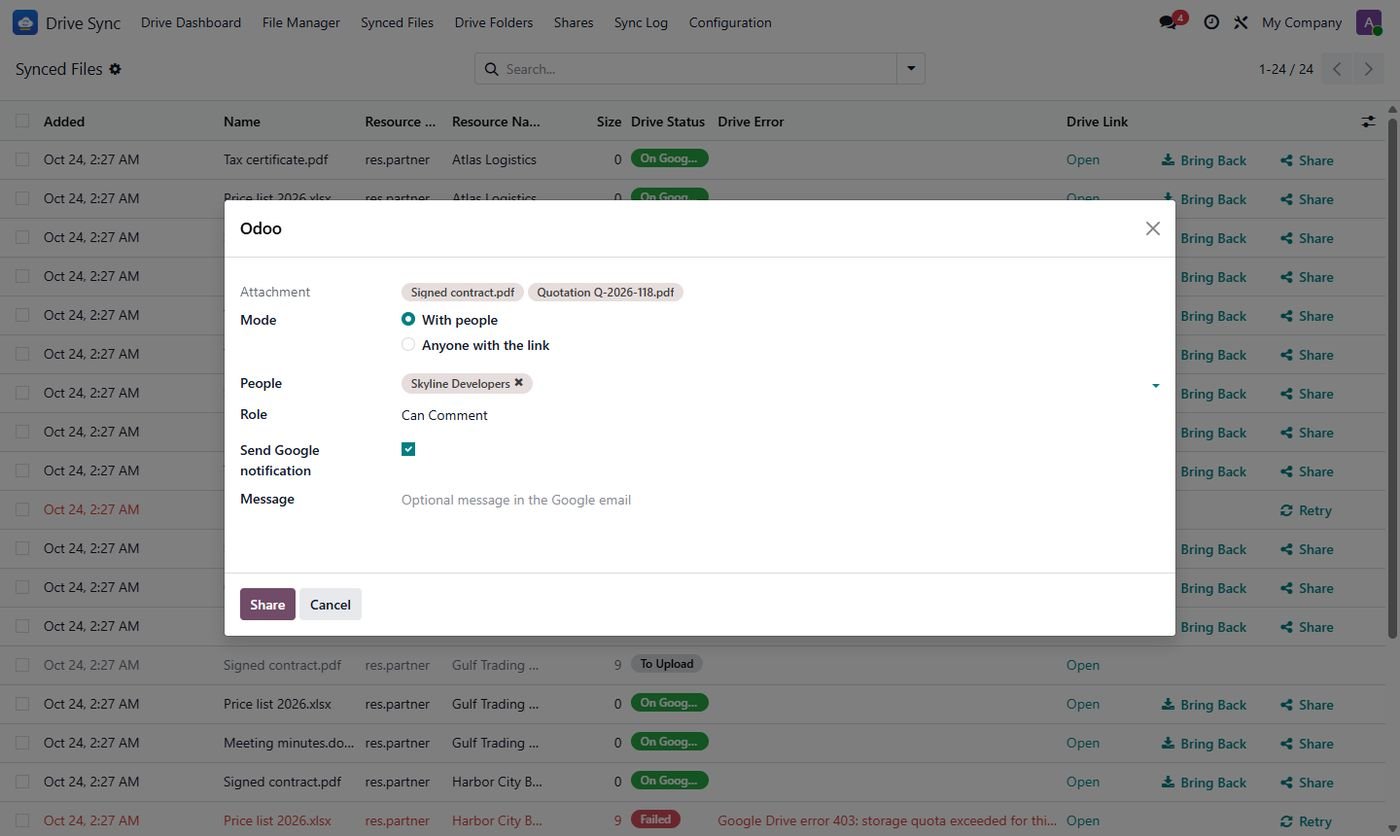
Share with people

Viewer, commenter or editor access, or anyone with the link.

Share with people
Step 10

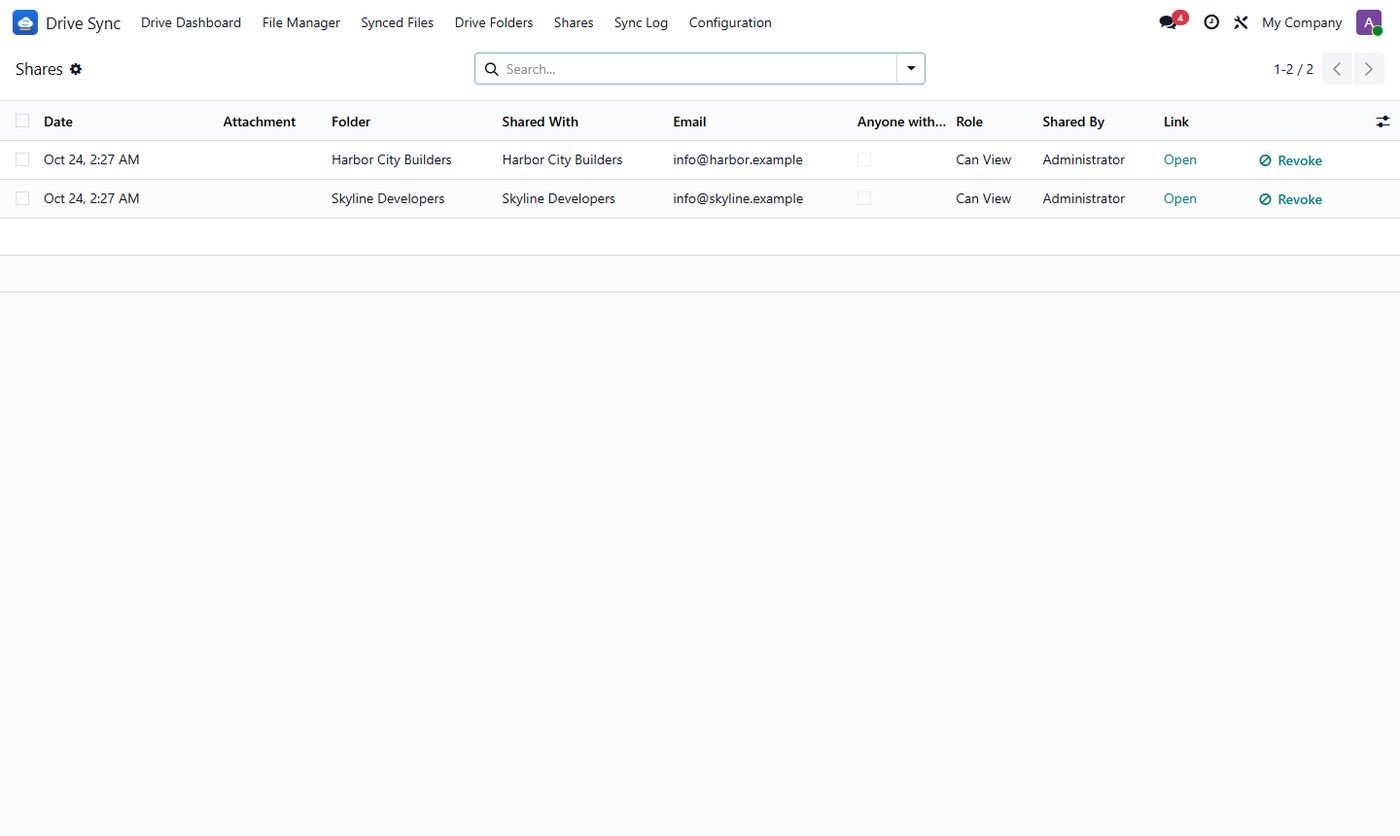
Shares

Who has access to what, with one-click Revoke.

Shares
Step 11

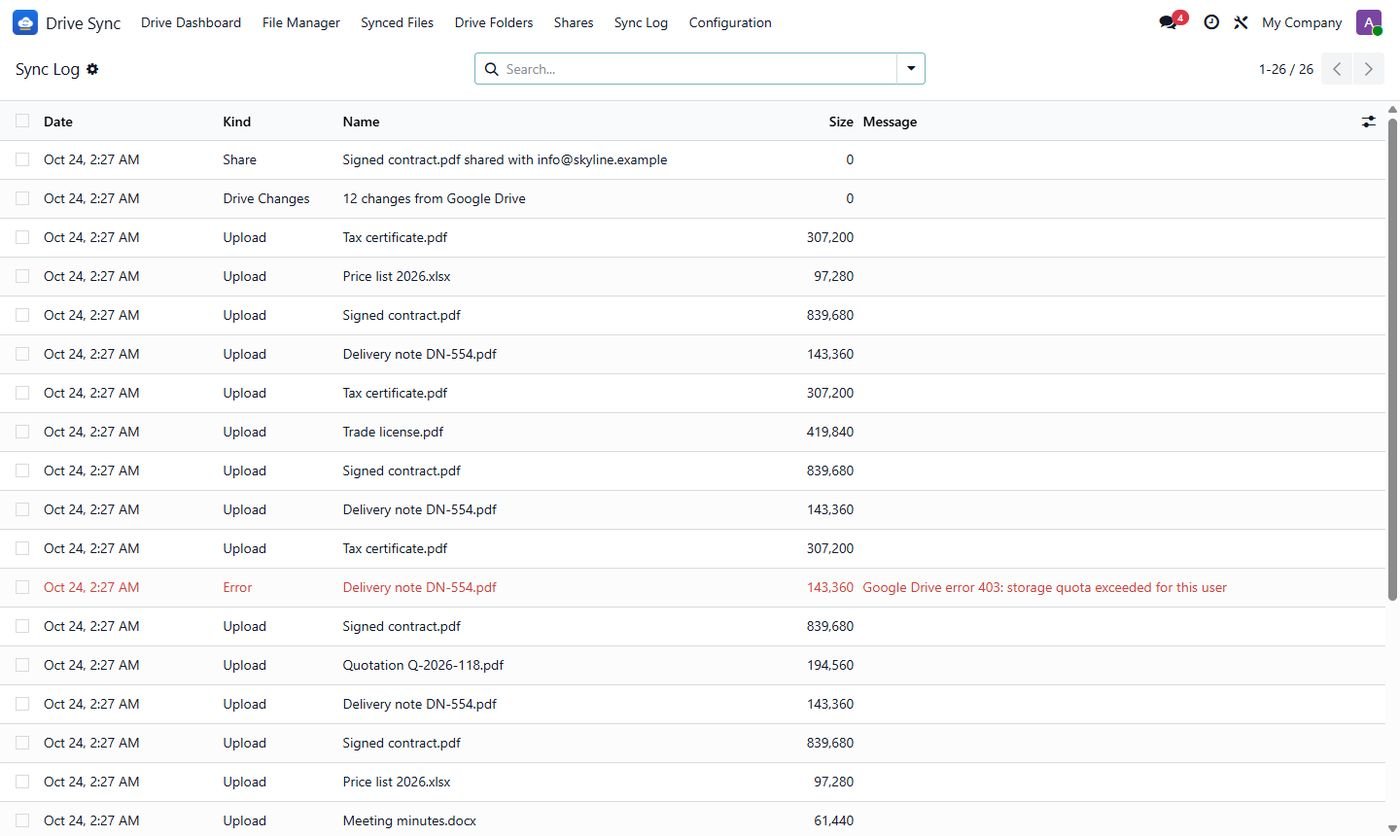
Sync log

Uploads, Drive changes, shares and errors with sizes.

Sync log
Step 12

Customer portal

Customers download the files of their own documents without a Google account.

Customer portal
Common questions

Questions aboutthis module.

Something else? Ask our team.

No. Any Google account works with My Drive; Google Workspace adds Shared Drives. You create a free Google Cloud app (guide included).

No. Everything is in this one module: no paid core or extra connector.

Only if you want: by default the file moves to Google Drive and Odoo keeps a link. Turn on Keep a Copy in Odoo to keep both.

Yes. Bring All Files Back & Disconnect downloads everything into Odoo first; Google Docs come back as PDF or Excel.

Odoo users see the files of documents they can read. On Google Drive only the people you share with get access.

Yes, from the portal, for the document types you choose, without a Google account.

Yes, on Community and Enterprise from Odoo 14 to 20. On 14 and 15 the dashboard and file manager open as list and pivot views.

Not sure it's theright fit?

Book a free consultation and we'll help you pick the right modules for your workflow.