Empower your HR and Finance teams with a seamless Advance Salary Management System. Employees can easily submit advance salary requests, which go through a structured approval workflow involving managers and accountants. Once approved, the system automatically records the corresponding journal entries and reflects them in the company’s accounting books. This integration ensures complete transparency, accurate financial tracking, and faster salary disbursement — all within Odoo. Simplify employee financial support while maintaining control and compliance across departments.
Built by an Odoo partnerInitial setup supportDownload link by email
What's included
Key features
1
Employee Self-Service Portal
2
Configurable Multi-Level Approval Workflow
3
Full Integration with Odoo Accounting
Once a request is fully approved, the system automatically creates the necessary journal entries to record the payment to the employee, ensuring your books are always accurate.
4
Automated Payroll Deduction
The most critical feature. The approved advance amount is automatically added as a deduction on the employee's payslip for the specified month, ensuring effortless repayment without manual intervention.
5
Set Advance Limits and Rules
Enforce company policy by setting limits on the advance amount, either as a fixed sum or a percentage of the employee's salary. You can also define how many times an employee can request an advance per year.
Inside the module
Screenshots
Real screens from Employee Advance Salary Requests — click any image to see it full size.
Step 1
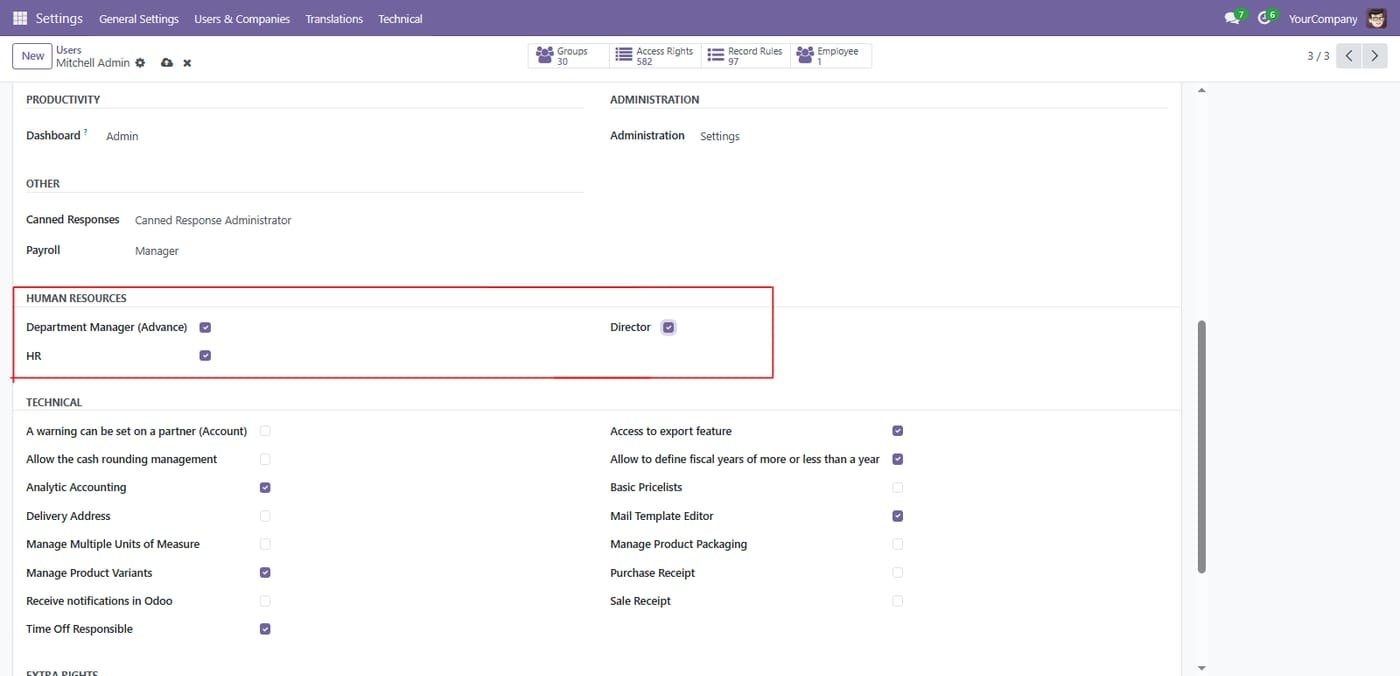
Department Manager,HR Manager and Director groups under settings/users/groups to control whole process.
Step 2
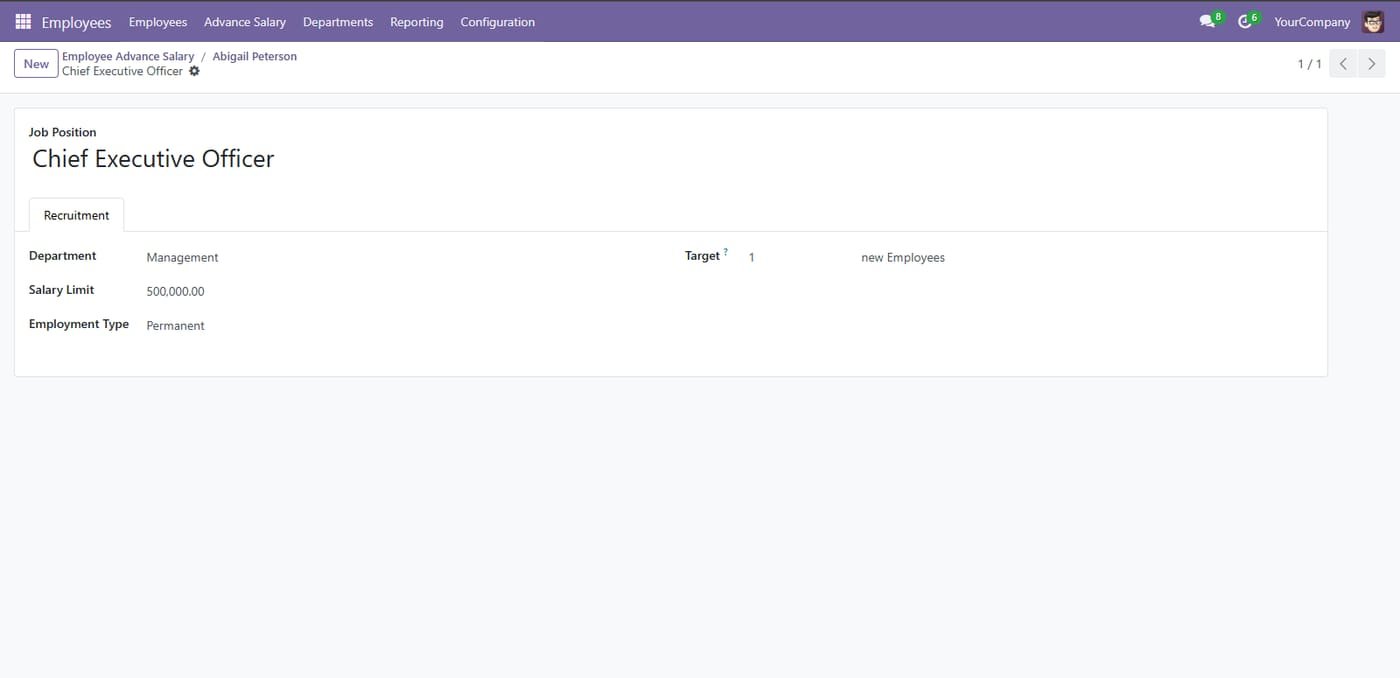
HR Manager / Payroll Officer can set Salary Limit On Job Position
Step 3
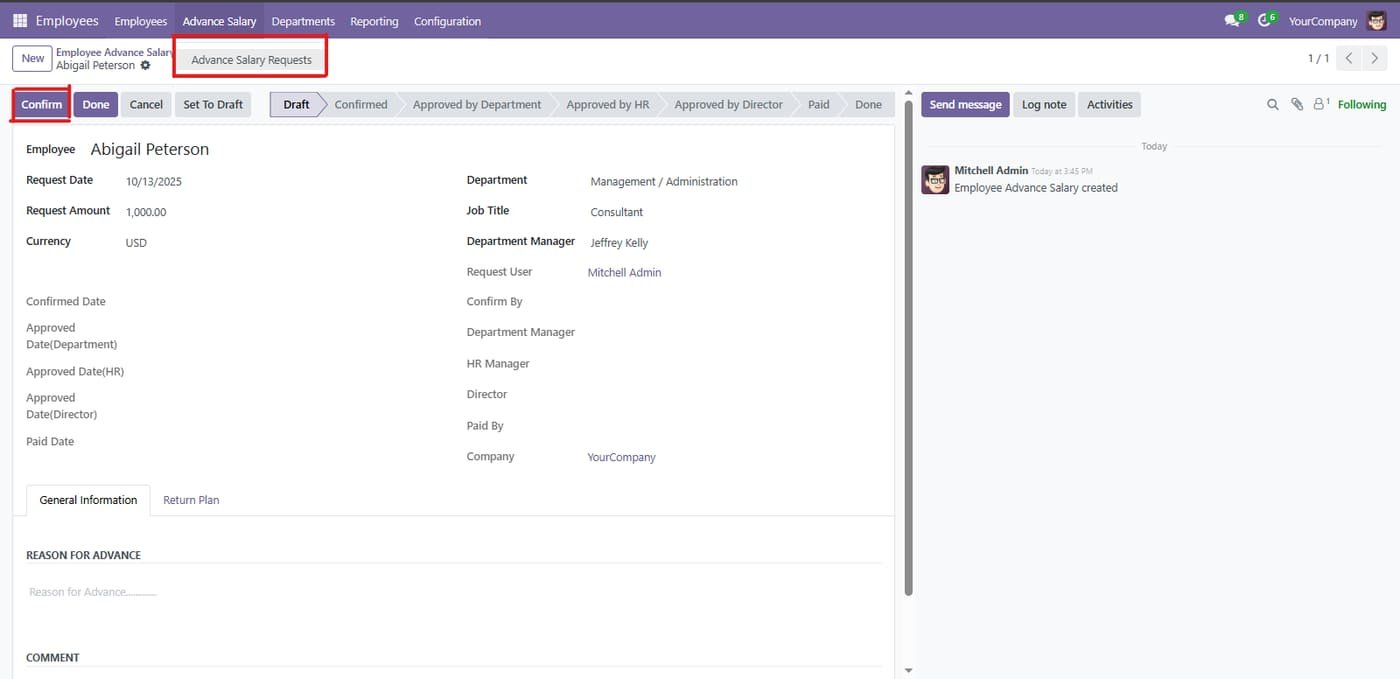
Employee Advance Salary Requests
Step 4
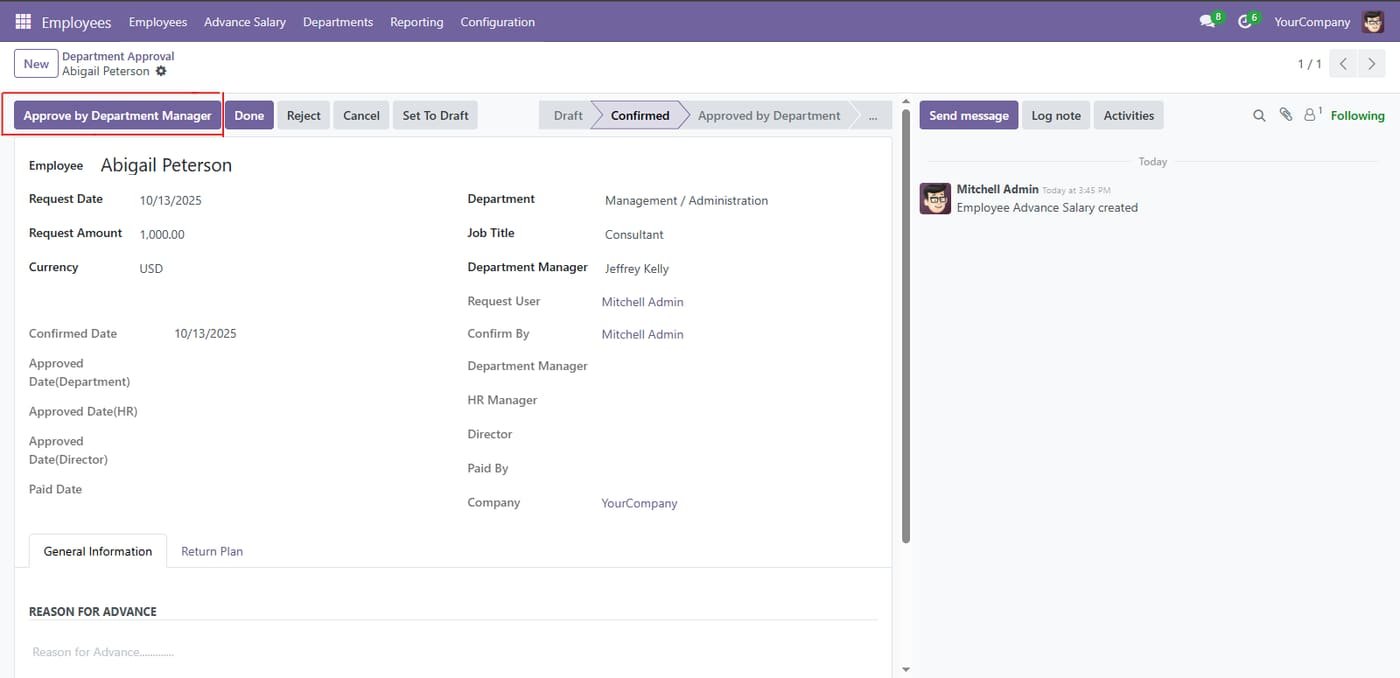
Approved By Department Manager
Step 5
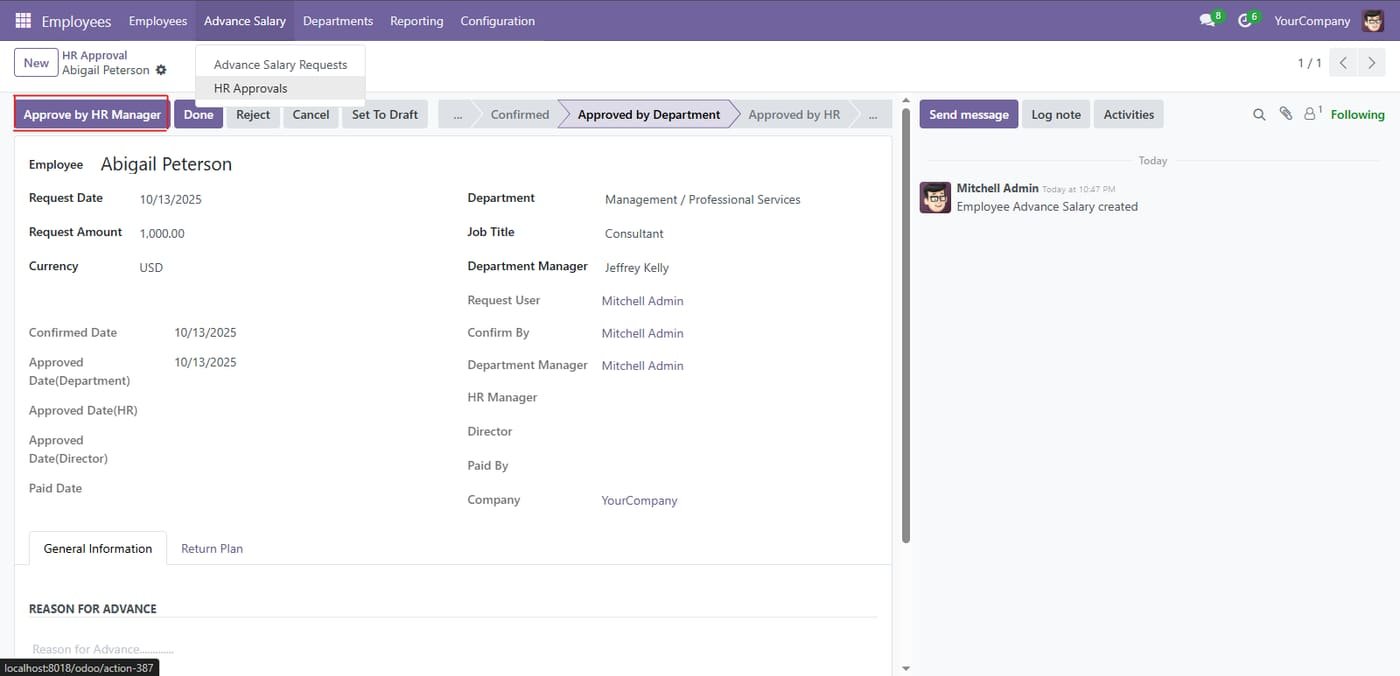
Approved By HR Manager / Payroll Officer
Step 6
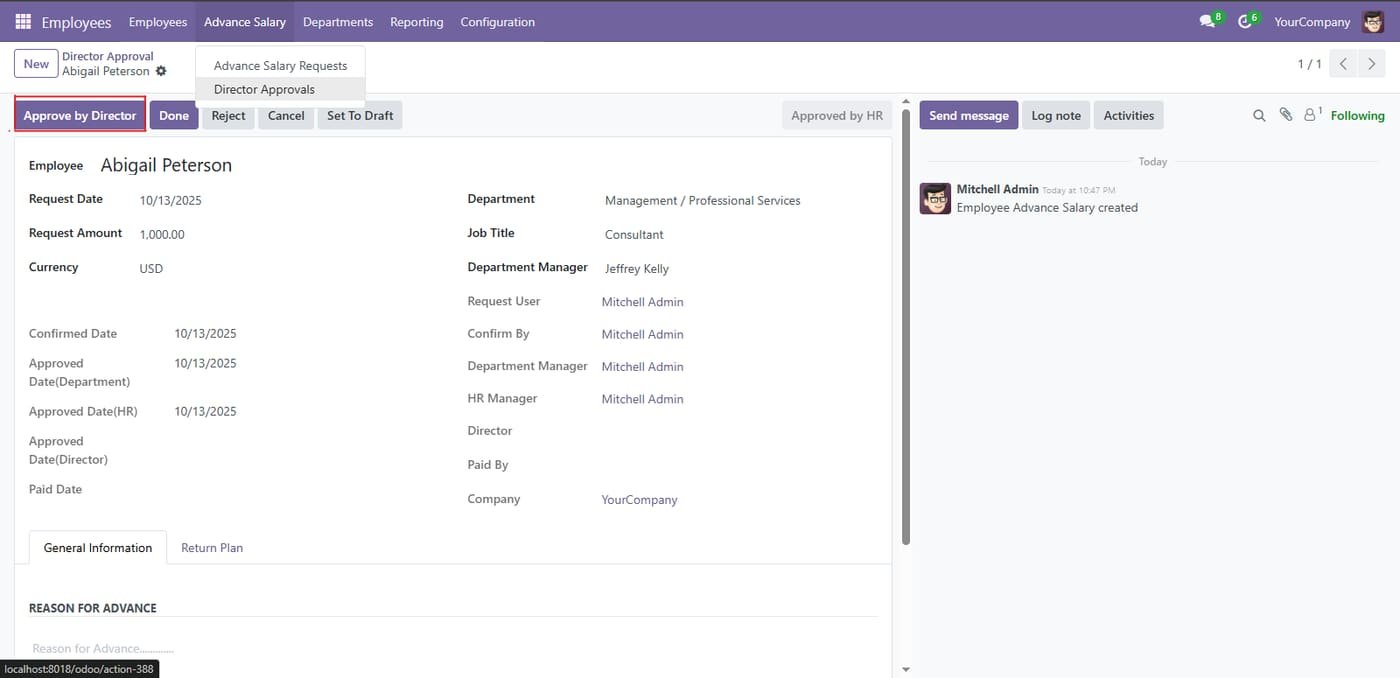
Director approval step
After HR approves, the director approves the advance salary request with full dates and approvers tracked.
Step 7
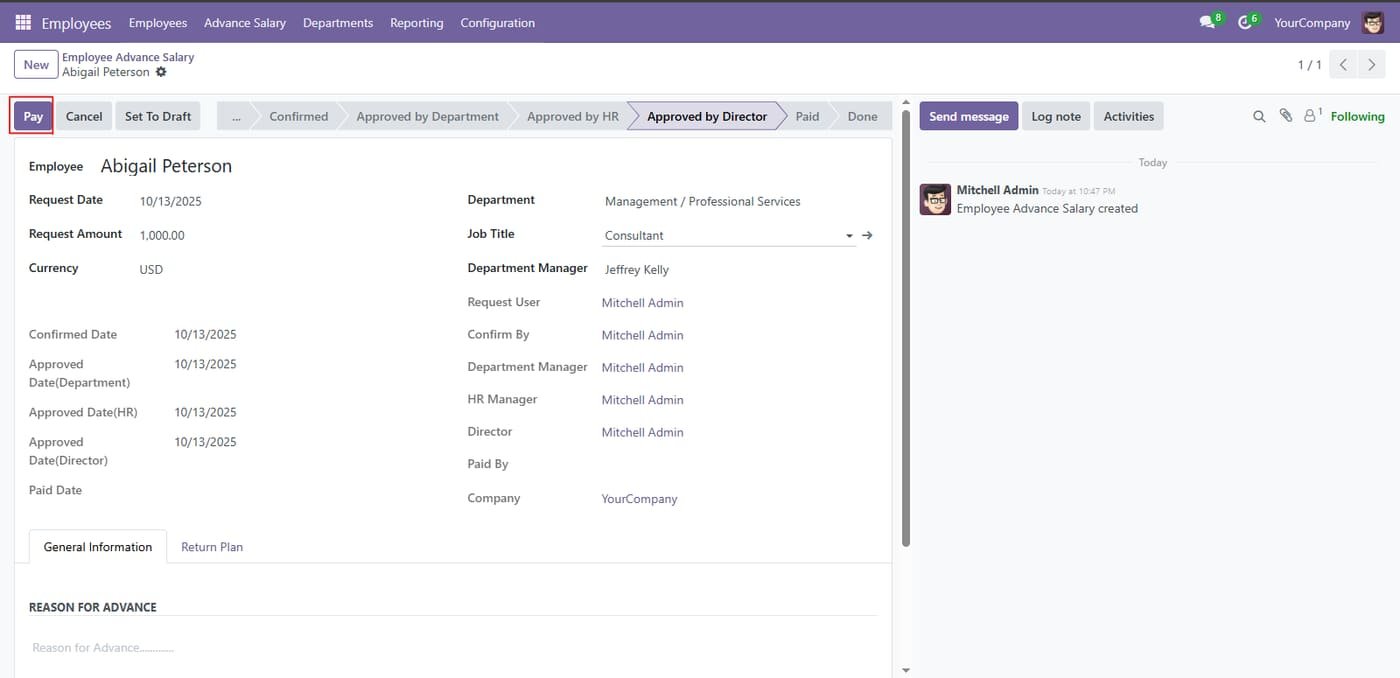
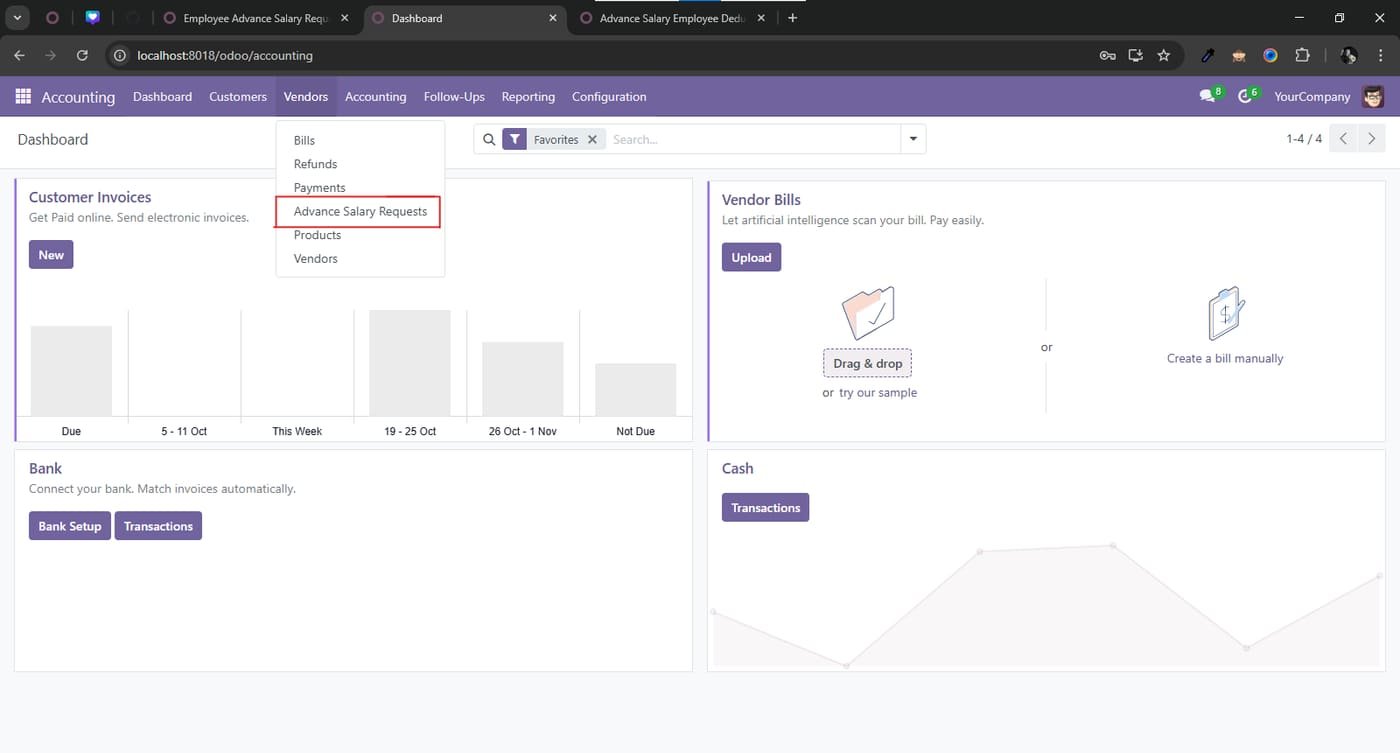
Accountant can Pay Salary requests.
Step 8
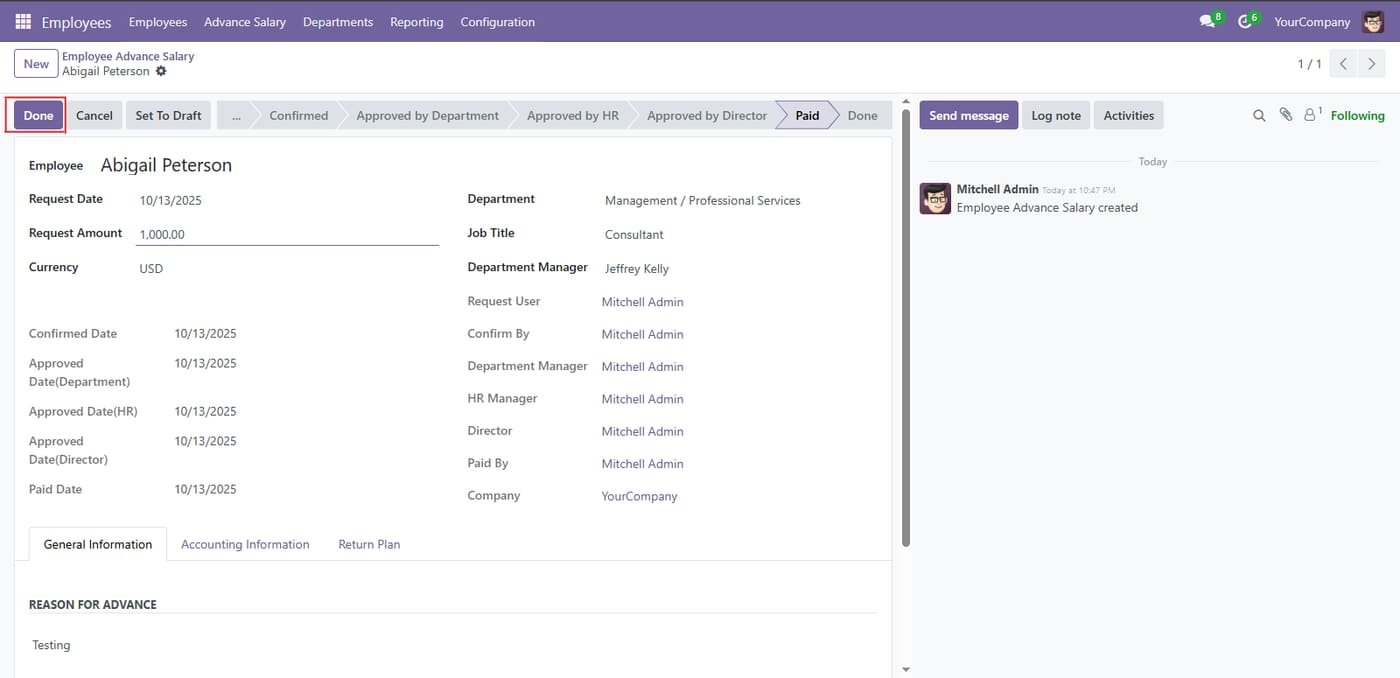
After Confirm Payment View
Step 9
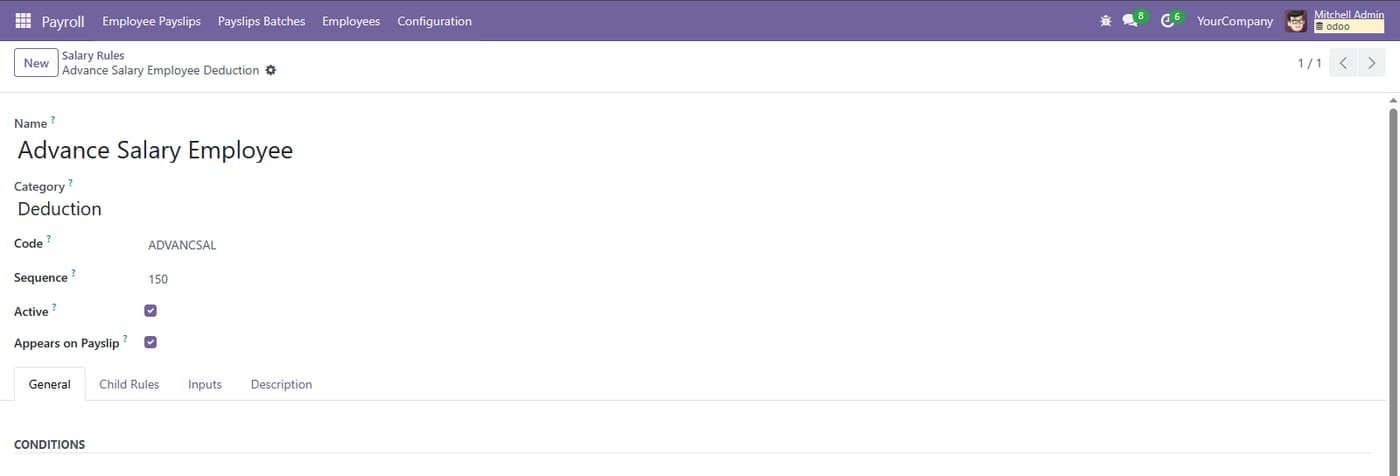
Advance salary deduction rule
A salary rule deducts the advance from the employee payslip automatically.
Step 10
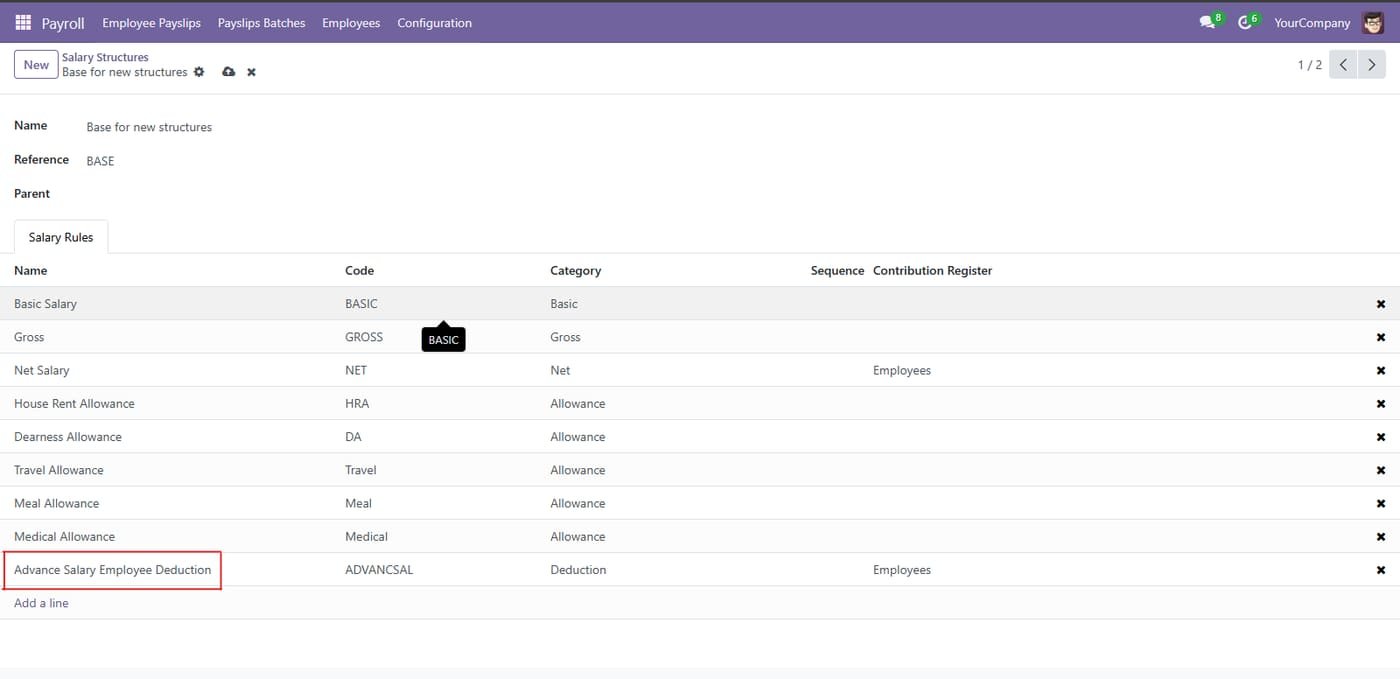
Added to the salary structure
The advance deduction rule sits in the salary structure alongside basic, allowances and net salary.
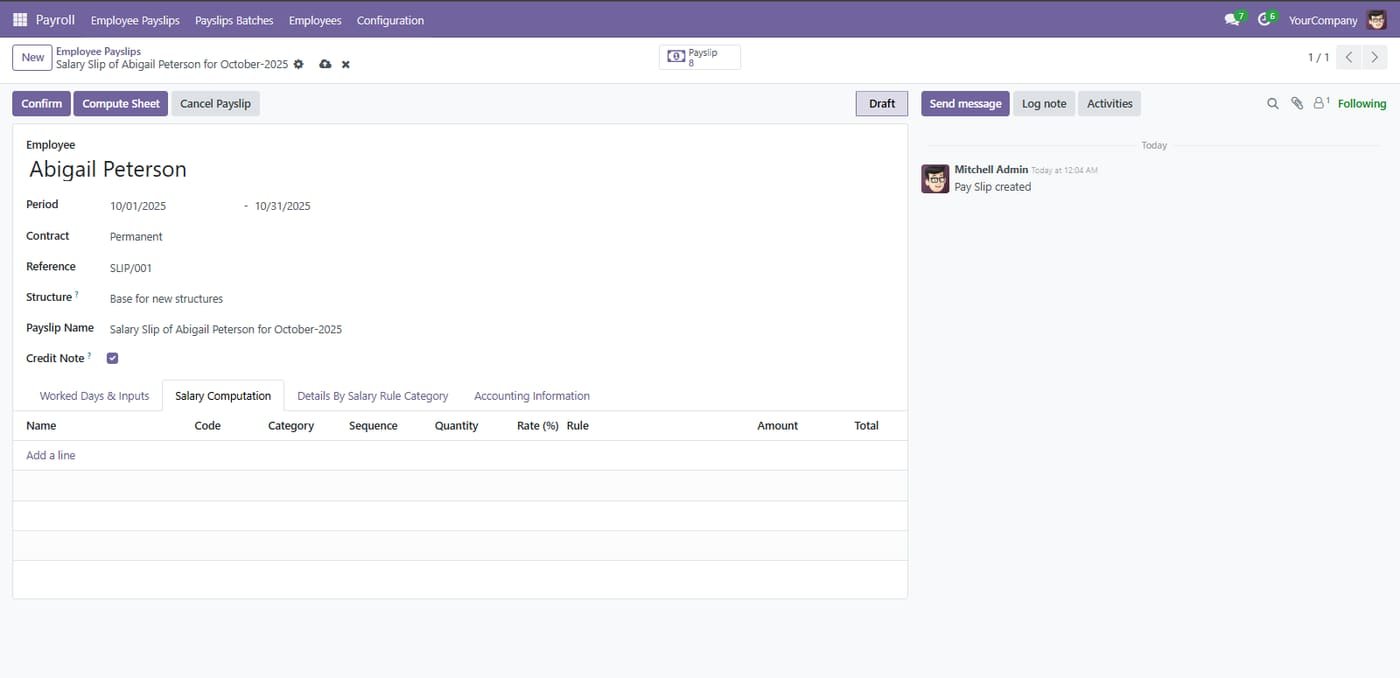
Step 11
Employee Payslip Compute by HR Manager / Payroll Officer
Connect ZKTeco fingerprint / card devices to Odoo HR: enrol employees on the device, pull punch logs, and turn them into attendance records automatically.
Register one or many biometric devices (IP, port, comm password, timezone)
Test the connection, enrol employees onto a device and push their card numbers
Download raw punch logs from every device (manually or on a daily schedule)
HR Loan streamlines end‑to‑end employee loan management in Odoo. Set company policies (followers, loan limits), configure loan types with accounts, journals and limits, run a controlled approval flow (with optional double approval), auto-compute installment schedules, and settle/close loans. Accounting and payroll integrations ensure repayments are posted correctly, while reports and analytics give clear visibility across employees and loan types.
HR Loan Account adds a clean, accounting-ready workflow to manage employee loans in Odoo. You set company-wide defaults, configure loan typeswith posting rules and limits, approve loans (with optional double approval), track installments and balances, link repayments to invoices, and close loans with a clear settlement wizard—all mapped to the right accounts and journals.