
HR & Payroll Community

HR Loan

HR Loan streamlines end‑to‑end employee loan management in Odoo. Set company policies (followers, loan limits), configure loan types with accounts, journals and limits, run a controlled approval flow (with optional double approval), auto-compute installment schedules, and settle/close loans. Accounting and payroll integrations ensure repayments are posted correctly, while reports and analytics give clear visibility across employees and loan types.

$25.50 USD
Choose your Odoo version
Ask a question
Built by an Odoo partner Initial setup support Download link by email
HR Loan
What's included

Key features

1

Flexible Loan Configuration

es Order is created automatically in that company, eliminating double entry.

2

Smart Approval Workflow

Manage loans through a structured process Draft, Confirm, Approve, and Close with optional double approval for tighter control.

3

Automated Installments

Instantly compute repayment schedules by daily, monthly, or yearly frequency with manual or automatic payment options.

4

Accounting Integration

Seamless posting to selected partner accounts (Receivable, Payable, or Custom) with Default Loan Journals and Loan Asset Accounts.

5

Close Loan Wizard

Instantly review balances, remaining installments, and apply closures with a single click, linking recoveries directly via invoices.

Inside the module

Screenshots

Real screens from HR Loan — click any image to see it full size.

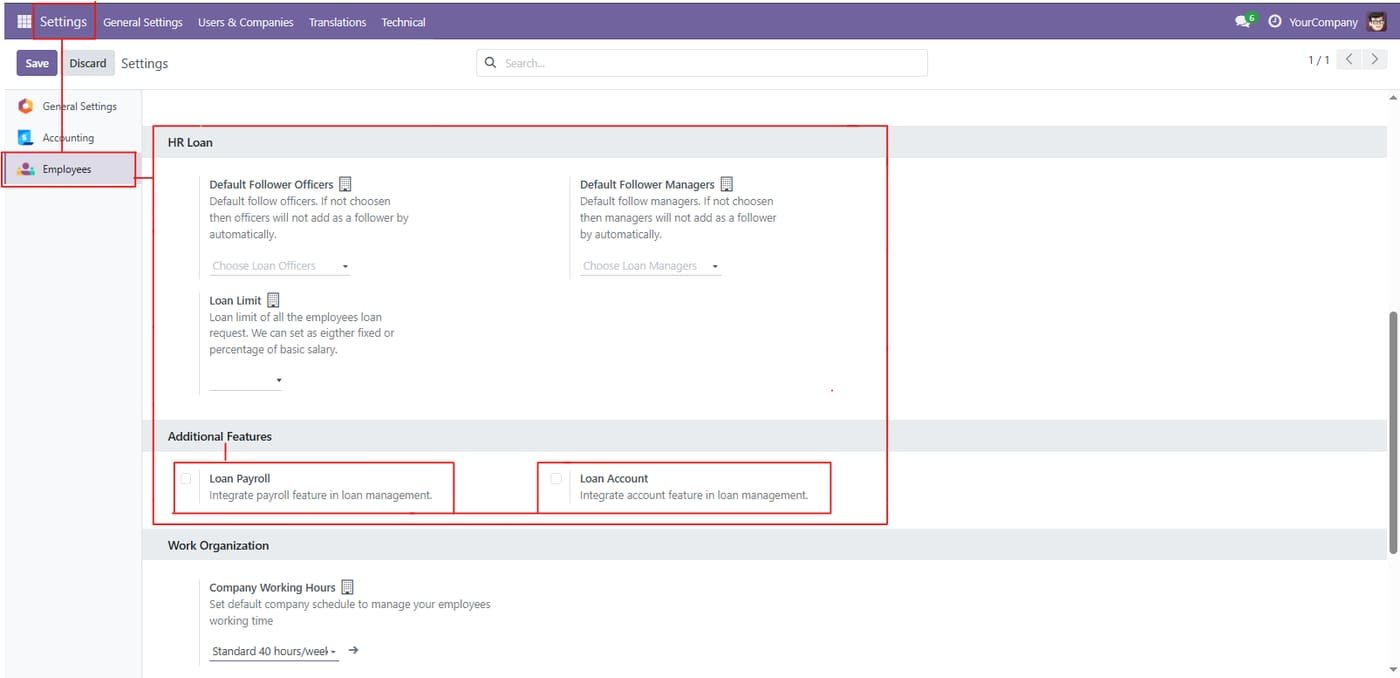
Step 1

HR Loan settings

Set default follower officers and managers, a loan limit, and turn on payroll and accounting integration.

HR Loan settings
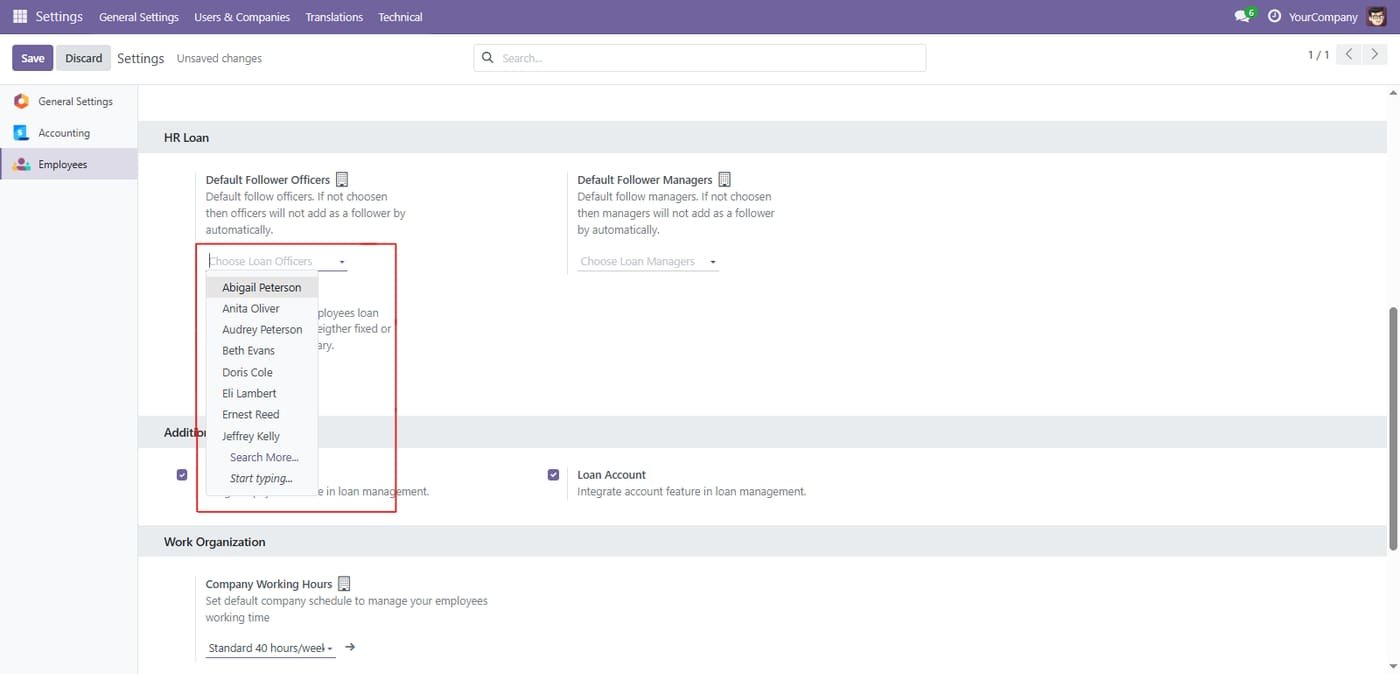
Step 2

List view of Quality Worksheet Templates showing the ‘Design Template’ button. Clicking this opens Odoo Studio for drag-and-drop form customization.

List view of Quality Worksheet Templates showing the ‘Design Template’ button. Clicking this opens Odoo Studio for drag-and-drop form customization.
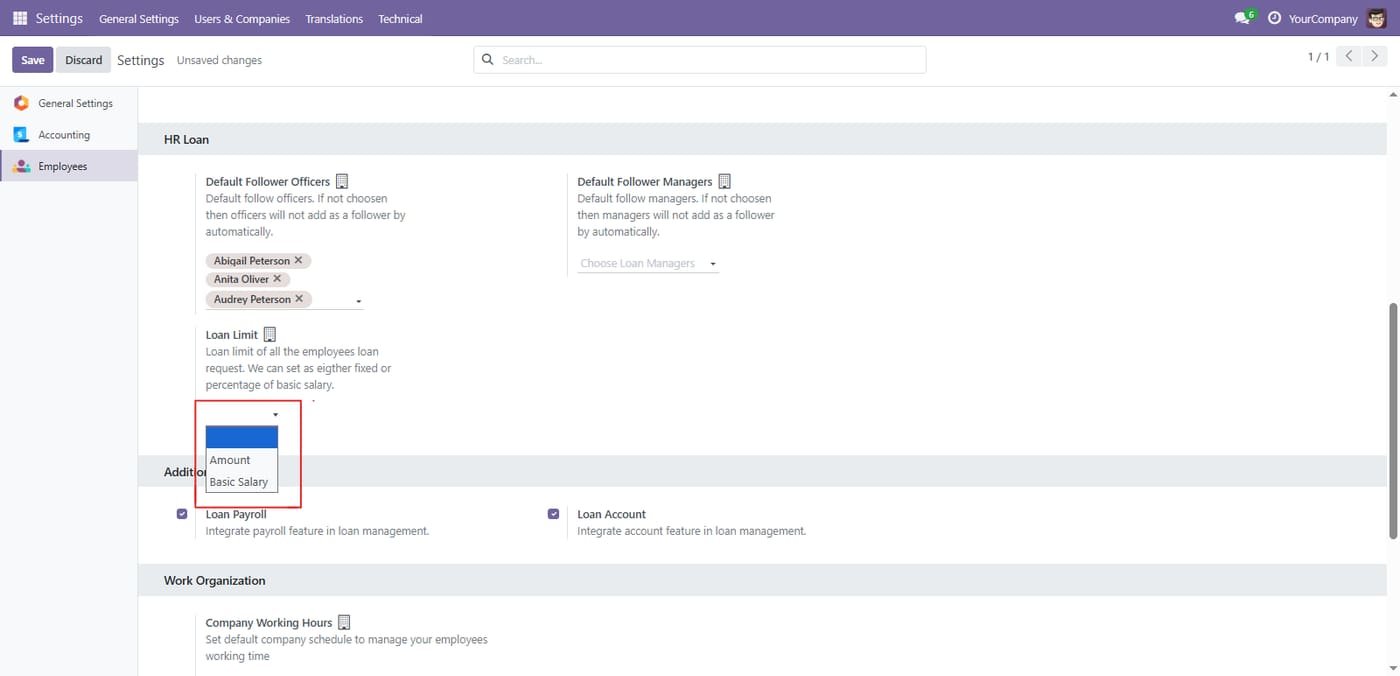
Step 3

Choose the loan limit type

Limit employee loans by a fixed amount or as a percentage of basic salary.

Choose the loan limit type
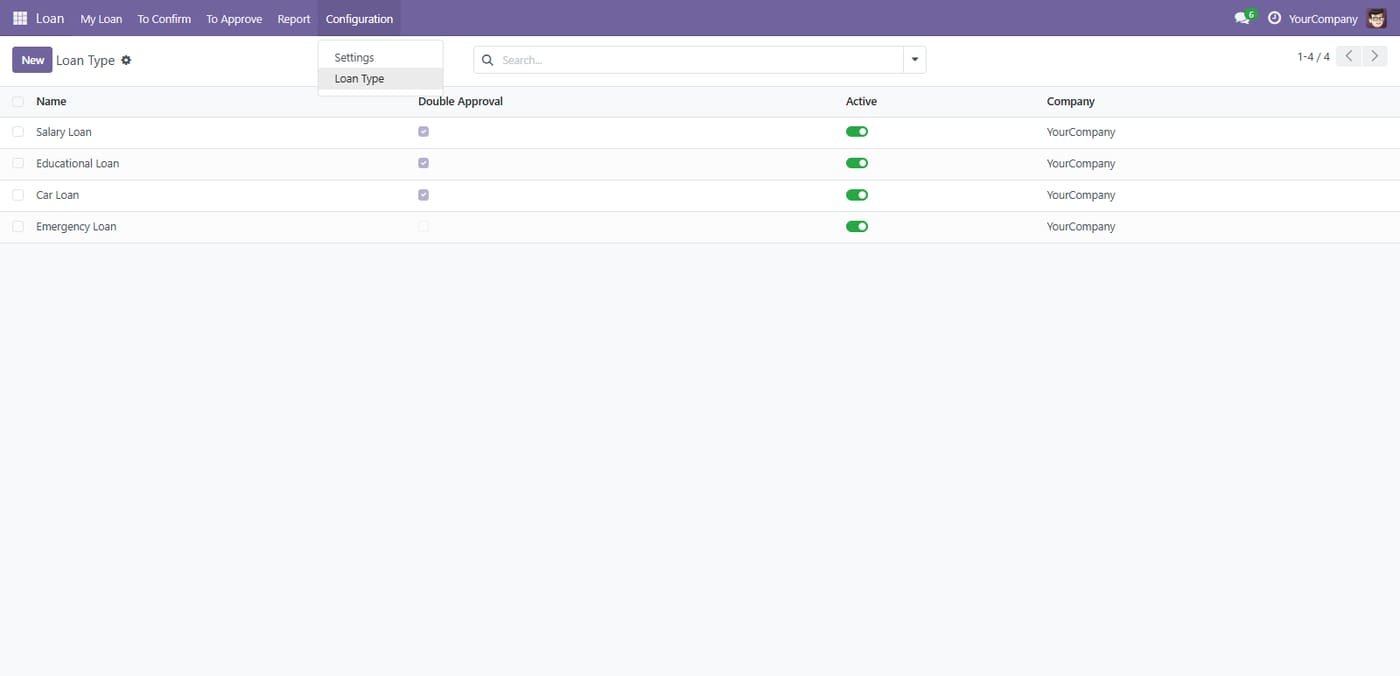
Step 4

Loan types

Define salary, educational, car and emergency loans, with optional double approval.

Loan types
Step 5

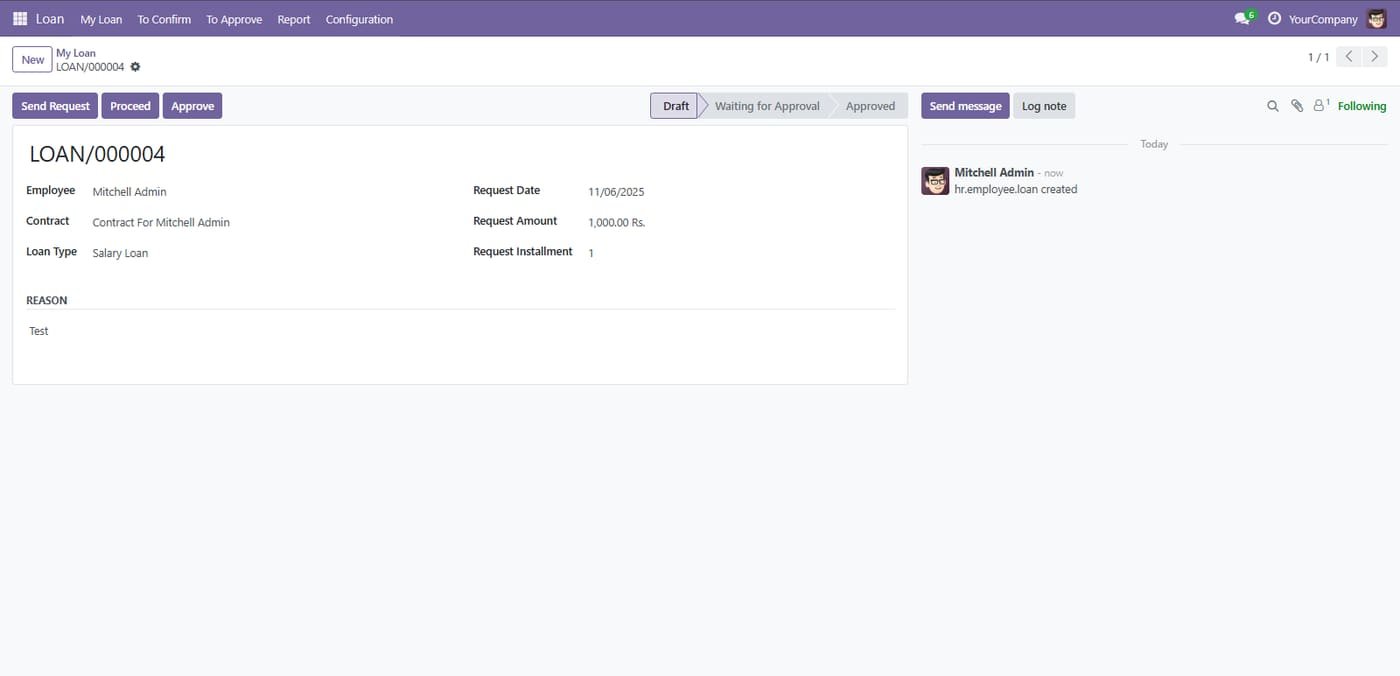
Enter Employee/Contract, Loan Type, Request Date, Request Amount, Installments, and Reason.

Enter Employee/Contract, Loan Type, Request Date, Request Amount, Installments, and Reason.
Step 6

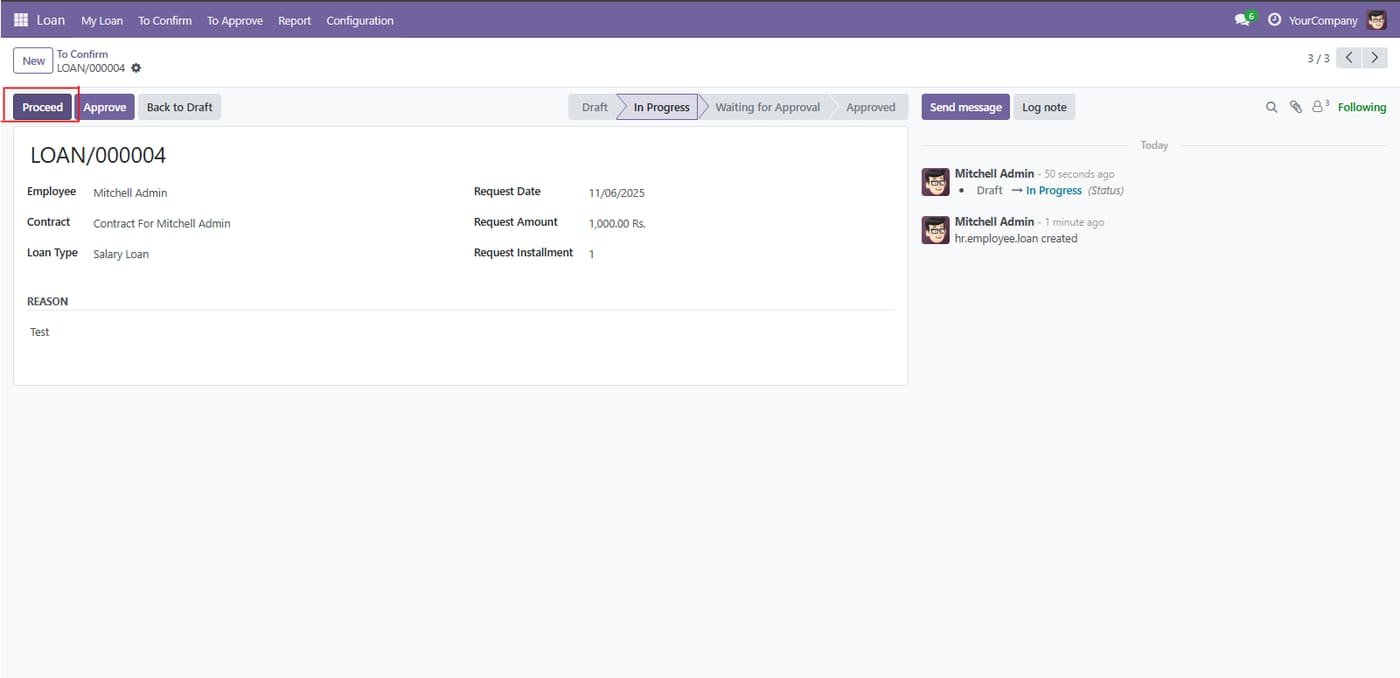
Click Proceed to send for approval

Click Proceed to send for approval
Step 7

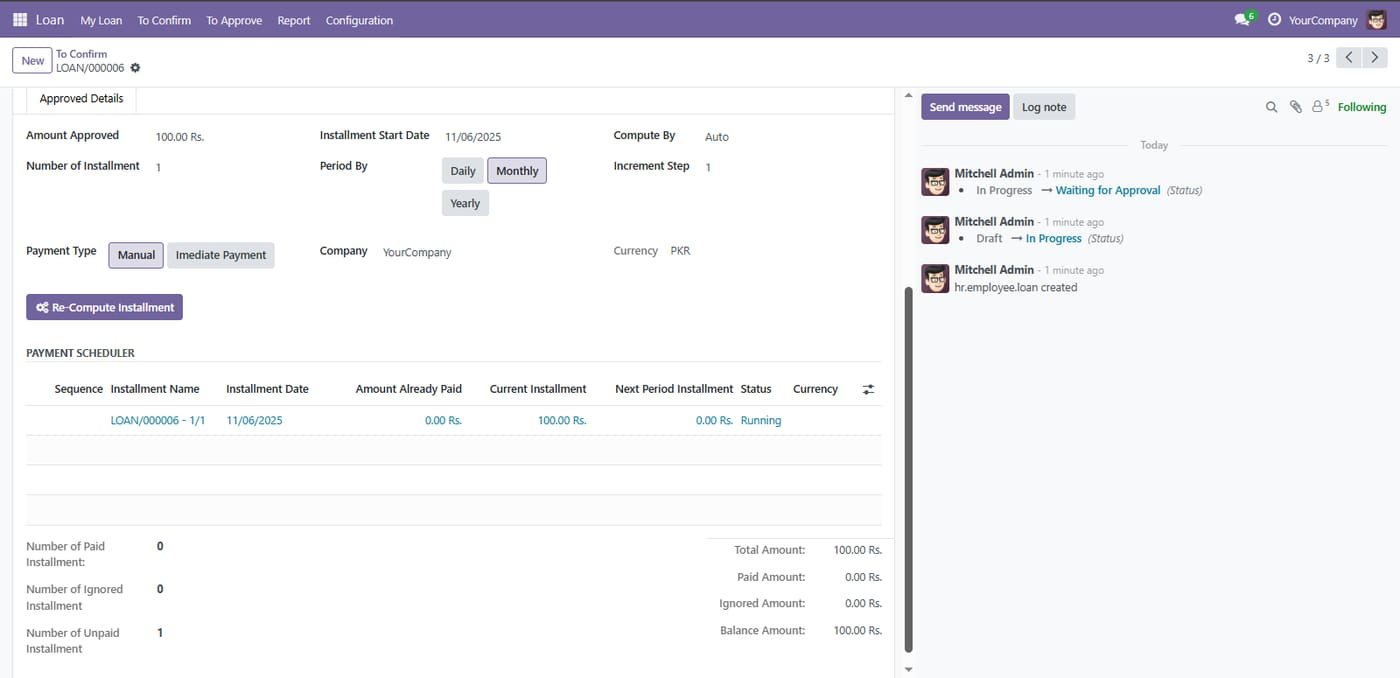
Installment schedule

Approved loans get a payment scheduler with paid, ignored and unpaid installments tracked.

Installment schedule
Step 8

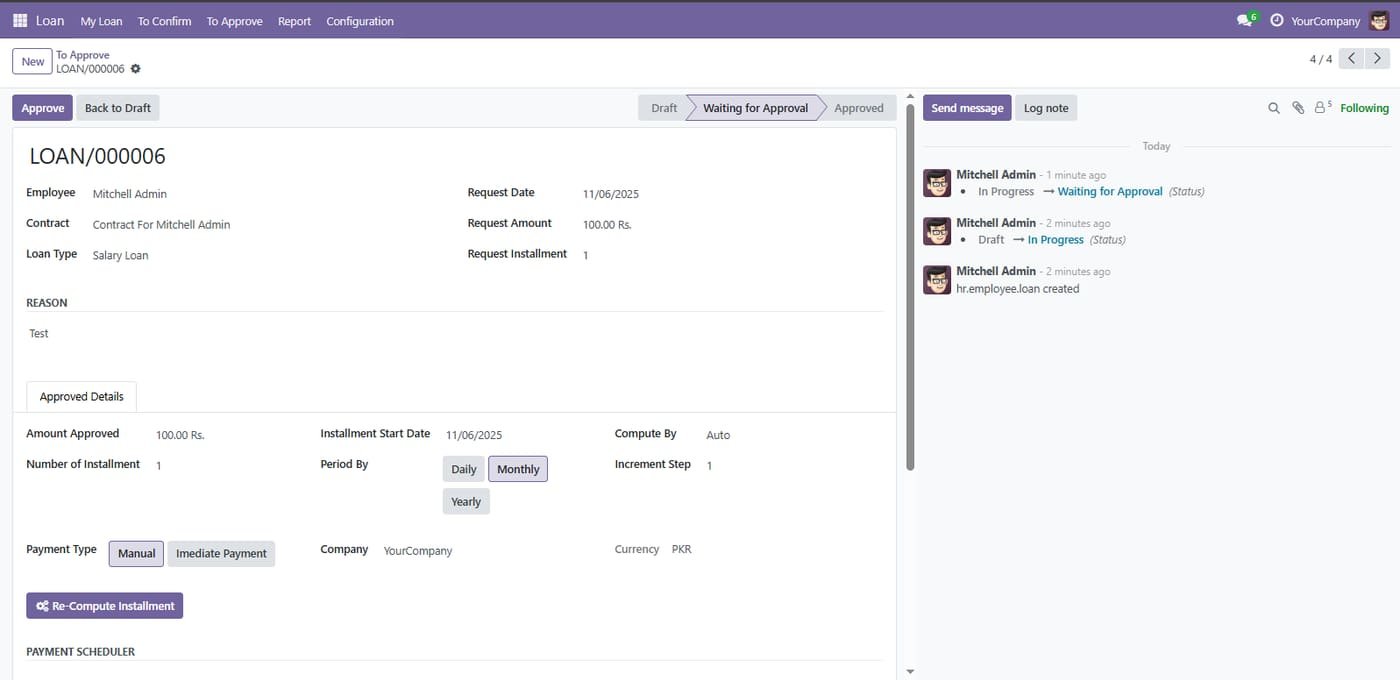
Loan approval

The loan request moves from draft to waiting for approval to approved, with approved details recorded.

Loan approval
Step 9

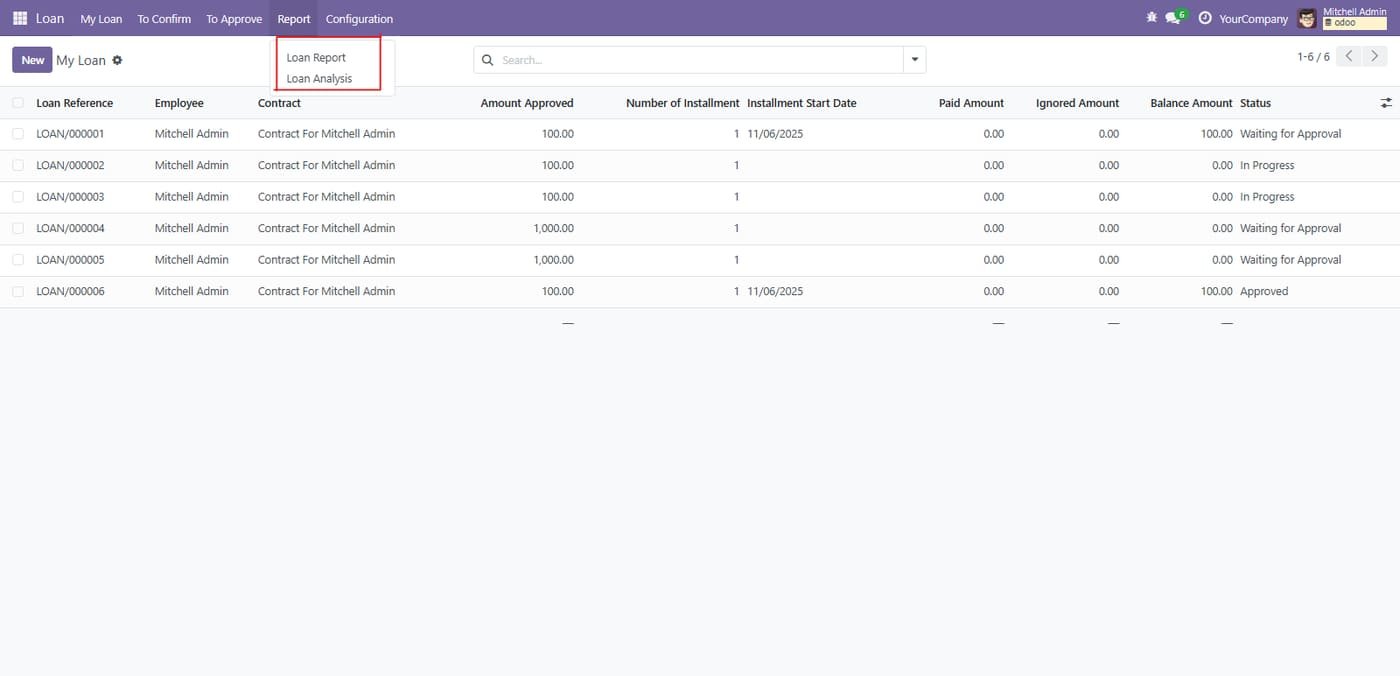
Loan reports menu

Open Loan Report or Loan Analysis from the Report menu.

Loan reports menu
Step 10

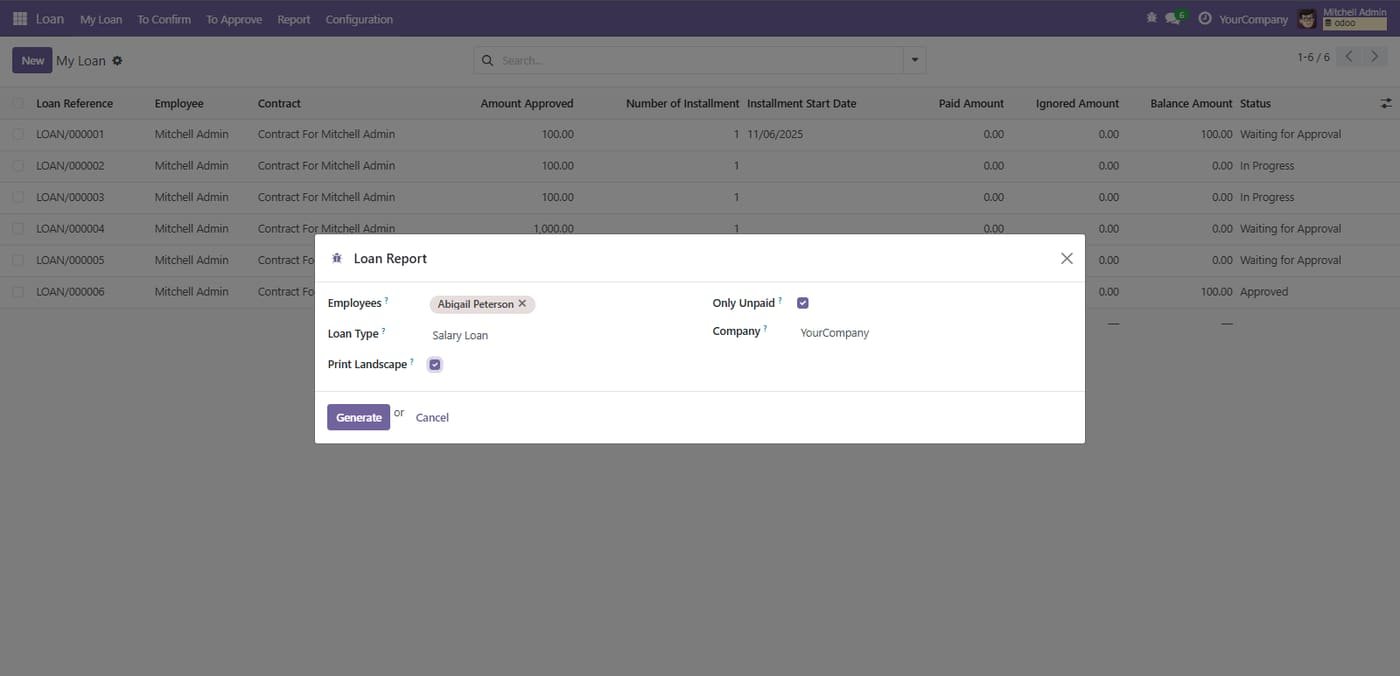
Generate the loan report

Filter by employee, loan type and unpaid loans, then generate the report.

Generate the loan report
Step 11

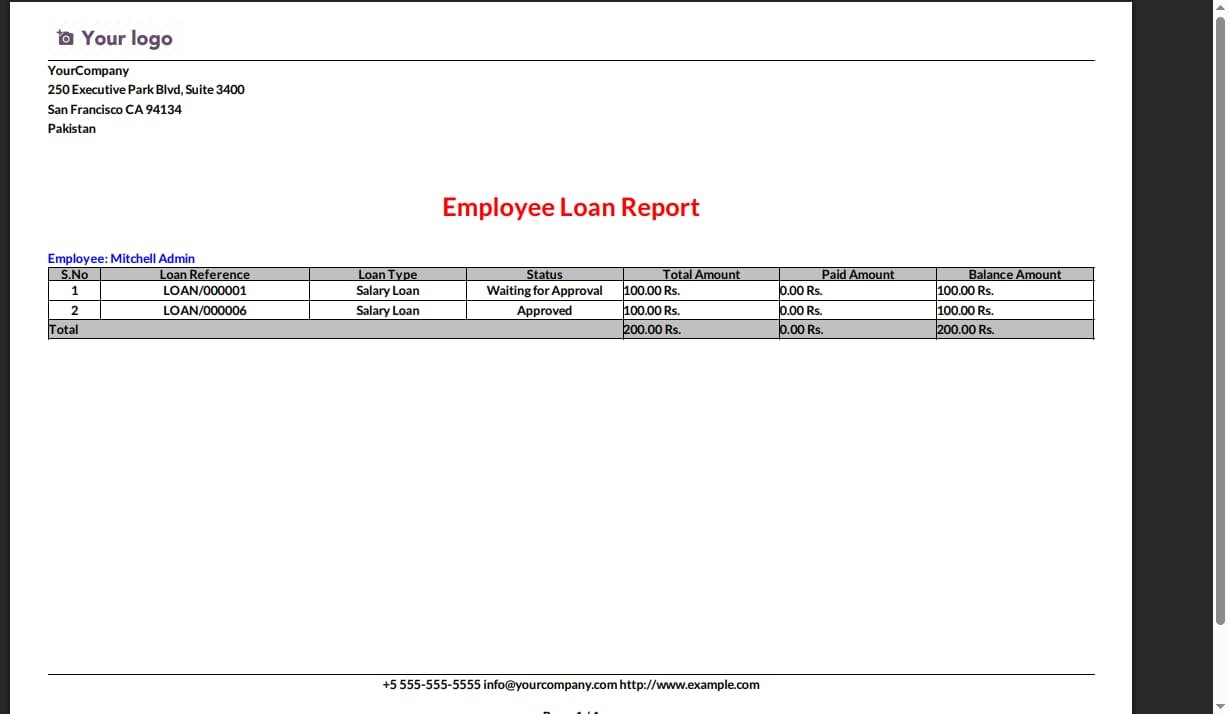
Employee loan report

A printable report of each employee loan with status, paid and balance amounts.

Employee loan report
Step 12

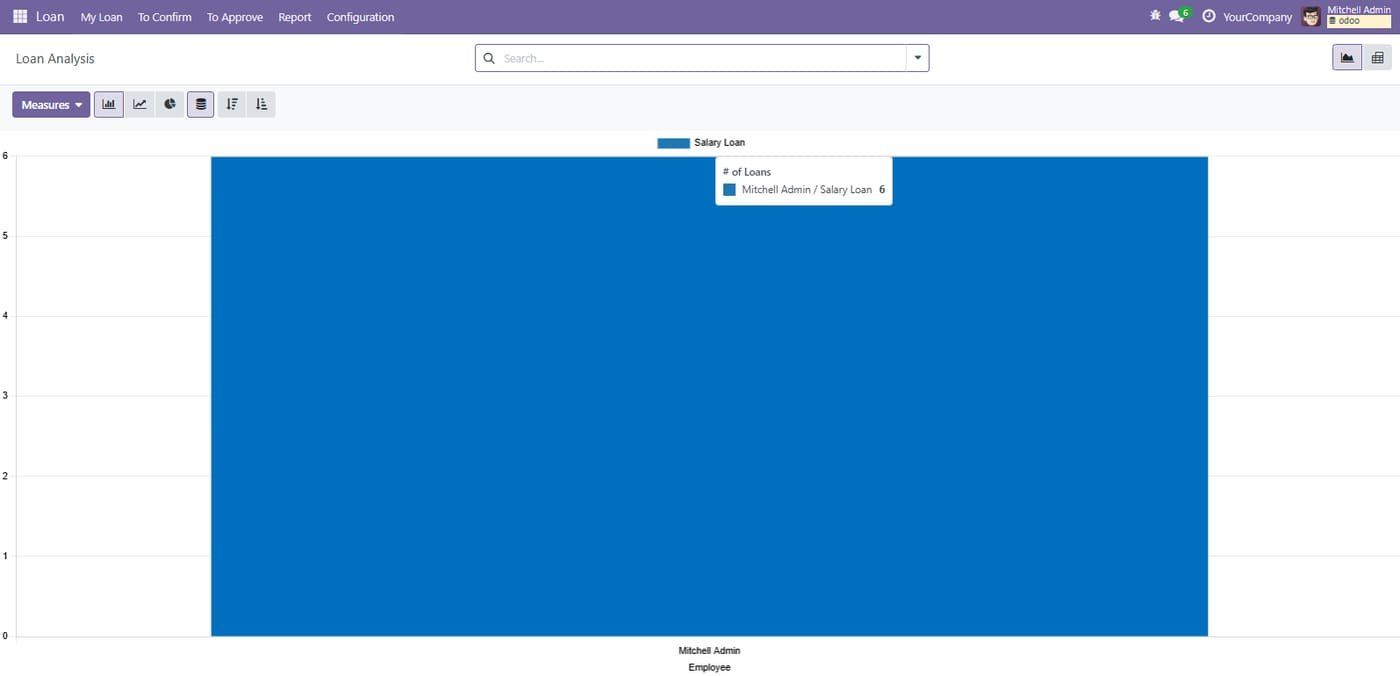
Loan Analysis interactive chart of loans grouped by Employee and Loan Type. Use Measures to switch metrics (e.g., # of Loans), change graph type (bar/line/pie), and hover to see exact values.

Loan Analysis interactive chart of loans grouped by Employee and Loan Type. Use Measures to switch metrics (e.g., # of Loans), change graph type (bar/line/pie), and hover to see exact values.
Common questions

Questions aboutthis module.

Something else? Ask our team.

This build is for Odoo 18. Need it for another version? Contact us and we will let you know when it is available.

Yes. Every purchase includes free deployment — after payment our team installs and sets up the module on your Odoo.

It builds on these Odoo apps: base, hr.

Not sure it's theright fit?

Book a free consultation and we'll help you pick the right modules for your workflow.