HR & Payroll Community

HR Loan Account Management

HR Loan Account adds a clean, accounting-ready workflow to manage employee loans in Odoo. You set company-wide defaults, configure loan typeswith posting rules and limits, approve loans (with optional double approval), track installments and balances, link repayments to invoices, and close loans with a clear settlement wizard—all mapped to the right accounts and journals.

$49.30 USD
Choose your Odoo version
Ask a question
Built by an Odoo partner Initial setup support Download link by email
HR Loan Account Management
What's included

Key features

1

Fully Integrated with Odoo Accounting

The core of the module. Every step—disbursement, monthly installments, and final settlement—automatically posts the correct journal entries to the designated accounts, eliminating manual accounting work.

2

Configurable Loan Types

Create multiple loan categories (e.g., Personal Loan, Vehicle Loan, Home Advance) and assign unique interest rates, approval limits, and specific debit/credit accounts for each type.

3

Automated Payroll Integration

The most powerful feature. Once a loan is approved, the system can automatically add the monthly installment as a deduction line on the employee's payslip until the loan is fully paid.

4

Multi-Level Approval Workflow

Ensure proper oversight by setting up a validation process. For instance, a loan request can require approval from the employee's Manager first, followed by a final approval from the HR or Accounts department.

5

Clear Employee Loan Dashboard

Both HR managers and employees get a clear view of the loan status. Track the total loan amount, total paid, outstanding balance, and a detailed schedule of all past and future installments.

Inside the module

Screenshots

Real screens from HR Loan Account Management — click any image to see it full size.

Step 1

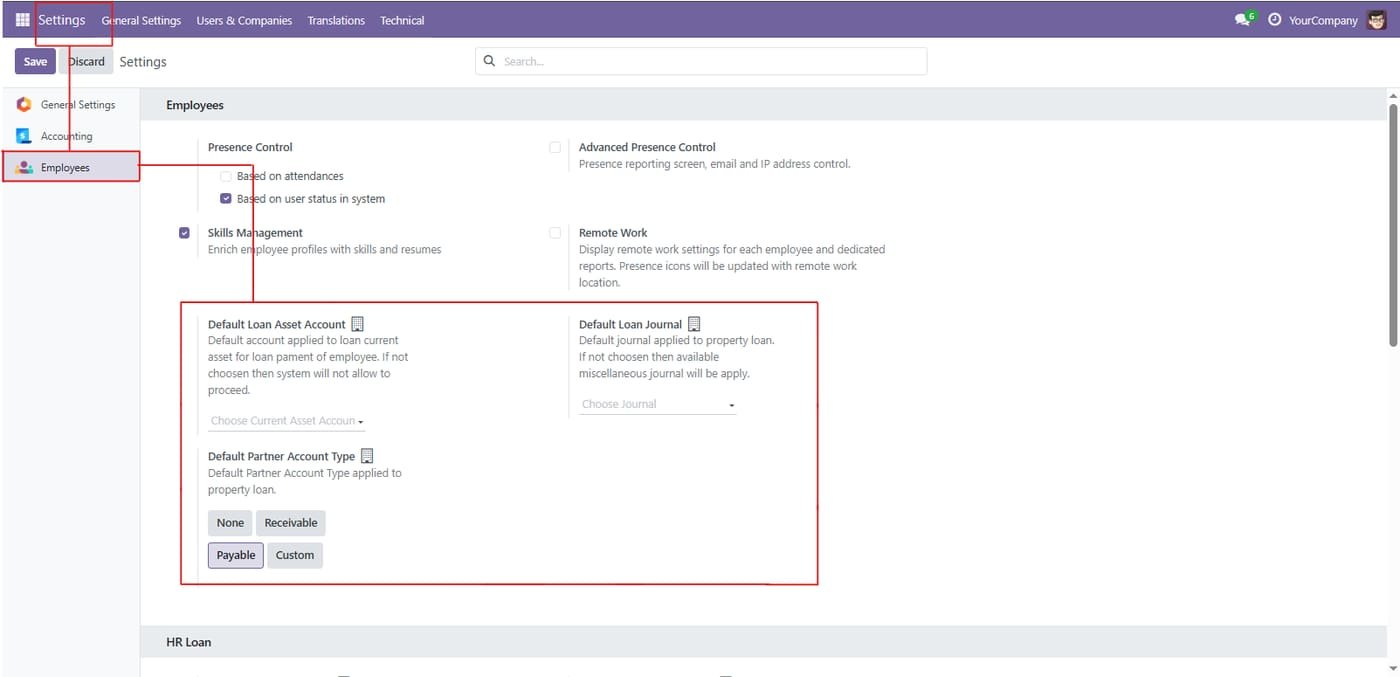
Employees > Settings — HR Loan defaults: choose the Default Loan Asset Account, set the Default Loan Journal, and select the Default Partner Account Type (None/Receivable/Payable/Custom)

Employees > Settings — HR Loan defaults: choose the Default Loan Asset Account, set the Default Loan Journal, and select the Default Partner Account Type (None/Receivable/Payable/Custom)
Step 2

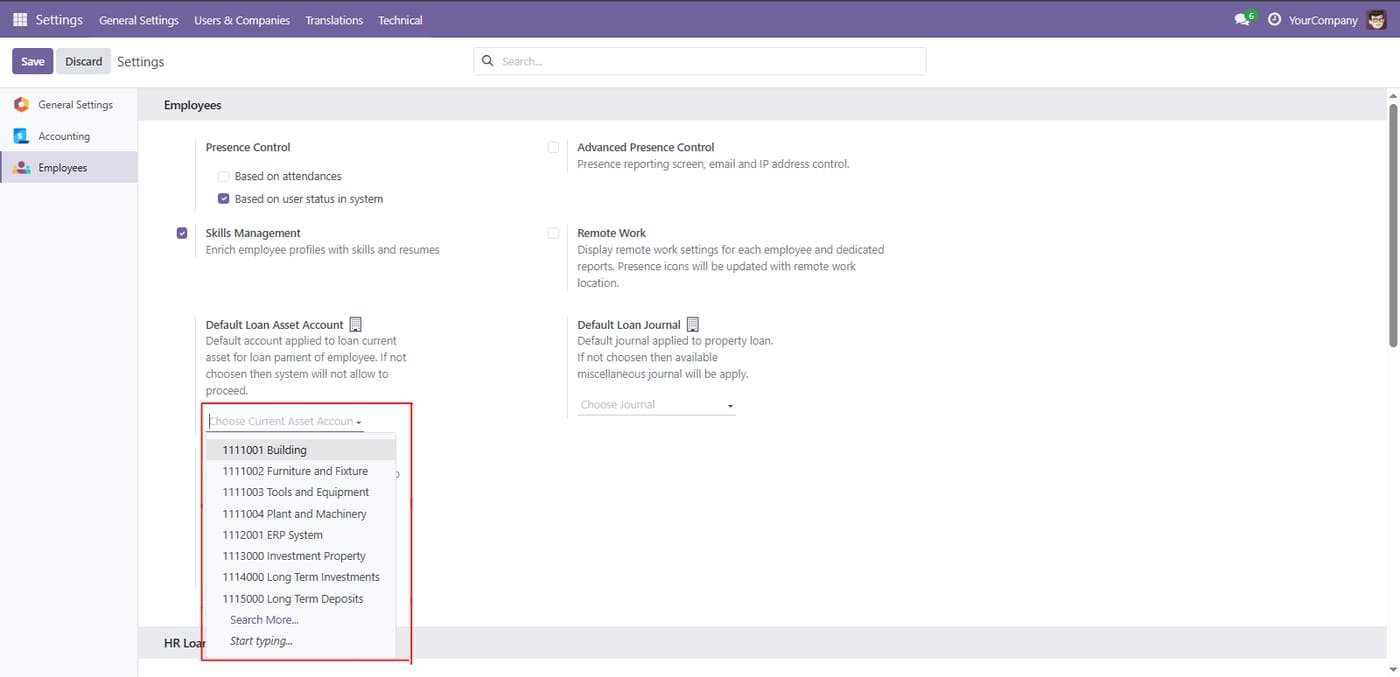
Default loan asset account

Choose the current asset account used for employee loan payments.

Default loan asset account
Step 3

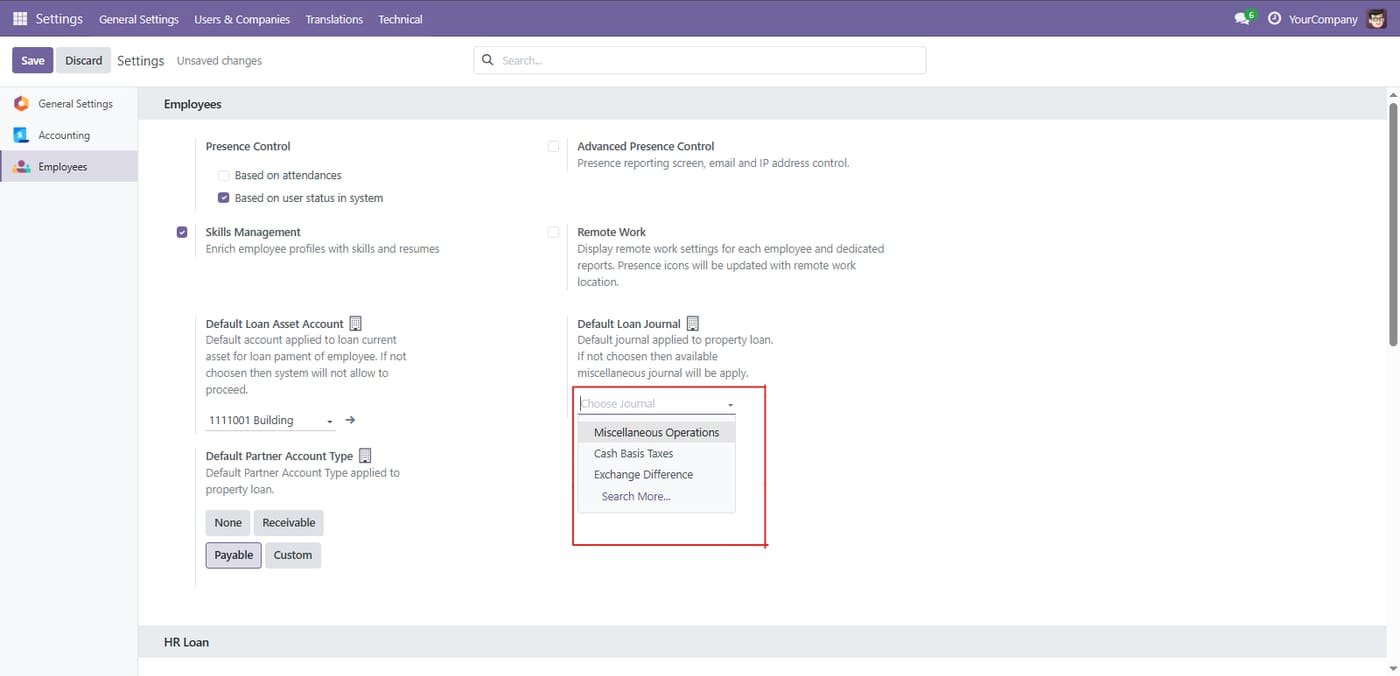
Default loan journal

Choose the journal and partner account type used when loans are posted.

Default loan journal
Step 4

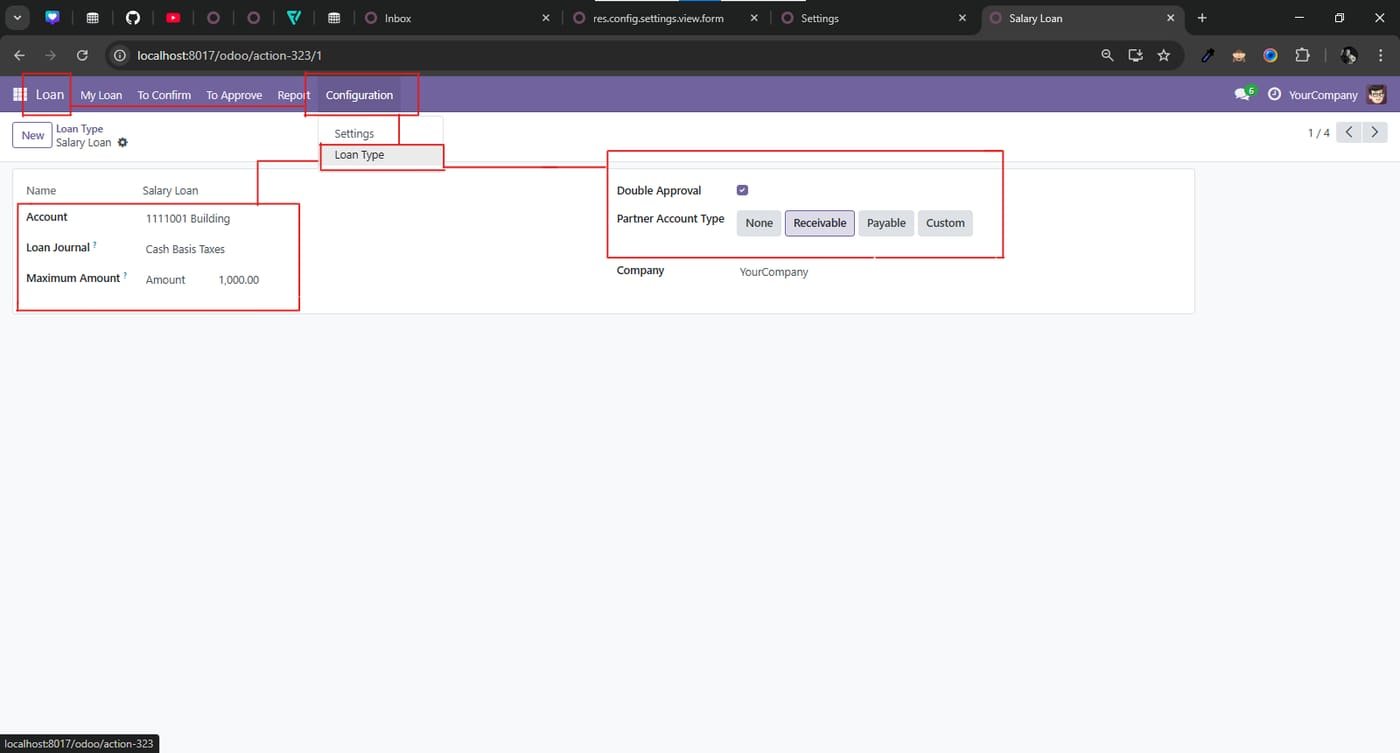
Loan Type: set Account, Loan Journal, Max Amount; Approval; choose Partner Account Type (None/Receivable/Payable/Custom).

Loan Type: set Account, Loan Journal, Max Amount; Approval; choose Partner Account Type (None/Receivable/Payable/Custom).
Step 5

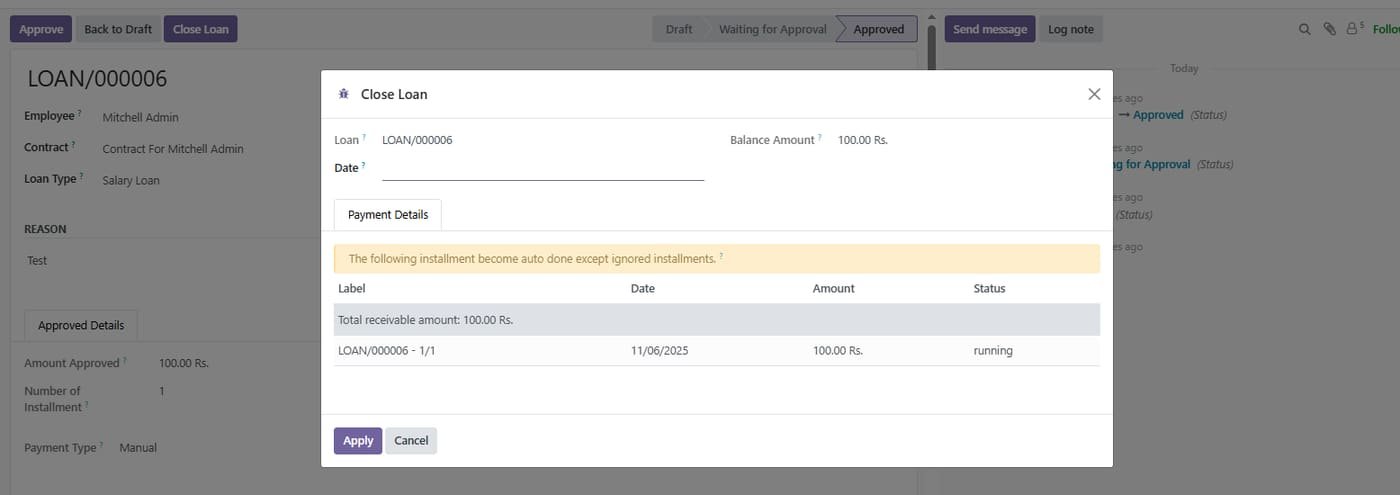
the closing Date, see the Balance Amount, and review installments to be auto‑completed (Label, Date, Amount, Status).

the closing Date, see the Balance Amount, and review installments to be auto‑completed (Label, Date, Amount, Status).
Step 6

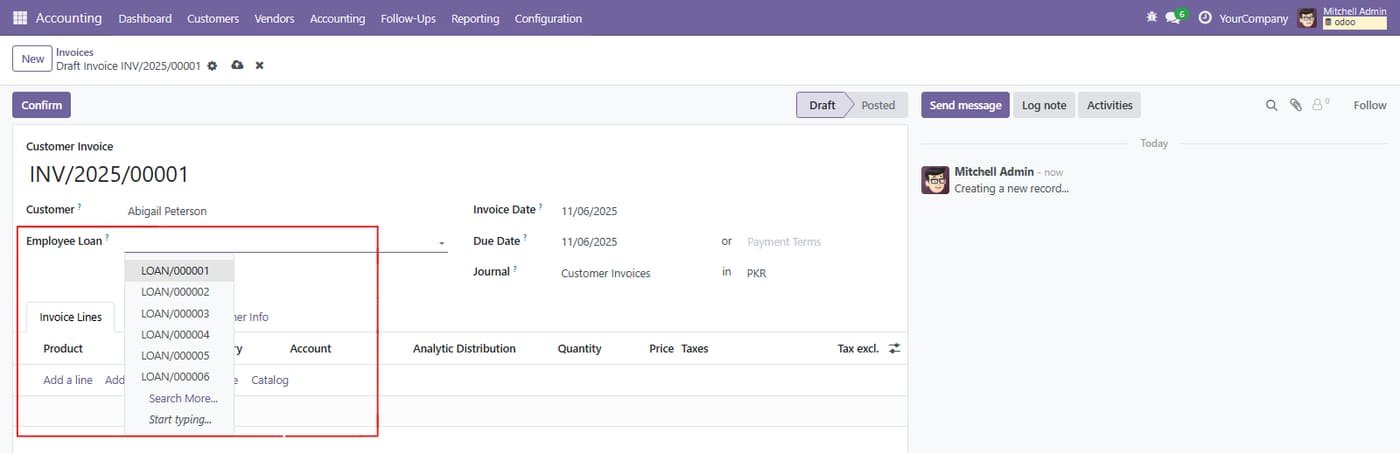
choose the loan ID (LOAN/xxxxx) for which this invoice is issued.

choose the loan ID (LOAN/xxxxx) for which this invoice is issued.
Common questions

Questions aboutthis module.

Something else? Ask our team.

This build is for Odoo 18. Need it for another version? Contact us and we will let you know when it is available.

Yes. Every purchase includes free deployment — after payment our team installs and sets up the module on your Odoo.

It builds on these Odoo apps: base, account.

Yes — it needs HR Loan. They are included in your download.

Not sure it's theright fit?

Book a free consultation and we'll help you pick the right modules for your workflow.