Productivity & Tools

Form Builder Studio - Drag & Drop Forms for Odoo

Build any form in Odoo by drag and drop: contact forms, surveys, job applications, registrations, quizzes and approval requests. Share them on your website, portal or by QR code, collect answers with files and e-signatures, and turn every submission into Odoo records automatically. Multi-step wizards, multi-level approvals, paid forms, statistics, CSV export, webhooks and a REST API included.

$299 USD
Choose your Odoo version
Ask a question
Built by an Odoo partner Initial setup support Download link by email
Form Builder Studio - Drag & Drop Forms for Odoo
What's included

Key features

1

Drag and drop form builder with 30+ field types, layouts and conditional logic (form.io, bundled, no external account)

2

Single page or multi-step wizard forms, file upload and e-signature

3

Form versions: keep old versions and switch the current one

4

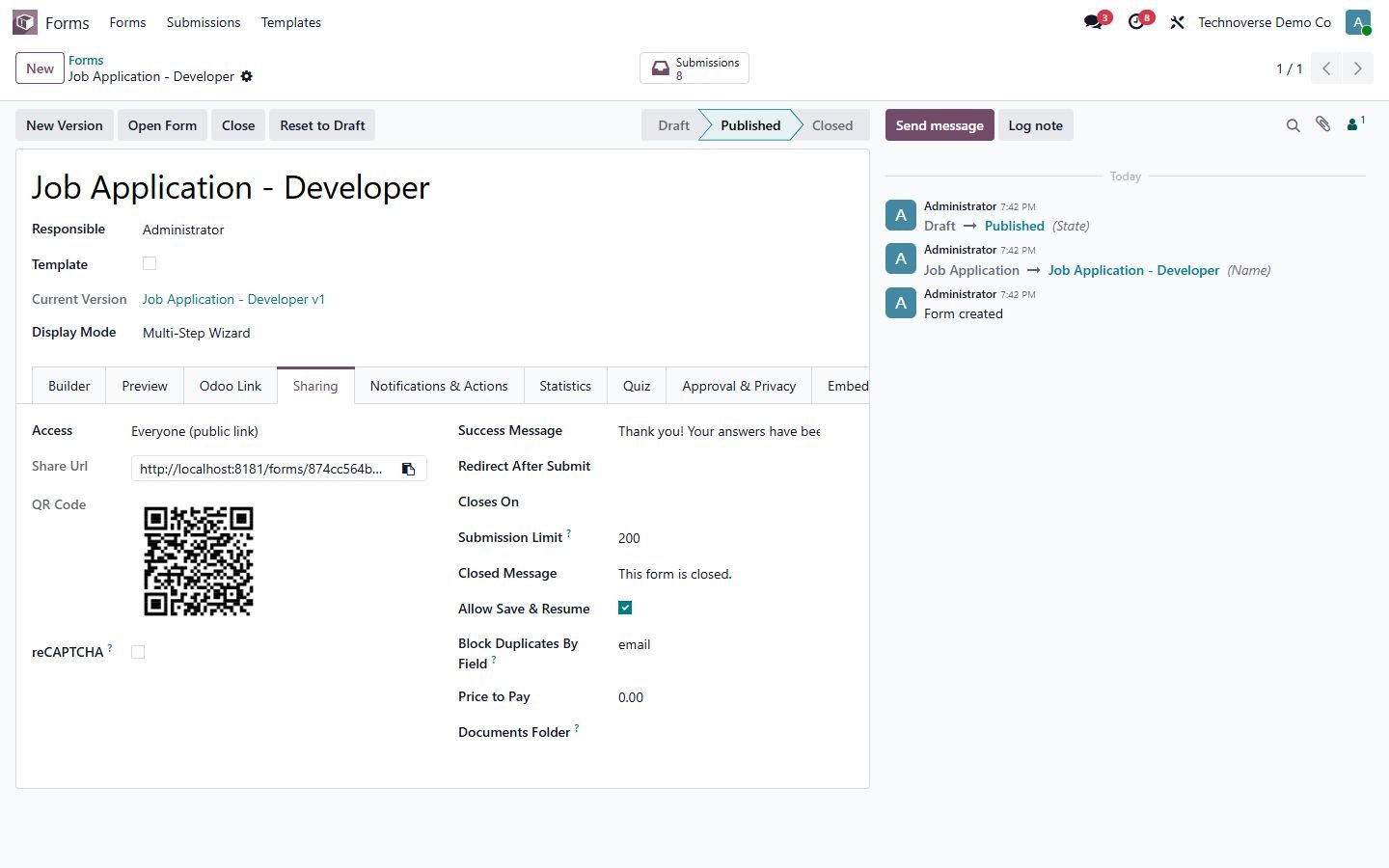
Public website forms, portal-only or internal-only forms with a share link and QR code

5

Create or update any Odoo record (contact, lead, employee...) from the answers, with prefill

6

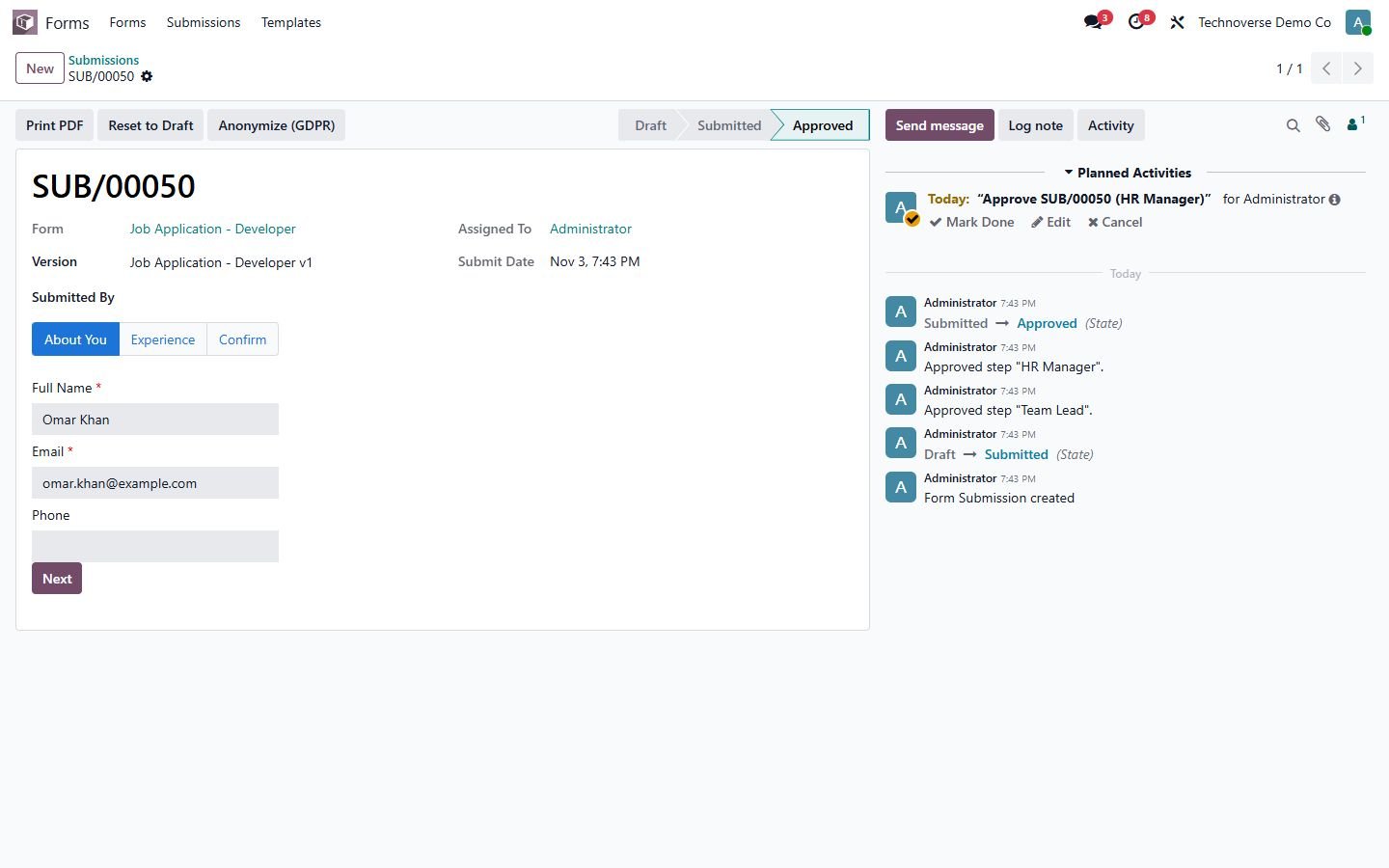
Submissions with Draft, Submitted, Approved, Rejected and Cancelled

7

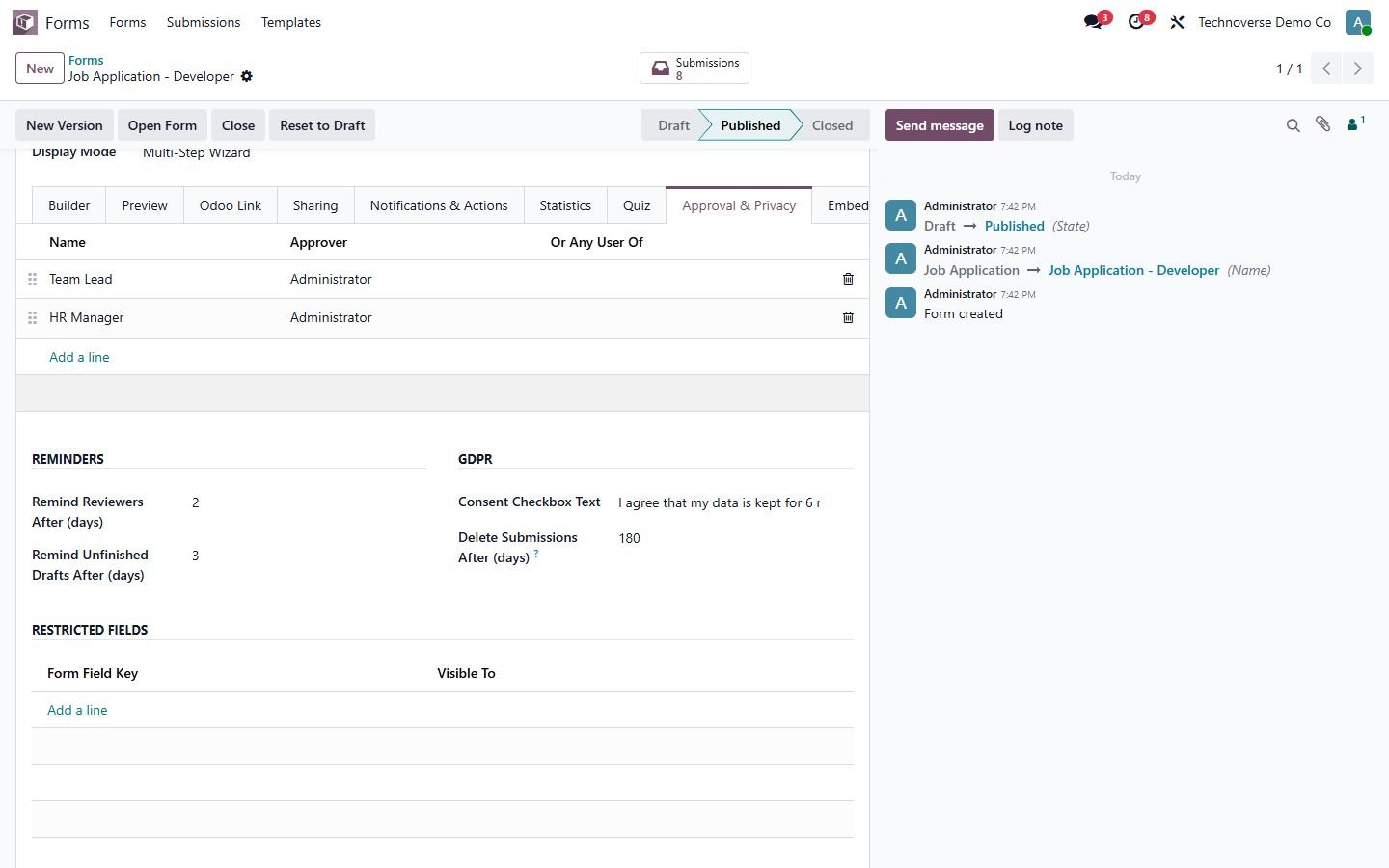
Multi-level approval by user or group with to-dos for the next approver

8

Team alerts, to-dos and confirmation email with a PDF of the answers

9

Run server actions and send a webhook (Zapier, Make) on every submit

10

PDF print of each submission, uploads saved as attachments

11

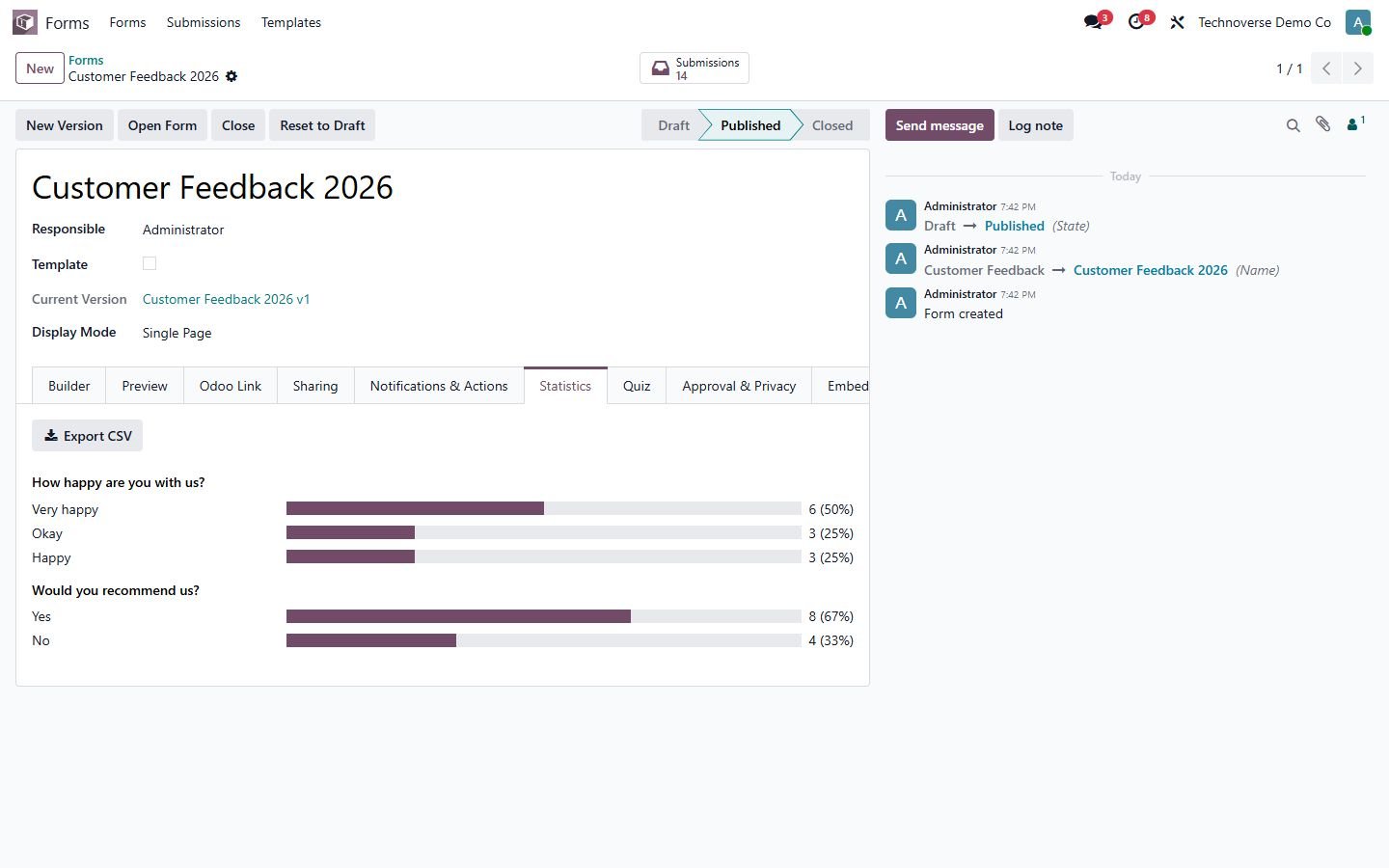
Dashboard per form, answer statistics with charts, pivot, graph and CSV export

12

Ready templates: contact us, customer feedback, job application, event registration

13

Paid forms with Odoo online payment

14

Quizzes with right answers, points, score and pass mark

15

Save draft and resume later with a private link

16

Block duplicate submissions by email or any field

17

Closing date and submission limit, spam honeypot and reCAPTCHA

18

Daily reminders for late reviews and unfinished drafts

19

Embed code for any website and REST API with API key

20

Field-level access to hide sensitive answers from some groups

21

GDPR: consent checkbox, auto-delete after N days and anonymize button

22

Uploads can also go to a Documents folder (Enterprise)

23

Works with Odoo 14, 15, 16, 17, 18, 19 and 20, Community and Enterprise

Inside the module

Screenshots

Real screens from Form Builder Studio - Drag & Drop Forms for Odoo — click any image to see it full size.

Step 1

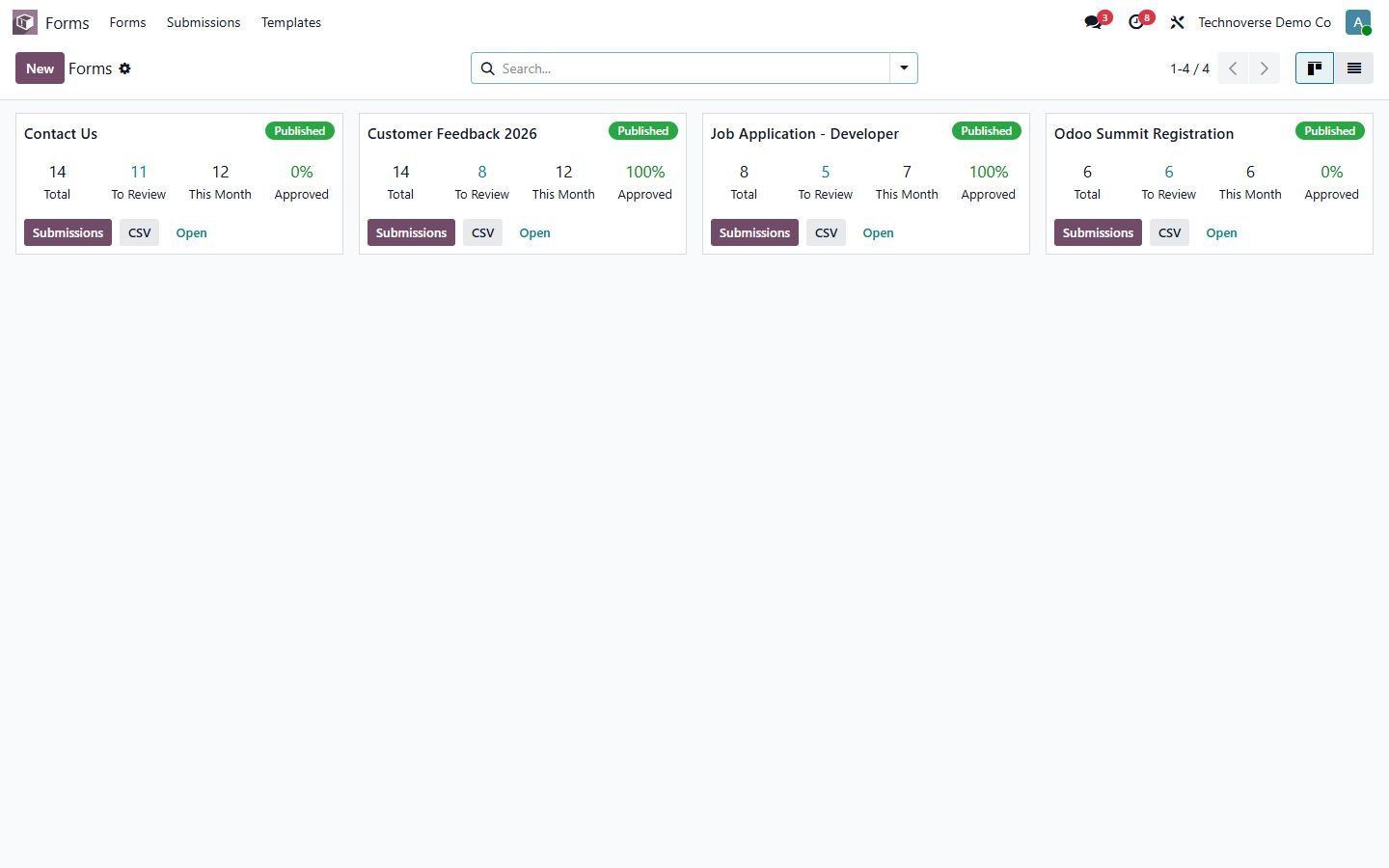
Dashboard

Submissions, to review, this month and approval rate for every form.

Dashboard
Step 2

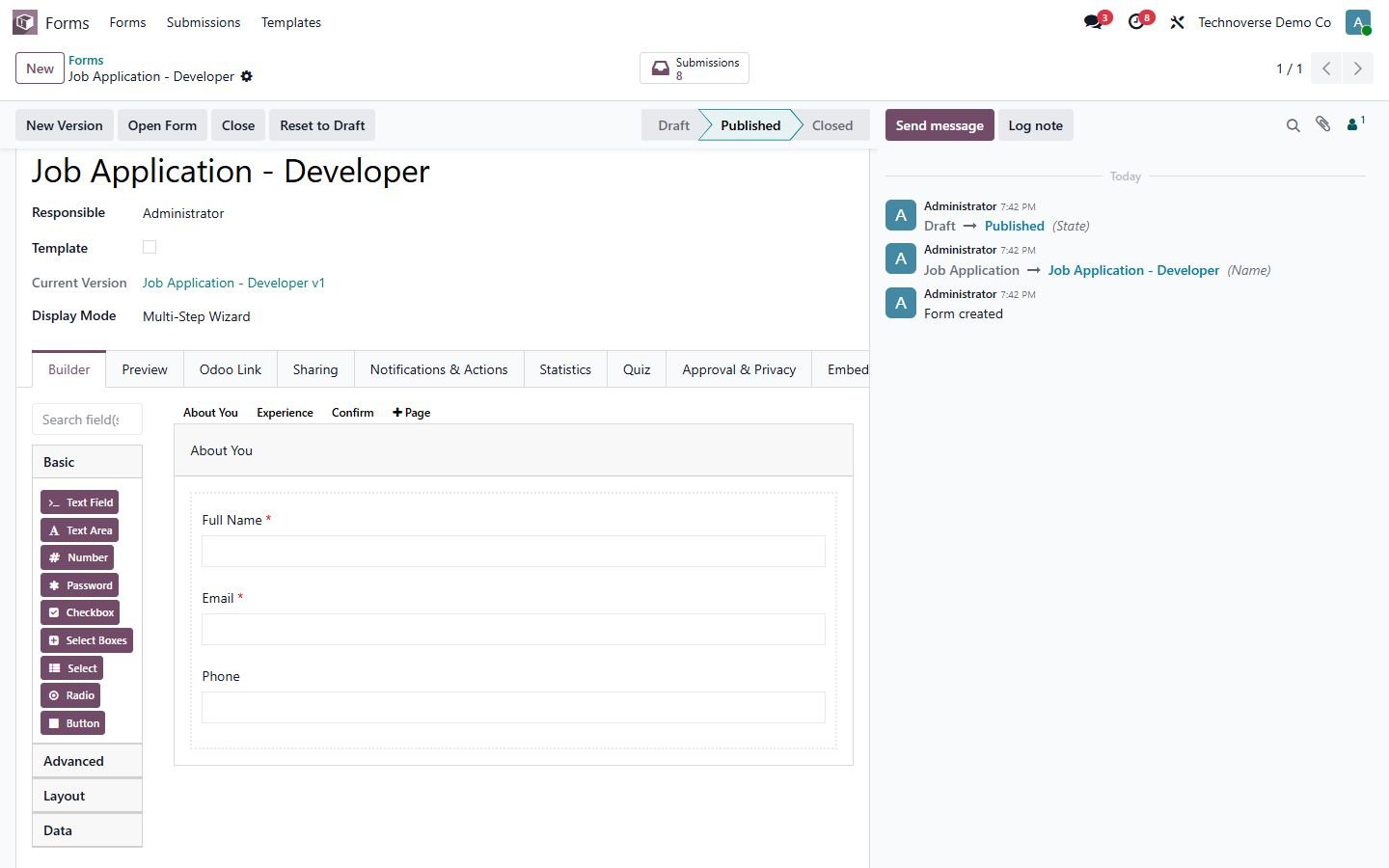
Drag and drop builder

30+ field types, layouts, conditional logic and wizard pages.

Drag and drop builder
Step 3

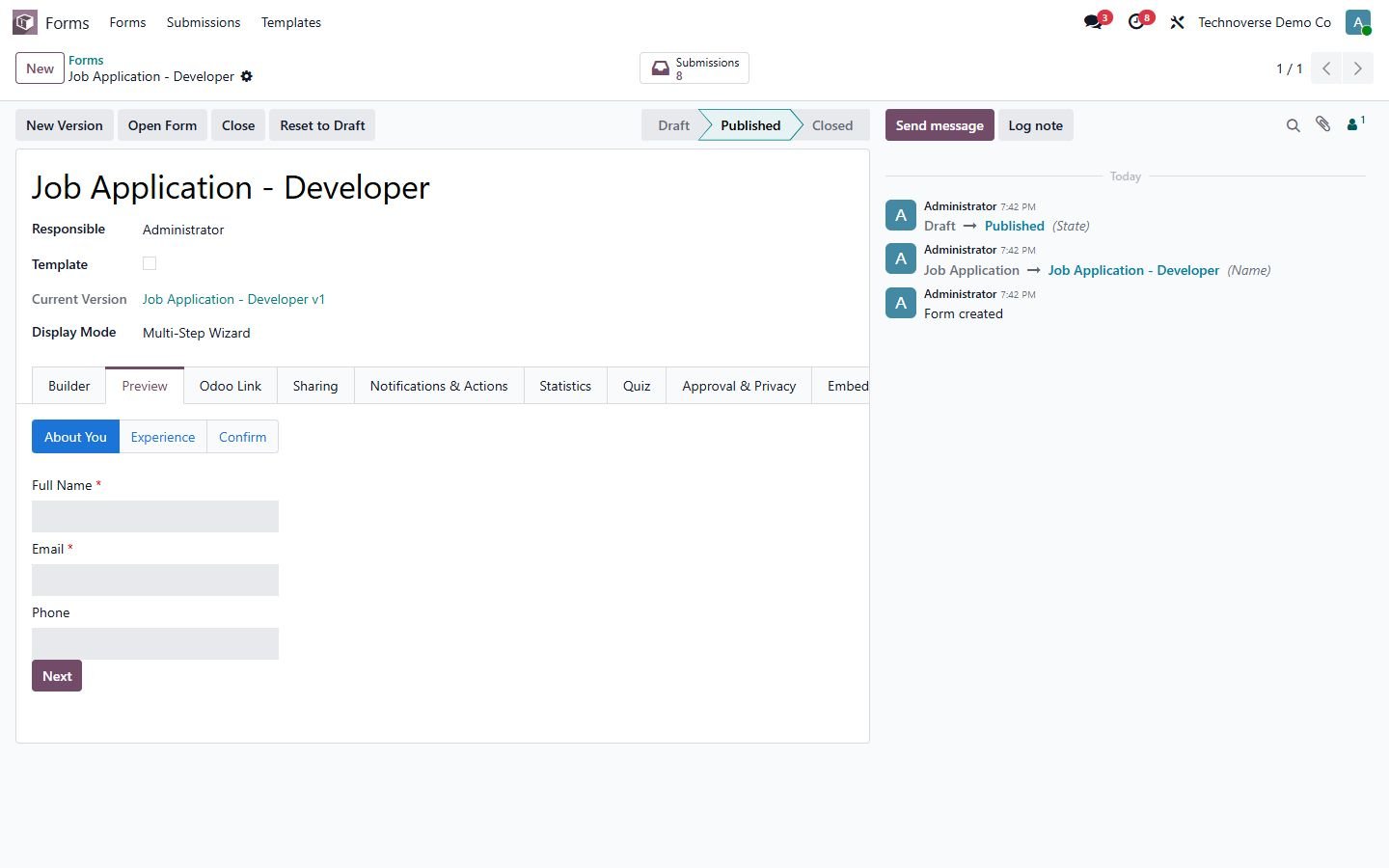
Wizard preview

Live preview of a multi-step form.

Wizard preview
Step 4

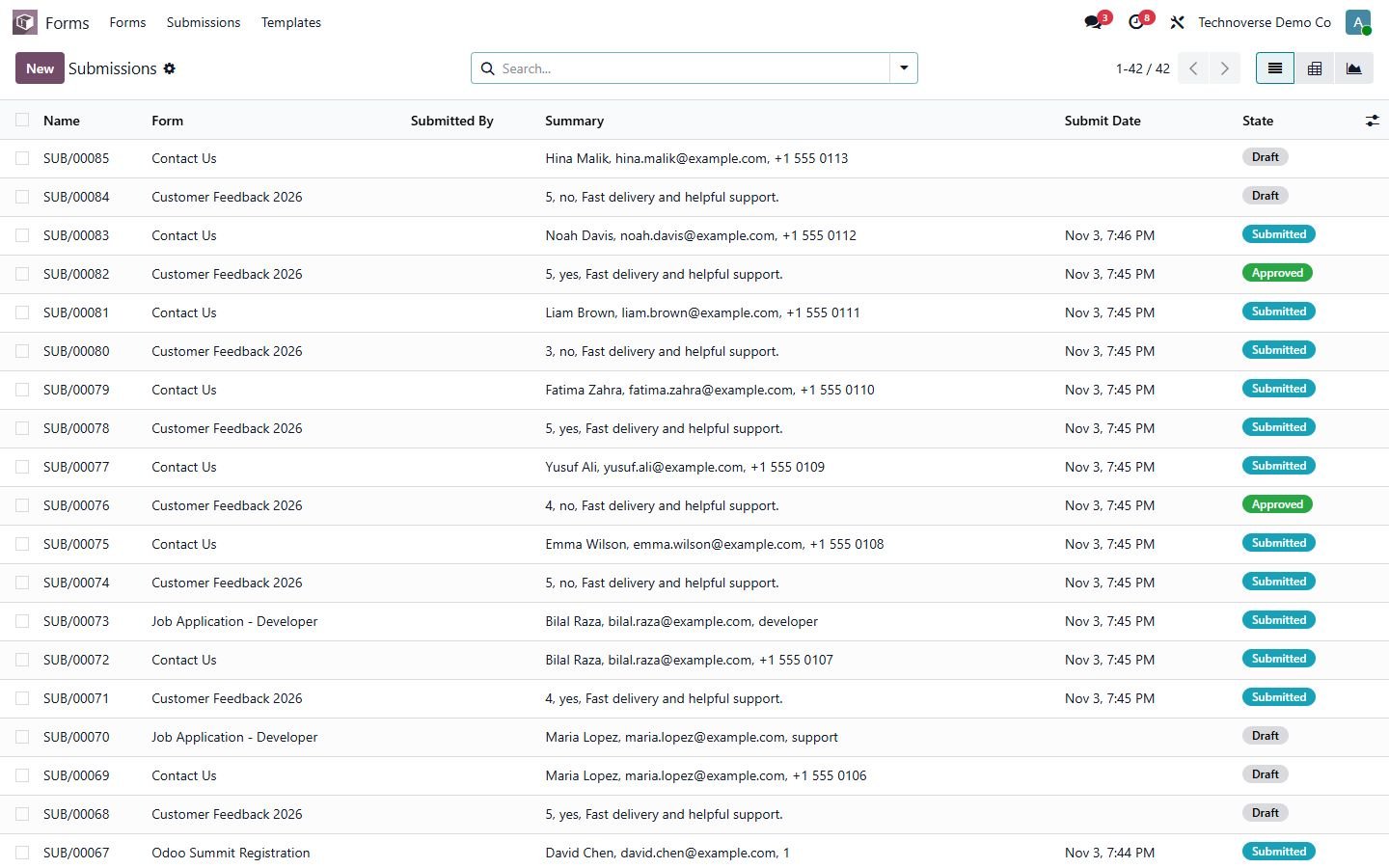
Submissions

All answers with status, filters, pivot and graph views.

Submissions
Step 5

Approved submission

A job application that passed a two-step approval.

Approved submission
Step 6

Statistics

Charts per answer and one-click CSV export.

Statistics
Step 7

Approval and privacy

Approval levels, reminders, GDPR consent, retention and restricted fields.

Approval and privacy
Step 8

Sharing

Public link, QR code, limits, save and resume, duplicate block and payment.

Sharing
Step 9

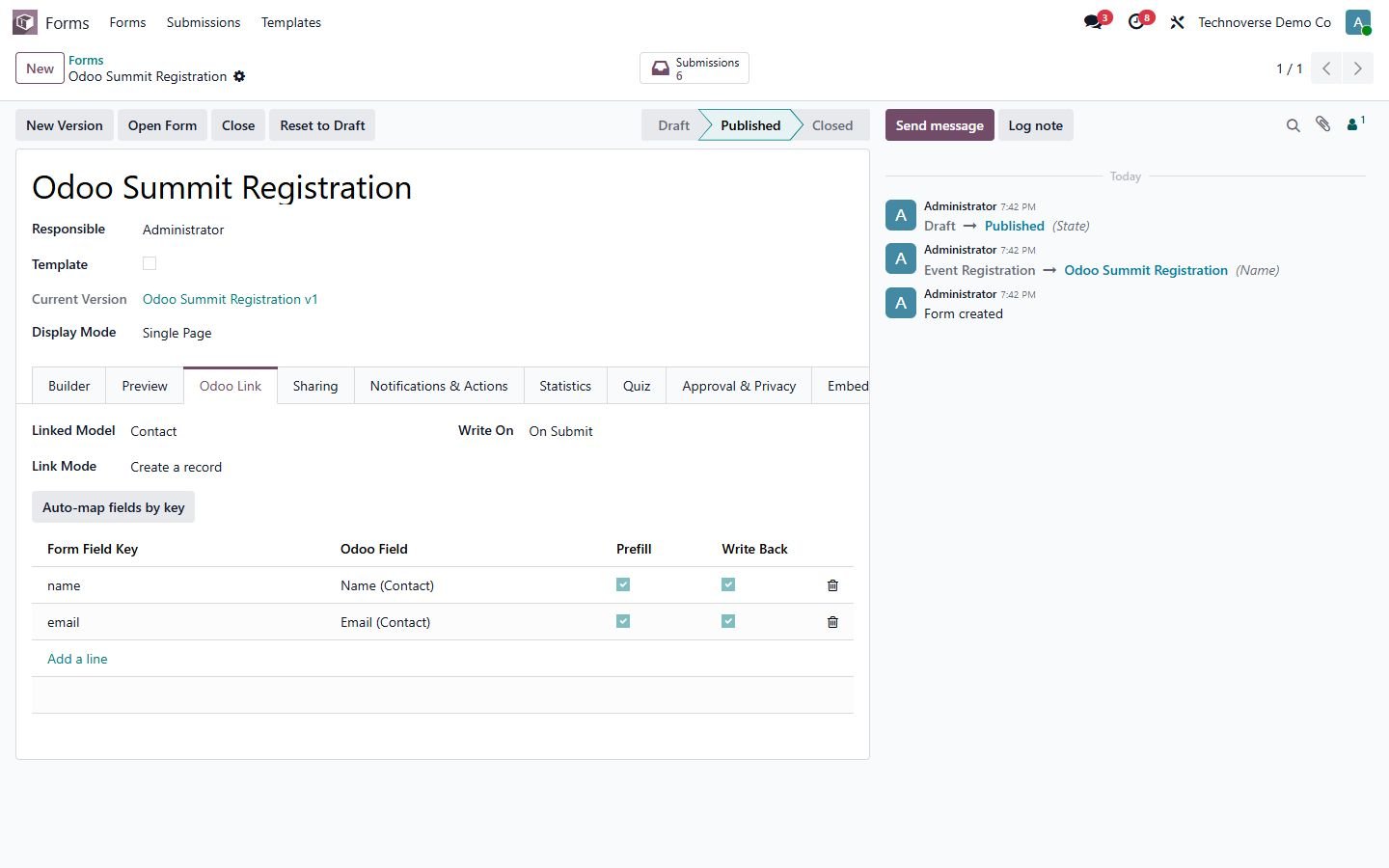
Odoo link

Create or update any Odoo record from the answers, with prefill.

Odoo link
Step 10

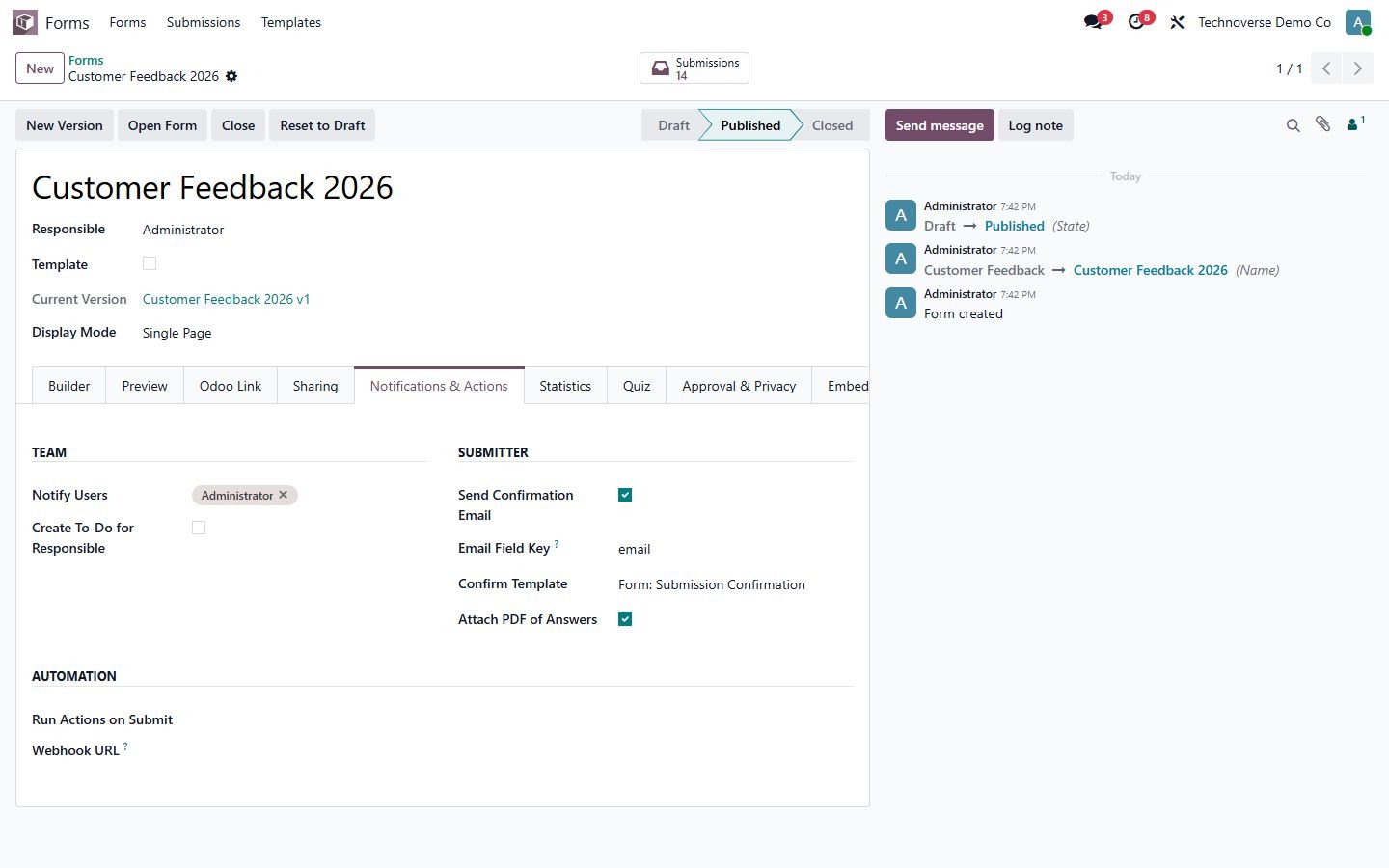
Notifications and actions

Team alerts, to-dos, confirmation email with PDF, server actions and webhook.

Notifications and actions
Step 11

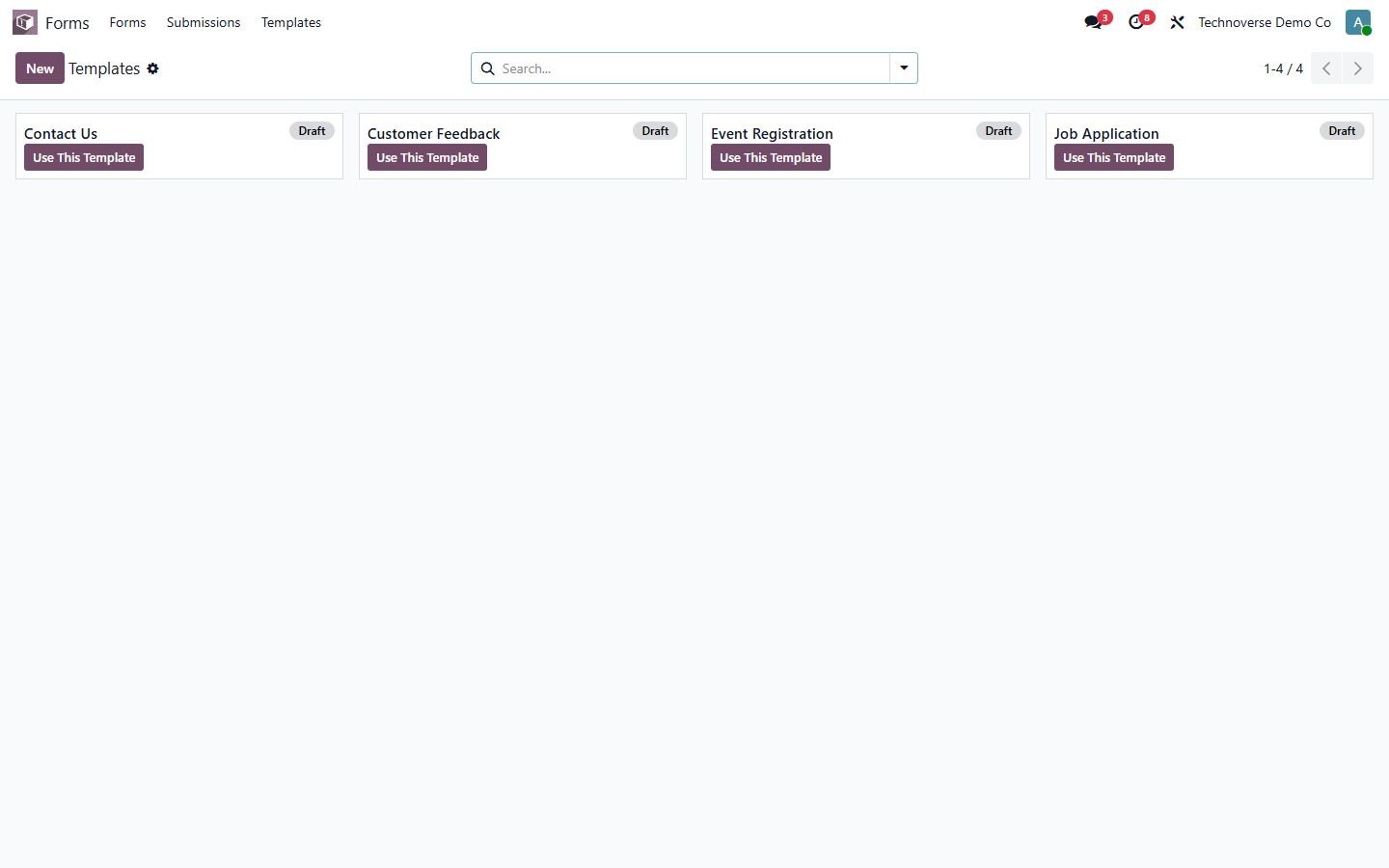
Templates

Contact us, customer feedback, job application and event registration.

Templates
Step 12

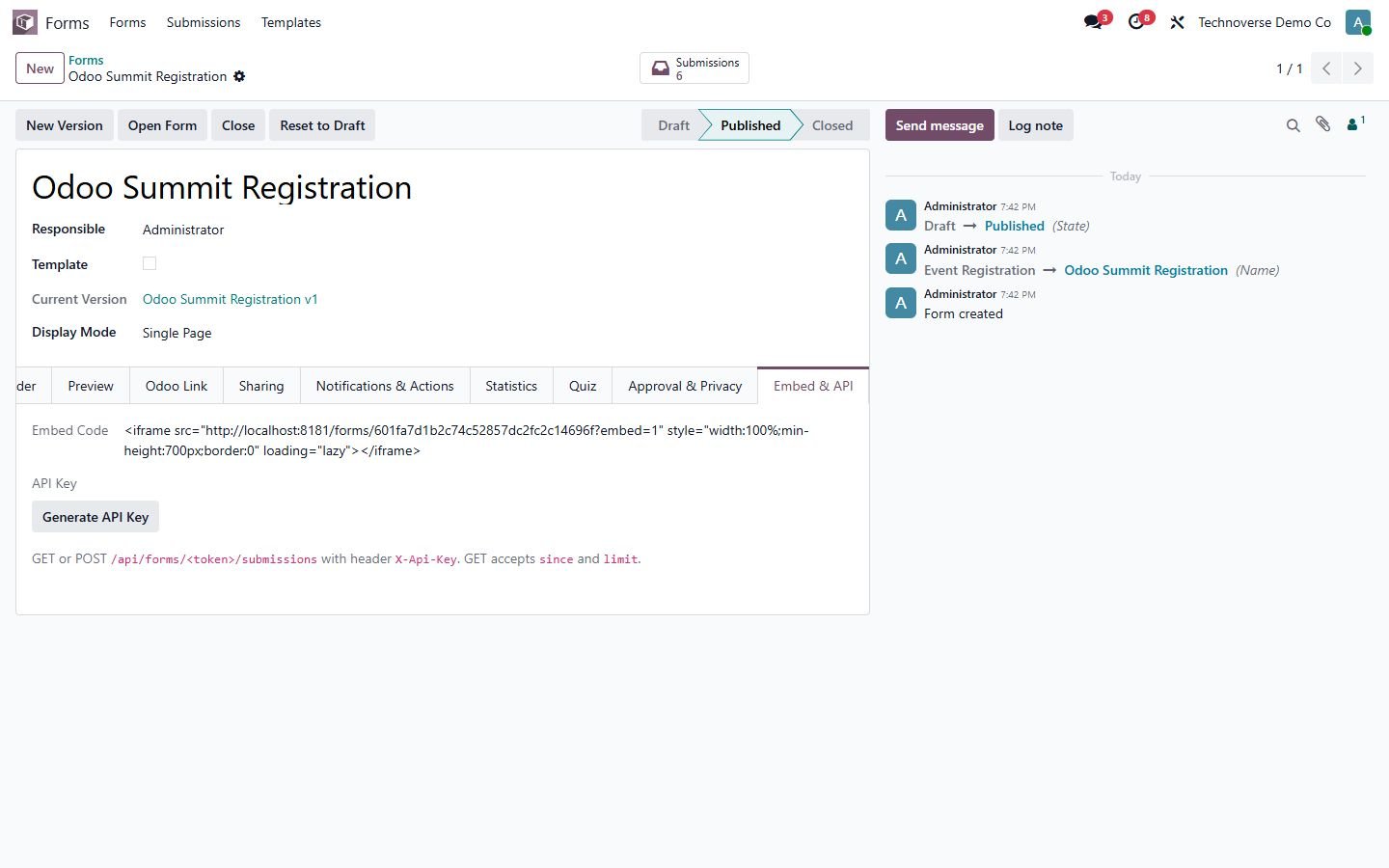
Embed and API

Embed code for any website and a REST API with API key.

Embed and API
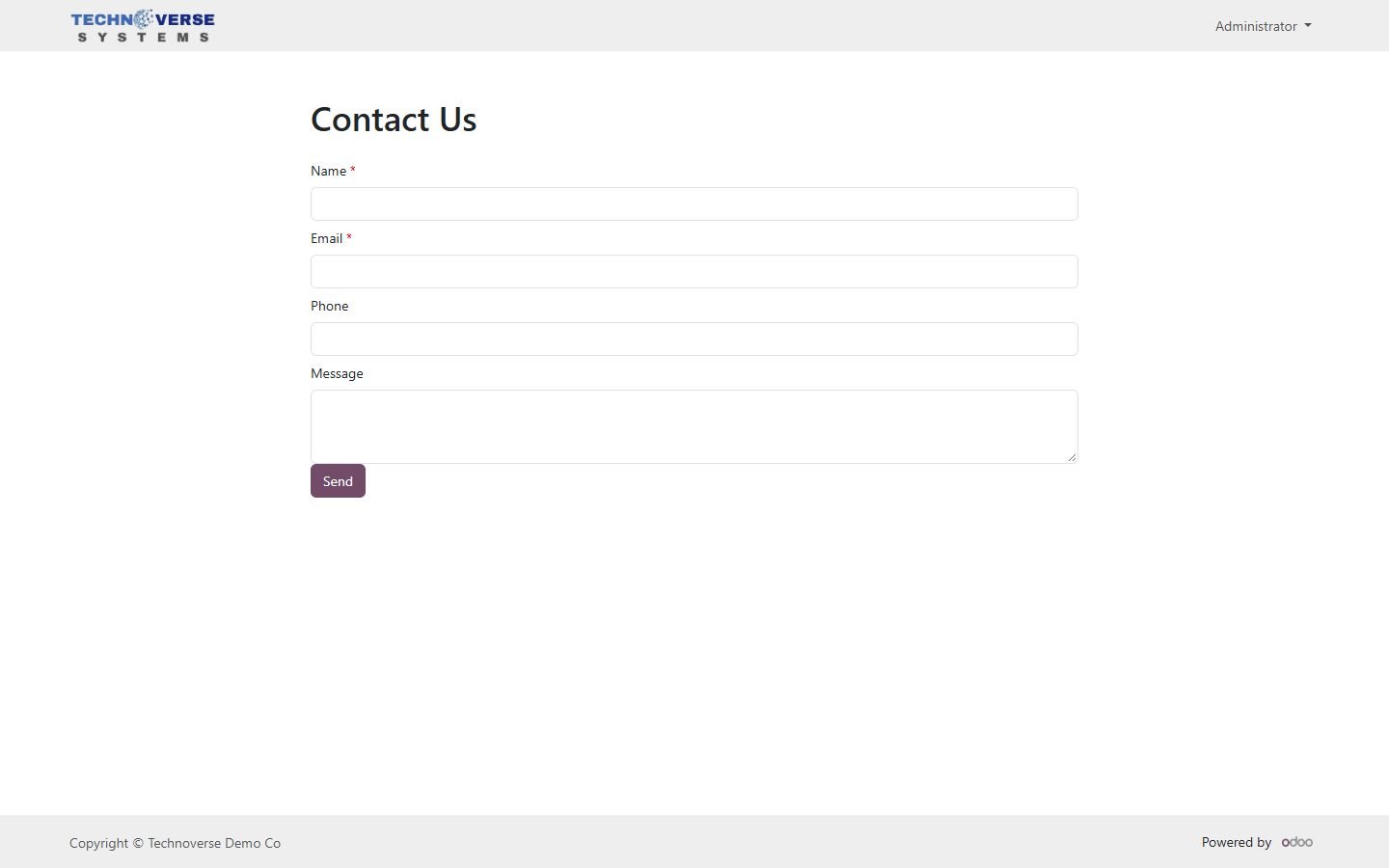
Step 13

Public form

The form on your Odoo website.

Public form
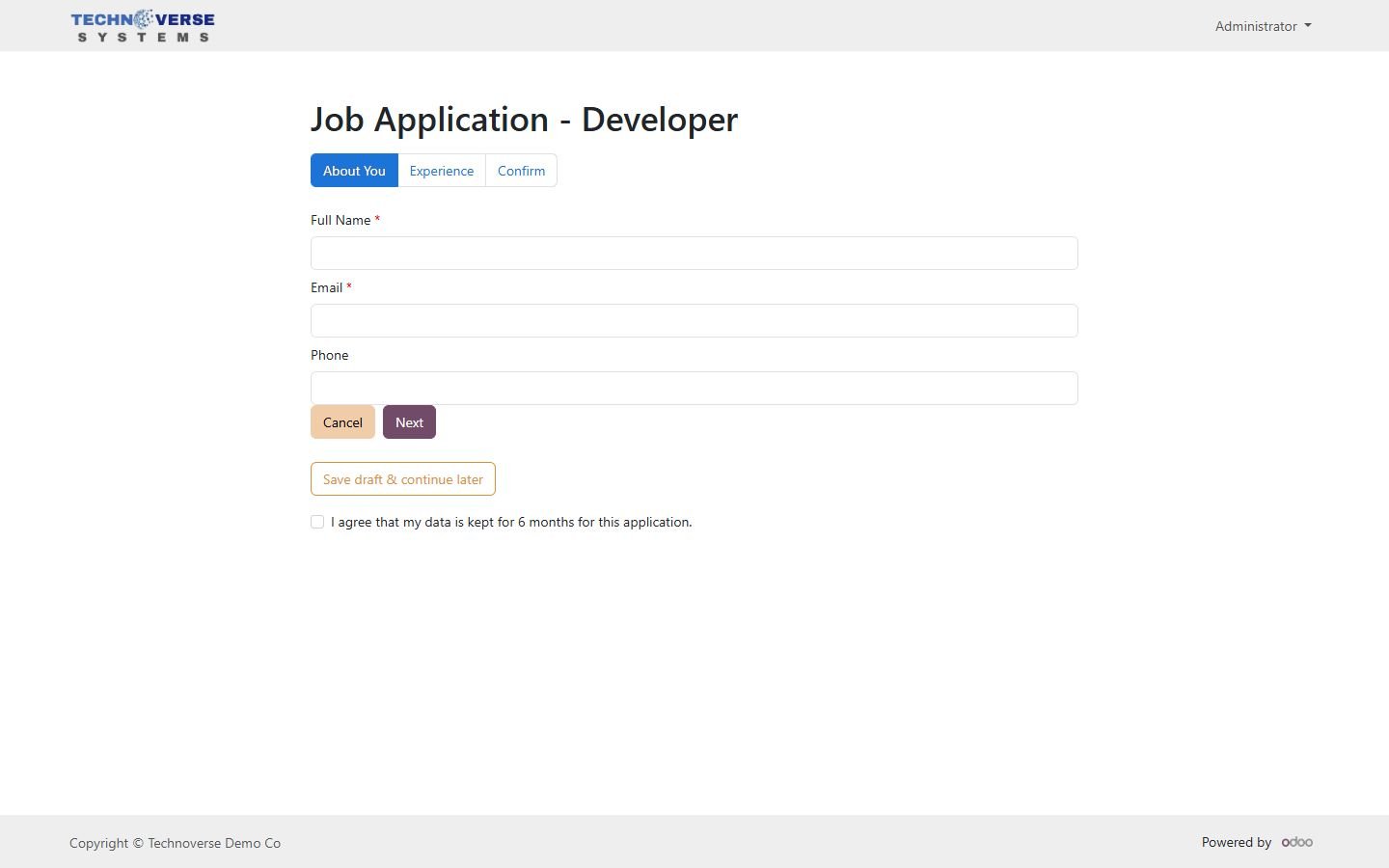
Step 14

Public wizard

Multi-step form with save draft and consent checkbox.

Public wizard
Common questions

Questions aboutthis module.

Something else? Ask our team.

Odoo 14, 15, 16, 17, 18, 19 and 20, Community and Enterprise. Pick your version on this page.

No. The form.io builder (MIT license) is bundled inside the module and runs in your own Odoo, no external service or subscription.

Yes. Each form can be public, portal-only or internal-only. Public forms get a share link, a QR code and an embed code for any website.

Yes. Link the form to any Odoo model, map the fields (or use auto-map) and every submission creates or updates a record.

Yes. Book a free 15-minute call and we will show it on your data and help with installation.

Not sure it's theright fit?

Book a free consultation and we'll help you pick the right modules for your workflow.

Book your 30 mins call