Productivity & Tools Community

Inter-Company Rules: Invoices, Orders & Settlement

Mirror invoices, credit notes, sale and purchase orders between your companies automatically, with product/account/tax mappings, an error queue with retry, inter-company balances and netting.

$25.23 USD
Choose your Odoo version
Ask a question
Built by an Odoo partner Initial setup support Download link by email
Inter-Company Rules: Invoices, Orders & Settlement
What's included

Key features

1

Invoices and credit notes mirrored

A customer invoice or credit note in one company becomes the vendor bill or refund in the other, and the reverse, posted or left in draft.

2

One rule per company pair

Each pair of companies has its own journals, auto-post setting and the user who creates the documents.

3

Product, account, tax and analytic mappings

Map records that are not shared so documents are created correctly in the target company.

4

Sale and Purchase Orders

A confirmed Sale Order creates the Purchase Order in the other company and a confirmed Purchase Order creates the Sale Order, with an optional transfer-pricing pricelist.

5

Delivery fills the receipt

Validating a delivery puts the quantities on the other company's receipt and can validate it too.

6

Cancel and reset stay in sync

Cancelling or resetting the source document updates its counterpart, and the invoice PDF and attachments are copied.

7

Error queue with Retry

Problems never block posting: each failure is logged with its reason and retried automatically every hour or with one click.

8

Balances, mismatches and netting

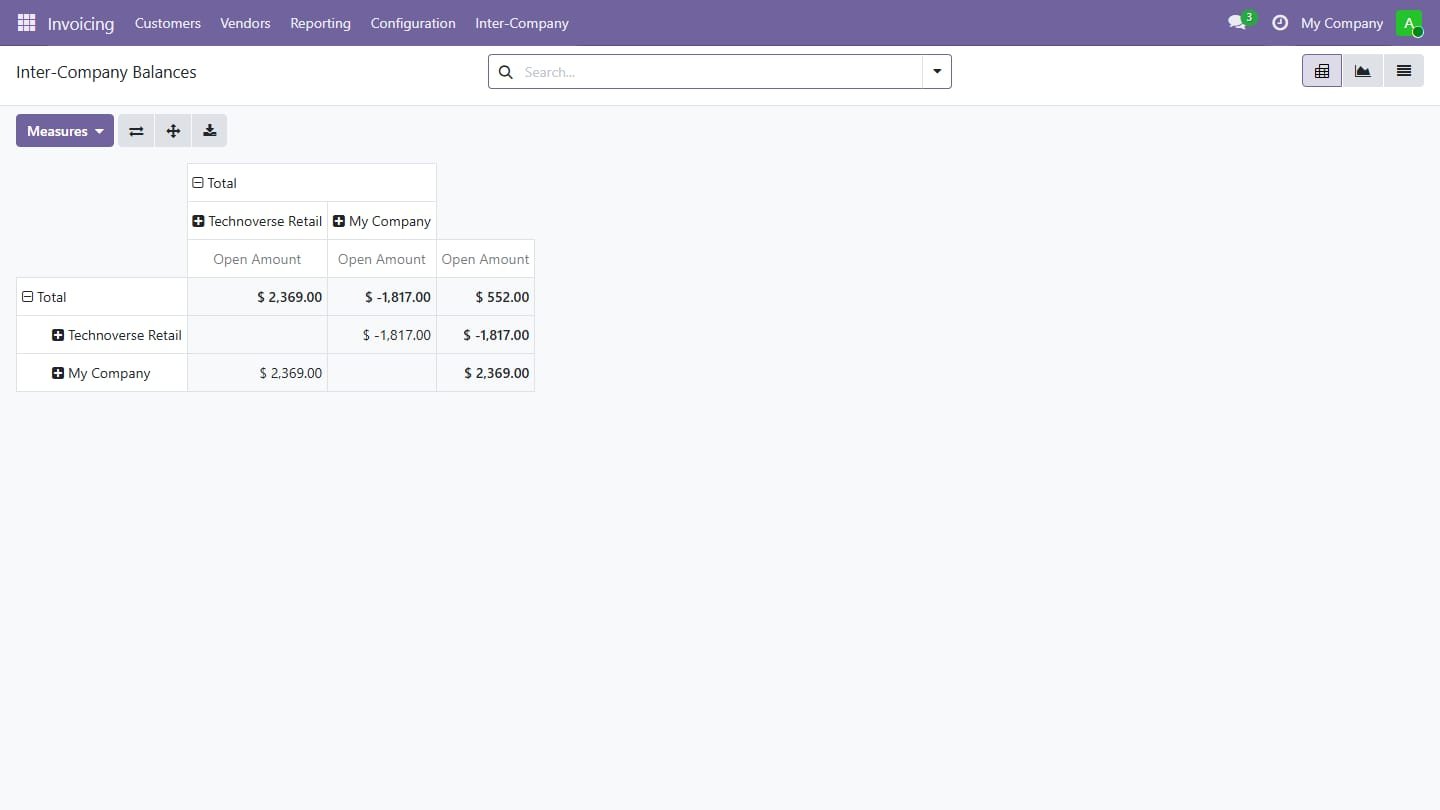
Dashboard of open inter-company balances, a report of documents that differ from their source and a wizard to offset receivables against payables.

Inside the module

Screenshots

Real screens from Inter-Company Rules: Invoices, Orders & Settlement — click any image to see it full size.

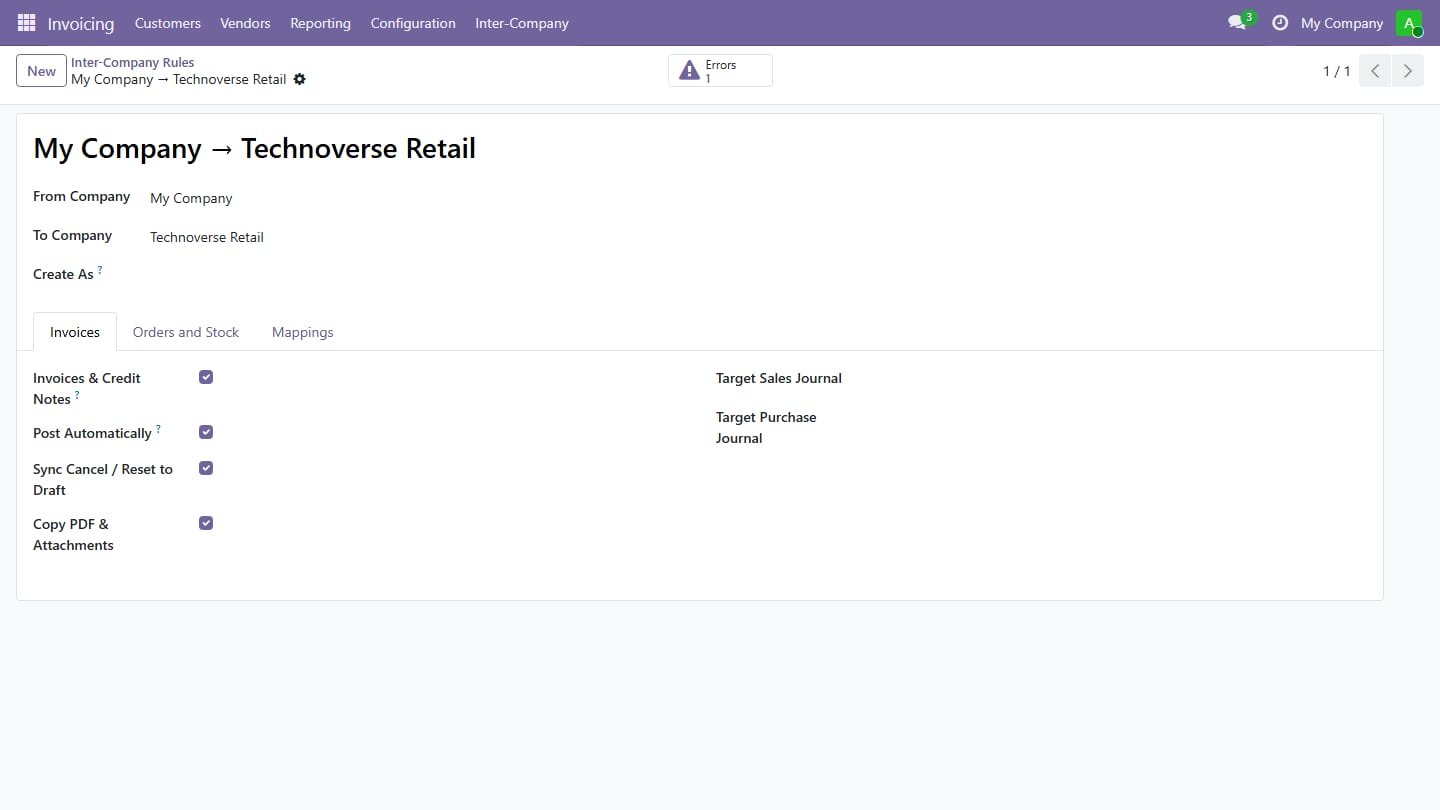
Step 1

One rule per company pair

Choose what to mirror between two companies: invoices, credit notes, orders and receipts, the journals to use, and whether documents are posted automatically.

One rule per company pair
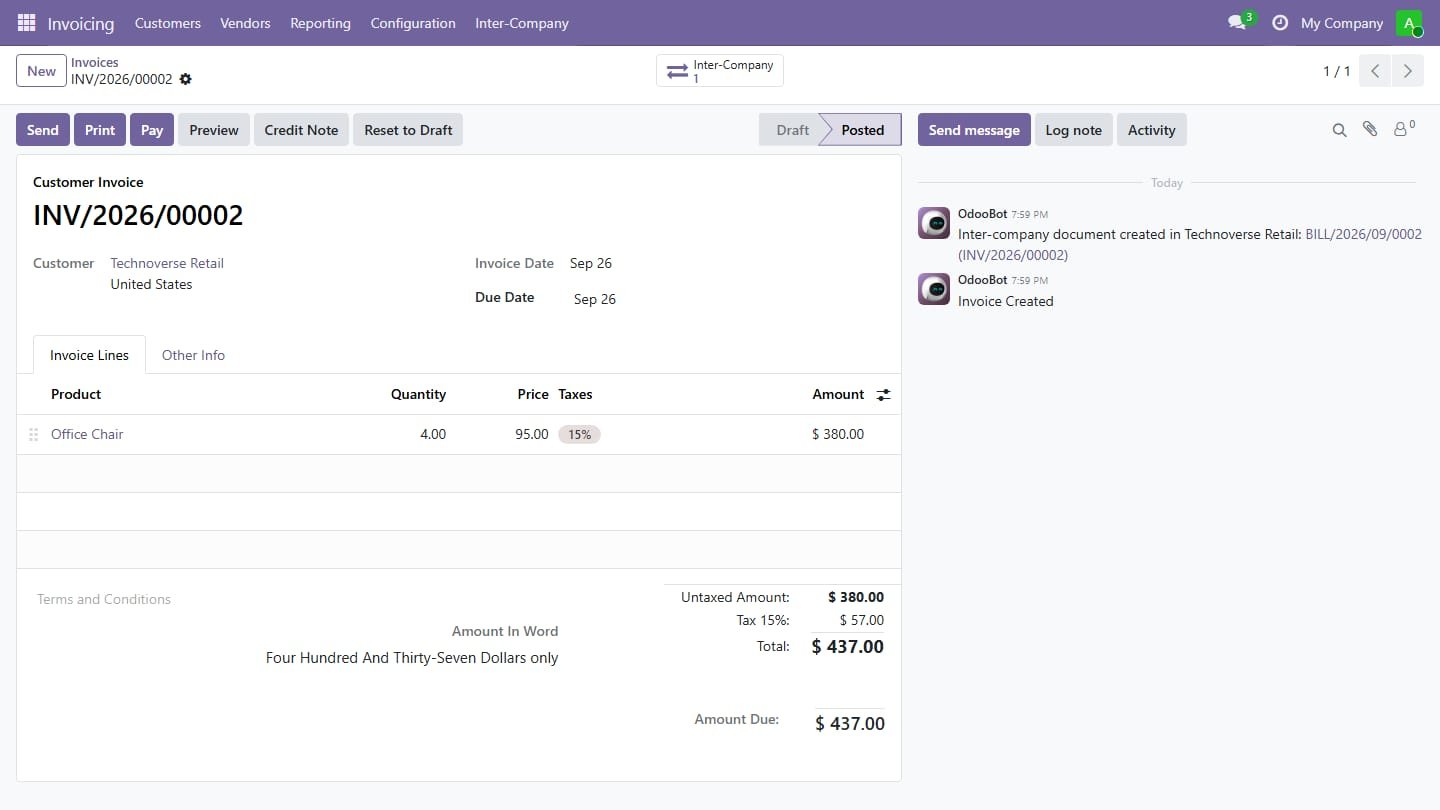
Step 2

Invoice posted in one company

Posting a customer invoice to another company of the database creates the matching vendor bill there, linked through the Inter-Company button.

Invoice posted in one company
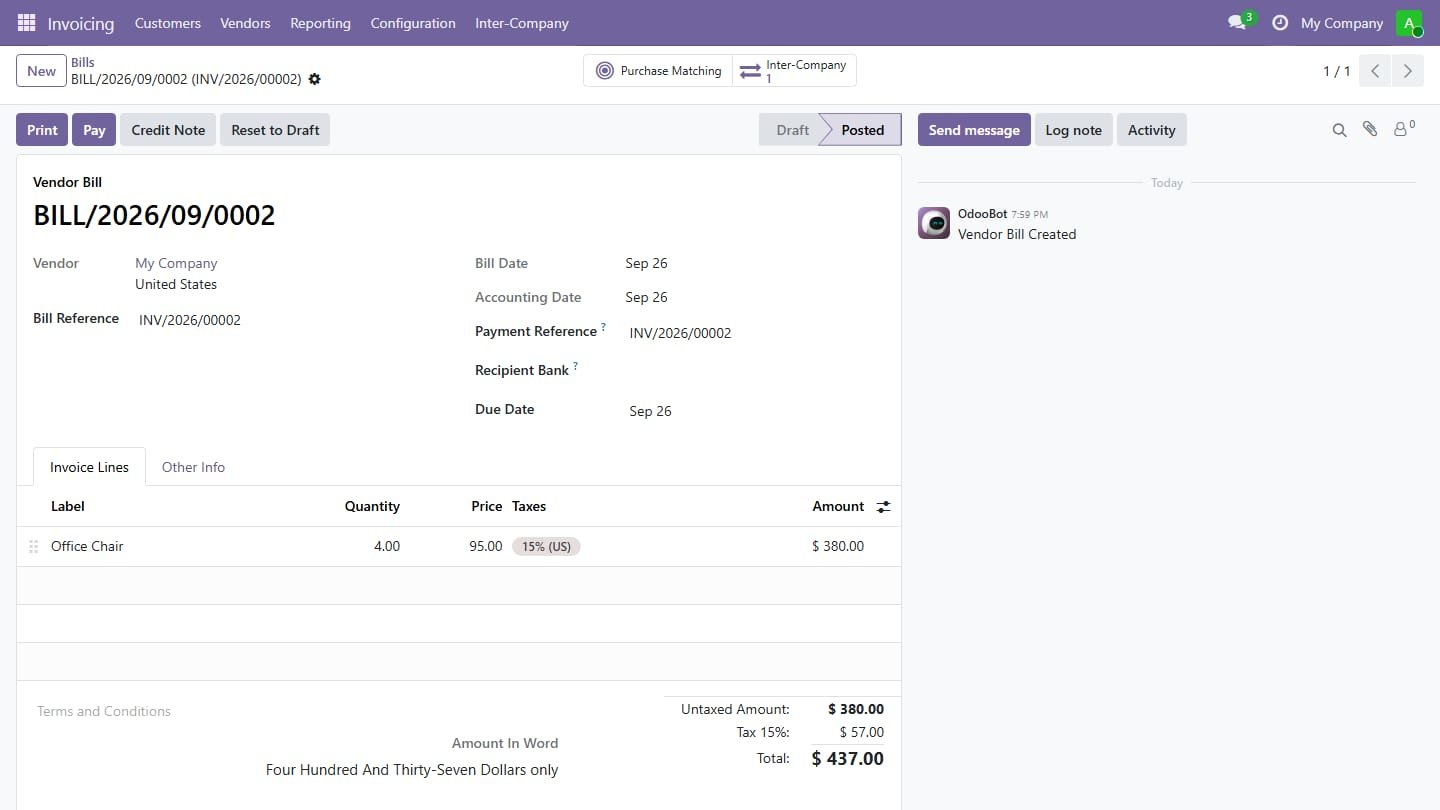
Step 3

Vendor bill created automatically

The bill arrives in the other company already posted, with the same lines, taxes and amounts and the invoice number as reference.

Vendor bill created automatically
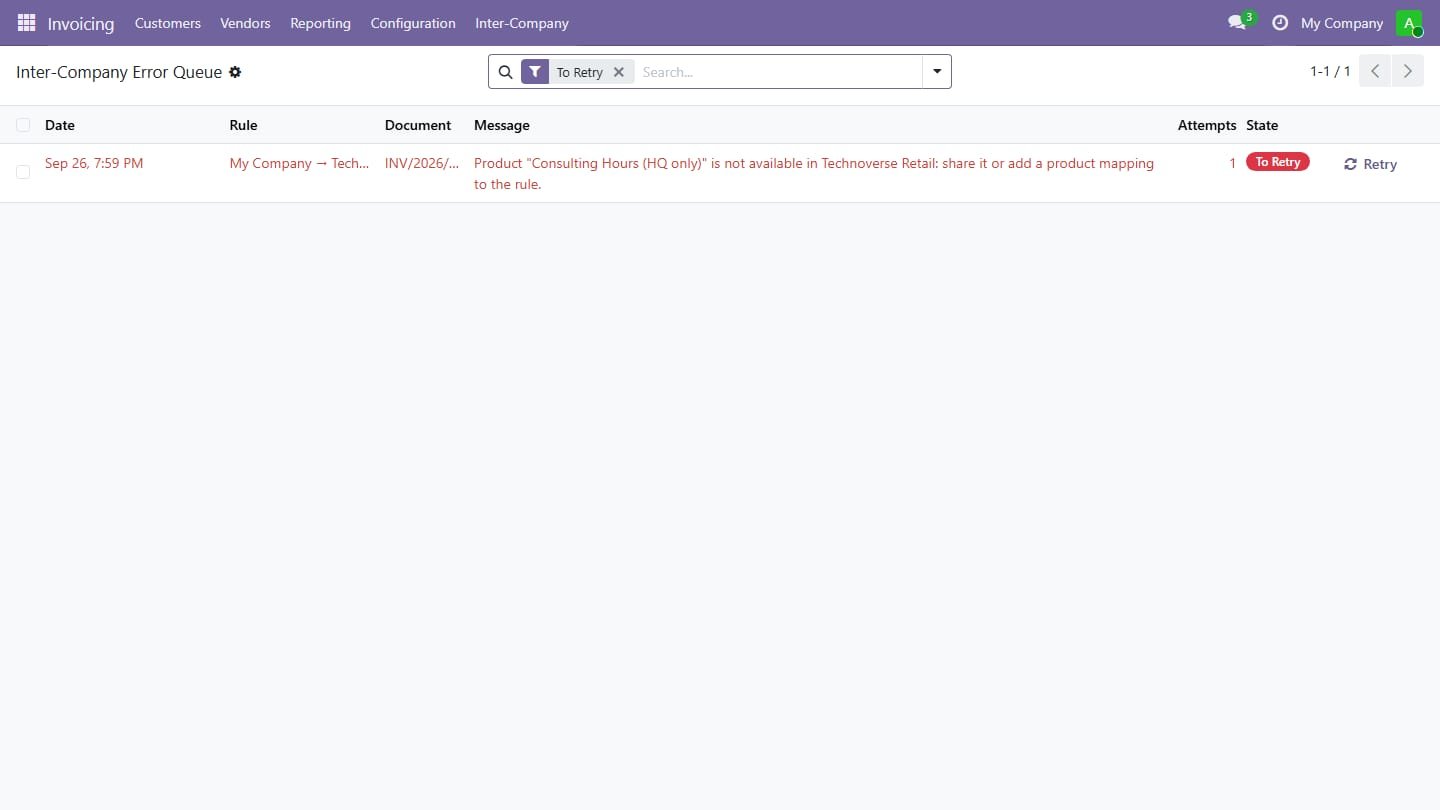
Step 4

Error queue with Retry

If a document cannot be created, for example a product that is not shared, posting still goes through and the reason waits here with a Retry button.

Error queue with Retry
Step 5

Inter-company balances

See at a glance how much each company owes to and is owed by the others, then settle it with the netting wizard.

Inter-company balances
Common questions

Questions aboutthis module.

Something else? Ask our team.

This build is for Odoo 18. Need it for another version? Contact us and we will let you know when it is available.

Yes. Every purchase includes free deployment — after payment our team installs and sets up the module on your Odoo.

It builds on these Odoo apps: account.

Not sure it's theright fit?

Book a free consultation and we'll help you pick the right modules for your workflow.