Productivity & Tools

Message Center Pro - All Odoo Messages in One Inbox

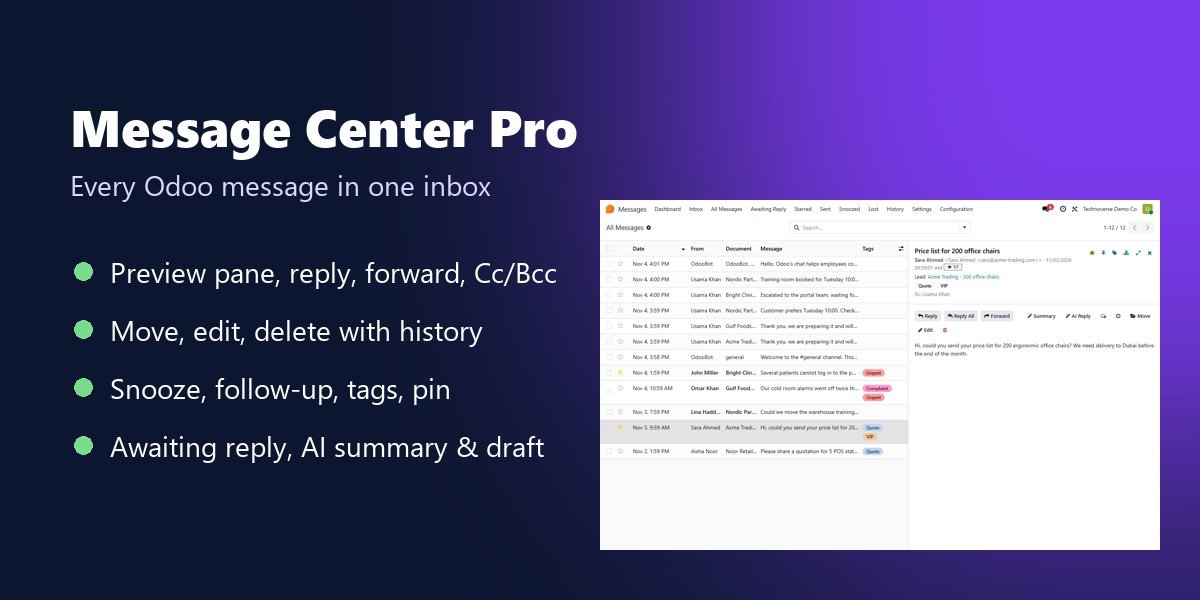
See and manage every Odoo message in one place, like an email client: inbox with reading pane, reply, reply all and forward with Cc and Bcc, move messages to the right document, edit and delete with history, lost messages, snooze and follow-ups, tags, canned replies, pinned messages, read status, PDF and .eml export, an Awaiting Reply list and AI summaries and reply drafts. Odoo 14 to 20.

$199 USD
Choose your Odoo version
Ask a question
Built by an Odoo partner Initial setup support Download link by email
Message Center Pro - All Odoo Messages in One Inbox
What's included

Key features

1

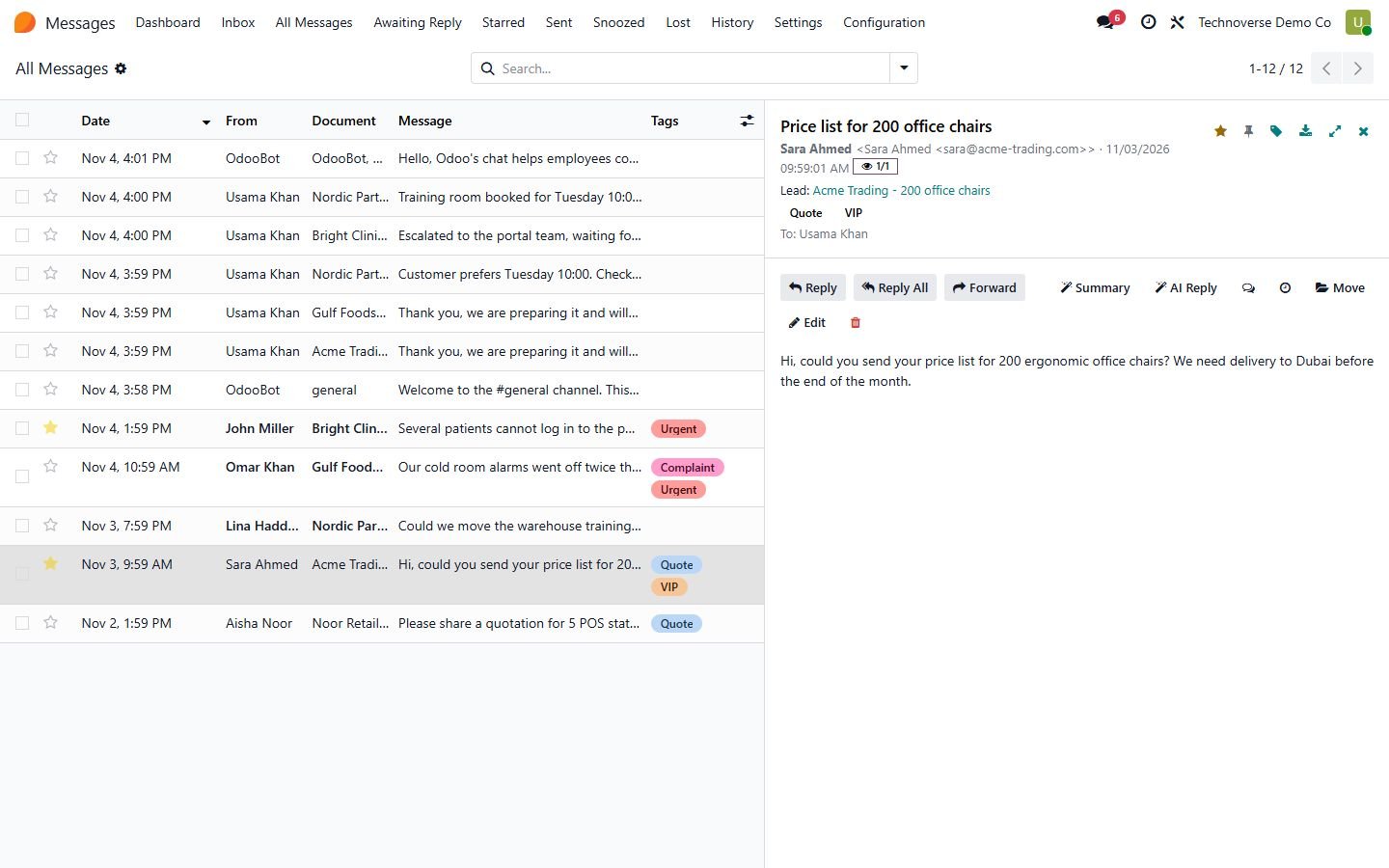
Messages app: Inbox, All Messages, Awaiting Reply, Starred, Sent, Snoozed, Lost and History

2

Email-client list with a reading pane (Odoo 17-20)

3

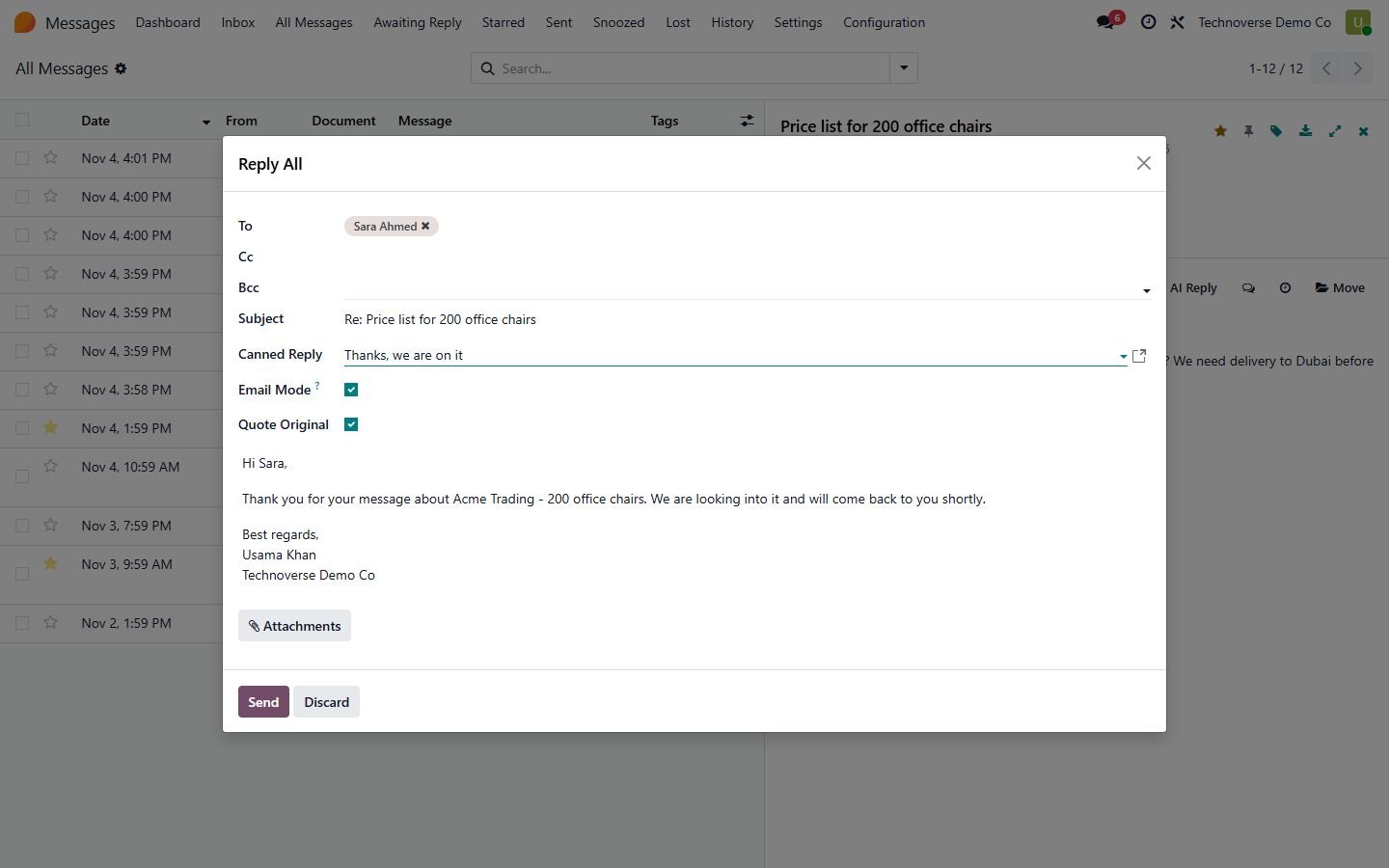
Reply, Reply All and Forward with quote and attachments

4

Email mode with To, Cc and Bcc: other followers are not notified

5

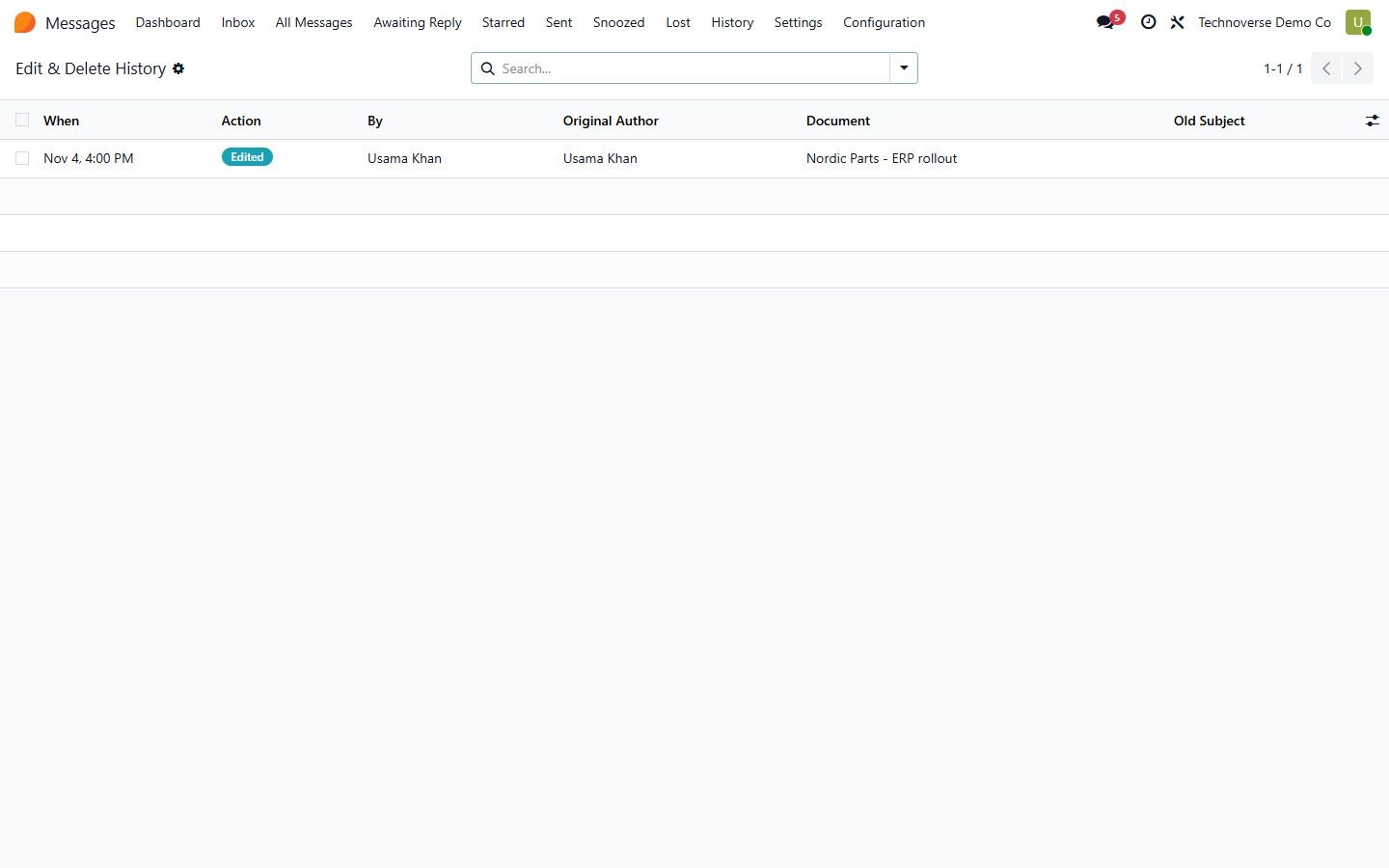
Edit and delete messages, every change kept in a history

6

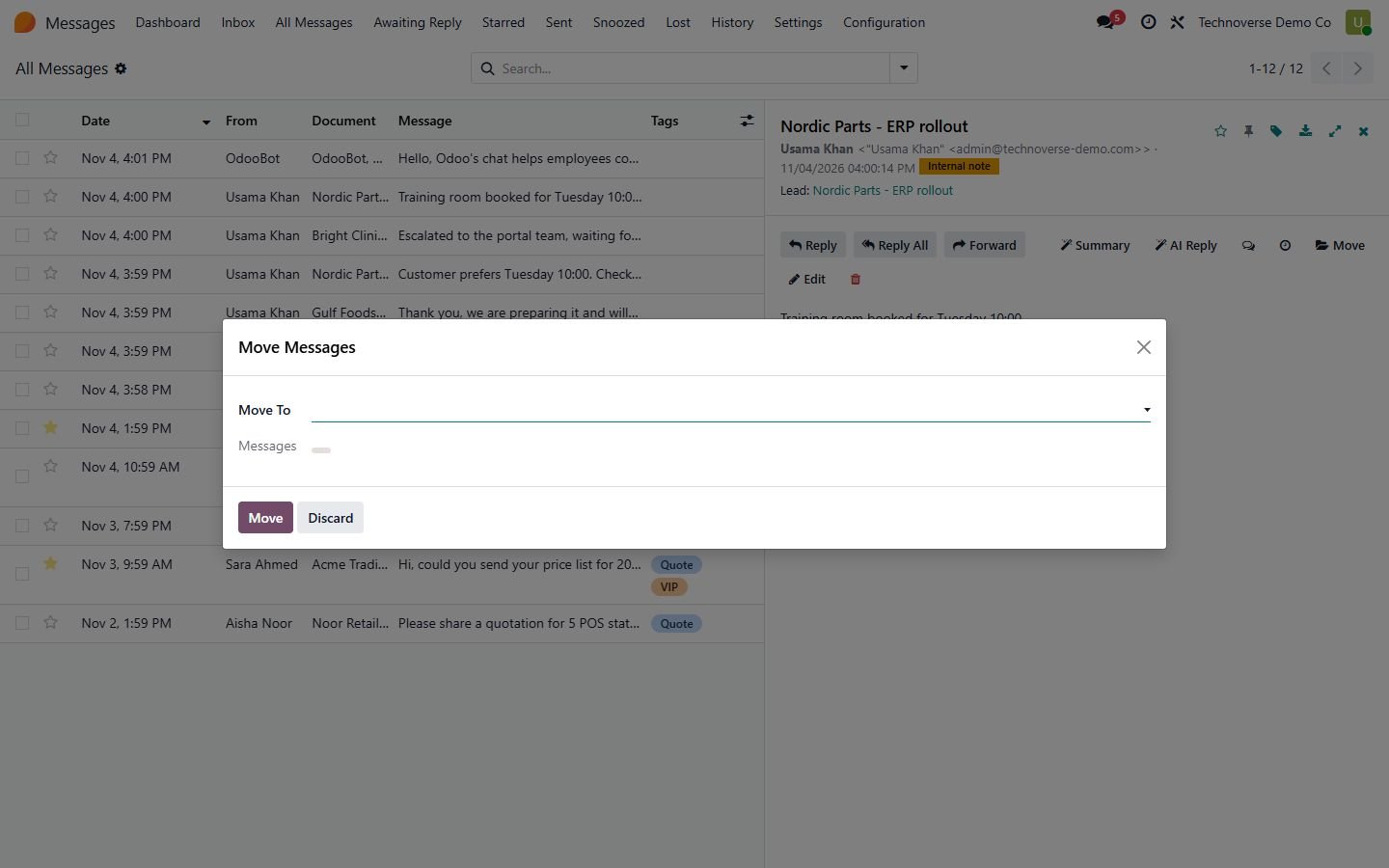
Move messages and their attachments to another document, one or many at once

7

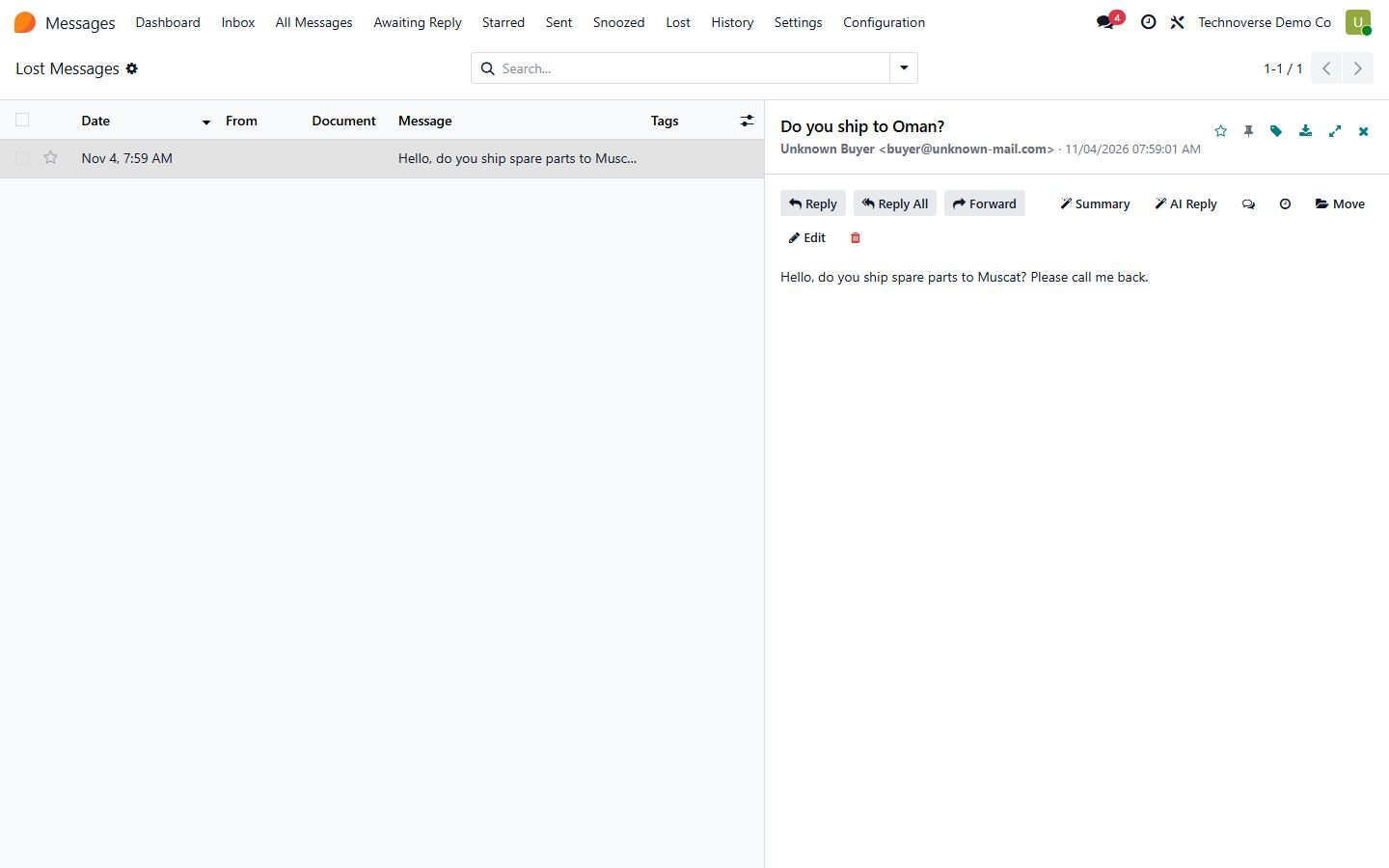
Lost messages: emails Odoo could not link to a document, for a dedicated group

8

Set or fix the author of a message

9

Chatter toggles to show or hide messages, notes and notifications (Odoo 17-20)

10

Option to delete CRM leads left without messages

11

Conversation view: the whole thread of a document

12

Bulk actions: read, unread, star, tag, move, snooze and delete

13

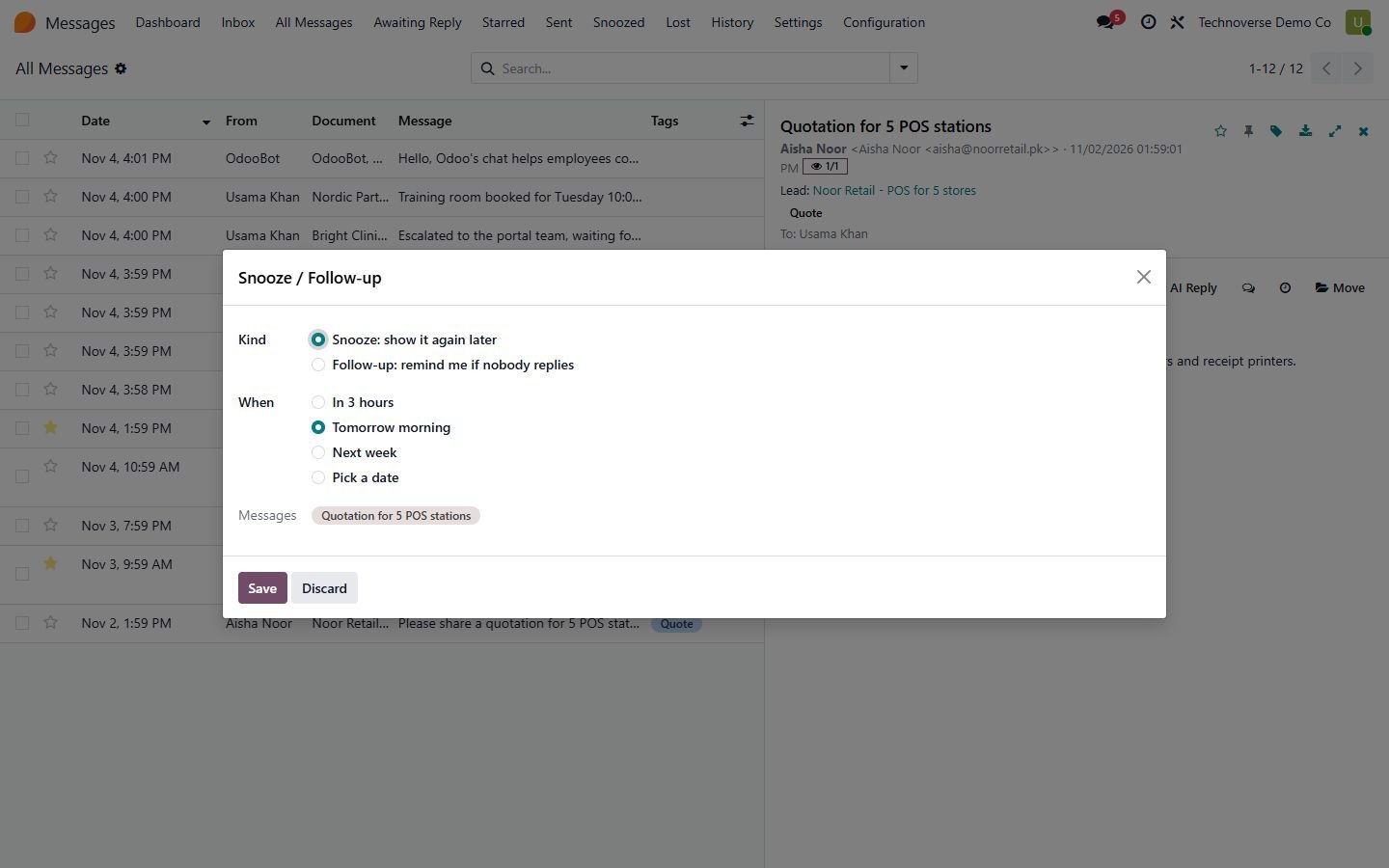
Snooze messages and follow-up to-dos when nobody replies

14

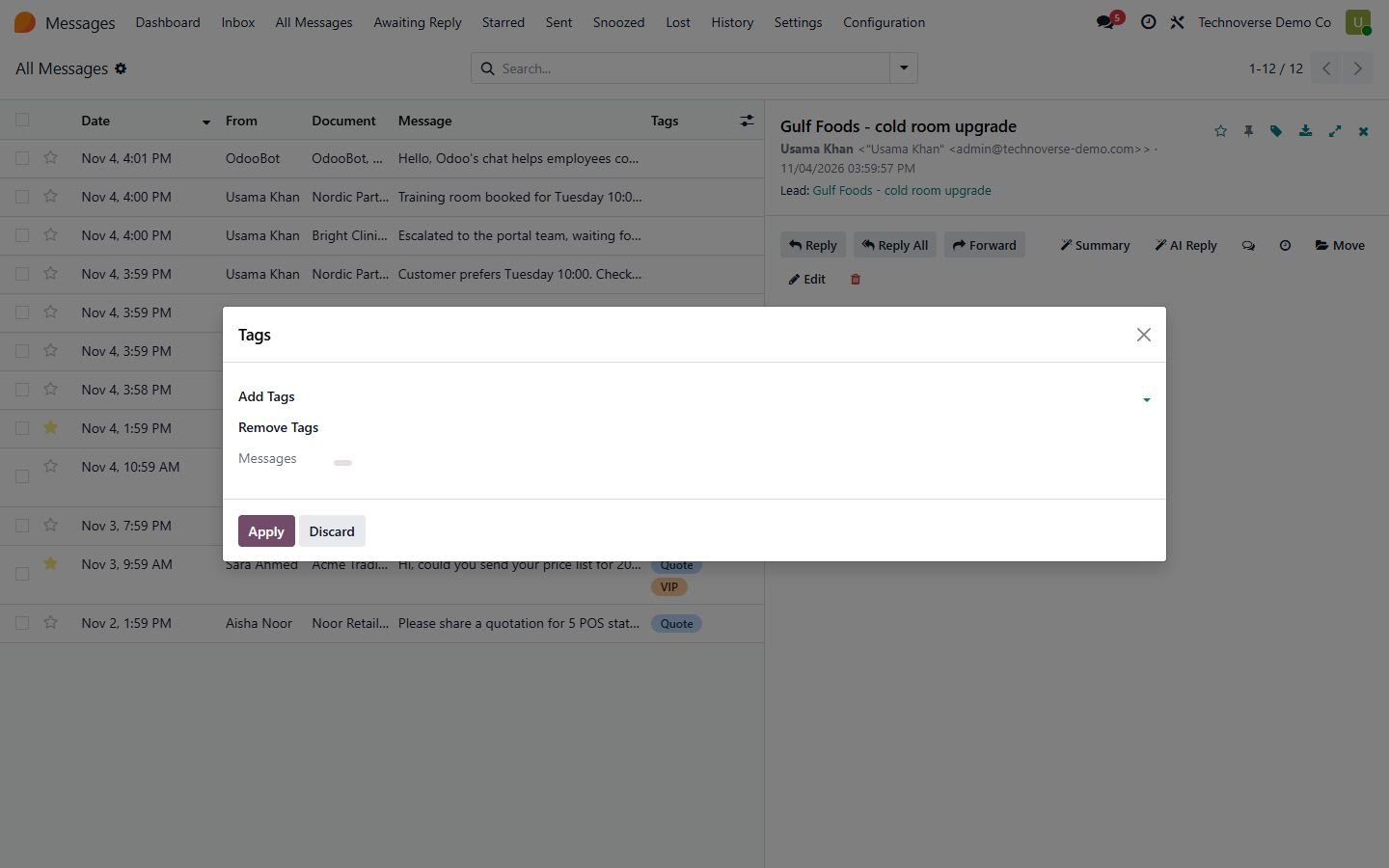
Color tags with filters and grouping

15

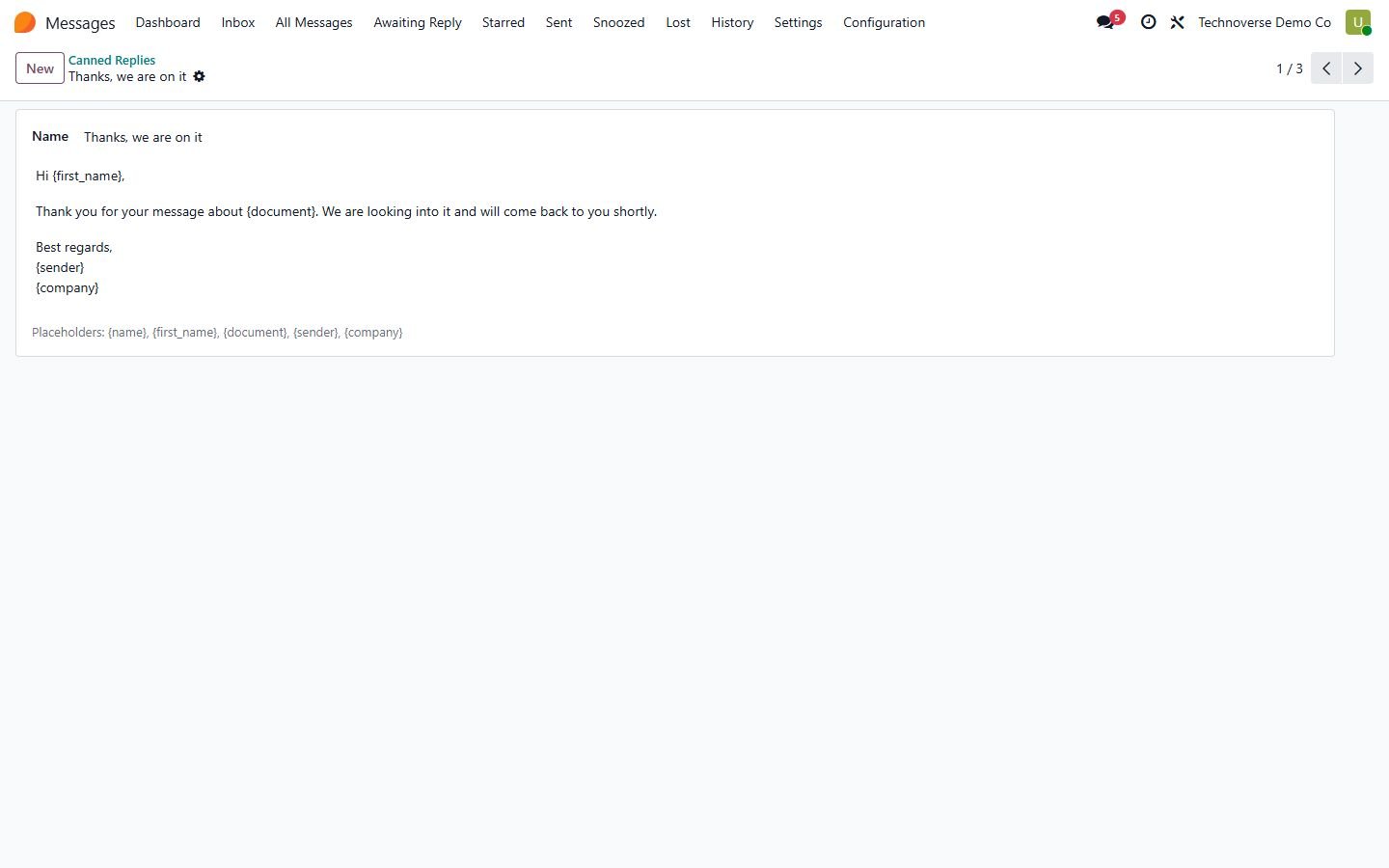
Canned replies with placeholders for name, document and sender

16

Pin important messages on top of the chatter

17

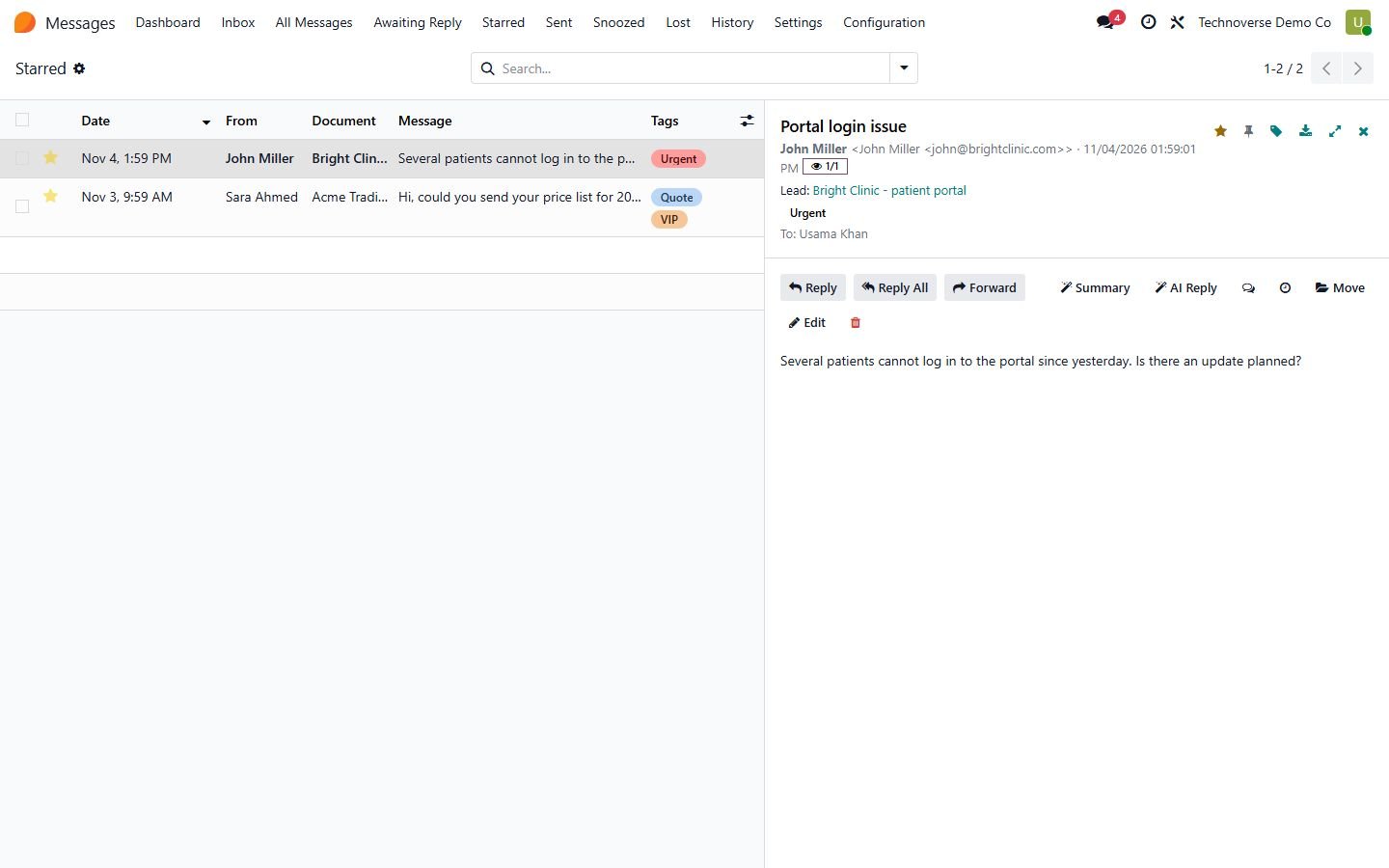
Read status: who read a message and when

18

Export to PDF and .eml (Outlook, Thunderbird, Apple Mail)

19

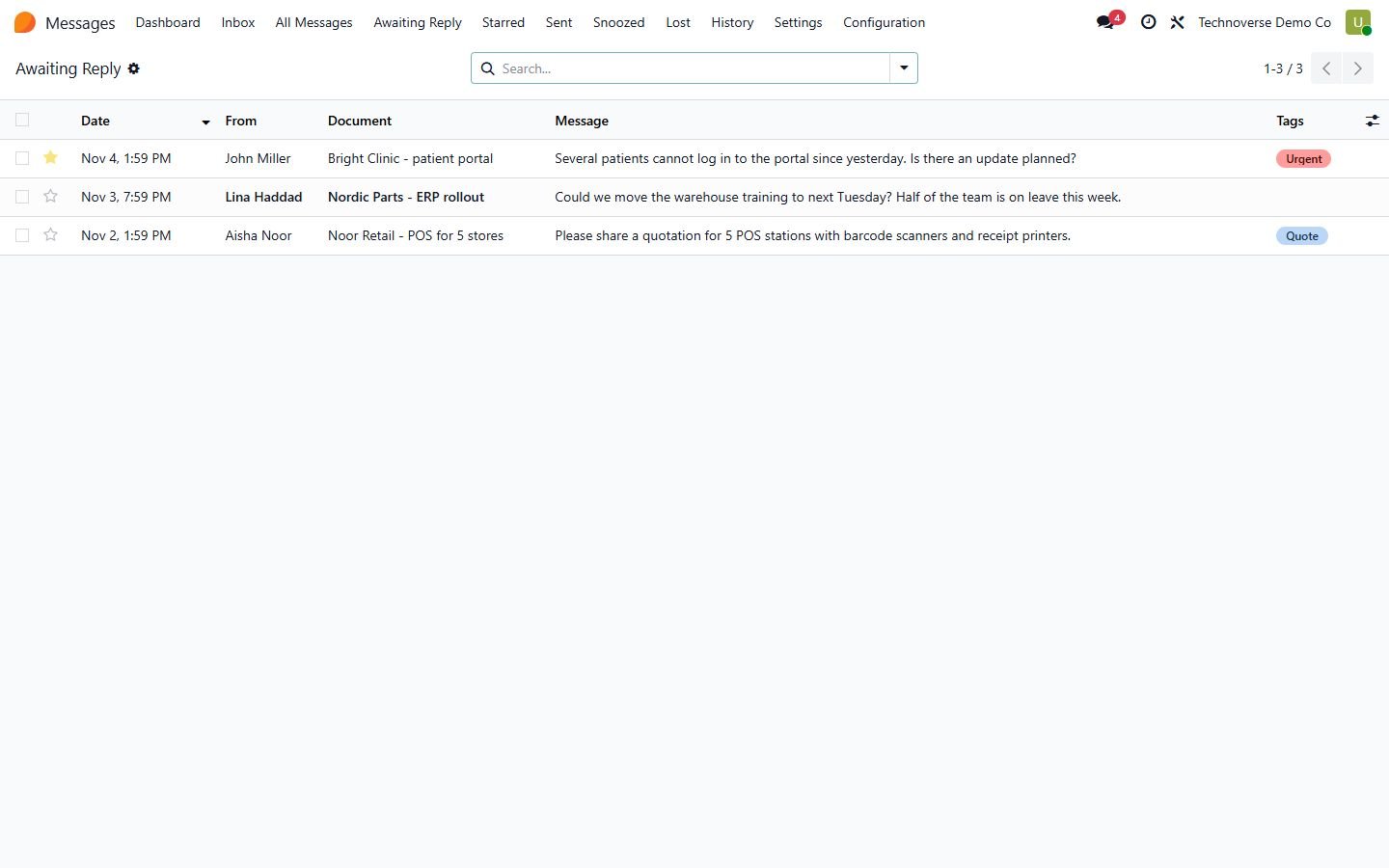
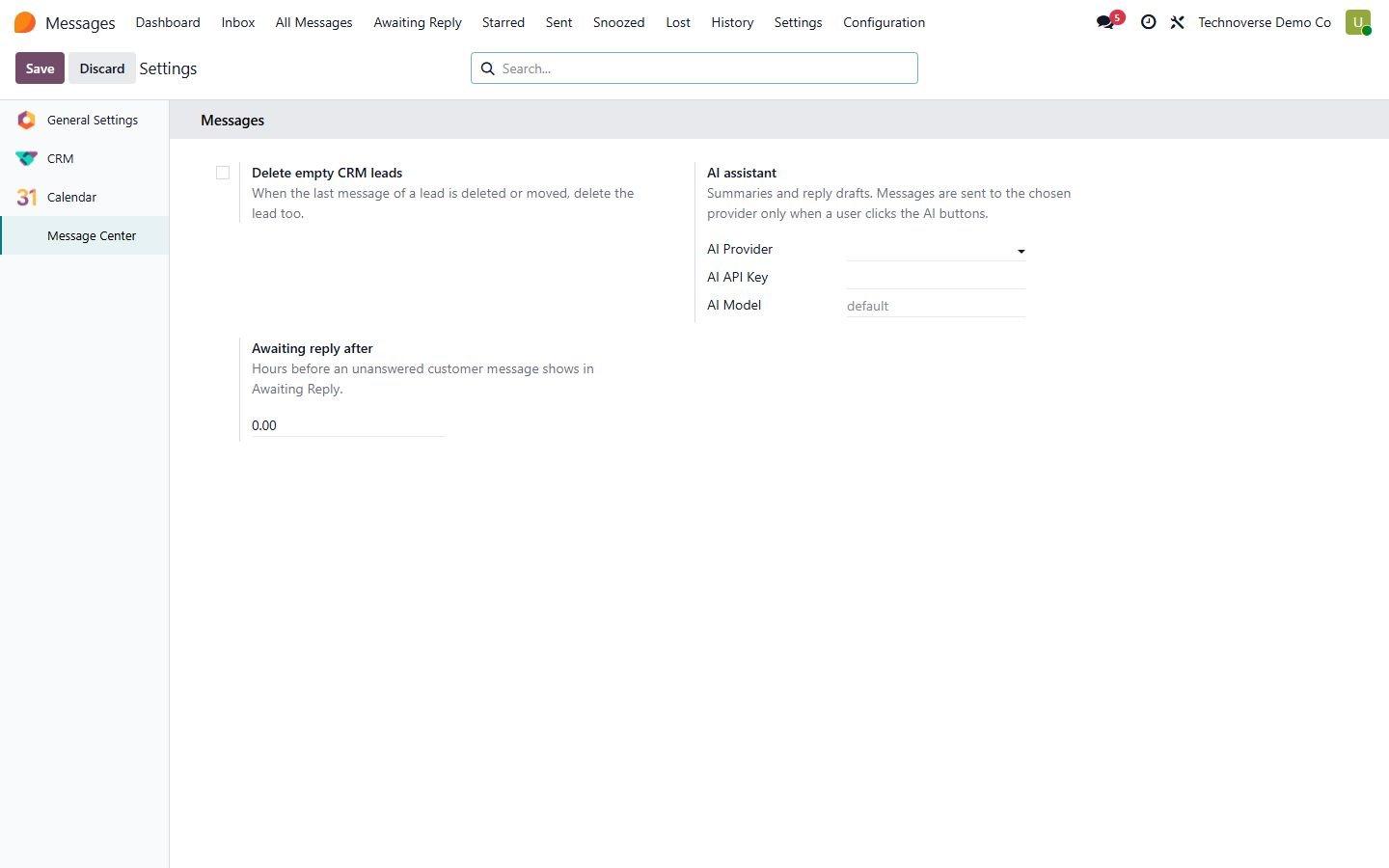
Awaiting Reply list with configurable hours

20

AI summary and AI reply draft with OpenAI, Gemini or Claude, never sent automatically

21

Dashboard with counters (Odoo 17-20)

22

Odoo 14 to 20, Community and Enterprise

Inside the module

Screenshots

Real screens from Message Center Pro - All Odoo Messages in One Inbox — click any image to see it full size.

Step 1

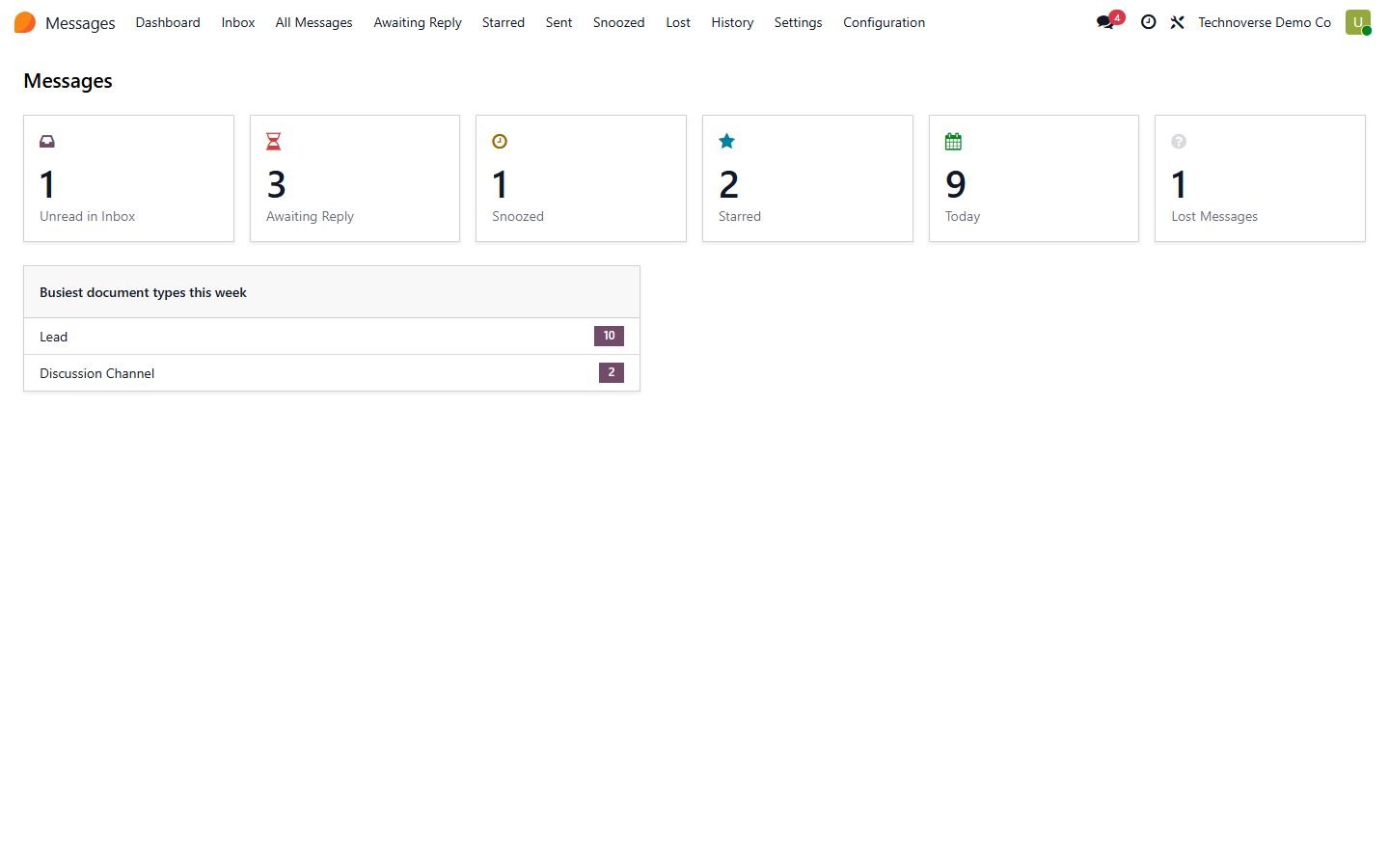
Dashboard

unread, awaiting reply, snoozed, starred, today and lost messages

Dashboard
Step 2

All messages like an email client

All messages like an email client, with a reading pane, tags and stars

All messages like an email client
Step 3

Reply

Reply, Reply All or Forward with To, Cc, Bcc, email mode and canned replies

Reply
Step 4

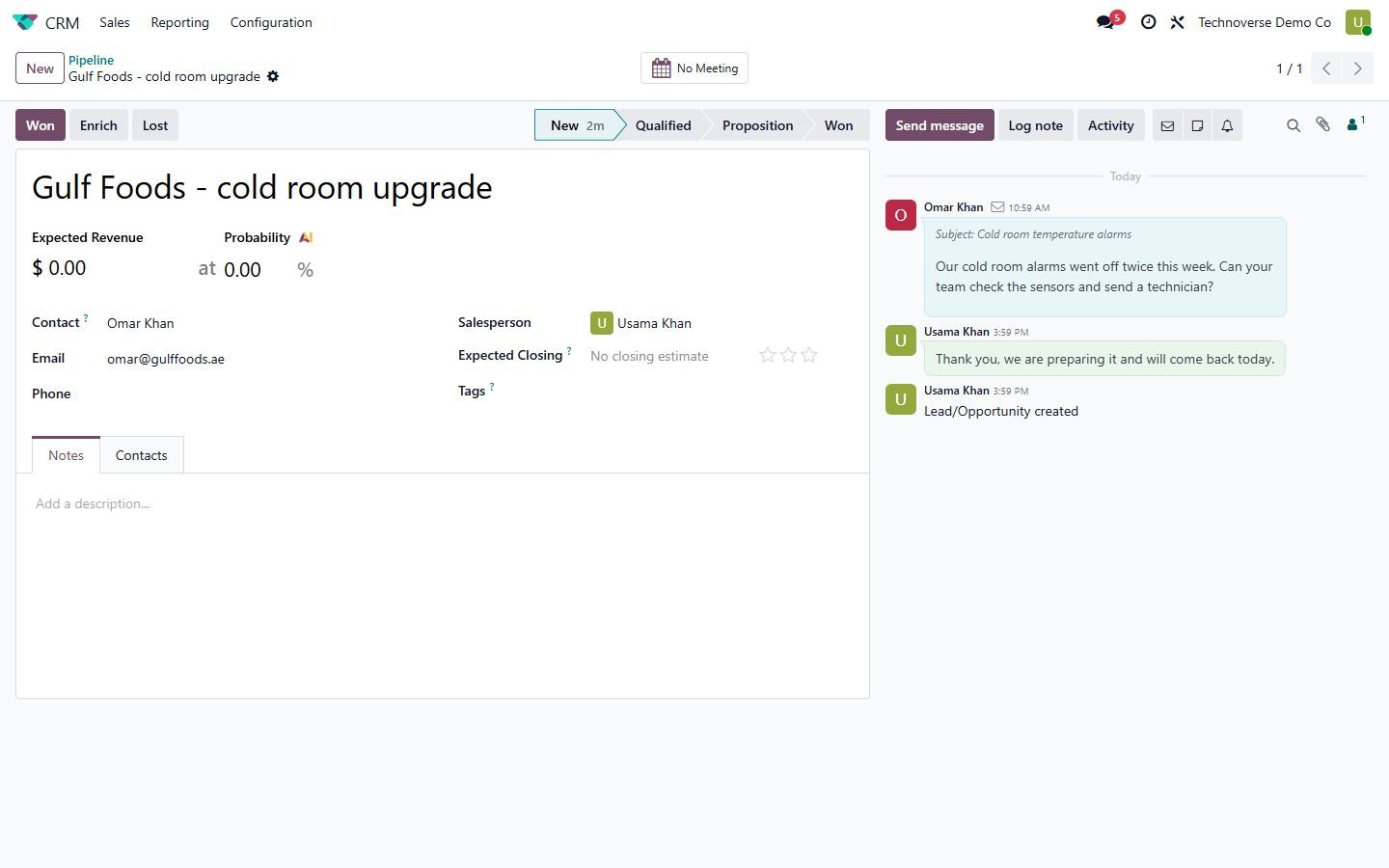
Chatter

show or hide messages, notes and notifications; pinned message on top

Chatter
Step 5

Move a message to the right document

Move a message to the right document, attachments included

Move a message to the right document
Step 6

Snooze a message or get a follow-up to-do if nobody replies

Snooze a message or get a follow-up to-do if nobody replies

Snooze a message or get a follow-up to-do if nobody replies
Step 7

Color tags on messages

Color tags on messages, filter and group by tag

Color tags on messages
Step 8

Awaiting Reply

customer messages nobody has answered yet

Awaiting Reply
Step 9

Lost messages

emails Odoo could not link to a document

Lost messages
Step 10

Edit and delete messages

Edit and delete messages, with a full history

Edit and delete messages
Step 11

Settings

AI provider for summaries and reply drafts, awaiting-reply hours

Settings
Step 12

Canned replies with placeholders

Canned replies with placeholders

Canned replies with placeholders
Step 13

Starred messages

Starred messages, read status and .eml download

Starred messages
Common questions

Questions aboutthis module.

Something else? Ask our team.

Odoo 14, 15, 16, 17, 18, 19 and 20, Community and Enterprise. The reading pane, chatter toggles and dashboard need Odoo 17 or newer; on 14-16 messages open in a normal list and form with all other features.

No. Everything is in this one module, it only needs the standard Discuss/mail app.

No. In email mode only the people you put in To, Cc and Bcc receive the message; other followers of the document are not notified.

Never. AI only writes a summary or a reply draft that you review and send yourself. You choose the provider and add your own API key.

Lost messages need the View Lost Messages group. Users can change their own messages; changing other people messages needs the Message Center Manager group, and every change is kept in the history.

Not sure it's theright fit?

Book a free consultation and we'll help you pick the right modules for your workflow.

Book your 30 mins call