In today's fast-paced digital landscape, a single phone number or email address is rarely enough. The Complementary Contact Data (Multi-Platform Contact Widget) module supercharges your Odoo Contacts app by allowing you to store an unlimited number of alternative communication channels for any customer or vendor. Built with Odoo's modern OWL framework, this module replaces the standard, bulky tabular view with a sleek, interactive widget right on the Partner form. Whether it's a WhatsApp number, a personal Zoom meeting link, a LinkedIn profile, or a Telegram ID, you can manage them all in…
Built by an Odoo partnerInitial setup supportDownload link by email
What's included
Key features
1
Support for 20+ Platforms & Social Networks
Easily add alternative contact methods using predefined FontAwesome icons. Supported platforms include WhatsApp, Telegram, Skype, Zoom, LinkedIn, GitHub, WeChat, Facebook, Twitter, and custom URLs.
2
Instant "Copy to Clipboard" Button
Need to share a client's Zoom link or GitHub profile with a colleague? Just click the handy "Clipboard" icon next to any contact method to instantly copy the URL, complete with a smart success tooltip!
3
Drag-and-Drop Resequencing
Prioritize how contact methods are displayed! Using intuitive drag-and-drop functionality, you can easily pull a primary contact method (like WhatsApp) to the top of the list, automatically updating its sequence in the backend.
Inside the module
Screenshots
Real screens from Partners Contact Full Details — click any image to see it full size.
Step 1
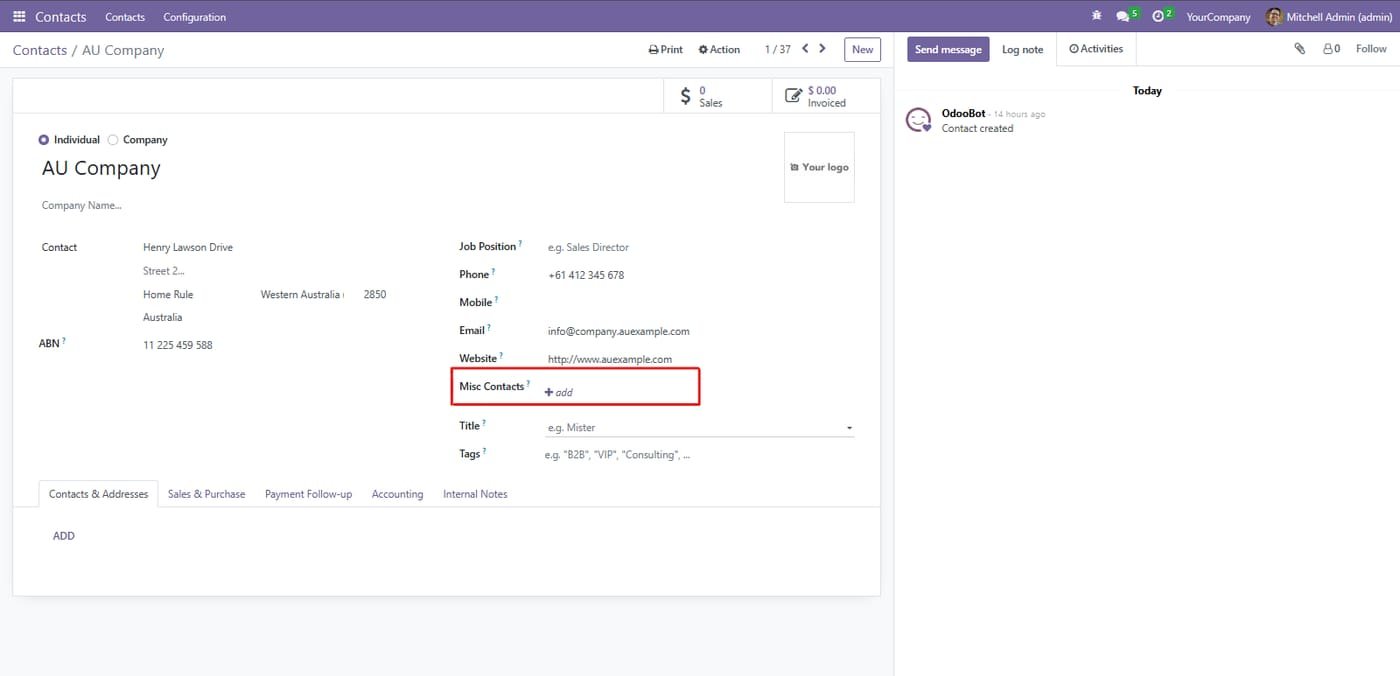
On the main contact form, locate the new "Misc Contacts" field situated just below the standard contact details. Click the "+ add" button to begin adding an alternative contact method for the partner.
Step 2
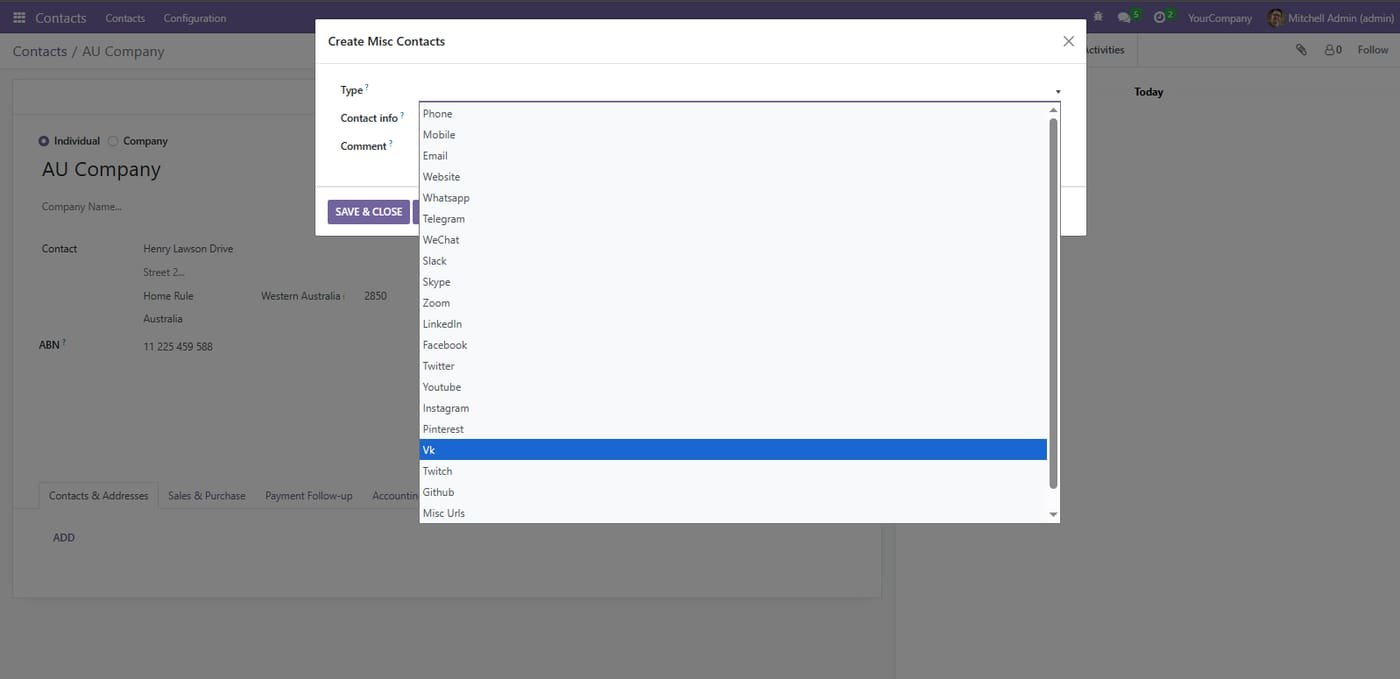
A creation window will open. Click on the "Type" dropdown menu to choose from a wide variety of supported communication platforms and social networks, such as WhatsApp, Telegram, Zoom, LinkedIn, and more.
Step 3
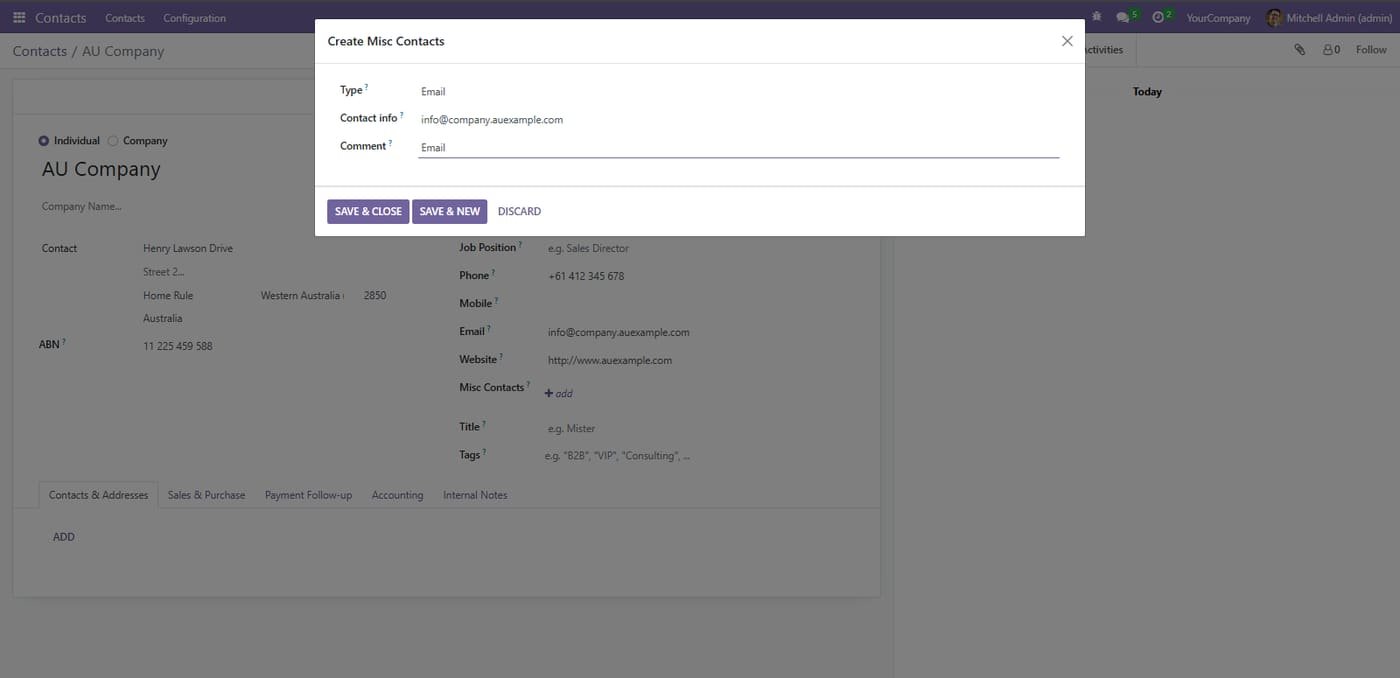
Add extra contact details
Save additional emails, phones, websites or social links for a contact with a type and comment.
Step 4
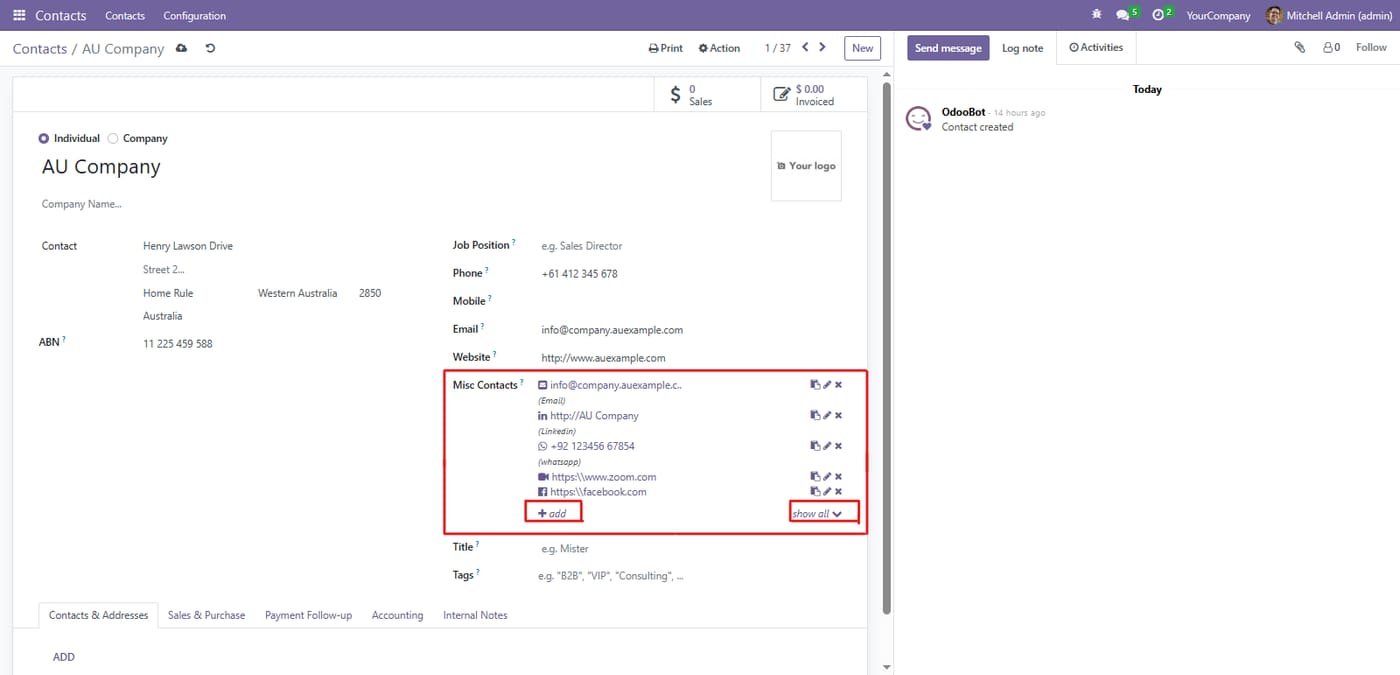
Misc contacts on the contact form
All extra emails, LinkedIn, WhatsApp, Zoom and Facebook links shown together with quick actions.
The "Advanced Variant Prices" module revolutionizes how you manage pricing across your Odoo product catalog by enabling granular, variant-specific price control without complex workarounds. Standard Odoo relies heavily on pricelists for discounting, but this module empowers you to set unique base prices directly on individual variants (like Size, Color, Material combinations). This ensures accurate financial calculations, simplifies multi-currency commerce, and provides complete visibility into margin per SKU. Whether you're selling T-shirts in multiple colors or machinery with different…
Amazon Selling Partner API for Odoo: orders imported every 15 minutes, SKU mapping, FBA/FBM, stock sent to Amazon, tracking numbers confirmed, sync log. Works on Odoo Community.
Selling Partner API (SP-API) with Login with Amazon: North America, Europe and Far East regions, several marketplaces
Orders imported automatically with buyer, items, prices, shipping and taxes; cancellations follow
FBA orders imported as already delivered by Amazon (optional), FBM orders shipped from your warehouse
This module allows businesses to perform backdated operations across key inventory and sales workflows with complete accuracy and control. Users can create backdated inventory adjustments to correct stock levels for past dates, ensuring precise historical reporting. It also allows backdating of purchase orders and sales orders, making it easy to align records with actual transaction timelines. By maintaining accurate data for past activities, the module improves audit compliance, enhances traceability, and provides a more realistic view of stock and order history, all while keeping the…