Productivity & Tools

Power BI Connector

Send your Odoo data to Power BI and keep it fresh automatically, then open your Power BI reports right inside Odoo with the same user security. Pick ready-made templates for Sales, Accounting, Inventory, Purchase, POS and HR, or build datasets from any model. Real-time sync, an OData feed, row-level security, KPI alerts, email subscriptions and Ask Your Data in plain English are all included. One price, Odoo 14 to 20.

$149 USD
Choose your Odoo version
Ask a question
Built by an Odoo partner Initial setup support Download link by email
Power BI Connector
What's included

Key features

1

Datasets From Any Model

Pick a model, filter the records and choose fields, including related fields like Customer > Country. Measures and relationships are created in Power BI for you.

2

Ready Templates

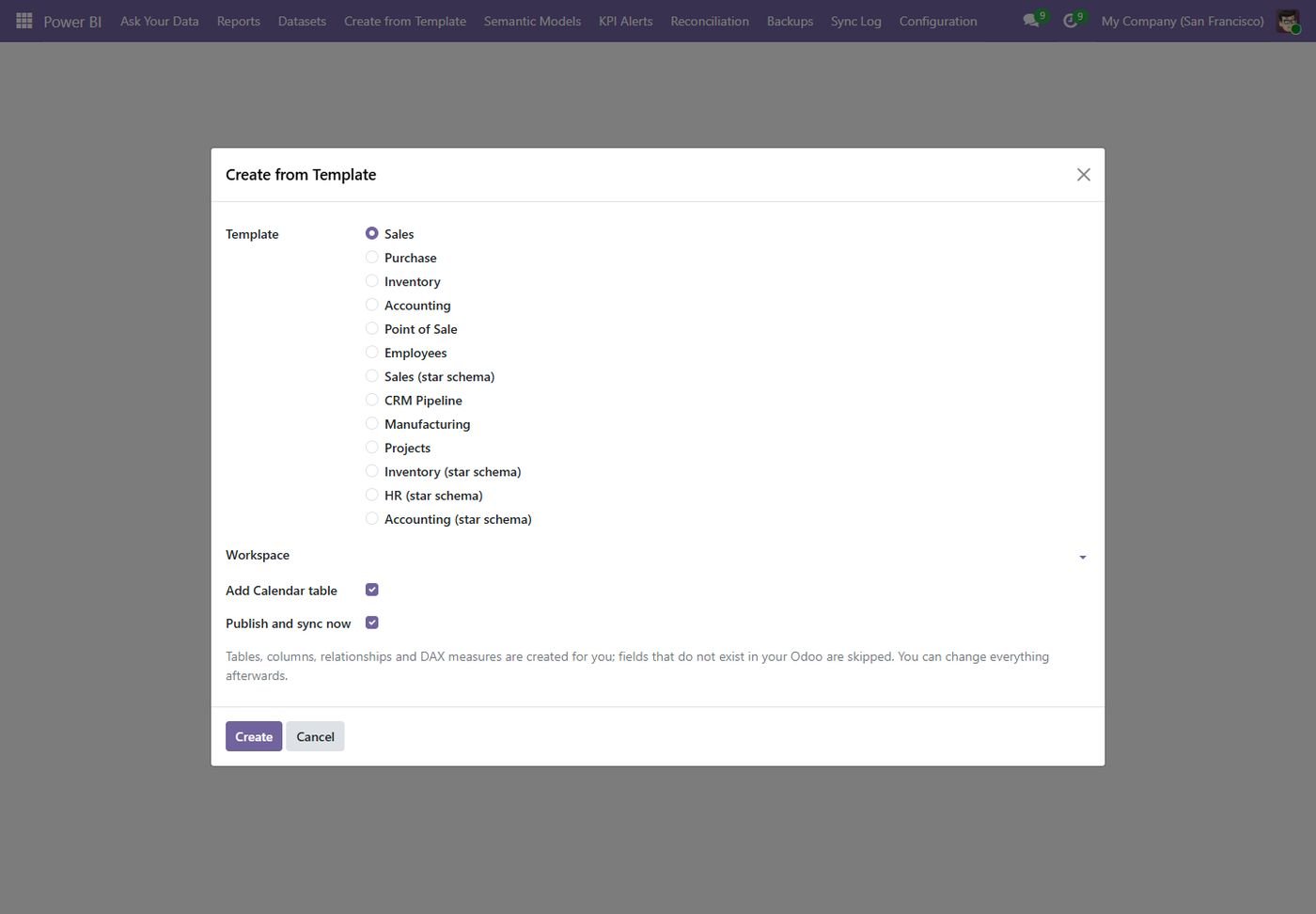
Sales, Accounting, Inventory, Purchase, POS and HR star schemas with a Calendar table, measures and relationships, created in one click.

3

Always Fresh Data

Scheduled sync, real-time push when records change, deleted records removed, and a full refresh only when it is really needed.

4

OData Feed

Prefer Power BI Desktop? Connect to a secure OData v4 feed with filter, select, order and paging, running with the rights of the user you choose.

5

Reports Inside Odoo

Sync reports and dashboards, open them full screen in Odoo, add them to any menu or open them from a record already filtered.

6

Security & RLS

Limit reports to users or groups and apply Power BI row-level security with the Odoo user. A wizard builds the RLS rules from your Odoo record rules.

7

Alerts & Subscriptions

KPI alerts by email, Teams, Slack or WhatsApp, and reports emailed as PDF, PNG or PowerPoint every day, week or month.

8

Ask Your Data

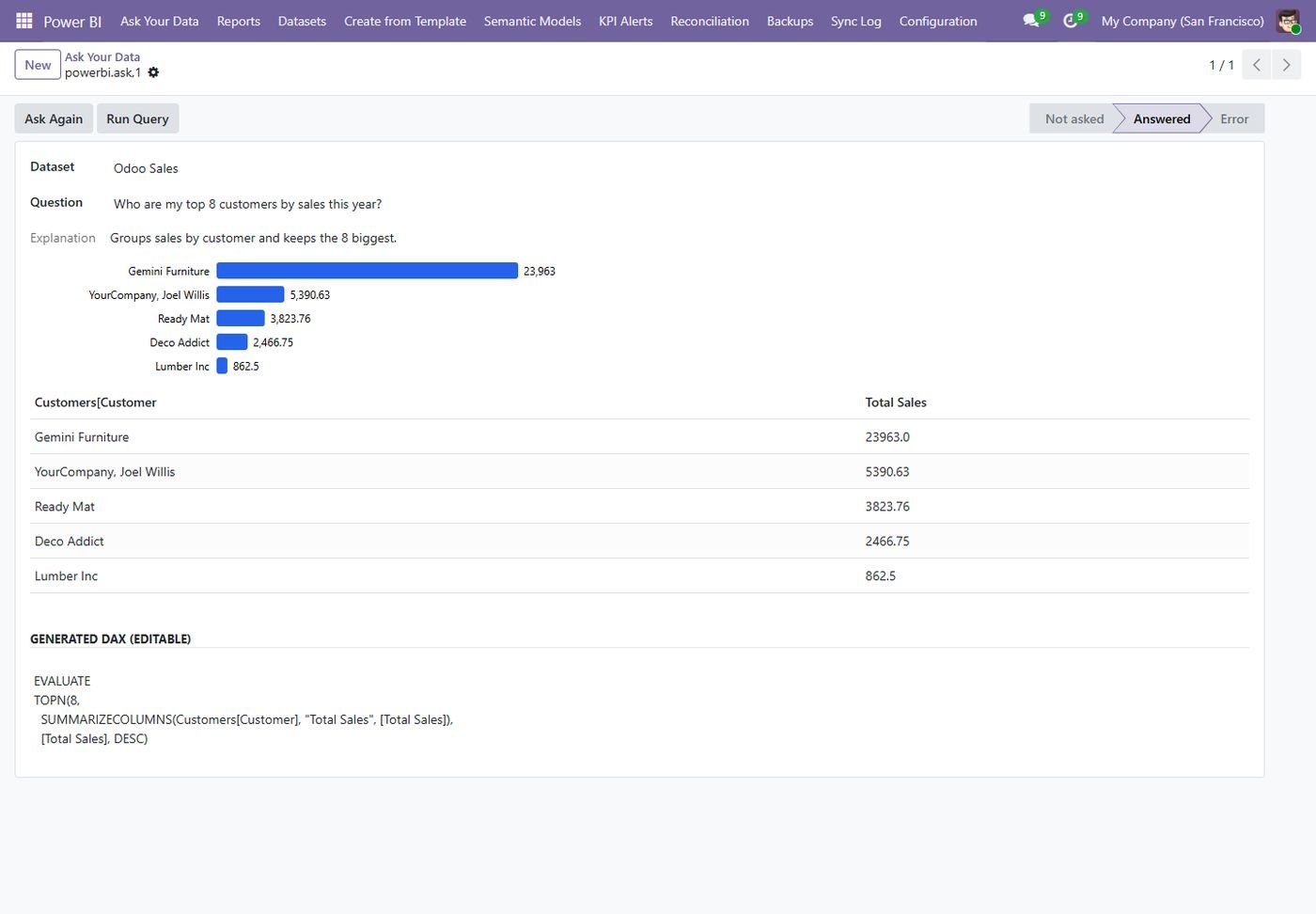
Ask a question in plain English; the AI writes the DAX, runs it on your dataset and shows a table with a chart.

9

Peace of Mind

Every API call is logged, row counts and totals are reconciled daily, setups are backed up with versions, and capacity limits are watched.

Inside the module

Screenshots

Real screens from Power BI Connector — click any image to see it full size.

Step 1

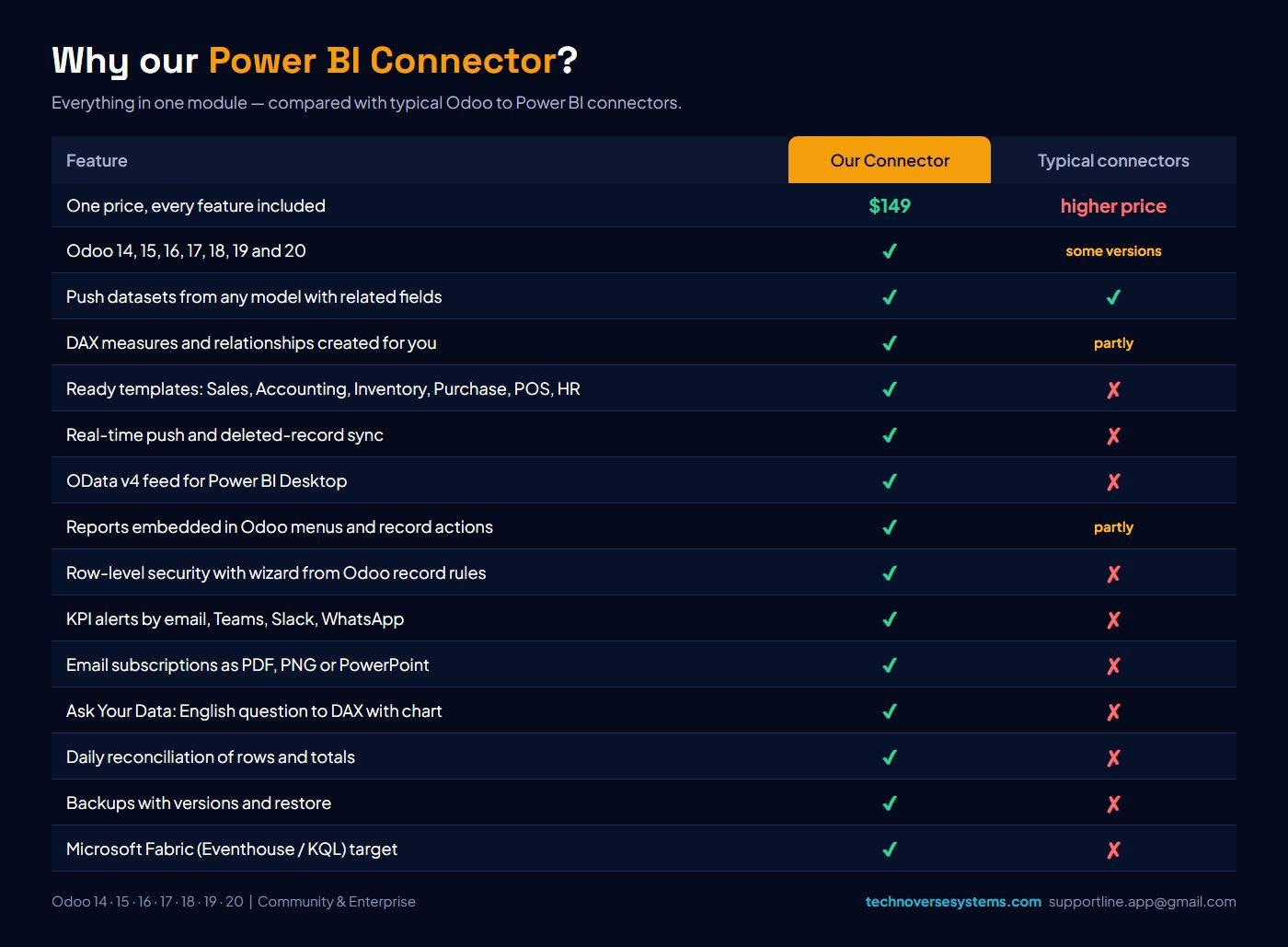
Why our Power BI Connector

Everything in one module, compared with typical Odoo to Power BI connectors.

Why our Power BI Connector
Step 2

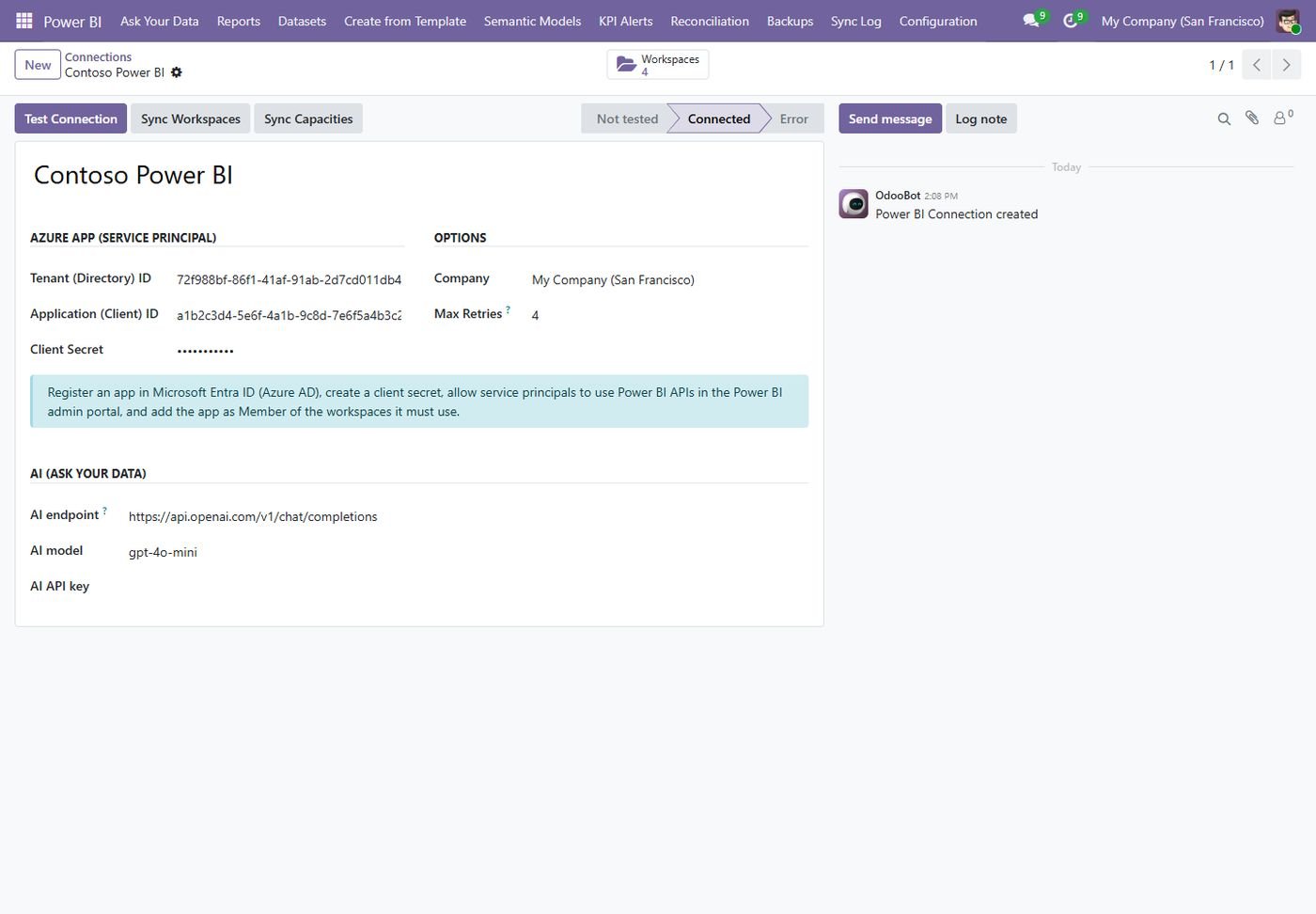
Connection

Azure app (service principal) with test button, workspaces, capacities and the AI endpoint.

Connection
Step 3

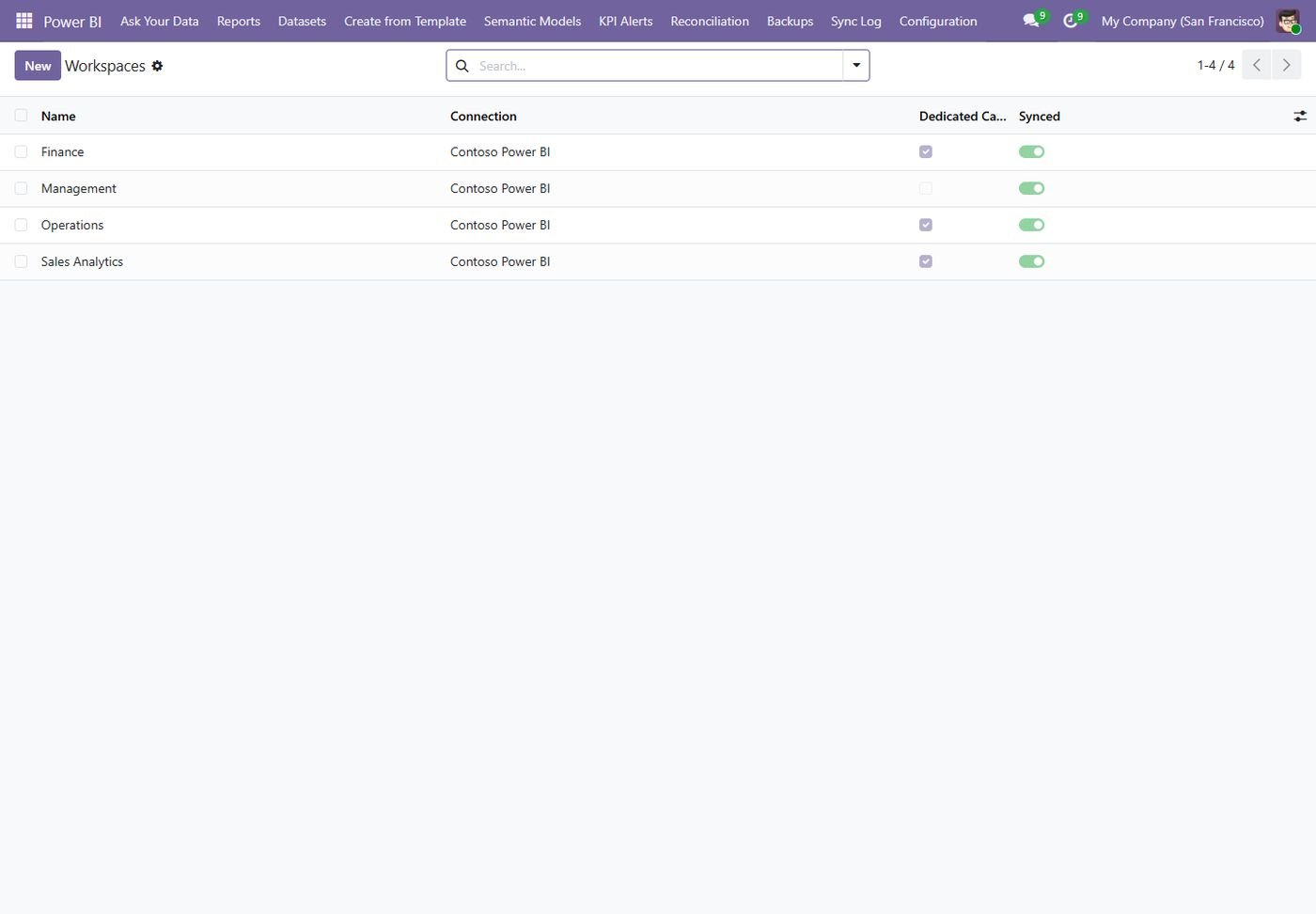
Workspaces

Power BI workspaces synced from your tenant, with dedicated capacity shown.

Workspaces
Step 4

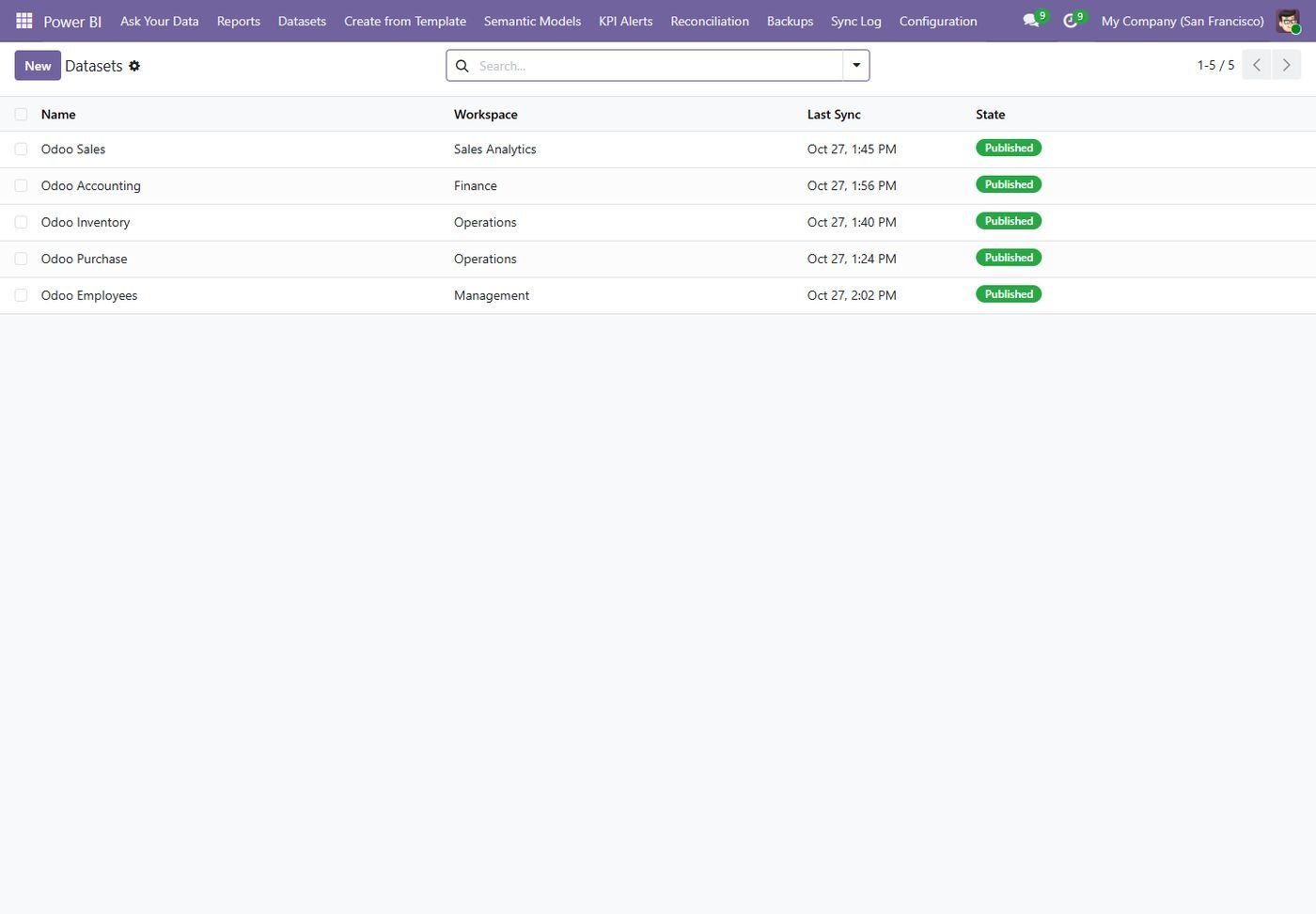
Datasets

Every dataset with its workspace, last sync time and state.

Datasets
Step 5

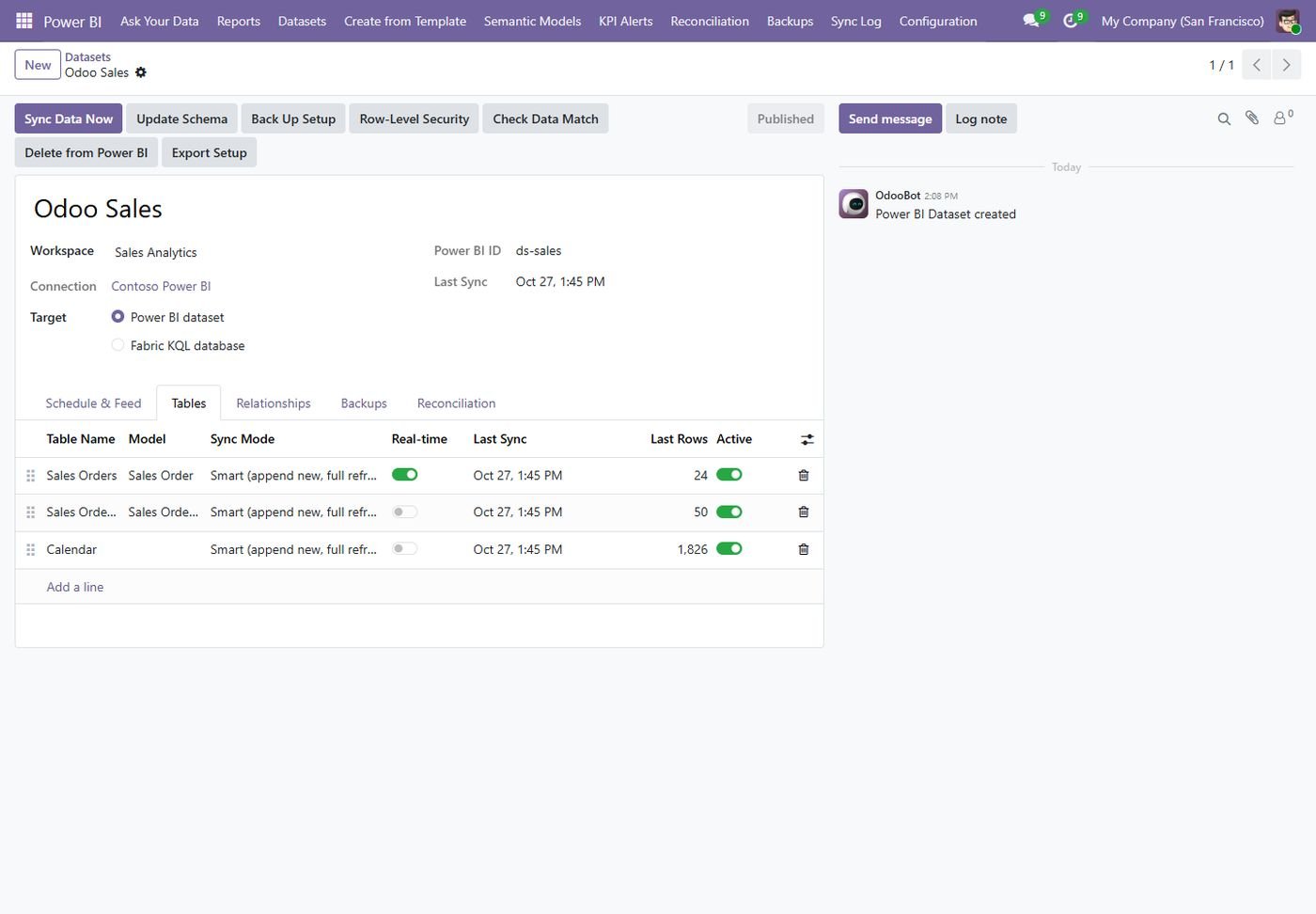
Dataset tables

Tables from any Odoo model with sync mode, real-time switch and rows sent.

Dataset tables
Step 6

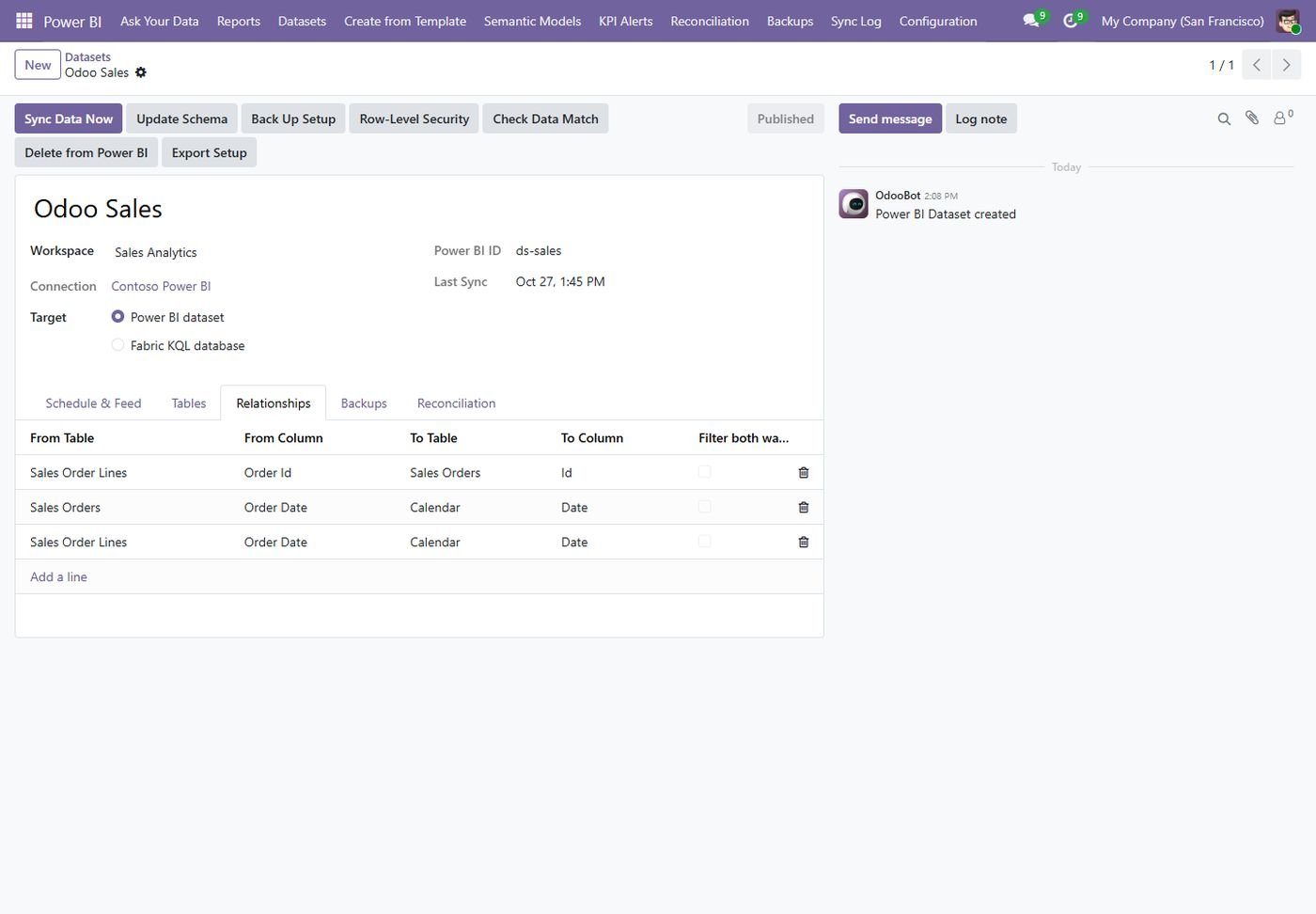
Relationships

Table relationships created in Power BI together with the dataset.

Relationships
Step 7

Ready templates

Sales, Accounting, Inventory, Purchase, POS, HR and star-schema templates in one click.

Ready templates
Step 8

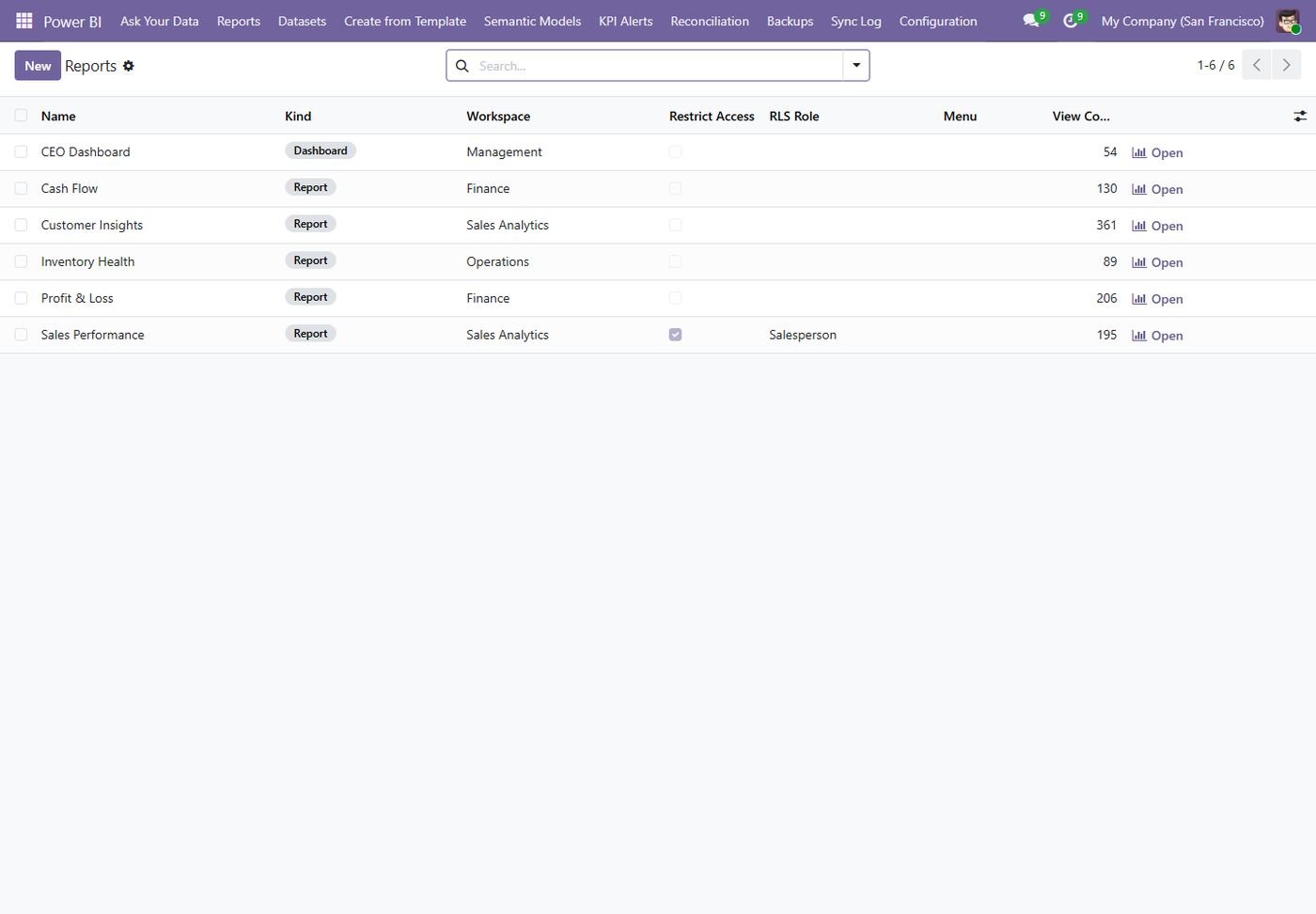
Reports & dashboards

Reports synced from Power BI, opened inside Odoo, with views counted.

Reports & dashboards
Step 9

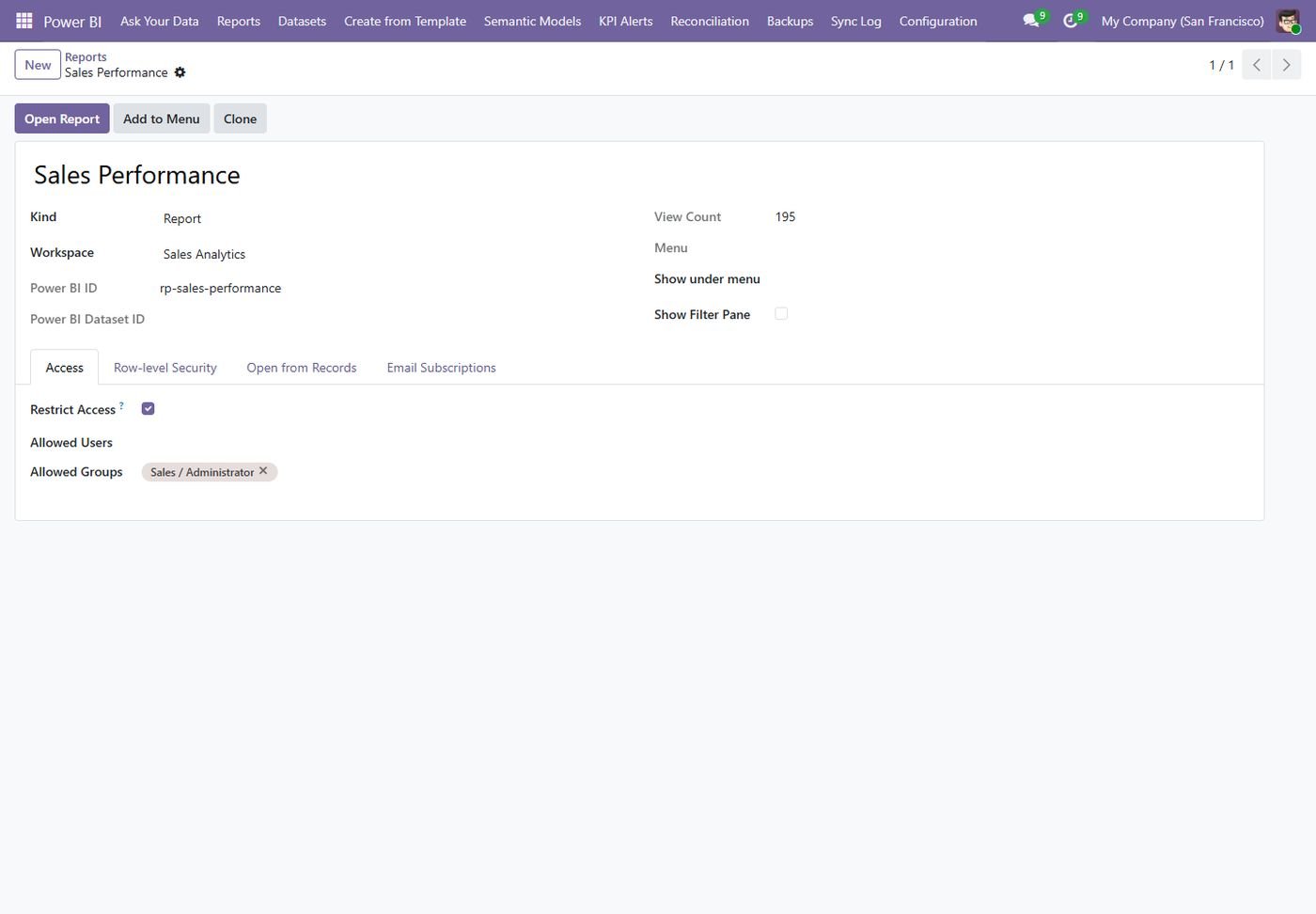
Report security

Allowed users and groups, RLS role, open from records and email subscriptions.

Report security
Step 10

Ask Your Data

A question in plain English becomes DAX; the answer comes back as a chart and table.

Ask Your Data
Step 11

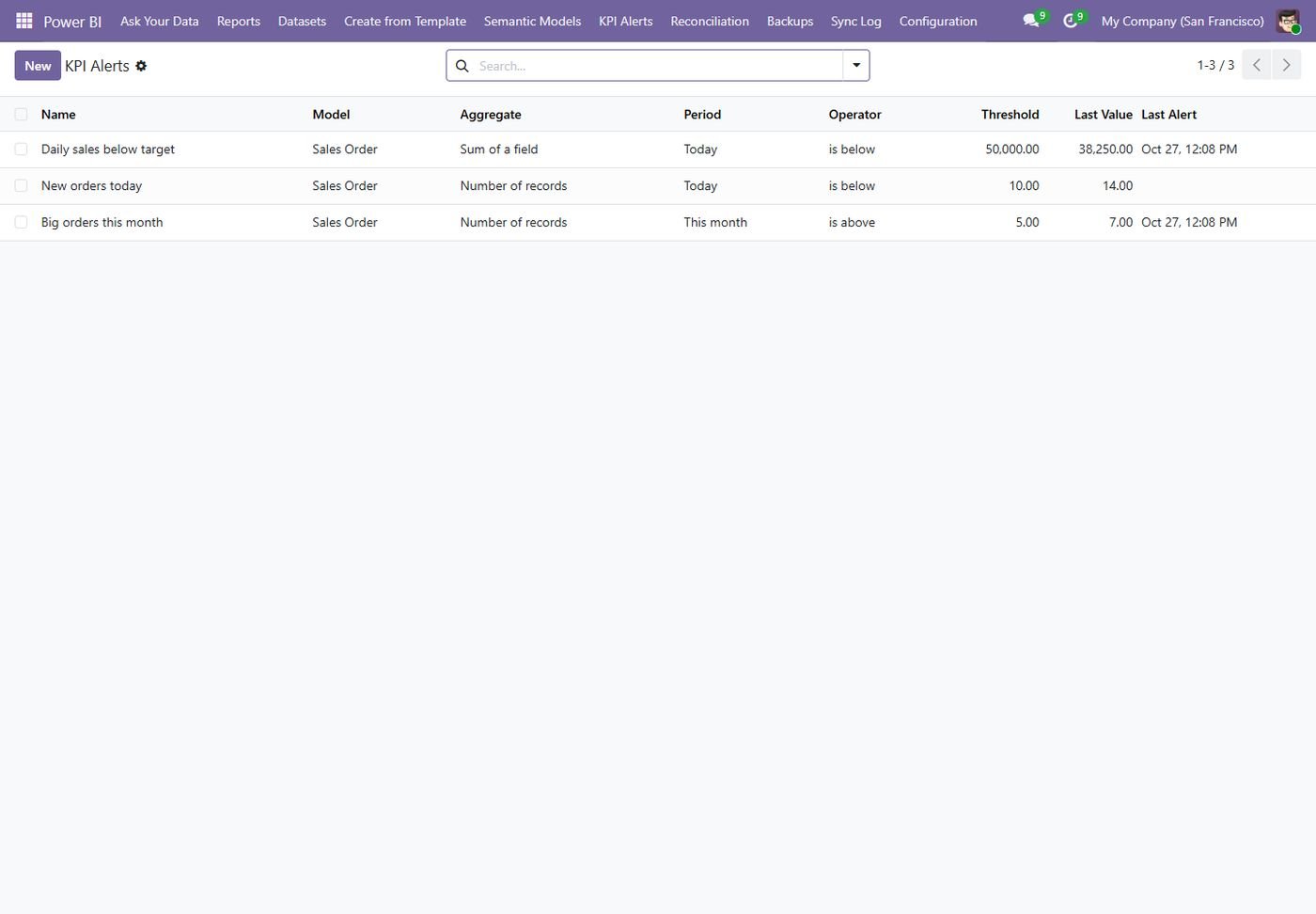
KPI alerts

Count or sum of any model checked against a threshold, notified by email, Teams, Slack or WhatsApp.

KPI alerts
Step 12

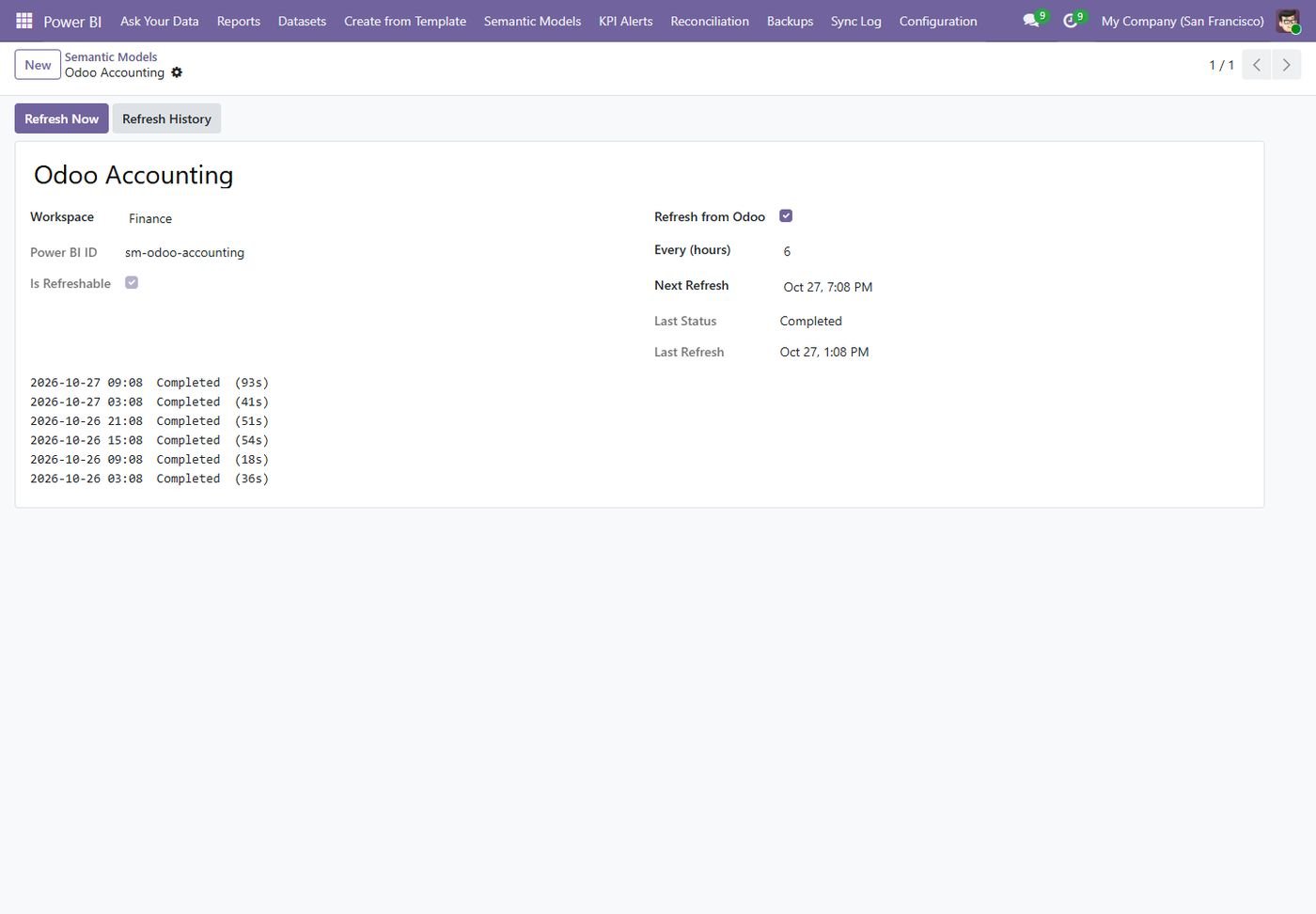
Semantic model refresh

Refresh from Odoo on a schedule, with the refresh history.

Semantic model refresh
Step 13

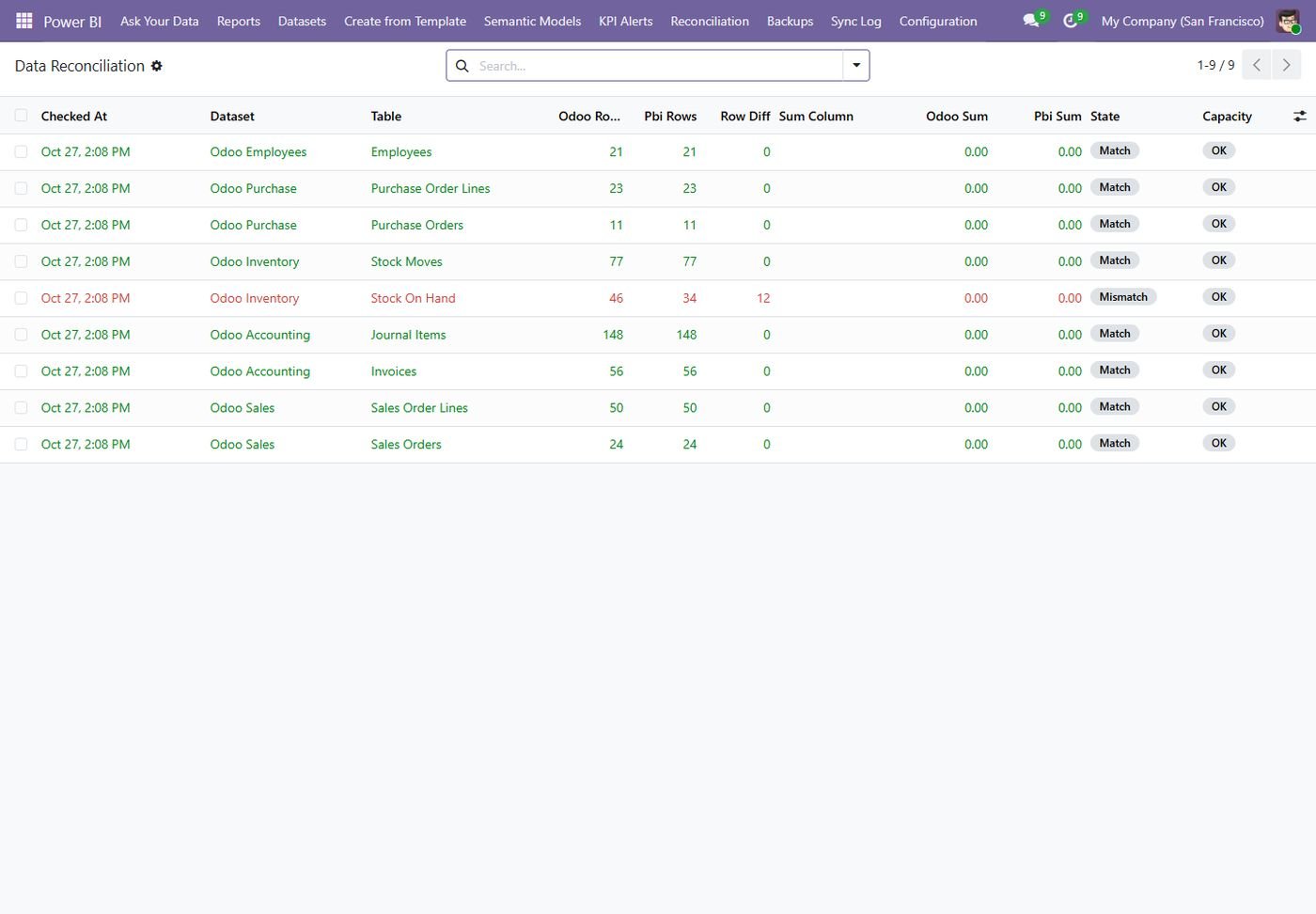
Reconciliation

Daily check that rows and totals in Power BI match Odoo, with re-sync on mismatch.

Reconciliation
Step 14

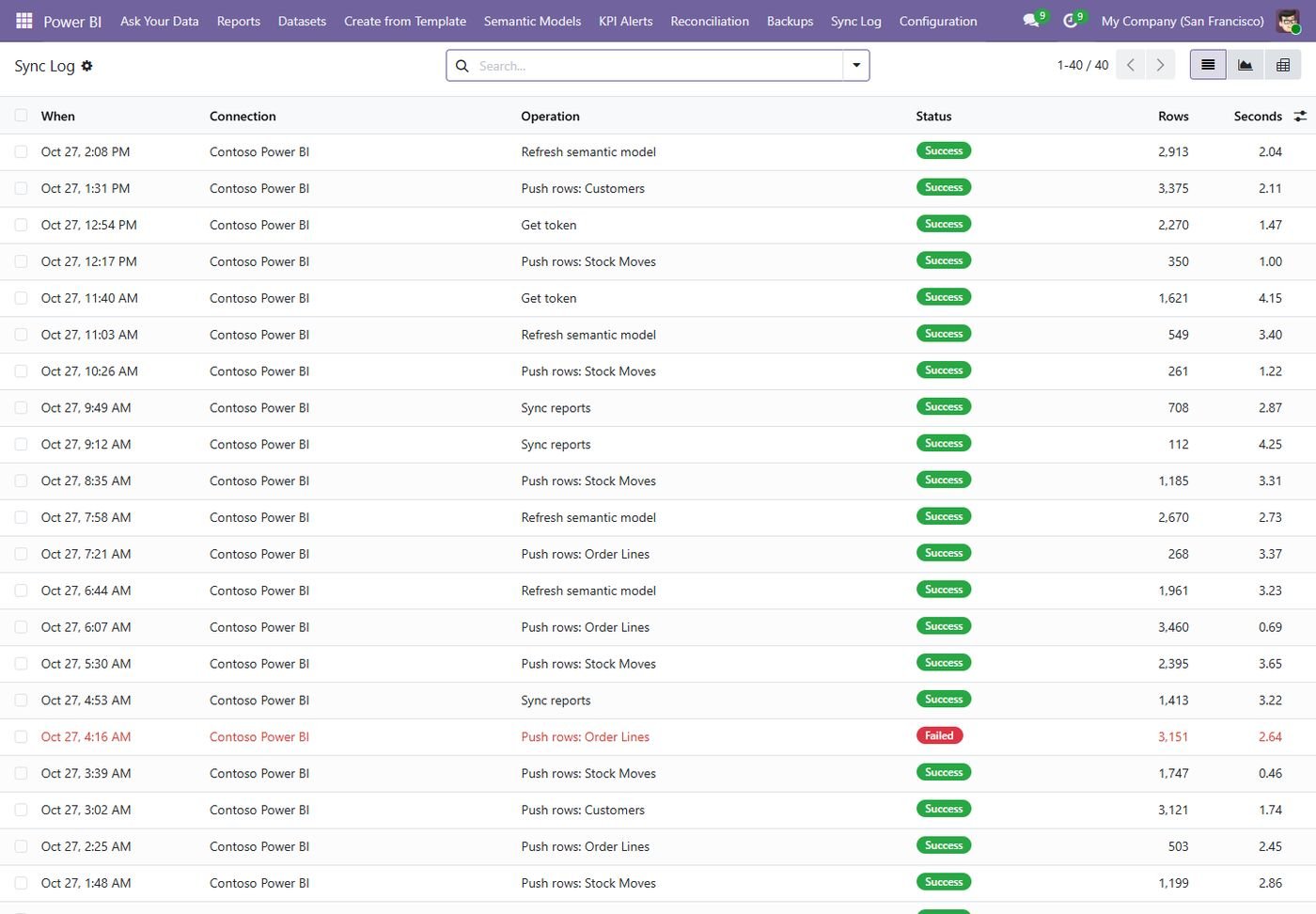
Sync log

Every API call with rows, seconds, attempts and errors.

Sync log
Step 15

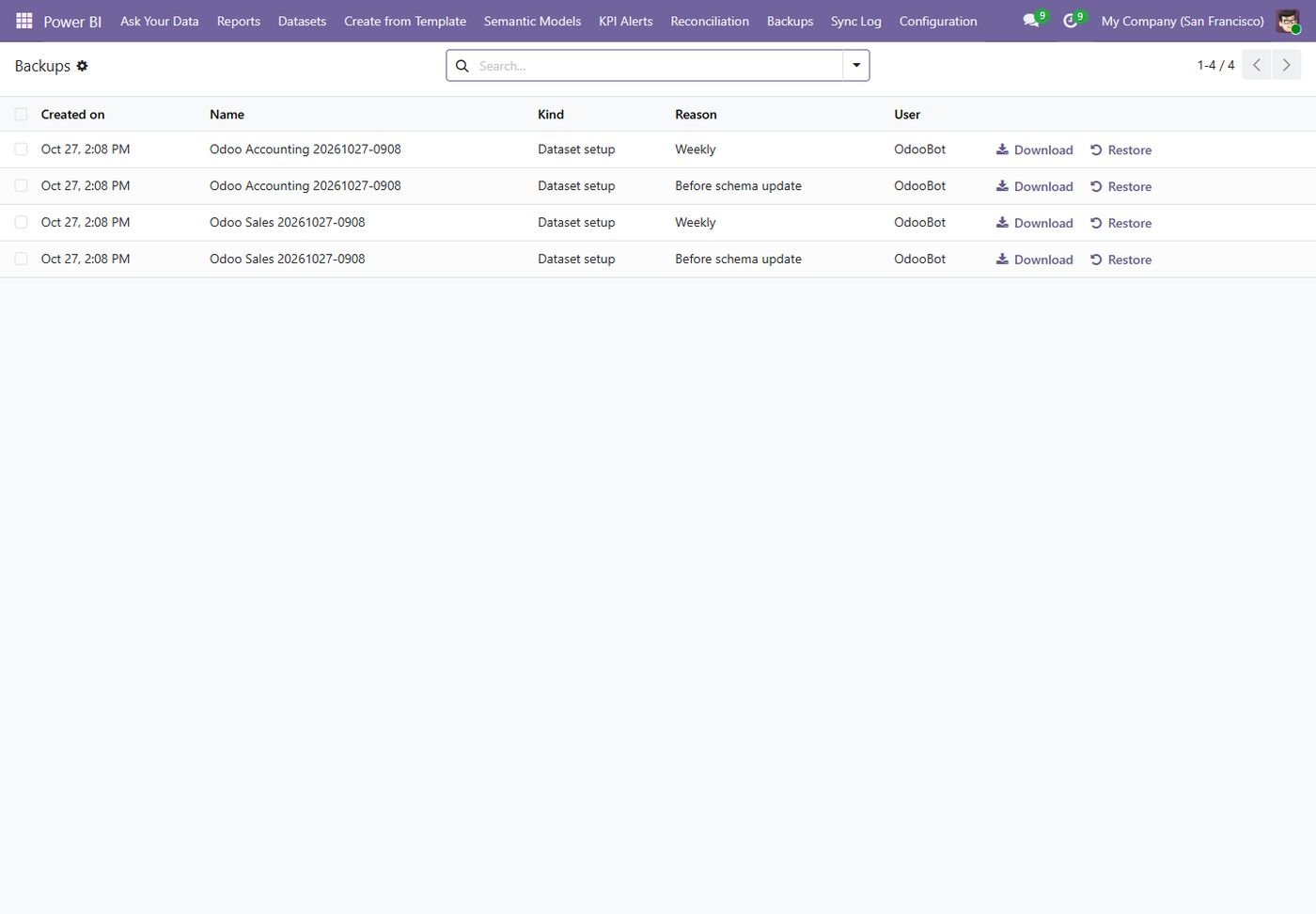
Backups

Dataset setups backed up with versions; download or restore in one click.

Backups
Step 16

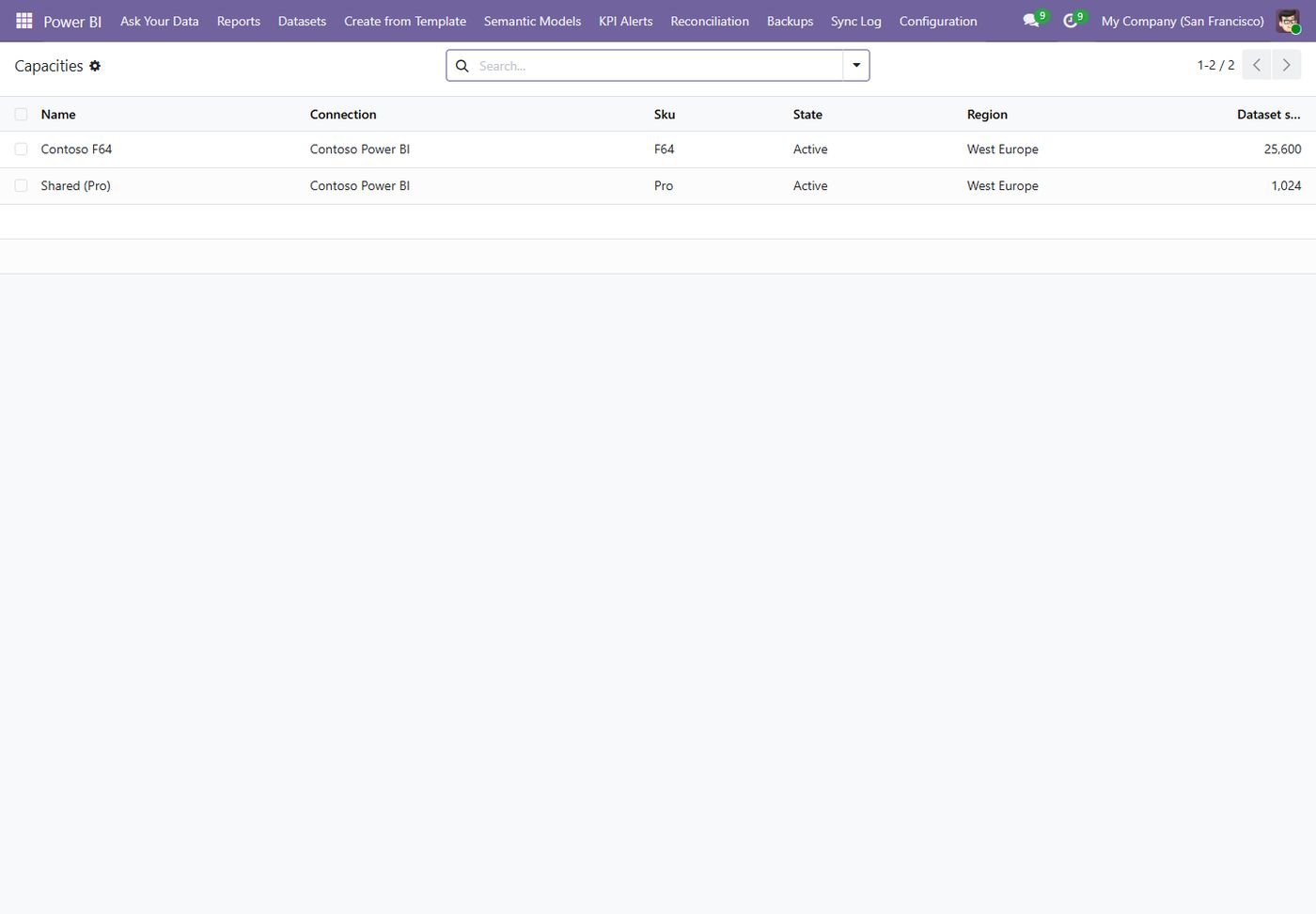
Capacities

Premium / Fabric capacities with the dataset size limit per SKU.

Capacities
Common questions

Questions aboutthis module.

Something else? Ask our team.

Pushing data and embedding reports works with Power BI Pro. Some features, such as Fabric targets or large datasets, need a Premium or Fabric capacity. The module shows which workspaces have a dedicated capacity.

Reports are embedded with the service principal, so users see them inside Odoo with their Odoo login. Your Microsoft licensing still applies to how you share content.

You choose: real-time push when records change, a schedule every few minutes or hours, or a manual Sync button. Power BI Desktop users can use the OData feed instead.

Yes. Restrict reports to users and groups, and use row-level security with the Odoo login, email or company. The RLS wizard prepares the rules from your Odoo record rules.

No. It is optional and only runs when you add an AI endpoint and key. Any OpenAI-compatible service works.

No. The connector works on Community and Enterprise, versions 14 to 20.

Not sure it's theright fit?

Book a free consultation and we'll help you pick the right modules for your workflow.

Book your 30 mins call