The Product Bundle & Kit Creator module transforms your Odoo Sales strategy by enabling you to combine individual products into attractive, discounted bundles or kits that drive higher average order values and increase customer loyalty. This powerful extension allows businesses to group related items—such as furniture sets, appliance packages, or promotional merchandise—into single sellable units with automated inventory tracking and customized pricing rules. Unlike standard Odoo Kits which only aggregate components, this module offers advanced bundle discount options, flexible pack…
Built by an Odoo partnerInitial setup supportDownload link by email
What's included
Key features
1
Flexible Bundle Creation
Combine unlimited products into custom bundles via a dedicated "Create Bundle" wizard. Select items from your catalog and configure quantities, creating a new composite product instantly.
2
Discounted Bundle Pricing
Set special bundle prices automatically lower than the sum of individual components. Display both the original value and discounted price to highlight savings to customers on quotations and invoices.
3
Smart Component Tracking
Maintains full visibility into component inventory. When a bundle sells, the system automatically deducts stock from all underlying products, preventing overselling without manual calculation.
4
Customizable Pack Configuration
Allow customers or sales reps to modify bundle contents at sale time. Optional fields enable switching variants (e.g., color/size) within the same bundle while preserving core package structure.
5
Multi-Channel Sales Support
Bundle products work seamlessly across Website Shop, Point of Sale, and Sales Orders. Customers can add bundles to cart just like any standalone product while backend remains synchronized.
Inside the module
Screenshots
Real screens from Website Bundle Product Pack — click any image to see it full size.
Step 1
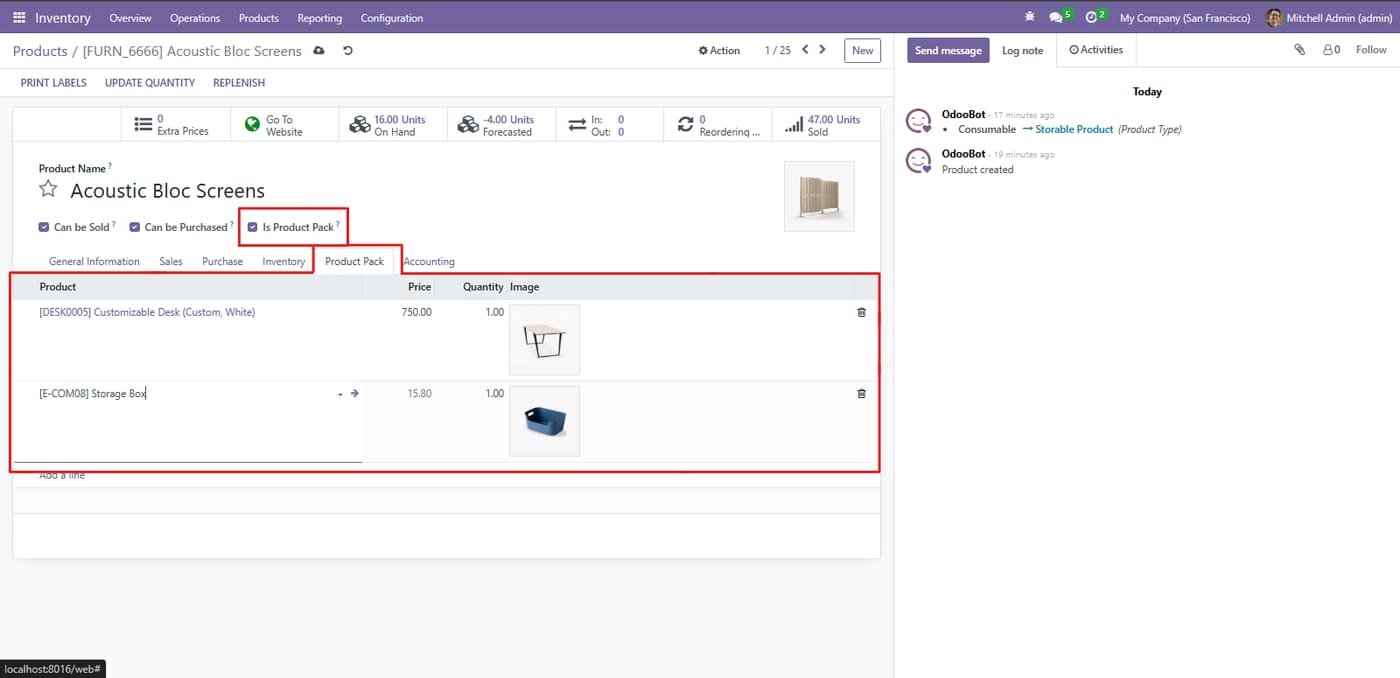
Open any Product (Inventory > Products > Products) and enable the "Is Product Pack?" checkbox near the top. Once checked, a new "Product Pack" tab appears allowing you to add multiple component products with specific quantities and pricing information.
Step 2
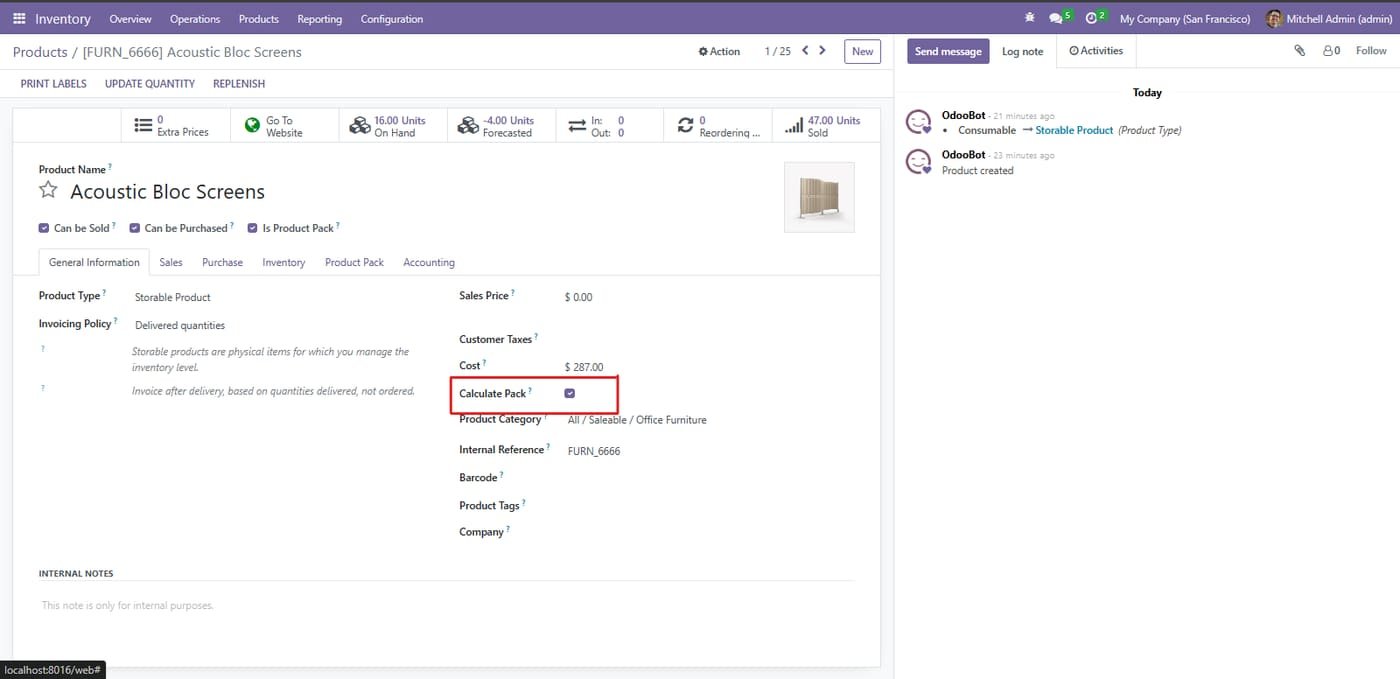
Navigate to the Sales tab on your Product Form and locate the "Calculate Pack?" checkbox. When enabled, the system sums individual component prices to set the bundle price automatically. Uncheck this to enter custom bundle pricing independently.
Step 3
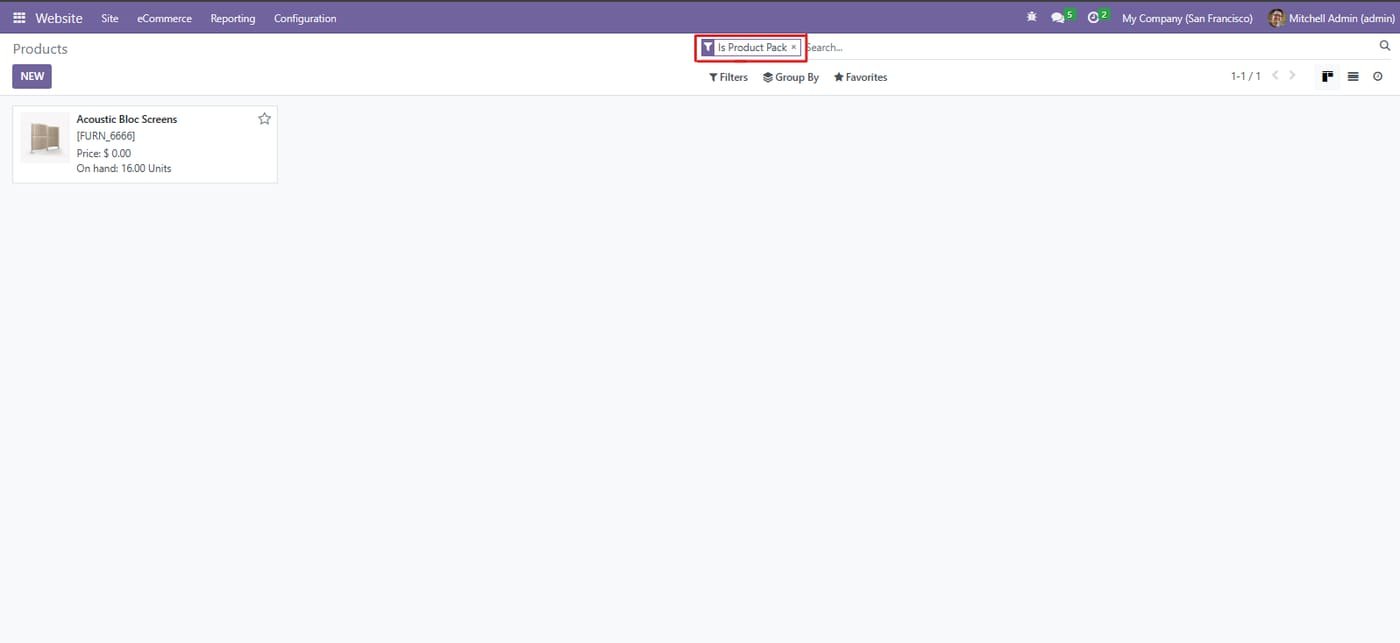
In the Product List View, use the search bar and apply the "Is Product Pack" filter. This isolates all bundle products from standard inventory items, making it easier to audit, modify, or analyze your packaged offerings separately.
Step 4
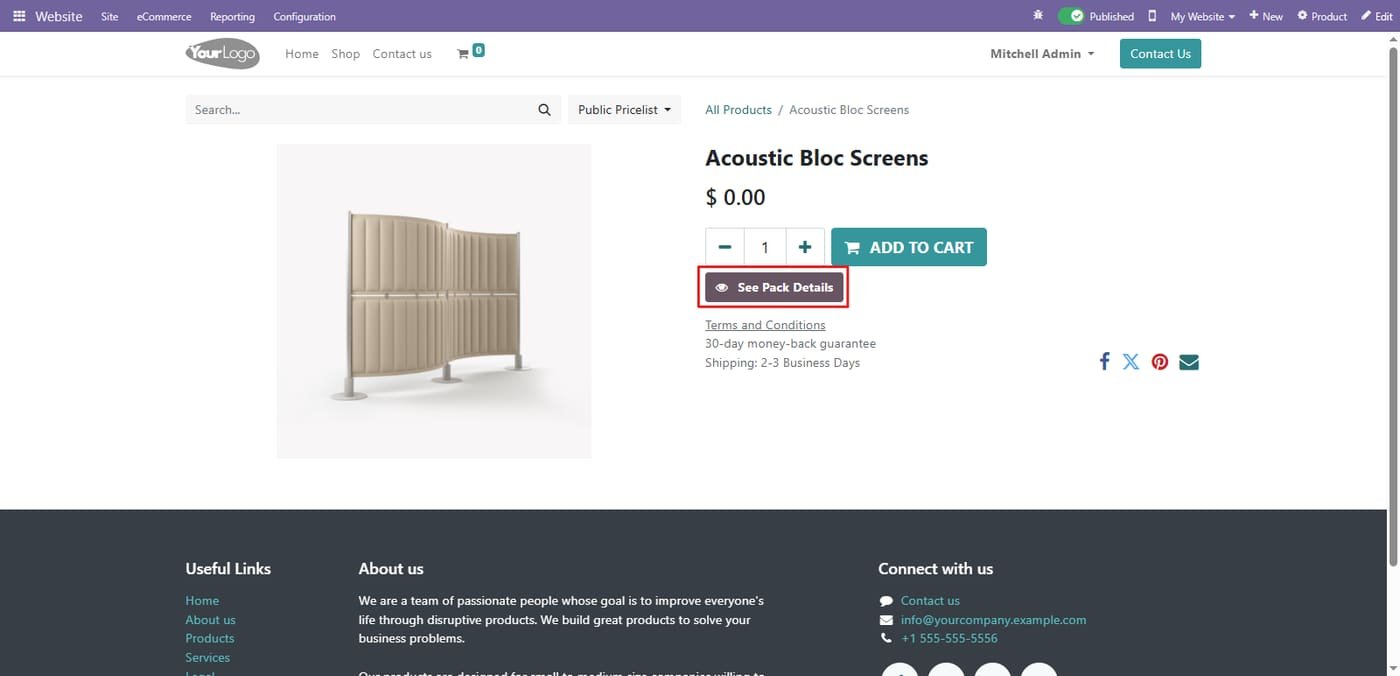
On your Website Shop, product pages for bundles display a distinct "See Pack Details" button below the Add to Cart action. This provides customers immediate access to package composition without leaving the checkout flow.
Step 5
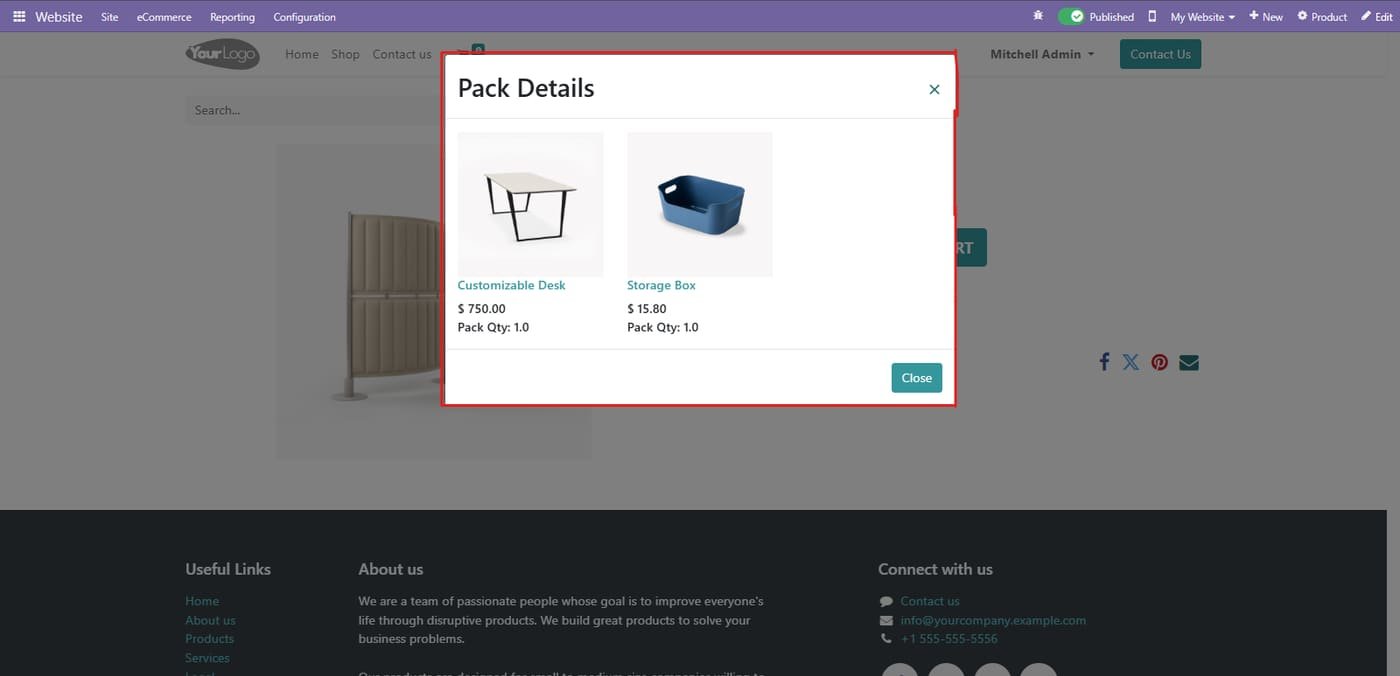
Clicking "See Pack Details" opens a clean modal popup showing each component with its image, name, individual price, and quantity in the pack. This transparency helps customers understand exactly what they're purchasing in one click.
The "Advanced Variant Prices" module revolutionizes how you manage pricing across your Odoo product catalog by enabling granular, variant-specific price control without complex workarounds. Standard Odoo relies heavily on pricelists for discounting, but this module empowers you to set unique base prices directly on individual variants (like Size, Color, Material combinations). This ensures accurate financial calculations, simplifies multi-currency commerce, and provides complete visibility into margin per SKU. Whether you're selling T-shirts in multiple colors or machinery with different…
Amazon Selling Partner API for Odoo: orders imported every 15 minutes, SKU mapping, FBA/FBM, stock sent to Amazon, tracking numbers confirmed, sync log. Works on Odoo Community.
Selling Partner API (SP-API) with Login with Amazon: North America, Europe and Far East regions, several marketplaces
Orders imported automatically with buyer, items, prices, shipping and taxes; cancellations follow
FBA orders imported as already delivered by Amazon (optional), FBM orders shipped from your warehouse
This module allows businesses to perform backdated operations across key inventory and sales workflows with complete accuracy and control. Users can create backdated inventory adjustments to correct stock levels for past dates, ensuring precise historical reporting. It also allows backdating of purchase orders and sales orders, making it easy to align records with actual transaction timelines. By maintaining accurate data for past activities, the module improves audit compliance, enhances traceability, and provides a more realistic view of stock and order history, all while keeping the…